🖱️⌨️🔇 Windows is still the retarded kid on the block
The Bluetooth icon had disappeared from my Windows notification area. I right-clicked on it by mistake, and then I must have clicked “Remove Icon,” because it was gone.
“Taskbar Settings” → “Select which icons to appear on the taskbar” didn’t show it at all, so I couldn’t toggle any button to “On”! Also, Bluetooth didn’t appear in “Turn system icons on and off,” even though Bluetooth was working!
Nothing helped, even though Bluetooth devices connected and worked! The icon WAS NOWHERE TO BE FOUND.
In the screen below (bthprops.cpl), it doesn’t matter if I turned Bluetooth “On” or “Off”: the icon WAS NOWHERE TO BE FOUND!
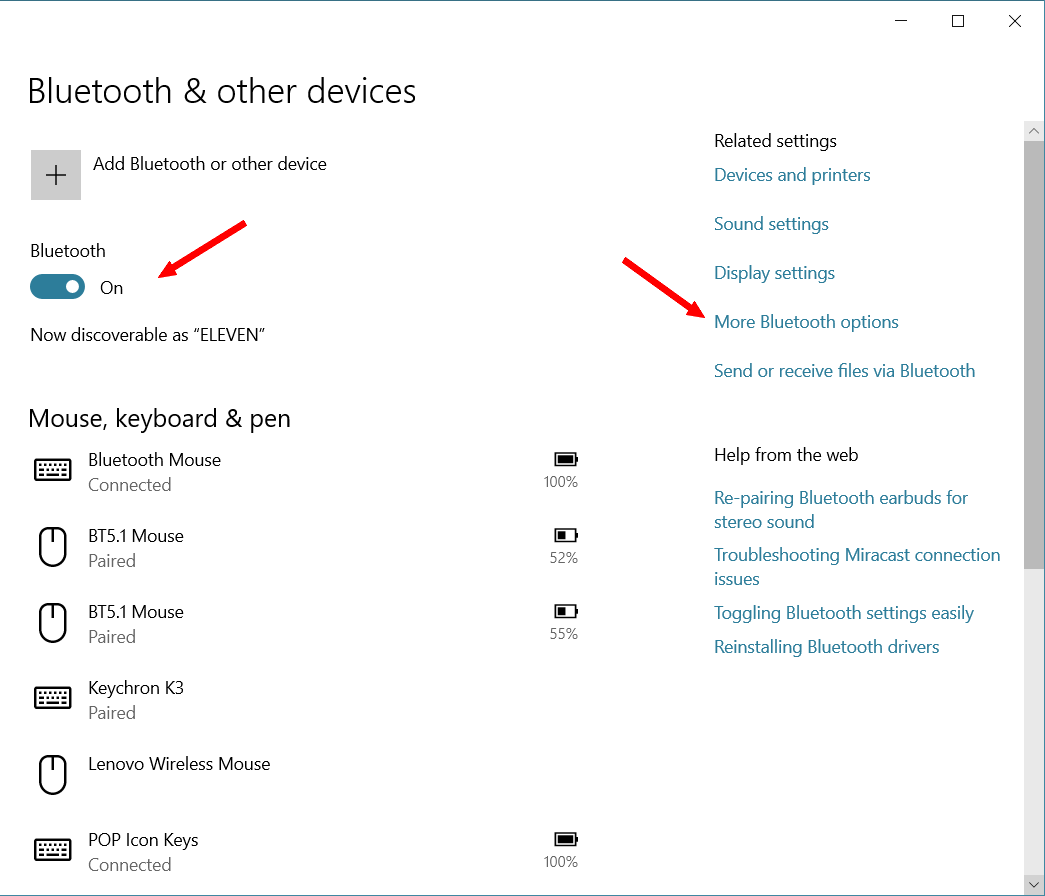
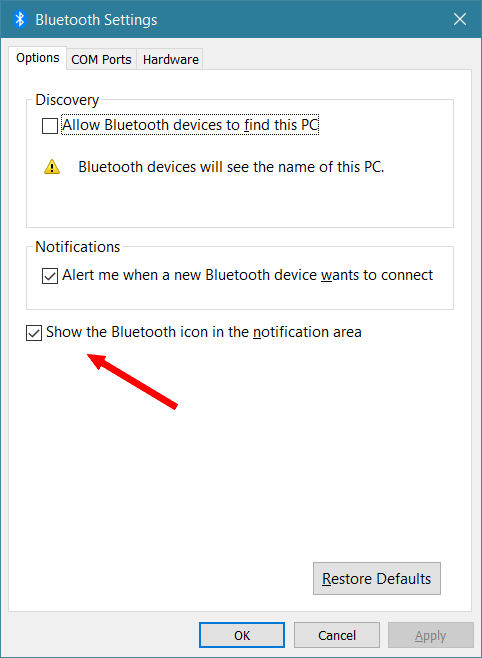
What’s the problem? The problem is that you have to click “More Bluetooth options” and check “Show the Bluetooth icon in the notification area” for the icon to appear! After that, I can hide it and only find it by pressing “^” if I want to… but first, I need to have a fucking icon to manage!
Will I ever get to see a viable alternative to Windows before I kick the bucket? Linux and macOS aren’t satisfactory.