① On Sept. 21, I said that Linux will soon be history for me. ② On Oct. 13, I found more proofs that Linux has become a joke. ③ On Oct. 19, I ditched Xubuntu. While I said things were going to take some time, I surprised myself by installing Lubuntu 25.10 over Ubuntu MATE 24.04 LTS, as per ④ the post of Oct. 24. Then, ⑤ on Oct. 27, I reported on replacing that Wi-Fi/BT that stopped being supported by Linux with an Intel-based one. ⑥ On Nov. 10, I was shocked to learn that Ubuntu 26.04 LTS will make snaps unavoidable. ⑦ On Nov. 24, I mulled over the idea that we should probably stop hack-installing Win11 on systems with CPUs that aren’t officially supported (so that older computers would probably need Linux instead). But, lo and behold, ⑧ on Nov. 30 I reported on my fresh installation of Win11 IoT on my old laptop from 2016!
What is going on here?!
After having kept this post in drafts for about two weeks, here it is in its full verbosity.
Well, since a blog was originally supposed to be more like an online journal, I’ll go that way and report on my recent ventures with Linux on the newer laptop whose Wi-Fi/BT chip has been replaced. Having a separate 1 TB SSD for /home, I can’t bring myself to “Windowsify” it, and even less now, when I have a bloody Win11 IoT on the other laptop (and the other alternative is Win10 IoT, which has no future).
Captain’s Log, Stardate 0251201.7
First, I didn’t properly explain why I wanted to try Lubuntu when I had a perfectly working Ubuntu MATELTS configured to my liking.
Well, not everything was perfect. As I mentioned elsewhere, MATE’s Disk Mounter applet misbehaved and crashed at least one in three times upon unmounting flash drives!
There are a couple of other annoyances in MATE 1.26, but I don’t remember them now.
Then, while I certainly appreciate the fact that MATE is a stable desktop environment that doesn’t make its users’ guinea pigs and doesn’t destroy usability and ergonomics for the sake of some “modern” fad, there’s an issue with it. You see, while MATE and Ubuntu MATE have practically the same team, this team is completely fucked-up. How’s that?
Well, MATE 1.28 has been implemented in such a way that made it impossibly to integrate in Debian so far, hence Ubuntu, Mint, etc., so they still have 1.26. The MATE 1.28 release date was February 27, 2024. On April 23, 2026, Ubuntu MATE 26.04 LTS is going to be released. Will it finally get upgraded to MATE 1.28.2 (or newer), or it will be yet another LTS release to be stuck with 1.26.2? (We’ll get to that later).
But how come Debian couldn’t integrate MATE 1.28 when everyone else did?! As explained here, it boils down to two issues:
libmate-desktop removed symbols without a proper SONAME bump.
mate-settings-daemon misbehaved on DBus, breaking greeters like arctica-greeter.
These upstream flaws made Debian packaging, err, impossible.
It could be argued that the removed symbols weren’t used by any package, so nothing was broken, but why didn’t they observe Debian’s rules? Also, those DBus-related bugs have long been fixed, but Debian 13 and Ubuntu MATE still have MATE 1.26.2!
Not only that, but I found that the quality of Ubuntu’s flavors seems to have decreased lately.
Ubuntu Mate 25.10 is a useless release, just to have a 6.17 kernel and newer packages over a MATE desktop released on August 10, 2021, with some components updated to 1.26.2 on October 19, 2023. What’s worse, it was unable to detect my Wi-Fi! It couldn’t detect the old MT7663 one, and it can’t detect the new AX210 one! Whoever was the release manager for Ubuntu Mate 25.10 did a pathetic job!
Xubuntu 25.10 wasn’t able to automount exFAT flash drives in the live ISO.
Lubuntu 25.10 cannot be used as a rescue ISO because it cannot mount the internal partitions present on your computer. It’s rare to find a live ISO unable to do that!
Yes, I eventually installed and customized Lubuntu, hoping I might later migrate to Lubuntu 26.04 LTS, but a conflict with the retarded developer of PCManFM-Qt made me abandon it. Oh, I had strong disagreements with other developers in the past, including with the current developer of Thunar (look here, starting with “But what made me drop XFCE”) and with the guy behind Linux Lite, but this PCManFM-Qt guy wasn’t only stupid; he also was dishonest. Bad juju, can’t use LXQt anymore.
I needed to explore more. Are all flavors of Ubuntu 25.10 fucked up? Should Ubuntu be distrusted from now on, even if its LTS releases are likely to benefit from more careful QA?
An update from a comment of mine
I’m not sure that I remember all the distros that I tried, because I ran some of them only as live sessions (viva Ventoy!), while a few others got installed (long live the separate /home!). But I’ll tell you some relevant experiences so I can express some opinions.
From a comment from Nov. 13: When I said that Linux Mint adds bugs to Ubuntu, I forgot to add that LMDE adds bugs to Debian!
💻 I installed LMDE7 on the newer Acer, preserving /home, as usual.
As a live session, it worked fine. As an installed OS, I tried to add a few apps. It installed mc and featherpad, then… IT STOPPED BEING ABLE TO ACCESS THE INTERNET!
Disconnecting and reconnecting to the AP was useless.
Rebooting was useless. It connected to the AP, but could not reach the Internet!
THIS IS THE FUCKING LEGENDARY “LINUX MINT QUALITY”!
💻 In the interim, because I still need Linux on this laptop for a while, I installed Ubuntu Cinnamon 25.10.
It doesn’t have Mint’s tools, and the distro maintainer has some strange preferences (pidgin, alacritty), but the overall system became satisfactory after some quick customizations: ● I replaced “Grouped window list” with “Window list” on the panel. This way, not only I can see window titles (this could be enabled in the other applet, too), but I can set a wider window button width (here, 240). ● In the calendar applet (a simple clock is not available in Cinnamon, as Mint uses a different shit), I customized the date format and replaced “%A, %B” with “%a, %b”. ● I made the GNOME apps that didn’t honor the dark theme by default, specifically GNOME Terminal and gedit, to use the “Dark style” (gedit has several color schemes for each of light and dark styles, but “Solarized Dark” is just fine). ● I uninstalled gnome-system-monitor and installed mate-system-monitor, I replaced the command for the “System Monitor” icon, and I added the Ctrl+Shift+Escape shortcut for it. ● I replaced the snap-based Firefox with the PPA-based one, so I could open my Firefox profile that was in /home and start using the laptop as if nothing happened.
Nemo is usable “as is” because it can use a Compact View, the lack of which is the main reason I will never be able to use GNOME and its retarded Files!
Everything is better than Linux Mint or LMDE! (Everything but GNOME, this goes without saying.)
🪲 But I already found a bug in Ubuntu Cinnamon 25.10 that was not present in Lubuntu 25.10: once a BT mouse goes to sleep, it cannot reconnect to the laptop when it wakes up. Even right-clicking on the device in blueman-manager and selecting “Connect” is useless: the device must be deleted and added again!
🪲🪲🪲 I rebooted, and now I cannot log in! After accepting my password, Ubuntu Cinnamon crashes and it returns to the session greeter!
For fuck’s sake, literally EVERY SINGLE LINUX DISTRO IS BROKEN! And they’re more and more broken!
⚠️ Note that the Ubuntu MATE 25.10 ISO doesn’t detect any Wi-Fi adapter, even with this new Intel Wi-Fi/BT card. Zero quality control. Ubuntu MATE 24.04, 24.04.1, 24.04.2, 24.04.3 worked fine. The quality of Ubuntu’s 25.10 flavors has deteriorated, and with the reports I’ve seen about Fedora 43, it really looks that the quality in Linux is becoming abysmal!
Cinnamon, MATE, and more
I never explained why I quit KDE after I had several time frames during which I used KDE5 with various distros, such as in Salient OS (themed to look like this) or in AlmaLinux. In brief, KDE5 is to KDE6 what Win10 is to Win11. Not in terms of radical changes, no. But KDE5 is a dead horse, and you’ll eventually run KDE6 if you’re into KDE. And my assessment is that KDE6 adds changes and “improvements” that are unasked for. Instead of simplifying the bloody system settings “control panel” and getting rid of old bugs, they just move things around, and then they add new bugs. Did anyone really ask for a floating taskbar?
❶ KDE annoyed me…
For instance, KDE has an issue with LC_ALL: you can select a “queer” locale such as en_DE.UTF-8, and you can customize every single category of locale (LC_NUMERIC, LC_TIME, LC_COLLATE, LC_MONETARY, LC_MESSAGES, LC_PAPER, LC_NAME, LC_ADDRESS, LC_TELEPHONE, LC_MEASUREMENT, LC_IDENTIFICATION), but once you do that:
Some apps will crash, even KDE apps! Look here how Foliate failed to open any ePub when launched from the KDE menu because of LC_TIME was en_DE.UTF-8; then PeaZip crashed, too; then also Ark and Okular! Funny thing, when any such app is launched from Konsole, it doesn’t receive en_DE.UTF-8, but C.UTF-8! Then what’s the purpose of customizing all those individual values?!
Resetting the locale to en_US.UTF-8 only resets those individual locales from the above parenthesis, but not LC_ALL, if present! KDE’s System Settings can only set individual LC_* values, but it cannot set or reset LC_ALL, so in my case it could not remove or reset an LC_ALL = en_DE.UTF-8 entry in ~/.config/plasma-localerc! If it cannot handle and reset all those LC_*, then it shouldn’t pretend it can.
KDE’s complexity only adds bugs.
Funny thing, MX XFCE offers a similar extended customization of all LC_* (Linux Mint’s equivalent tool is more structured), and the settings are not DE-specific:
Well folks, it’s the beginning of a new era: after nearly three decades of KDE desktop environments running on X11, the future KDE Plasma 6.8 release will be Wayland-exclusive! Support for X11 applications will be fully entrusted to Xwayland, and the Plasma X11 session will no longer be included.
For most users, this will have no immediate impact. The vast majority of our users are already using the Wayland session, it’s the default on most distributions, and some of them have already dropped — or are planning to drop — the Plasma X11 session independently of what we decide.
In the longer term, this change opens up new opportunities for features, optimizations, and speed of development.
KDE is just like GNOME or Windows: they know better than you what you need and what you want. Or, more accurately, what you shouldn’t be wanting!KDE 6.8 might not be released before 2027, but still!
You would think Windows is annoying when it comes to its updates. But at least there’s one entity doing the updating, and if you handle it, you’re sorted. Not so in Kubuntu, or most Plasma systems, I’m afraid. Recently, especially since I installed and/or updated a bunch of systems to 24.04, I’ve been seeing more and more restart required prompts. But not one. Nope. A torrent. A barrage of notifications popping, one after another, sometimes three, sometimes eleven. And they would happen without my intervention, which is alarming.
As it happens, I don’t like automatic updates, so I keep them off. Or so I thought, because no matter what I chose through the Discover GUI, Kubuntu would still ignore my wishes and occasionally run a background update, and then annoy me with pointless messages, always when I don’t want or expect them. I found a second place to cull this unwarranted noise, but still, this wasn’t enough. Then, a third place. My oh my. In today’s tutorial, I will show you how to get rid of the KDE Daemon update reboot message deluge.
…
OK, let’s assume the system is configured to auto-update. And there’s an update that requires a reboot. In that case, if there’s a reboot prompt, I would expect it to tell me WHY it wants that. Because if I’m not aware there’s a background process running, then for that matter, you could have “malware” updating your machine. Sure, the possibility of something like that is very low, but why the opaqueness then?
A much more elegant solution would be to tell me what update requires the reboot. Cleaner, more information, and an optional toggle to remove that notification. But if there’s an “unattended” upgrade running on my box, then yes, I need the details.
…
Of course, no Linux system is truly a system, more a collection of disparate parts barely working together. This is why, if you want to get rid of this annoying popup, you need to edit THREE separate configurations. Yup.
From the same article:
This makes Windows 11 look almost fun in comparison.
Ah yes. You use your Kubuntu normally. You do nothing. Above all, you don’t do any updates. All of a sudden, you see a volume of system restart messages from the KDE Daemon. Not one message. Three, seven, ten of these. And all of them weird, because you didn’t do anything, so why would your system ask for a reboot. Has it updated itself in the background? How come? Should you be worried something has possessed your machine?
OK, he already talked about that before. But then…
Broken color management
Kubuntu colors are messed up. For example, a cover of one of my own books. One example, GIMP. Another example, GwenView. Side by side. Notice the difference?
Why? No idea. But it exemplifies the wild nature of the Linux desktop, and shows what sort of silly, unnecessary problems you might have to contend with. I don’t know what happens in Ubuntu proper, or how Fedora does that. However, if you recall my articles from the past, this was a significant problem with Nouveau drivers (not the case here). For example, Fedora 27 from 2017. So yeah, almost a decade later, we have a rather similar issue. That was Gnome back then, but the logic checks out.
SSD disappeared
… after a seemingly ordinary update plus a reboot, the boot menu read: “Checking media”. Then, it threw a PXE boot error. What. Twice.
I went into the BIOS menu, and lo and behold, my SSD wasn’t recognized anymore! I powered off the machine, powered it on, and this time, everything was fine. But for some reason, probably another blob of zero-test firmware or who knows what, my SSD briefly stopped working. I’ve never seen this before. Or since.
Kate never shows the last opened document
Try it yourself. Create a new file. Name it something like test.txt. Close it. Now, in Kate’s File menu, look what’s shown under Recent Documents. It won’t be there. Close the text editor, open it. Still not there. Reopen the file, and now it will show up correctly. Why, beats me.
Lots of weird errors in the system log … Why so much noise? Is it a competition with Windows on who produces more meaningless vomit? Does any developer ever look at their own code and check what it does? If these errors serve no purpose to the end user, there’s no way for the end user to fix the problem, then DON’T SHOW THEM. And if they are useful, then the developers themselves should fix the issues. Simple: don’t ship the code until you fixed the errors. Duh! …
Conclusion
The brittleness and the inconsistency of the Linux world kills me. It saps the essence of my optimism, and I’ve got plenty of it, despite what you may think. … And the funniest part is, with ALLLLLLLL its problems, Ubuntu (and friends) is still PARSECS ahead of all other distros when it comes to general usability, security, updates, and availability. But that gives me no solace. I have no desire to aim down and feel smug about it. I want operating systems to shine, and get out of my way when I use them. … My goals have never changed in the past two decades. I want stability and predictability. Nothing more. If something works, it must work forever. The torture of things going on off randomly, to the whim of casual development disconnected from any concept of product, is awful. …
Great. I’m cured of KDE, should I ever want to go back to it. Complexity means there are too many things able to break. And KDE6 is bound to have bugs that were not in KDE5. Ouch.
Now, which friends of Ubuntu’s? Mint? Or his daddy, Debian?
❷ Anti-Wayland bits
Excerpts from vox populi on The Reg, starting here:
There is some hypocrisy in the world.
GNOME developer Jordan Petridis predicted X11’s removal from the code back in June, and the code change was merged earlier this month.
For your convenience, we have cancelled the train you used to use. The newer shinier train has less carriages, less seats, and a driver called Bob.
We still often see reports of significant issues with Wayland.
Despite quotes elsewhere that Wayland as a “protocol is more straightforward and easier to understand [than X11]”, it still has a shedload of bugs. If it is so much easier, why so many bugs?
Some distros are making Wayland the default, leading to more people filing bugs and this helps to isolate the issues.
Yet noisy voices in the Linux world yell loudly about Windows users being bug testers. (Quite rightly). Those same voices are remarkably quiet when it happens in Linuxland.
I’ll add my own two cents: If Wayland is to replace X11, let it be rewritten in Rust.
Your comment reminds me of a quote from another forum:
You failed to read the fine print at the bottom of all the wayland promises over the past 12 years:
“It will improve your performance. Next year. Or the year after that. Or maybe the year after that. If you have the right hardware. And the right desktop. On certain tasks with certain apps. Maybe. Depends on the alignment of the stars and the moon, and if Jupiter is in the 2nd house.”
It is a bit annoying that Wayland is missing some features, but trying to get my main 144Hz monitor to work properly was basically impossible, even after loads of hacking around. Moved to Wayland and it worked perfectly straight away. Never looked back.
Indeed. I’ve been using Unix for 35 years or so and X11 is about the only thing other than a few of the command line utilities that I’ve never had one bit of trouble with. None whatsoever.
Whatever happened to If it isn’t broken, don’t fix it?
You mention that Xorg has been largely static for a number of years. What you missed is that the maintainers of Xorg are mostly the developers of Wayland/Weston. They’ve been refusing to accept patches to Xorg from anybody, especially Enrico Weigelt, who seemed honestly interested in fixing some long standing problems.
…
So it’s difficult to say whether his patches were refused because the maintainers did not want fixes at all, or whether they disagreed with what the fixes were changing, or whether they just did not like the person. And of course, they do not seem interested in generating their own modifications to address issues, something that has been suggested as their way of making X11 less attractive. It’s an interesting side to the Open Source mentality, which obviously led to the inevitable fork, which is the ultimate recourse.
I am resigned to Wayland, just as long as XWayland remains an option and does not break too badly. There’s just too much legacy stuff in my life that will never get Wayland support. I would like to see other implementations of compositors for comparison though. I guess I must have seen Mutter, and Weston, of course, but I wonder how things like Sway and Wayfire change the experience.
There is another side to this, however. There is a critical mass issue. At some point in the future when the major distros are Wayland by default, new applications will be written Wayland only. There may well need to be some work by people wanting to keep X11 alive to allow these applications to work on X11, otherwise it will naturally atrophy. Maybe a reverse XWayland, embedding a Wayland understanding compositor into the X server, or running as an X11 client.
Despite quotes elsewhere that Wayland as a “protocol is more straightforward and easier to understand [than X11]”, it still has a shedload of bugs. If it is so much easier, why so many bugs?
Valid point. However, some of this stuff isn’t bugs. It is 100% intentional.
It won’t let one app snoop on what another app is displaying — for security. Makes screenshots and screen sharing harder.
It is local only. No remote sessions. Need to tunnel that over waypipe or something. Who needs network displays in the 21t century, granddad?
Also breaks VNC. But they have a sort of replacement with the Microsoft protocol!
This is it. They have broken by design functionality that a major program I regularly use – Kicad – relies on. To the extent that Kicad can’t fix the issues: it runs but the user interface is degraded. (Their words).
Why the fsck do people keep doing this? Design a worse product and somehow persuade the major Linux distributions to use it by default? I hope Clement LeFebre is taking notes and sticking to X11…
Why the fsck do people keep doing this? Design a worse product and somehow persuade the major Linux distributions to use it by default?
That’s how things have “worked” in Linux-land since long before systemd was a thing.
Does this mean that Alt+Space, X doesn’t work in Wayland? Liam:
Killer: the compositer lacked XFCE features I use every minute. There is a port of XFCE in progress. I will check again when it is working.
Xfce works. You can’t control window sizes with the keyboard any more, though. Labwc works fine and has window-control menus but you need the mouse or the cursor keys. Otherwise it looks the same.
For me, it’s broken. I do Alt+Space, X dozens of times a day without thinking. The GNOME kiddies don’t know it exists. I’ve asked.
The GNOME kiddies 🙂 The retarded hipsters, actually.
I decided to be as open-minded as possible. So, I believe that the Wayland implementation in Plasma 6.5 is considerably better than at any time before. A good start. One, the system was rather stable and robust, but there are some small problems – soon. Two, there is no perceptible performance and responsiveness difference between the Wayland and X11 sessions. Previously, I would always, always be able to tell those apart.
Three, the scaling works fine. Four, the icon reshuffle in the taskbar works correctly now. Finally. Five, I tested a whole bunch of programs, and everything worked, including some less than obvious choices like KeePass, KeePassXC and DOSBox. Five, windows now have PROPER borders on all sides. Six, windows are correctly preserved across sessions, including their size and position. This was never the case with Wayland before.
Well, when someone says, “KDE Plasma 6.5 now works great under Wayland,” this means that KDE’s own components and native apps run well under Wayland. But non-KDE6 applications still need to be rewritten to use Wayland’s instead of X11’s libraries, or a Linux distro can use XWayland for a compatibility layer. So the real problem with Wayland goes beyond the desktop environment, down to the legacy software.
OK, Dedoimedo has tried a bunch of non-KDE6 apps. But not all of them! Even a GTK4 or a Qt6 app is not guaranteed to work without issues under Wayland because it might still use a third-party library or code that assumes it runs under X11. I suspect many apps tried by Dedoimedo have used XWayland. But XWayland is more like WINE, meaning it’s not guaranteed to provide a perfect translation.
So no, I will keep avoiding Wayland for as long as possible.
❸ Oh, regarding Cinnammon…
Back to the experiences described in that comment: I liked the way Cinnamon looks in Ubuntu Cinnamon much more than how it looks in Linux Mint or in LMDE!
Now, of course, if MATE looks the best in Ubuntu MATE (I must repeat myself, but XFCE definitely does not look great in Xubuntu!), Cinnamon surely should look the best in Linux Mint (and LMDE), right?
Well, I beg to disagree. Linux Mint and LMDE seem like an invitation to suicide. OK, say I change the wallpaper and the theme. And I shouldn’t forget the retarded icon theme (Clem must like those Asian smartphone icon themes!) and replace it with Papirus before I get brain damage!
But I’m not sure I could use any flavor of Mint, despite the incentives. What incentives, you say?
Well, those Xapps—Xed (“Text Editor”), Xreader (“Document Viewer”), Xviewer (“Image Viewer”)—despite eom, eog, gthumb, etc., being just fine.
But even in Mint or LMDE, Cinnamon is incomplete! That is, it uses GNOME Terminal, gnome-system-monitor (“System Monitor”), and possibly other non-Cinnamon accessories and system utilities. Cinnamon is “less complete” than MATE! Oh, it also uses the outdated system-config-printer (“Printer Settings”) that fails to display an icon in its About box because Red Hat abandoned it in 2012.
If we are to use 3rd-party accessories and system utilities—this is how we use XFCE, which doesn’t have its own PDF viewer—then why would we care that Cinnamon outside Mint is even “less complete”? BTW, gedit is a perfectly fine text editor, and it can be configured to dark or light, each with a selection of color schemes for the editor area. There is life outside Xed!
So I really liked how I was able to quickly customize Ubuntu Cinnamon 25.10 to something to my liking. But then it shot itself in the foot! Is this…
…a sign of non-main Ubuntu flavors being excessively buggy?
…a sign of interim (non-LTS) Ubuntu releases being carelessly rushed out?
The answer to the above questions might have an impact to the following point.
But let me add a couple of notes about Cinnamon in Debian 13, as experienced in 13.1.0-live, despite the current update being 13.2.0-live. JAN. 12 UPDATE:13.2.0-live is the current version.
Cinnamon isn’t very ugly by default in Debian, but Clem’s attempts to make Cinnamon “a better GNOME” and “an evolution of GNOME 2” (because MATE wasn’t enough) failed. For instance, since Xviewer cannot be used outside Mint (it’s one of Mint’s XApps), Debian Cinnamon uses the real Eye of GNOME instead. But Eye of GNOME has been fucked by GNOME in such a way that it always displays a dark theme, no matter what. It’s not like gedit, i.e. you cannot tell it to either observe the global theme or to use a dark or a light theme. At least, it doesn’t have anything in the GUI about that. So here’s the black sheep:
But the really strange thing is this one. The desktop font (the second in the list) is configured to Noto Sans Regular. But when I tried to select it from the list of fonts, it was nowhere to be seen! The default font (the first one in the list) was also Noto Sans Regular, but once I changed it to something else, I could not change it back. The closest font is Noto Sans Display Regular, because Noto Sans Regular literally isn’t in the list, unless their sorting algorithm is broken!
I never liked Cinnamon, but if it only works properly in Linux Mint and LMDE, then thanks, but no, thanks.
Wait! LMDE7can be configured to look less depressing (and no, this is not because of the dark theme). Suppose you change the ugly icon for the menu, you replace “Grouped window list” with “Window list” (so you could make the buttons larger), and you select another theme (install the Yaru ones for Cinnamon). Below, Yaru-cinnamon-dark with the Papirus icon theme, then with Yaru-olive-dark icons. Acceptable enough…
…except that the text on the panel is bold, despite having selected a normal text:
Not only it is bold, but even the regular Ubuntu font looks thicker, and it is so! Despite the “new” Ubuntu font being thinner in Ubuntu 24.04 LTS and Linux Mint 22, Debian still has the old 0.83 version, and Clem couldn’t be bothered to add a newer one in LMDE7.
So mate-desktop Issue #646: “Mate 1.28 on Debian” (opened on May 15) was closed as completed on Oct. 26 by lukefromdc. They needed 14½ months to notice that MATE 1.28 could not be imported in Debian! Not that they did anything after having opened the bug; the fixing took place on Debian’s side. But, unless their main target is Fedora or Arch, they should maintain a close collaboration with Debian, because without MATE in Debian there would be no Ubuntu MATE at all!
lukefromdc:
I really do not know where the removed symbols came from. We ADDED a lot of new functions that replace deprecated GTK 3 items, I don’t know where the removals came from and really don’t know enough about how symbols are exported etc to fix this. Since then a lot of team members have become inactive.
As I have said elsewhere, I am way out of my depth with so many team members having left. I’ve tried to keep things going but have been outmatched by the travis issues blocking distribution of releases entirely too often including right now.
Too many things I don’t know jack about. Some folks from Europe may be stepping up so my advice at this point is simply to wait. At the moment I would not be even able to get a release out the door because changes over time to underlying libs or travis itself have broken travis CI for MATE, I don’t know how to fix it, and I do not have write access to the old https://pub.mate-desktop.org/releases website.
On top of all else I am based in the US and cannot guarantee my own safety with the chaos here.
OK, let’s blame Trump for this.
cwendling seems confused:
Can we get more specifics? Which symbols are missing? What is broken on DBus?
E.g. bumping SONAME is easy if we broke something, the other fix would be to unbreak it, but we’d need to know, and I guess you have the info through the symbols files?
lukefromdc wants to make things clear:
Note that I am not on Debian’s team.
Didn’t I tell you that the MATE team is wrecked?
I’m not a big fan of Debian’s community. Not after what happened to Norbert Preining, who used to maintain a repo with newer KDE builds for Debian stable. Norbert Preining stopped doing it in2023, having been abused by several people for one too many times; I remember how, back in 2019, Martina Ferrari called him names because he wasn’t aware that Martina Ferrari, born Martin Ferrari (with XY chromosomes), is now a she/her. The Debian community is toxic. So Professor Norbert Preining, PhD in mathematics and researcher with over 11 years of Japanese experience, wasn’t sensible enough for the sensitivity of some scalpel-made cunt (born male)! He’s now using Arch, which is a huge step from Debian stable.
But surely Ubuntu will get MATE 1.28 once it’s in Debian testing, right? Shouldn’t Ubuntu 26.04 LTS include MATE 1.28.2? It should, but most likely it will not!
It’s time we talked about Ubuntu’s future
As I already said, the quality of the released flavors of Ubuntu 25.10 ISOs disappointed me, except for Lubuntu. But I decided to boycott Lubuntu for a different reason.
❶ Past and present
Canonical doesn’t really care about “Linux on the desktop”!
Mark Shuttleworth used to be great. He spent millions from his own wealth to send free Ubuntu CDs to everyone who asked for them. Beyond the free CD-ROMs, Ubuntu has created the expectation of a “Live” distro that would “just work” (previously only Knoppix was famous for being “Live”), which contributed to an increased popularity of the Linux distros (initially supposed to be referred to as GNU/Linux, because Linux is only a kernel).
His change of direction became apparent when he closed the bug on May 30, 2013, with a comment from which I quote:
Personal computing today is a broader proposition than it was in 2004: phones, tablets, wearables and other devices are all part of the mix for our digital lives. From a competitive perspective, that broader market has healthy competition, with IOS and Android representing a meaningful share.
Android may not be my or your first choice of Linux, but it is without doubt an open source platform that offers both practical and economic benefits to users and industry. So we have both competition, and good representation for open source, in personal computing. Even though we have only played a small part in that shift, I think it’s important for us to recognize that the shift has taken place. So from Ubuntu’s perspective, this bug is now closed.
…
It’s worth noting that today, if you’re into cloud computing, the Microsoft IAAS team are both technically excellent and very focused on having ALL OS’s including Linux guests like Ubuntu run extremely well on Azure, making them a pleasure to work with. Perhaps the market shift has played a role in that. Circumstances have changed, institutions have adapted, so should we.
What an ass! You can never trust anyone. Especially not business people or IT people. Never!
Closing this bug was a sinister joke. Microsoft still has a majority market share, especially on the desktop! Linux distros never exceeded 6% on the desktop.
Android is a piece of shit that happens to use the Linux kernel. Android is not a Linux distro!
The Linux kernel is used in all the places where it should never be used, such as in the automotive industry. And I’m not talking of the infotainment systems but of embedded systems. What happened to RTOSes? And why not NetBSD instead of Linux?
Communist people such as RMS (Richard Matthew Stallman), the creator of the failed GNU Project (GNU Hurd is a bad joke) and of the communist GNU General Public License (GPL), believe that the GPL is responsible for the extent to which Linux has spread. I believe that the real reasons have never been analyzed and properly understood. Maybe the real reason was that some people decided to create Slackware, Red Hat, and Debian instead of embracing FreeBSD or NetBSD. Then, all kinds of retards pushed the Linux kernel everywhere. You don’t even know what a monumental mess the Linux kernel is!
Mark Shuttleworth has always been a businessperson. Canonical Ltd. didn’t manage to get an IPO, despite having maintained steady profitability and growth several years in a row. But this will happen some day: Red Hat is now under IBM, and SUSE is owned by a bizarre EQT-controlled private entity called Marcel Lux III Sàrl (Luxembourg), after having belonged, in order, to Novell Inc., The Attachmate Group, Micro Focus International plc, and EQT Partners AB. The only genuine business name in Linux remains Canonical Ltd.
Canonical and Microsoft have a fantastic partnership, building out the WSL experience. This work will benefit enterprise developers who use WSL to build production Linux solutions. — Craig Loewen, Product Manager for WSL at Microsoft
Ubuntu Pro on WSL under Windows 11 🎉
Mark Shuttleworth doesn’t care about Linux on the desktop more than Red Hat cares about Fedora, which means that users of such distros on the desktop (read “laptops”!) are second-grade citizens and mere guinea pigs. Ubuntu does have a main desktop distro, but GNOME 3/4x is the worst possible choice (but “if America likes GNOME, so be it”!), and Canonical bets on enterprise use.
Beyond the usual desktop and server ISOs, Canonical offers:
Cloud-provider images – AWS AMI, Azure VHD, Google Cloud, Oracle OCI, IBM Cloud
Far from your “Windows 11 Home replacement,” eh? Although, given how shitty GNOME is these days, it’s the perfect Windows 11 UX replacement because it’s completely inept and it targets the mentally retarded!
Well, why would Canonical care about Ubuntu on the desktop as long as enterprise developers can use Ubuntu via WSL under Windows 11 (which is exactly what many of them do)? After all, once Microsoft joined the board of directors of the Linux Foundation and created WSL, Microsoft won.
By tying a crucial component for desktop usage to the snap system, Canonical sabotages the traditional package management system inherited from Debian and opens the path to a future immutable-only Ubuntu, the announced Ubuntu Core Desktop! Immutable plus snaps, of course.
This path was opened in 2014, but now they want to speed up the pace to the ultimate goal.
Canonical has openly stated that its long-term vision is for Ubuntu Core Desktop to eventually become the default Ubuntu experience, though the traditional Ubuntu Desktop will continue to coexist for now. May 31, 2023: Ubuntu Core as an immutable Linux Desktop base:
Canonical began the development of Ubuntu Core in 2014, to create a fully-containerised platform for IoT.
…
Desktop software is in many ways trickier to containerise than server or IoT software, because we want our desktop apps to work well together.
…
Nevertheless, we are excited to explore the idea of a fully containerised desktop, where each component is immutable and isolated. We have steadily been improving the experience of desktop snaps. And in due course, when we think the entire system can be delivered this way, we will be excited to offer a version of the Ubuntu Desktop which has these new capabilities.
A read-only, immutable system, with isolated applications, is Android. And it’s the most restricted “open” system! I want my freedom to tinker, you fucking idiots!
Sure thing, I am a Luddite. I refuse the future. Look what the German Linux User magazine issue for December says: Distribution der Zukunft: Sicherheit und Komfort durch immutable Systeme und Containerisierung. Meaning: Distribution of the future: Security and convenience through immutable systems and containerization.
Convenience, my ass. This is prison. I refuse to be happy in the “safety” and “comfort” of the DPRK!
Snaps are more powerful than Flatpaks because Flatpaks are heavily focused on GUI apps. But even so, this is not the first time Canonical is affected by the “Not-Invented-Here (NIH) Syndrome”: Upstart, Mir, Unity (why not Cinnamon?), Ubuntu One (this was more of a business failure), Ubuntu Touch (transferred to the UBports Foundation)… and now snaps.
I very much doubt that it will be possible to “desnapify” Ubuntu 26.04 LTS without heavy efforts. And how about future releases, when snaps will be more and more entrenched? Ubuntu 28.04 LTS might already be immutable with snaps!
Here’s a small but outrageous discovery in Xubuntu 25.10.
I wanted to install the Papirus icon theme (it’s installed by default in many XFCE-based distros, including Linux Lite):
sudo apt install papirus-icon-theme
But then, a stupid notification complained that “Some required theme snaps are missing. Would you like to install them now?”
And indeed, the papirus-icon-themepackage wasn’t enough. It was a decoy and a trigger for the icon-theme-papirussnap which wasn’t even provided by Canonical, but by sameersharma2006, whoever the fuck this person is!
For fuck’s sake, Canonical is shitting on us! A fucking icon theme, and a very popular one at that, cannot be offered as a package by Canonical! I wouldn’t have objected to having snaps as optional as Flatpaks are. But having them shoved up my ass is unacceptable!
But let’s suppose we don’t object to being sodomized. How about that MATE 1.28.2 possibly arriving in Ubuntu 26.04 LTS?
Well, no signs of such a thing. On Nov. 26, they posted on their Discourse Ubuntu 26.04 LTS – The Roadmap, which is full of crap.
Gnome 50 and new default applications
Wayland on Nvidia & performance
Fingerprint readers improvements (“Ubuntu Desktop ships on a wide range of OEM systems…” — Oh, really? It ships on my ass!)
Better snap integration with the desktop
Pipewire and audio stack improvements (“For this cycle, we are exploring new packaging approaches that would make PipeWire easier to update, test, and maintain over time. These changes are largely behind the scenes: we are not replacing the existing Debian packages in this release, but we are laying a stronger foundation for the future and pave the way for Ubuntu Core Desktop.”)
More on the snap front (“we are migrating snaps to the core24 base”)
A Smoother and More Accessible Desktop Experience (“In 26.04, we are significantly improving both the installer and the first boot experience, ensuring that Ubuntu is usable and welcoming from the very first screen.” — Yeah, on GNOME.)
More Powerful and User-Friendly Security: TPM-backed full disk encryption: more control for users (Microsoft-like? And read “less control”!); Friendlier, clearer permission prompts
A Simpler and Unified Software Management Experience (“Today, installing or updating software may involve several different tools: App Center, Software Properties, Update Manager or Firmware Updater, for example. In 26.04, we are taking initial steps to centralise software management and make App Center the single place to handle all applications, independently of the packaging format…”)
Bullshit. Enterprise-oriented and crappy corporatese. This is sickening.
GNOME and the enterprise are all they care about. Oh, and snaps. The other “official flavors” are tolerated but irrelevant. Again, how much does Red Hat care about Fedora? It doesn’t bring them a single penny! Does Canonical earn any money from Kubuntu, Xubuntu, Ubuntu MATE, Lubuntu, Edubuntu, Ubuntu Cinnamon, Ubuntu Budgie, Ubuntu Kylin, Ubuntu Studio, or Ubuntu Unity (which is dying)? Heck no!
Ubuntu 26.04 LTS Snapshot 1 images were released on November 26/27. I tried Ubuntu MATE 26.04 LTS Snapshot 1. Absolutely nothing has changed so far, except for the name of the repo, which breaks all PPAs or 3rd-party repos, because nobody targets a non-existing release.
Technically, there is enough time for MATE 1.28 to make it into Ubuntu 26.04 LTS. But I am skeptical:
Ubuntu MATE is a severely neglected flavor. Yes, it looks better than Xubuntu, but its quality is decreasing, and its team is clueless as to what they should care about (get it first into Debian!).
Nobody even considered mentioning anything about MATE, because only GNOME matters to them. What is this, Red Hat?
The focus on forcing snaps everywhere is disgusting. How could we trust Canonical not to screw us? The user’s control over snaps is partial, and the snap system is semi-opaque. One can install them, remove them, and update them but not have full control, as is the case with packages. What is this, Microsoft?
This is not the first time Ubuntu has disappointed me. But it’s likely to be the last time.
❸ Derivatives
Since I cannot stand Linux Mint, this section is going to be very short.
I hate Mint because it’s ugly. Ugly fonts, ugly icons, ugly themes, general ugliness. But people love it!
I hate Mint because it adds bugs to Ubuntu.
I hate Mint because it breaks Ubuntu. For instance:
xfce4-panel-profiles cannot be used in Mint XFCE to change the layout.
mate-tweak cannot be used in Mint MATE to change the layout.
This is exactly why it’s usually better to use an unmodified Ubuntu flavor. As an added bonus, they release every 6 months, whereas Mint only tracks LTS releases.
But Mint “desnapifies” Ubuntu, right? This should be a huge asset, eh? (Linux Lite, for instance, couldn’t care less. It’s full of snaps.) Well, Ubuntu 26.04 LTS is going to be a hard nut for Mint’s team. If, by some miracle, the snap-based PipeWire won’t land in 26.04, Mint will only have to care about impossible-to-remove snaps in 2028. But they won’t be able to produce snap-free Mint forever! When they created LMDE “just in case Ubuntu dies,” they made a double judgment error:
What if Ubuntu doesn’t die but follows a path that makes Mint’s objectives impossible to attain? After “the Red Hat path” (read: GNOME 3/4x), now the snap path. Eventually, the immutable path!
What if Debian dies? If Debian dies, they all die: Debian derivatives, especially Ubuntu, and all Ubuntu’s derivatives! Debian is the one needing TLC, not Canonical!
When Ubuntu first appeared in 2004, there was no Debian Live CD. Now almost all distros have Live images, often one per major supported desktop environment. Debian has them, too! So a project like Mint should have rebased on Debian stable, full stop. Both Debian and Ubuntu LTS release once in 2 years, only desynchronized. Debian lacks some of Ubuntu’s additions, and it only supports normal repos, not PPAs, but Mint has missed the chance to add tools, features, and bugs to Debian instead of Ubuntu. Instead, LMDE is a second-class citizen on Planet Mint.
Just say no to Mint. Timeshift is maybe the only good thing in Mint.
Debian and XFCE to the rescue?
Once I said that in my opinion Ubuntu cannot be trusted anymore, we should return to Debian or to direct Debian derivatives, not Ubuntu and its derivatives. And I strongly suggest Debian with XFCE (unless you really love KDE or Cinnamon). Why? Because even if MATE 1.28 will eventually arrive in Debian 14, there is no indication that the Disk Mounter applet’s regular crashing has been or will be fixed, as there doesn’t seem to exist any bug report for it. This is ridiculous; I can’t be the only one who experienced this bug!
With all its limitations (in short, XFCE is “incomplete” and needs to use e.g. Atril and other utilities, some of which are part of other GTK-based desktop environments), XFCE is “good enough,” and it’s also “classic enough” to do the job (Liam Proven would certainly agree, except that I hate vertical panels).
As for a Debian derivative that is more polished and offers a better out-of-the-box experience, there aren’t many worthwhile candidates, IMHO:
MX Linux: I did install it, and it has a dedicated chapter below. I do not “love” it, but it’s useful.
LMDE: Nah. It’s Cinnamon-only, and it brings part of Mint’s idiosyncrasies, but not all the good ones. For instance, it doesn’t include Mint’s Driver Manager because it relies on Ubuntu-specific infrastructure (ubuntu-drivers-common). Not all the goodies, but all the baddies.
Sparky Linux: I tried to like this distro at least a half-dozen times, but it’s too ugly. And it’s not just the theme. Bad vibes or something. The developer’s artistic (OK, graphical) taste must be atrocious. Just look at the following utility, which, BTW, can be extremely useful, but both the font used on blue and the text with shadows are repulsive. Also, APTus? What kind of name is that? Biggus Dickus?
Now, of course, Debian’s Live images are bloated, although, of course, it can be worse. For comparison:
I just wanted to add that the aforementioned case of Norbert Preining is not the only example of stupidity in the Debian project. To quote a living legend, none of this would have happened if I were Debian’s president.
Question: Which one of the following is the correct Debian red?
The red color has defined pantone values as you can read at this page archived in the WayBackMachine.
The red used in the font is nominally PANTONE Rubine Red 2X CVC, however PANTONE has deprecated both double-impression (inked, dried, inked again) samples, indicated by the 2X, and Computer Video/Coated samples indicated by the CVC, replacing them with just Coated (C) swatches.
Therefore, the up-to-date equivalent is either PANTONE Strong Red C (rendered in RGB as #CE0056) or PANTONE Rubine Red C (the C is perhaps not necessary, as all materials [C, HC, PC, U, UP, CP, EC, M] render in RGB as #CE0058).
Please note that Strong Red C and Rubine Red C are more pink than red, PANTONE 199 C (in RGB as #D50032) is suggested instead as it is more red than pink.
CMYK: 15%, 96%, 67%, 1% – conversion by Adobe Illustrator 8.0 from Pantone color name, taken from this message archived in the WayBackMachine. I (Dima Kogan) made some stickers using this red, and it’s OK, but looks a bit too pink to my eye. I’ll try some of the others next time, and will report back here.
RGB: 215, 10, 83 – conversion by Gimp and by an online tool
RGB web safe: 255, 51, 102 – conversion by Gimp and by an online tool
Simply put, they fucking failed at branding, and they don’t have a properly defined “Debian red”! They have nine different RGB/HEX colors! (Let’s ignore that PANTONE® colors are not defined by CYMK/RGB/HEX/HSL, but these are approximations of proprietary colors.)
Here’s Debian, a project deeply committed to free and open standards (they have strict guidelines about what even counts as “free software”), and yet their brand identity is tied to a proprietary color system that:
Costs money to access properly—you have to pay to even see PANTONE®’s sRGB/HEX/HSL values!
Can be deprecated at will—that’s what happened with Rubine Red 2X CVC!
Goes against their own philosophy—you can’t truly “own” or control a PANTONE® color.
Obviously, Debian shouldn’t have based their branding on a commercial standard defined by PANTONE®! They should have just picked an RGB/HEX color from day one, documented it clearly, and been done with it. Instead, now there’s confusion and a huge mess. Unbelievably amateurish. Fucking retards.
❷ And yet, Debian XFCE isn’t a bad choice
This being said, installing from debian-live-13.2.0-amd64-xfce.iso is minutes away from a very usable system. Note that the provided link will become invalid once Debian 13.3 is released in January 2026. MARCH 14 UPDATE:debian-live-13.4.0-amd64-xfce.iso is the current version.
① If you, like me, don’t like the default XFCE layout, install and run xfce4-panel-profiles:
② For a “classic Windows” layout, there are 2 options: Redmond and Redmond 7.
③ Redmond offers a one-panel layout more like Win95: the taskbar Window Buttons applet has “Show button labels” enabled, but it uses the old Application Menu that doesn’t include a search function. Add the Whisker Menu, move it to the left, then remove the Application Menu.
④ Redmond 7 offers a one-panel layout modernized: it already uses the Whisker Menu, but the taskbar Window Buttons applet has “Show button labels” disabled, because it’s hip to be slightly retarded and to refuse to see more info at a glance, without even moving a finger.
For some reason, though, in my case the Whisker Menu had a broken icon for the panel button, so I had to select another one (there are several whose name includes “xfce”).
⑤ Debian doesn’t configure the Whisker Menu to open when the Win key is pressed. Go to Settings Manager, Keyboard, Application Shortcuts, Addxfce4-popup-whiskermenu, then press the Win key.
You should already get a desktop like in the second screenshot below. Now, it’s time for me to recommend some themes.
⑥ One of the issues I have with XFCE is that most of its themes make it difficult to resize a window from the bottom-right corner. I can’t understand why XFCE is the only desktop environment where “too narrow borders” can lead to such a result. What’s wrong with Xfwm4? WTF does any border have to do with the fact that resizing a window from any corner should be a default feature? In some themes, resizing from any of the top corners is much easier than doing it from a bottom corner!
If you want to stick to a theme that you like (the Xfwm4 theme, the one you configure in the “Window Manager” screen, not the style configured in “Appearance”!), but resizing is difficult, there are alternative methods to resize windows in XFCE:
Alt+Right-Click anywhere in the window, then hold Alt and right-click-drag inside the window to resize it.
Press Alt+F8 to enter the resize mode, then use the arrow keys to adjust the window size; press Enter to confirm.
⑦ There are 2 themes that don’t look bad and that also happen to make window resizing as easy as in other desktop environments.
One of them is Orchis, which unfortunately has a roundness reminiscent of Cinnamon and Win11, but otherwise is fine. I suggest using it with the Papirus icon theme.
When applying, make sure you check “Set matching Xfwm4 theme if there is one” (or set yourself manually an Xfwm4 theme). If you set the Papirus icons, you might want to change again the Whisker Menu icon. See the 3rd screenshot below for the result.
Another one is Yaru, which comes with several accent colors.
See the 4th screenshot below for a possible result. Note that for Yaru-*, the Xfwm4 theme has to be selected separately, as it won’t match the exact Yaru-color name, so it can’t be applied automatically.
⑧ Among the unconfigured or misconfigured things in Debian is the association of images with… Firefox! And that, despite ristretto being installed! Right-click, Set Default Application and choose Ristretto Image Viewer. You could also install gThumb (gthumb), which has basic editing capabilities.
⑨ Bluetooth was neglected by whoever made Debian’s XFCE Live ISO. Just install blueman and run it. You should find Bluetooth Adapters and Bluetooth Manager in Settings Manager, and the applet in the status tray.
At the 4th point, note that “For Debian Bookworm and Older” still works. If you’ll observe “For Debian Trixie and Newer,” you will have installed the so-called “modernized” definitions for the repo. There’s nothing wrong with that, but be aware that “modernized” repos won’t be configurable from within Synaptic.
The 5th point, “Configure APT to prioritize packages from the Mozilla repository,” can be ignored on Debian; it’s meant for Ubuntu.
⑪ Some extra codecs and some famous fonts should be of help.
Yeah, you might not need all of them, but they’re peanuts. And yeah, I’m using a couple of old names, out of convenience:
Note, selecting 'libdvd-pkg' instead of 'libdvdcss2'
Note, selecting 'libdvdread8t64' instead of 'libdvdread8'
⑫ Thunar cannot mount ISO images by itself (but neither could Win7):
sudo apt install gnome-disk-utility
The resulting app is Disks (gnome-disks).
In Thunar, right-click on an ISO file, Open With, Disk Image Mounter. (You should set this as the default app for ISO and other files of type “Raw CD image.”)
In Thunar’s Side Pane, under Devices, you’ll find your mounted image. Right-click and unmount when you don’t need to access its contents anymore.
These 12 steps are my suggestions to get a more usable Debian XFCE. You might then want to install some more apps, perform some more customizations, and so on.
MX 25 XFCE: notes
I hold the hope that my readers are not all completely retarded, so I won’t give any suggestions on how to install or configure MX Linux, bar some notes and with one major exception. I believe that a vertical panel is a very bad idea.
OK, let me amend it. If you believe that this is the proper fix to the absurd trend of having the screens getting wider and wider, as if a computer were a cinema screen, OK, so be it.
A bit of history: The evolution of a screen’s aspect ratio wasn’t linear: 4:3 (1.33) was dominant for decades (640×480, 800×600). After an ephemeral squarish detour to 5:4 (1.25) for productivity (1280×1024 back then), the “your computer is your cinema” trend imposed moderately wider 16:10 (1.6) widescreens (1280×800, 1680×1050) to stabilize into the dominant 16:9 (1.78) widescreen standard (from the infamous “HD-Ready” 1366×768 to the FullHD 1920×1080, 2560×1440, and 4K UHD 3840×2160), with a small concession to the few 16:10 (1920×1200 and very rarely 3840×2400) screens. Funny thing, if the squarish 5:4 screens were deemed to favor productivity (short of using a screen tilted by 90 degrees for DTP and even coding), later the much wider 16:10 screens also claimed they weren’t only targeting movies and games, but also productivity. The new trend of going back to 3:2 (1.5), as in 3840×2560, shows that insanely wide screens are a dumb idea for real work. But I’m afraid 3:2 won’t last, UNLESS Apple supports it!
A vertical panel mandates an icon-only taskbar, but Windows already distanced itself from the brilliant Win95/98/2k metaphor of having as much information as possible displayed at all times as icons-with-titles (even on two rows if you wanted it). The stupidifying effect of Apple’s Dock, I suppose. People seem to have misunderstood the meaning of “less is more”; GNOME 3/4x is another example of mass idiocy.
But once you want a running app’s window title to be displayed alongside its icon, you must make that panel horizontal!
Unlike other live distros, MX lets you save the changes you made in the live session if you don’t forget to check the “Save live desktop changes” box:
But, as a matter of principle, I prefer to customize the installed system.. After the installation, my separate /home partition already had lots of inherited settings, including themes and local fonts. You’re free to theme your system according to your taste.
Importantly, you don’t need to use xfce4-panel-profiles to change the layout in a breeze. MX Tweak has a special shortcut that allows you to make the first panel horizontal (there isn’t any 2nd panel by default):
Now, you can configure the Window Buttons applet to “Show button labels” 🙂
❶ Notes on theming
As previously mentioned, many official XFCE themes make it difficult to resize a window from the bottom-right corner. The previous recommendations, orchis-gtk-theme (roundish) and yaru-theme-gtk + yaru-theme-icon, are still valid.
How about themes that are neither completely dark nor completely light. Something like KDE’s Breeze Twilight: black panel and start menu, black titlebar, but light-colored controls and window background?
Greybird (Appearance, Style) + Greybird Dark (Window Manager aka the Xfwm4 theme)
mx-comfort (for both)
mx-ease (for both)
Of these three themes, only mx-ease offers usability improvements that include an easy resizing from the bottom-right corner. But apart from the Papirus icon theme, I prefer one of the Yaru icon themes.
Oh, and, for some reason, the Thunar launcher on the panel had the generic icon of a file manager, not Thunar’s, so I changed it.
Now, MX tried here to decrease the confusion that some people might have, so it duplicated XFCE’s settings. 🙄
Normally, there are four places where you theme XFCE:
In MX Tweak, you can have them all on a single screen:
❷ MX Tools: too much is too much (and buggy)
Despite most of the tools being accessible separately from the Whisker Menu, the “control center” for all is MX Tools:
CORRECTION: Right here, I initially stated that there is no search feature in MX Tool. There is one, but it’s hidden at the bottom. I expected it to be at the top, where XFCE’s Settings Manager has it.
UPDATE: I just discovered MX User Manager (why doesn’t XFCE offer a similar tool?), so I thought I should test it to add myself to the docker group.
What it did was this:
It collected the names of the groups: cat /etc/group | cut -f 1 -d :
It determined the groups I was member of: id -nG ludditus
On Apply, it updated my group memberships: usermod -G audio,cdrom,dialout,dip,docker,floppy,lp,lpadmin,ludditus,netdev,plugdev,sambashare,scanner,sudo,users,vboxsf,vboxusers,video ludditus
It failed to notify me that the new membership only applies after logging out and logging back in, or, in a new shell only, via newgrp docker (in this case).
DEC. 28 UPDATE: Regarding MX User Manager, it just occurred to me that this is yet another case when the MX team reinvented the wheel. Sure, XFCE doesn’t offer a proper user management utility, but MATE does. And, as long as XFCE needs to be supplemented with third-party tools, why not take the easy way and install MATE User Manager (mate-user-admin)? It doesn’t install a .desktop file, but this can be solved.
That autologin slider has some design issues, but it won’t kill anyone.
The alternative called Users and Groups (users-admin) that you get by installing gnome-system-tools is much worse, as it cannot associate groups by name to a user. Instead, groups can be added or deleted, and rights can be added to the user based on descriptions, not group names. And that last window cannot be made smaller!
MX Tools offers a one-click “Nvidia driver installer.” MX Tweak offers, under Miscellaneous, a checkbox “Use intel driver instead of default modesetting driver (requires restart).” Useful, but confusing, and in totally different places. Messy.
From the confusingly plentiful tools (some of them group many functions each!), some are definitely useful, such as MX Snapshot or MX Service Manager:
Also, MX Locale comes in handy (67 locales are enabled by default):
Note that in MX Linux, much like in Debian XFCE, the system’s language can be changed in several places:
At boot time, by adding something like LANG=de_DE.UTF-8 to the kernel line in GRUB. (In the Live ISO, hit F2 for the language list and F3 for the time zone.)
At login time in the LightDM (both the language and the keyboard layout can be changed!).
System-wide and permanently, via the MX Locale tool.
The last one is the recommended method. And this is where MX innovates.
“Pure” Debian requires some manual work instead:
Debian does not enable by default the language selector in LightDM. You can enable it manually by editing /etc/lightdm/lightdm-gtk-greeter.conf and adding a line:
show-language-selector=true
The keyboard layout selection in LightDM is not enabled by default either, so add this:
keyboard=true
Still in the same file, define which layouts are available:
keyboard-layouts=us;de;fr;ro
Or:
keyboard-layouts=us;us intl;de nodeadkeys;ro standard
Then reboot or restart the DM:
sudo systemctl restart lightdm
For the permanent method, Debian’s official method is to run:
sudo dpkg-reconfigure locales
This will update /etc/default/locale and /etc/locale.gen.
The installer is the only place where Debian offers a fully integrated workflow to choose everything language-related.
XFCE itself doesn’t have a GUI for user-level language settings, but they can be manually overriden via ~/.profile or LightDM.
Funny thing, as I played with LightDM and MX Locale, switching back and forth between English (Ireland, for the Euro currency) and French (France), at some point I ended up with this mixed crap, despite everything being reported as en_IE.UTF-8. I needed to reboot to fix it.
But then, things start getting buggy. This laptop doesn’t have a German keyboard, so I configured two other keyboard layouts using XFCE’s System Settings. But MX Tools’ Layouts still doesn’t see the second layout, not even after a million reboots!
XFCE added the gxkb applet, which works just fine:
Another bug concerns the brightness adjustment. In a laptop, there is a semantic confusion regarding the two possible adjustments. Let me install and run lxqt-config-brightness for a more compact view:
MX Tweak has it (or them) under Display:
Back to the LXQt tool:
Backlight: This is the real, hardware brightness that is affected by the specific laptop’s Fn keys! Also, this is what you call brightness in a standalone display! If there’s nothing under /sys/class/backlight/, then it probably won’t work and stay at 100%.
Brightness: This is a 100% software filter that just darkens or lightens the pixels after they are rendered (the LEDs stay the same and consume the same power, likely at 100%), and it usually breaks the gamma. But it always works, even on desktops or external monitors that have no controllable backlight. The typical label is “eDP-1” (“DP-1”) or whatever the (internal) connector’s name is.
This is why:
Backlight starts with the default brightness, unless you manually changed it from the keyboard. The BIOS/UEFI sets or lets it at 100%. An OS might change the default to, say, 60% or 70%.
Brightness always starts with the slider right in the middle, where it should be (and stay), because it’s only a gamma adjustment! It’s not a percentage, but the center point might be labeled “100” for convenience.
The bug is that MX Tool has a “Brightness Systray” icon that, once you click it, will add a corresponding systray applet that doesn’t work, because it only displays the fake brightness adjustment!
MX Tweak can adjust the Backlight, and so can lxqt-config-brightness, but not this dedicated applet!Pathetic. (BTW, xrandr won’t work in Wayland!)
● The mystery of the “Brightness Systray” applet:
At first click, it looks like this, with only the software adjustment visible:
Then, no matter how many times I click on the “>>” button, what it does is this, i.e., it hides under the panel:
Only by chance did I discover that if I click somewhere else so that the applet hides itself, and then, but only then, if I click again on the tray icon, it starts showing the full window with both sliders:
But the bug doesn’t end here. If I click again on the “>>” button, here’s what I get:
And then, at the next opening, guess what?
Who was the retard who decided that this shit should NOT have BOTH sliders ALWAYS SHOWN? And why?
Useful but frightening: the BOOT/UEFI/GRUB tools!
The main screen of MX Boot Options is safe enough to use and a good replacement for GRUB Customizer:
You should know that, despite grub-customizer still being present in Debian 13 in version 5.2.5, IT SHOULD NOT BE USED! Here’s the story.
Since this shit called GRUB2, the configuration files and the workflow of updating GRUB have changed all the time, and GRUB Customizer became out-of-sync more often than not.
I once helped fix grub-customizer in Fedora 36-37-38 (Bug 2174582 from 2023-03-01), but the package remained broken in EPEL9 when I was using AlmaLinux 9.3 and 9.4 with KDE. Other distros had even created such an incompatibility, such as Manjaro in 2020-2021, because it used a customized version of GRUB.
Either way, grub-customizer was removed in Ubuntu 22.04, and it never came back in Ubuntu.
Debian, despite Bug 1010165, has not decided to remove it from the repos, but it’s most likely dangerous. You see, Debian is somewhat like the United Nations: slow to decide.
So, I don’t have the guts to use this thing, because it reads the entries correctly, but it won’t save the changes in the correct places! (I could check to make sure, and maybe it’s fixable, but not right now. I already hate GRUB2.)
DO NOT install it and DO NOT use it!
For more advanced changes, though, you need to use the more sophisticated tools from the UEFI Manager. And I’ll comment on them.
“Manage UEFI Entries” has resurrected an entry that doesn’t work anymore, and that was hidden even from the UEFI boot screen! This laptop came OS-free, with a fake Linux distro that was even more useless than FreeDOS because it remained at the CLI level and it didn’t have any useful tools. “Linpus Lite,” my ass! 110% garbage. But once I installed the first distro, with my own partitioning scheme, this shit never showed up again anywhere!
Well, until MX 25 found it. But it’s wrong: that file doesn’t exist anymore! The entry must have been saved somewhere in the “BIOS” (UEFI).
It was safe to delete it, but then… it was added one more time after a reboot! MX does here something that no other distro ever did on this laptop! It zombified it! (Maybe I should fix that GRUB Customizer and use it instead.)
“EFI stub installer”: OK, there is a long explanatory text, but this is exactly the problem here. It says installing this stub would boot directly, bypassing GRUB “and other bootloaders.” Oh, my. When and why would anyone want to do that, exactly? This is not explained anywhere! Would you do that? Because it simply fucks GRUB! How to return to GRUB afterwards?
“Frugal EFI stub installer”: OMFG, GRUB can be bypassed even more frugally! This time, this thing is meant to launch an MX installation. WHAT? To launch an installation from a running system? Shouldn’t this thing use an ISO image? This is sooo confusing! No, really.
How about MX Boot Repair?
From the first three options, are you sure what you’re supposed to do and why? Unless you borked GRUB, I expected such a utility to be usable from a Live session from the ISO to repair a broken GRUB! On an installed system that, for an unspecified reason, you expect won’t boot anymore unless you fix GRUB, what do you do, exactly? Here’s the documentation:
HELP: MX Boot Repair
Procedure
Boot to the LiveMedium and click Start Menu ≻ System ≻ MX Boot Repair and select the appropriate option.
GRUB
Reinstall a new bootloader.
Repair the bootloader by regenerating the GRUB configuration file (grub.cfg). This is the most common use of this application, turned to when it is not possible to boot into any partition where the user could run:
update-grub
Boot block: WARNING: for legacy boot systems that rely on Bios instead of UEFI only!
Backup the boot block, either master (MBR) or partition (PBR).
“Root” will install GRUB to the root partition instead of the MBR or ESP and it will boot from there only if you chainload it from another bootloader. Don’t use this option unless you know what it means.
UEFI-boot mode will “boot from” ESP (EFI System Partition)
Location refers to the “point” the first part of the bootloader is located on:
Either the boot-drive where the MBR is loaded
Or the partition where the ESP is setup. Note you can have multiple ESP’s on a drive not only one.
Select root location refers to the partition which contains the “/” (root filesystem).
So, it is not possible to boot into any partition where the user could run update-grub, but somehow the user can run this… again, from a Live ISO, right? But I am on an installed system! Maybe the app should have said, “Your boot configuration LOOKS FINE, so YOU DON’T NEED TO USE THIS TOOL!”
Are they sure that regenerating grub.cfg is everything that needs to be done? Really?
Now, “select the appropriate option.” But what is the appropriate option? When do you need to regenerate the initramfs images and nothing else?
This documentation is complete bollocks. I can’t possibly be sure what this tool actually does! GRUB2 is already a mess akin to systemd, only more dangerous. And I’m telling you that, after 30 years of Linux, what I fear the most is to have a broken GRUB2! This is how shitty it is, with config files whose locations have changed all the time, so you cannot even be sure which files are currently taken into account in a given distro!
Maybe this shit works from the Live ISO. But on an installed system, I wouldn’t trust any of the tools from the four screens above!
MX Package Installer: the good, the bad, and the ugly. It’s nice to have a curated selection of major apps.
But now I have to use for the first time the R-word in relation to the MX team: they are retarded!
Parole is the official XFCE media player, but it’s not included in their selection! (I surely installed it.)
Ristretto is the official XFCE image viewer, but it’s not included in their Graphics category! (I installed Ristretto for a practical image viewer and gThumb for when I might need basic editing. They also install feh by default, but it’s not listed. Launched without an argument from a shell, it displays the first file in the folder; navigate with arrows.)
From the Torrent category, transmission-qt is preinstalled but not listed at all! Obviously, Deluge should have been installed instead.
There is no category to include text editors. I appreciate that they include my favorite text editor, FeatherPad, even in a GTK-based DE. But Mousepad is the official XFCE text editor, and it’s not preinstalled! Guess what? Now I also install gedit, because it has themes! Geany is listed under Development, as it has IDE features. But they don’t care to facilitate the installation of the repo for Sublime Text.
UPDATE: Most MX tools actually depend on Qt6, even if the main MX flavor is XFCE! MX Tools also depends on Qt5, MX Tweak is strictly C++ with Qt6, whereas MX Updater is Python with PyQt6.
MX Repo Manager, anyone? It’s useful to have a GUI tool to select the fastest (or just the preferred) repo from MX’s repos and Debian’s repos. Except that…
Initially, I only let it find the fastest MX repo, and I forgot to optimize the Debian repo. Either way, it claimed that mirror.fccn.pt (Portugal) was the fastest repo, but it’s impossible, because at the time I happened to be in Romania, at the other end of the continent! When I tried to update the system, mirror.fccn.pt simply couldn’t be reached!
Since then, I manually selected ftp.gwdg.de for use regardless of where I am: Germany or Romania. It just works.
OTOH, this tiny tool can be useful (how many tools did they create?):
Moving on to Flatpaks. Do I really need a GUI tool for that? I, for one, don’t. I prefer to visit Flathub.org for several reasons.
First, I don’t need a GUI when there’s a website. I only install a few Flatpaks as a last resort. And flathub-verified is for pussies.
Second, I use the website to explore and discover new apps. The relative isolation (not quite containerization) is vaguely reminiscent of the Google Play Store, and, regardless of the Google Play Store being complicit to theft, Flathub entices exploration. They have screenshots!
Third, the Flatpak section in MX Package Installer is broken by design.
My list of “starter” Flatpaks:
Flatseal, a graphical utility to review and modify permissions of Flatpak applications.
Warehouse, a graphical utility to manage other aspects of them or to uninstall them.
Gear Lever, a utility to manage AppImages: organize them, generate desktop entries, update apps in place, or keep multiple versions side-by-side.
On a Flatpak-enabled system, this is everything I need to run to install them, and these lines are copied from Flathub (OK, in Lubuntu I also needed to export XDG_DATA_DIRS before Flatpaks behaved properly):
Now, here’s the deal: MX’s tool does not know a Flatpak’s real name, but only its package name! And this is a huge design flaw!
Already, one app from my four has a name, Gapless, that’s not included in its package name, com.github.neithern.g4music. Therefore, Gapless cannot be found by its real name, but only by searching for g4music! The displayed “Short Name” is NOT the real name, but the last component of the package name! How retarded is that? Just think of how many Android apps have package names radically different from an app’s name!
NOTE: Searching by the real name works at the CLI if you invoke flatpak, but MX only searches in a local list of package names:
● Because of this blog post, I prefer Zswap to ZRAM should I decide to enable such a mechanism. But the MX team only facilitates the enabling of ZRAM, which apparently is more suited to older systems.
OK, so be it, but the only place where the user can enable ZRAM is during the initial installation. Later, despite the gazillion MX tools and options, there’s no GUI to enable or disable ZRAM! zram-tools is installed anyway, but that’s about it.
The official MX Zram documentation being from 2016, I asked a chatbot and I did something else.
I did not edit /etc/default/zramswap (I left it with the default ALGO, PERCENT, SIZE). I tried to run:
sudo systemctl enable zramswap --now
But the service was masked (disabled). WTF?! Why?!
● Hibernation can also be enabled in the MX Linux Installer via the “Enable hibernation support” below “Create a swap file”; in the installed system, the only thing you can do is to “Enable hibernate on Log Out menu” (MX Tweak, the Xfce tab).
I always use a swap partition, not a swap file, but I was able to check that box during the setup, and, from what I could see, everything was configured correctly. Sure enough, resuming from hibernation didn’t work, as it didn’t work with any recent distro on this laptop. Torvald’s minions have screwed the kernel, because it did work at some point in openSUSE Tumbleweed, then never again. And I’m always using the same partitions.
But there’s no way to disable or reconfigure the hibernation. Not the button!
● MX provides the “normal” Firefox in addition to the ESR offered by Debian. When I installed MX 25, its latest Firefox was 144, despite 145 being released by Mozilla for 6 days already. WTF?
So I decided to add the official Mozilla repo for Firefox, just as I did for Debian. Look above for ⑩ How about the “real” Firefox instead of Firefox ESR?
So long for “the latest Firefox” as offered by MX…
UPDATE: I found the explanation for the reason I didn’t receive Firefox 145 from MX: the repos are poorly synchronized, and some major ones never get all the packages!
Take a look at ftp.gwdg.de, which is a mainstream host for Linux packages: Firefox 144.0.2 and 146.0, but no 145! The same situation for ftp.tu-chemnitz.de.
Then, mirror.23m.com (which is in Germany) has them all, too.
But hey, Firefox 145 never reached mxrepo.com! Unbelievable.
MX cannot be trusted! Nope, nada, nunca, jamás.
DEC. 27 UPDATE: I have received reports that the “true” non-ESR Firefox is sometimes installed from MX’s repos, despite Mozilla’s repos being installed. That means that in MX, when I wrote, “So I decided to add the official Mozilla repo for Firefox, just as I did for Debian,” the following statement that was true for Debian might not be true for MX:
The 5th point, “Configure APT to prioritize packages from the Mozilla repository,” can be ignored on Debian; it’s meant for Ubuntu.
Why on the fucking Earth did the MX team decide to offer their own builds of Firefox instead of just adding Mozilla’s repos? This is one of the many indicators that they lack common sense, sensibility, logic, reasoning capabilities. Did I already call them retards? Because they are!
I couldn’t reproduce this behavior, but to prevent this possibility, do this:
Don’t ask why the “good” priorities are not 1001 but 1000. Priorities are sometimes too mysterious, so I stopped trying to fully understand them. Sometimes, RPM-based systems are sounder, but I just cannot trust Red Hat anymore (and even less SUSE, because zypper is stupid). Besides, so much commercial software is offered as .deb but not as .rpm, so I have one more reason to stick to my choice.
● What I recommend installing:
MATE System Monitor (mate-system-monitor) instead of the primitive XFCE one.
Bulky, from LMDE 7. Install the .deb you’ll find in the tarball. Unlike Thunar’s Bulk Rename, Bulky supports regex. It will lack some icons, but it’ll work. (For regex, you could also install KRename. It will bring quite some dependencies, but you’ll only lose 93.4 MB of space.)
In the next XFCE session, Proton VPN will minimize itself in XFCE’s system tray! (For some reason, running protonvpn-app didn’t bring any tray icon right after install.)
● The extra plugins preinstalled in MX are only these: gstreamer1.0-plugins-bad and gstreamer1.0-libav. But you might need more stuff:
● Why does MX install Midnight Commander if they did not configure xfce4-terminal to avoid the conflict with F10 used to exit mc? Tards! Edit, Preferences, Advanced, Shortcuts, Disable menu shortcut key (F10 by default).
● I’m not sure that it was needed, but the MX USB Unmounter system tray applet is butt-ugly.
● I literally hate Conky, which I find to be in extremely poor taste, so I just uninstalled it. I mean, I purged mx-conky (and mx-conky-data).
● After having experienced such annoyances, I considered removing some MX Tools, but then I reconsidered. They might be more interconnected than they should be. Here’s how much preinstalled crap there is (again, I already removed Conky):
Well, what I could do to get rid of the countless language packs for mx-docs was to purge mx-docs*, then to reinstall mx-docs-en and mx-docs-common.
❹ Final thoughts on MX
What with all these bugs, I reached the conclusion that I feared from the beginning: similarly to Linux Mint, which adds features to certain Ubuntu flavors but also adds bugs and breakage, MX Linux also adds lots of bugs to Debian!
Some of these in-house MX tools are useful, and they simplify the configuring of Debian.
Some are not really required. Like, at all.
Some are unnecessarily duplicating existing XFCE tools.
Some add unexpected bugs while doing that. I already mentioned that I added extra keyboard layouts using XFCE’s tools, as it was normal to do, but MX only acknowledged the initial one. Now I should completely avoid that MX keyboard tool, as it might create duplicated layouts.
Some are confusing and potentially dangerous.
Overall, there are too many MX tools, tweaks, modules, utilities, applets, configurations, and whatnot. If I want 400 places to configure my system via GUI, I can install KDE or Win11!
There are bonuses of using MX beyond the many MX tools:
The MX AHS edition features a newer kernel that’s a Liquorix one, meaning it’s optimized for low latency & high responsiveness. The generic kernel is a compromise that works reasonably well on servers as well as on desktops and laptops, but Liquorix is better suited for multimedia and desktop usage. It can’t be real-time, as Linux is not an RTOS, but still.
Newer firmware in AHS.
Newer packages, from the non-ESR Firefox to the occasionally updated selected apps.
An out-of-the-box configuration that might appeal to some users.
If I weren’t so pissed off by the eternal distro-hopping, I’d have done what I should have done. That is, to get rid of MX and install Debian XFCE. But I should have had to reconfigure and reinstall stuff, and I’m just tired of this shit.
I’ll leave it as it is, because it works. This, too, is a compromise.
It starts with the rationale, which is totally wrong:
So, you could ask, why would you want to buy something like this? Why not stay with Windows?
Well, I’m doing this for two primary reasons:
Microsoft wants to mandate online accounts on their platform. Not for store use, which makes sense, kind of, but for local use, too. This is silly and stupid. If Microsoft only required online accounts for downloading and installing apps, sure, no problem. I wouldn’t care. I don’t use the meaningless Store anyway, so I grab my favorite installers (exe) and move on. But Microsoft is tightening the screws on the local account usage. … This is reason number one.
The second, it’s about sending a message. Over the years, Microsoft has worsened the user experience in Windows. Deliberately. By adopting the pseudo-touch model, they ruined the desktop. Windows 11 is constantly getting more and more useless crap that no one really needs. The additions are not there in the user’s benefit. And so, the best way to tell Microsoft that I refuse to play part isn’t by subverting their system or by spending countless hours tweaking. No. It’s by buying a competitor’s platform. Money is the only thing that matters in the big tech world. Imagine what would happen if as little as 5% of Windows users suddenly switched camp. Not just stopped using Windows, but embraced a rival’s tool! Microsoft would very quickly mellow down their stance. And that may yet happen, if the Windows user share drops by a meaningful percentage.
Can one use an Android phone without a Google account? I mean, one that comes with Google Play services. I suppose it could be done with apps from F-Droid or sideloaded, without banking apps and Bolt or Uber, but it doesn’t make much sense. Does Dedoimedo use his Samsung A54 without authenticating to Google Play Store? Certainly not! The only thing he refused was to also create a Samsung account.
Basically, ditching Microsoft Windows because of the requirement for an online account is dumb. Windows should be dismissed, if that be the case, for the shitload that Win11 is. But that’s for the masses. But, the same way Liam Proven refuses to acknowledge his ignorance regarding Ubuntu Pro and the regressions in Linux, including those in the Linux kernel, Igor Ljubuncic refuses to acknowledge his ignorance regarding Windows. Windows 11 IoT Enterprise LTSC does not require an online account if installed without connecting to the Internet. Win11 IoT does not come with Microsoft Store and to all that bloatware. But Win11 IoT is not “for the masses”—plebeians shouldn’t even know of its existence, much less be able to purchase a legal license at a decent price! But it is a fix to many of the stupidities Microsoft has pushed into Microsoft.
I’m not sure that Microsoft would care that much about losing 5% of new Windows licenses.That’s 5% out of 6.15% to 7.6% of the total revenue, depending on how you count it. Windows OEM licensing revenue alone accounted for $21.5 billion, which is about 7.6% of Microsoft’s total revenue of $281.7 billion in FY2025. However, “Windows and Devices” reported $17.3 billion in FY2025, or 6.15% of the total revenue. GAAP accounting rules say Microsoft cannot always count the full invoice right away: some of it has to be pushed into future quarters if they include promises of free upgrades or rebates, or reported in a different segment if they’re OneDrive, Teams tie-ins, etc.
Then, not everyone could afford Apple hardware.But this isn’t my major objection to Apple.
My problem with Apple is that macOS is monopolistic in that it only runs on Apple hardware, even if this currently doesn’t raise any red flags. And it doesn’t merely because its market share, which is difficult to determine (StatCounter’s methodology has limitations), is rather low, around 5-6% globally, barely twice the desktop market share of Linux.
To repeat my slightly inaccurate wording, Apple is “monopolistic with regard to hardware.” That is, Apple exclusively controls the hardware that can run macOS, while Windows can run on hardware from many manufacturers.
There is nothing illegal in that, but the fact is that Apple actively prevents competition in macOS-compatible hardware:
macOS Sequoia and newer versions only run on Apple Silicon (M-series).
Apple is the sole manufacturer of M-series chips.
Its closed licensing further prevents the creation of compatible devices.
There is no “Hackintosh” workaround for ARM-based macOS (as legally questionable as the x86 era one was).
This represents a complete vertical monopoly: one company controls the OS, the hardware, and the CPU architecture.
People who want freedom can still find it on the IBM PC platform!
When first launched in 1981, the IBM PC could only run PC-DOS or MS-DOS (tomato or tomahto). But the platform was open, albeit not in the full contemporary sense. Soon, manufacturers of PC-compatible computers thrived. Competition, baby! My first PC was an 80386sx-powered Amstrad. At my first job, the most pathetic PC was a Packard Bell, then a Compaq. Oh, and does anyone remember Gateway 2000? There were literally dozens, if not hundreds, of PC manufacturers! Even Intel CPUs had equivalents by AMD and Cyrix, among others.
Today, people rushing into Apple are, in a certain way, like they’d vote for a dictatorial, anticompetitive approach: not a unique party and unique thinking, but a unique hardware manufacturer of the platform that can run the OS of their choice! And it is their choice as long as they ditch Windows and Linux to move into macOS!
To clarify, this is about a “unique way by choice”! In theory and in an alternate history, people could have voted for the soon-to-be-unique Communist (or Fascist) Party. And there would have been no way back. I’m not saying there is no way back from macOS, but I insist on a certain mindset. They don’t understand that by choosing macOS, they do not choose freedom but run away from it!
Meanwhile, on x86_64 PC-type computers, one can run Windows (sorry, MS-DOS or FreeDOS aren’t useful on their own), countless Linux distros, FreeBSD, NetBSD, OpenBSD, and more. Yes, there are issues with drivers, especially on the BSDs, but the platform is still open. It’s the only open platform, because Android phones aren’t supposed to run anything else, and you cannot boot another OS from, say, a Ventoy flash drive!
This is why I don’t understand how people can embrace macOS uncritically. The OS might be fine (not for me, though). The hardware, despite the constantly decreasing quality and reliability of Apple, is fast, especially the M-series. But there is no choice! You must like the keyboard. You must like the proposed hardware configurations. You must accept that the RAM is soldered and cannot be expanded, that the SSD is also soldered (and when the controller breaks, it short-circuits the board; ask Louis Rossmann), and that everything comes at a price.
Moreover, Apple has been doing since forever with macOS what Microsoft only did this one time with Win11! Basically, Microsoft excluded pre-2018 computers from upgrading to Win11 (although there are ways of skipping that TPM requirement). 7-year-old computers need to be replaced, unless they go the Linux way. But any new MacBook model is supported for about 6 years from its release date!
This goes as follows: any Mac computer is supported by 3 future major OS versions before being declared “incompatible” with the latest macOS version; major macOS versions are released roughly every 12 months; and each major release is supported for 3 years. So: up to 3 years for the release of the next 3 versions + 3 years of support (1+2) for that last version.
The frustration regarding Win11 is huge, and rightly so. Apple’s support window has been constant, and Apple’s predictability could be seen as more honest. But Microsoft’s is a one-time event, under the pretext of a stronger encryption that requires TPM 2.0. Apple never provided any reason. Apple’s policy is systematic obsolescence. It never led to mass protests only because of its small market share! Windows has a huge captive market that values backward compatibility because there are so many crucial legacy systems, whereas macOS’ users are used to replacing their devices every 3-5 years.
But people run away from Windows and rush into macOS! OK, I get it, Win11 is heavy and bloated by default (but for the IoT edition). But it tries to partially mimic macOS with its dock-like taskbar!
The main difference is that you don’t buy Microsoft. You buy Acer, ASUS, Dell, HP, Huawei, Lenovo, MSI, possibly some no-name (Medion is now Lenovo) or niche name (Tuxedo, System76), and only Microsoft Surface is Microsoft. With or without an OEM Windows license, your hardware can run other OSes, should you wish so. And there is quite some choice of hardware for any budget!
I don’t blame people who buy a MacBook. I just cannot understand how new switchers like Dedoimedo are so blind or so impervious to the reality of facts. They contribute to a decrease in competition! If a mass movement towards macOS happens and it gains momentum, so that the sale of Windows-compatible devices drops severely, many manufacturers might go bankrupt (they just couldn’t switch to Apple compatibility, and Linux is a hard nut). This could have a snowball effect. Besides, it’s not about this actually happening but about a mindset that could lead to such a scenario.
It’s improbable that macOS reaches market dominance. But I prefer competition in hardware as well as in software. Don’t put all your eggs in one basket. (Windows isn’t that basket, because in many cases the same computers can be made to run Linux. And vice versa. But macOS might become one.)
And now I’ll go back to Dedoimedo’s rationale of going for a MacBook in protest against Win11 and the decrease in quality of Linux distros. He’s not completely wrong, you know! (And his purchase won’t crash the stock markets either.)
I concur with most of the following:
I’ve been using the Linux desktop for over 20 years. In that timeframe, the Linux desktop has experienced a parabolic trajectory. It went from nerdy and useless to almost superb to once again buggy and slowly pushing itself into irrelevance. Peak Linux desktop was 2014, when Ubuntu 14.04 came out. It had a proper software store, where you could buy stuff, for actual money, and it was rock solid.
30 years in my case, and the peak was more like in 2009, when Ubuntu 9.10 started the long and constant decline in quality, including the quality of the choices made. (Coincidentally, this is when it included GRUB2. Think of Wayland for a contemporary comparison.)
Since, the Linux desktop has become worse in almost every aspect. Heavier, more bloated, much buggier. Right now, the distro world is in the middle of a fantastic self-sabotage journey with Wayland. Never before in the Linux desktop past were you ever truly limited by hardware choice, well, not intentionally anyway. Now, “modern” distros are embracing beta-quality Wayland, whether you want it or not.
This will roll back the stability and usability of the graphics stack by at least a decade. On top of that, various new distros also have the totally arbitrary minimum hardware requirements floor, like say Nvidia cards no older than 2019 and such, because it’s easier to cull “boring” old tech than write lean, efficient, backward-compatible code. This is Windows 11 TPM-like nonsense. Actually, it’s worse, because you expect such games from big corporations, not from open-source projects. It also highlights the “dictat” from corporations, the open source nature of it all notwithstanding. If the big guys don’t want to do something, Linux distros actually follow suit. There’s no real freedom of choice.
But even if you ignore all of the above, the big problem with Linux is inconsistency. You can never ever truly relax, because you can never ever know that something in your system won’t randomly break come the next zero-QA update.
And my requirements are quite simple: stability and consistency. If something works once, it must continue working forever. No breakages.
Not in this world.
On the hardware side of things, this makes it almost impossible to fully and truly embrace Linux, if you expect good results and you require consistency.
Ditto.
Don’t get me wrong. Linux works 95% of the time. Well, 90-95%. The problem is, you never know WHICH 5% are going to break any particular day. That’s the big uncertainy principle in the equation.
…
If one’s okay with 90-95% success, go ahead. But if the missing 5-10% are critical things, then one cannot fully commit to Linux, despite their best desires, intentions, wishes, or plans. It’s not even the question of Linux versus Windows. It’s Linux versus Linux! One version to another!
Fast-forward.
The exact configuration purchased by Dedoimedo costs €4,340 in Romania (I didn’t check for the German price). Well, I’d expect the reported performance for so much money! For the same amount, one could get 10 cheap laptops perfect for Linux but also decent for Win11, or 5 good-ish gaming laptops, in the same VAT-heavy country. Oh, well, those 6 speakers are exclusive to Apple.
€4,340 is broadly sufficient for one person’s food needs in the EU for an entire year, as long as meals are cooked at home (no eating out). So, this is rather an elitist choice. Microsoft won’t get the message, and Linux even less. Zero.
Oh, and… emulation, emulation, emulation! Or translation, who the fuck cares? Running x86_64 Windows binaries on ARM64 macOS: priceless! It only works so well because M4 Max is a beast. It’s like killing a fly with a nuclear missile.
UPDATE: Dedoimedo himself admits that emulation comes at a cost: “Emulation, i.e., going from x86 to ARM is possible, but there’s a major performance penalty. Thus, I need a native build [of Ubuntu with KDE].”
Luddite as I am, I avoid as much as possible both emulation and virtualization, although VMs are, I have to admit, useful. But it’s like putting a 1957 Fiat 500 inside a 1975 Oldsmobile Custom Cruiser: one cannot move if the other stays put. I tend to prefer VMware to VirtualBox, for VMware is an older friend. As for emulation, 30 years ago I went through Basilisk II and Bochs, and I still believe I shouldn’t have.
Another stupidity from Dedoimedo’s aforementioned Plasma 6.5 review:
Another gem: updates after reboot. Nonsense. Windows-level nonsense. Since I’ve got meself a Macbook, I’m seeing more of these copy-paste examples. But that’s mimicry without understanding. Or worse, it’s copying bad elements from rival ecosystems. Like showing “system” updates as a single category a-la Windows, as if this will supposedly make it better for normies to manage their software.
I didn’t want to mention this topic, but I am forced to. When an IT professional fails to understand, it’s a must.
14. Arch and its derivatives, including Manjaro, are replacing the running kernel as it’s running, with unexpected consequences! I prove that everyone else only replaces the kernel after a reboot; in the case of Fedora, nothing is replaced until after a reboot! If system libraries are replaced in place, without a reboot, Debian and Ubuntu are even telling you which services should be restarted. A full restart isn’t always needed, and openSUSE also gives you the proper information about that.
When I complained on Manjaro forums, the retards answered, “Literally the definition of updating.” Nope. In recent times, Fedora Linux doesn’t even replace your libraries until you reboot, on a screen that’s reminiscent of another OS. But they explained the rationale behind offline updates.
Mistakes have been made, and I mentioned how mozilla-ublock-origin is a package in Fedora and, for some reason, defined as a system package, so that updating uBlock Origin required a reboot! Shit happens.
The Debian/Ubuntu way is much better, and I put there three screenshots from Ubuntu with what happens ① when a kernel needs to be upgraded, ② when services need to be restarted, and ③ when a restart is really needed.
What Is to Be Done? Burning Questions of Our Movement (Lenin, 1902)
I can’t answer this question. You tell me what a good answer should be.
MacOS is for the rich. I won’t agree to sell my Lamborghini just to be able to purchase a good MacBook Pro. You see, back in the 1960s, most automobiles had under 60 HP, but not anymore. I can only sacrifice my Lamborghini for a 500+ HP EV. Made in China, just like our computers. Or a bicycle, maybe; I can’t make up my mind.
For now, I’m prepared to give Debian and XFCE a chance, be it under the clothing of MX. Honestly, it feels snappy. Also, despite XFCE being “incomplete” (no PDF viewer on its own) and perpetually “in the making” (Mousepad is at version 0.6.5 but 0.6.3 in Debian 13, Ristretto at 0.13.3, Xfburn at 0.7.2), it’s extremely customizable once you get used to it. And it hasn’t changed that much since I used it for the first time.
MATE is, indeed, the other one that’s mostly unchanged, because it’s supposed to remain as much as possible as GNOME2. With a tool for quickly changing the layout and a better menu than the original one, it can also feel like home. Fun fact: MATE finished the transition to GTK3 earlier than XFCE did. Another fun fact: xfpanel-switch 1.0 entered Ubuntu on 2015-08-13 but was adopted by XFCE later as xfce4-panel-profiles 1.0.8 (2018-07-28). mate-tweak entered Ubuntu on 2015-05-20 directly at version 3.4.9, and I cannot trace back to version 1.0.
But, again, MATE looks outdated by default outside Ubuntu MATE, and its team’s reckless update to 1.28 that delayed its adoption by Debian estranged me. So my current return to XFCE is purely pragmatic, notwithstanding the reasons I could invoke to ditch XFCE, too. Specifically, I had a disagreement with Alexander Schwinn, and I strongly dislike him. Look here, starting with “But what made me drop XFCE was an(other) attitude.” Thunar does have some hidden settings that cannot be changed in the GUI but only via xfce4-settings-editor or xfconf-query. Look for misc-compact-view-max-charshere. Oh, and did you know that the founder of XFCE has been active in the adoption of Wayland?
Oh, well. Life is just one long compromise after another. Maybe I should sell that Lamborghini.
It’s been quite some time since I last used Debian proper, mostly because Ubuntu MATE and previously Kubuntu had seemed more attractive. But I have even used Manjaro and ArcoLinux (which is now dead) with XFCE and KDE, and Salient OS (now deader than a doornail) only with KDE.
Debian-based, I used for a while Neptune 6.5 (KDE) back in 2020, after having an attempt at SolydXK (SolydX = XFCE and SolydK = KDE).
edel -December 19th, 2025 at 12:10 PMnone
Comment author #116341 on SPECIAL: Migration from Linux delayed; stranded on MX/Debian by Homo Ludditus
Your knowledge in all short of Operating Systems far surpasses mine, by a few miles! I understand Microsoft is just a mesh, but due to the resources and longevity, is still functional, even it is just by inertia momentum. But then, you dislike the Linux kernel to death (I’ll take your word on its dysfunctionality) and the “communist” BSD is a failed project. Good, so if you had 20 million €/$, to use to fix the desktop OS, what would you do? A brand-new kernel, fix the existing Linux kernel, retake BSD, develop a specific distro…?
It amazes me how actually less investment in certain areas can have so much ROI, whether if is buying a US Senator with $150.000 that can deviate billions or that massive projects like Gnome or KDE that millions of users or thousands of companies depend on it are financed with derisory numbers like $150.000.
On Canonical, I proudly applaud them sending those free CDs 2 decades ago, that was a bold move. And while, not in board in Inmmutables and Snaps yet, I applaud again their bravery in standing their ground. The beauty of Open Source, is that whether a project succeeds or fails we can all immediately take always parts of the code to continue with the torch, even is somewhere different. Thanks for recognizing Snaps is superior in some areas to Flatpacks, that honesty is why I keep reading blogs like these.
One of the, hopefully, “not all completely retarded” reader.
PS: On Tumbleweed for 1yr already and the least trouble I had in my 3 years with Linux and some 4 distros. Now considering MX (your post came handy today), TuxedoOS (in my kids computers has been very good for 6 months already but probably less structurally sound) or Aurora (love the concept and I find RHEL a tad superior but despise it kind of indirectly supports IBM).
Béranger -December 19th, 2025 at 8:31 PMnone
Comment author #116345 on SPECIAL: Migration from Linux delayed; stranded on MX/Debian by Homo Ludditus
BSD is not “communist”; Linux is, because of the GPL. The BSD license and the MIT license are “free as in I mostly don’t fucking care what you do” (almost no strings attached). This is exactly why I’m surprised that Linux was the one what won.
Snaps are technically superior to Flatpaks, but:
1. Canonical’s intentions are not noble. They definitely want to use them to eventually force a transition to immutability.
2. They are used by Canonical “without just cause” (so to speak): for themes, soon for the audio stack… This is absurd. In contrast, Flatpaks are REALLY used as they should: when a package is not available, and an AppImage would be less well integrated, and definitely duplicating the embedded libraries if several AppImages are installed.
If, at least, Canonical would have provided a distinct GUI for managing snaps… (for Flatpaks there are the Flatseal and Warehouse, and MX Package Installer). Instead, they had the cheek to create fake packages that install snaps!
HAL -December 19th, 2025 at 7:59 PMnone
Comment author #116343 on SPECIAL: Migration from Linux delayed; stranded on MX/Debian by Homo Ludditus
For GRUB issues, I won’t use MX Live or any other distribution. This has happened to me before, particularly with Manjaro after updates, and I used a simple tool that works well: Super Grub2 Disk, once logged in, a quick command to reinstall Grub (or maybe the MX tool?) and I’m good to go. 🙂
Béranger -December 22nd, 2025 at 5:32 AMnone
Comment author #116349 on SPECIAL: Migration from Linux delayed; stranded on MX/Debian by Homo Ludditus
When I mentioned FSearch as a must-have (the Linux equivalent to Everything), I forgot to add a visual grep tool (an equivalent to AstroGrep, if you want): SearchMonkey.
I insisted on it in my old post “What you need to know when using my custom AlmaLinux 9.4 KDE ISO” (under Must-have tools and other recommendations), but then, I just forgot it in my Ubuntu MATE and Lubuntu episodes!
Now I noticed that the GTK-based version (0.8.3), the best-working one, can be found in Debian’s repos. (Oh, boy, how much pain there is to make an RHEL clone really usable as a “Linux on the desktop”!)
Béranger -December 27th, 2025 at 10:29 PMnone
Comment author #116360 on SPECIAL: Migration from Linux delayed; stranded on MX/Debian by Homo Ludditus
¡Joder! (¡Por la chingada! ¡Qué carajos! ¡Por la hostia!) Dedoimedo’s 12th Slimbook Executive report suggests that Kubuntu 24.04 harbors a deep-seated resentment towards him!
I had a much, much more enjoyable cohabitation with Ubuntu MATE 24.04. But some people can’t have erections without KDE. OK, I was mean here, especially as I’ve spent some time in KDE-land in the past myself. But Kubuntu is not the only Ubuntu flavor that’s sloppily put together and carelessly maintained.
This blog uses technologies like cookies to store and/or access device information. Consenting to these technologies will allow us to process data such as browsing behavior or unique IDs on this site. Not consenting or withdrawing consent will adversely affect certain features and functions.
Functional
Always active
The technical storage or access is strictly necessary for the legitimate purpose of enabling the use of a specific service explicitly requested by the subscriber or user, or for the sole purpose of carrying out the transmission of a communication over an electronic communications network.
Preferences
The technical storage or access is necessary for the legitimate purpose of storing preferences that are not requested by the subscriber or user.
Statistics
The technical storage or access that is used exclusively for statistical purposes.The technical storage or access that is used exclusively for anonymous statistical purposes. Without a subpoena, voluntary compliance on the part of your Internet Service Provider, or additional records from a third party, information stored or retrieved for this purpose alone cannot usually be used to identify you.
Marketing
The technical storage or access is required to create user profiles to send advertising, or to track the user on a website or across several websites for similar marketing purposes.


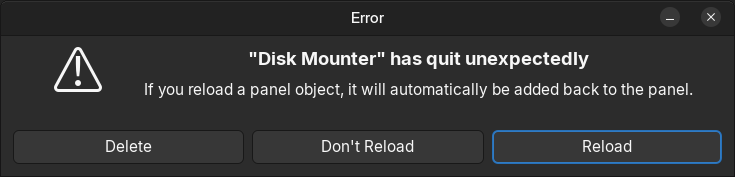
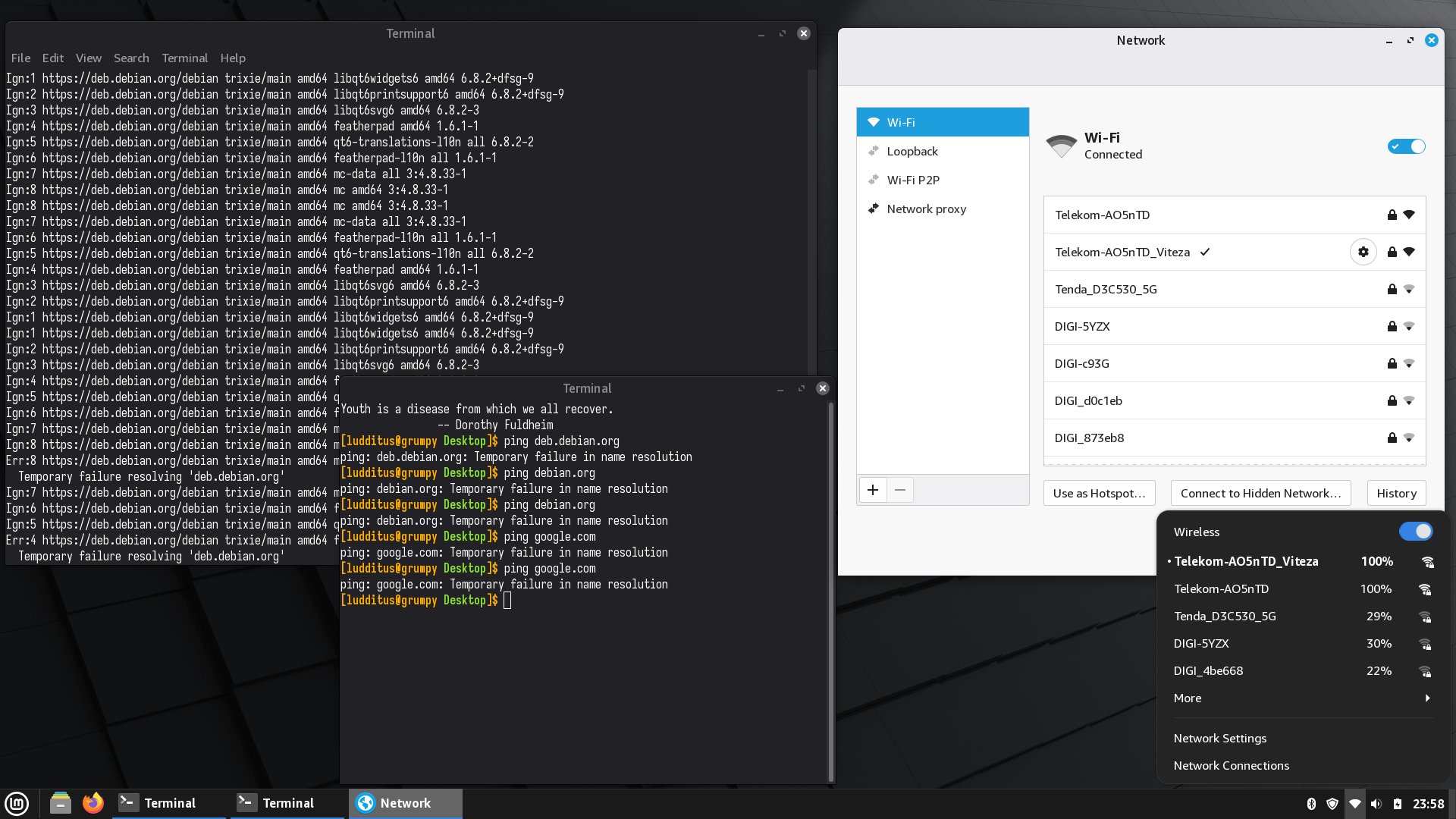
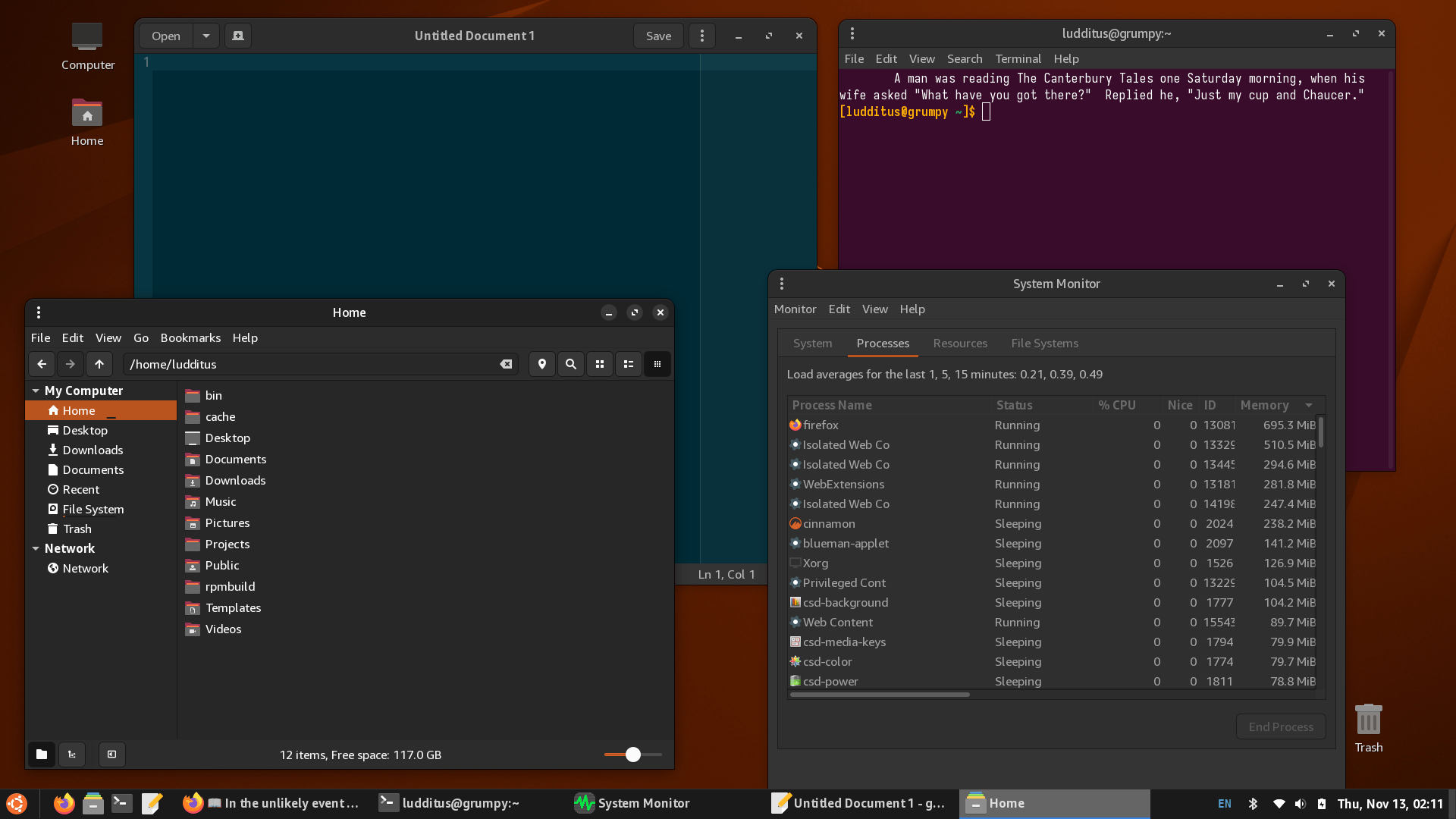
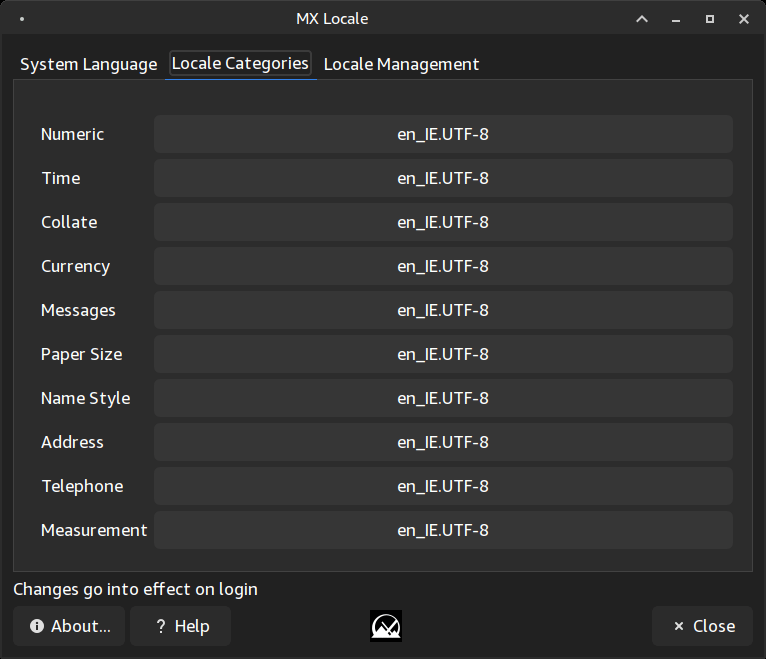
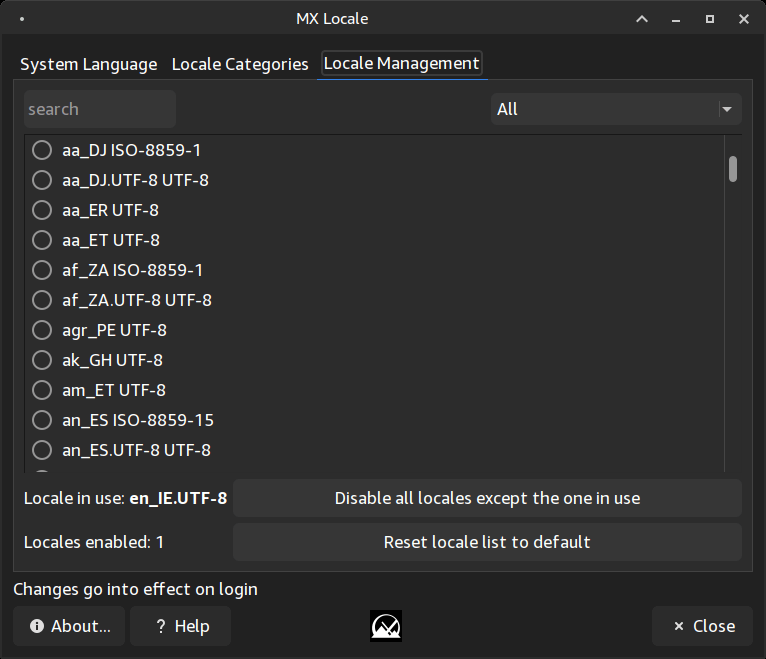
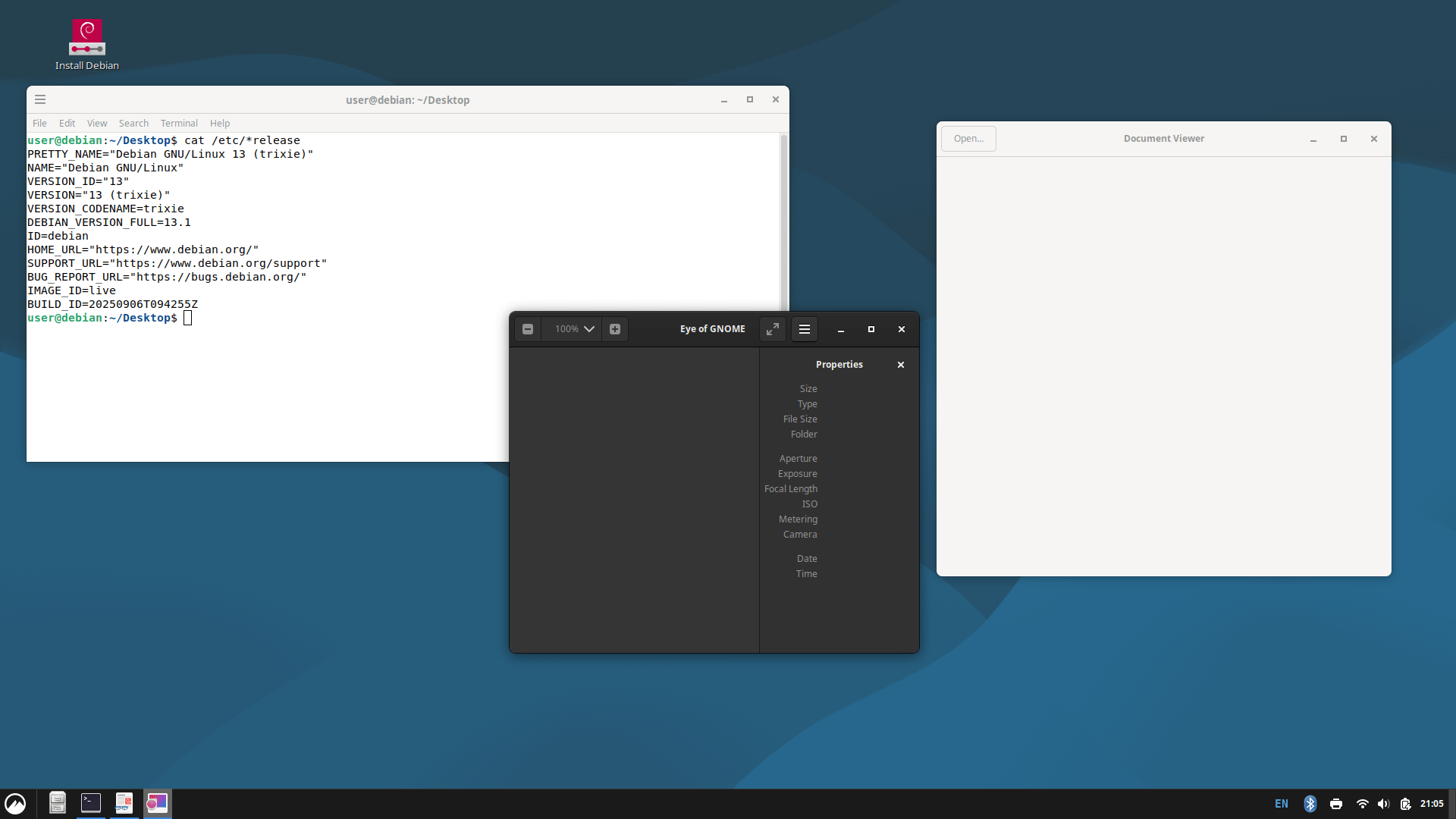
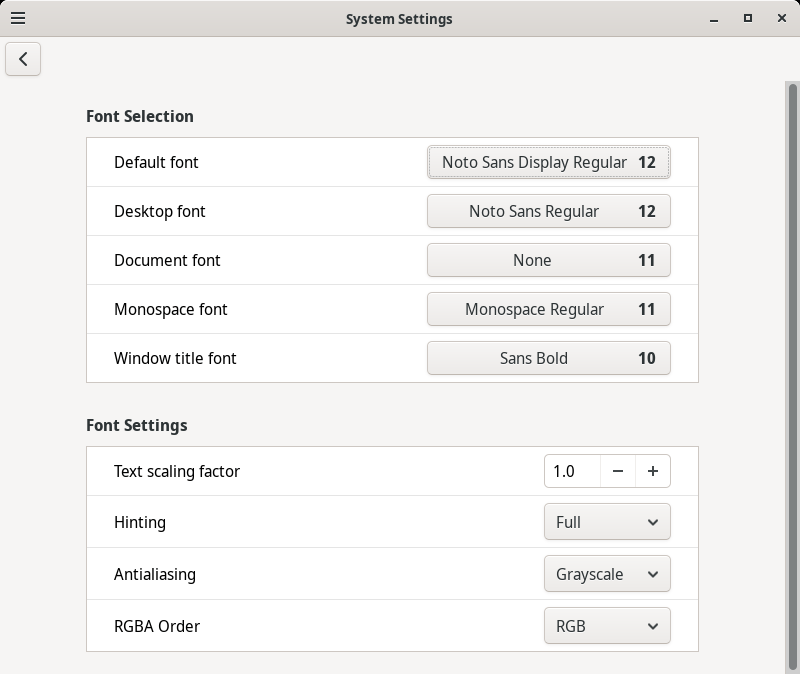
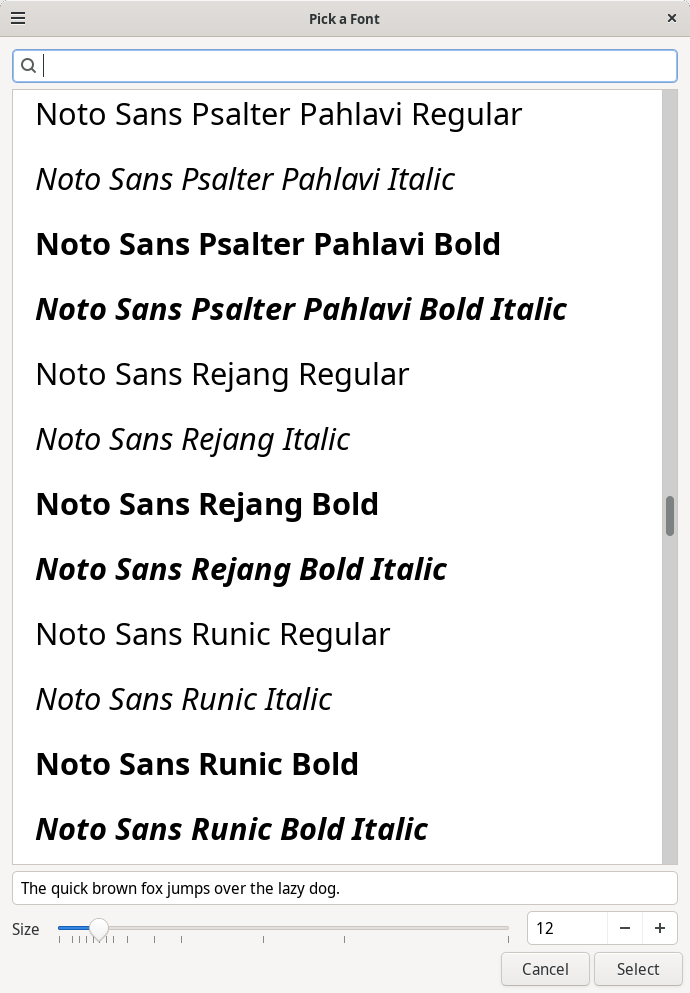
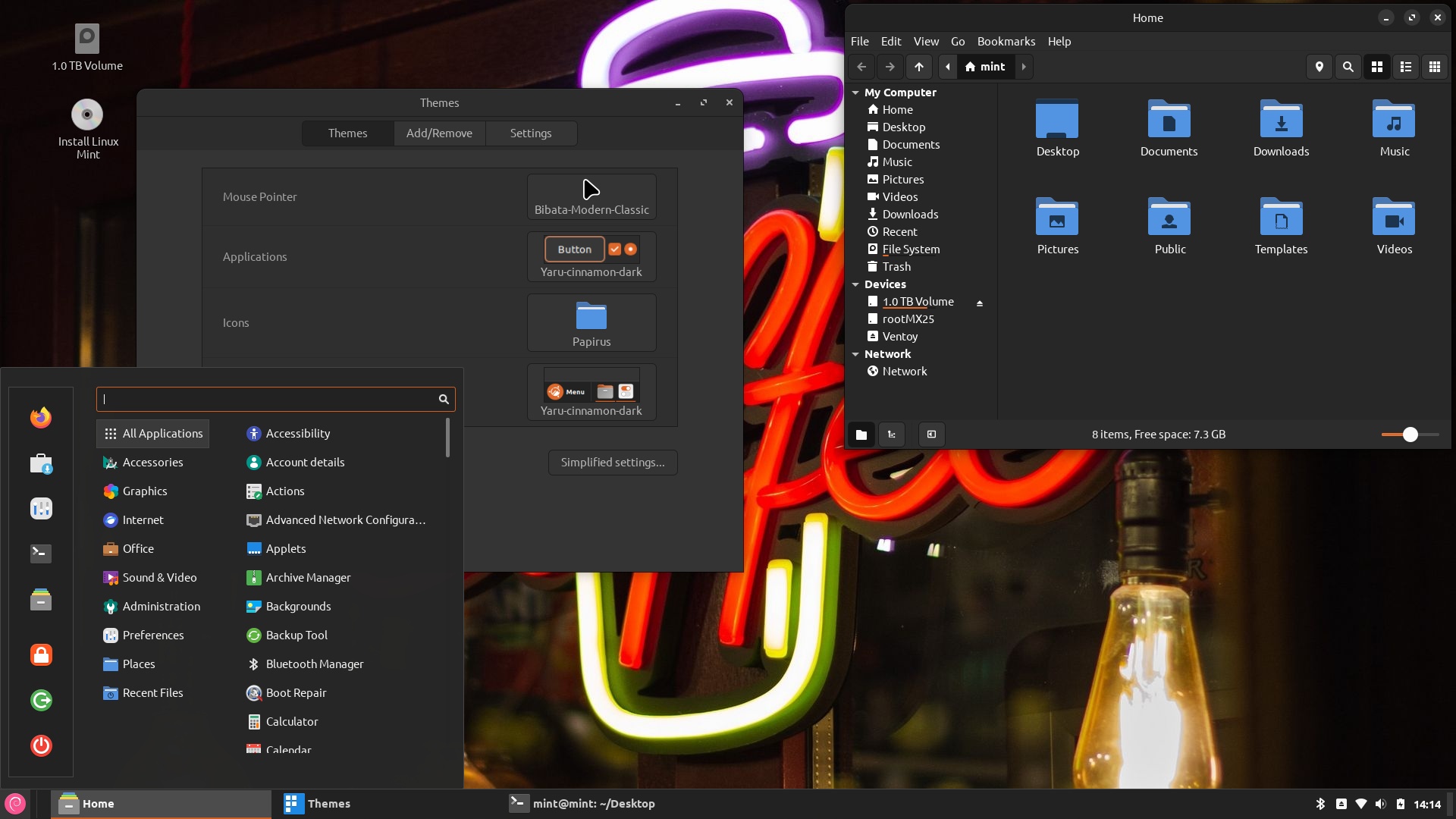
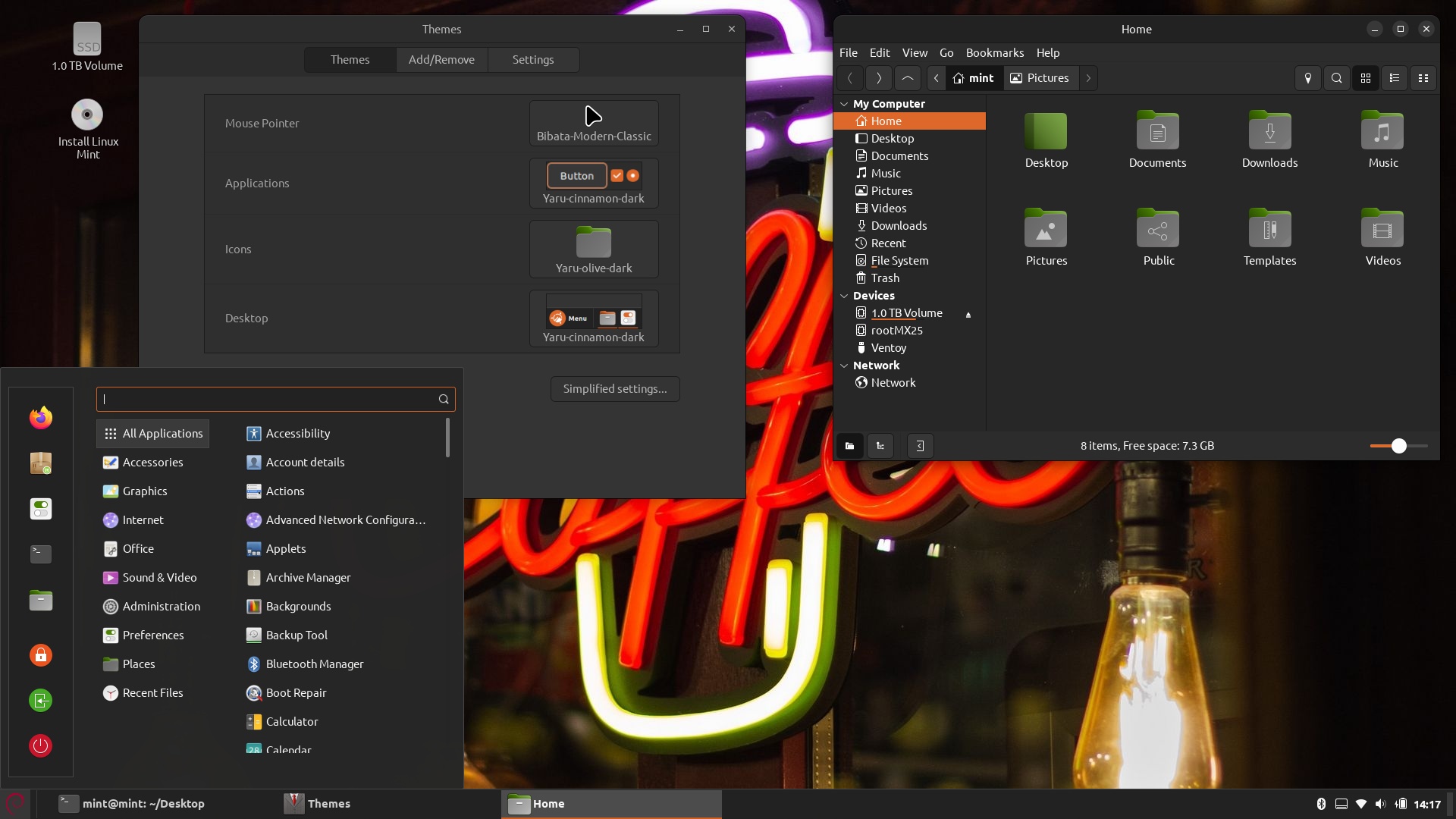
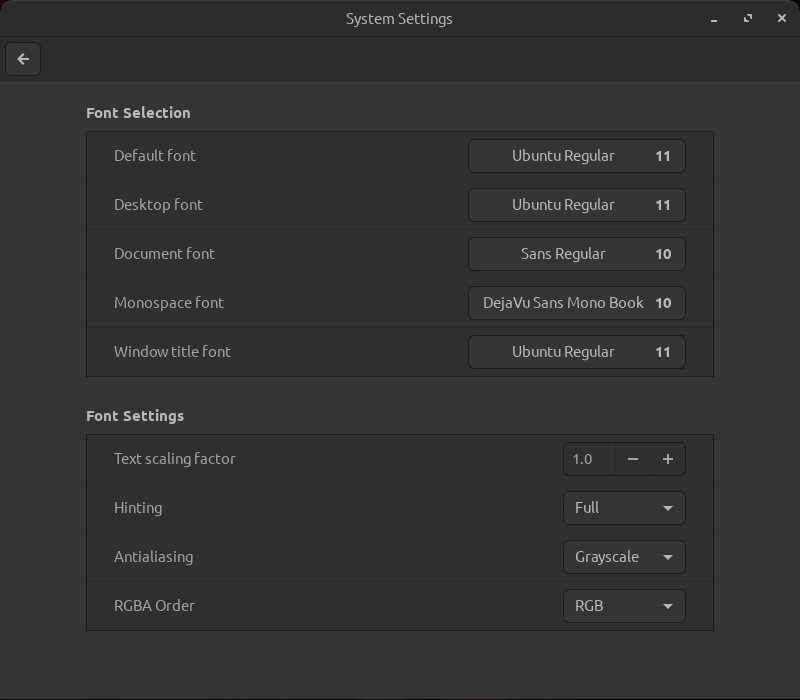


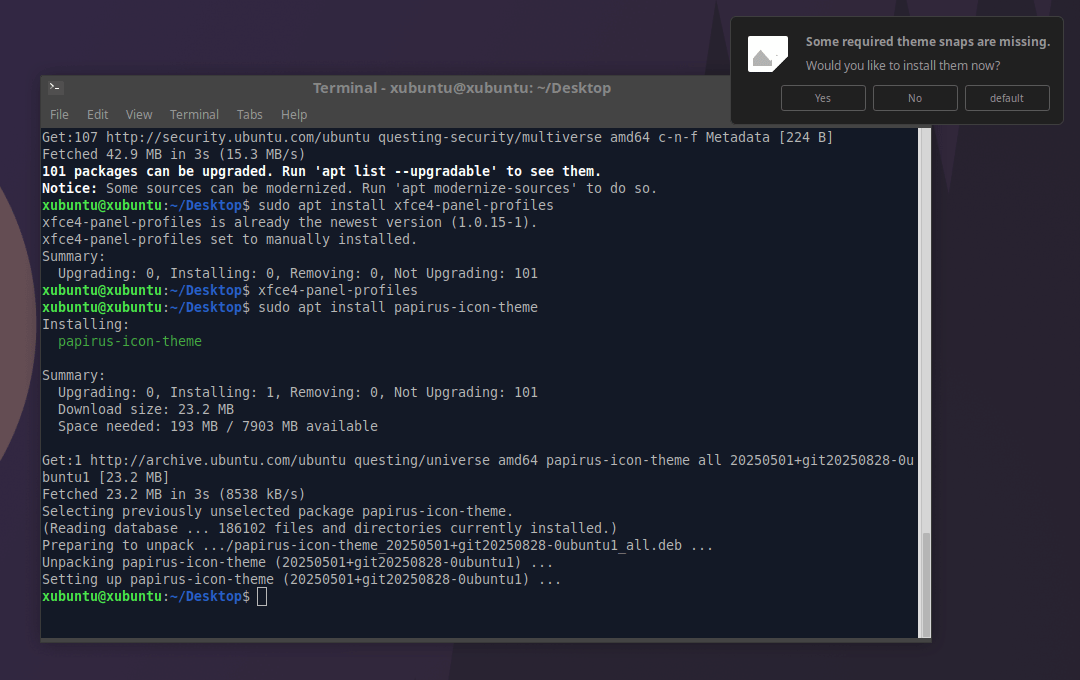
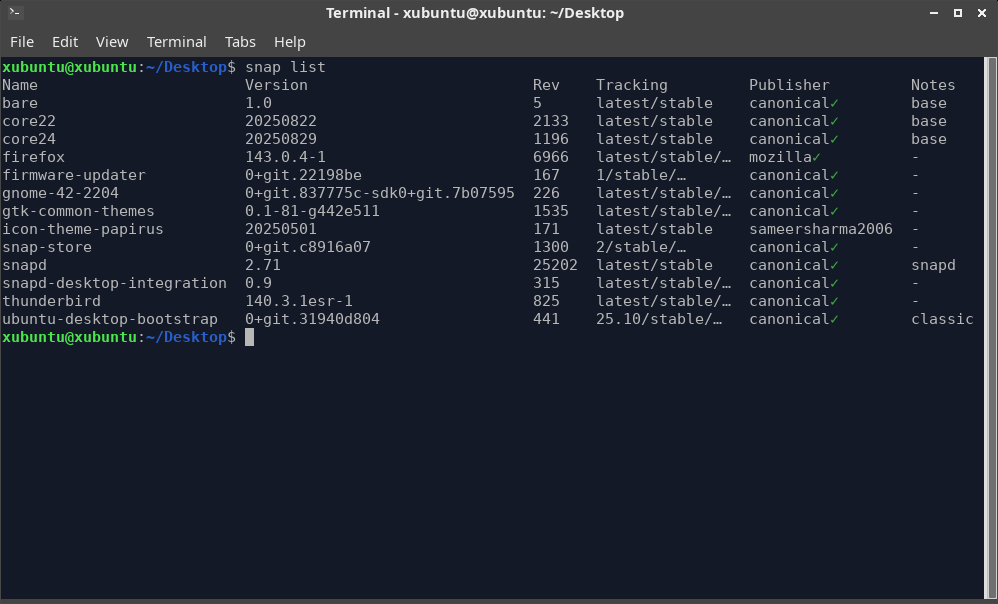
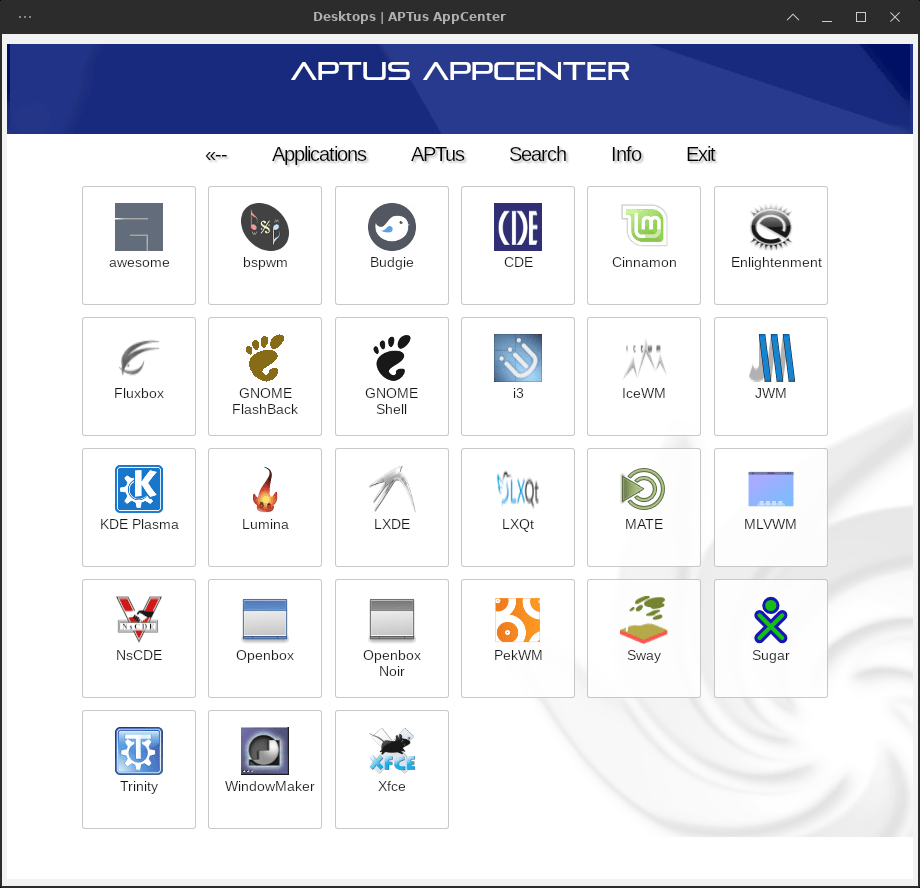


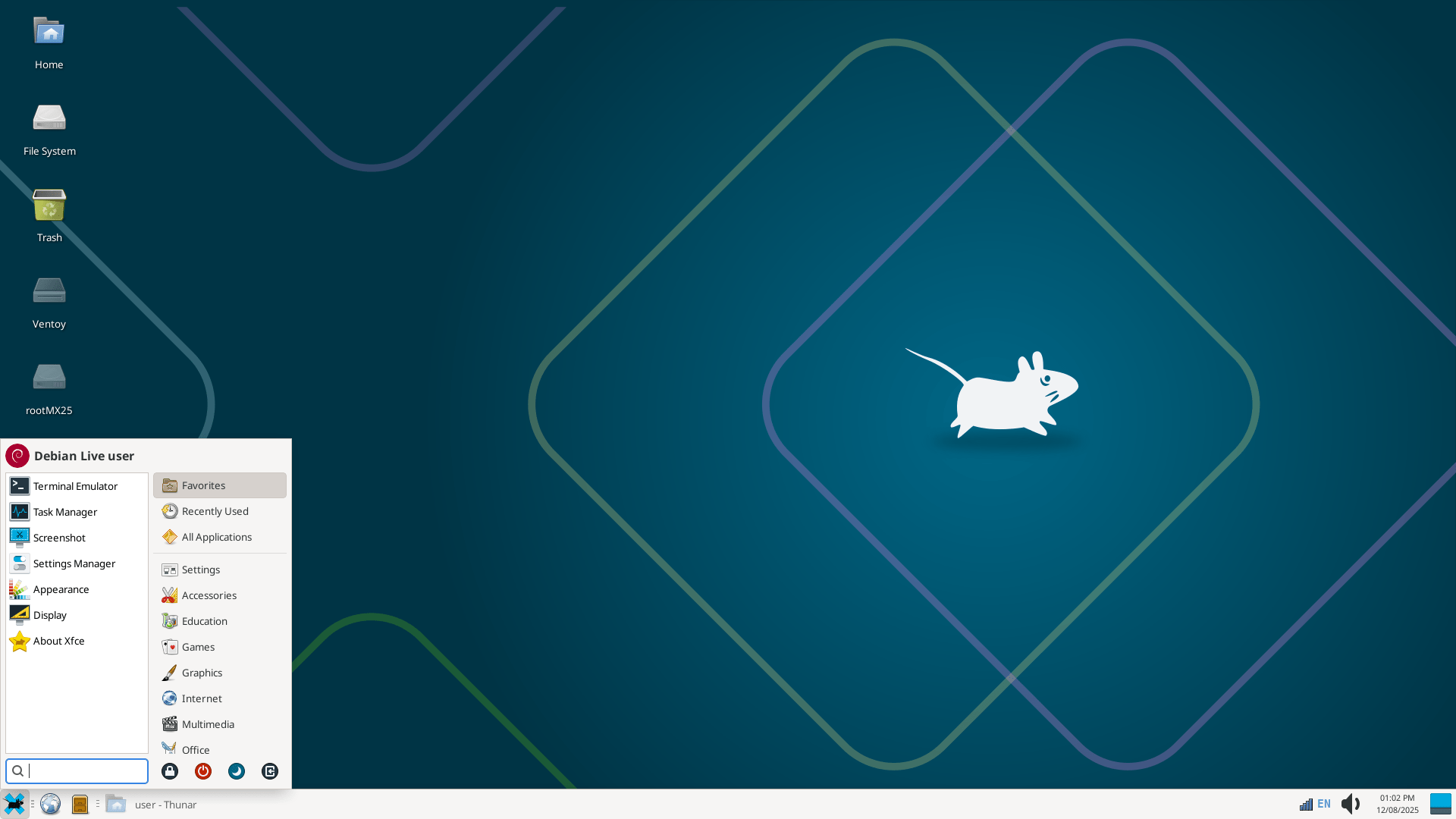

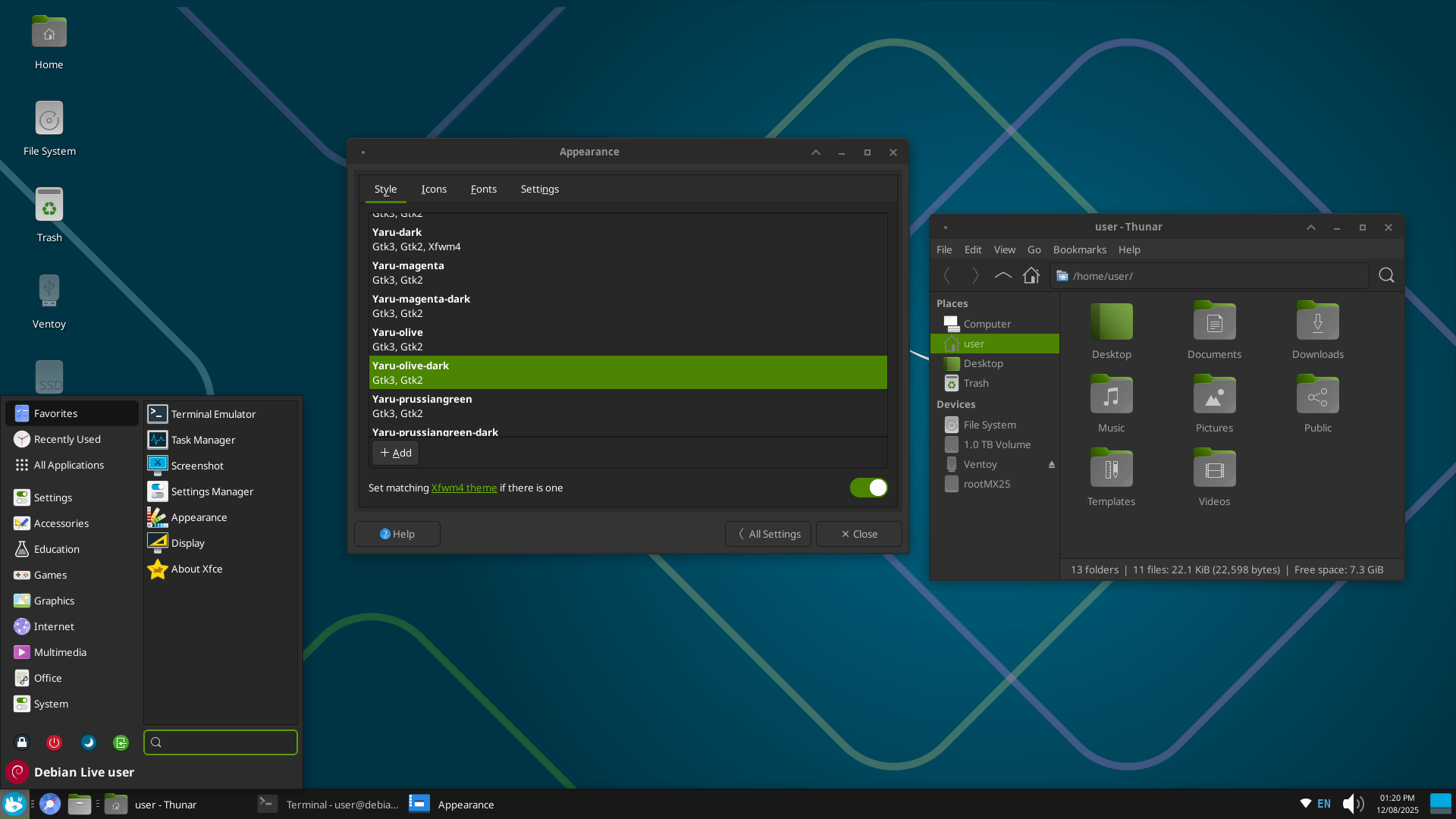
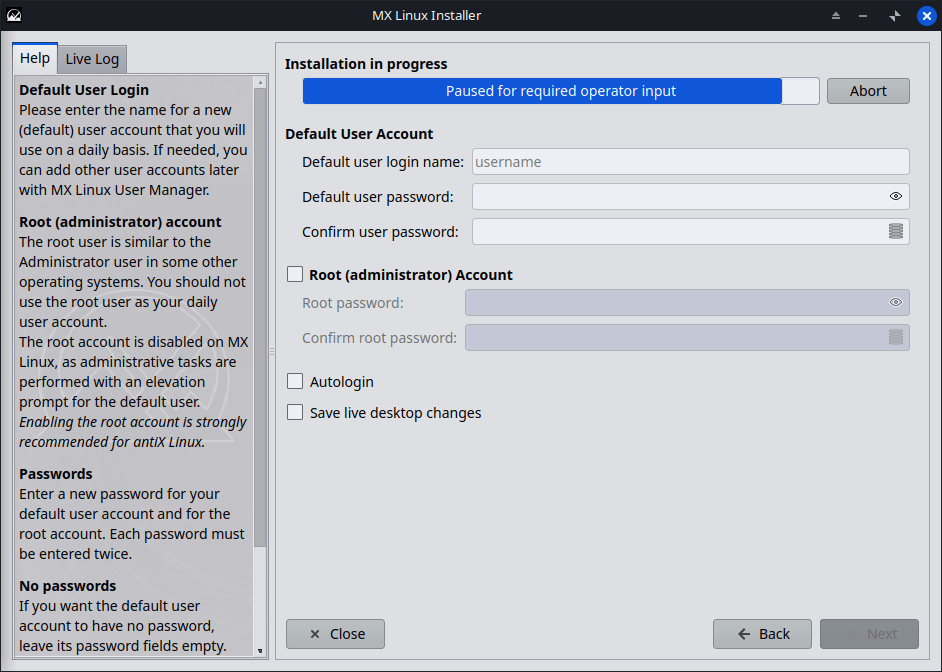
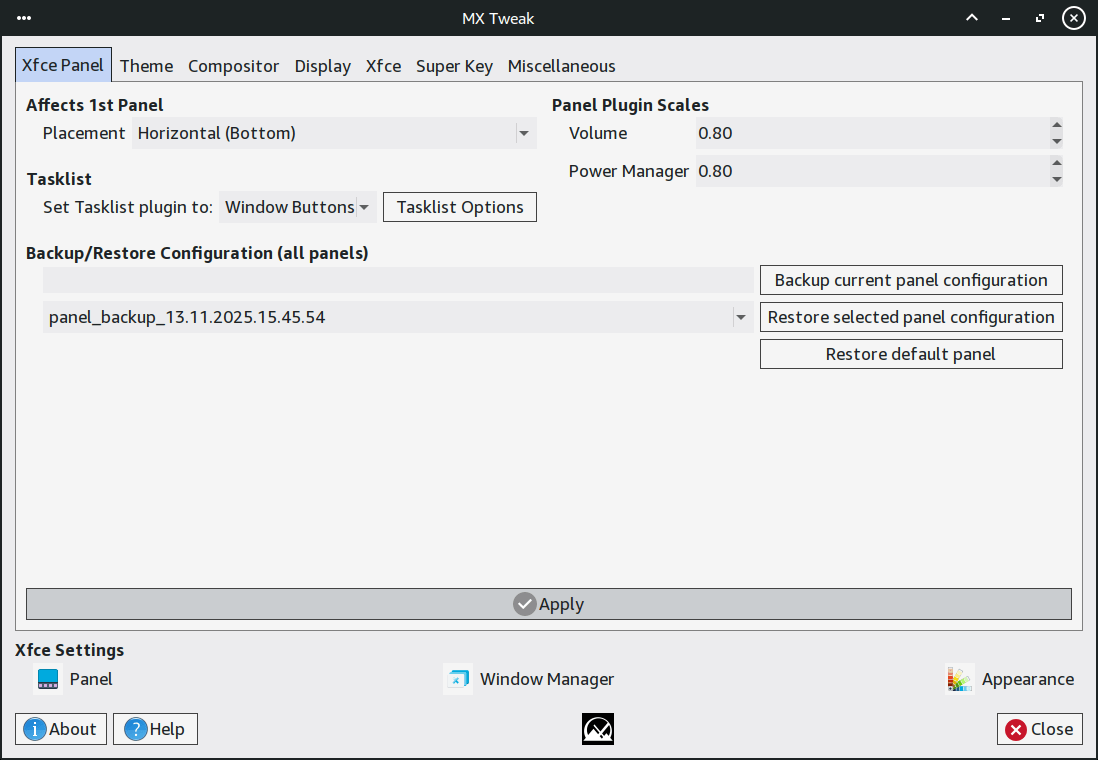

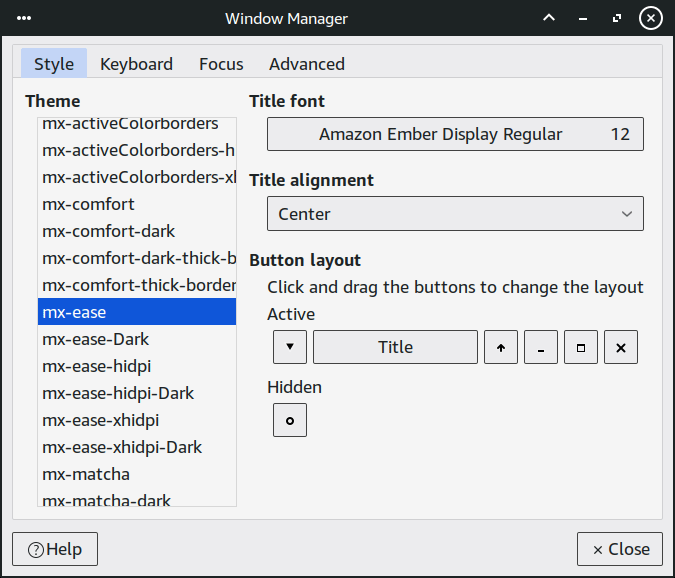
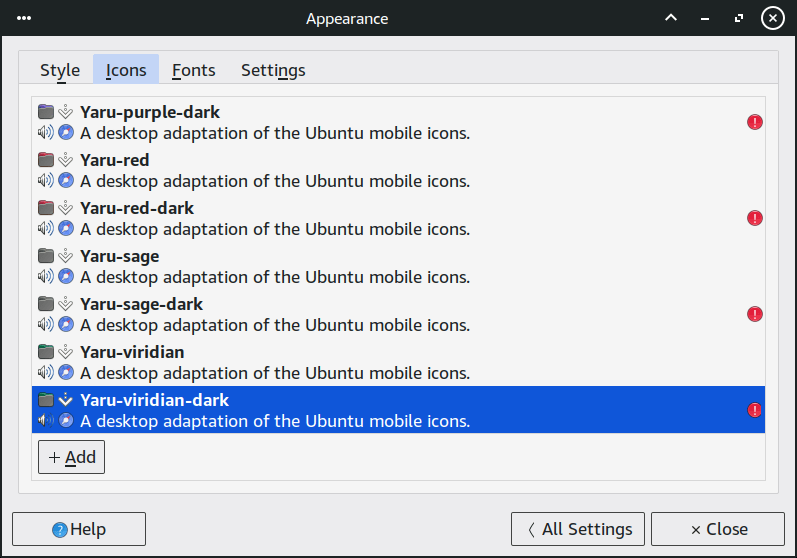
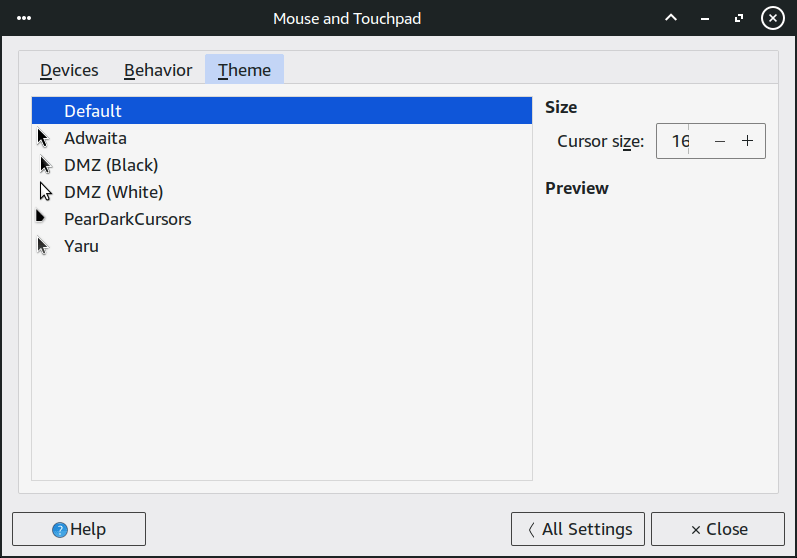
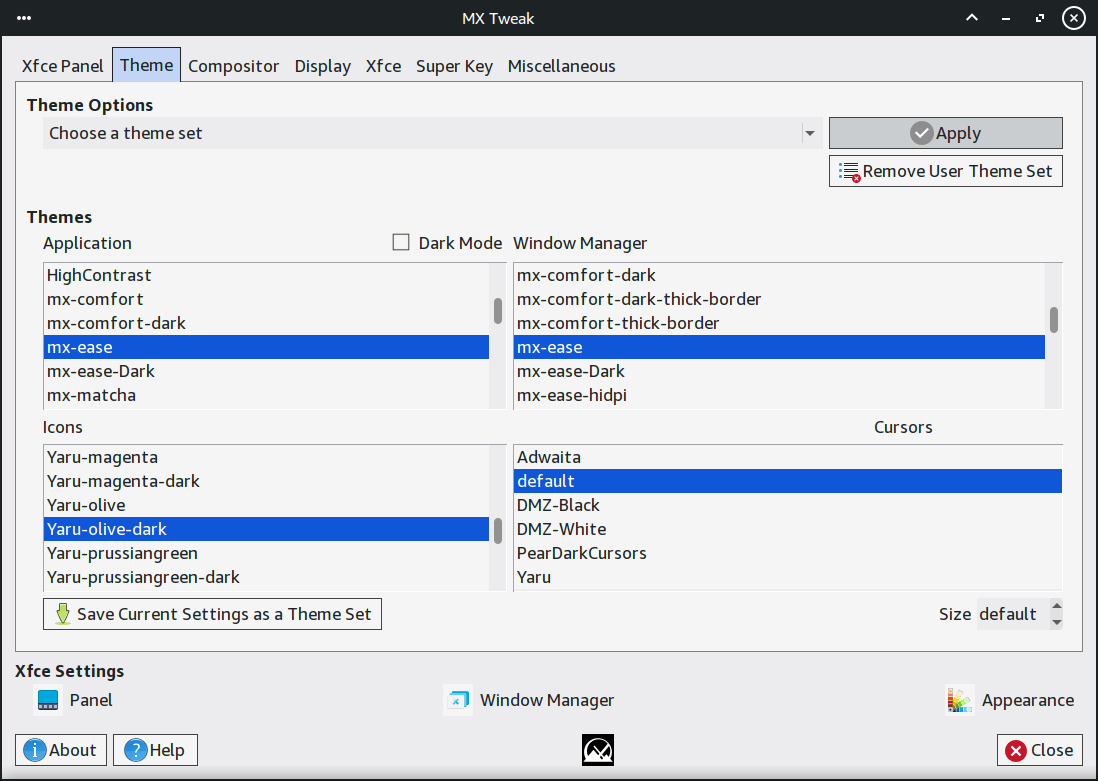
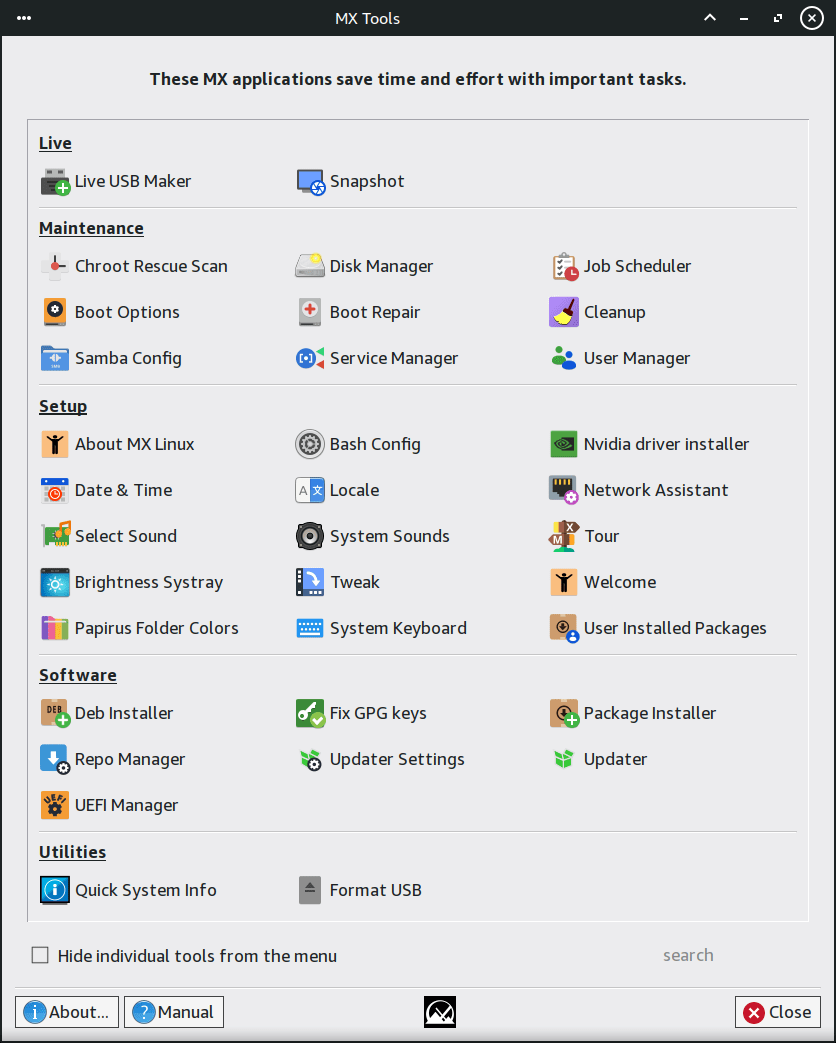
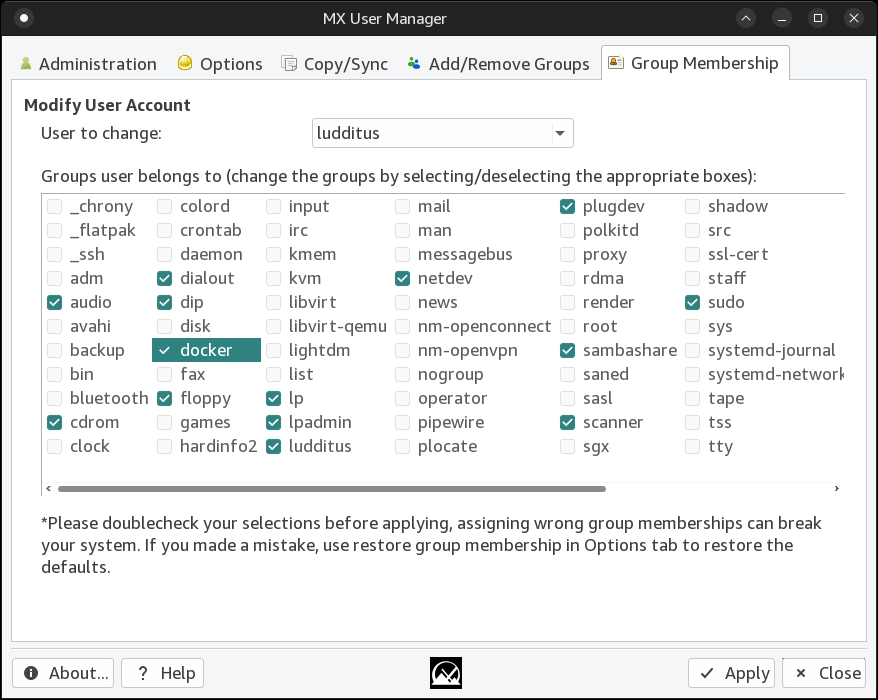
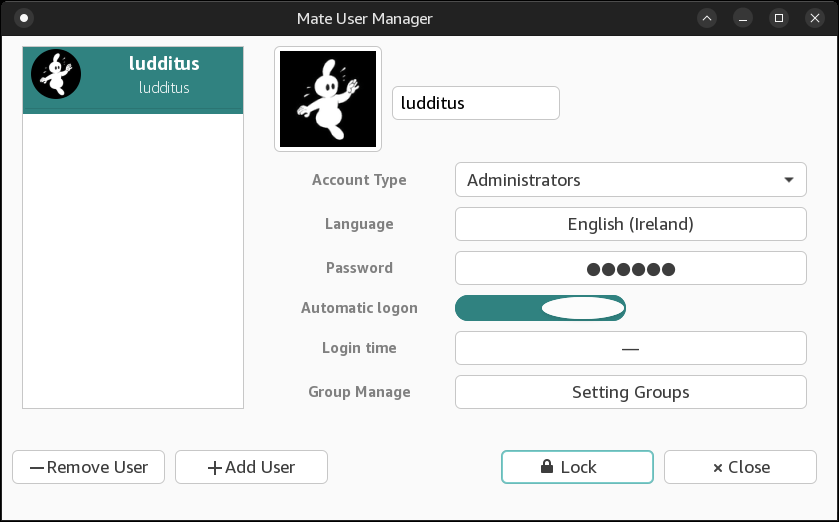
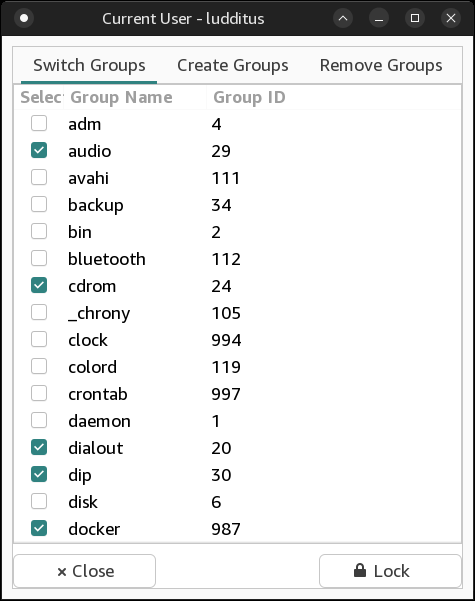
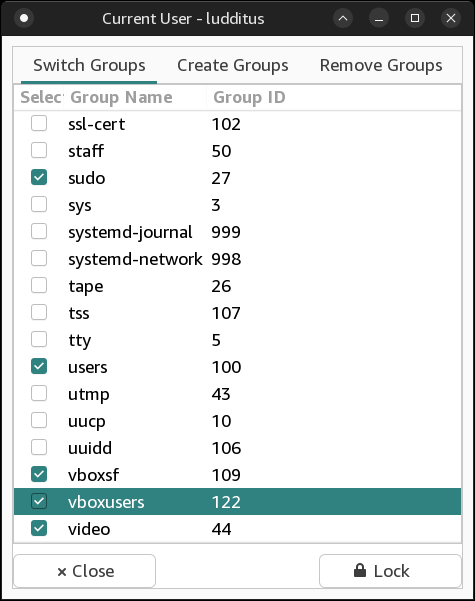
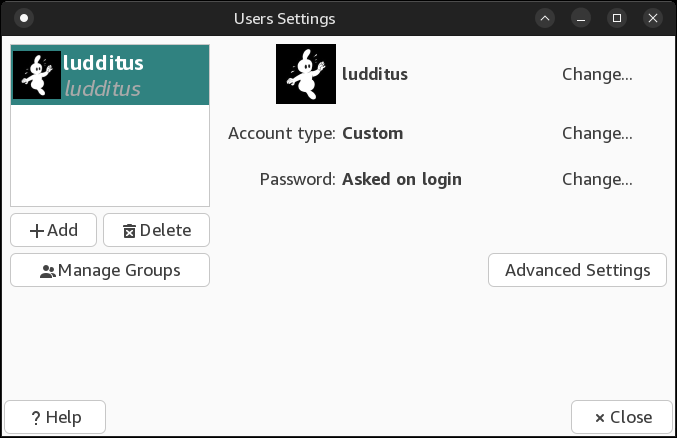
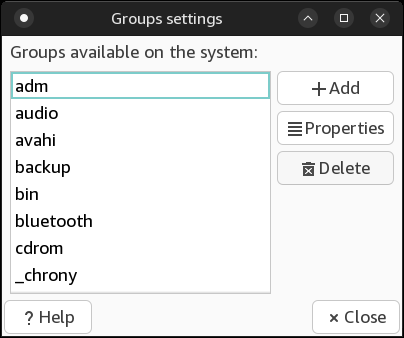
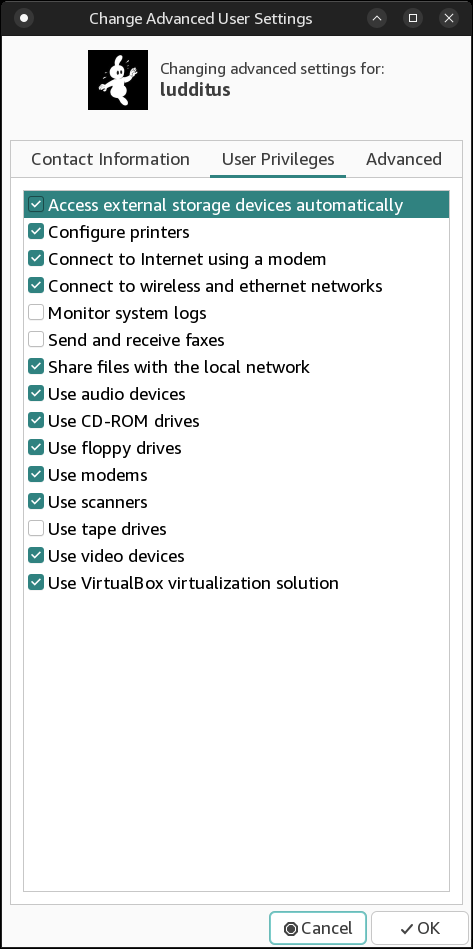
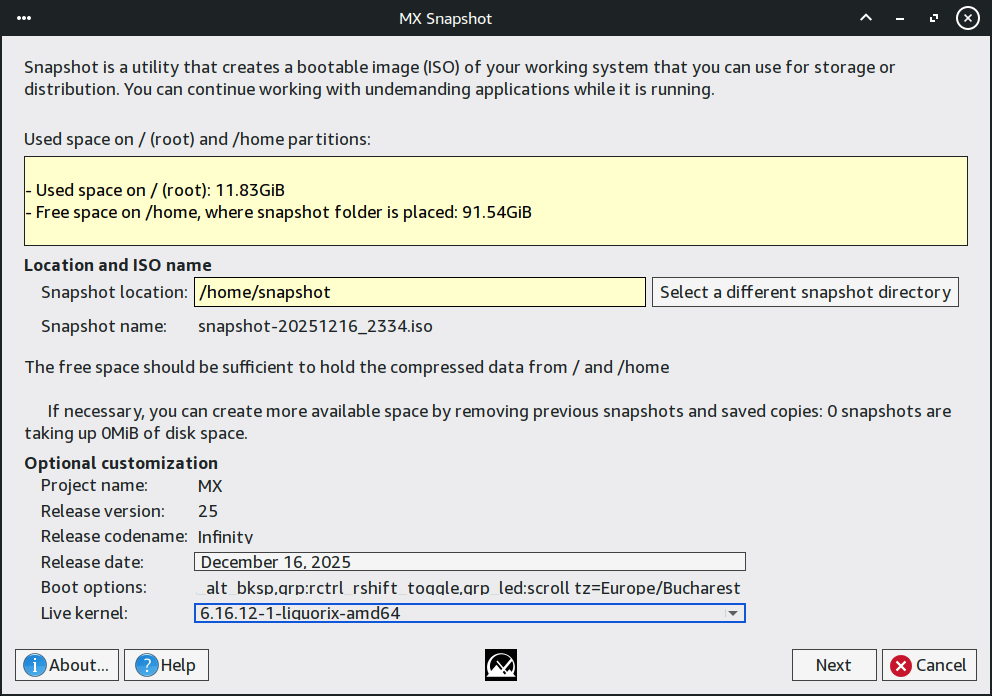
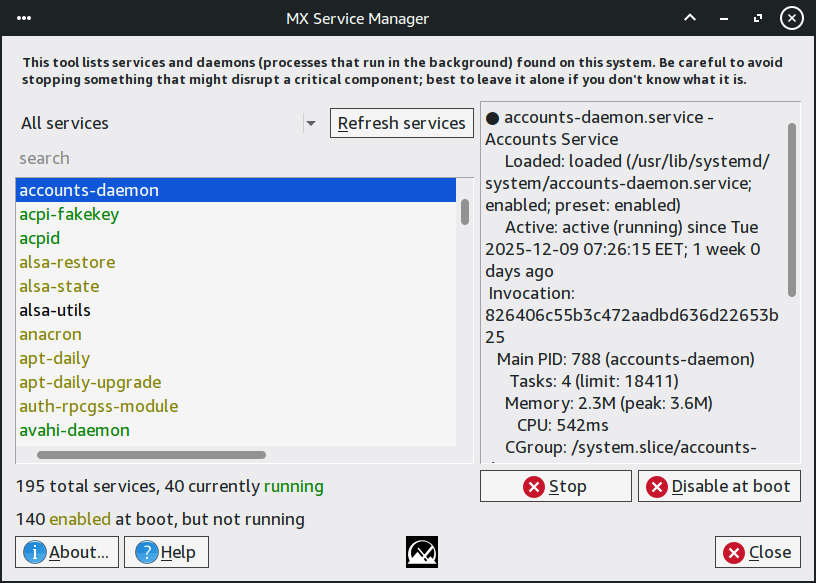
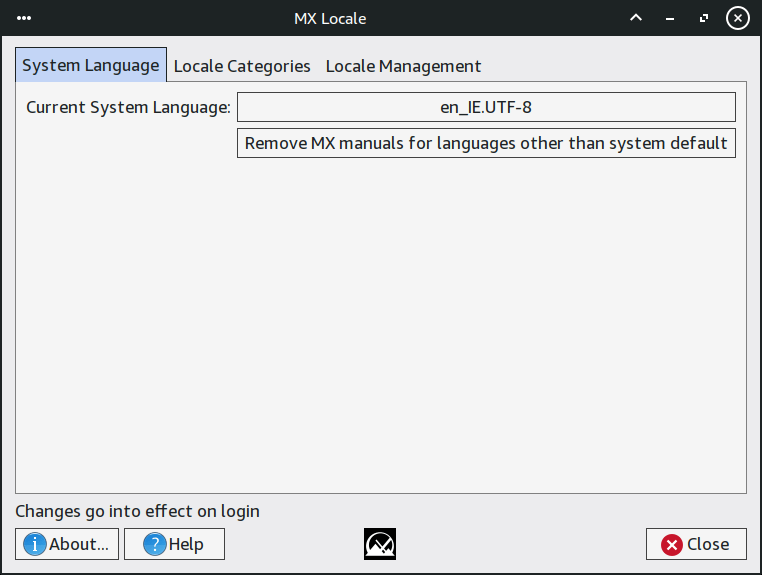
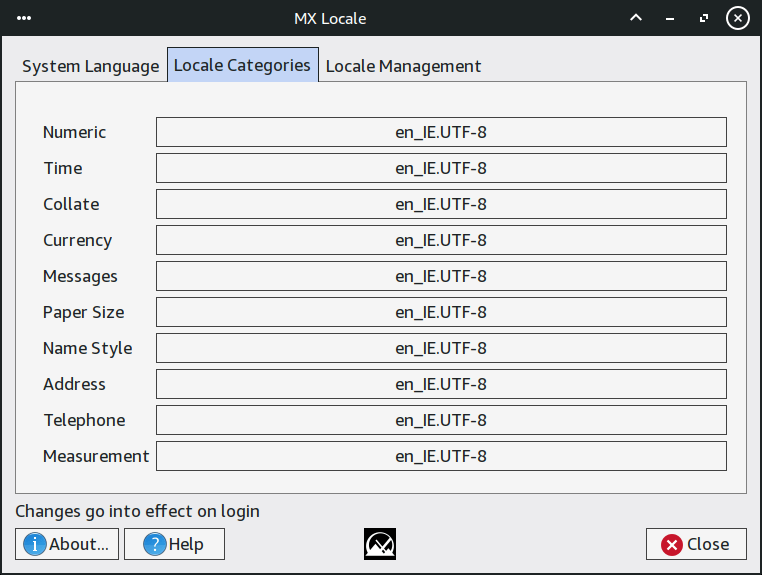
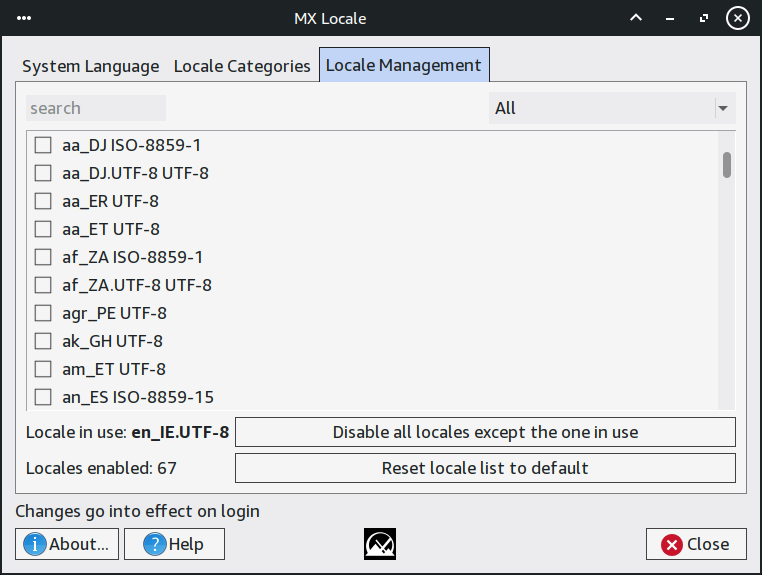
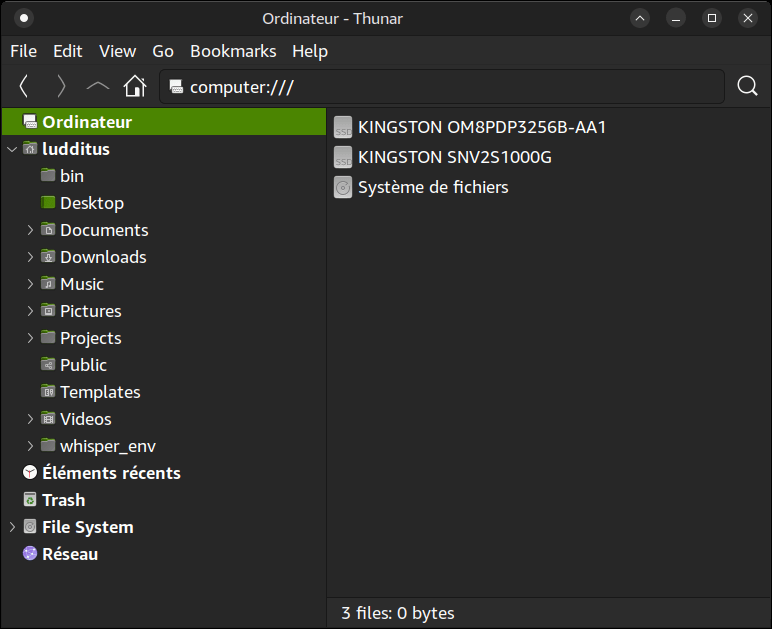

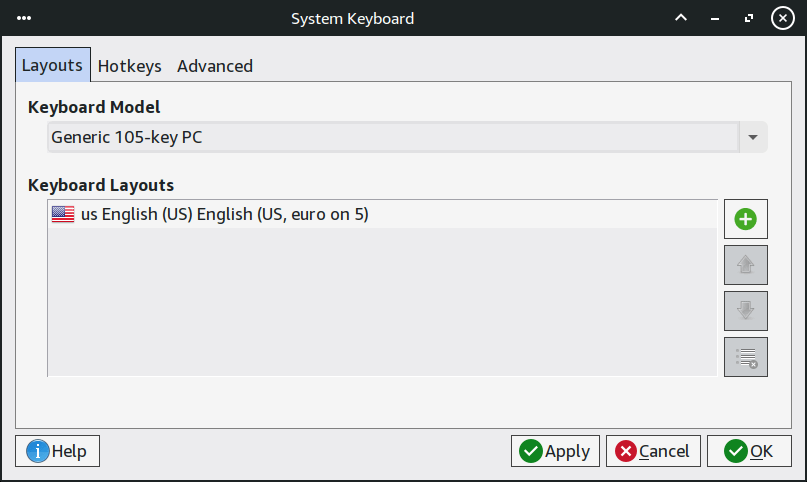
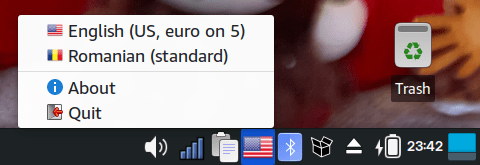
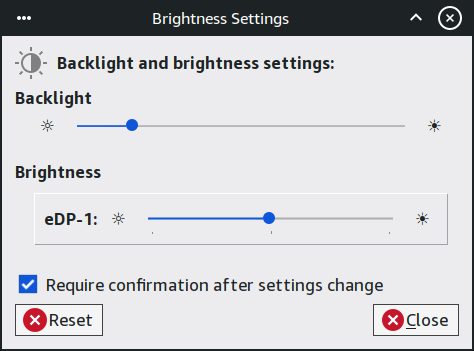
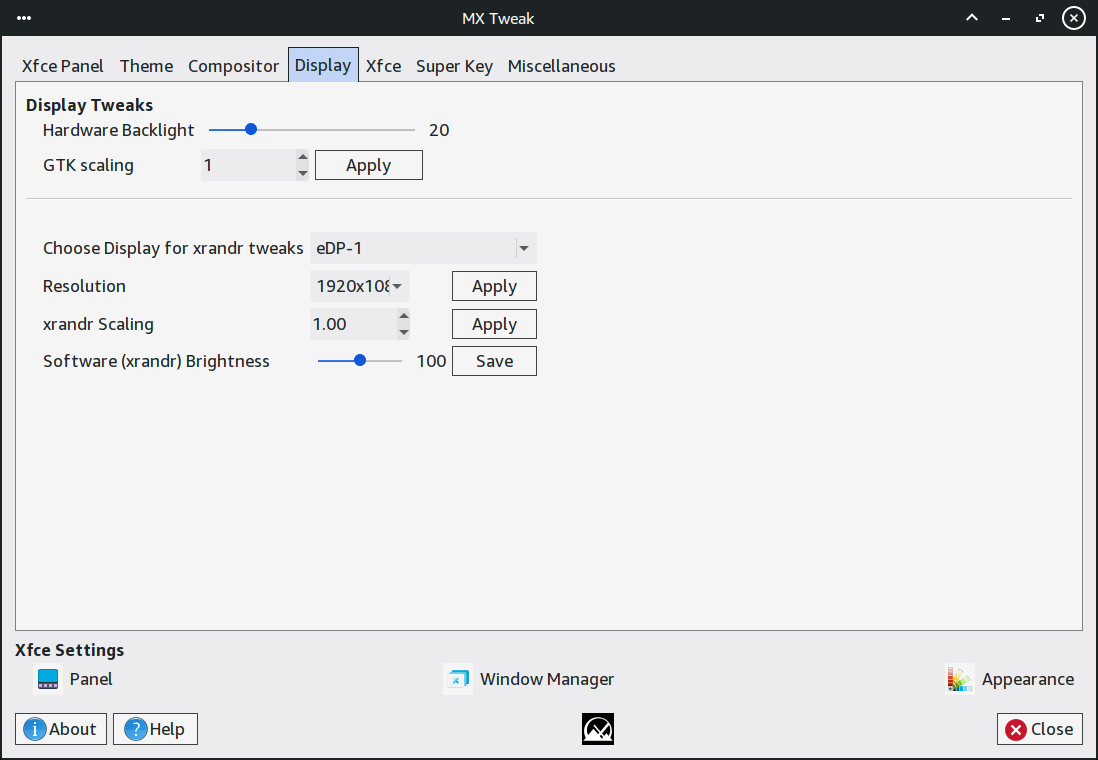

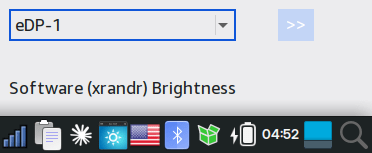
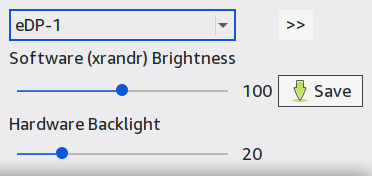
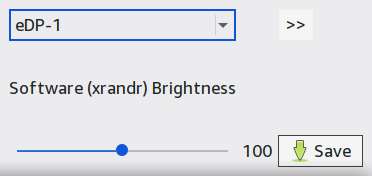
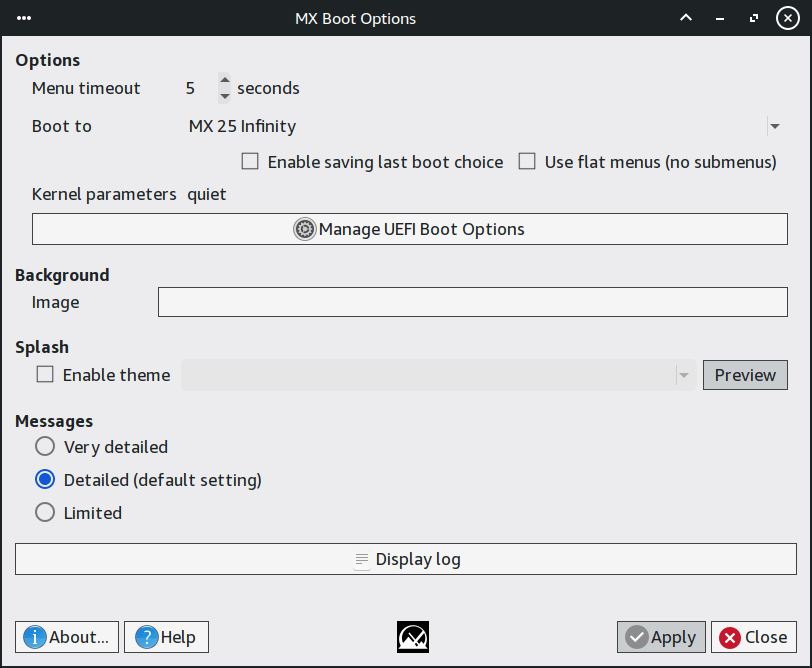
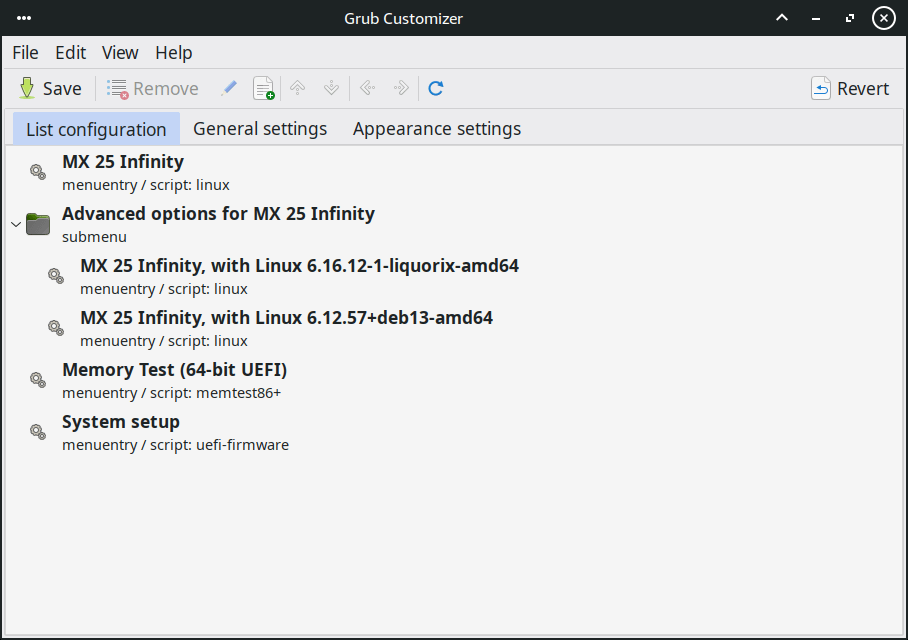
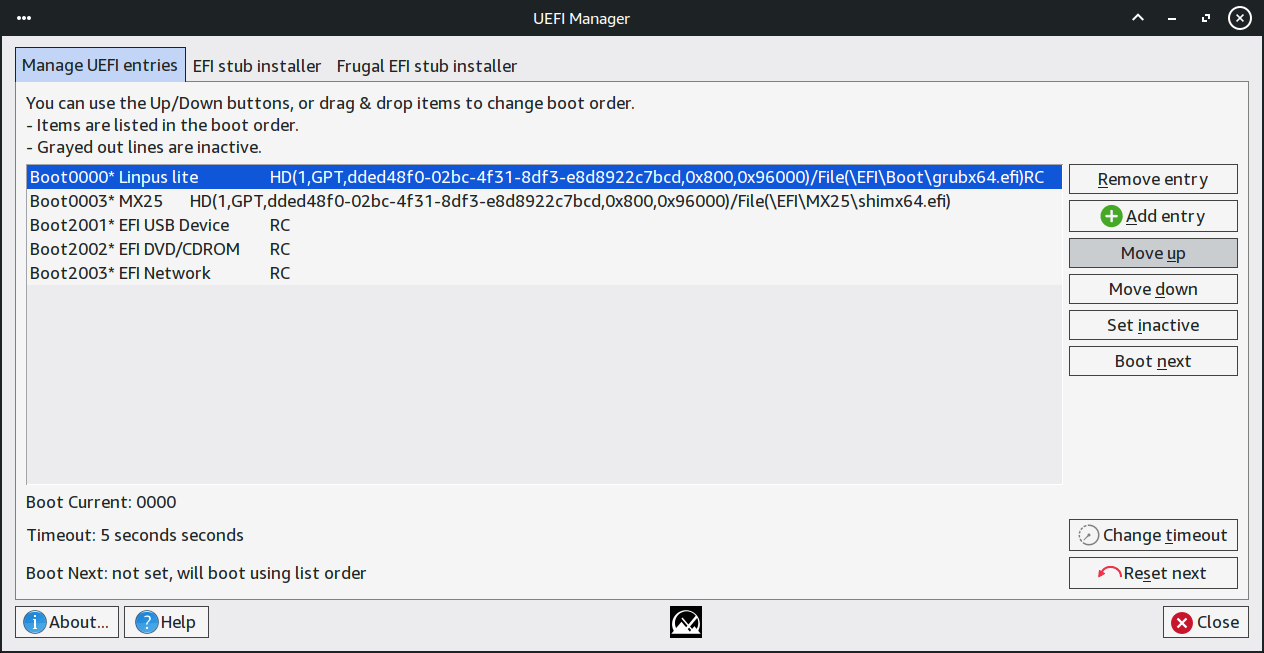
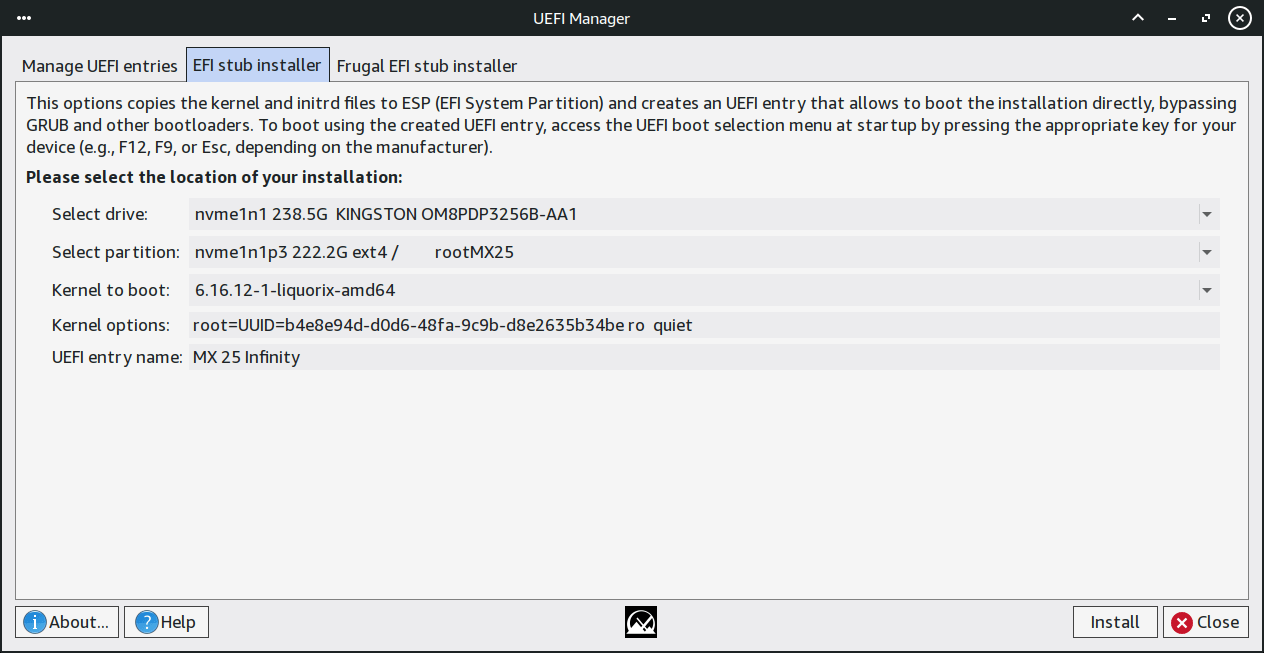
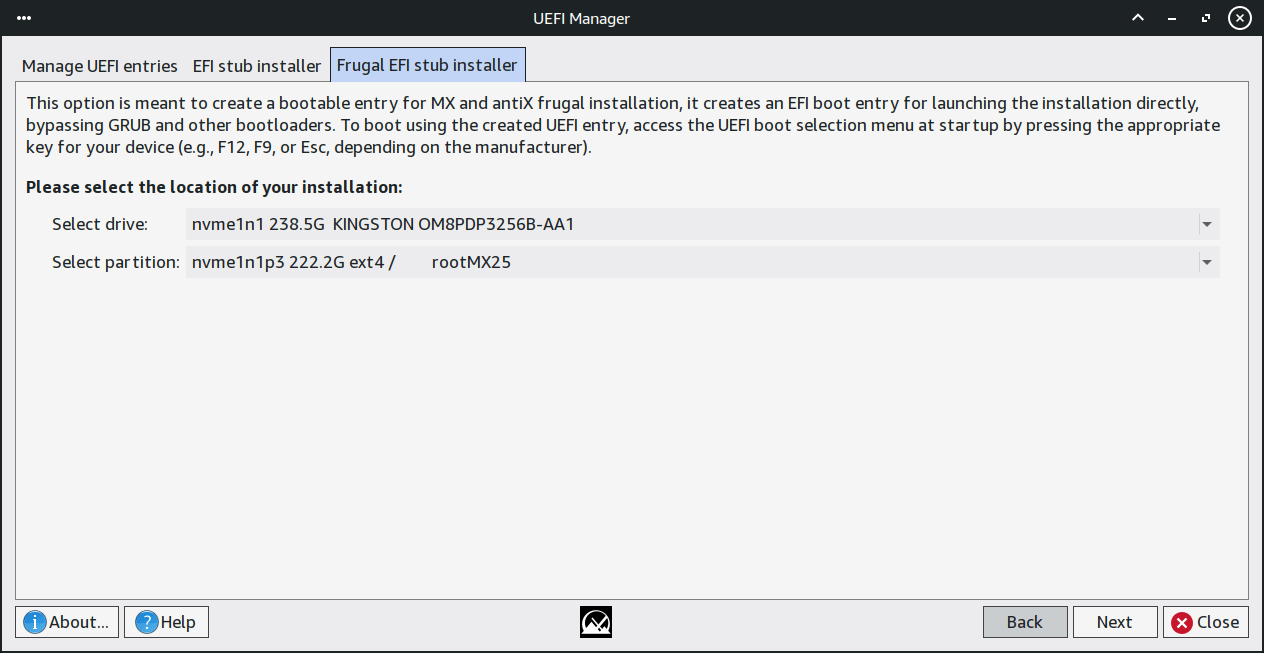
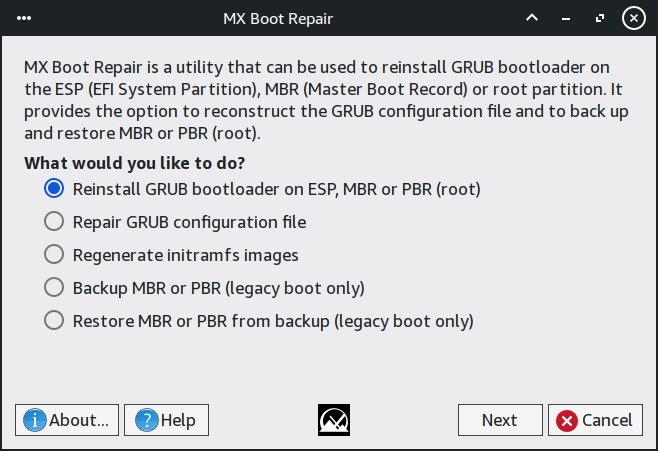
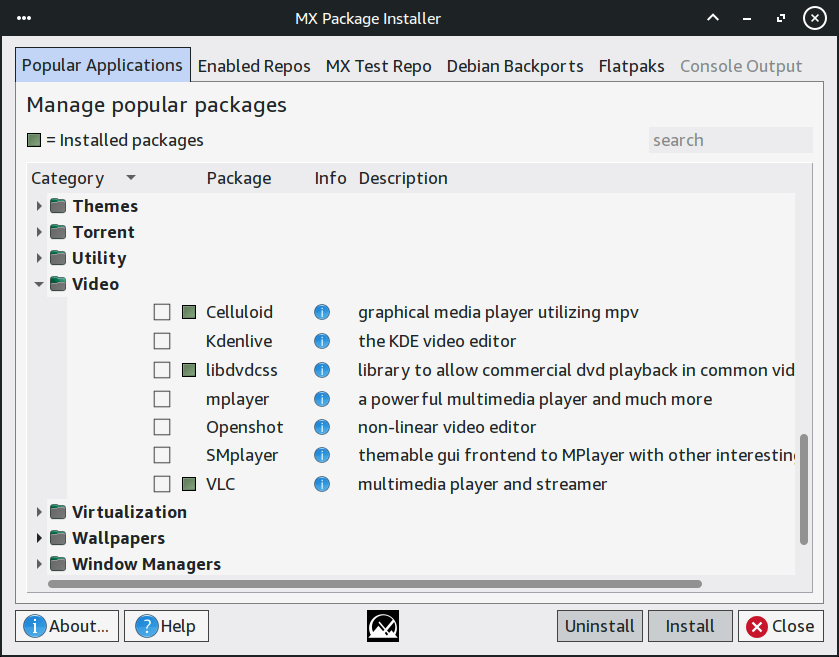
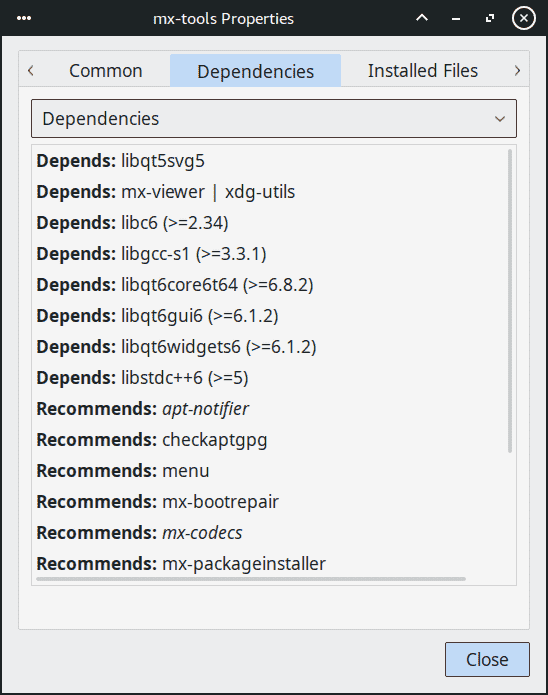
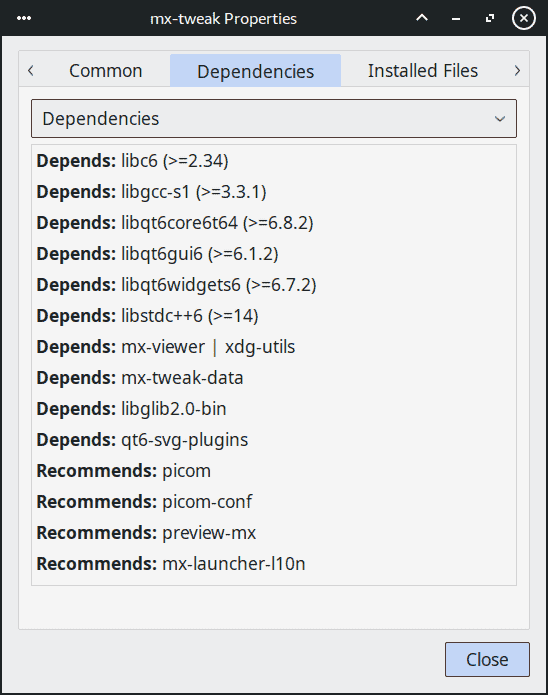
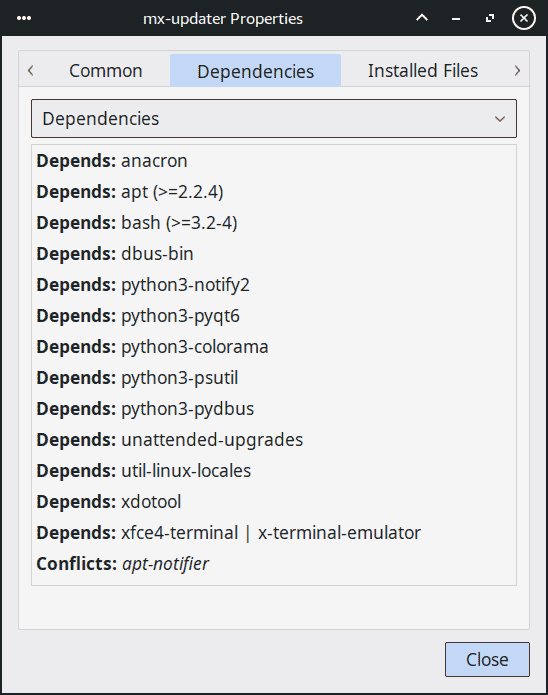
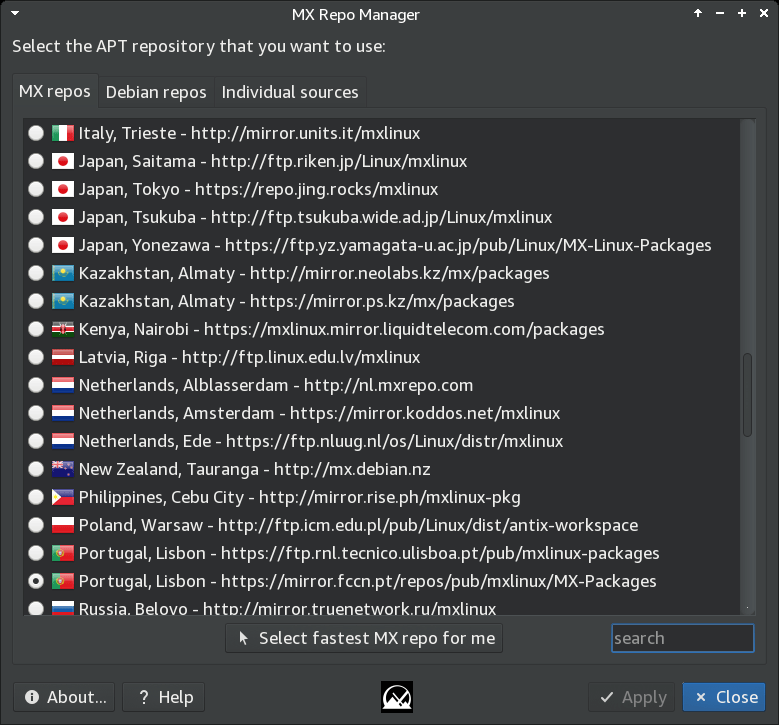
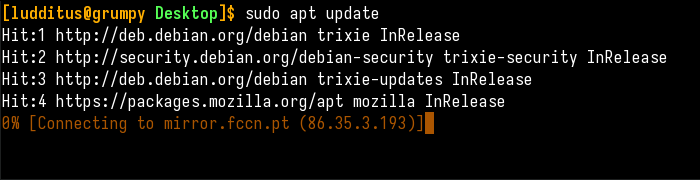
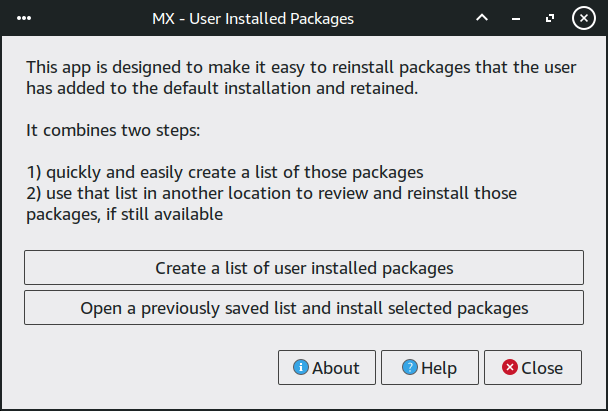
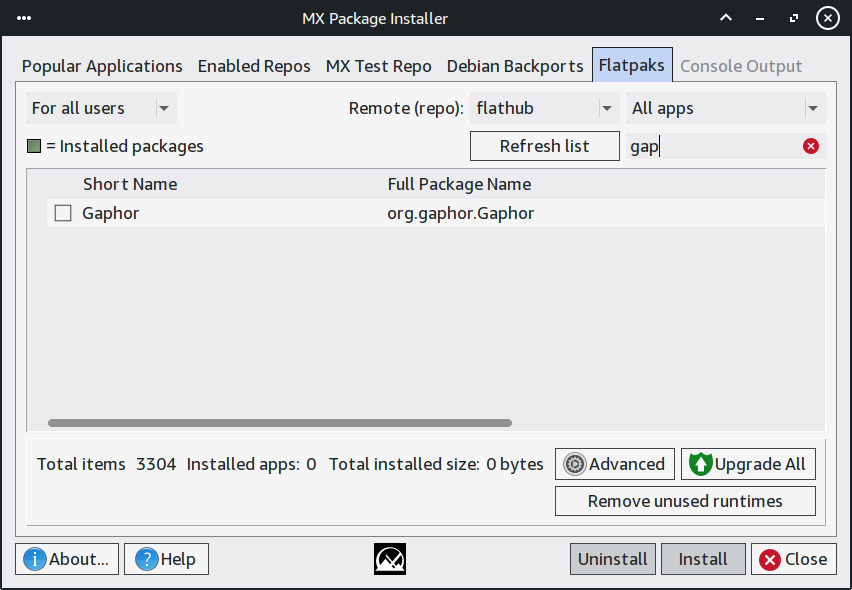
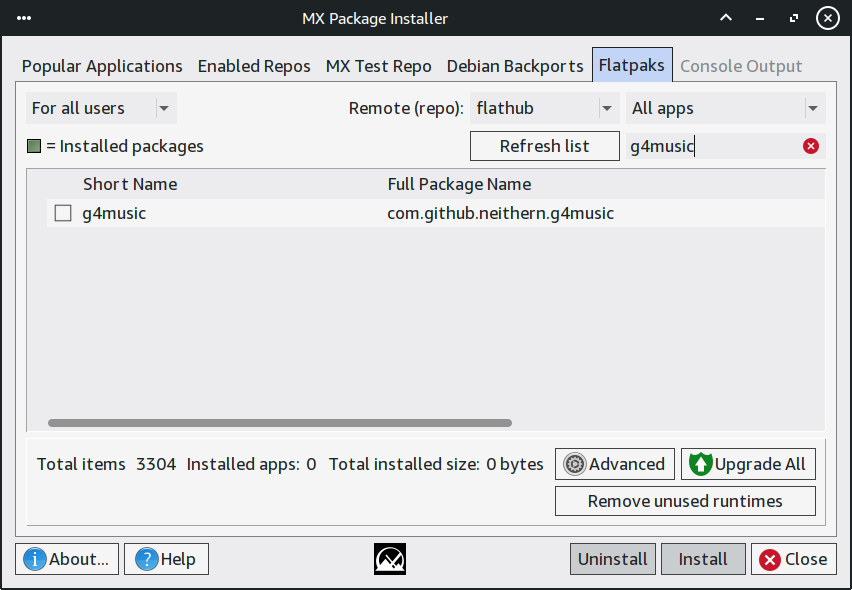
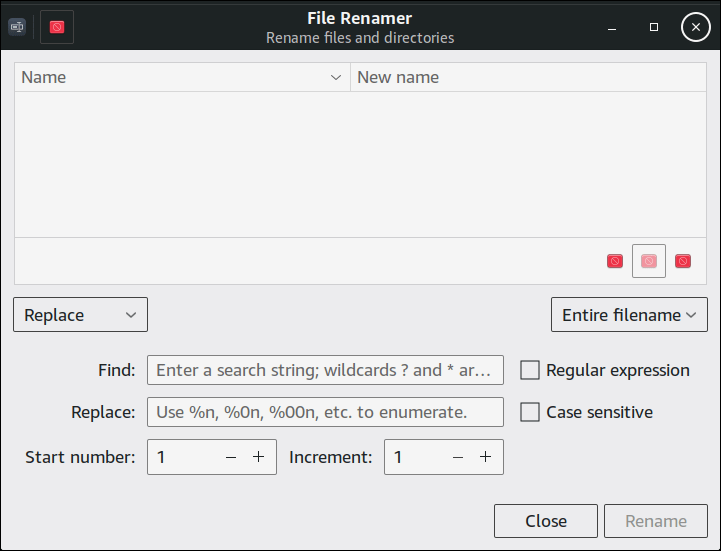
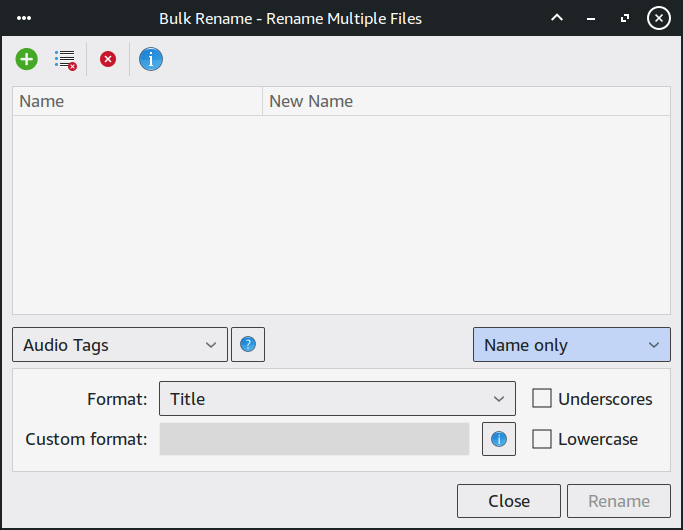
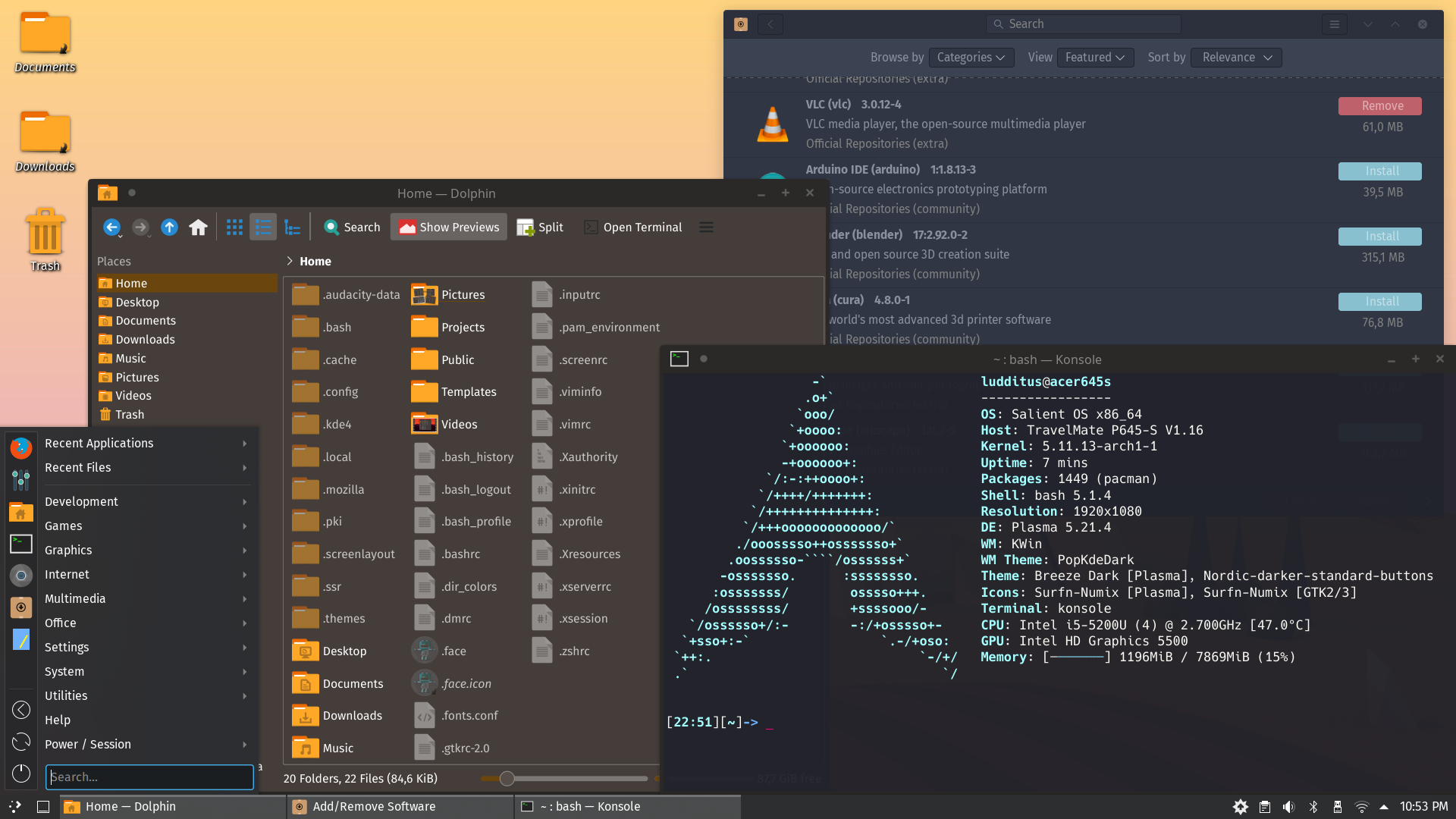

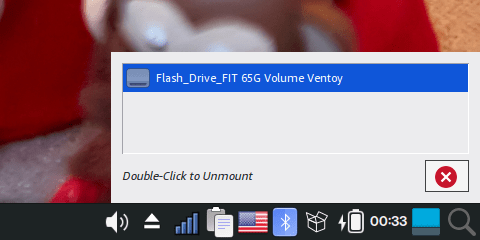
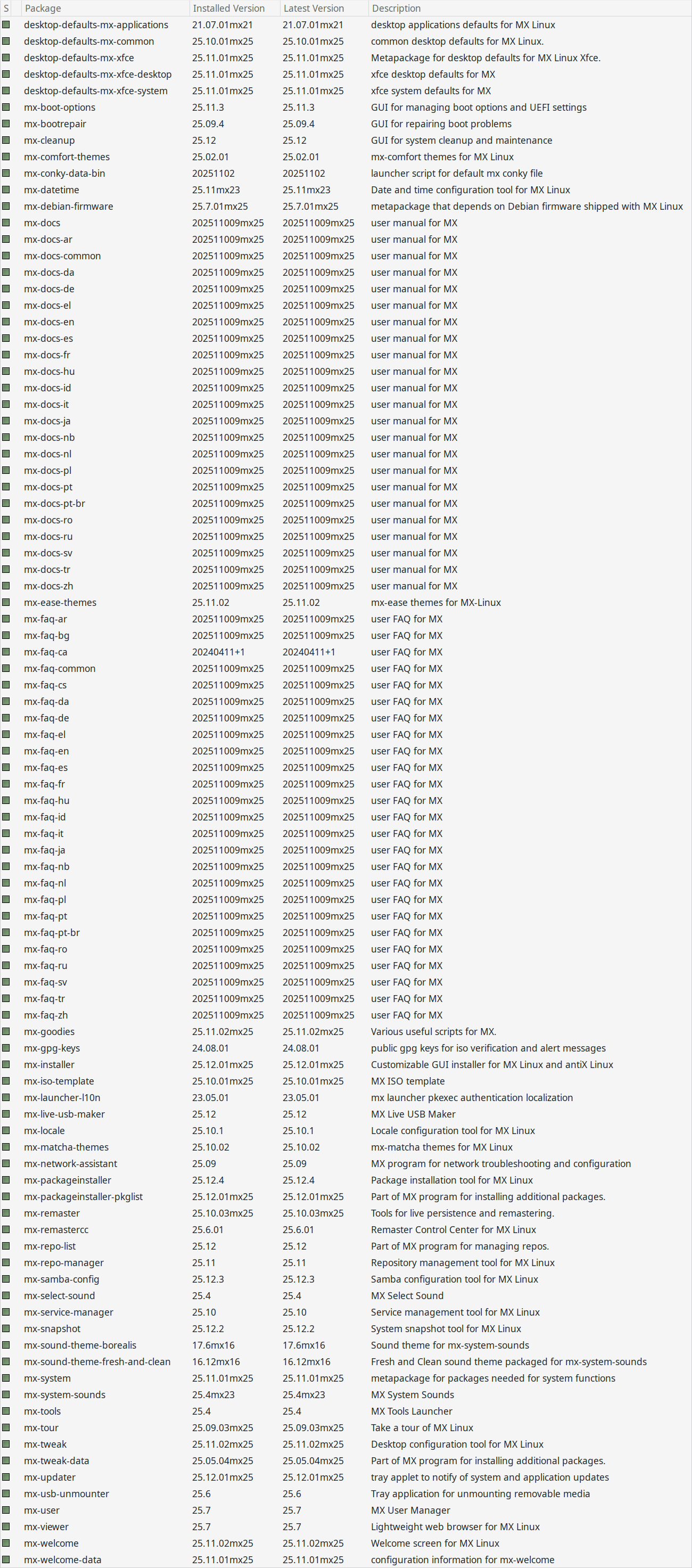
BTW, I can live with XFCE. Here’s Fedora 35 XFCE in November 2021:
● On my old Acer (installed) [screenshot]
● On my 1-liter PC (installed) [screenshot]
● My 1-liter PC [photo]
● On my wife’s PC (live) [screenshot]
It’s been quite some time since I last used Debian proper, mostly because Ubuntu MATE and previously Kubuntu had seemed more attractive. But I have even used Manjaro and ArcoLinux (which is now dead) with XFCE and KDE, and Salient OS (now deader than a doornail) only with KDE.
Debian-based, I used for a while Neptune 6.5 (KDE) back in 2020, after having an attempt at SolydXK (SolydX = XFCE and SolydK = KDE).
Funny thing, SolydXK is still at version 12, with version 13 in testing.
Your knowledge in all short of Operating Systems far surpasses mine, by a few miles! I understand Microsoft is just a mesh, but due to the resources and longevity, is still functional, even it is just by inertia momentum. But then, you dislike the Linux kernel to death (I’ll take your word on its dysfunctionality) and the “communist” BSD is a failed project. Good, so if you had 20 million €/$, to use to fix the desktop OS, what would you do? A brand-new kernel, fix the existing Linux kernel, retake BSD, develop a specific distro…?
It amazes me how actually less investment in certain areas can have so much ROI, whether if is buying a US Senator with $150.000 that can deviate billions or that massive projects like Gnome or KDE that millions of users or thousands of companies depend on it are financed with derisory numbers like $150.000.
On Canonical, I proudly applaud them sending those free CDs 2 decades ago, that was a bold move. And while, not in board in Inmmutables and Snaps yet, I applaud again their bravery in standing their ground. The beauty of Open Source, is that whether a project succeeds or fails we can all immediately take always parts of the code to continue with the torch, even is somewhere different. Thanks for recognizing Snaps is superior in some areas to Flatpacks, that honesty is why I keep reading blogs like these.
One of the, hopefully, “not all completely retarded” reader.
PS: On Tumbleweed for 1yr already and the least trouble I had in my 3 years with Linux and some 4 distros. Now considering MX (your post came handy today), TuxedoOS (in my kids computers has been very good for 6 months already but probably less structurally sound) or Aurora (love the concept and I find RHEL a tad superior but despise it kind of indirectly supports IBM).
BSD is not “communist”; Linux is, because of the GPL. The BSD license and the MIT license are “free as in I mostly don’t fucking care what you do” (almost no strings attached). This is exactly why I’m surprised that Linux was the one what won.
Snaps are technically superior to Flatpaks, but:
1. Canonical’s intentions are not noble. They definitely want to use them to eventually force a transition to immutability.
2. They are used by Canonical “without just cause” (so to speak): for themes, soon for the audio stack… This is absurd. In contrast, Flatpaks are REALLY used as they should: when a package is not available, and an AppImage would be less well integrated, and definitely duplicating the embedded libraries if several AppImages are installed.
If, at least, Canonical would have provided a distinct GUI for managing snaps… (for Flatpaks there are the Flatseal and Warehouse, and MX Package Installer). Instead, they had the cheek to create fake packages that install snaps!
For GRUB issues, I won’t use MX Live or any other distribution. This has happened to me before, particularly with Manjaro after updates, and I used a simple tool that works well: Super Grub2 Disk, once logged in, a quick command to reinstall Grub (or maybe the MX tool?) and I’m good to go. 🙂
Good point! Now, the retards from the German magazine LinuxWelt have included on the supplementary DVD of their Sonderheft XXL 1/26 “Super Grub Disk 2.06s3beta4 (BIOS und UEFI).”
But…
— Super Grub2 Disk 2.06s3-beta4 is a beta from July 3, 2024.
— Super Grub2 Disk 2.06s4 is a stable version from July 30, 2024.
The stable version is newer, it has a newer version (s4 vs. s3-beta4), and it was released more than 16 months ago!
Why are so many retards “big gurus” in Linux?
I added two small updates: one to say that most MX tools actually depend on Qt6 and another one about emulation, after “killing a fly.”
When I mentioned FSearch as a must-have (the Linux equivalent to Everything), I forgot to add a visual grep tool (an equivalent to AstroGrep, if you want): SearchMonkey.
I insisted on it in my old post “What you need to know when using my custom AlmaLinux 9.4 KDE ISO” (under Must-have tools and other recommendations), but then, I just forgot it in my Ubuntu MATE and Lubuntu episodes!
Now I noticed that the GTK-based version (0.8.3), the best-working one, can be found in Debian’s repos. (Oh, boy, how much pain there is to make an RHEL clone really usable as a “Linux on the desktop”!)
If, despite Mozilla’s repos being installed, Firefox is pulled from MX’s repos, read this update.
¡Joder! (¡Por la chingada! ¡Qué carajos! ¡Por la hostia!) Dedoimedo’s 12th Slimbook Executive report suggests that Kubuntu 24.04 harbors a deep-seated resentment towards him!
I had a much, much more enjoyable cohabitation with Ubuntu MATE 24.04. But some people can’t have erections without KDE. OK, I was mean here, especially as I’ve spent some time in KDE-land in the past myself. But Kubuntu is not the only Ubuntu flavor that’s sloppily put together and carelessly maintained.
A small update regarding MX User Manager. Why didn’t they choose to install MATE User Manager (mate-user-admin)?