
I needed to vent about Calibre
On the one hand, Kovid Goyal is a hero: Calibre is the preferred e-book editor and converter on planet Earth. On the other hand, he is one of the most retarded software developers ever! Why is that so? I’ll explain below.
Unlike on an e-reader device or on a smartphone in an e-reader app, when you open an ePub on a computer, the screen is in landscape mode. So, sometimes, you might see a book’s cover this way (screenshots from Adobe Digital Editions 1.7.2 and 2.0, although for Windows I recommend Icecream Book Reader):
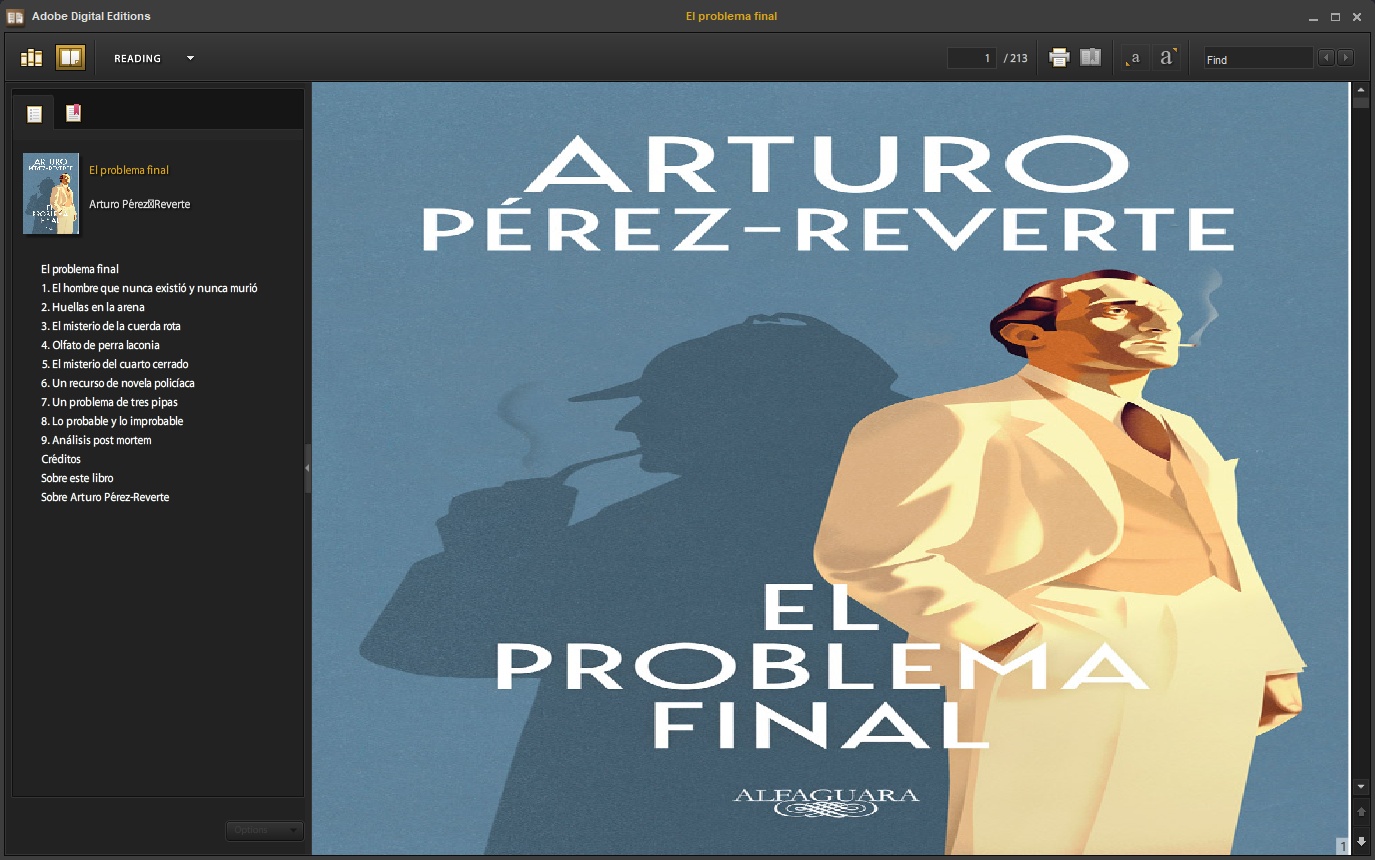
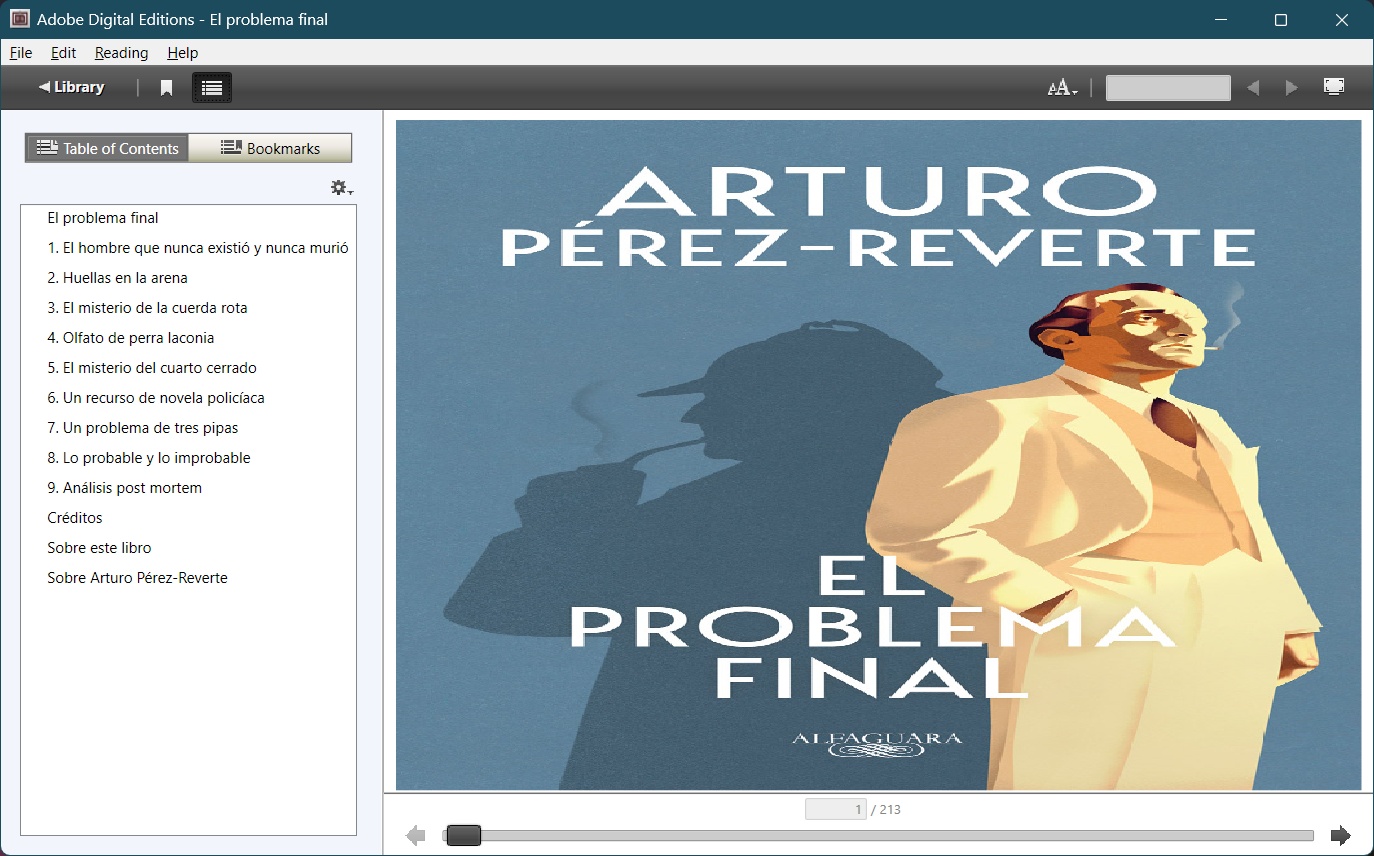
Obviously, what you expected to see was something like this:
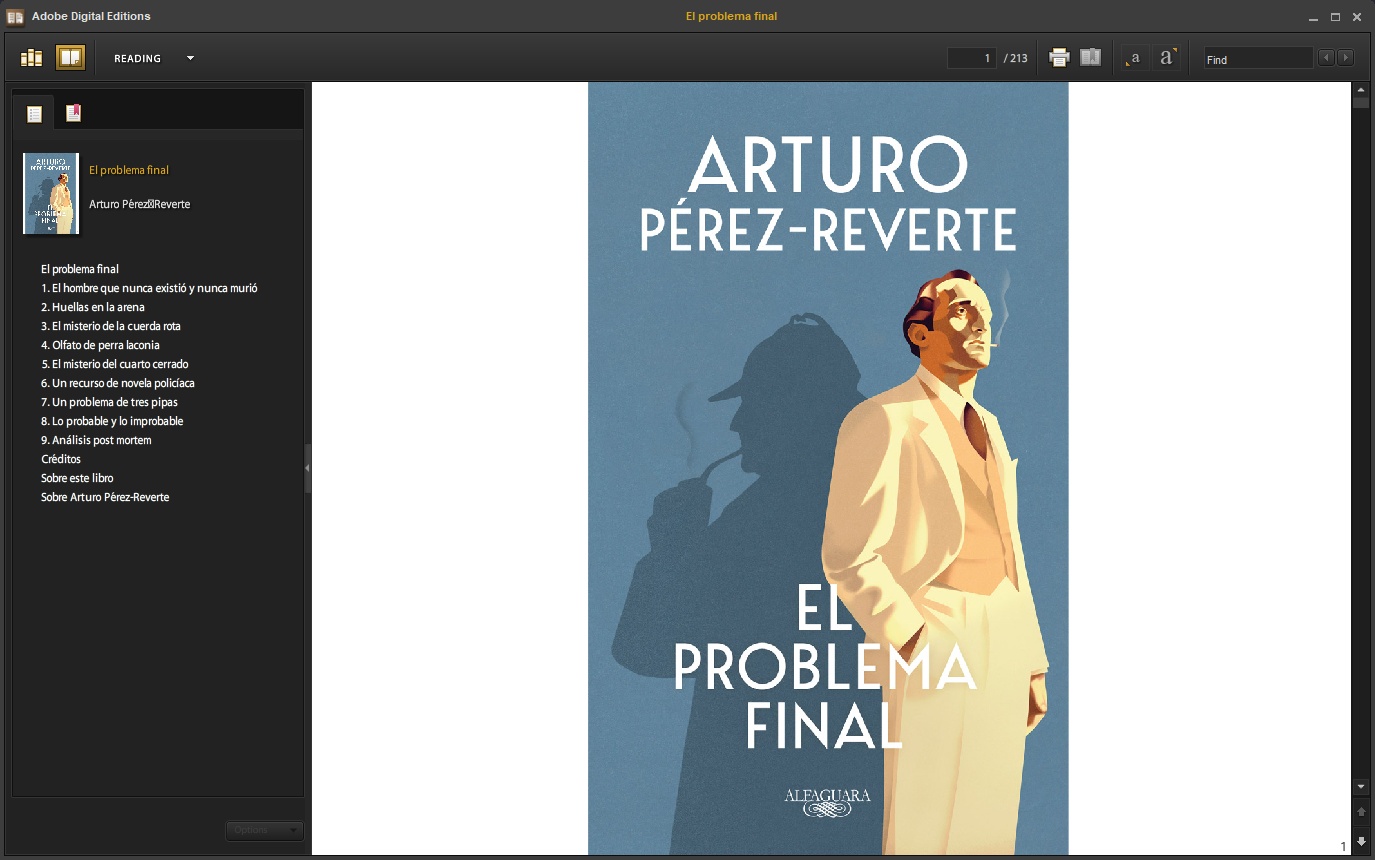
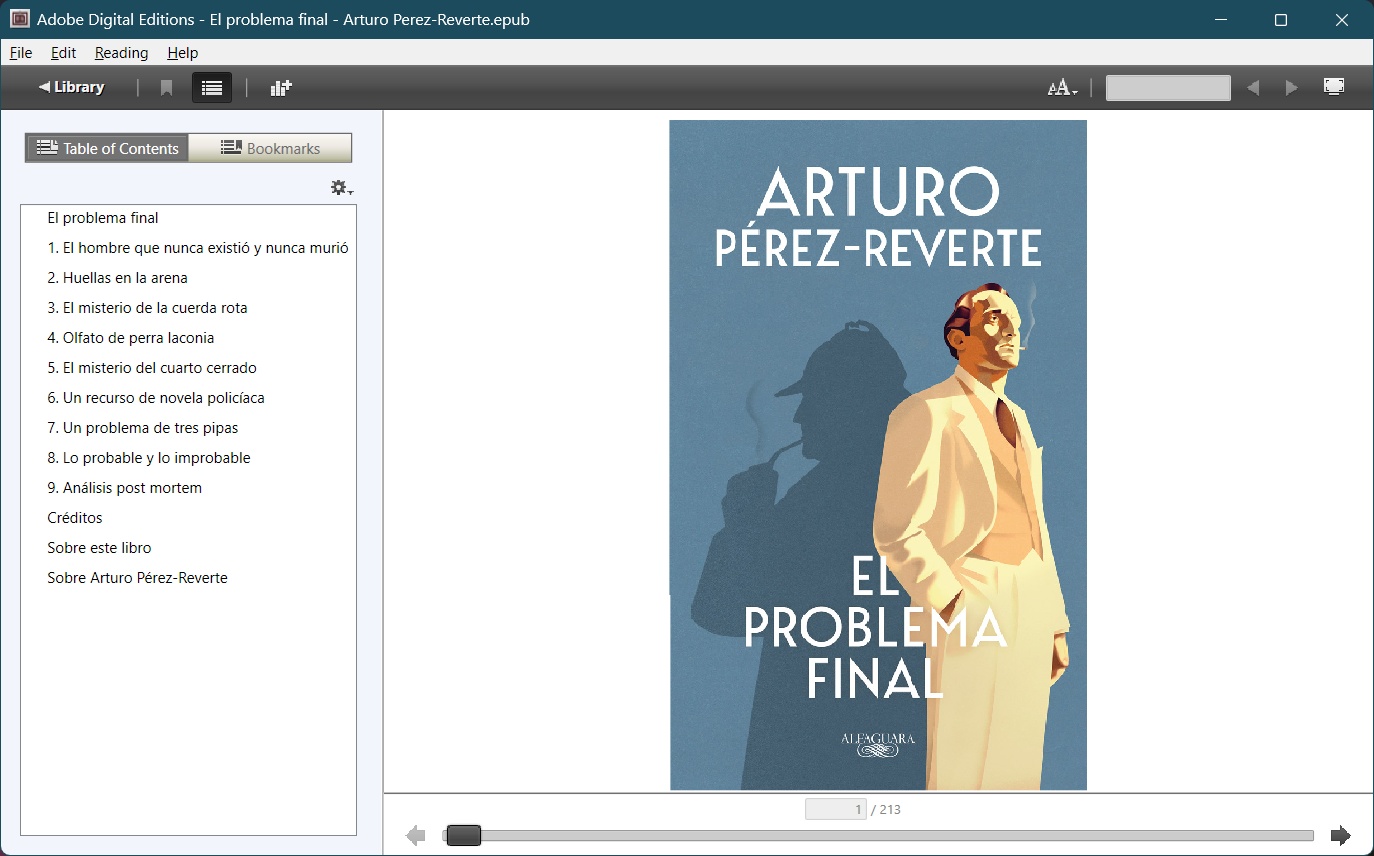
Why did this happen? Note that no book publisher in the known universe would release an e-book with a broken aspect ratio for the cover!
The explanation goes as follows: this happens for the following reasons:
❶ Kovid Goyal was stupid enough to design Calibre with the cover aspect ratio for created or converted books set to NONE.
❷ Millions of other retards created millions of books using such defaults.
As a result, I had to correct hundreds or maybe thousands of downloaded ePub books created by stupid people using a stupid default value that’s the fault of an individual who’s lacking any judgment!
Today, there are many ways to add a book cover in an ePub, but Cover still uses the oldest and the safest one. The default book cover page created by Calibre is titlepage.xhtml and its content is more or less like this:
<?xml version='1.0' encoding='utf-8'?>
<html xmlns="http://www.w3.org/1999/xhtml" xml:lang="en">
    <head>
        <meta http-equiv="Content-Type" content="text/html; charset=UTF-8"/>
        <meta name="calibre:cover" content="true"/>
        <title>Cover</title>
        <style type="text/css" title="override_css">
            @page {padding: 0pt; margin:0pt}
            body { text-align: center; padding:0pt; margin: 0pt; }
        </style>
    </head>
    <body>
        <div>
            <svg xmlns="http://www.w3.org/2000/svg" xmlns:xlink="http://www.w3.org/1999/xlink"
            version="1.1" width="100%" height="100%" viewBox="0 0 746 1200"
            preserveAspectRatio="none">
                <image width="746" height="1200" xlink:href="cover.jpeg"/>
            </svg>
        </div>
    </body>
</html>What it should have been to preserve the aspect ratio of the cover? Here’s what:
<?xml version='1.0' encoding='utf-8'?>
<html xmlns="http://www.w3.org/1999/xhtml" xml:lang="en">
    <head>
        <meta http-equiv="Content-Type" content="text/html; charset=UTF-8"/>
        <meta name="calibre:cover" content="true"/>
        <title>Cover</title>
        <style type="text/css" title="override_css">
            @page {padding: 0pt; margin:0pt}
            body { text-align: center; padding:0pt; margin: 0pt; }
        </style>
    </head>
    <body>
        <div>
            <svg xmlns="http://www.w3.org/2000/svg" xmlns:xlink="http://www.w3.org/1999/xlink"
            version="1.1" width="100%" height="100%" viewBox="0 0 746 1200"
            preserveAspectRatio="xMidYMid meet">
                <image width="746" height="1200" xlink:href="cover.jpeg"/>
            </svg>
        </div>
    </body>
</html>To change the most idiotic default that ever existed in a major piece of software, enable “Preserve cover aspect ratio” in options:
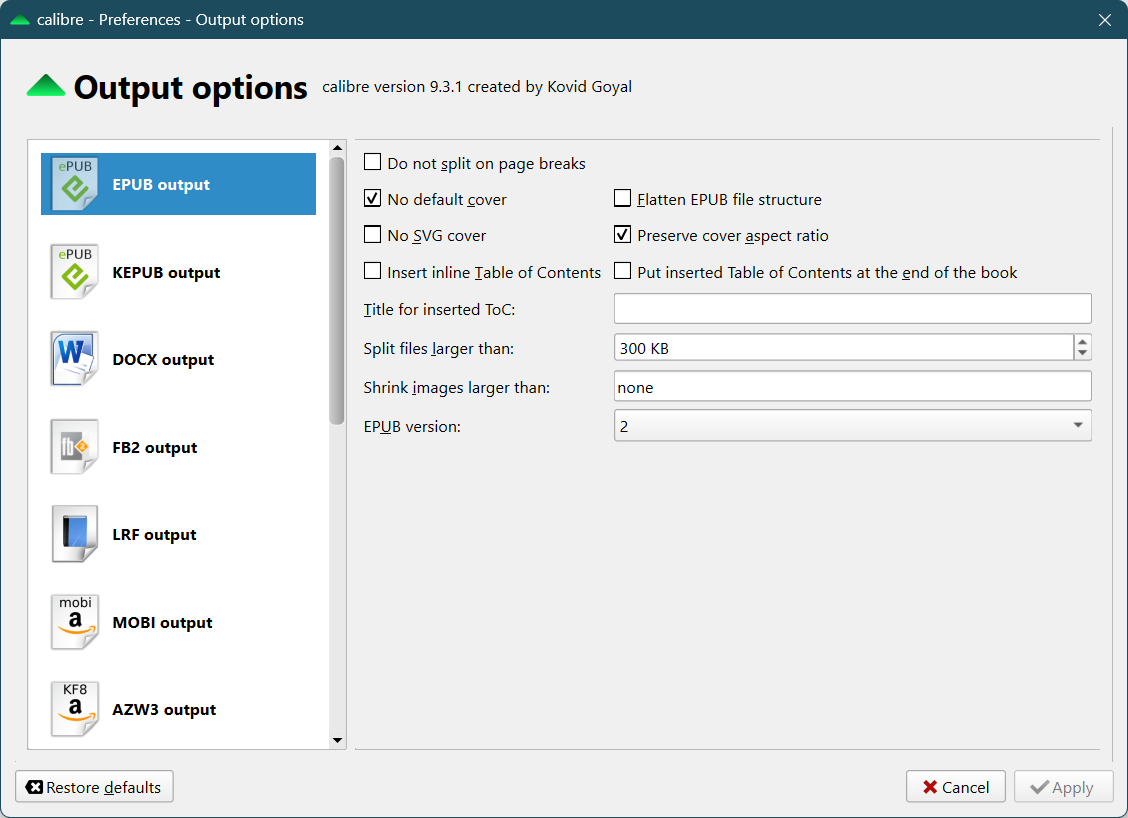
Don’t ask where exactly to find this configuration dialog. Calibre is an overcomplicated software that, after all these years, still can’t have anything right, not even a book’s cover! OK, it’s in Preferences, Conversion, Output options.
I was prompted to write this article by the release notes for version 9.3.1, which include this bit:
● KEPUB Output: When converting to KEPUB preserve cover aspect ratio regardless of the setting for it in the EPUB Output to match the behavior of KEPUB files from Kobo
Closes tickets: 2141251
In other words, not only was Kovid Goyal stupid enough to ship Calibre with this nonsensical default version after version, but he needed a bug report to tell him, “Buddy, Kobo doesn’t care about your stupid brains; the Kobo-enhanced KePub version of the ePub format mandates a cover with the proper aspect ratio!”
Idiots be idiots.
Why on the fucking Earth would anyone want a cover that fills the entire screen, regardless of the original aspect ratio of the said cover? Just how stupid can some people be?
How can Calibre be the number 1 e-book editor when it has so many programming errors, as if it were developed by a newbie?
Take this annoying bug that I forgot to mention:
1. You edit or convert an e-book in Calibre.
2. You open the book’s folder to check how the ePub is rendered by your favorite e-book reader app, and once you’re happy with it, you rename it PROPERLY (“Surname, Name – Title.epub”) and you move it to the folder you want to store it in.
3. You try to delete it from Calibre’s “library,” as you only use Calibre for conversions and editing.
4. As the actual book is no longer there, you expect Calibre to delete the other associated files (the cover and possibly the initial file if it was a conversion) and to complain that “I couldn’t find one or more files to delete,” but to proceed.
Instead, this piece of shit of a retarded software is, like:
Who was the retard who wrote such code?
1. The error is wrong. The file is not locked or in use; it’s just not there anymore!
2. When a file THAT YOU WANT TO DELETE is not there, you just fucking eat the error and go on!
3. Instead, this retarded software refuses to delete anything!
To remove the book from Calibre’s database, the only fix is to delete the entire “Calibre Library” folder once you’re done with editing/converting.
Maybe it’s time to switch to Sigil. It even has a Flatpak to make sure you’re using the latest version.
Calibre is sooo shitty!
CORRECTION: Apparently, under Win11, Calibre raises this stupid error for the simple fact that I have the respective folder open in File Explorer. This does NOT lock the folder, which can still be deleted (other apps can do that). But even if it were so, the files themselves should be deletable, so in the worst-case scenario, Calibre should leave empty folders behind. Instead, this shit refuses to delete anything if the folder is open! THE FOLDER.