
Everything is beta these days, especially KDE Plasma
On March 10, they released Fedora Linux 44 Beta, the first solid opportunity for people to see what’s going to be new in Fedora 44, once released sometime in April.
Various technology sites have reported on the major changes, and the above link in the Fedora Magazine includes some highlights. I’m not entirely happy with the quality of the article, though.
Sometimes, the reporting is correct. Example:
Games Lab went from Xfce (X11) to KDE Plasma (Wayland).
Some other times, it only tells half of the story:
Budgie 10.10 migrates from X11 to Wayland.
Well, this is a change decided by Budgie, not by Fedora. Additionally, some retard at Fedora decided that Fedora 44 Budgie should replace all GTK apps with KDE apps, despite the fact that Budgie 10.10 is still GTK-based, and only Budgie 11 will be based on Qt6 and KDE Frameworks. A decision as small as this one (but also that stupid!) might be enough to undermine the little amount of trust I still had in the makers of a few distros.
Then, this:
Modernize Live Media: This change modernizes the live media experience by switching to the “new” live environment setup scripts provided by
livesys-scriptsand leverage new functionality indracutto enable support for automatically enabling persistent overlays when flashed to USB sticks.
A comment had to prove the above announcement wrong:
If you are asking about the efforts to Modernize Live Media, it looks like that was deferred until the Fedora Linux 45 release: https://bugzilla.redhat.com/show_bug.cgi?id=2139918#c27
Oh, well.
1. Downloads
There are several ways of getting F44 Beta in the desired flavor.
❶ This is the official one:
- https://fedoraproject.org/workstation/download/?beta
- https://fedoraproject.org/kde/download/?beta
- https://fedoraproject.org/spins?beta
- https://fedoraproject.org/labs?beta
❷ The fastest way is, as always, via the official torrents (some spins or labs might be missing):
❸ Other (slow) downloads:
E.g.:
- https://dl.fedoraproject.org/pub/fedora/linux/releases/test/44_Beta/KDE/x86_64/iso/
- https://dl.fedoraproject.org/pub/fedora/linux/releases/test/44_Beta/Spins/x86_64/iso/
❹ Koji is another (slow) option:
E.g.:
- https://kojipkgs.fedoraproject.org/compose/44/latest-Fedora-44/compose/KDE/x86_64/iso/
- https://kojipkgs.fedoraproject.org/compose/44/latest-Fedora-44/compose/Spins/x86_64/iso/
❺ Finally, you could use the Fedora nightly compose finder. Under “Fedora 44,” look for “Workstation live,” “KDE live,” “Xfce live,” etc. You will find newer builds, such as Fedora-KDE-Desktop-Live-44-20260311.n.0, whereas the beta is Fedora-KDE-Desktop-Live-44_Beta-1.2.x86_64.iso from 20260310. The downloads are slow as hell, being from Koji.
The Koji tree also includes the same newer builds for 44 (not Rawhide/45):
E.g.:
- https://kojipkgs.fedoraproject.org/compose/branched/latest-Fedora-44/compose/KDE/x86_64/iso/ has
Fedora-KDE-Desktop-Live-44-20260311.n.0.x86_64.isoat the time of writing. - https://kojipkgs.fedoraproject.org/compose/branched/latest-Fedora-44/compose/Spins/x86_64/iso/ is updated accordingly.
2. Let’s stress on the irrational part
As if the entire “branching” vs. “Rawhide” thing weren’t confusing enough, there is this shit on Koji:
compose/44/latest-Fedora-44/compose/currently has the Beta and the Beta only.compose/branched/latest-Fedora-44/compose/offers newer builds for the same 44.
If you see the logic behind the above organization, you’re either a genius or a moron. Once it’s “branched,” it ends in 44 anyway, not in 45*, so “44” and “branched” should be identical.
*Which is, as Grok confirmed, another misconception: most of the newer packages in Rawhide will eventually enter 44 as the first set of updates after the final release. The contents of Fedora 44 is not frozen to the versions of the packages present in this Beta! (This is neither Debian nor Ubuntu.)
So “latest-fedora-44” should have been identical on both branches shown above. It is not.
Oh, and why did the need repeating “compose”?!
3. Why this beta is dumb and useless
● Fedora-KDE-Desktop-Live-44_Beta-1.2.x86_64.iso (“official”)
I only tested the Beta of the KDE desktop in a live session, without attempting to install it. But I did it on real hardware, not in a VM. The reasons to install such a distro in a VM include:
- You want to fix bugs.
- You need screenshots for a press review, and you don’t care how well or poorly the actual hardware is supported.
- You have legitimate uses of a distro atop another distro other than in a container.
- You’re an idiot.
Someone was stupid enough to release this Beta in the following way:
- The Beta included KDE Plasma 6.6.1, the kernel 6.19.2, Firefox 147.0.4.
- On the day of the release, the live session of the Beta would update to KDE Plasma 6.6.2, the kernel 6.19.6, Firefox 148.0.
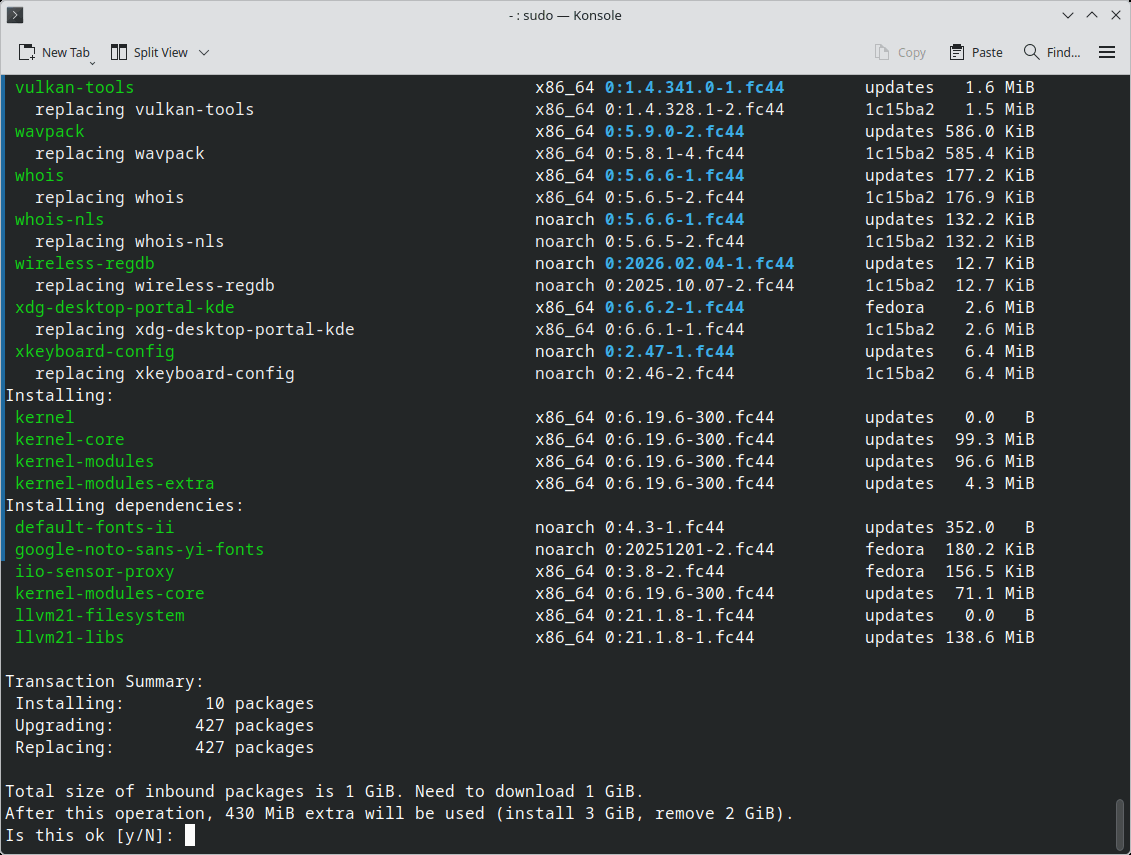
What’s the purpose of releasing an ISO if the same day 427 packages are obsolete and upgradable? 😡
Then, the very first visible bug was the missing NVMe SSD “sensors” (is the disk space really measured by sensors?) in KDE’s System Monitor:
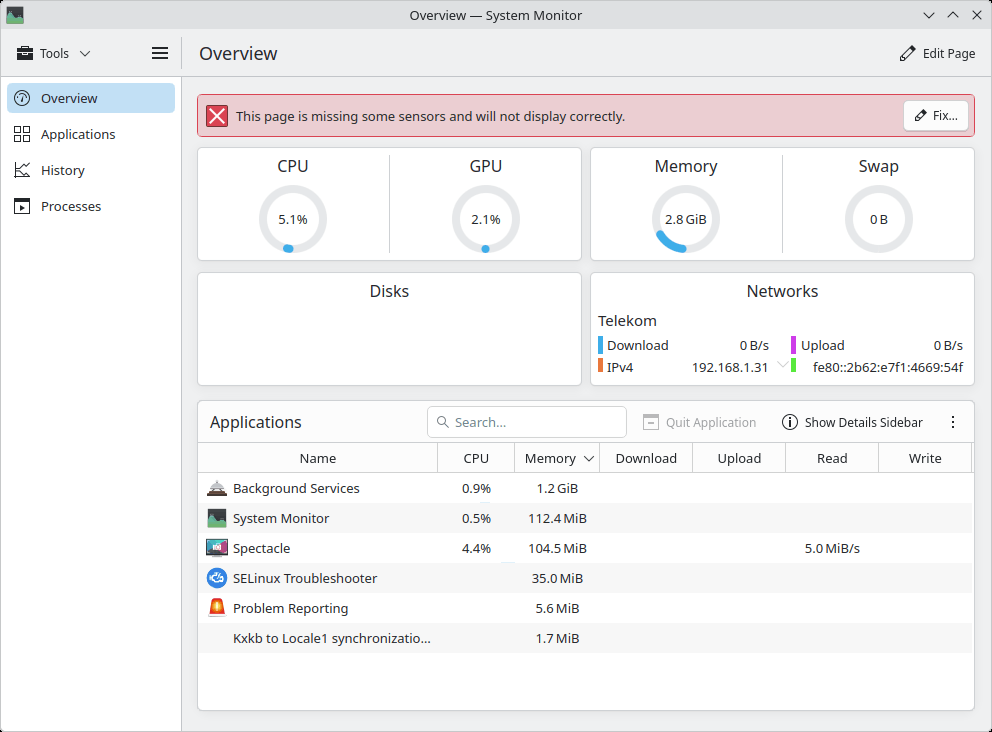
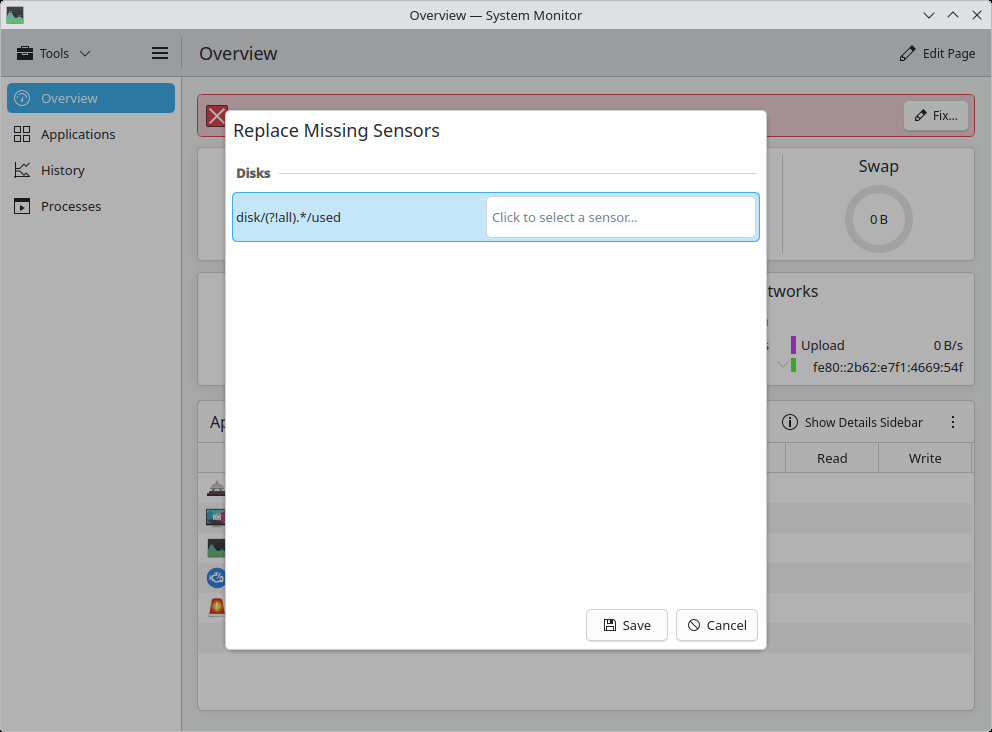
With what should I replace what?!
The two internal SSDs were perfectly visible to Dolphin and accessible, but some fucktard designed KDE’s System Monitor to require some fancy “sensors”!
I stopped any further testing out of disgust.
● Fedora-KDE-Desktop-Live-43-1.6.x86_64.iso (from the vault)
What I didn’t know, but I had to check, was that the 43 ISO also “featured” the same bug, only in a more severe form:
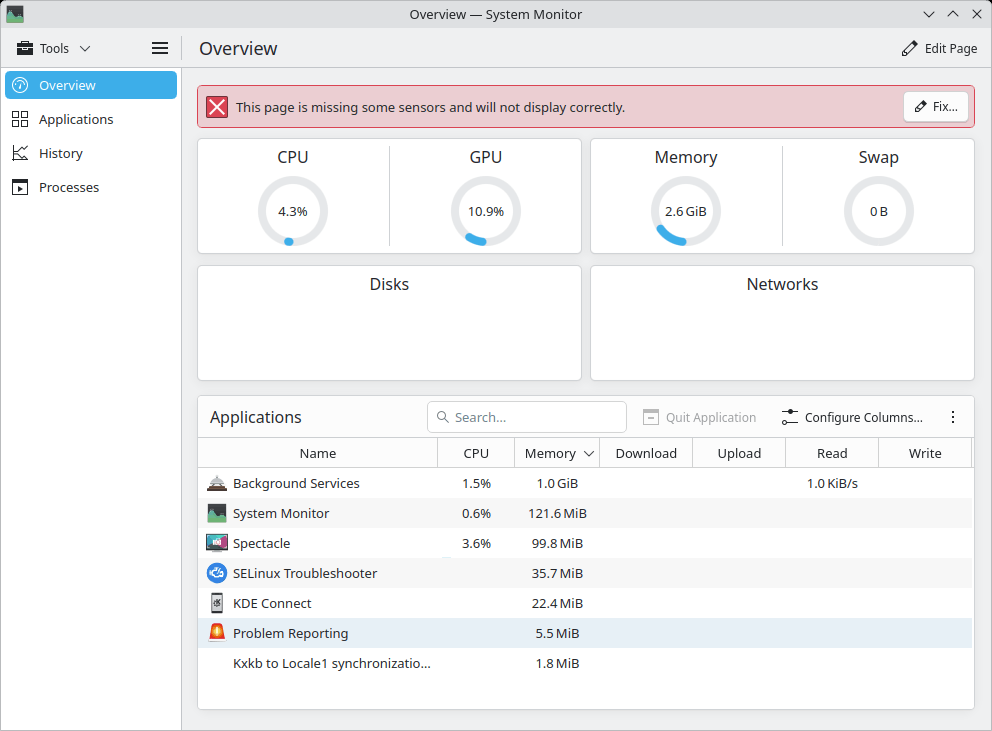
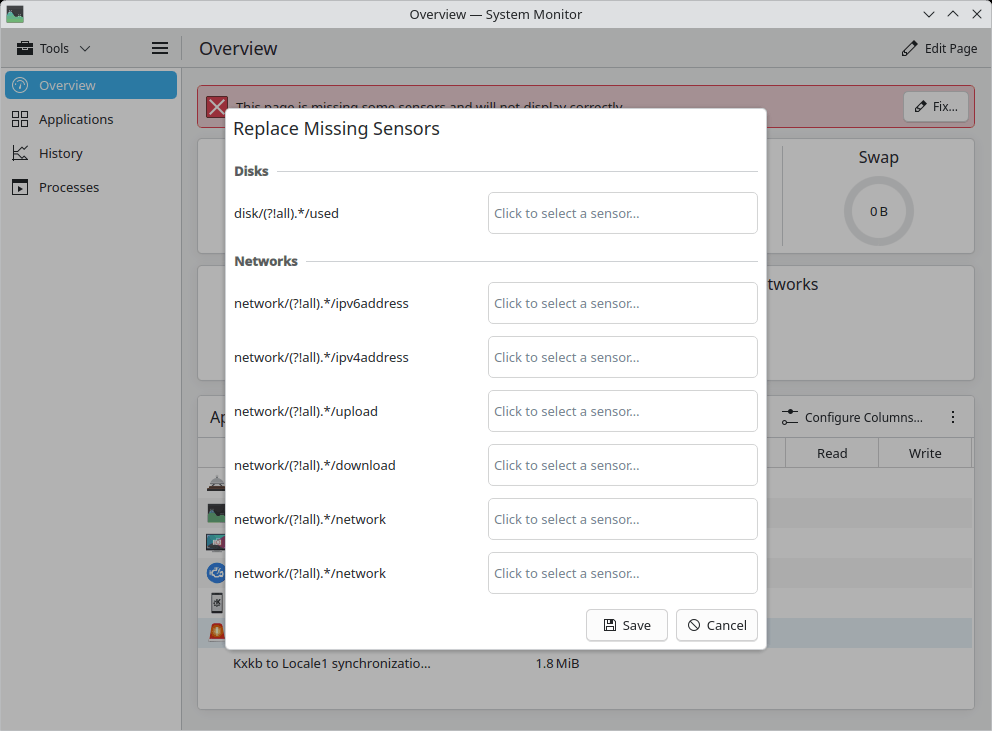
Even connected to the Internet, it missed the “sensors” for the Internet! Go figure.
Once installed, everything works, but the way Fedora releases Live ISOs with visible bugs is disgusting. “Releases” and in releases, not Betas!
I rest my disgust.
● Fedora-KDE-Desktop-Live-44-20260311.n.0.x86_64.iso (newer!)
As expected, this build already included KDE Plasma 6.6.2, the kernel 6.19.6, Firefox 148.0. And yet some other 343 updates were available! I barely entered 20260312 in Europe, and 20260311 was so obsolete already!
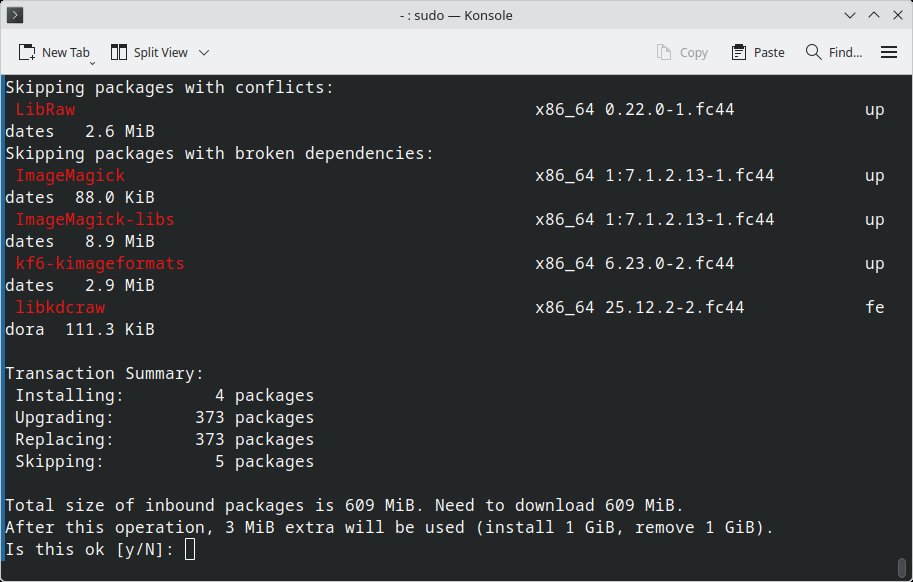
And there were new bugs, too!
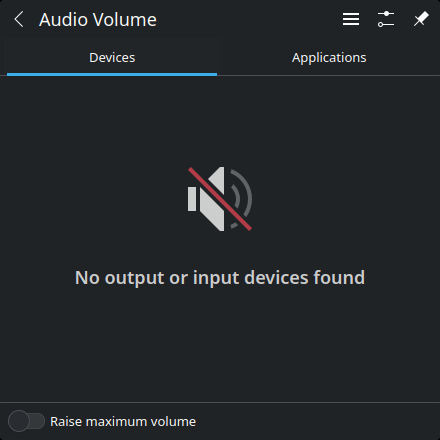
First, no audio:
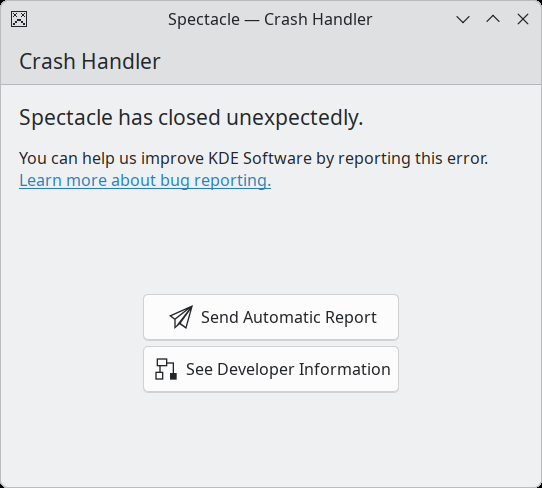
Then, Spectacle crashed “with success” after having saved the image, or even if I decided not to save the image but to close Spectacle:
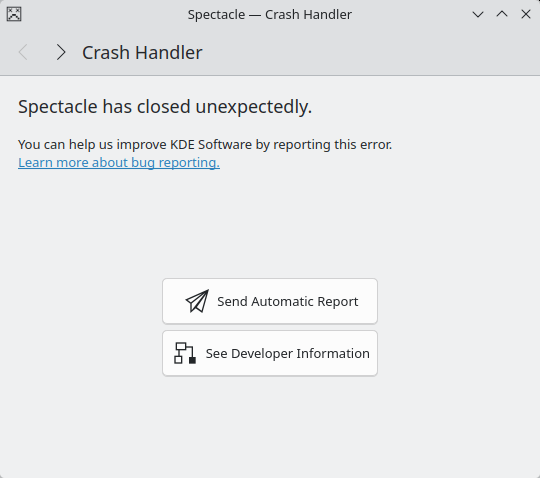
Segmentation fault, what else? Every single time.
Fedora’s road from Beta to Release is going to be a road to hell. Ubuntu 26.04 is snapshot-4 also buggy as hell, and I tried several desktop flavors. Why are people insisting on “improving” the software if what they create is mostly bugs?
4. Even Fedora 43 KDE has new bugs!
I didn’t use the distro installed on the newer laptop for some time, and when I started it, KDE Plasma 6.6.2 was available for it, too!
But on my installed Fedora 43 KDE, both with Plasma 6.6.1 and with the newer 6.6.2, I noticed a stupid design bug in System Monitor. Can you see what it is?
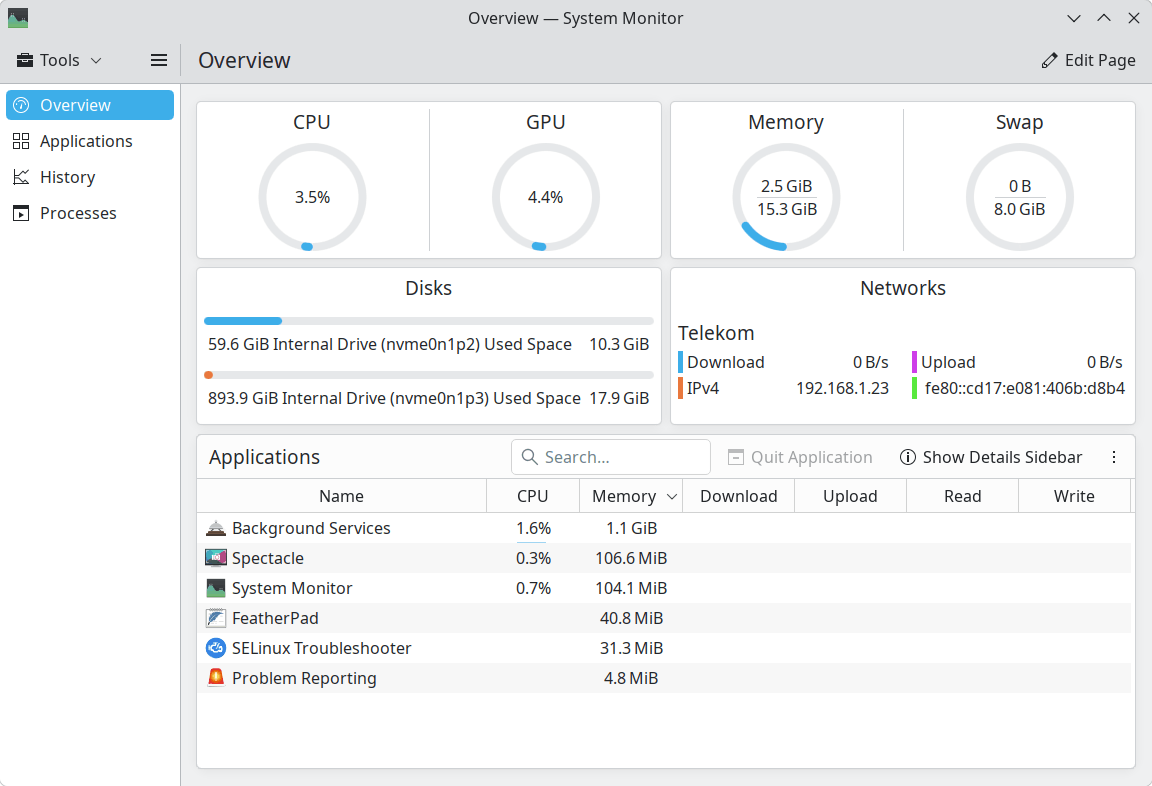
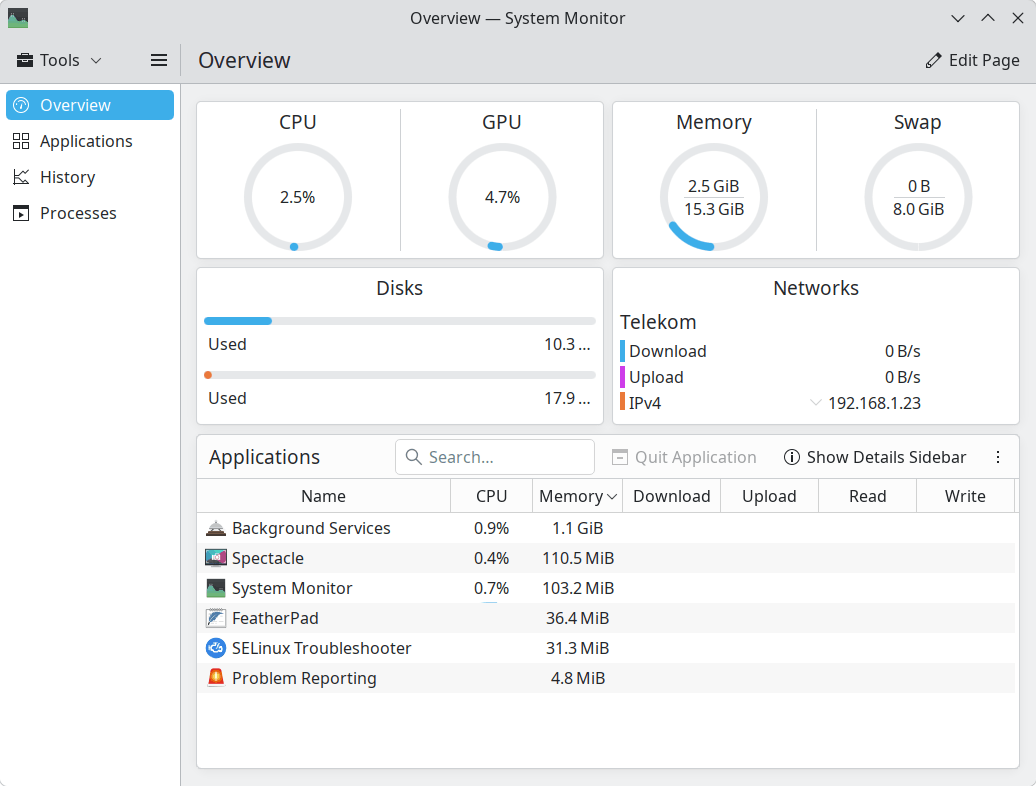
This is a 14″ laptop, so it uses a 125% scaling. The text is too large, and when there isn’t enough screen space, what is it that the brilliant KDE designers decided?
Let me zoom in:
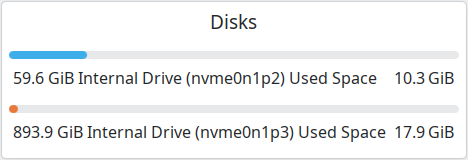
That’s OK, everything is displayed.
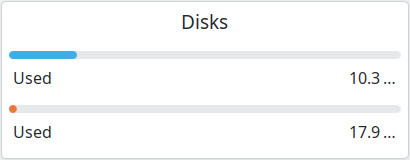
Obviously, in the second case it wouldn’t have been possible to display everything. But there is a long way between these two extremes!
- 59.6 GiB Internal Drive (nvme0n1p2) Used Space 10.3 GiB
- Used 10.3 …
Note that, when the width increases, the wrong space increases:
- 59.6 GiB Internal Drive (nvme0n1p2) Used Space 10.3 GiB
Any normal-minded person expects this instead:
- 59.6 GiB Internal Drive (nvme0n1p2) Used Space 10.3 GiB
RETARDS. KDE RETARDS. 10.3 …, really? There wasn’t any space for GiB, you fucktards?
As the horizontal space decreases, the displayed string should adapt this way:
- 59.6 GiB Internal Drive (nvme0n1p2) Used Space 10.3 GiB
- 59.6 GiB Internal (nvme0n1p2) Used 10.3 GiB
- 59.6 GiB (nvme0n1p2) Used 10.3 GiB
- 59.6 GiB Used 10.3 GiB
- 59.6 GiB Used 10.3 GiB
- 59.6 GiB Used 10.3 GiB
- 59.6 – 10.3 GiB
How is it possible to have such retarded KDE developers?!
● New bugs in KDE Plasma 6.6.2 (in Fedora 43!)
Just like in the live session of Fedora-KDE-Desktop-Live-44-20260311.n.0.x86_64.iso, Spectacle crashed after each use, regardless of my decision to save or not the image.
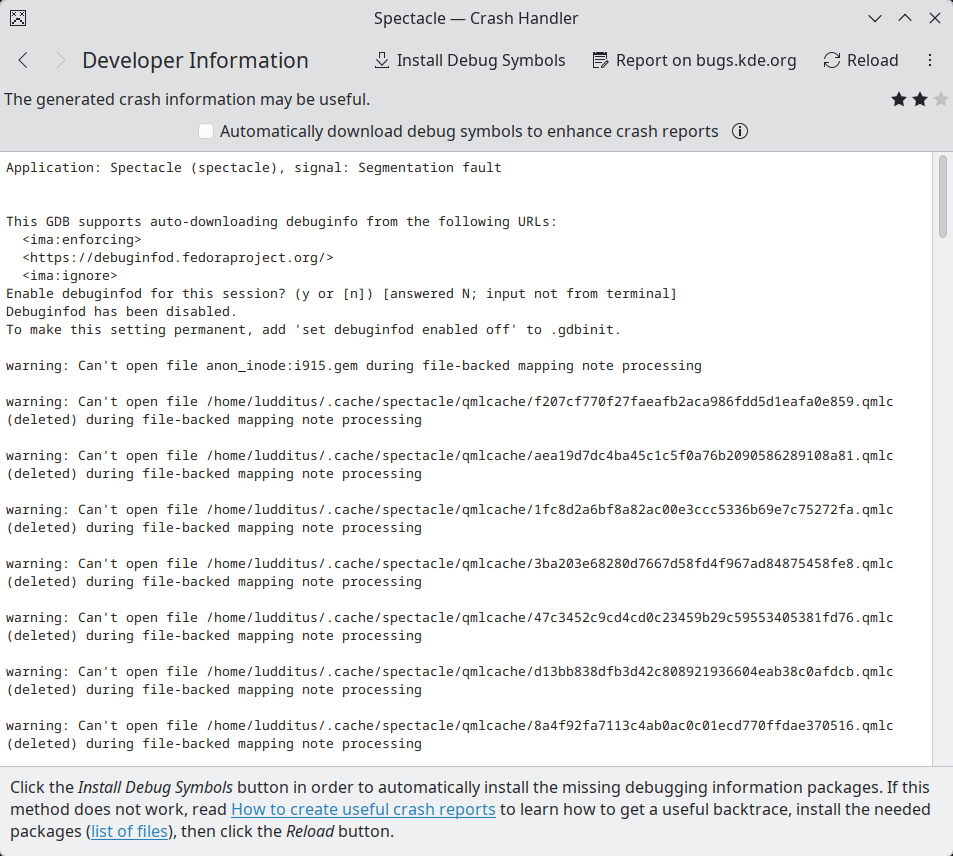
In one case, beyond the usual “Segmentation fault,” I noticed that it failed to open several ~/.cache/spectacle/qmlcache/*.qmlc files:
I checked, and there were a bunch of them:
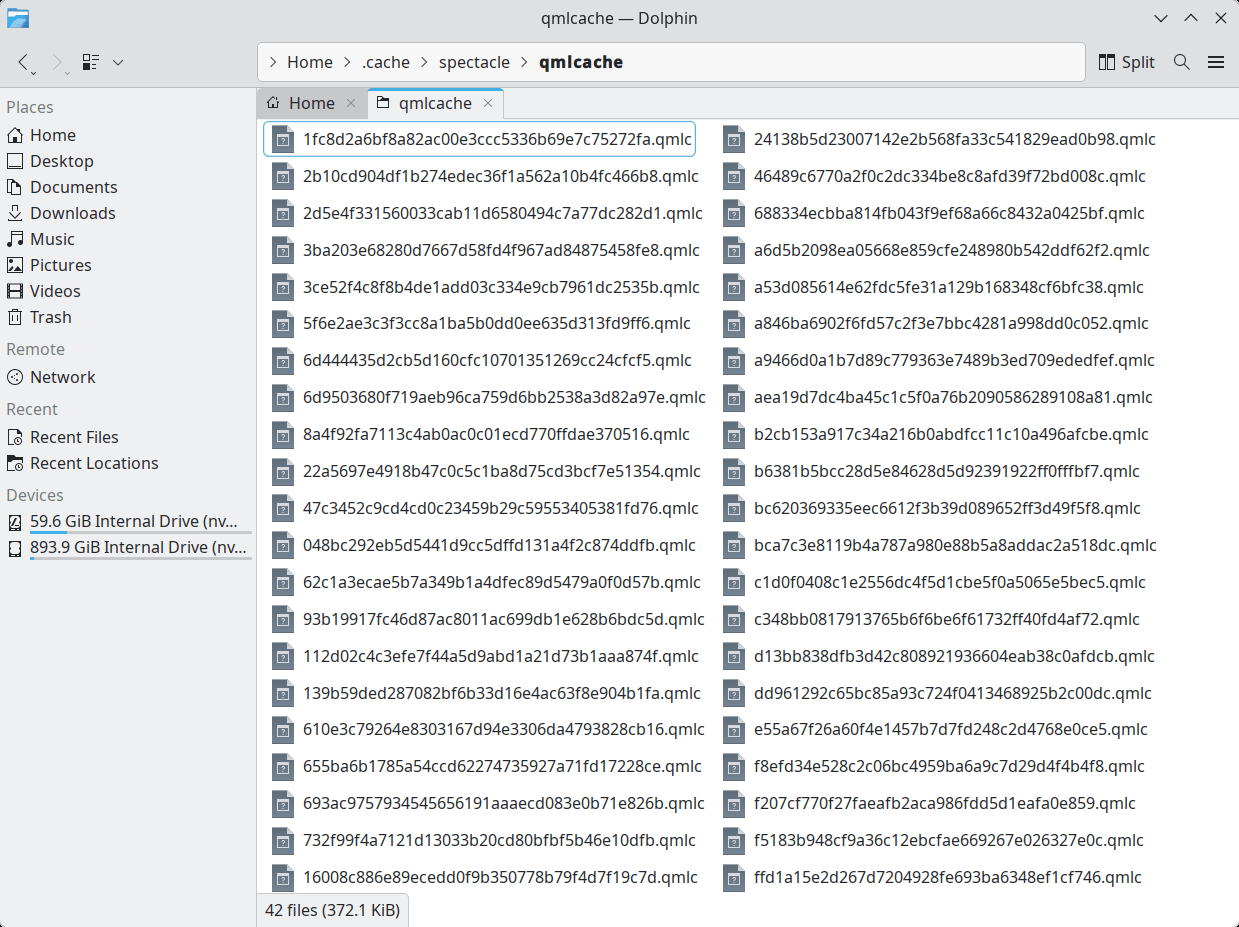
Guess what? Not only did nothing change, but the folder soon got repopulated! I took another screenshot, and 36 such files were created!
Only a complete retard could have designed Spectacle this way! Crash or no crash, WHAT’S WITH THIS GARBAGE IN MY HOME FOLDER?
5. Everything has a beginning and an end
I was wrong. I’m usually wrong when I trust a distro, any distro. I was also wrong every single time when I trusted KDE!
KDE had components that crashed all the time in version 3.
KDE had components that crashed all the time in version 4, when it became “KDE Plasma 4.”
KDE became more usable in version 5, let’s say, since “KDE Plasma 5.4.”
KDE Plasma 6, technically required by the transition from Qt5 to Qt6, seemed stable enough, especially after version 6.3. It is not.
Or maybe it is, but not in Fedora. Or not with Wayland. But who the fuck cares?
I was wrong to install Fedora 43 KDE on the new laptop.
I was wrong to manipulate 3 chatbots, which agreed that Fedora KDE is a better choice than Kubuntu.
🤮
Everything is disgusting in the world of operating systems. The Linux kernel and all Linux distros are more and more fucked up with each passing day. Linux survives not thanks to that piece of shit called Android and not because it’s “needed” on servers and in containers, but because Windows is crap since Windows 11 and Windows Server 2025, and also because the retarded automotive industry decided to use Linux instead of an RTOS or maybe NetBSD.
But what distro to use on a new laptop? And which desktop environment?
Maybe I should think of the desktop environment first, as many distros come only in a limited number of flavors.
❶ GNOME is unusable. Configured to look more like “classic” Windows (more like KDE), it could be used, except for Files, which needs to be replaced with a decent file manager.
❷ KDE Plasma (oh, how much I hate this fucking “Plasma”!) is the only other DE that’s actively developed by a significant number of people. Alas, that’s no good.
❸ Cinnamon is ugly, stupid, designed by an individual with poor taste, and it was the last DE whose file manager got pause on file operations! Not only that, but in Nemo 6.4.5 (which is the version included in LMDE7, Debian 13, Ubuntu 25.10), there is a disabled start/resume button on the copy/move dialog! Only version 6.6.0 added the functionality. That’s because Clem was busy with minor shitty changes in his distro: colors and whatnot.
From the “still surviving” desktop environments…
❹ XFCE seems the most apt to survive. It’s been sort of frozen for more than 20 years, eternally unfinished: Mousepad and Ristretto never reached version 1.0, and it has so few components that it needs to be “completed” with accessories from GNOME or MATE. But at least it was ported to GTK3. What might kill it? Wayland and, maybe, a future discontinuation of GTK3.
❺ MATE is dying. Its “leader” is uninterested in doing anything related to MATE, and its showcase distro, Ubuntu MATE, will experience two failures in 26.04: no LTS status for MATE and, most likely, no MATE 1.28, bar for some components! How pathetic.
❻ LXQt, which is only usable in Lubuntu (the only distro where the keyboard brightness keys work, so you don’t need to use lxqt-config-brightness), isn’t doing that great. I’m also pissed off that it forces on you keyboard shortcuts different from any other distro, and the developer of PCManFM-Qt is a complete asshole. See this comment, the 4th bullet (including the two updates).
❼ LXDE is dead. Also, there is no way to adjust a laptop’s screen brightness (backlight, actually) in LXDE, unless you install lxqt-config-brightness from LXQt.
❽ Unity is even deader. Ubuntu Unity 25.10 doesn’t even exist.
❾ Budgie seemed rather usable, as I found it easily configurable. As it doesn’t include any accessory, the user is free to install whatever file manager, text editor, image viewer, file (un)archiver they want. Let’s say that the fact that the latest Budgie 10.10 is Wayland-only shouldn’t be a showstopper. But it’s a dead end and already “in maintenance mode.” Budgie 11 is being rewritten in Qt6 and using KDE Frameworks! WTF is this?!
❿ And please don’t say “COSMOS”!
🤔
Back to XFCE, then?! It’s familiar to me, what the heck. But what if it somehow dies?
As for which distro…

I told you not to trust Fedora and/or KDE!
Perhaps the most “secure”, with the reservations you mention, is XFCE. Its frozen side may be precisely what prevents it from changing too much and thus allows it to remain relatively stable. The others seem worse.
Oui, chef !
They probably know how to program, but they are dumb who live on another planet and have no idea how a user uses their computer on a daily basis.
After some more KDE-related updates, Spectacle still crashes on exit and, of course, it creates 36 QMLC files as soon as I take a screenshot; it’s useless to delete them. Such a design makes Windows 11 look a “less bad” choice.
“Less bad” was the criteria for me when I went back to windows.
When I was on fedora, I noticed it only got usable after like 2-3 months from its stable update. By that time we started hearing the news of new release of fedora.
Oh well.
I was using gnome which I know you detest 😀 but when I tried Fedora KDE, kde apps would start flickering for no reason or would create artifacts (I have intel integrated graphics btw)
I am on windows 11 right now which is giving me bsods every now and then but maybe I am pushing my 8gb ram setup too far 😀
Zero BSODs here with 8 GB, but even the IoT edition of Win11 is demanding in CPU and RAM.
It’s partly fault of my usage as well (maybe). I compress my files and upload and use handbrake too sometimes all while browsing the internet.
Minidump says “Memory Management” is the culprit which I tried to trace and got no clear answer. I miss linux for that; it used to tell me exactly what’s the problem and how I can fix it. I will try turning off memory compression for now – kimi suggested that.
That’s hardware instability. Check you CPU & RAM with stress testing software applications such as OCCT, RamTestPro & something similar.
Update on KDE Plasma 6.6.2 in Fedora 43: With all the updates available as of March 17, Plasma is still 6.6.2 in Fedora 43, and Spectacle still crashes after saving the image or on exit. Wayland, of course.
The only change: it only creates 9
.qmlcfiles instead of 36 in~/.cache/spectacle/qmlcache/!I then tested EndeavourOS 2026.03.06, which features the same Plasma 6.6.2 in its live edition. X11 this time.
Spectacle never crashed. Funny thing, it also created only 9
.qmlcfiles upon launching Spectacle.How can EndeavourOS (therefore Arch) be less buggy than Fedora 43?
I played a lot with the live session of the latest EndeavourOS release. I used
yayto installtrizenandoctopi, then I usedoctopito build and installfsearchfrom AUR. Everything in RAM. Nothing crashed. Given the pulled updates, I was advised to reboot. I didn’t. Nothing crashed.WTF, maybe Arch is really better managed than Fedora, except for its installer, which pushed people to use derivatives instead of “the real thing.” We’re not in 1995 anymore. That’s not an installer!