
On April 6, 1992, Microsoft released Windows 3.1. Now, we have GNOME 50.
Prior to that, Windows 3.0 was released on May 22, 1990, but people didn’t like it that much. Microsoft decided that the presence of Microsoft Reversi impeded sales, so it removed it from Windows 3.1.
Linux 0.01 was released by Linus Torvalds on September 17, 1991. It was unusable and not a full OS. The first installable Linux distro was MCC Interim Linux, released on 3 March 1992. X11 showed up in TAMU Linux, on 14 July 1992, but Softlanding Linux System (SLS), launched on 15 August 1992, was the first distro that I managed to try, albeit at a later point, when Slackware was already available.
NetBSD 0.8, the first released version, was made public on April 20, 1993. FreeBSD 1.0 was released on November 1, 1993.
OK, Gen X
Call me stupid, but Windows 3.1 was the operating system that I loved the most. Of course, it was “MS-DOS/PC-DOS/DR-DOS with a graphic shell called Windows 3.1.” Also, I’m sure you’re rigorous enough to say, “I use Arch GNU/Linux with Hyprland, BTW.”
Sure thing, Windows 3.1 inherited from MS-DOS the severe filename 8.3 length limitation. Hence, the Micros~1 meme, derived from a non-existent MICROS~1.EXE.
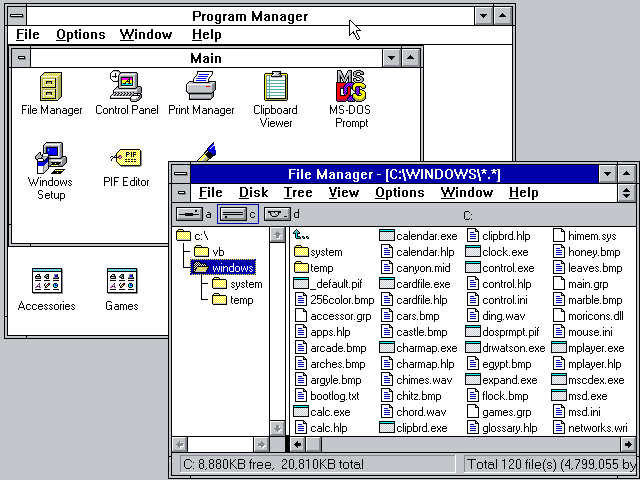
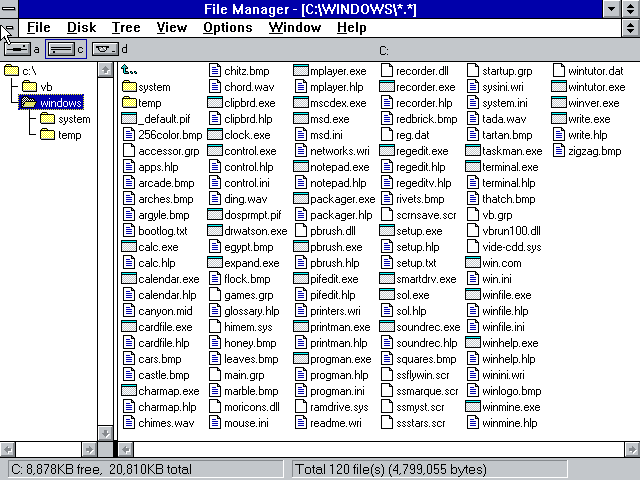
But its File Manager was able to display compact file lists (on several columns), not just detailed file lists:
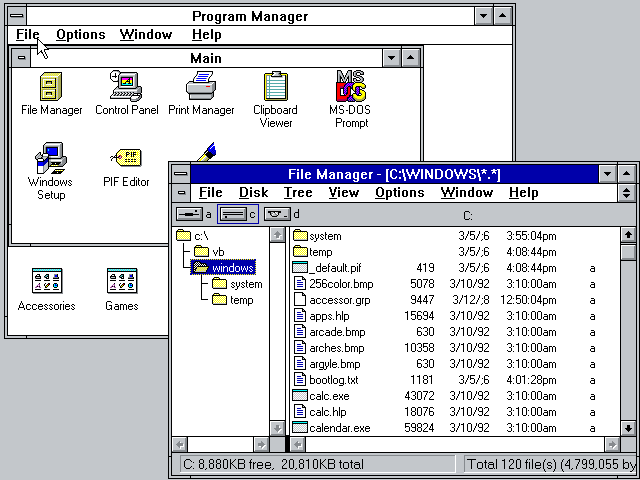
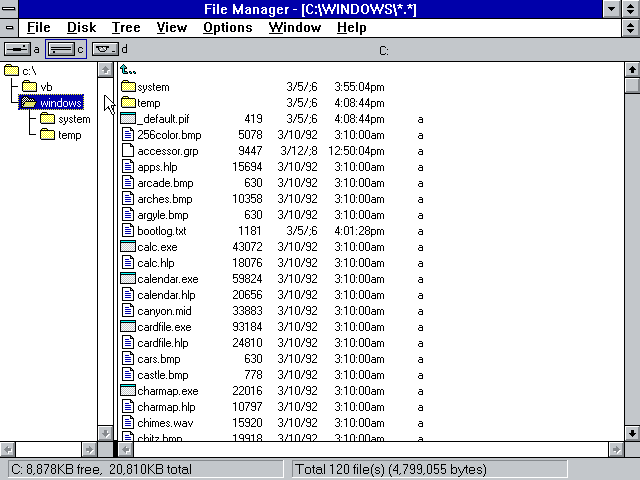
When Windows for Workgroups 3.11 was released on November 8, 1993, the file manager had a toolbar that made changing the view even easier:
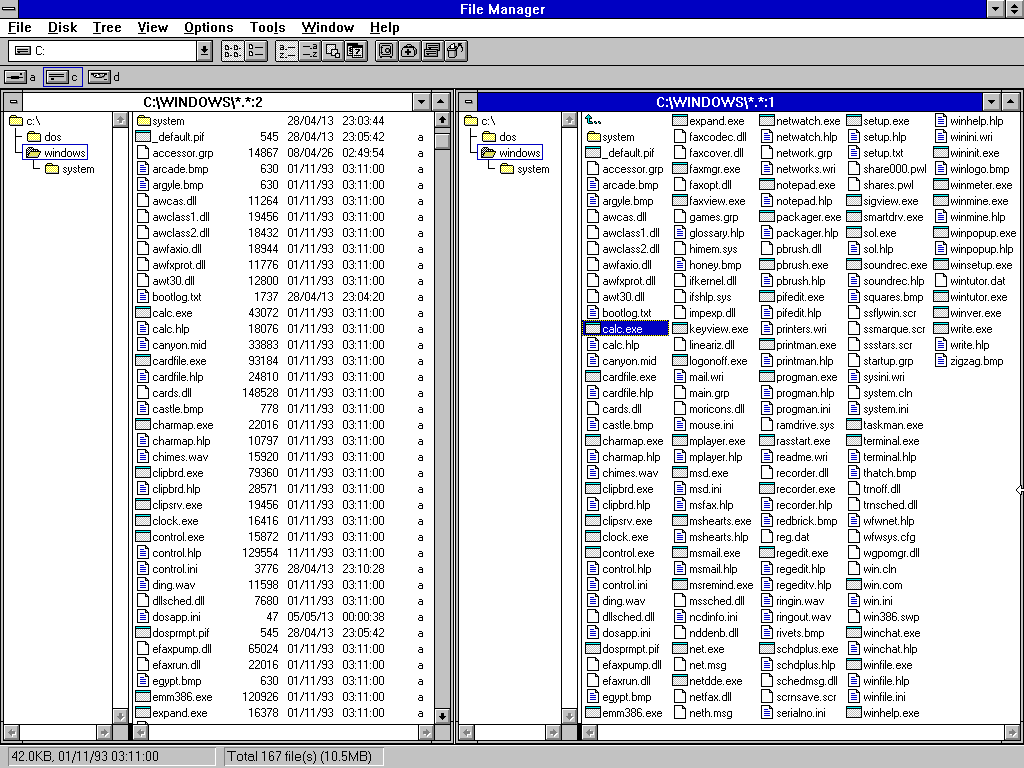
Most people I know hated File Manager and used Norton Commander instead. Go figure.
34 years later
In April 2026, GNOME 50 has a file manager that, by design and by choice, cannot display a compact file list!
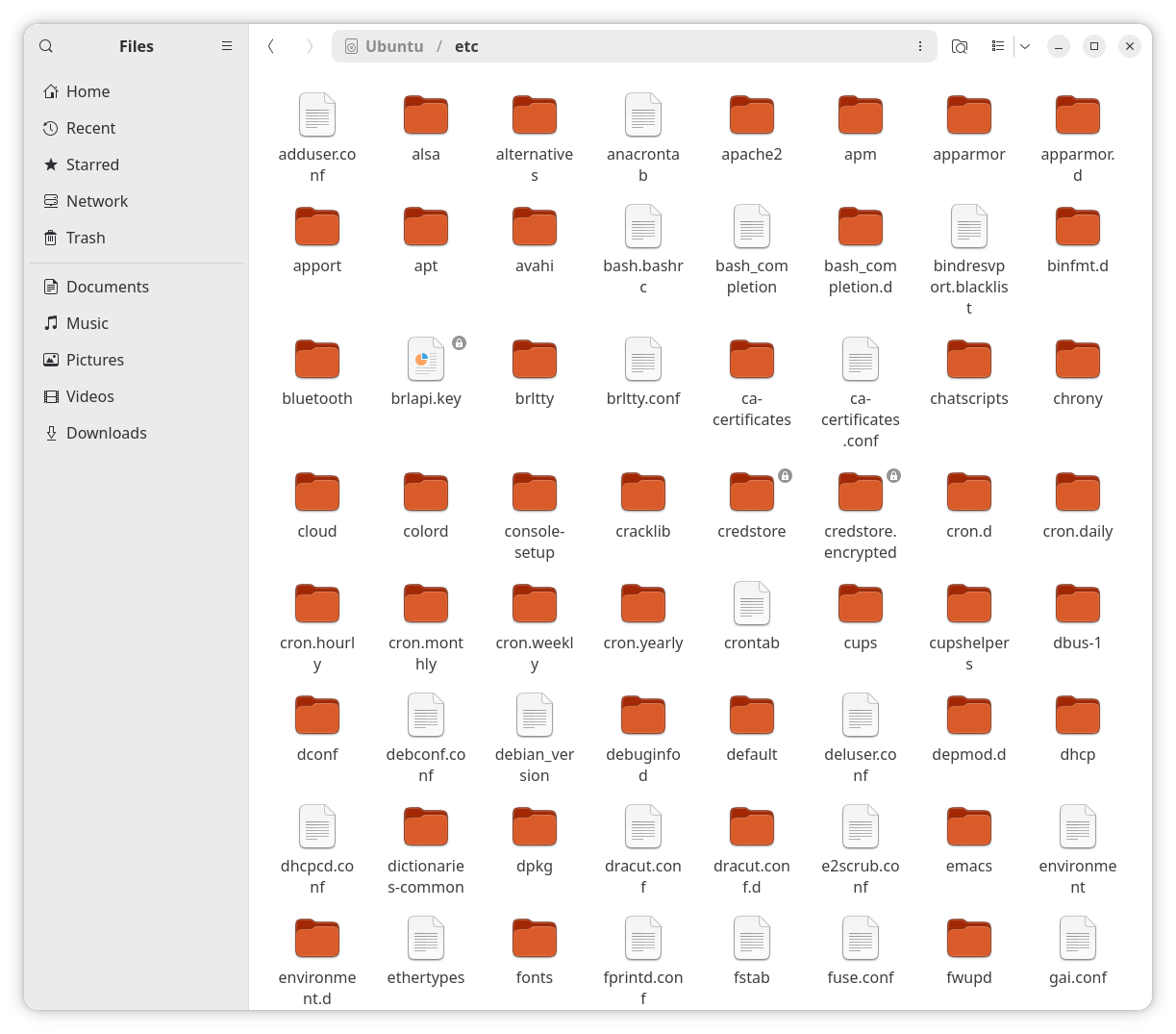
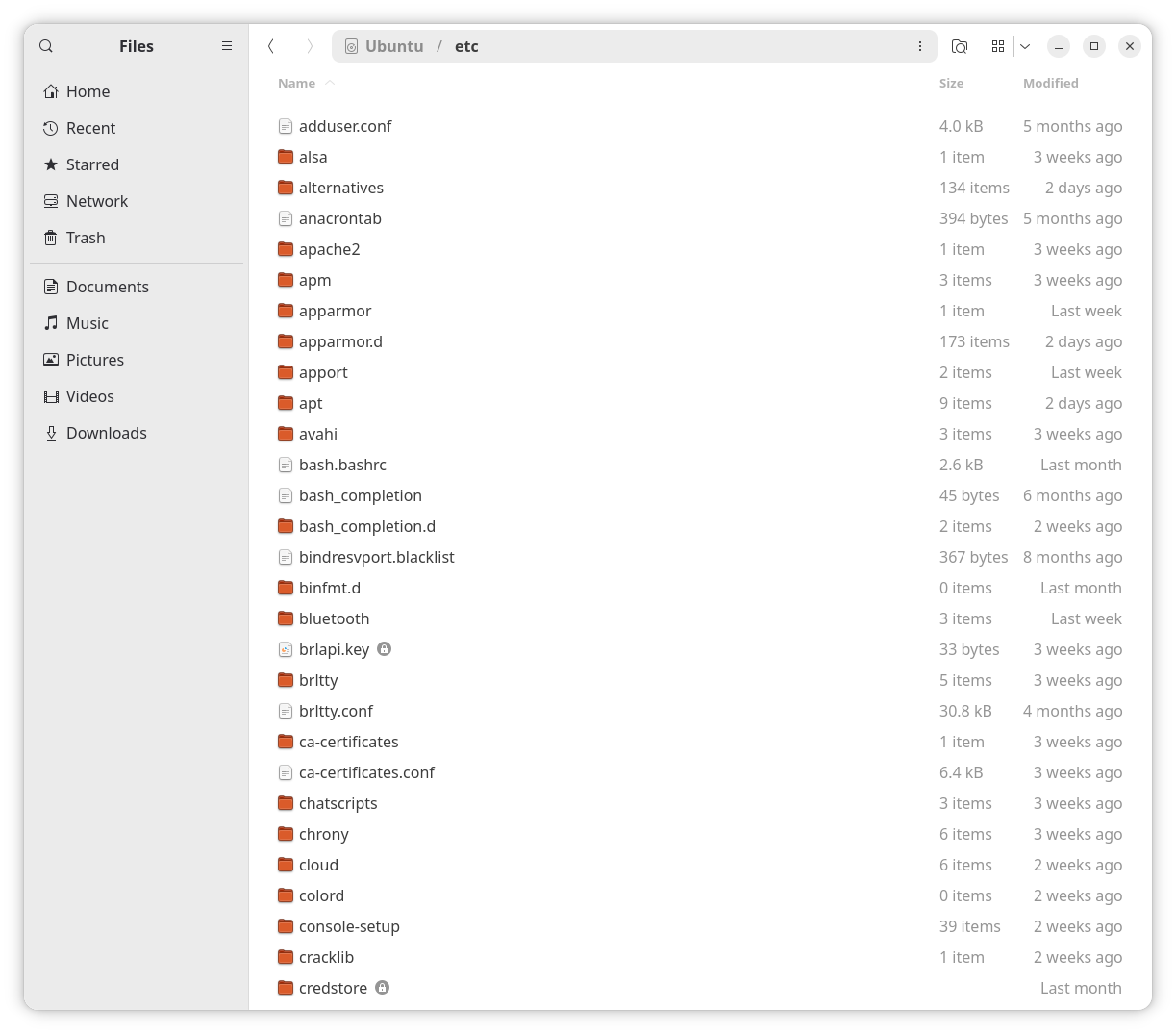
A bunch of retards decided that Nautilus in GNOME 2.32 was too smart, so it needed to be dumber in GNOME 3. That decision stayed.
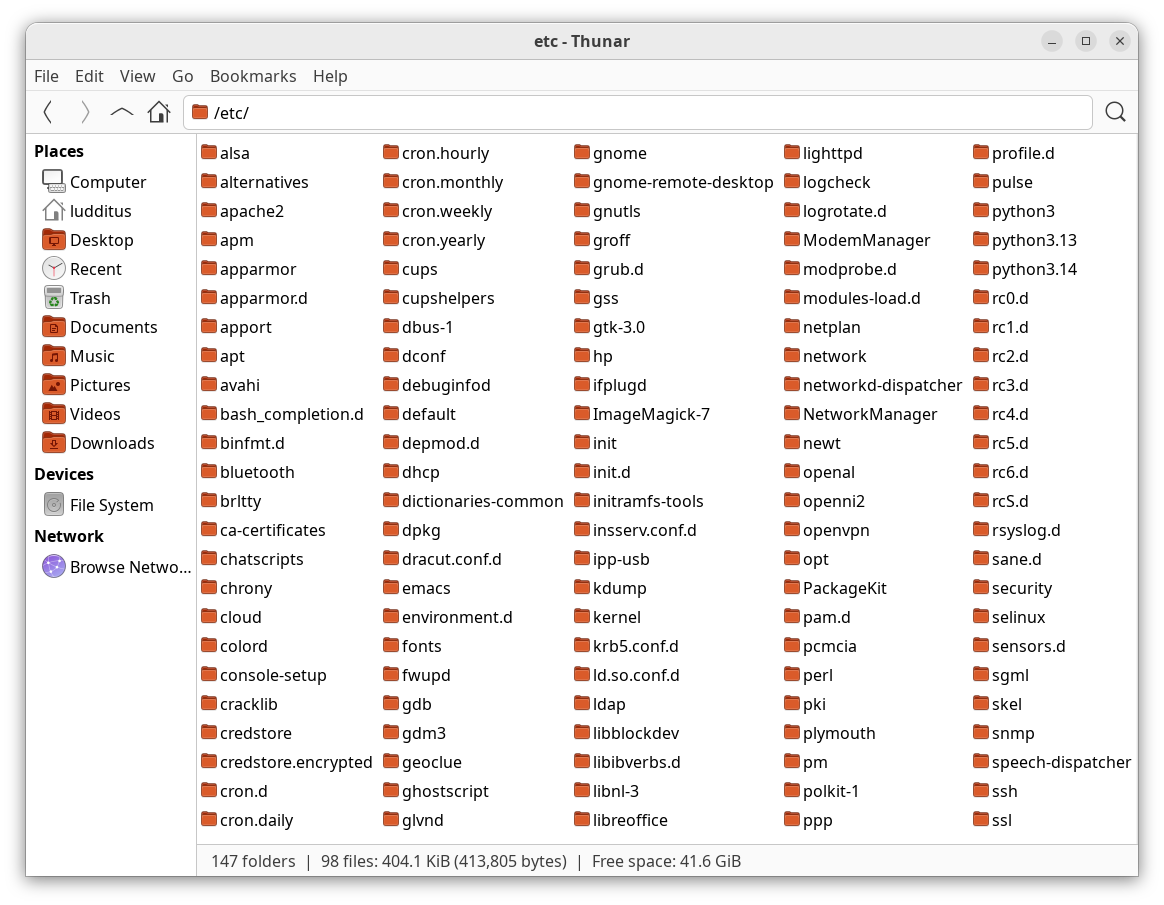
Obviously, not everyone is oligophrenic. The compact file view is available in Nemo, Thunar, Dolphin, PCManFM, PCManFM-Qt. Here’s it in Thunar:
Later, of course I liked the new visual metaphor introduced by Windows 95 and refined in Windows 98 and Windows 2000. But I didn’t really love Windows 95. I started to find it good in Windows 95 OSR2 or Windows 95 OSR2.5. Later, Windows 98 RTM was also buggy, and it only became pleasant to use in Windows 98 SE. Then, for some reason, I hated Windows 2000 (somewhat broken backward compatibility and questionable stability, if I remember correctly). Windows NT 4.0 Workstation was much more stable.
Retards being retards, Windows XP looked as if it were designed by fifth graders. However, I thoroughly enjoyed it, especially after SP2, and I used SP3 for many years. The secret? I always, but absolutely always used it with the Win2k/98/95 theme!
I considered those who left XP with the blue-green-red theme a bit soft-headed. I hold the same view about those who use the default GNOME look-and-feel.
Be no sheeple!
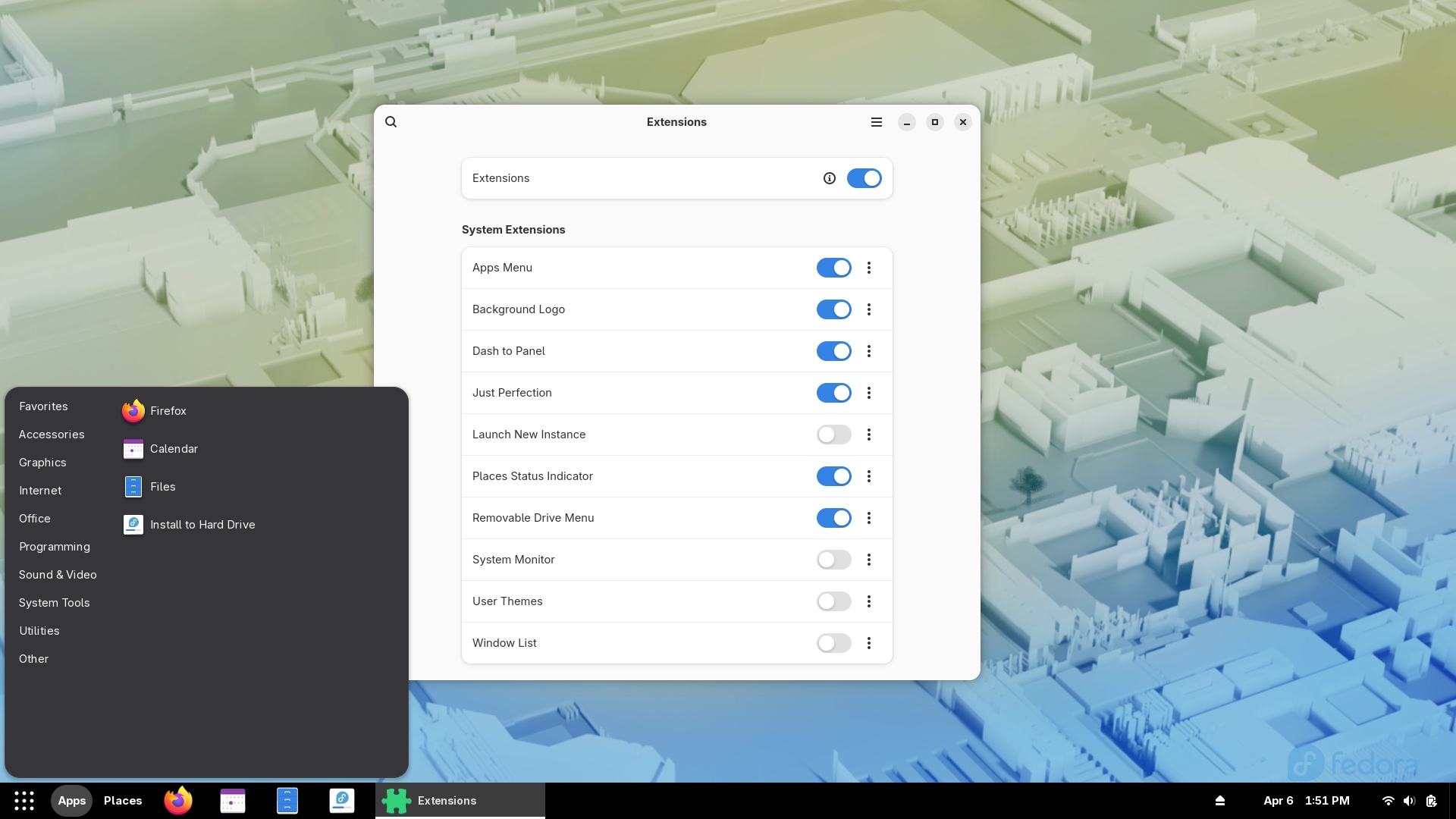
Look, the default GNOME can be customized:
Ubuntu’s, despite having much saner defaults (a few tweaks applied, dash-to-dock installed), can still be customized if you’re me:
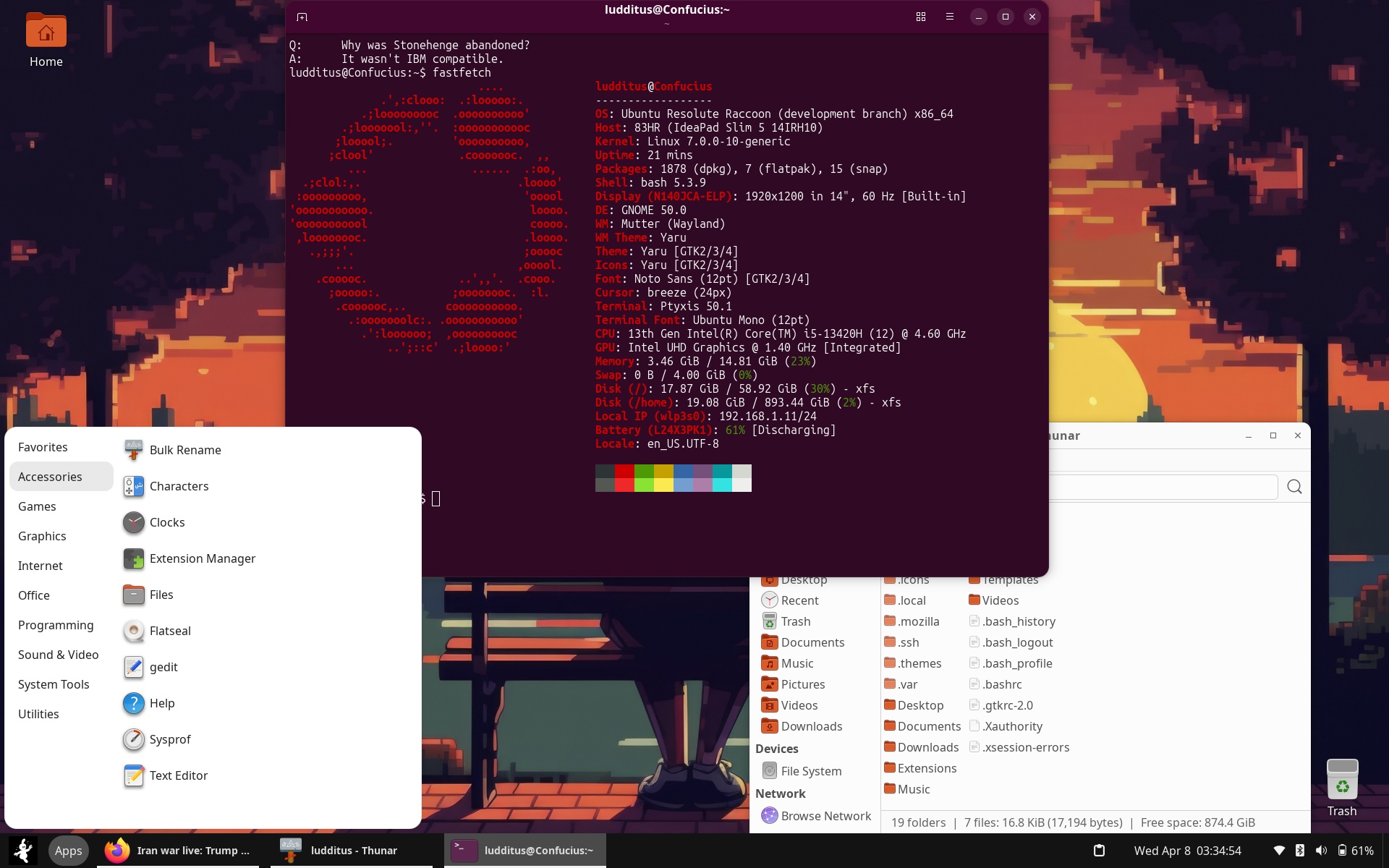
But people are sheeple.
Atta progress!
Windows 3.1 could run quite well with less than 1 MB of RAM, in Standard Mode. With at least 2 MB of RAM, Word 2.0 didn’t crash as often with large, complex documents. With 4 MB, you could run Word 6.0.
GNOME 50 requires 2 GB of RAM for itself, and Canonical has raised the minimum RAM requirement from 4 GB to 6 GB.
This is called progress. Given the bazillion lines of code that made those 2 GB of RAM a baseline (the Linux kernel alone had 40 million lines in January 2025), only Claude Mythos could understand what the fuck is therein.
Me notice differences
Notwithstanding the necessity to install the gnome-tweaks package (and software-properties-gtk in Ubuntu in order to pick a faster mirror and to enable Ubuntu Pro), I noticed that customizations in GNOME are following different philosophies in Ubuntu 26.04 versus Fedora 44.
TL;DR: Ubuntu packages a curated, opinionated set of Ubuntu-specific extensions with easy access to a full external manager, while Fedora provides a much broader set of packaged extensions but makes “upstream” extensions installation more complex by design (favoring the official GNOME workflow or a Flatpak).
GNOME extensions in Ubuntu 26.04
⓪ In Ubuntu, the preinstalled package gnome-shell-ubuntu-extensions (from main) includes in itself (not as dependencies):
- 2 GNOME extensions,
ubuntu-dock(a patcheddash-to-dockinstead of thegnome-shell-extension-ubuntu-dockpackage, as was the case before 26.04) andtiling-assistant(replacing thegnome-shell-extension-tiling-assistantpackage). - 5 Ubuntu-specific GNOME extensions:
appindicators,desktop-icons-ng,snapd-prompting,snapd-search-provider,web-search-provider. The packagesgnome-shell-extension-appindicatorandgnome-shell-extension-desktop-icons-ng, and aren’t used anymore.
Then, you have 3 options:
① There are 20 extensions packaged in universe:
gnome-shell-extension-alphabetical-gridgnome-shell-extension-apps-menugnome-shell-extension-auto-move-windowsgnome-shell-extension-drive-menugnome-shell-extension-gpastegnome-shell-extension-gsconnectgnome-shell-extension-gsconnect-browsersgnome-shell-extension-launch-new-instancegnome-shell-extension-light-stylegnome-shell-extension-native-window-placementgnome-shell-extension-pipewire-settingsgnome-shell-extension-places-menugnome-shell-extension-prefsgnome-shell-extension-screenshot-window-sizergnome-shell-extension-status-iconsgnome-shell-extension-system-monitorgnome-shell-extension-user-themegnome-shell-extension-window-listgnome-shell-extension-windows-navigatorgnome-shell-extension-workspace-indicator
They are far from being satisfactory. For instance, there is no gnome-shell-extension-dash-to-panel.
② Should you want to disable or configure the existent extensions but not install new ones outside the official set, you must install gnome-shell-extensions from universe.
③ Should you want to have full control over the extensions, including the ability to install “external” extensions from upstream (not as packages), you must install gnome-shell-extension-manager from universe. That’s the real deal!
GNOME extensions in Fedora 44
In Fedora, gnome-extensions-app (the equivalent of Ubuntu’s gnome-shell-extensions) cannot add extensions, and there is no gnome-shell-extension-manager whatsoever! Oops.
So, you’re bound to using the extensions provided as packages. However, there are 48 such packaged extensions, covering most needs (or do they?):
gnome-shell-extension-appindicatorgnome-shell-extension-apps-menugnome-shell-extension-argosgnome-shell-extension-auto-move-windowsgnome-shell-extension-background-logognome-shell-extension-blur-my-shellgnome-shell-extension-bubblemailgnome-shell-extension-caffeinegnome-shell-extension-commongnome-shell-extension-dash-to-dockgnome-shell-extension-dash-to-panelgnome-shell-extension-disconnect-wifignome-shell-extension-drive-menugnome-shell-extension-forgegnome-shell-extension-freongnome-shell-extension-frippery-applications-menugnome-shell-extension-frippery-bottom-panelgnome-shell-extension-frippery-move-clockgnome-shell-extension-frippery-panel-favoritesgnome-shell-extension-gamemodegnome-shell-extension-gamerzillagnome-shell-extension-gpastegnome-shell-extension-gsconnectgnome-shell-extension-ibus-fontgnome-shell-extension-just-perfectiongnome-shell-extension-launch-new-instancegnome-shell-extension-light-stylegnome-shell-extension-native-window-placementgnome-shell-extension-netspeedgnome-shell-extension-no-overviewgnome-shell-extension-pidgingnome-shell-extension-pipewire-settingsgnome-shell-extension-places-menugnome-shell-extension-pop-shellgnome-shell-extension-pop-shell-shortcut-overridesgnome-shell-extension-refresh-wifignome-shell-extension-screen-autorotategnome-shell-extension-screenshot-window-sizergnome-shell-extension-status-iconsgnome-shell-extension-suspend-buttongnome-shell-extension-system-monitorgnome-shell-extension-system-monitor-appletgnome-shell-extension-unitegnome-shell-extension-user-themegnome-shell-extension-vertical-workspacesgnome-shell-extension-window-listgnome-shell-extension-windowsNavigatorgnome-shell-extension-workspace-indicator
Or maybe not all of them. For instance, how do you install copyous?
I did not try it, but the official GNOME path is as follows: you have to install a browser extension, then the gnome-browser-connector package. This way, you’ll be able to install extensions using the browser.
That’s the price to pay for not having the Extension Manager. They recommend adding it from Flathub, but I’m not sure that it would have the permissions to install new extensions other than for your user only.
Also, in Fedora 44 (Wayland), I noticed that you need to log out and log back in to be able to activate a newly installed extension. Meh.
Bottom line
GNOME and Wayland. As if systemd weren’t enough.
Progress stroke again.
If in the times of Windows 3.1 (or even in those of Windows 95 and Slackware 3.0) someone would have told me that this is the future of Linux and that Windows 11 won’t be any better, I’d have had a nervous breakdown.
Now I’m too disabused and blasé to care.
Leave a Reply