
I’m with stupid technology
I want to summarily address a few topics I didn’t want to write about, but given the overall feeling of being pissed off by everything (mostly politics, economy, and society), I thought that venting a bit on technology might help.
1. CVE-2026-31431 (“Copy Fail”) is not the end of the world
Really, it isn’t. I pondered about it, because it sounded badly.
By chance, the kernel in Ubuntu 26.04 LTS was not affected. All older supported LTS editions were vulnerable. → CVE-2026-31431 at Ubuntu.
RHEL 8 to 10 are vulnerable. → CVE-2026-31431 at Red Hat.
Debian issued updates that fixed it in versions 11 to 13 (5.10.251-3, 6.1.170-1, 6.12.85-1), testing (6.19.14-1), and Sid (7.0.3-1) → CVE-2026-31431 at Debian.
Debian was unnaturally fast to address this vulnerability! As a side note, when I tested the exploit on MX Linux’s AHS Liquorix kernel, it failed to become root. Not bad!
Other links: CVE-2026-31431 at SUSE; CVE-2026-31431 at MITRE; CVE-2026-31431 at NIST; CVE-2026-31431 at CERT-EU; the talk about Copy Fail on Hacker News.
There is so much shit in the Linux kernel that I don’t even care anymore.
2. Canonical/Ubuntu have been under DDoS
Everybody talked about that, and this time I won’t bother to offer links other than status.canonical.com, which was unable to display the customary list of incidents until recently because, well, the systems were not working!
Millions of people noticed that something was wrong when they were not able to update their systems or to install a new package: archive.ubuntu.com and security.ubuntu.com were down. Of course, PPAs also didn’t work (launchpad.net and ppa.launchpad.net were also down). Snaps couldn’t be updated (I don’t know which server hosts such shit). Even downloading an ISO was impossible, because releases.ubuntu.com and cdimage.ubuntu.com were also down!
But why did they notice that? Because fucking stupid Canonical DID NOT and DOES NOT tell people to use a local mirror, and it even removed software-properties-gtk (Software & Updates) from the default installation of all flavors!
Such shitheads.
Someone at Canonical entered in “full GNOME mode” and decided that less is more, much less is much more, and users need not be bothered with anything; they should just use the defaults and be happy! They added the Ubuntu Pro settings to the Security Center app and called it a day.
But the tiny app that they didn’t remove from the repositories but just decided to make it pour les connaisseurs is much more important than that. It allows you to select a faster server (or just a server that you like, whatever the reason), to control how and when updates are downloaded and applied, to manage third-party repositories, to use additional proprietary drivers, and more. But no, Canonical decided that “normal people” are too stupid for that, so they don’t need this tool!
I almost believe this tinfoil hat conspiracy theory, that someone wanted to exploit Copy Fail on some Ubuntu servers, and this is why they DDoSed Canonical’s servers so that they can’t update and thus patch the vulnerability. In the process, any Ubuntu user who used the default servers was also unable to update or install anything!
Everyone who’s not a complete moron should select a mirror. Whoever knows exactly the desired server can change two lines in /etc/apt/sources.list.d/ubuntu.sources. “Normal people” should use Software & Updates (software-properties-gtk) instead:
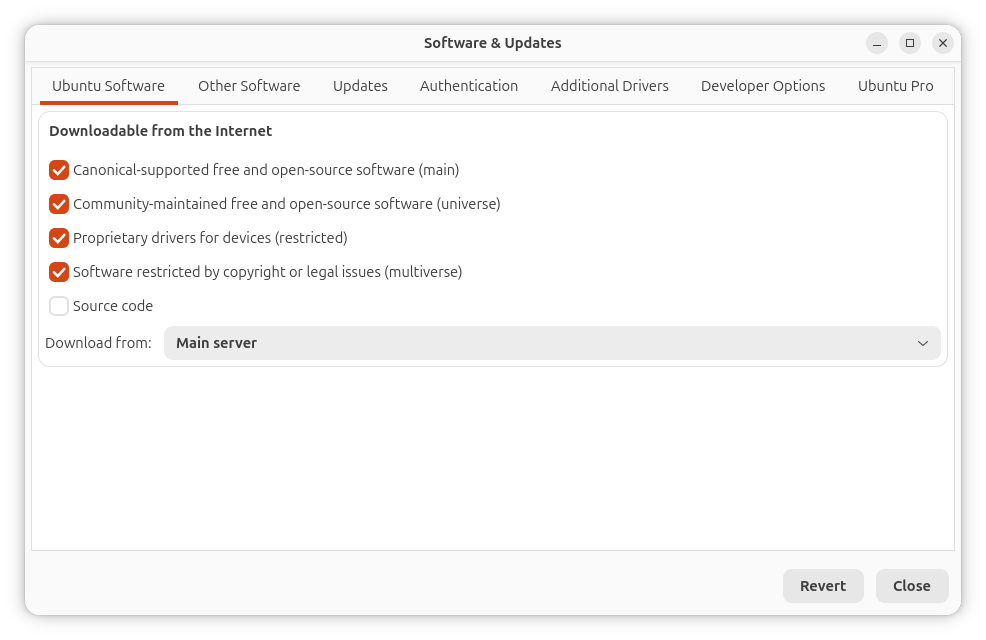
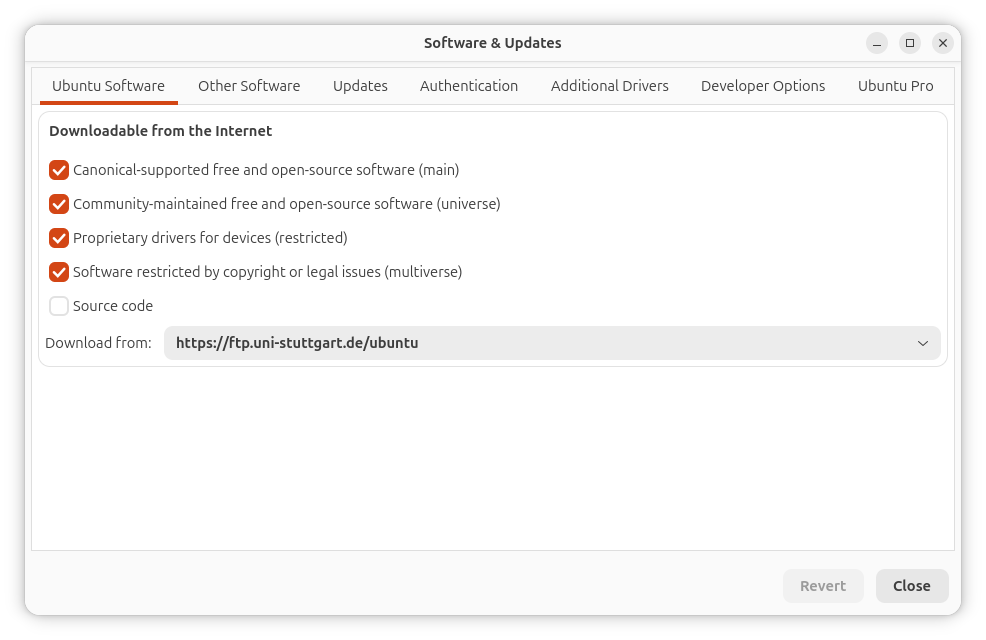
Not only does it include all mirrors, but it can also find the fastest one!
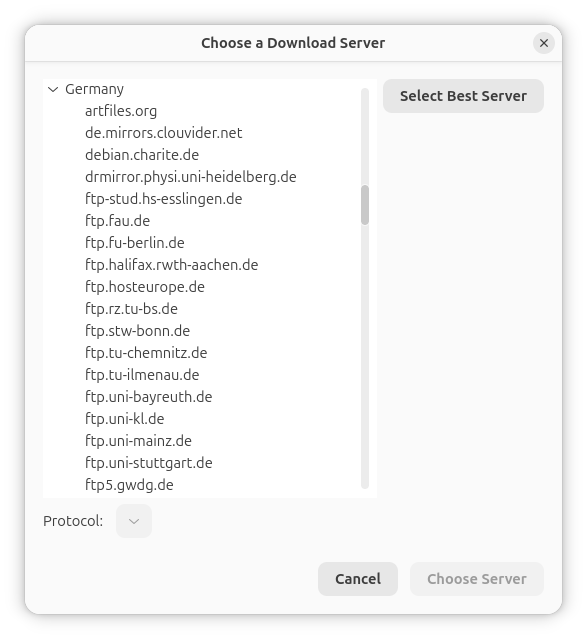
Now, why would Canonical want users not to use a mirror?!
Note that MX Linux has a (buggy) MX Repo Manager that can test the speed of repos. Debian itself only has the non-interactive CLI tool netselect-apt, which issues a non-modernized sources.list.
During the outage, in my case, I noticed that the stupid Discovery could not apply any update because it was stuck in snaps:
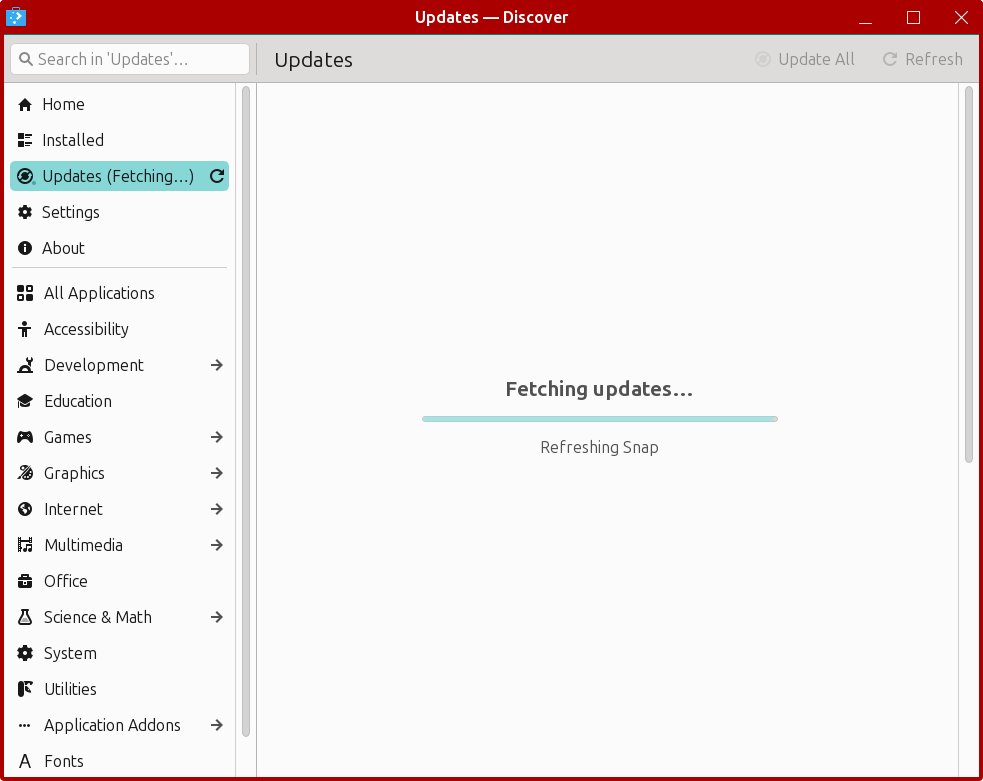
I updated the packages at the CLI.
3. The Android hysteria
There is this absurd, out-of-all-proportion hysteria: Keep Android Open: Your phone is about to stop being yours.
Yes, Google is maleficent. They are shitty for more than one reason. But they will not prevent you from sideloading APKs!
If anything, the EU’s Age Verification app (source) and the various American age-checking laws will ban the use of F-Droid, APK Mirror, APK Pure, Aurora, Aptoide, and whatever else might exist, as well as sideloading of apps, because if you’re in full control of your device, how could they force age verification?!
I don’t remember where I read the most panicky lamentation: oh, to enable sideloading, one must enable the Developer Mode, then wait a full 24 hours! “Your device is not yours for 24 hours,” and this is the end of the world!
As per the official documentation, this is “a one-time, one-day wait” and nothing more. With each Android phone, I enable the Developer Mode (so that the Developer options menu shows up), then I stop paying attention to this shit!
Liam Proven is beyond stupid with his Where to buy a non-Apple, non-Google smartphone article. He doesn’t even mention Huawei and Honor! Moreover, regardless of what some people say in the comments (such as some banks still relying on SMS), those you should revolt against are these companies and people:
- Every single bank, because all of them limit their banking apps to run on Google Play-certified devices and HUAWEI AppGallery-certified devices with locked bootloaders and no root. Buy a device from Liam Proven’s list, and your banking apps will stop working!
- All banks that require an app even to let you log into a web interface in your browser.
- Microsoft Authenticator on Android requires Google Play Services for certain features. Proton Authenticator doesn’t have this dependency.
- The developers of any Android app that’s only available via Google Play, even if payments or subscriptions are not made via Google Play! (I know some such cases.) Unnecessarily tying an app to Google is not Google’s fault!
Of course, MicroG, MindtheGapps, or whatnot. Forget about them. This is not freedom! This is a pain in the ass!
But the bottom line is that sideloading of apps, as well as F-Droid, are not endangered by this decision by Google. They’re endangered by the politicians who impose age verification under the pretext of “protecting the kids”!
4. Distros are absurdly heavy these days!
OK, so let’s count the working laptops: an Acer from 2016, an Acer from 2023 (with a different Wi-Fi/BT combo), and a Lenovo from 2026 (this one).
The Acer from 2016 is the problem. Its screen is excellent, it has 2 SSDs (240 GB + 1 TB), it should be OK with 8 GB of RAM, but its i5-5200U CPU has a pathetic CPU Mark of 2500 in MT and 1490 in ST.
And yet, it was quite snappy with Windows 7! What Linux distro could it accommodate? (Being that old, I might be able to install FreeBSD on it and have the Wi-Fi supported, but I’m not sure about the BT.)
I only tried four live distros from my Ventoy stick. If the live session sucks, why would I install such a distro?
ubuntu-26.04-desktop-amd64.iso
This one was literally grotesque. It took two eternities to boot and reach the graphic session! GNOME/Wayland, duh. Then, it was anything but snappy! More like Windows 10 on this machine, if not worse. No way, McKay!
Oh, if you take a look at the actual boot screen, just seeing systemd spitting shit and snapd “connecting” to crap would make anyone crazy!
kubuntu-26.04-desktop-amd64.iso
This one was somewhat better, but not by much. Still Wayland, so this might have played a role. Too heavy for this machine, although it would certainly feel snappier under X11, which can be added. Meh. Nope.
linuxmint-22.3-xfce-64bit-hwe-6.17.iso
Yes, the devil itself, and 24.04, but XFCE nonetheless. Not very fast to boot, but then, quite acceptable. Worse than the distros of 2016, that’s for sure. Well, systemd and stuff. Suboptimal, but not impossible. At least, zero snaps.
xebian-trixie-amd64.hybrid.iso
Wow, the only one from this collection that does not feel sluggish! Unless I lose my mind and decide to try FreeBSD or God knows what, this minimalistic XFCE Debian sort of derivative is a winner! (It’s Debian, alright.) As I noted here, by installing yaru-theme-gtk and yaru-theme-icon and tweaking for a couple of minutes, the default ugly desktop can be made much nicer!
But these are sad times that we are living in. Linux distros are heavy, bloated, sluggish, crappy. Almost like Windows.
Linux distros feeling more bloated than Windows is so true though.
And apparently there are no good light distros to revive old computers. I miss Solus Budgie – the only distro which felt snappy on my old machine.
I’m not sure about Solus, but they killed Budgie. Budgie 11 will be based on Qt6 with KDE Frameworks, and it will be Wayland-only, using the Mir-based Magpie compositor. Buggie 10.10 is the last GTK-based release and the last one to support X11. However, Budgie 10.10 in Ubuntu Budgie 26.04 is Wayland-only. And Fedora 44 Budgie has all the GTK utilities replaced with Qt utilities, despite the desktop still being GTK-based!
Life was simpler when I did not know about gtk, qt, wayland and so on.
Shame about Budgie though – it looked really good on my potato back then. I had tried Mint too that time but it was all too gray and ugly-looking whereas budgie had dark contrast ui with blue accent – it looked really good.
I don’t know what the heck is going on in Linux world right now so I just keep my attention to one distro which somewhat seem a bit sane to me more than the others – Fedora.
I would love to hear your views on font rendering on Linux vs Windows. I wasted a lot of time trying to make fonts look nice on Linux but it never matched Windows level for me. They aren’t particularly great on Windows either but look good enough on my 900p monitor.
I don’t care anymore. Font rendering in Linux was worse than in Windows, then it improved, then it worsened again. Then I stopped caring. Who cares if TT_INTERPRETER_VERSION_35, TT_INTERPRETER_VERSION_38, TT_INTERPRETER_VERSION_40 or whatever other renderer is used by
libfreetype6? The last time I cared was 5 years ago.Since then, what I do is this:
– XFCE: Rendering: Enable anti-aliasing, Hinting: Full, Sub-pixel order: None.
– MATE: Appearance Preferences, Fonts: Rendering: Best contrast, which corresponds in Details to: Smoothing: Grayscale, Hinting: Full, Subpixel Order: irrelevant.
– KDE: System Settings, Fonts, Sub-pixel rendering: None, Hinting: Full.
Whatever results, that’s it.
I tend to use your setup as well for all. Except I’m wondering if RGB wouldn’t be OK for subpixel.
In theory, yes. In practice, if I see COLORED fringes FOR BLACK TEXT ON WHITE, I get mad! So no, not for me.
Yes, absolutely, but I have not notice that on the Sony screen. It might depend on the screen.
You need better glasses! 👓