It all started with a vibe-coded PyQt6 app that refused to build or to run under Windows, but it worked satisfactorily under Linux. It navigated in the archives of 15 comic strips on GoComics.com. It reached version 1.1.1, then 1.1.3, when it got extended to 20 comic strips. Then I abandoned it.
The reason is that I created a web-based version that can be served locally via Python, or can be uploaded to a PHP-enabled server (whoever has a WordPress blog on shared hosting that allows uploading of PHP and JS can use it).
The logical extension was a second web app that supported 20 strips from ComicsKingdom.com.
But then, one day, GoComics went bad: requests coming from IPs belonging to data centers became blacklisted, and a JS-based challenge started being served instead of the requested HTML page. If GoComics was accessed via a browser, the challenge could be solved, but any automated retrieval failed, and my web app hosted on shared hosting stopped working. Some VPN servers are also on the blacklist, but in the case of Proton VPN, only specific servers or countries are deemed suspicious.
Incidentally, this change broke the comic strips retrieved by Inbox Comics from GoComics, with the strange exception of Garfield.
And then, I decided to try using Qwen Code to fix the non-functioning PyInstaller build for Windows. Using GitHub Actions, of course, but this time I expected the resulting EXE to work. And it worked!
In the process, I made ComicStripBrowser retrieve from both GoComics and ComicsKingdom. The selection is limited to 40 titles, and the choice was made based on my taste.
Running this app from a residential IP shouldn’t be impeded by GoComics’s Bunny Shield challenge, unless your VPN is connected to a server hated by GoComics.
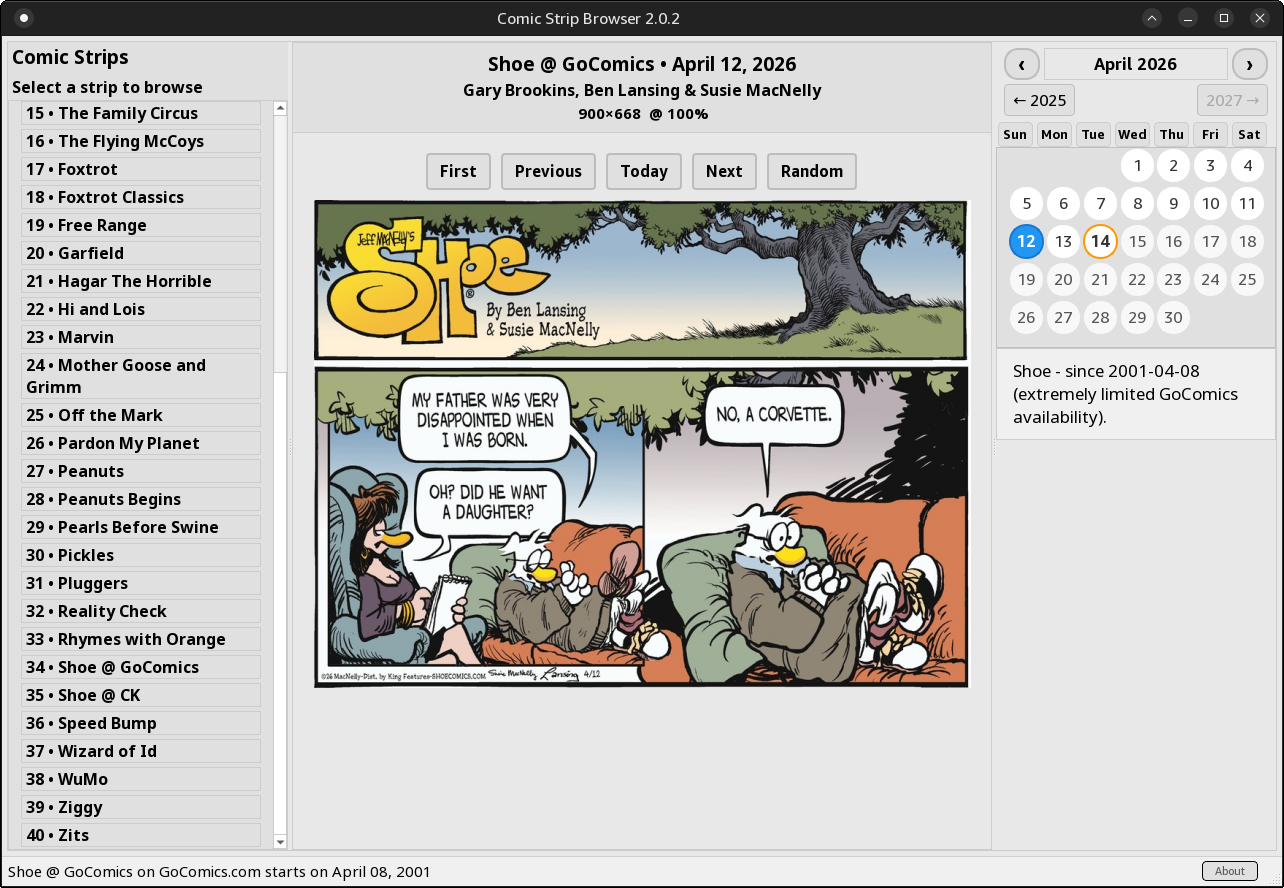
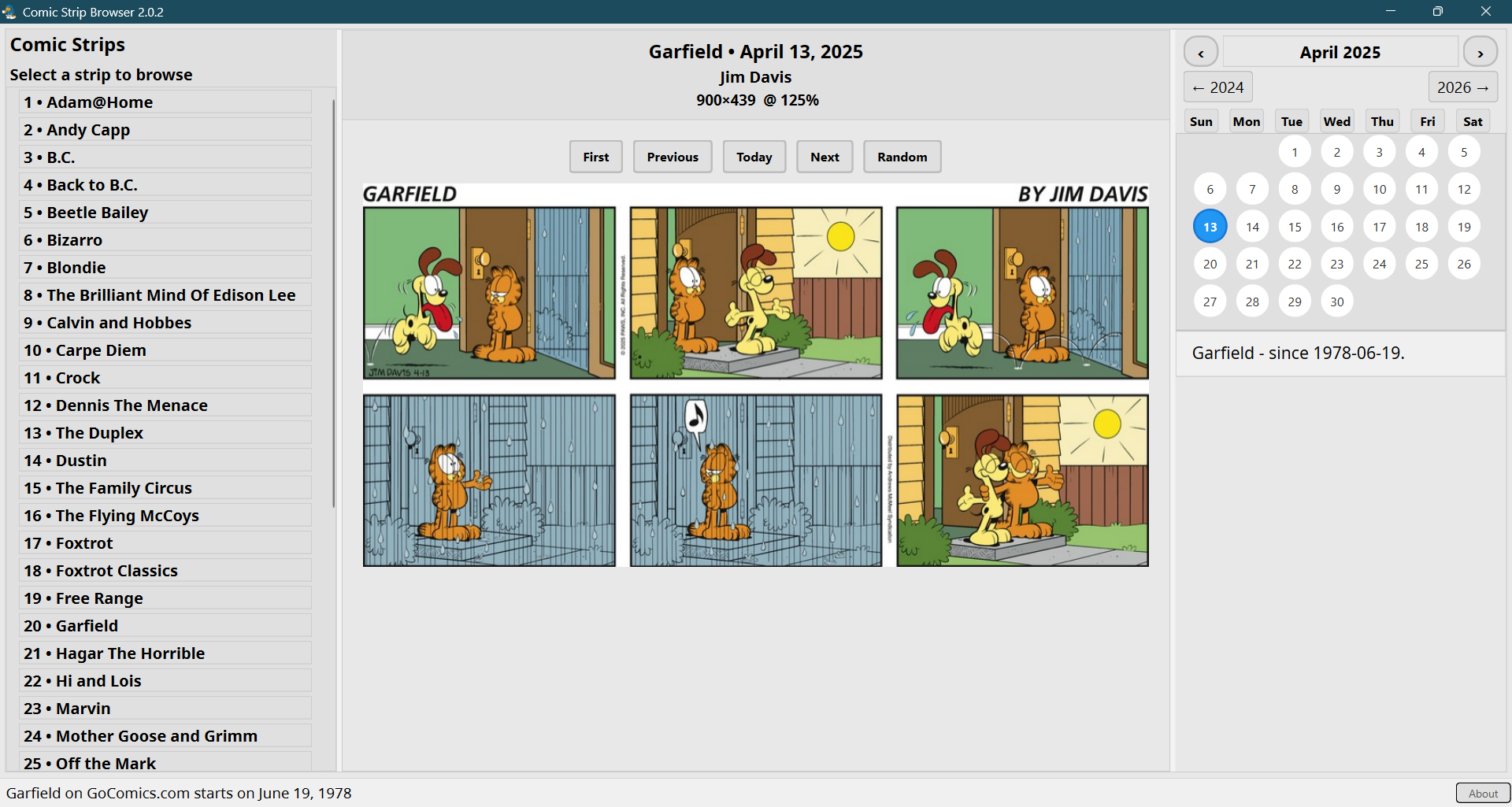
After many bug fixes, a lot of bugs are still present, but the app works quite well. After the release of version 2.0.0, two tiny updates led to 2.0.2, a version that should look the same on both light and dark themes.
Fractional scaling is now better supported, but 100% desktop scaling (or 200% for 4K screens) is still the best choice.
To quote from GitHub (updated to reflect version 2.6.0):
April 2026 saw a major overhauling of the app, culminating with the release of version 2.0.0.
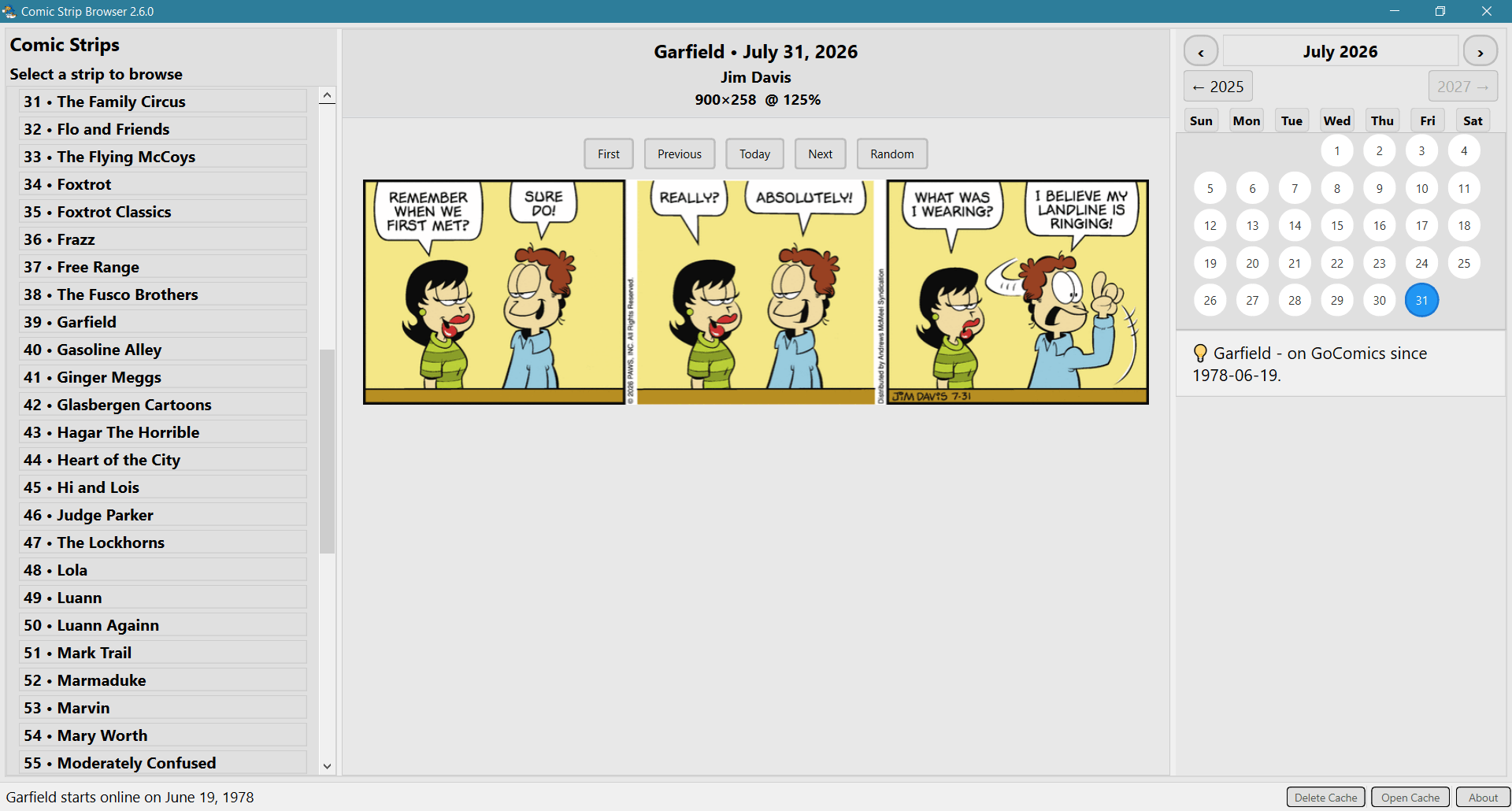
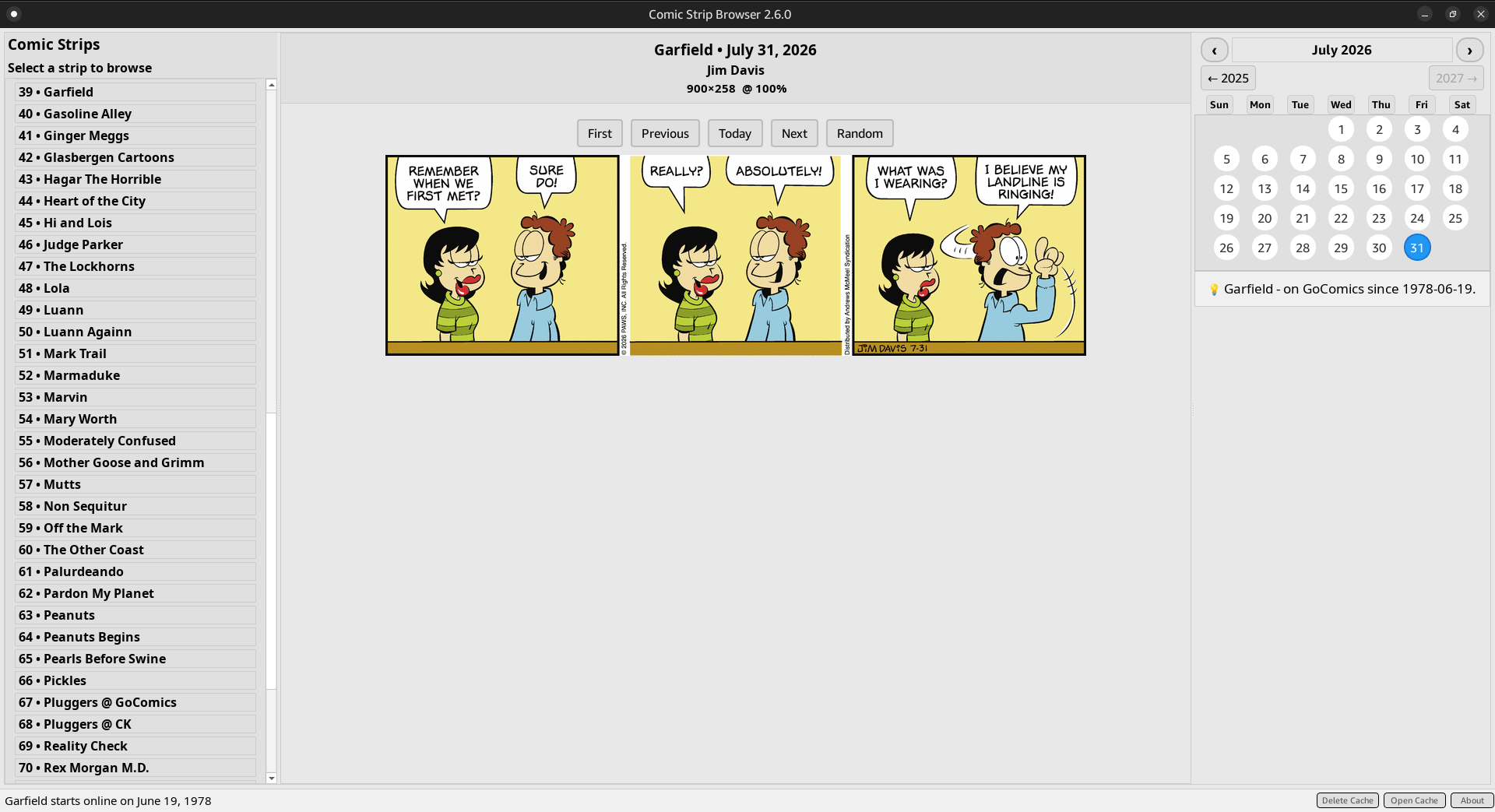
On July 31, Version 2.6.0 brought the number of titles from 62 to 80.
Good to know
In addition to the calendar navigation, keyboard navigation is also possible for the currently selected comic title. Left/Right arrows: Previous/Next, Home/End: First/Today.
Disk caching stores the last 200 comics per strip for fast loading or later consulting from the cache folder. The cached comics can be displayed by the app even without an internet connection.
If you cannot see a comic hosted by GoComics, disconnect from your VPN or connect to a different server or country!
Building from source is possible, but the automated builds by GitHub are better. For instance, my local builds made under Debian 13 resulted in OpenGL dependencies. GitHub’s builds made under Ubuntu 24.04 don’t have such dependencies.
Post-1.1.3 versions benefited from the help of Qwen Code. A few tidbits have been inspired by suggestions made by Grok and Gemini. Since Qwen Code won’t visibly search the internet for ideas, I occasionally asked Grok and Gemini in a browser for possible fixes (Qt6 is a mess, and Python doesn’t help). They were all very keen to repeatedly break Qt6 layouts with their code, but I only took the good part from their vomit. Qwen Code’s OAuth free tier (1,000 free requests/day) is extremely generous and can be fun to work with, as long as you keep the context below 20% full to avoid getting it confused and dumber (use /compress and, when it doesn’t help, generate a /summary and start /new). It was Kimi who suggested I should use Qwen Code! Too bad that /export only saves the prompts and the answers per se, because Qwen Code’s thinking can be fascinating, and the output of its attempts and explorations can also be quite instructive, yet they cannot be exported. Either way, paying to use Claude Code or Amazon Kiro is absurd when Qwen Code offers so much for free! (Of course, it will collect all your code and send it to Xi Jinping.)
The list of supported comic strips
Adam@Home @ GoComics
Andy Capp @ GoComics
Animal Crackers @ GoComics
Animal Crackers @ CK
The Argyle Sweater @ GoComics
Aunty Acid @ GoComics
Baby Blues @ GoComics
Baldo @ GoComics
B.C. @ GoComics
Back to B.C. @ GoComics
Beetle Bailey @ CK
Bizarro @ CK
Bliss @ GoComics
Blondie @ CK
Brewster Rockit @ GoComics
The Brilliant Mind Of Edison Lee @ CK
Broom Hilda @ GoComics
Calvin and Hobbes @ GoComics
Carpe Diem @ CK
Crankshaft @ GoComics
Crock @ CK
Close to Home @ GoComics
Day by Dave @ GoComics
Dennis The Menace @ CK
Diamond Lil @ GoComics
Dick Tracy @ GoComics
Dick Tracy @ CK
Doonesbury @ GoComics
The Duplex @ GoComics
Dustin @ CK
The Family Circus @ CK
Flo and Friends @ GoComics
The Flying McCoys @ GoComics
Foxtrot @ GoComics
Foxtrot Classics @ GoComics
Frazz @ GoComics
Free Range @ GoComics
The Fusco Brothers @ GoComics
Garfield @ GoComics
Gasoline Alley @ GoComics
Ginger Meggs @ GoComics
Glasbergen Cartoons @ GoComics
Hagar The Horrible @ CK
Heart of the City @ GoComics
Hi and Lois @ CK
Judge Parker @ CK
The Lockhorns @ GoComics
Lola @ GoComics
Luann @ GoComics
Luann Againn @ GoComics
Mark Trail @ CK
Marmaduke @ GoComics
Marvin @ CK
Mary Worth @ CK
Moderately Confused @ GoComics
Mother Goose and Grimm @ GoComics
Mutts @ CK
Non Sequitur @ GoComics
Off the Mark @ GoComics
The Other Coast @ GoComics
Palurdeando @ CK
Pardon My Planet @ CK
Peanuts @ GoComics
Peanuts Begins @ GoComics
Pearls Before Swine @ GoComics
Pickles @ GoComics
Pluggers @ GoComics
Pluggers @ CK
Reality Check @ GoComics
Rex Morgan M.D. @ CK
Rhymes with Orange @ CK
Rip Haywire @ GoComics
Shoe @ GoComics
Shoe @ CK
Speed Bump @ GoComics
Tina’s Groove @ GoComics
Wizard of Id @ GoComics
WuMo @ GoComics
Ziggy @ GoComics
Zits @ CK
Note that some comic titles, especially in their early days, can have large gaps in availability.
The last-accessed 200 images for each comic title are stored in a folder called cache, which is too generic a name. Each comic title has its own subfolder, though.
The folder cache is saved as follows:
In the current directory whenever possible, which happens if you launch the binary or the AppImage from a folder somewhere in your home.
In $HOME when this is not possible, especially when installed globally from .deb or .rpm and launched from the menu.
Beware that if you launch the app via a launcher triggered by Alt+F2, the current directory is ~/Desktop in MATE and $HOME in other desktop environments.
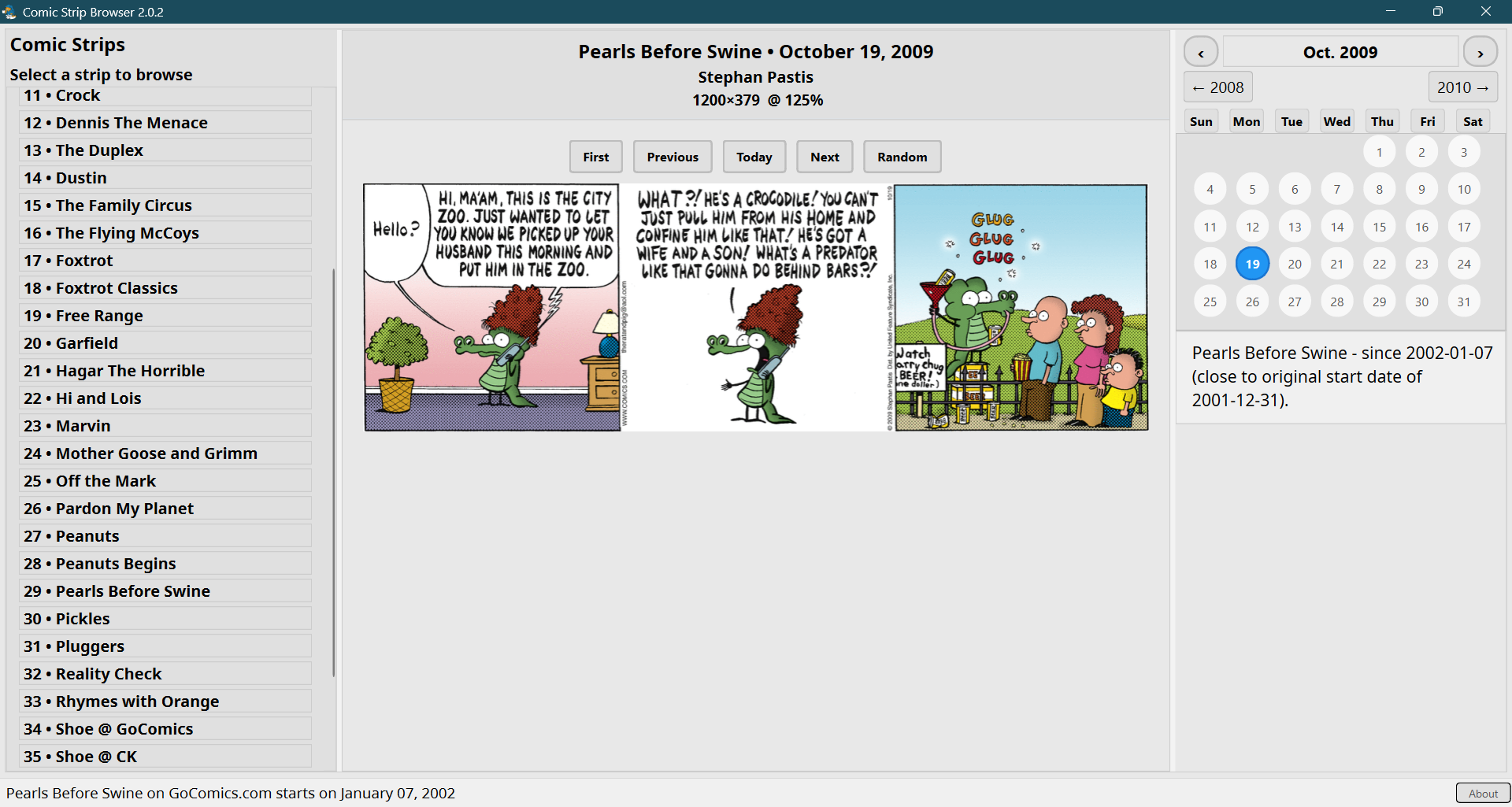
Proofs that this app runs under Windows 11 with 125% scaling:
Version 2.6.0 under Windows 10 IoT Enterprise LTSC version 21H2 build 19044.7548 (125%):
Béranger -April 20th, 2026 at 1:46 AMnone
Comment author #116846 on ComicStripBrowser now runs on Windows and supports Comics Kingdom too! by Homo Ludditus
Version 2.4.0 was released. Cumulative updates and changes include:
2.4.0:
• Simplified the scaling down of huge comics.
• Defined the gaps in Calvin and Hobbes (in adition to previously addressed ones).
• Pluggers is now retrieved from both sites (just like Shoe). There are differences in availability and colors.
• Added Mutts, thus increasing to 42 the titles (40 unique, as Shoe and Pluggers are twice).
2.3.2:
• Fix AppImage not being able to open the cache folder using the button.
2.3.1:
• Cosmetic fix: bold was heavier under KDE because of applying the bold attribute twice: setBold and setStyleSheet (XFCE/GNOME ignored bold-over-bold).
2.3.0:
• Major release with speed improvements, better error handling, code cleanup and small fixes.
• Known gaps in comic strips availability addressed, so the calendar will be gray for such days, and Random will skip them.
• Forced xcb, which means XWayland, because under GNOME 50, Wayland forces a “wait” (“hourglass”) cursor for up to 60 seconds, despite the app being fully functional. Possible root cause: Mutter/Wayland xdg-desktop-portal gets confused by the 2 comic-strip-browser processes with the same name (the parent process is in do_wait). This being a one-file PyInstaller app, it gets extracted upon run, and I cannot fix in the actual app what PyInstaller does at start. KWin/Wayland has no issue with this app and doesn’t force any “not-ready” cursor, but the app will still use XWayland instead of Wayland. This can be changed in the .desktop file.
2.0.2:
• Small adjustments of background colors.
2.0.1:
• Force light backgrounds even on dark-themed systems.
2.0.0 (the initial re-release):
• Major overhaul. Now supporting 40 comic strips from GoComics and ComicsKingdom. Automated builds now include Windows binaries!
Béranger -May 5th, 2026 at 1:23 AMnone
Comment author #116887 on ComicStripBrowser now runs on Windows and supports Comics Kingdom too! by Homo Ludditus
Version 2.5.0 was released:
• Added: Animal Crackers, The Argyle Sweater, Aunty Acid, Baby Blues, Baldo, Bliss, Broom Hilda, Close to Home, Day by Dave, Doonesbury, Frazz, The Fusco Brothers, Ginger Meggs, Glasbergen Cartoons, Lola, Marmaduke, Moderately Confused, Non Sequitur, The Other Coast.
• Total: 62 titles. Not counting duplicates (Animal Crackers, Pluggers, Shoe are on both GoComics and CK): 59.
• The scaling up logic has been refined to cover the cases of some comic titles. It’s not perfect, but reasonable.
Béranger -May 24th, 2026 at 6:27 PMnone
Comment author #116958 on ComicStripBrowser now runs on Windows and supports Comics Kingdom too! by Homo Ludditus
Version 2.5.1 was released:
• Fixed Marmaduke, which was broken because of a typo.
• Small changes to build.yml.
Béranger -June 29th, 2026 at 6:20 PMnone
Comment author #117057 on ComicStripBrowser now runs on Windows and supports Comics Kingdom too! by Homo Ludditus
Version 2.5.2 was released:
• Fixed a caching bug where falling back to yesterday’s comic (due to US/local time zone differences) incorrectly saved it under today’s date, preventing today’s comic from being retrieved once available.
• Improved the detection of silent redirection by GoComics and Comics Kingdom.
• Added a button in the bottom right to delete the cache folder.
• Added a --debug CLI argument for debugging comic retrieval errors.
• Added a --future CLI argument to allow attempting to retrieve tomorrow’s comic.
annonymous32 -July 24th, 2026 at 4:11 PMnone
Comment author #117105 on ComicStripBrowser now runs on Windows and supports Comics Kingdom too! by Homo Ludditus
One question: do you think your program app will include the rest of the comic strips like Nancy, Heart of the City, Rip Haywire, and more, along with other comic strips? And also, do you think the userscripts in Tampermonkey and maybe the extension should bypass GoComics’ paywall?
Béranger -July 24th, 2026 at 4:57 PMnone
Comment author #117106 on ComicStripBrowser now runs on Windows and supports Comics Kingdom too! by Homo Ludditus
Rip Haywire is a serialized daily strip, and I prefer comics that are, most of the time, self-consistent and independent of previous days. This is why I didn’t include Dick Tracy, or, from Comics Kingdom, titles such as Rex Morgan M.D. or Judge Parker. Maybe I should reconsider.
If I included Nancy, I also had to include Nancy Classics for coherence, but I find both of them so 1930s–1950s! I am a Luddite and a nostalgic, but I’m not such a great fan of Nancy. Again, I might need to reassess my stance, at least regarding Caroline Cash’s newer Nancy.
Heart of the City, I guess not. Are you a chick? How about Tina’s Groove from Comics Kingdom?
I currently plan to add Diamond Lil, by Brett Koth, and possibly something else.
The previous versions of the site could be unlocked by Tampermonkey, and even by custom uBlock Origin filters. The latest version of GoComics seems to have changed to only allow visiting the most recent 14 days of any comic title. But any day’s page still contains a meta property called “og:image” whose content is the URL of the comic for the day! Unless and until they remove that, the comic strip can be extracted, but not by Tampermonkey. (It will be the end of the world when they remove it!)
annonymous32 -July 24th, 2026 at 5:20 PMnone
Comment author #117107 on ComicStripBrowser now runs on Windows and supports Comics Kingdom too! by Homo Ludditus
So just to clear my mind, is there any extension or userscript to bypass the GoComics paywall to read all the comic strips for free? And how will I see the old comics strips using the url thing you mentioned?
Béranger -July 24th, 2026 at 5:25 PMnone
Comment author #117108 on ComicStripBrowser now runs on Windows and supports Comics Kingdom too! by Homo Ludditus
1. No, there isn’t any that I know of.
2. It’s in the page source (CTRL+U):
annonymous32 -July 24th, 2026 at 7:17 PMnone
Comment author #117109 on ComicStripBrowser now runs on Windows and supports Comics Kingdom too! by Homo Ludditus
I guess this might do for a while.
Though I wish there were a strong userscript or extension to bypass the GoComics paywall and see the strips the simple way rather than the one I am now using, which is a long way.
Béranger -July 24th, 2026 at 7:27 PMnone
Comment author #117110 on ComicStripBrowser now runs on Windows and supports Comics Kingdom too! by Homo Ludditus
Unless you’re using macOS, my app is the simplest way to access a limited but decent list of the most popular titles from the TWO major comic strips aggregators.
annonymous32 -July 24th, 2026 at 7:30 PMnone
Comment author #117111 on ComicStripBrowser now runs on Windows and supports Comics Kingdom too! by Homo Ludditus
Well, let’s just say mine is PC.
Dave -July 28th, 2026 at 8:31 AMnone
Comment author #117117 on ComicStripBrowser now runs on Windows and supports Comics Kingdom too! by Homo Ludditus
Great job – thanks.
Can you add Brewster Rockit from GoComics?
Béranger -July 28th, 2026 at 9:12 AMnone
Comment author #117118 on ComicStripBrowser now runs on Windows and supports Comics Kingdom too! by Homo Ludditus
Brewster Rockit runs extended stories, usually running several weeks at a time. I have avoided so far this kind of comic. If I include it, I’ll have to include some more famous serialized comic titles.
Béranger -July 31st, 2026 at 6:12 PMnone
Comment author #117126 on ComicStripBrowser now runs on Windows and supports Comics Kingdom too! by Homo Ludditus
Version 2.6.0 was released:
• Added extra comic titles up to a total of 80, including serialized ones, with stories running several weeks at a time.
— from GoComics: Brewster Rockit, Crankshaft, Diamond Lil, Dick Tracy, Flo and Friends, Gasoline Alley, Heart of the City, The Lockhorns, Luann, Luann Againn, Rip Haywire.
— from Comics Kingdom: Dick Tracy, Judge Parker, Mark Trail, Mary Worth, Palurdeando, Rex Morgan M.D., Tina’s Groove.
• Comics that are retrieved from both sites, usually with different starting times: Animal Crackers, Dick Tracy, Pluggers, Shoe.
annonymous32 -August 2nd, 2026 at 6:59 PMnone
Comment author #117131 on ComicStripBrowser now runs on Windows and supports Comics Kingdom too! by Homo Ludditus
Hey,
I have a question: how can I bypass the paywall from Comics Kingdom so I can read the old comic strip archives and even read the story arcs of Flash Gordon unless there is an extension or userscript for it.
Béranger -August 2nd, 2026 at 7:07 PMnone
Comment author #117132 on ComicStripBrowser now runs on Windows and supports Comics Kingdom too! by Homo Ludditus
I never bothered, so I couldn’t tell. Comics Kingdom has such a clumsy navigation in time that I wouldn’t pay for it even if I won the lottery.
annonymous32 -August 3rd, 2026 at 6:42 AMnone
Comment author #117134 on ComicStripBrowser now runs on Windows and supports Comics Kingdom too! by Homo Ludditus
Hmmm, that’s true, and even though I keep on clicking many windows just to see the storyarc of Flash Gordon, only for the Comics Kingdom paywall to appear in the window anyway.
Which still leaves me to wonder if there is anyway to bypass the Comics Kingdom paywall and if there is either an extension or userscript to use it.
Béranger -August 3rd, 2026 at 8:38 AMnone
Comment author #117135 on ComicStripBrowser now runs on Windows and supports Comics Kingdom too! by Homo Ludditus
Unlike GoComics, Comics Kingdom actually exposes all non-premium comic strips to anyone, or at least it works on my Firefox (with uBlock Origin).
Go to a comic title. Click on “Overview” (not on “Read”!). Scroll down to “Episode List.” Scroll down that list (switching from “Newest first” to “Oldest first” if desired) and use the pagination (which is cumbersome). You can reach any past comic!
That page lists all the Sundays from March 1996 (back then it was weekly).
The problem is that further navigation isn’t convenient. This is why I am exclusively using my app.
GARY GOCEK-August 12th, 2026 at 10:01 PMnone
Comment author #117164 on ComicStripBrowser now runs on Windows and supports Comics Kingdom too! by Homo Ludditus
Just an enhancement request, since I don’t see another place to add this and there is no contact info on ludditus.com. The Window EXE works for me as is. Thanks.
I request that ComicStripBrowser could be executed from the command line to download all available comics into their cache folders for the current day. This would make the metadata available without running the EXE and clicking on a comic name.
Alternatively, run from the command line to download a single comic by name or some other ID.
Béranger -August 12th, 2026 at 10:05 PMnone
Comment author #117165 on ComicStripBrowser now runs on Windows and supports Comics Kingdom too! by Homo Ludditus
Your suggestions are quite interesting. I’ll give them a thought, although the way the app is designed, it might be a challenge.
Contact info: there is an e-mail hidden in this page.
Béranger -August 31st, 2026 at 2:23 PMnone
Comment author #117211 on ComicStripBrowser now runs on Windows and supports Comics Kingdom too! by Homo Ludditus
This blog uses technologies like cookies to store and/or access device information. Consenting to these technologies will allow us to process data such as browsing behavior or unique IDs on this site. Not consenting or withdrawing consent will adversely affect certain features and functions.
Functional
Always active
The technical storage or access is strictly necessary for the legitimate purpose of enabling the use of a specific service explicitly requested by the subscriber or user, or for the sole purpose of carrying out the transmission of a communication over an electronic communications network.
Preferences
The technical storage or access is necessary for the legitimate purpose of storing preferences that are not requested by the subscriber or user.
Statistics
The technical storage or access that is used exclusively for statistical purposes.The technical storage or access that is used exclusively for anonymous statistical purposes. Without a subpoena, voluntary compliance on the part of your Internet Service Provider, or additional records from a third party, information stored or retrieved for this purpose alone cannot usually be used to identify you.
Marketing
The technical storage or access is required to create user profiles to send advertising, or to track the user on a website or across several websites for similar marketing purposes.


Version 2.4.0 was released. Cumulative updates and changes include:
2.4.0:
• Simplified the scaling down of huge comics.
• Defined the gaps in Calvin and Hobbes (in adition to previously addressed ones).
• Pluggers is now retrieved from both sites (just like Shoe). There are differences in availability and colors.
• Added Mutts, thus increasing to 42 the titles (40 unique, as Shoe and Pluggers are twice).
2.3.2:
• Fix AppImage not being able to open the cache folder using the button.
2.3.1:
• Cosmetic fix: bold was heavier under KDE because of applying the bold attribute twice: setBold and setStyleSheet (XFCE/GNOME ignored bold-over-bold).
2.3.0:
• Major release with speed improvements, better error handling, code cleanup and small fixes.
• Known gaps in comic strips availability addressed, so the calendar will be gray for such days, and Random will skip them.
• Forced xcb, which means XWayland, because under GNOME 50, Wayland forces a “wait” (“hourglass”) cursor for up to 60 seconds, despite the app being fully functional. Possible root cause: Mutter/Wayland xdg-desktop-portal gets confused by the 2 comic-strip-browser processes with the same name (the parent process is in do_wait). This being a one-file PyInstaller app, it gets extracted upon run, and I cannot fix in the actual app what PyInstaller does at start. KWin/Wayland has no issue with this app and doesn’t force any “not-ready” cursor, but the app will still use XWayland instead of Wayland. This can be changed in the .desktop file.
2.0.2:
• Small adjustments of background colors.
2.0.1:
• Force light backgrounds even on dark-themed systems.
2.0.0 (the initial re-release):
• Major overhaul. Now supporting 40 comic strips from GoComics and ComicsKingdom. Automated builds now include Windows binaries!
Version 2.5.0 was released:
• Added: Animal Crackers, The Argyle Sweater, Aunty Acid, Baby Blues, Baldo, Bliss, Broom Hilda, Close to Home, Day by Dave, Doonesbury, Frazz, The Fusco Brothers, Ginger Meggs, Glasbergen Cartoons, Lola, Marmaduke, Moderately Confused, Non Sequitur, The Other Coast.
• Total: 62 titles. Not counting duplicates (Animal Crackers, Pluggers, Shoe are on both GoComics and CK): 59.
• The scaling up logic has been refined to cover the cases of some comic titles. It’s not perfect, but reasonable.
Version 2.5.1 was released:
• Fixed Marmaduke, which was broken because of a typo.
• Small changes to build.yml.
Version 2.5.2 was released:
• Fixed a caching bug where falling back to yesterday’s comic (due to US/local time zone differences) incorrectly saved it under today’s date, preventing today’s comic from being retrieved once available.
• Improved the detection of silent redirection by GoComics and Comics Kingdom.
• Added a button in the bottom right to delete the cache folder.
• Added a
--debugCLI argument for debugging comic retrieval errors.• Added a
--futureCLI argument to allow attempting to retrieve tomorrow’s comic.One question: do you think your program app will include the rest of the comic strips like Nancy, Heart of the City, Rip Haywire, and more, along with other comic strips? And also, do you think the userscripts in Tampermonkey and maybe the extension should bypass GoComics’ paywall?
Rip Haywire is a serialized daily strip, and I prefer comics that are, most of the time, self-consistent and independent of previous days. This is why I didn’t include Dick Tracy, or, from Comics Kingdom, titles such as Rex Morgan M.D. or Judge Parker. Maybe I should reconsider.
If I included Nancy, I also had to include Nancy Classics for coherence, but I find both of them so 1930s–1950s! I am a Luddite and a nostalgic, but I’m not such a great fan of Nancy. Again, I might need to reassess my stance, at least regarding Caroline Cash’s newer Nancy.
Heart of the City, I guess not. Are you a chick? How about Tina’s Groove from Comics Kingdom?
I currently plan to add Diamond Lil, by Brett Koth, and possibly something else.
The previous versions of the site could be unlocked by Tampermonkey, and even by custom uBlock Origin filters. The latest version of GoComics seems to have changed to only allow visiting the most recent 14 days of any comic title. But any day’s page still contains a meta property called “og:image” whose content is the URL of the comic for the day! Unless and until they remove that, the comic strip can be extracted, but not by Tampermonkey. (It will be the end of the world when they remove it!)
So just to clear my mind, is there any extension or userscript to bypass the GoComics paywall to read all the comic strips for free? And how will I see the old comics strips using the url thing you mentioned?
1. No, there isn’t any that I know of.
2. It’s in the page source (CTRL+U):
I guess this might do for a while.
Though I wish there were a strong userscript or extension to bypass the GoComics paywall and see the strips the simple way rather than the one I am now using, which is a long way.
Unless you’re using macOS, my app is the simplest way to access a limited but decent list of the most popular titles from the TWO major comic strips aggregators.
Well, let’s just say mine is PC.
Great job – thanks.
Can you add Brewster Rockit from GoComics?
Brewster Rockit runs extended stories, usually running several weeks at a time. I have avoided so far this kind of comic. If I include it, I’ll have to include some more famous serialized comic titles.
I’ll give it a thought.
Version 2.6.0 was released:
• Added extra comic titles up to a total of 80, including serialized ones, with stories running several weeks at a time.
— from GoComics: Brewster Rockit, Crankshaft, Diamond Lil, Dick Tracy, Flo and Friends, Gasoline Alley, Heart of the City, The Lockhorns, Luann, Luann Againn, Rip Haywire.
— from Comics Kingdom: Dick Tracy, Judge Parker, Mark Trail, Mary Worth, Palurdeando, Rex Morgan M.D., Tina’s Groove.
• Comics that are retrieved from both sites, usually with different starting times: Animal Crackers, Dick Tracy, Pluggers, Shoe.
Hey,
I have a question: how can I bypass the paywall from Comics Kingdom so I can read the old comic strip archives and even read the story arcs of Flash Gordon unless there is an extension or userscript for it.
I never bothered, so I couldn’t tell. Comics Kingdom has such a clumsy navigation in time that I wouldn’t pay for it even if I won the lottery.
Hmmm, that’s true, and even though I keep on clicking many windows just to see the storyarc of Flash Gordon, only for the Comics Kingdom paywall to appear in the window anyway.
Which still leaves me to wonder if there is anyway to bypass the Comics Kingdom paywall and if there is either an extension or userscript to use it.
Unlike GoComics, Comics Kingdom actually exposes all non-premium comic strips to anyone, or at least it works on my Firefox (with uBlock Origin).
Go to a comic title. Click on “Overview” (not on “Read”!). Scroll down to “Episode List.” Scroll down that list (switching from “Newest first” to “Oldest first” if desired) and use the pagination (which is cumbersome). You can reach any past comic!
Example: comicskingdom.com/beetle-bailey-1/1996-03-31.
That page lists all the Sundays from March 1996 (back then it was weekly).
The problem is that further navigation isn’t convenient. This is why I am exclusively using my app.
Just an enhancement request, since I don’t see another place to add this and there is no contact info on ludditus.com. The Window EXE works for me as is. Thanks.
I request that ComicStripBrowser could be executed from the command line to download all available comics into their cache folders for the current day. This would make the metadata available without running the EXE and clicking on a comic name.
Alternatively, run from the command line to download a single comic by name or some other ID.
Your suggestions are quite interesting. I’ll give them a thought, although the way the app is designed, it might be a challenge.
Contact info: there is an e-mail hidden in this page.
Version 3.0.0 was released.
Details and updates in comments to this post: ComicStripBrowser 3 is here!