
How I chose to become Dumbo
Anyone remember where I left off in my blog post about Nyarch Linux? I planned to install Nyarch GNOME on my new Lenovo, using Nyarch Customize and Dash to Panel to make it look “less GNOME-y” and Thunar to overcome the limitations of Nautilus.
Well, the peripeties I went through have led to an unexpected ending. But is it an ending indeed?
Anchors: 1 ● 2 ● 3 ● 4 ● 5 ● 6 | 6.1 | 6.2 | 6.3 | 6.4 | 6.5 | 6.6 | 6.7 ● 7 ● 8 ● 9
1. Nyarch misbehaves
The short and only version of the story: it didn’t work. Perfectly customized in the live edition, once installed, the famous Nyarch Customize refused to Dash to Panel put to work!
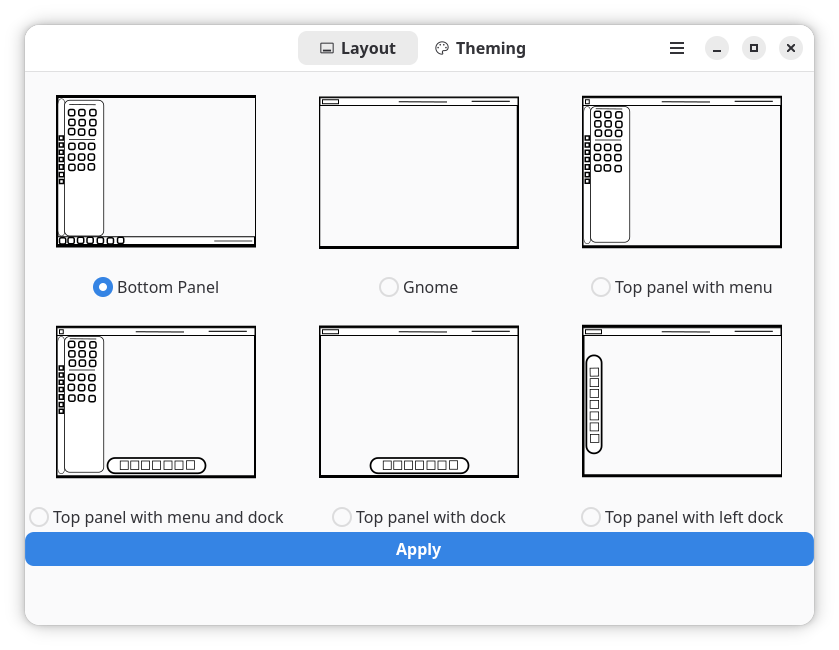
No effect on selecting the Bottom Panel layout, other than killing the dock: no Dash to Panel whatsoever!
Now, I know that dash-to-panel still doesn’t have a release compatible with GNOME 50, but Arch had (and still has) GNOME 49.5, which should be compatible with Dash to Panel. Maybe it isn’t.
On the other hand, NyarchCustomize being a Flatpak, I tried adjusting its permission using the already installed Flatseal. Nope. I uninstalled and reinstalled it, to no avail.
The live session of Nyarch Linux, as much GNOME as it was, seemed to “just work”; if in real life it doesn’t, I’m not willing to spend any amount of time trying to fix it!
2. EndeavourOS hates Bluetooth
Since Nyarch replaced Fedora 43 KDE on that laptop, the idea came to me to install EndeavourOS 2026.03.06 instead. Plasma 6.6.2 (Wayland) in Fedora 43 made Spectacle crash each time on exit; Plasma 6.6.2 (also Wayland) in the live session of EndeavourOS didn’t make anything crash, so I deemed this Arch derivative more trustworthy.
Still, since the choice was offered at install time, I decided to install MATE instead. It’s annoying that mate-tweak is only in AUR, but I was going to use AUR anyway for trizen and octopi.
While Nyarch forced the use of systemd-boot, EndeavourOS offered the choice of GRUB. Even so, it insisted that I should have an EFI partition of at least 2048 MiB. I’d rather accept to be anally raped than do that, so I set it to 1024 MiB and ignored its warnings. Of course that it fucking worked!
And it worked pretty well, until I tried to use my Bluetooth mouse. How could I pair it when it couldn’t even be seen? EndeavourOS detected my other laptop as a “BT audio device” (whatever), but it literally couldn’t detect a bloody mouse!
Pathetic. To the dumpster!
3. Not going the Manjaro way
For about five minutes, I considered giving another try to Manjaro. No, not CachyOS, which is an unexplainable mania close to a sect, but Manjaro.
Then, I learned that they’re in the middle of a revolution, a strike, a fork, or all of these processes. I read the thread for Manjaro 2.0 Manifesto, then the thread for Discussions regarding the Manjaro 2.0 Manifesto. Their Diktator, Philip Müller, the founder and leader of the distro and CEO of Manjaro GmbH & Co. KG, isn’t really MIA; he just chose to ignore the rebels. Amidst all the talks to which he refused to take part, he started this thread: Notice: ECA Digital – Law No. 15,211/2025 might affect users of Brazil by 17.03.2026.
Oh, look, EndeavourOS users also discuss Manjaro’s crisis: Manjaro Manifesto v2.0—A New Direction?
FossForce explains it briefly: Is Manjaro Done? Stick a Fork in It.
Hilariously, there’s always a naive guy: “227 days without any system crashes, even minor ones, I haven’t seen that anywhere else, not in any stable distribution, Manjaro is the best distribution with responsible and knowledgeable developers, thank you! You’re the best!”
Yeah, sure. C’est du jamais vu ! We should indeed stick a fork. In Philip Müller’s ass!
4. A bit of ratiocination
As I was scratching my head, Joey Sneddon caught my attention with his report on Ubuntu 26.04 LTS coming with screwed modified different Yaru icons: Ubuntu’s new folder icons are here – and you’re going to have opinions. So I wanted to compare the old (Ubuntu 25.10) and the new (Ubuntu 26.04 LTS Daily Build) icons.
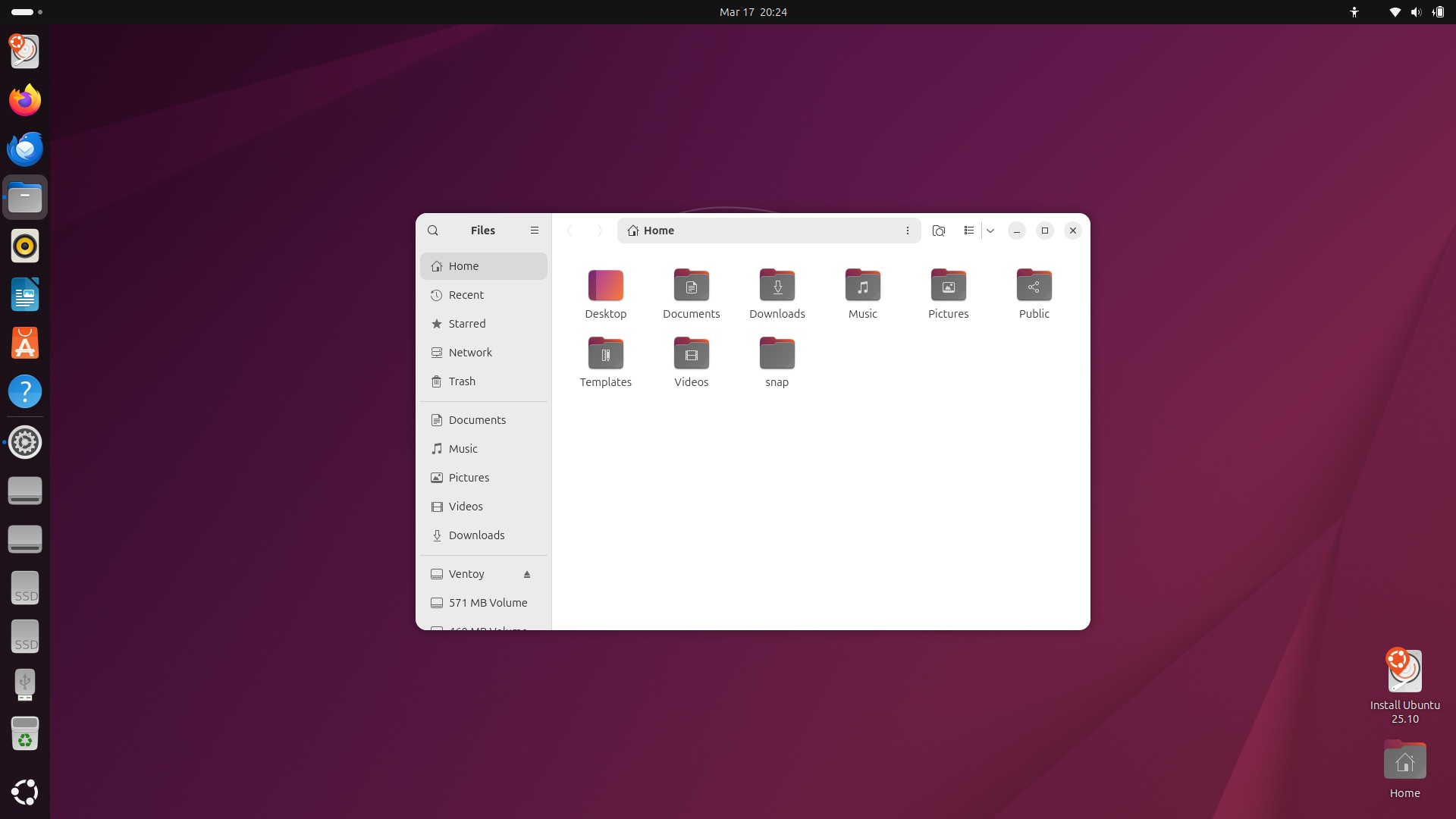
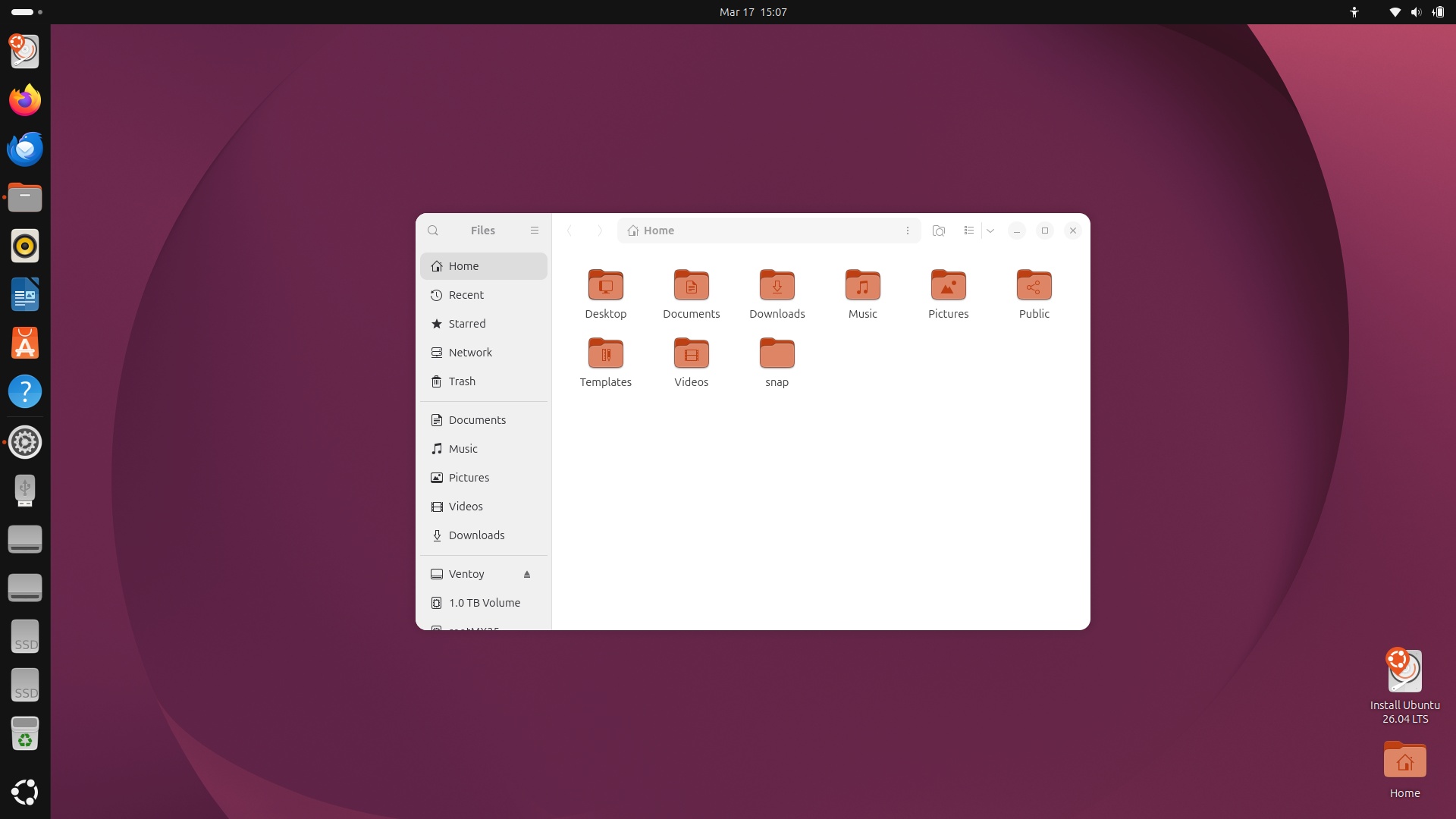
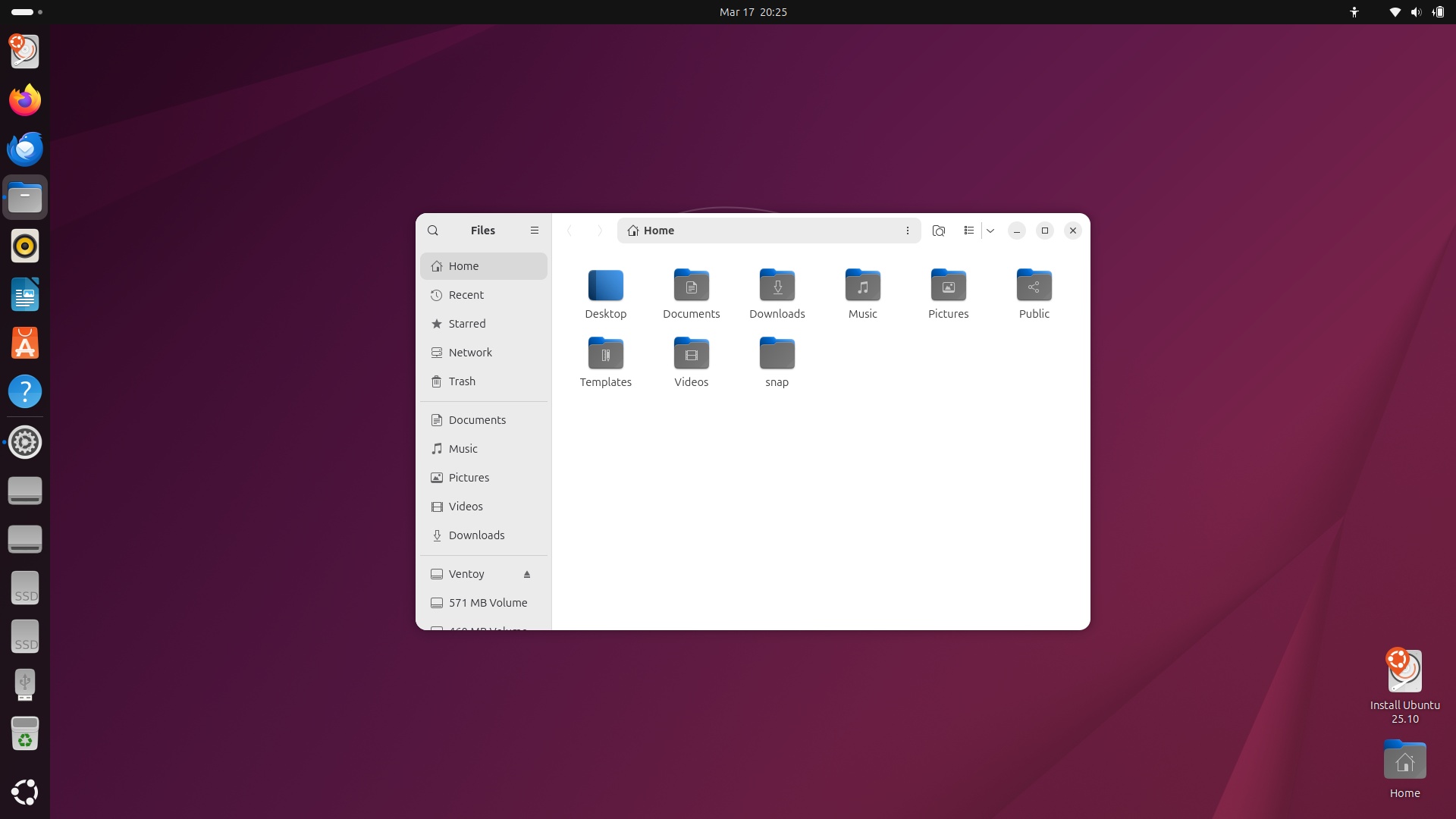
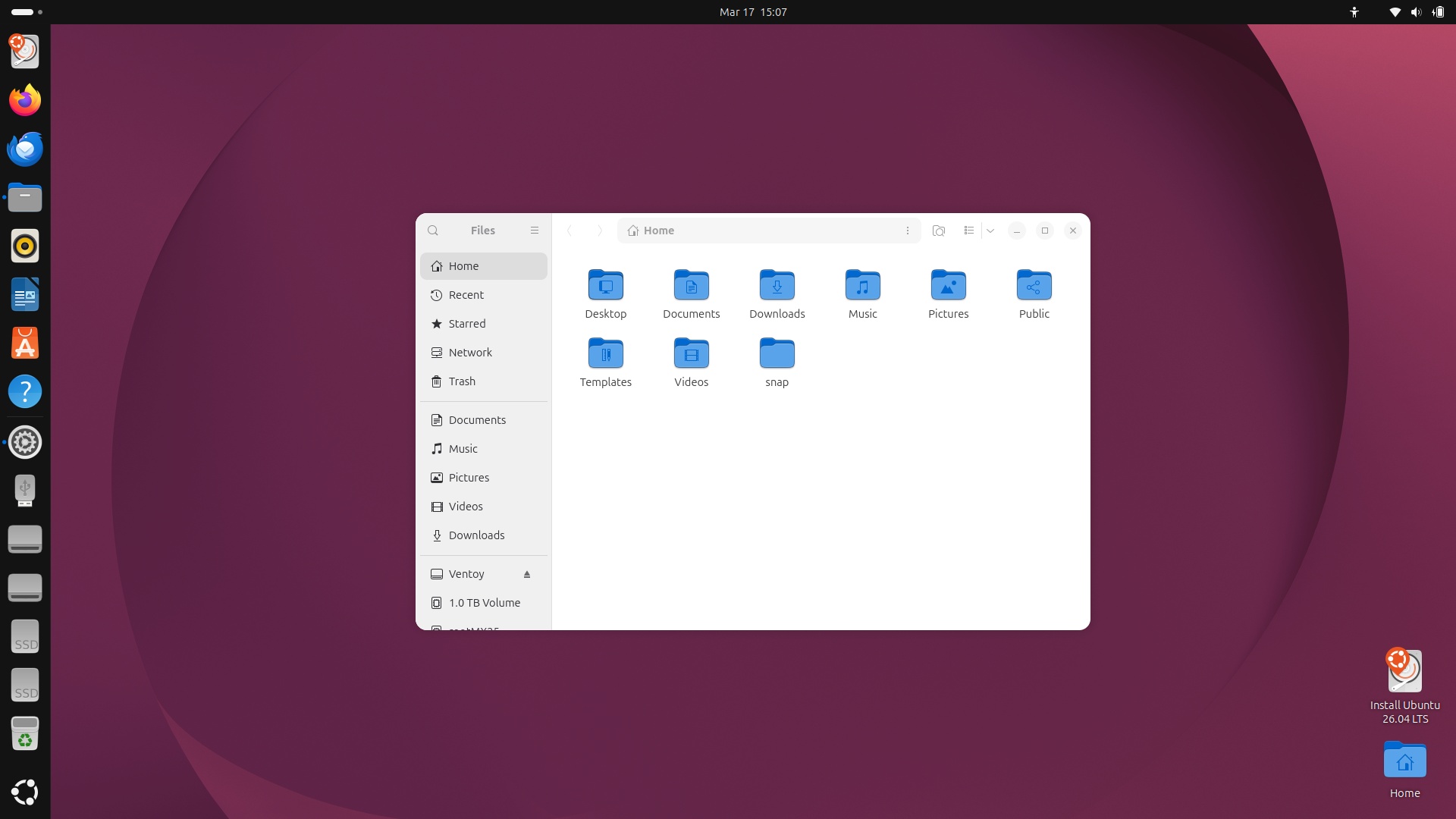
Not bad. On the one hand, it aligns with GNOME’s philosophy of “Simplify the UI until you reach the Stone Age level,” but on the other hand, it’s more “professional” looking.
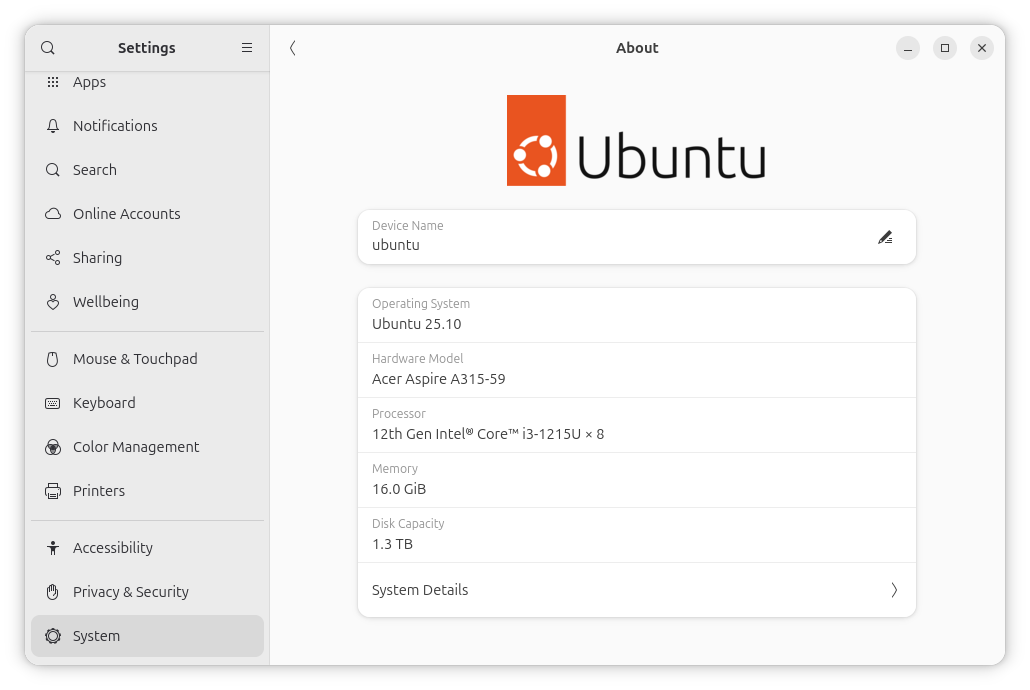
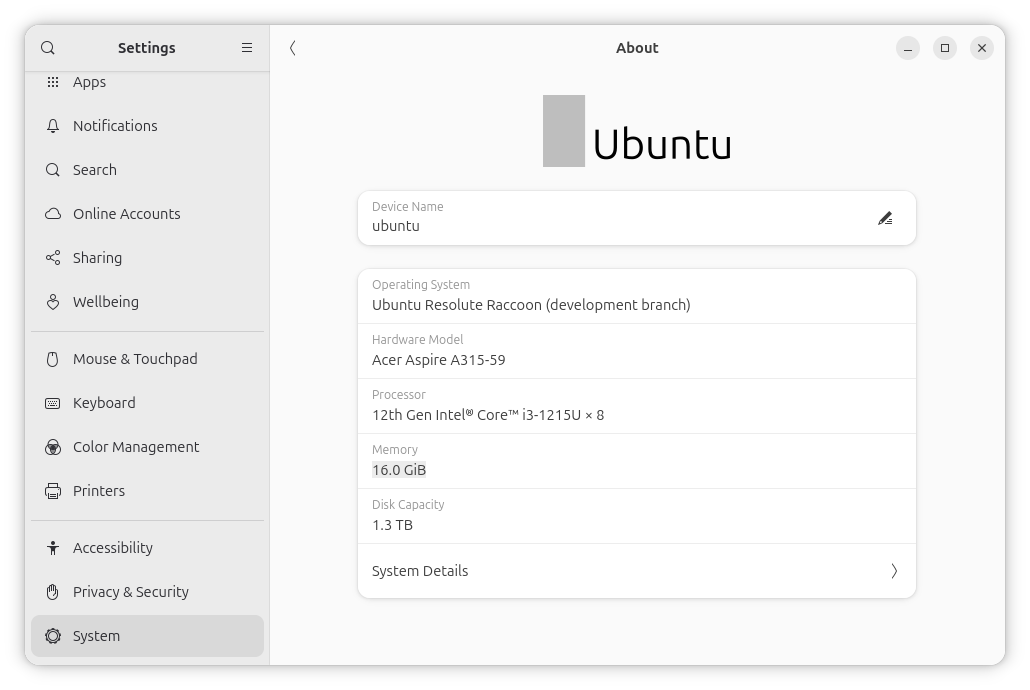
On the other hand, what’s going on with Ubuntu’s logo in these daily builds?!
Then, I started fabricating reasons to hypnotize myself into reaching a certain abominable conclusion:
- If I don’t want to give up forever and for good (that was a pleonasm) “Linux on the desktop” (laptop!), I should probably stick closely to something as mainstream as possible and as close as possible to the “root” distros: Arch, Debian/Ubuntu, and Fedora.
- Given the misadventures or major dislikes I’ve had with most of them (derivatives included), it seems that I’m stuck.
- But maybe I am stuck with buggy distros in relation to “secondary” desktop environments.
- KDE Plasma isn’t the main focus of Fedora, despite having become the second desktop flavor, as a promotion from being a mere “spin” (official, but of secondary importance).
- MATE is already moribund, and XFCE, while so familiar, really looks dated. I can’t explain how and why, but XFCE really seems stuck to 1998 or something like that. As for MATE, it only looks modern in Ubuntu MATE, with Yaru and whatever else makes it look “elegant” (the Ubuntu fonts!). But MATE being still 1.26 in Ubuntu is unacceptable in 2026.
- I considered (as a passing thought) Kubuntu. But all “official” Ubuntu flavors are official only in name. They’re community efforts, with inconsistent theming and, even worse, questionable future. Ubuntu Unity is already dead, so why is it still listed as an official flavor? Also, did Kubuntu eventually get the LTS status for 26.04? Back when it was discussed, there was no mention of it!
- Speaking of theming, the only “elegant” ones, Ubuntu MATE aside, are Ubuntu Budgie, the defunct Ubuntu Unity, and the “really official” Ubuntu desktop, that with a customized GNOME.
- And the only desktop that “is supposed to” receive the most attention is, obviously, this “Canonicalized” GNOME!
On the other hand:
- Even if there weren’t such a thing as Dash to Panel, Ubuntu’s vertical panel would still make much more sense than a bottom dock. That is, for people who are happy with “Icons-Only” instead of “Icons-and-Text” under KDE, or the same concept under Cinnamon or Windows. MX Linux XFCE comes with a vertical panel, which also is icons-only (Liam Proven is known to use XFCE with a vertical panel).
- Ubuntu uses a good deal of extensions that restore common sense to GNOME, such as proper window controls (close/minimize/maximize buttons).
- Nautilus aka Files can be replaced by Thunar or Nemo. More like supplemented, because open/save dialogs will still be those from Nautilus.
- GNOME Shell is the most obnoxious UX concept in GNOME. As long as I wasn’t exposed to it long enough, I don’t know whether I could adapt to it or not.
- Some concepts that try to mimic macOS are obviously not to my taste. But if so many people are so happy with them, any decent masochist should try them.
- GNOME is the future that “they” reserve to “Linux on the desktop.” One cannot fight the future.
- Linus Torvalds uses GNOME, and Fedora’s is worse than Ubuntu’s.
Finally:
- In so many cases, when the makers of some cross-platform software say “Linux,” they mean “Ubuntu Linux,” sometimes even LTS.
- Life is too short to keep caring that one’s OS is a mix of packages, snaps, and Flatpaks. I’m much, much, much more concerned about the wars started by the US and Israel, not to mention Russia!
So, what was the obvious thing I had to do?
5. Going commando!
Or Ubuntu, if you wish.
The Ubuntu 26.04 LTS (Resolute Raccoon) Daily Build isn’t really updated daily. As I am writing this on March 21, resolute-desktop-amd64.iso is from March 16. Only the aarch64 (arm64) image is from today. The Kubuntu 26.04 LTS (Resolute Raccoon) Daily Build is also from March 16 for x86_64 (amd64) and from today for aarch64. When I installed Ubuntu on March 17 from the ISO dated March 16, Kubuntu was stuck at the March 13 build.
6.46 GB is ginormous! Oh, and that’s the JEDEC size displayed in Windows; it actually means 6.46 GiB! 6,938,460,160 bytes ≈ 6.94 GB ≈ 6.46 GiB. But the Ubuntu download page displays it as rounded JEDEC: “6.5G” 🙂
The post-Snapshot4 builds of Ubuntu 26.04 already included many components of GNOME 50 Beta, but the daily build I used was based on GNOME 50-rc, released on March 6. Meanwhile, GNOME 50 was released on March 18, and its fans are exulting. A good summary of “what’s new” can be found on Joey Sneddon’s OMG! Ubuntu, but there are many more similar reports. Even Liam Proven stepped in: GNOME 50 debuts with X11 axed, Wayland front and center.
For once, I’d recommend 3 lucid comments from Liam: one, two, three. And a very angry guy, whose comment includes this link: I Don’t Care for Gnome. Cool!
The guy who doesn’t care about GNOME (but can’t use the proper capitalization) is right in almost everything, but I have a few objections.
- Many criticisms that apply to the default, “naked” GNOME have been fixed by Canonical through its customizations present in Ubuntu. OK, maybe not many, but some of them.
- Some other annoyances can be fixed via extensions.
- Some criticisms regarding the file manager aren’t fair (or things have improved in GNOME 50), whereas the lack of a compact list view isn’t mentioned at all. This guy doesn’t know much about usability.
As a side note, at the time of writing, not everything in Ubuntu 26.04 has been updated to GNOME 50. There are still some 50~rc, 50~beta, and even a few 50~alpha packages!
6. Covering the naked wiener!
As I said, the out-of-box GNOME experience in Ubuntu is much improved over the one one might have in Fedora. And yet, out of decency, and given my advanced age (I wish I were 16!), I wanted to improve it as much as I could.
What were the first post-install steps that I performed? I hope I remember them correctly.
❶ I installed GNOME Tweaks via the infamous App Center, after I switched the search results from bloody “Snap packages” to “Debian packages.”
I needed it to adjust the default fonts and their hinting and antialiasing the way I like them.
GNOME Tweaks isn’t necessary in Ubuntu to enable the maximize and minimize buttons (placed at right) because Ubuntu already tweaks GNOME even when GNOME Tweaks isn’t installed.
I noticed that the default fonts aren’t Ubuntu anymore, but Noto Sans (and Noto Sans Mono). Still, I changed the font in the terminal (which is Ptyxis) to Ubuntu Mono 12 (on a 14-inch screen) with no scaling (left at 100%).
I also noticed that gnome-text-editor defaults to a color scheme with poor contrast, while the theme right beneath it is much better:
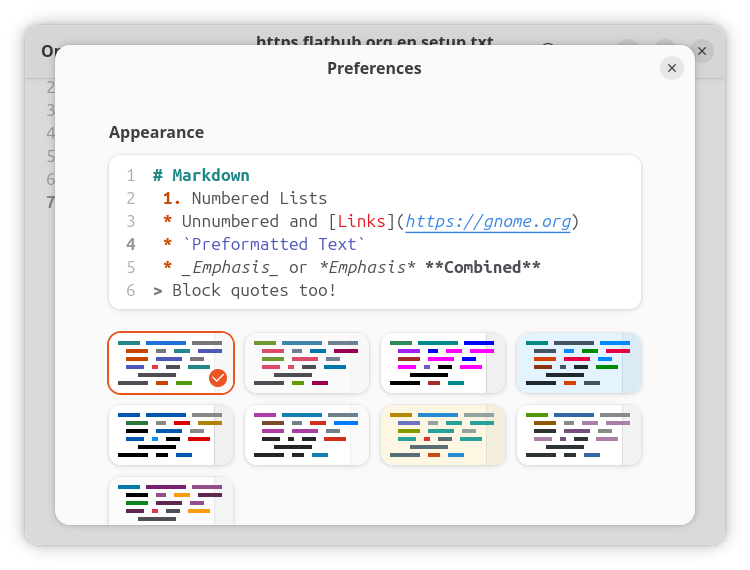
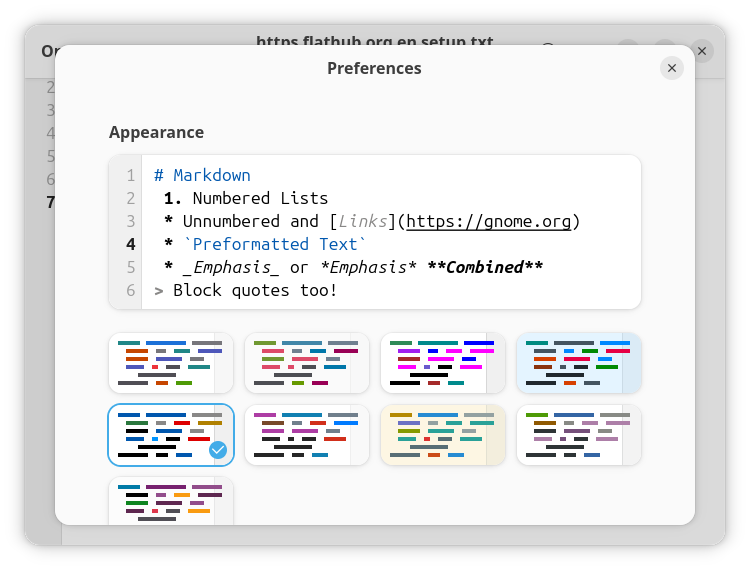
Should I also install gedit? It has fewer color themes, but a few of them are pretty contrasting.
❷ I enabled Flathub as per the official instructions. While this is certainly useful, it wasn’t necessary, and I learned from Kimi that I was on the wrong path.
I should not install Extension Manager as Flatpak because, due to sandboxing restrictions, it can only browse and view extensions, and manage the extensions that are already installed, but not install new ones. Only the native package can do that:
sudo apt install gnome-shell-extension-managerThe situation is even worse with the official GNOME app Extensions. Both the native gnome-shell-extension-prefs package and the Flatpak are only meant to configure the already installed extensions, to update, disable or remove them, but not to install other extensions. So it’s useless as long as I have Extension Manager as a native package!
Well, I’m just discovering the intricacies of “modern” GNOME, right?
❸ Then I learned that Dash to Panel isn’t yet compatible with GNOME 50, but the necessary changes are already in the tree, so I should better build it from source!
UPDATE: Meanwhile, Dash to Panel is compatible with GNOME 50!
git clone https://github.com/home-sweet-gnome/dash-to-panel.git
cd dash-to-panel
make install
As I got this error:
make: msgfmt: No such file or directoryI needed to fix it:
sudo apt install gettextI then repeated the make install.
Previously, I also installed Thunar, but I’ll come to it later.
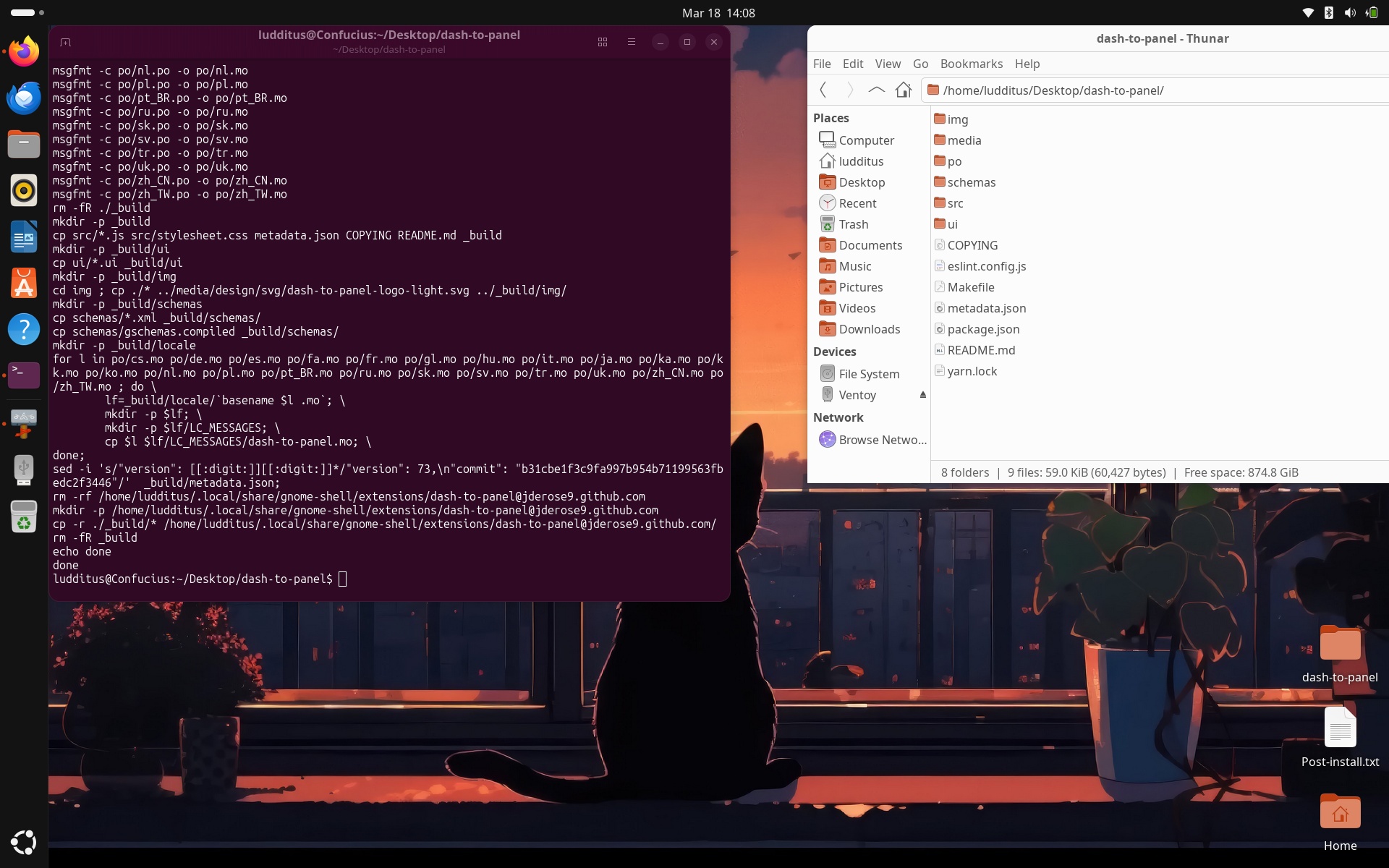
Oh, my! (Before you ask, this is the source for the wallpaper.)
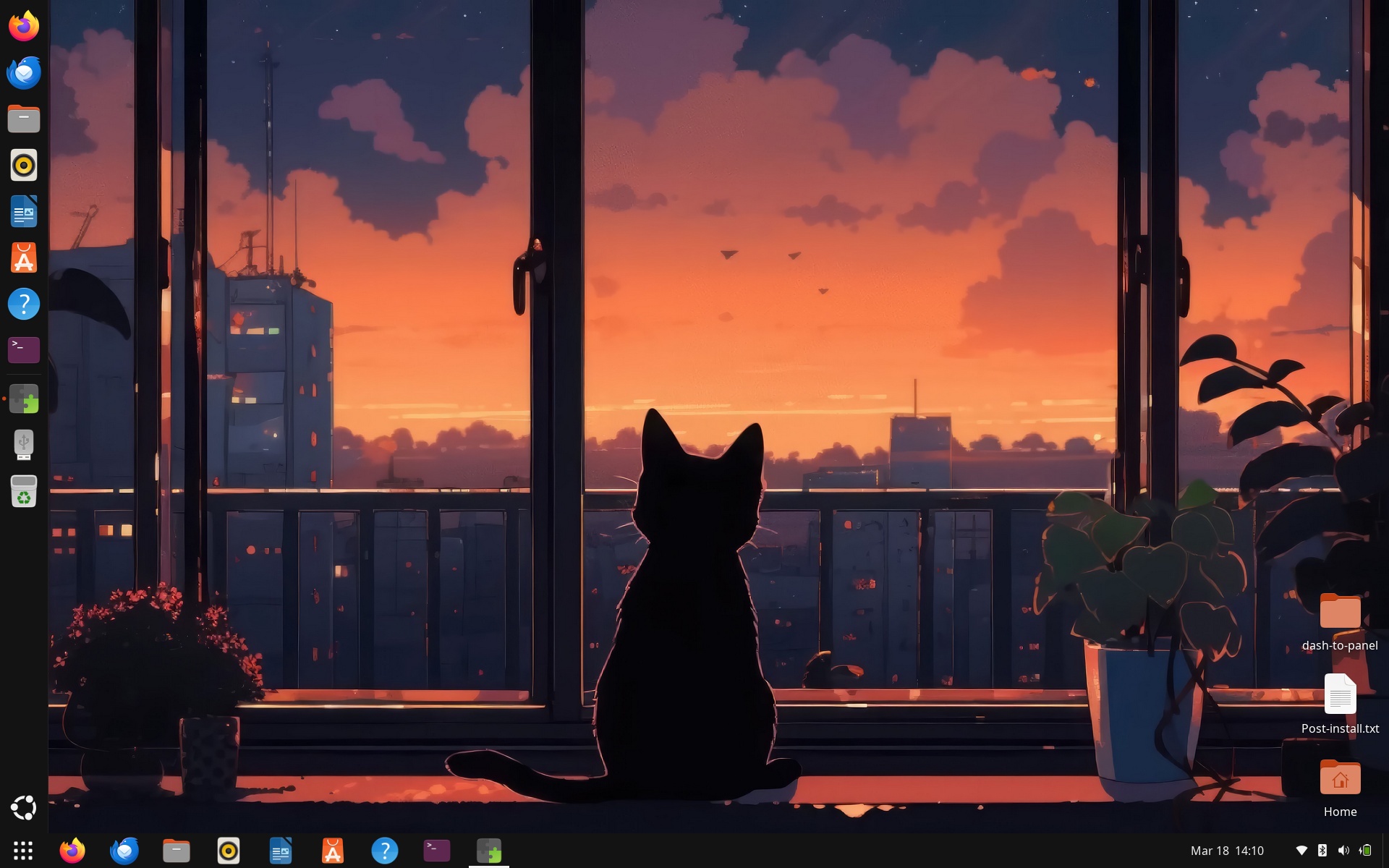
I had to disable Ubuntu’s dock:
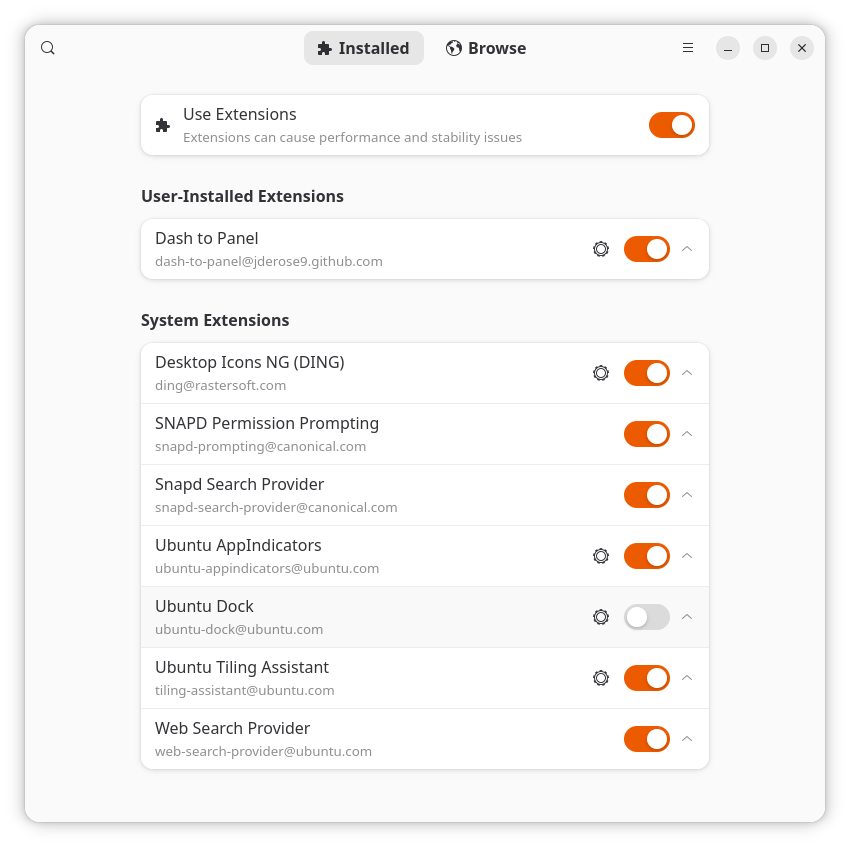
By the way, the preinstalled extensions are due to gnome-shell-ubuntu-extensions, which pulls in gnome-shell-extension-appindicator, gnome-shell-extension-desktop-icons-ng, gnome-shell-extension-ubuntu-dock, and gnome-shell-extension-ubuntu-tiling-assistant.
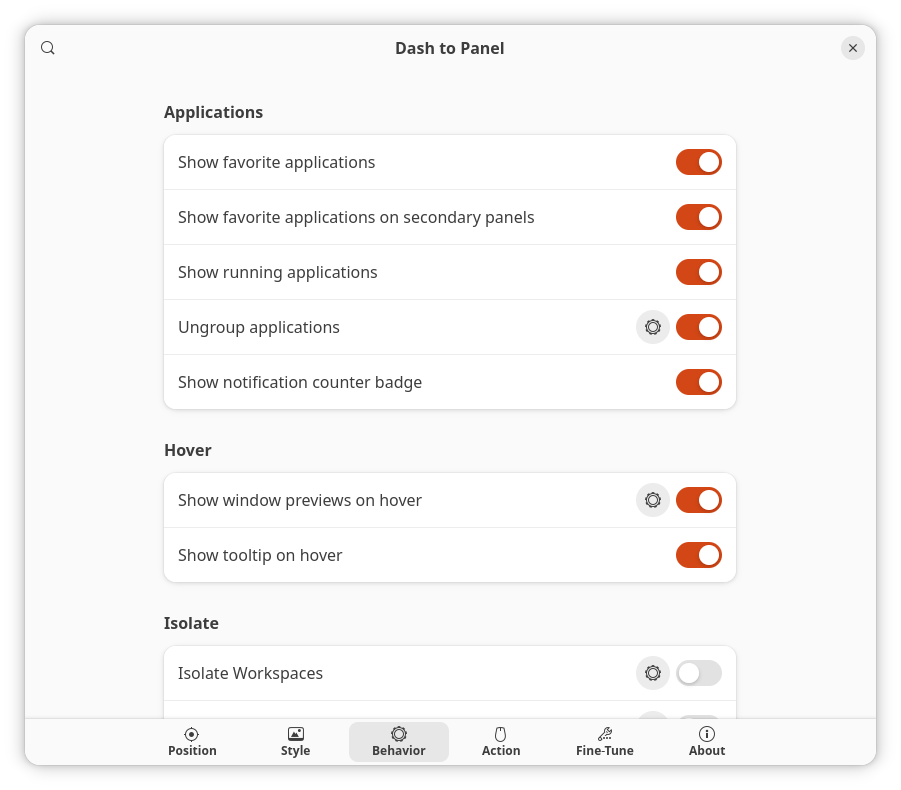
I configured Dash to Panel to “Ungroup applications” so that icons also have text:
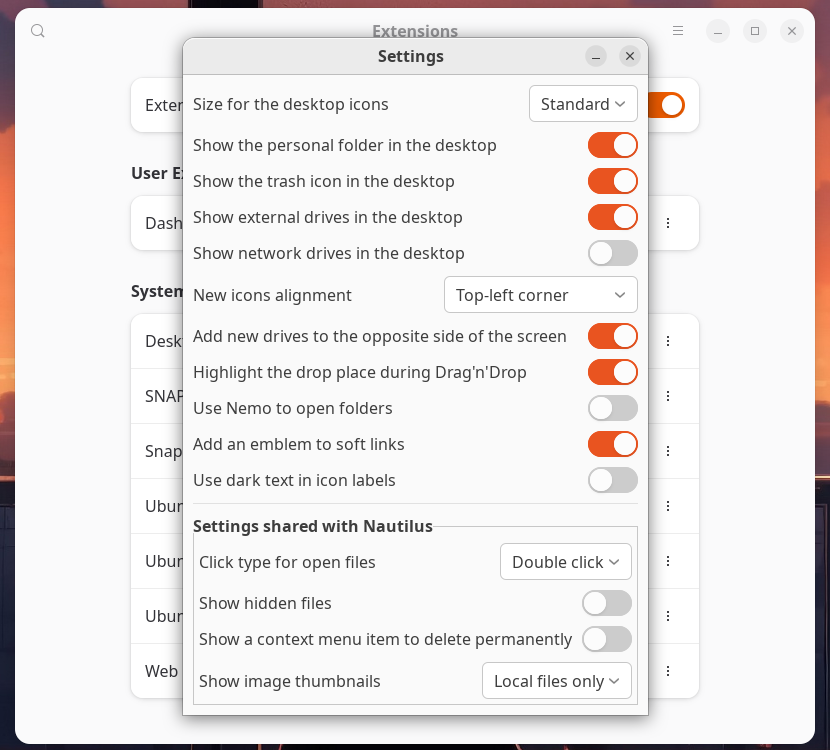
I configured Desktop Icons NG (DING) to display the home folder, the trash can, and the external drives (“to the opposite side of the screen”). This is when I noticed how easy it is to make Nemo open folders (supposing you installed it)! But I prefer Thunar to Nemo. (I won’t give satisfaction to Clement Lefebvre. Here’s why.)
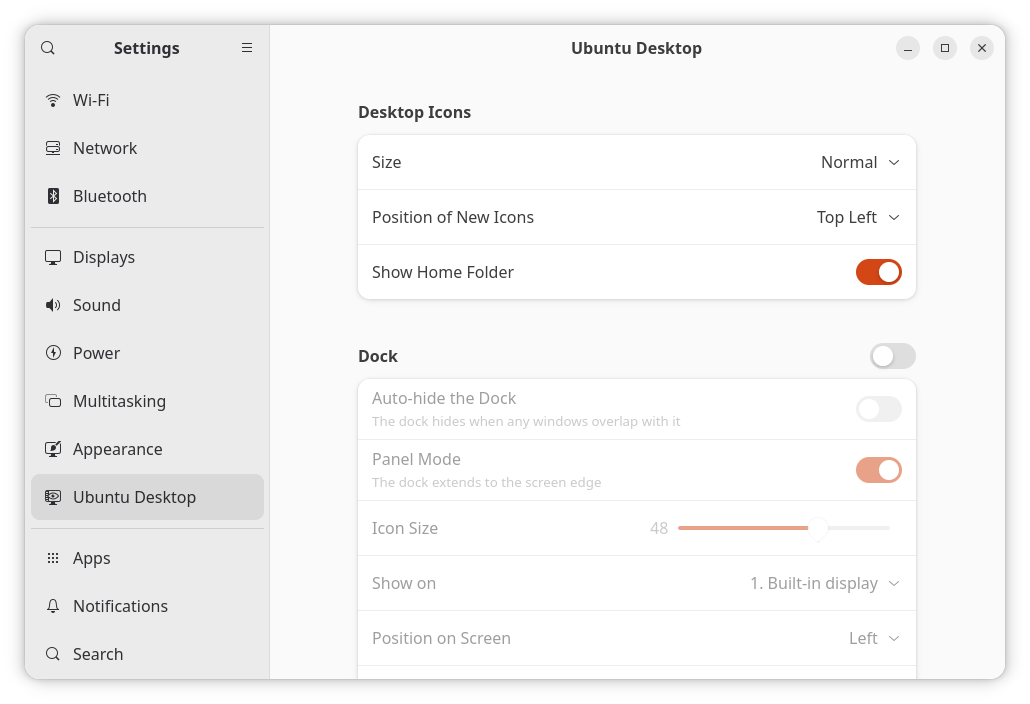
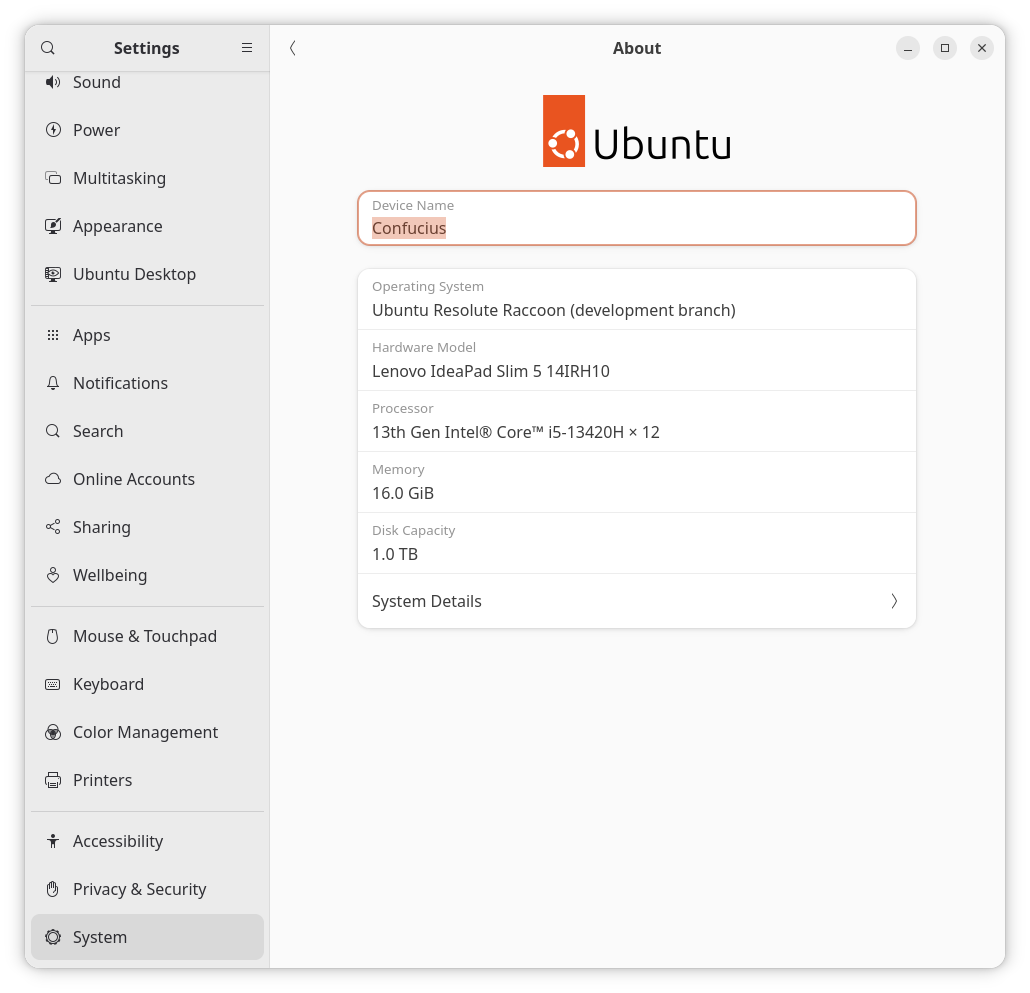
Finally, I don’t remember if I only checked these settings or whether I needed to change them here, but in the “normal settings” there’s a “Ubuntu Desktop” section where some settings for desktop icons are also available:
The result is more than satisfactory, bar the missing Ubuntu icon in the About page! Oh well, 26.04 is not released yet, but do they plan to change this icon, or what?!
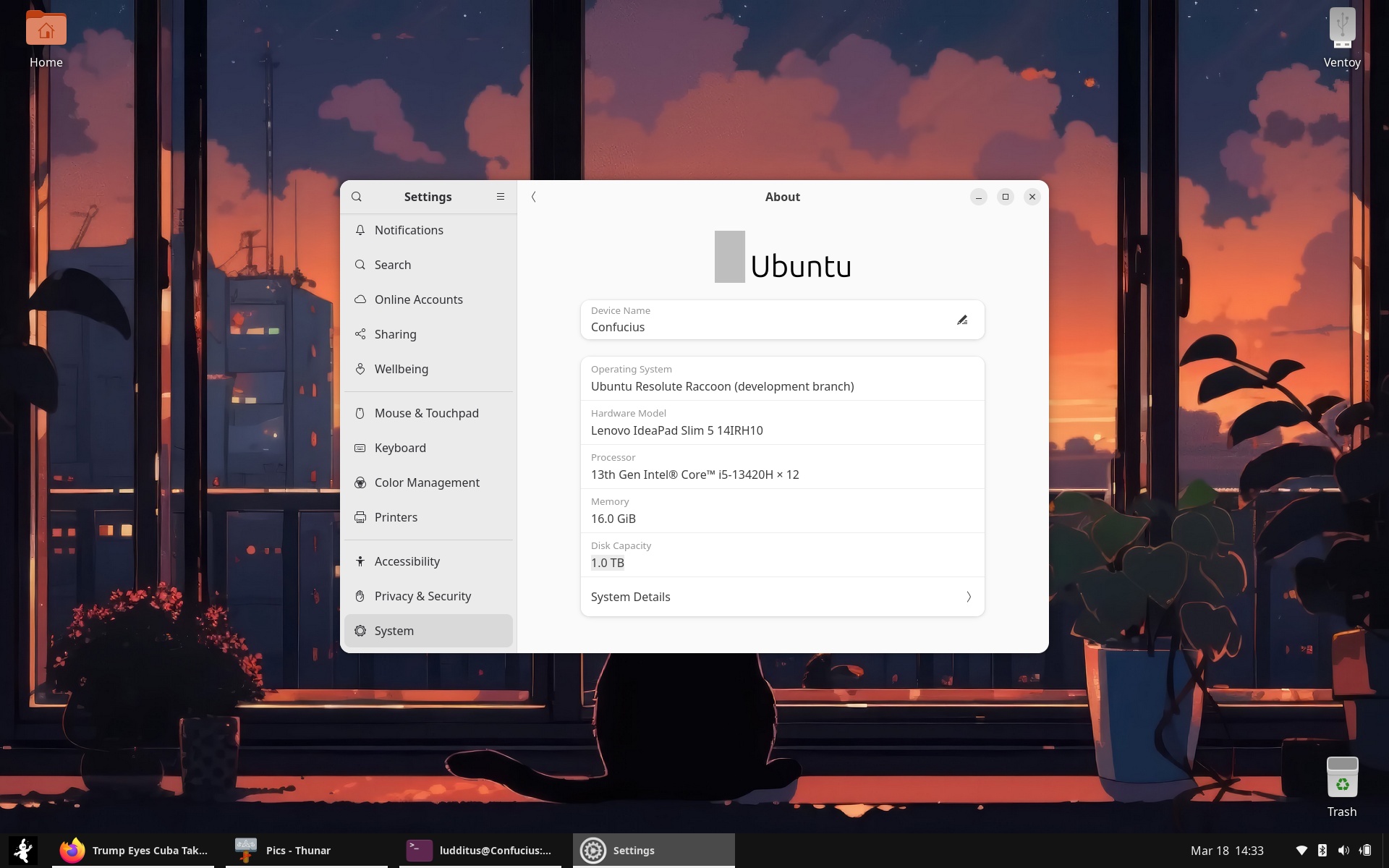
MARCH 26 UPDATE: I just noticed that the logo has been restored:
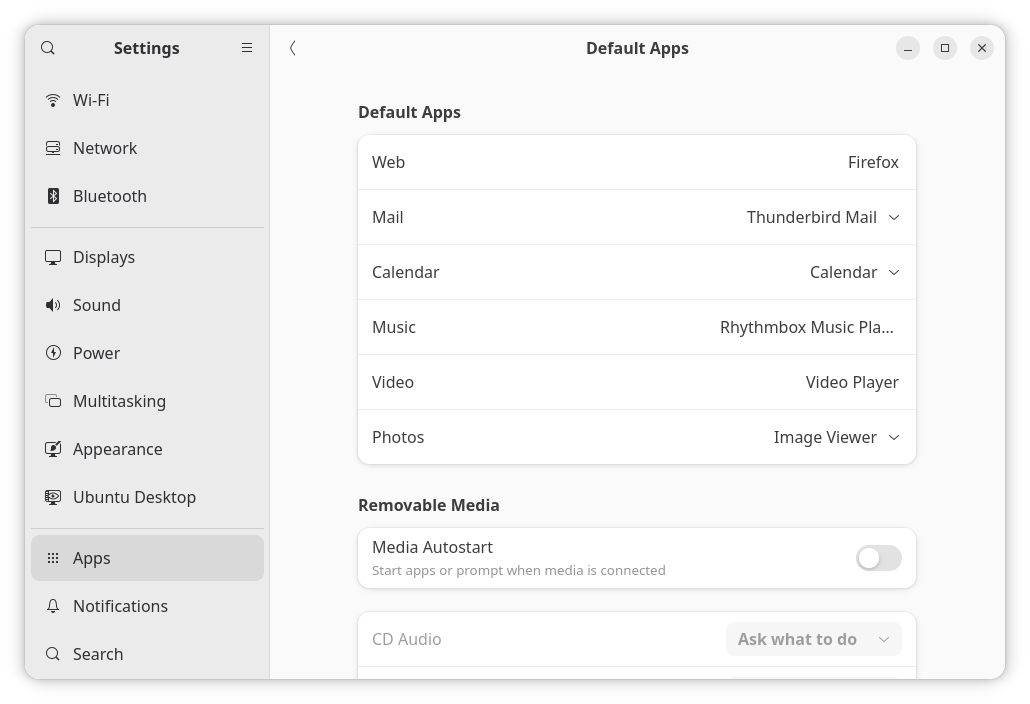
❹ Since I installed Thunar to use it instead of Files (nautilus), I had to make it the default handler for folders.
No, you cannot change this in “Default Apps”:
And no, this doesn’t make it the default:
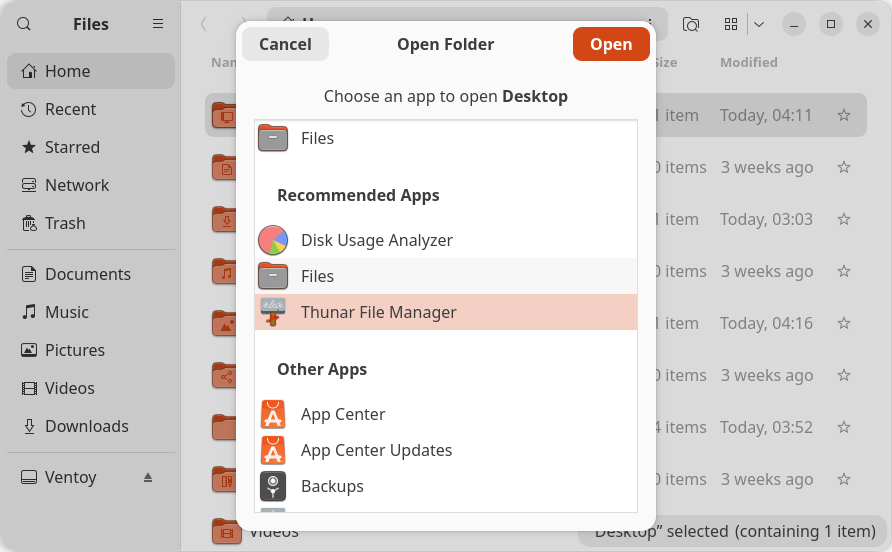
Kimi to the rescue!
# First, install Thunar if you haven't already
sudo apt install thunar

# Set Thunar as the default file manager
xdg-mime default thunar.desktop inode/directory application/x-gnome-saved-search

# Verify the change
xdg-mime query default inode/directory
# Should output: thunar.desktopIt worked. Obviously, there are certain limitations:
- The desktop icons are still managed by Files, and the right-click menu includes “Show in Files.”
- Open and Save dialogs are still those from Files (GNOME’s apps do not use
xdg-open).
Nothing I cannot live with.
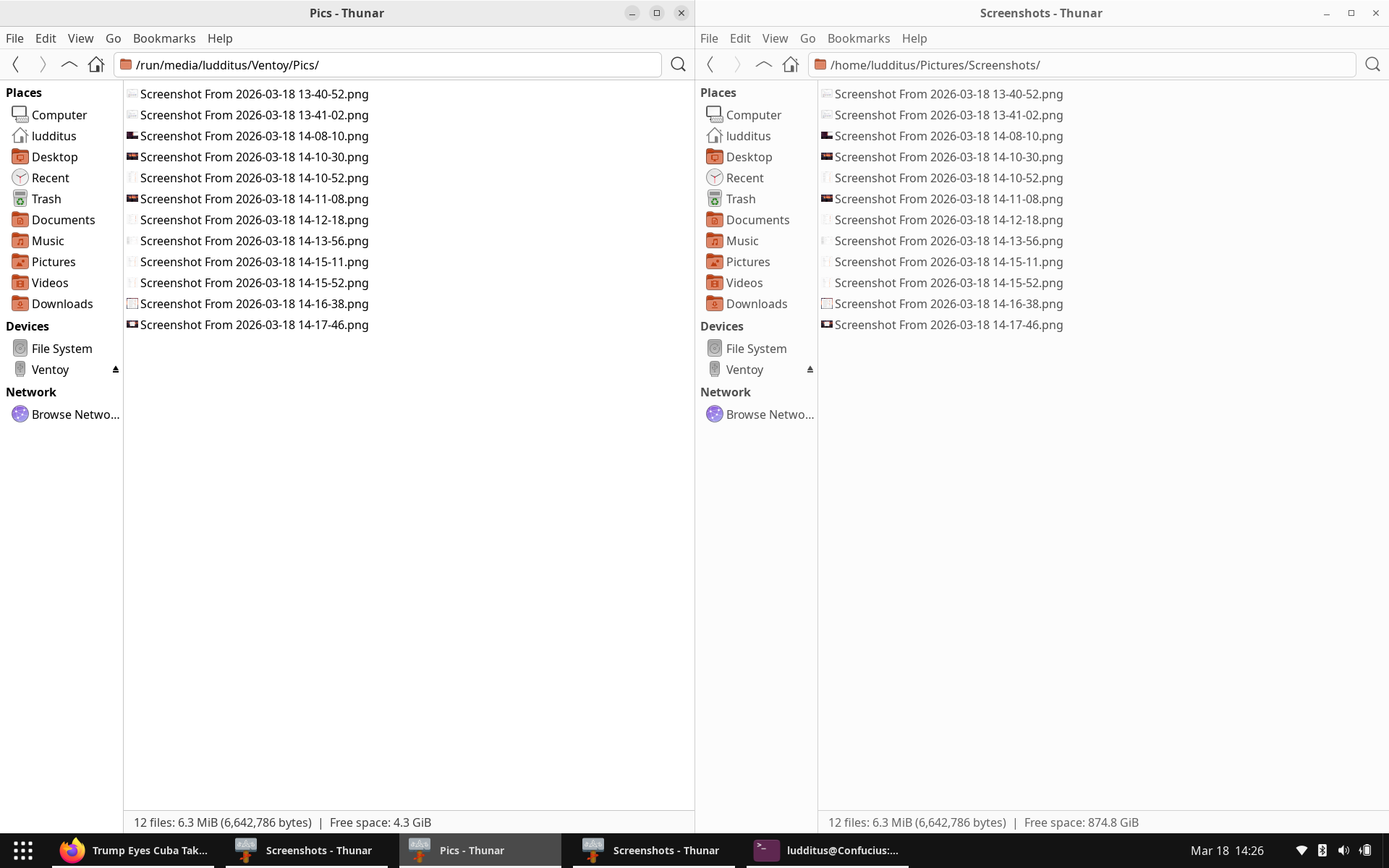
❺ Now, a most wicked tweak that has to be done if Files had been replaced by Thunar! (I can’t tell if replacing it by Nemo is smoother, but I suppose it is.)
You see, I heavily rely on Thunar’s ability to “Open Terminal Here”—but this won’t work under GNOME!
So I had to edit this particular “Custom Action”:
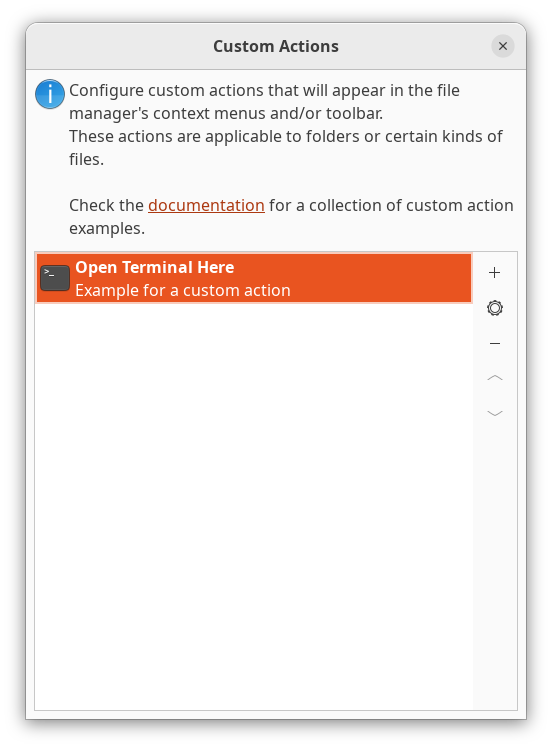
The default command cannot work under GNOME because TerminalEmulator isn’t a variable (it’s not in the list of app types that can be set or changed in “Default Apps”):
exo-open --working-directory %f --launch TerminalEmulatorSo, after several attempts, I found the simplest way to make it work:
ptyxis --new-window -d '%f'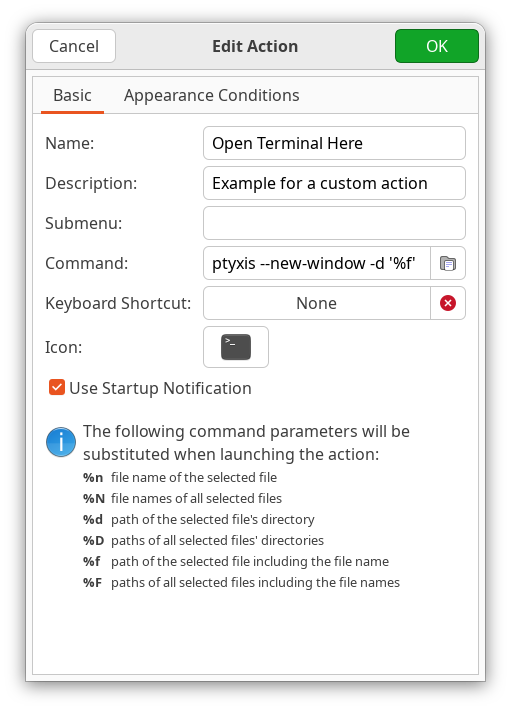
But there’s one more catch! Now ptyxis would open, just not in the desired folder! That’s because… it tries too much. To make it work as expected when invoked from Thunar, I had to disable “Restore Session”:
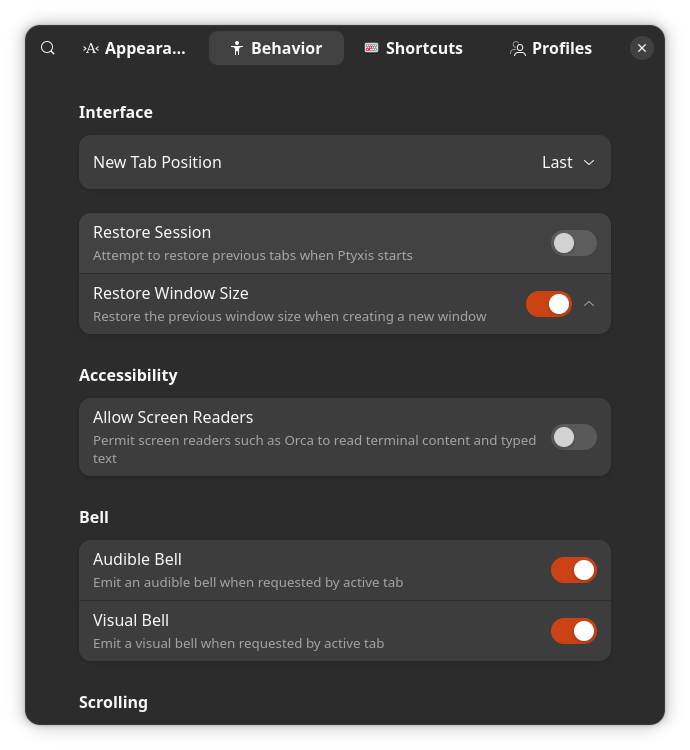
If there’s an easier way to make Thunar and ptyxis cooperate, I’m not aware of it.
❻ Now, a tweak specific to my home network.
My home router (or is it my ISP?) is broken with regard to IPv6: it allocates an internal IPv6 to LAN devices, but it doesn’t route them to an external IPv6. No NAT for IPv6, for whatever reason.
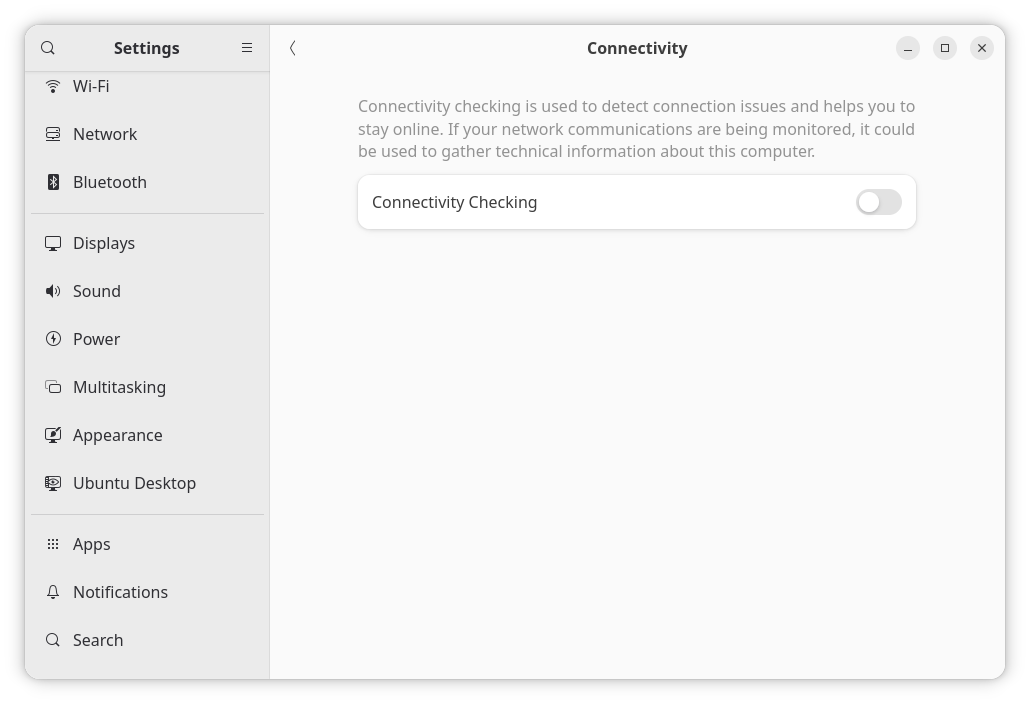
So far, only KDE complained (XFCE and MATE couldn’t care less). Now I learned that GNOME 50 too would become confused, even if I specifically disabled IPv6 for the respective connection and even system-wide. It’s as if GNOME assumes I’m at a Starbucks or in an airport and need to “Sign in”!
The fix is to disable the “Connectivity Check” in Settings, Privacy, Connectivity.
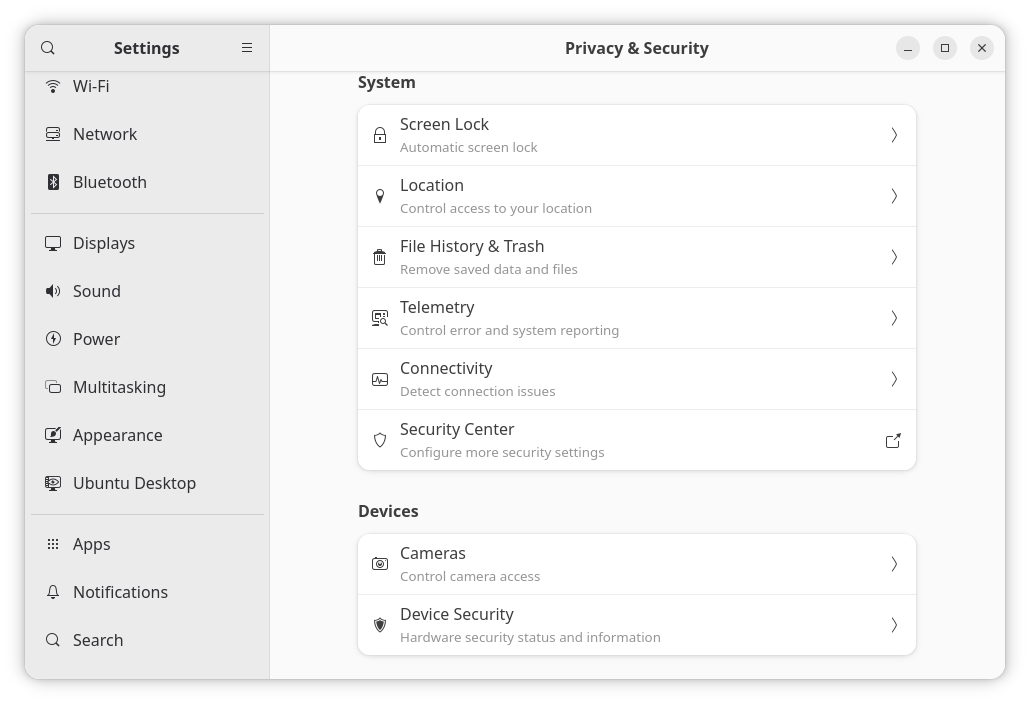
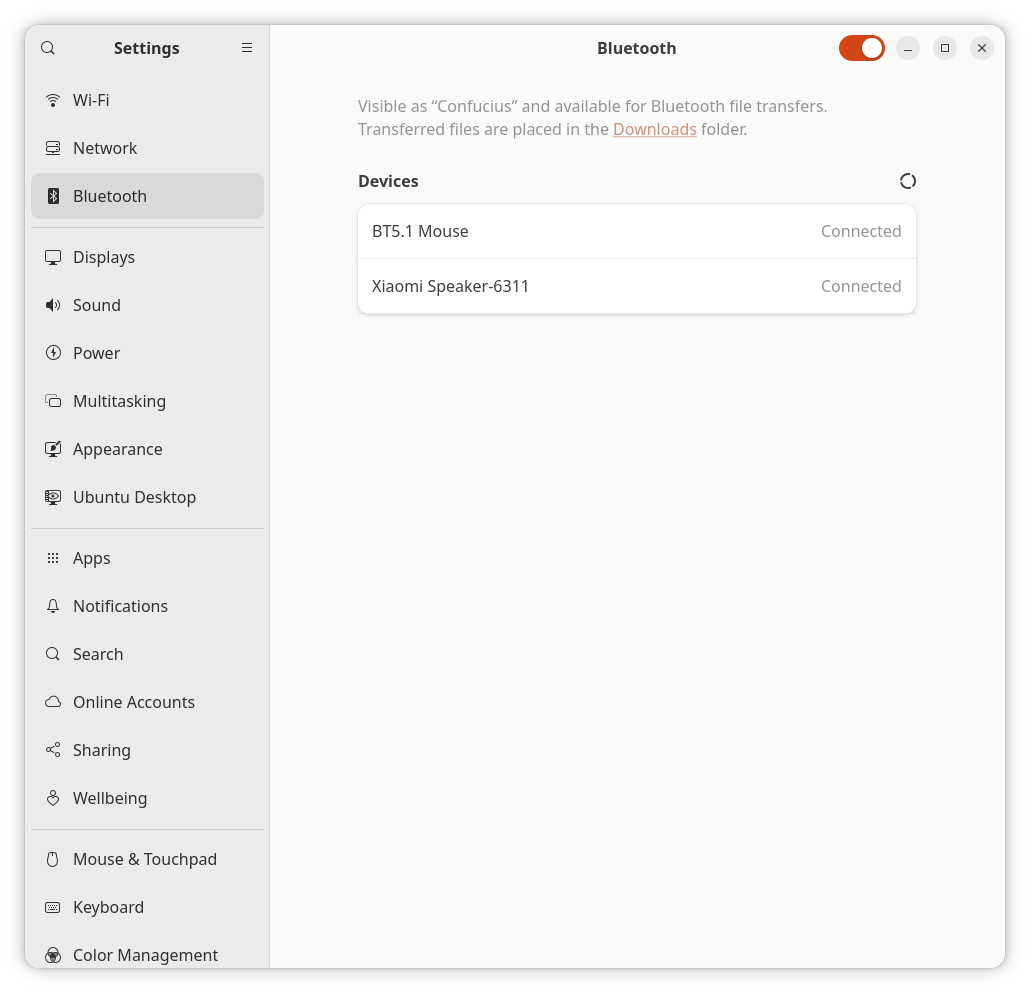
❼ The very last sanity check: Bluetooth for both mouse (later, I’ll also test a BT keyboard) and audio (speaker and headphones).
It works flawlessly and reliably!
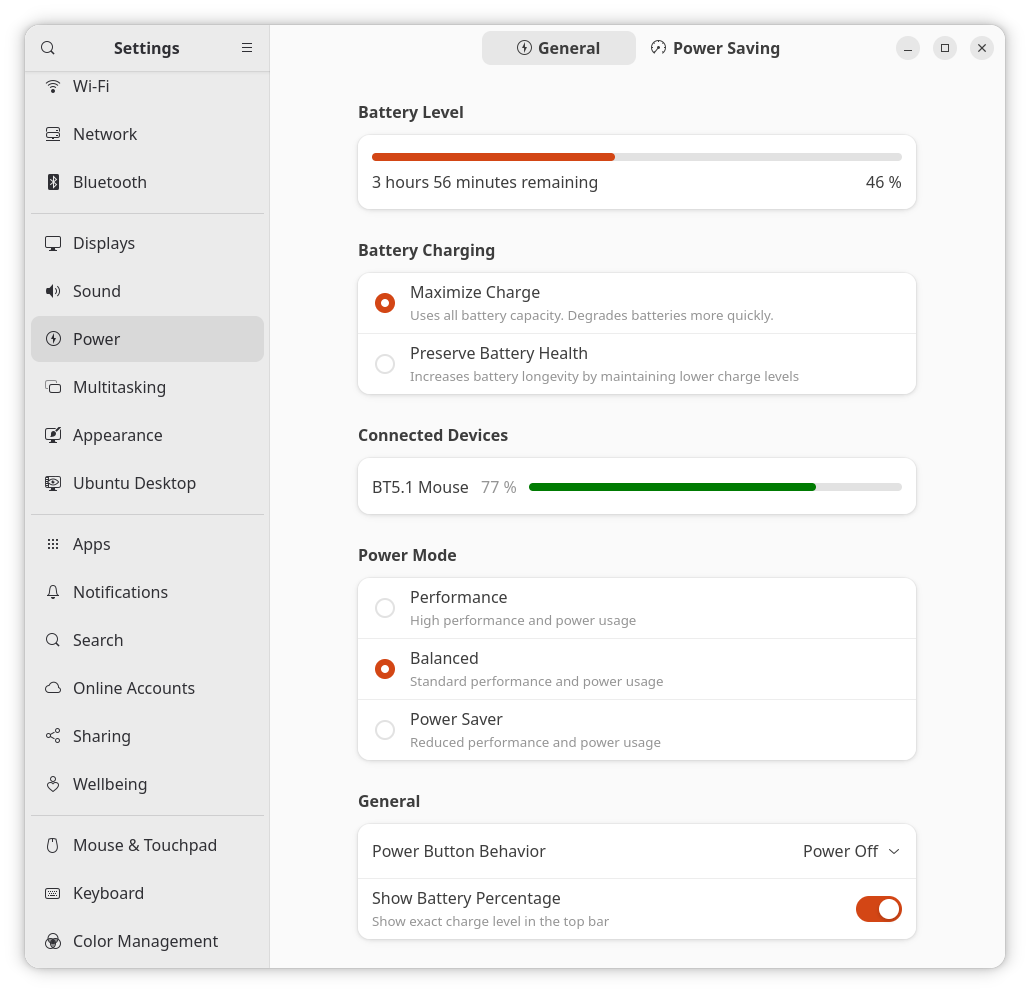
I’d only have preferred that the “Power” screen displayed not only the mouse but also the audio devices. (I suppose it would, however, display a Bluetooth keyboard.)
7. Four days later…
The great news is that four full days later, despite the various updates that came (including a newer kernel), nothing broke. And that’s one month before it’s released on or after April 23!
Moreover, it’s Ubuntu (cough, cough).

8. A cultural note regarding Ptyxis
GNOME has made some bold choices in recent years: gnome-terminal was a bad file name, so the newer terminal emulator had to be named ptyxis; gedit also got replaced by… gnome-text-editor. Oops, sometimes the “gnome-” prefix got removed, while some other times it got added! OK, at least the name exposed to the user is now “Text Editor” instead of “Gedit”…
But ptyxis is a special case. It’s difficult to pronounce and difficult to memorize because it has no meaning to most people on Earth!
Ptyxis is a Greek word, πτύξις. Those who chose it for the name of GNOME’s new terminal emulator say it refers to the “folding” of a leaf within a bud. It’s supposed to hint at the ability to act as a “bud” that manages multiple “leaves” or, in this case, container environments.
Greeks always pronounce the “p” in the beginning of words, but in English it should be pronounced /’tɪksɪs/ instead of /’ptɪksɪs’/.
That’s because, unlike Greek, German, French, Italian, and Romanian, English doesn’t normally allow “stop-stop” clusters (sounds where the breath is fully blocked, like /p/ and /t/) to start a syllable. The initial “p” is silent in words like pneumatic, pneumonia, pterodactyl, and ptarmigan, the same way the “k” in knee and the “g” in gnaw are silent.
Non-native speakers of English tend to pronounce the initial “p” in words starting with “pn” or “pt.” Notable exceptions: Spanish and Portuguese also don’t pronounce the initial “p”!
The silent “b” in debt or doubt follows the same “no stop-stop clusters,” but for endings.
This rule doesn’t apply in the middle of the words. The silent “p” in receipt opposes the spoken “p” in reception because receipt has been mistakenly “retro-Latinized” during the Renaissance. English borrowed receite from Old French (which became recette in modern French), but 16th-century scribes saw the Latin recepta and shoved a “p” in there to make the language “smarter.”
A similar mistake created island from the English word iland, which stemmed from Old English igland (or īglond). The Latin insŭla was used for reference. The “s” was pronounced in Old French isle; later it wasn’t anymore, and the spelling changed to île. Spanish preserves a spoken “s” in isla; Italians pronounce the “s” in isola; and Romanians pronounce both “n” and “s” in insula. But English only has a decorative “s” supposed to make their language “more intellectual.”
As for colonel being pronounced very much as kernel, it has to do with adopting the French/Latin spelling but the Spanish coronel pronunciation. This evolved to “cor-nel,” only to gradually sound more and more like “ker-nel.”
But even French had misadventures with colonel! Imported from the Italian colonnello (commander of a colonna, column) as coulonnel, the influence of Spanish made it be written and spoken as coronel for some time before it was corrected to colonel.
I should refrain from commenting on how French is the only language on Earth that uses expresso instead of espresso! I’d have expected this to happen in Spanish, because they have exprimir (to squeeze), but French shortened “café express” (seen as “café rapide”) into expresso in total contempt of the Italian spelling! Should the rest of the world replace consommé (the soup) with consumed?
And yet, the abomination of using such a name as “ptyxis” is not easy to match.
9. Suppose it doesn’t piss me off: what next?
Suppose Ubuntu 26.04 LTS is released, some more time passes, nothing breaks (at least, not severely), and GNOME 50 doesn’t drive me crazy. Would that make me a GNOME convert?
Not really, no. If Ubuntu proper (not a flavor) will prove to be usable by my standards, let’s not forget the conditions under which this phenomenon might have happened:
- GNOME is not “pure” but customized by Canonical (including proper window controls and much more).
- Further customization by yours truly included replacing the file manager and the dock.
Nonetheless, I have to say it one more time: all things considered, I believe that Ubuntu’s vertical dock makes more sense than GNOME’s dock. It should also be just fine for your typical user. It just happens that I’m not typical by any standards. The overall (i.e., Ubuntu’s GNOME) with the default settings might be just fine for many if not most people. I am not “most people.”
Also, if I want to keep the old Acer from 2016 in use with Linux (to watch movies, to read comics, or whatever), I will need a lighter distro (no snaps!) and a lighter desktop environment for it. Not antiX, but something else that Ubuntu. But that distro need not be optimal—it should just work with the hardware in question (Bluetooth audio but no Bluetooth mouse or keyboard). It might be a Debian derivative, after all. With XFCE, maybe. I hate the low reliability of MX’s servers (some just don’t get updated properly), but for a very secondary laptop, I might just turn to it and call it a day. Say, MX-25.1_March_Xfce.iso.
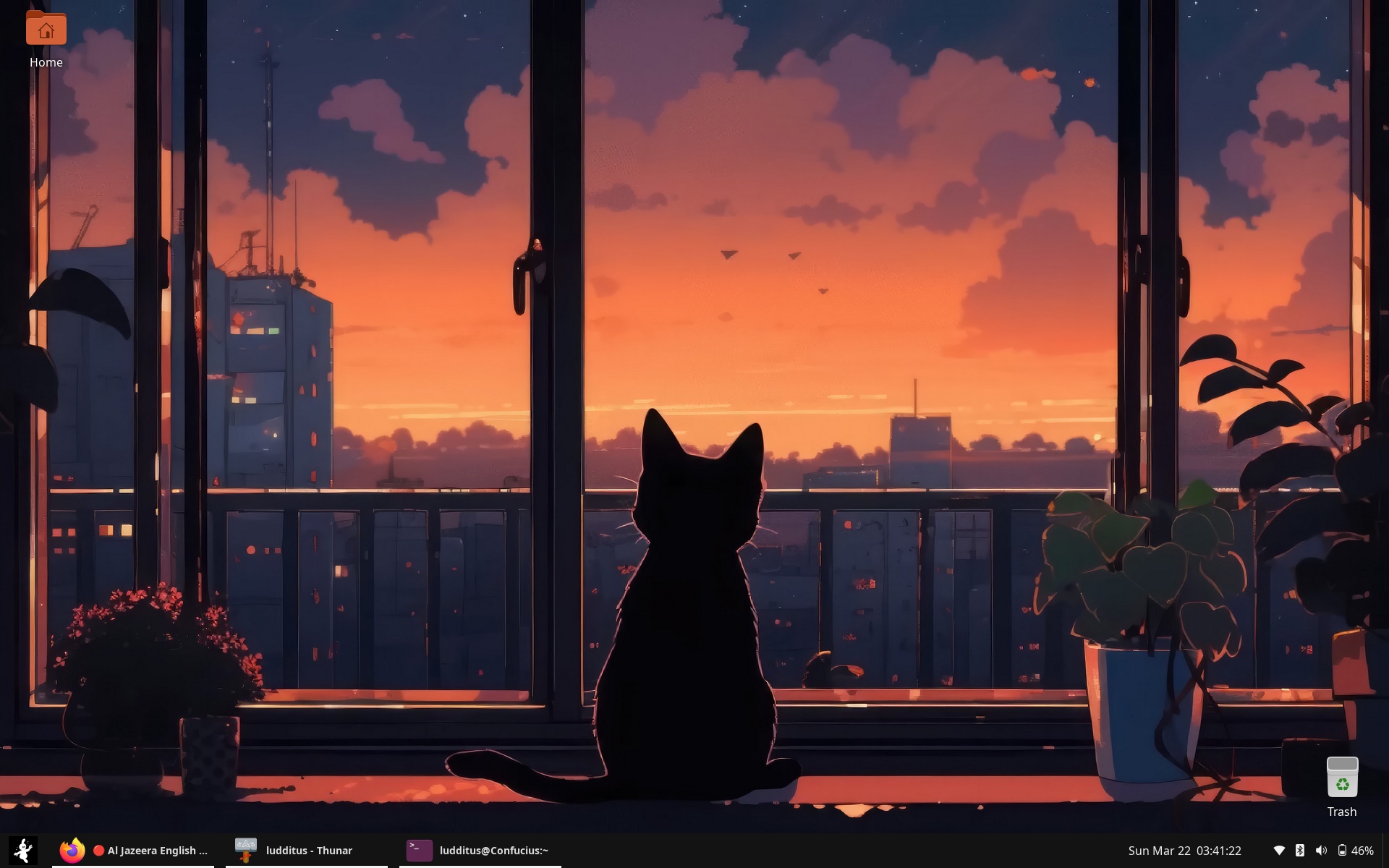
UPDATE: Indeed, the Yaru icons got an even better contrast on March 19 in yaru-theme-icon_26.04.3.1ubuntu_all.deb (see the GitHub pull request).
Canonical seems to have entered self-destruction mode, albeit starting in October.
Phoronix: Ubuntu 26.10 Looks To Strip Its GRUB Bootloader To The Bare Minimum For Better Security (25 March 2026):
What the fucking fuck?!?
👉 Here’s the thread: Streamlining secure boot for 26.10. “Streamlining,” eh? Why not “leveraging”?
I picked only this comment, the 29th:
The community moderator posted this shit:
I suppose the Slow Mode is responsible for this mention at the end of the thread: “Please wait 4 hours between posts in this topic.”
Some comments by Phoronix users for your pleasure:
#8:
#12:
#21:
#26:
#28:
#30:
#32:
#53:
#65:
#70:
To put it clearly, the OS that I fell in love with decades ago was Windows 3.1/3.11 (over MS-DOS or DR DOS) with Trumpet WinSock for TCP/IP. You couldn’t expect any better from software that fits in six or seven 1.44 MB 3.5” diskettes. Any later OS eventually disappointed, although I remember having been happy with WinXP SP3 and even with Win7 SP1 (faute de mieux).
So I can’t expect from Linux anything but doom. If IBM was able to kill OS/2 out of sheer stupidity, its current subsidiary called Red Hat, Inc. has tasked itself with undermining Linux one step at a time (systemd, GNOME, etc.). Canonical, trying to mimic “the number one,” only adds more nails in the coffin of “Linux on the desktop.”
But don’t worry: in 5 to 8 years, AI will have killed us all if the wars started by Russia, the US, and Israel don’t do it before.
Enjoy life while you still can.
Ubuntu “sins” from the past. They will never learn.
2010 – 2017 R.I.P.: “We have no plans to fork GNOME” – Unity – secretly developing Mir – bashing Wayland & apology – Unity2d failed – Unity 3d failed & dev leaving Canonical – upstart vs systemd – Ubuntu Spyware & Amazon – Calling RMS childish & apology – Ubuntu Edge failed – Ubuntu touch based on QT – Unity 8 – Xmir delayed – Intel bashing for reverting Mir patch – “At least we know now who belongs to the Open Source Tea Party” & apology – fixubuntu.com controversy & apology – Ubuntu dev criticizes Mint security – Xmir delayed again – Ubuntu forks GNOME Control Center – Kubuntu leader canned – Ubuntu ZFS and Oracle – Unity 8 canned, back to GNOME.
This is generally correct, except that, IMO, RMS is a communist retard (and sympathetic to pedophiles). GNU and the GPL are the source of the catastrophic alternative to Windows that’s called Linux. Without RMS and the cretinous belief in the GPL family of licenses, we’d have had FreeBSD and NetBSD running on our laptops.
You are entitled to your opinion. RMS does not need any defense but for the sake of accuracy, he never claimed to be a communist or against businesses, but the opposite. As for his controversial statements over the years, I have to say he is a controversial person, but that is no crime. You have to look for more prominent persons like Gates for that. You are a technically inclined person but also if you read what you write objectively, you will also agree that your opinions are controversial.
Controversies are good. Emacs and the GPL are bad 🙂
To me, the GNU General Public Licenses are communist. It’s either “here, I give this to the community, no strings attached” (MIT, BSD, and more), or this shit.