
Adventures in Linux, September 2026 edition
Lately, I’ve been unusually quiet regarding the evolutions (or involutions) in the Linux ecosystem. That’s because I am sick of the infantilism that defines everything Linux. Apparently, Linux is still the lesser evil (unless you open your pockets and bend to Apple’s monopoly on the hardware that can run macOS, and then you can live in a golden prison), and it mostly works, but it’s still crap. What works reasonably well does so because it’s antiquated (X11, XFCE), and what sucks does so because it’s developed by egocentric retards. In many ways, Linux still feels like it’s in the 1990s, and this isn’t a compliment.
So I decided to read less and less of the news about the latest farts about Linux. I’ll comment on a couple, though.
On the other hand, if my previous two posts showed how shitty Windows can be, this doesn’t mean everything is rosy in the Linux world. Fortunately, Debian 13 XFCE on my new Lenovo still works great (knock on wood!). But my experiments with other distros turned rather sour.
Random comments on Linux shit
Phoronix commented on GNOME turning to Zswap to deal with OOM issues. Indeed, Zswap is better than ZRAM (here’s a newer blog post debunking Zswap and ZRAM myths), so GNOME isn’t completely broken. The Fedora retards preferred ZRAM for their CoreOS because, fuck, just because. I don’t use either of them right now because I want to keep things simple, but I was just saying.
The real issue is the invention of the OOM killer. systemd-oomd is a tool meant to crash a system that works. OOM in Linux seems like the wrong solution. Processes could be restricted to a certain amount of CPU and RAM, but they are rarely configured with limits. OK, not rarely—almost never, unless they run in containerized environments. But your Linux desktop doesn’t.
When I was young, there was ulimit, and then /etc/security/limits.conf. Somehow, life felt nice, despite the Linux kernel being limited to 1024 processes. Then, they realized that if you set a 1GB limit on a process, it could spawn 50 more processes, each with a 1GB limit, and your system would be kaput. (I suspect they realized that when computers had more like 16MB instead of 16GB of RAM.)
Enter systemd, which ignores /etc/security/limits.conf altogether. But now services are grouped into cgroups, which means that at least they can have MemoryMax= and CPUQuota=. Suppose, however, that you want to prevent Firefox or Chromium, or any other big shit you launch, from turning your computer into a snail run over by a truck. Automatically, not by tweaking each launcher, nor by creating wrappers that launch something like systemd-run --user --scope -p MemoryMax=4G -p CPUQuota=200% firefox!
Well, good luck with that. Linux is medieval in this regard (not that Windows is any better!). This planet has invested $1 trillion in AI, yet it still doesn’t have an OS with decent design. And it might never have one.
I’m told that KDE Plasma integrates heavily with systemd, explicitly dropping newly launched applications into their own isolated cgroup scopes. The problem? There is still no simple way, preferable with a GUI, to configure per-app limits!
However, if and only if you’re running KDE Plasma, /etc/systemd/user.conf can have something like DefaultMemoryMax=4G, and then every app you launch automatically inherits this 4GB ceiling. This includes its children, because Plasma keeps them in the same scope (cgroup) by delegating process creation to systemd using D-Bus. XFCE doesn’t. Similarly, /etc/systemd/system.conf is supposed to still work for system daemons, unless their specific .service explicitly overrides it.
I didn’t try this, but it appears that if you click the Firefox icon three separate times, Plasma sends three separate D-Bus requests to systemd, which creates three separate scopes, but Firefox has its own internal process management. As a result, unless you launch it with firefox --no-remote, it will merge into the same scope the very processes that Plasma and systemd tried to isolate! Of course, if you launch Firefox from Konsole, it becomes a child of Konsole (via bash), becoming trapped in Konsole’s cgroup.
Still, this is practically useless as long as you don’t have a place in Plasma’s System Settings to define cgroups limits, or a place to edit the menu’s launchers and set individual limits for apps that risk hogging resources. Nobody bothered, and nobody cared, and there’s a stunningly simple explanation to that: when the KDE team rewrote Plasma to use systemd D-Bus launching, they did so so the new Plasma System Monitor could show a more accurate memory footprint! A second reason was Wayland, which needs to know exactly which process tree to clean up if an application background process crashes.
Writing a Plasma module to deal with that dynamically wouldn’t be trivial, because Plasma creates dynamic, transient scopes for user apps, like app-firefox-98765.scope, and the number changes every time you launch the app. An even tighter integration between Plasma and systemd would be required!
I asked Gemini whether Apple has resolved this problem in macOS. It said, “macOS didn’t solve the physics of running out of RAM,” but that it does have an OOM killer! However, there is a huge architectural difference: Apple introduced APIs for “Sudden Termination” and “State Restoration” (mainly NSSupportsSuddenTermination and NSSupportsAutomaticTermination).
“AppKit” apps using this “Apple contract” must behave just like Android and iOS apps do: they constantly save their exact state to the disk in the background, they regularly tell the OS, “I am safe to kill,” and, when the system starts running out of RAM, it just looks for an app in the background that is marked “safe for Sudden Termination” and quietly murders it without telling the user. When the user clicks that app’s icon in the Dock again, macOS launches it fresh and instantly injects the saved state, so, to the user, it looks like the app was running the whole time. Not very different from a mobile OS, eh? Oh, and macOS also has a RAM compression mechanism that might be more like Zswap than like ZRAM.
Surprisingly, Apple shares an OOM mechanism between iOS and macOS: Jetsam. Unlike Linux OOM, Jetsam doesn’t guess based on a score; it uses a strict mechanism for killing apps (first idle background apps, then background daemons, then apps not currently visible, and finally the active user app).
Apple didn’t invent magic, though, and macOS isn’t a mobile OS. Not all apps are heavily managed, iOS-style. “Pro apps” such as Adobe Illustrator, DaVinci Resolve, and major IDEs don’t use the “Sudden Termination” API! Heavy apps can have their memory compressed and paged out to swap, but they won’t be killed unless all apps marked “safe to kill” have been killed. Another exception: non-GUI apps. Command-line processes do not have a graphical state to save, nor do they negotiate with the OS about state restoration.
Since Apple Pages, TextEdit, and many App Store apps opt for “Sudden Termination,” Apple had to avoid the I/O nightmare of everyone constantly saving state to disk. Their idea? APFS is a Copy-on-Write (CoW) filesystem!
On the positive side, when, say, Apple Pages auto-saves your document in the background every few seconds, it doesn’t write a 50MB file to the disk but only the tiny blocks of text you actually changed since the last time, referencing the rest of the existing file.
On the negative side, Copy-on-Write isn’t that rosy. If it spares the disk sometimes, other times it increases the disk I/O, which is bad for SSDs. As we know from Linux, Btrfs, for instance, is a nightmare and needs 25% of the filesystem free to perform optimally. Apple couldn’t and didn’t cure the CoW disease with APFS; they just used brute force: they gave up using HDDs and SATA long ago, and they rely on NVMe speeds to mask the sheer mess CoW makes of the filesystem underneath, even if this is deliberately degrading the SSD’s lifespan.
So, if the SSD is soldered to the mobo in your MacBook, don’t worry: you’re expected to buy a newer machine every 2 to 5 years, anyway.
Oh, I forgot to mention that Safari is a standard macOS AppKit application, so it can be killed without anything going wrong, but macOS rarely needs to kill the main process. That’s because Jetsam, the kernel OOM killer, first manages the tabs (WebContent processes) individually. So, unlike Firefox and Chrome, which try to manage their tabs’ RAM usage themselves, Safari lets the macOS kernel handle it entirely. Sometimes, less is more.
Meanwhile, we’re left with Linux and Windows 11.
🤖
Back to the Phoronix article mentioned at the beginning of this section: it also reports that Convey has debuted on Flathub as a fork of the Geary mail client. Remember how Flathub banned AI contributions? Well, here’s Claude Opus 5 pushing shit into Convey! Wunderbar.
🤖
In other horrific news, Alibaba is contributing $3M USD to Omarchy to work on making it an “ideal agentic OS.” As someone noted,
Why is this vibe-coded Arch reskin getting showered with millions from every corner?
One of the many answers:
Because it has “AI” and “Agentic” plastered all over their site, investors flock like flies into dog shit.
All the companies throwing money at Omarchy don’t even know what Arch is.
I’m going to hide under a rock until life passes.
Some misadventures on my test laptop
As I mentioned ten days ago,
My reference and primary Linux is Debian 13 XFCE, installed from xebian-trixie-amd64.hybrid.iso to avoid the bloat that would result when installing from debian-live-13.7.0-amd64-xfce.iso and the hassle of installing from debian-13.7.0-amd64-netinst.iso.
At the same time,
I keep my 2016 Acer available to test various live distros on bare metal (VMs don’t expose the real hardware and are therefore useless for relevant tests) and for other tests I wouldn’t do on a machine I care about. It runs Debian testing XFCE, installed from the “normal” Xebian, which is xebian-unstable-amd64.hybrid.iso and set to track the testing repos.
The same machine is used with an external SSD to test-run Kubuntu 26.04. I wanted to see if I could agree with Dedoimedo on Kubuntu being “the one distro” (not “the one OS,” though). So far, I’m not tempted to betray XFCE and Debian.
To clarify a few things, this laptop from 2016 came with a strange SATA SSD in an M.2 2280 slot (so no, it wasn’t an NVMe SSD!), which I replaced earlier this year with a brand-new ADATA SU650NS38 (240GB). It’s not easy to find a SATA device in an M.2 form factor! So the 10-year-old Kingston RBU SNS8152S3 (256GB) is now in an external enclosure, and it’s the one that had Kubuntu 26.04 all over it.
The laptop booted from the brand-new ADATA SSD for the system, and /home was on a second internal SATA SSD: a 1TB Samsung 860 EVO. I don’t remember how old that one is, because it replaced an HDD sometime between 2018 and 2020, maybe.
Mishap #1: Kubuntu (my bad)
The external Kubuntu 26.04 worked well, but I was bothered that the lock screen printed two texts in parentheses just below the password field, telling me I could also authenticate using the fingerprint reader or a smartcard.
Except that KDE had ZERO GUI tools to configure that hardware, and enrolling the fingerprint reader at the CLI level failed. A chatbot believed that this specific fingerprint reader never had a working Linux driver, and nobody bothered to create one. The NFC reader was also somewhere in Nirvana. Linux detected two devices that it later abandoned, yet KDE noticed corresponding PAM modules, hence the message.
I then tried to disable those fucking PAM modules (KDE Plasma, the most advanced desktop environment in the known Universe, has no GUI modules to manage this shit, either!), and I managed to screw PAM to the point that I could no longer authenticate in the GUI session (Wayland, BTW). My bad.
But I wasn’t thrilled by KDE, anyway. I’m not Dedoimedo; I’m more of a Luddite than that. Coincidentally, I see that Dedoimedo had a few annoyances with his Kubuntu 24.04 recently (Slimbook Executive report 15); nothing critical, but unacceptable IMO nonetheless (he later elucidated the “battery not charging” thing). So I thought, “What the heck, this is the external SSD; let’s install something else on it.”
Mishap #2: LMDE7 (Clem’s bad)
As I mentioned two months ago,
I thought I could (and should) install LMDE 7, just to be able to witness the development of Cinnamon. The live session worked just fine, and Cinnamon 6.6.3 was backported to it.
I would love to install LMDE 7, but I tried twice, and twice it failed to install GRUB! My usual setup when using 2 SSDs is to dedicate the larger one to
/home. LMDE7 is the only distro that accepted/boot/efi,/and theswaponsda, then/homeonsdb, only to subsequently fail to install GRUB while claiming that the installation was successful! I tried booting from both SSDs, and there was no GRUB whatsoever on either of them.
But I’d still have loved to have a Cinnamon testbed from Cinnamon’s daddy. Since the 26.04-based Linux Mint will have to wait for Christmas or the Greek calends, LMDE7 came through again as the most sensible choice.
This time, my reasoning went as follows: “Yes, it’s /dev/sdc, and Mint’s retarded installer prefers /dev/sda, but at least I’m not splitting the OS on two devices. I’ll just let it use the external SSD, and it should work.”
It worked my ass. Sure, it did install, but even if I explicitly selected sdc as the device to be used for GRUB, it didn’t install any GRUB whatsoever on any of the three SSDs!
🤷♂️
So I rebooted into my Debian testing where, out of habit, I issued sudo apt get update && sudo apt get upgrade.
Well…
E: Problem executing scripts APT::Update::Post-Invoke-Success 'if /usr/bin/test -w /var/lib/command-not-found/ -a -e /usr/lib/cnf-update-db; then /usr/lib/cnf-update-db > /dev/null; fi'
E: Sub-process returned an error codeIt was because of this:
Traceback (most recent call last):
  File "/usr/lib/cnf-update-db", line 5, in <module>
    import logging
  File "/usr/lib/python3.14/logging/__init__.py", line 26, in <module>
    import sys, os, time, io, re, traceback, warnings, weakref, collections.abc
  File "/usr/lib/python3.14/traceback.py", line 12, in <module>
    import _colorize
  File "<string>", line 0
SyntaxError: source code string cannot contain null bytesMoreover,
$ sudo dpkg --configure -a
...
AppArmor parser error for /etc/apparmor.d/microsoft-edge-stable in profile /etc/apparmor.d/microsoft-edge-stable at line 1: Lexer found unexpected character: '' (0x0) in state: INITIAL
...
Error in sitecustomize; set PYTHONVERBOSE for traceback:
SyntaxError: source code string cannot contain null bytes
...
ldconfig: /usr/lib/x86_64-linux-gnu/libdrop_ambient.so.0.0.0 is not an ELF file - it has the wrong magic bytes at the start.
ldconfig: /usr/lib/x86_64-linux-gnu/libdrop_ambient.so.0 is not an ELF file - it has the wrong magic bytes at the start.Finally,
 Unpacking linux-base-amd64 (7.1.13-1) over (7.1.12-1)…

dpkg: unrecoverable fatal error, aborting:

cannot sync updated status of 'linux-base-amd64': Structure needs cleaning This had an obvious explanation: the root partition’s filesystem metadata was corrupted!
Sure enough, it was fucking logged:
[Sat Sep 19 16:20:52 2026] EXT4-fs (sdb3): Delayed block allocation failed for inode 279018 at logical offset 0 with max blocks 3 with error 117
[Sat Sep 19 16:20:52 2026] EXT4-fs (sdb3): This should not happen!! Data will be lost
[Sat Sep 19 16:20:52 2026] EXT4-fs (sdb3): Delayed block allocation failed for inode 279023 at logical offset 0 with max blocks 3 with error 117
[Sat Sep 19 16:20:52 2026] EXT4-fs (sdb3): This should not happen!! Data will be lost
[Sat Sep 19 16:20:52 2026] EXT4-fs (sdb3): Delayed block allocation failed for inode 410153 at logical offset 0 with max blocks 1 with error 117
[Sat Sep 19 16:20:52 2026] EXT4-fs (sdb3): This should not happen!! Data will be lost
[Sat Sep 19 16:20:52 2026] EXT4-fs (sdb3): Delayed block allocation failed for inode 410163 at logical offset 0 with max blocks 1 with error 117
[Sat Sep 19 16:20:52 2026] EXT4-fs (sdb3): This should not happen!! Data will be lost
[Sat Sep 19 16:20:52 2026] EXT4-fs (sdb3): Delayed block allocation failed for inode 410165 at logical offset 0 with max blocks 2 with error 117
[Sat Sep 19 16:20:52 2026] EXT4-fs (sdb3): This should not happen!! Data will be lost
[Sat Sep 19 16:21:03 2026] EXT4-fs (sdb3): Delayed block allocation failed for inode 278756 at logical offset 0 with max blocks 1 with error 117
[Sat Sep 19 16:21:03 2026] EXT4-fs (sdb3): This should not happen!! Data will be lost
[Sat Sep 19 16:21:03 2026] EXT4-fs (sdb3): Delayed block allocation failed for inode 524433 at logical offset 0 with max blocks 1 with error 117
[Sat Sep 19 16:21:03 2026] EXT4-fs (sdb3): This should not happen!! Data will be lost
[Sat Sep 19 16:21:03 2026] EXT4-fs (sdb3): Delayed block allocation failed for inode 524701 at logical offset 0 with max blocks 1 with error 117
[Sat Sep 19 16:21:03 2026] EXT4-fs (sdb3): This should not happen!! Data will be lost
[Sat Sep 19 16:21:03 2026] EXT4-fs (sdb3): Delayed block allocation failed for inode 526601 at logical offset 0 with max blocks 3 with error 117
[Sat Sep 19 16:21:03 2026] EXT4-fs (sdb3): This should not happen!! Data will be lost
[Sat Sep 19 16:21:03 2026] EXT4-fs (sdb3): Delayed block allocation failed for inode 678180 at logical offset 0 with max blocks 1 with error 117
[Sat Sep 19 16:21:03 2026] EXT4-fs (sdb3): This should not happen!! Data will be lost
[Sat Sep 19 16:21:34 2026] EXT4-fs error (device sdb3) in ext4_free_inode:361: Corrupt filesystem
[Sat Sep 19 16:21:34 2026] EXT4-fs error (device sdb3) in ext4_free_inode:361: Corrupt filesystem
[Sat Sep 19 16:21:34 2026] EXT4-fs (sdb3): Delayed block allocation failed for inode 279139 at logical offset 0 with max blocks 2 with error 117
[Sat Sep 19 16:21:34 2026] EXT4-fs (sdb3): This should not happen!! Data will be lost
[Sat Sep 19 16:21:34 2026] EXT4-fs (sdb3): Delayed block allocation failed for inode 530391 at logical offset 0 with max blocks 1 with error 117
[Sat Sep 19 16:21:34 2026] EXT4-fs (sdb3): This should not happen!! Data will be lost
[Sat Sep 19 16:21:34 2026] EXT4-fs (sdb3): Delayed block allocation failed for inode 531519 at logical offset 0 with max blocks 1 with error 117
[Sat Sep 19 16:21:34 2026] EXT4-fs (sdb3): This should not happen!! Data will be lost
[Sat Sep 19 16:21:34 2026] EXT4-fs (sdb3): Delayed block allocation failed for inode 531520 at logical offset 0 with max blocks 3 with error 117
[Sat Sep 19 16:21:34 2026] EXT4-fs (sdb3): This should not happen!! Data will be lost
[Sat Sep 19 16:21:34 2026] EXT4-fs (sdb3): Delayed block allocation failed for inode 531523 at logical offset 0 with max blocks 1 with error 117
[Sat Sep 19 16:21:34 2026] EXT4-fs (sdb3): This should not happen!! Data will be lost
[Sat Sep 19 16:21:36 2026] EXT4-fs error (device sdb3) in ext4_free_inode:361: Corrupt filesystem
[Sat Sep 19 16:21:36 2026] EXT4-fs error (device sdb3) in ext4_free_inode:361: Corrupt filesystem
[Sat Sep 19 16:21:36 2026] EXT4-fs error (device sdb3) in ext4_free_inode:361: Corrupt filesystem
[Sat Sep 19 16:21:36 2026] EXT4-fs error (device sdb3) in ext4_free_inode:361: Corrupt filesystem
[Sat Sep 19 16:21:36 2026] EXT4-fs error (device sdb3) in ext4_free_inode:361: Corrupt filesystem
[Sat Sep 19 16:21:36 2026] EXT4-fs error (device sdb3) in ext4_free_inode:361: Corrupt filesystem
[Sat Sep 19 16:21:36 2026] EXT4-fs error (device sdb3) in ext4_free_inode:361: Corrupt filesystem
[Sat Sep 19 16:21:36 2026] EXT4-fs error (device sdb3) in ext4_free_inode:361: Corrupt filesystem
[Sat Sep 19 16:21:39 2026] EXT4-fs (sdb3): Delayed block allocation failed for inode 410670 at logical offset 0 with max blocks 2 with error 117
[Sat Sep 19 16:21:39 2026] EXT4-fs (sdb3): This should not happen!! Data will be lost
[Sat Sep 19 16:21:39 2026] EXT4-fs (sdb3): Delayed block allocation failed for inode 410671 at logical offset 0 with max blocks 1 with error 117
[Sat Sep 19 16:21:39 2026] EXT4-fs (sdb3): This should not happen!! Data will be lost
[Sat Sep 19 16:21:39 2026] EXT4-fs error (device sdb3) in ext4_free_inode:361: Corrupt filesystem
[Sat Sep 19 16:21:39 2026] EXT4-fs error (device sdb3) in ext4_free_inode:361: Corrupt filesystem
[Sat Sep 19 16:21:39 2026] EXT4-fs error (device sdb3) in ext4_free_inode:361: Corrupt filesystem
[Sat Sep 19 16:21:39 2026] EXT4-fs error (device sdb3) in ext4_free_inode:361: Corrupt filesystem
[Sat Sep 19 16:21:39 2026] EXT4-fs error (device sdb3) in ext4_free_inode:361: Corrupt filesystem
[Sat Sep 19 16:21:39 2026] EXT4-fs error (device sdb3) in ext4_free_inode:361: Corrupt filesystem
[Sat Sep 19 16:21:39 2026] EXT4-fs error (device sdb3) in ext4_free_inode:361: Corrupt filesystem
[Sat Sep 19 16:21:39 2026] EXT4-fs error (device sdb3) in ext4_free_inode:361: Corrupt filesystem
[Sat Sep 19 16:21:39 2026] EXT4-fs error (device sdb3) in ext4_free_inode:361: Corrupt filesystem
[Sat Sep 19 16:21:39 2026] EXT4-fs error (device sdb3) in ext4_free_inode:361: Corrupt filesystem
[Sat Sep 19 16:21:39 2026] EXT4-fs (sdb3): Delayed block allocation failed for inode 826040 at logical offset 0 with max blocks 1 with error 117
[Sat Sep 19 16:21:39 2026] EXT4-fs (sdb3): This should not happen!! Data will be lost
[Sat Sep 19 16:21:39 2026] EXT4-fs (sdb3): Delayed block allocation failed for inode 826041 at logical offset 0 with max blocks 1 with error 117
[Sat Sep 19 16:21:39 2026] EXT4-fs (sdb3): This should not happen!! Data will be lost
[Sat Sep 19 16:21:39 2026] EXT4-fs (sdb3): Delayed block allocation failed for inode 826042 at logical offset 0 with max blocks 1 with error 117
[Sat Sep 19 16:21:39 2026] EXT4-fs (sdb3): This should not happen!! Data will be lost
[Sat Sep 19 16:21:44 2026] EXT4-fs (sdb3): Delayed block allocation failed for inode 526809 at logical offset 0 with max blocks 1 with error 117
[Sat Sep 19 16:21:44 2026] EXT4-fs (sdb3): This should not happen!! Data will be lost
[Sat Sep 19 16:21:44 2026] EXT4-fs (sdb3): Delayed block allocation failed for inode 526813 at logical offset 0 with max blocks 1 with error 117
[Sat Sep 19 16:21:44 2026] EXT4-fs (sdb3): This should not happen!! Data will be lost
[Sat Sep 19 16:21:44 2026] EXT4-fs error (device sdb3) in ext4_free_inode:361: Corrupt filesystem
[Sat Sep 19 16:21:44 2026] EXT4-fs error (device sdb3) in ext4_free_inode:361: Corrupt filesystem
[Sat Sep 19 16:21:44 2026] EXT4-fs error (device sdb3) in ext4_free_inode:361: Corrupt filesystem
[Sat Sep 19 16:21:44 2026] EXT4-fs error (device sdb3) in ext4_free_inode:361: Corrupt filesystem
[Sat Sep 19 16:21:44 2026] EXT4-fs error (device sdb3) in ext4_free_inode:361: Corrupt filesystem
[Sat Sep 19 16:21:44 2026] EXT4-fs error (device sdb3) in ext4_free_inode:361: Corrupt filesystem
[Sat Sep 19 16:21:44 2026] EXT4-fs error (device sdb3) in ext4_free_inode:361: Corrupt filesystem
[Sat Sep 19 16:21:44 2026] EXT4-fs error (device sdb3) in ext4_free_inode:361: Corrupt filesystem
[Sat Sep 19 16:21:44 2026] EXT4-fs (sdb3): Delayed block allocation failed for inode 529527 at logical offset 0 with max blocks 1 with error 117
[Sat Sep 19 16:21:44 2026] EXT4-fs (sdb3): This should not happen!! Data will be lost
[Sat Sep 19 16:21:44 2026] EXT4-fs (sdb3): Delayed block allocation failed for inode 529537 at logical offset 0 with max blocks 1 with error 117
[Sat Sep 19 16:21:44 2026] EXT4-fs (sdb3): This should not happen!! Data will be lost
[Sat Sep 19 16:21:44 2026] EXT4-fs (sdb3): Delayed block allocation failed for inode 530191 at logical offset 0 with max blocks 1 with error 117
[Sat Sep 19 16:21:44 2026] EXT4-fs (sdb3): This should not happen!! Data will be lost
[Sat Sep 19 16:21:44 2026] EXT4-fs error (device sdb3) in ext4_free_inode:361: Corrupt filesystem
[Sat Sep 19 16:21:44 2026] EXT4-fs error (device sdb3) in ext4_free_inode:361: Corrupt filesystem
[Sat Sep 19 16:26:56 2026] EXT4-fs (sdb3): Delayed block allocation failed for inode 11665410 at logical offset 0 with max blocks 1 with error 117
[Sat Sep 19 16:26:56 2026] EXT4-fs (sdb3): This should not happen!! Data will be lostFFS! On a brand-new SSD!
Once again, there’s only one reasonable explanation: When LMDE7’s installer tried to install GRUB on sdc, it somehow screwed sdb3! I cannot think of anything else.
Maybe I shouldn’t trust LLMs, but Gemini said that, under the circumstances, there was a very high likelihood that this is what actually happened. It didn’t like Mint’s installer more than I did, whether it was from Linux Mint or LMDE.
Booting from a live distro and fixing the filesystem screwed Xorg, so I wouldn’t trust fsck.ext4 to be able to fix anything. Yet another stupid chkdsk that breaks even more than it already was broken.
So here I am with my test laptop completely screwed: the external SSD had an installed LMDE7 with no GRUB, and the internal system SSD was fucked. Only the /home SSD was intact.
Mishap #3: from Ubuntu to MX KDE
In such conditions, I felt free to experiment with literally anything, just to have something on that machine, just in case.
My first idea was to reinstall Ubuntu 26.04.1 without any extra extensions. GNOME is already much more usable in Ubuntu than in Fedora, although I cannot use any kind of dock, horizontal or vertical, because I need icons-with-fucking-text, not icons-with-fucking-colored-dots! It remains a mystery to me how millions of people can just stare at a fucking icon and: (1) try to figure out if it’s a launcher or an active app; (2) click on it to expand the grouped windows when that’s the case; (3) do something using the keyboard or the mouse to properly identify which window is which, when the icon-with-text metaphor introduced by Windows 95 lets you grasp all that information at a glance without moving a finger! That is, if you disable another retarded feature: window grouping (”Combine taskbar buttons” under Windows). I’m not smart enough to be that stupid.
So, yeah, Ubuntu. Nautilus only has two views, so I installed Nemo too, only to learn that it coughs if any cached thumbnail is owned by root. And no, it cannot fix it because, guess what, clicking on “Fix now” relaunches itself via pkexec, which is useless under Wayland!
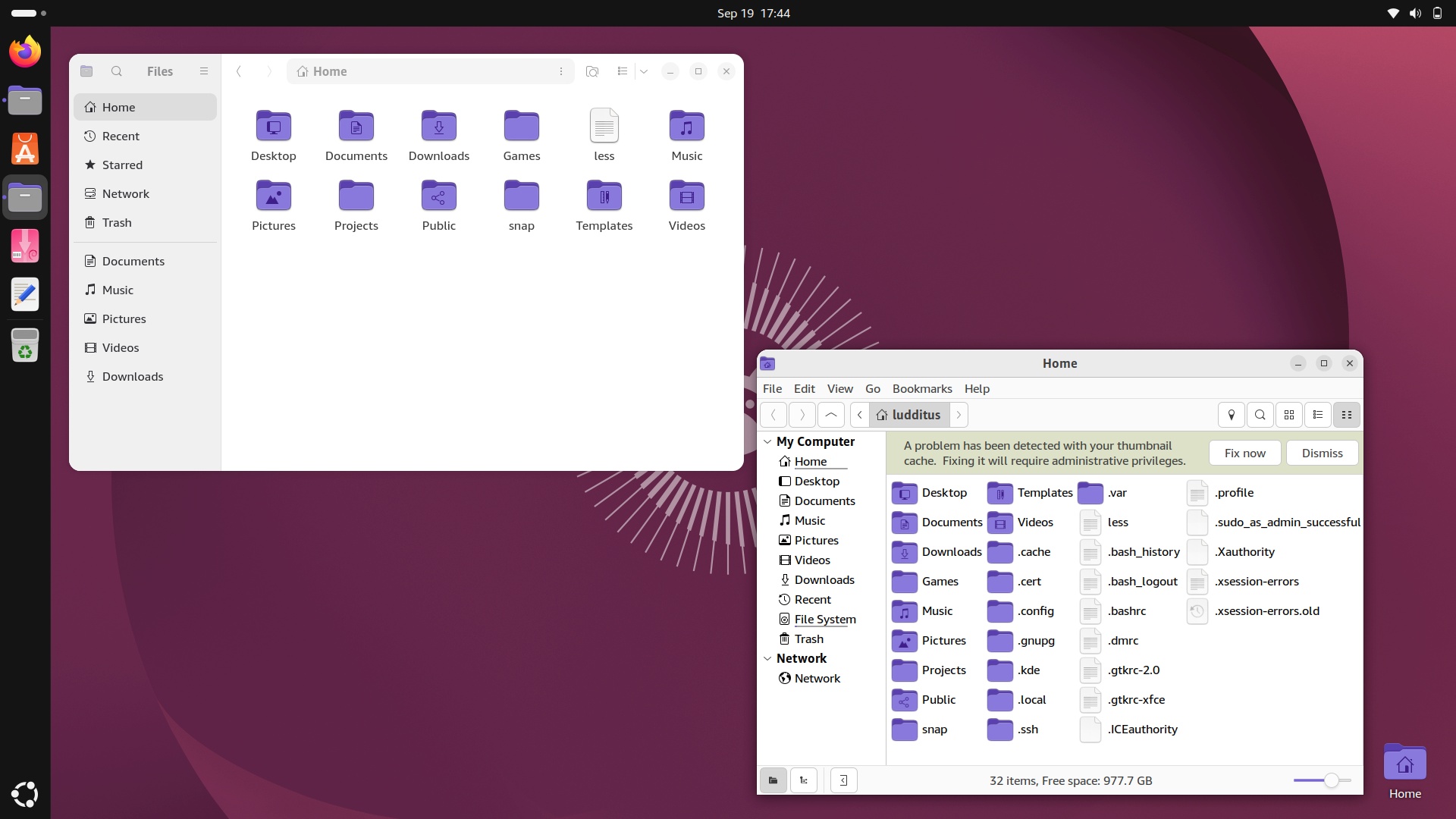
OK, that was peanuts, but even with my renewed benevolence, I couldn’t adapt to GNOME. Not in a fucking million years!
UPDATE: I forgot to mention that Ubuntu ignored my swap partition and created a /swap.img file of 4 GB! I had to manually perform all the steps needed to enable the swap partition and hibernation.
But the real showstopper was that Wayland seems to mishandle the Intel video on this old i5-5200U, so the text in Ptyxis (what a retarded name for a terminal) is rendered a bit funny at times. Well, Wayland FTW!
🤷♂️
What’s next? OK, how about MX-25.3_KDE_x64.iso? Adding MX’s bloat to KDE might not be the best idea, but at least I could experience both the latest MX and a different perspective on KDE. So installed it became.
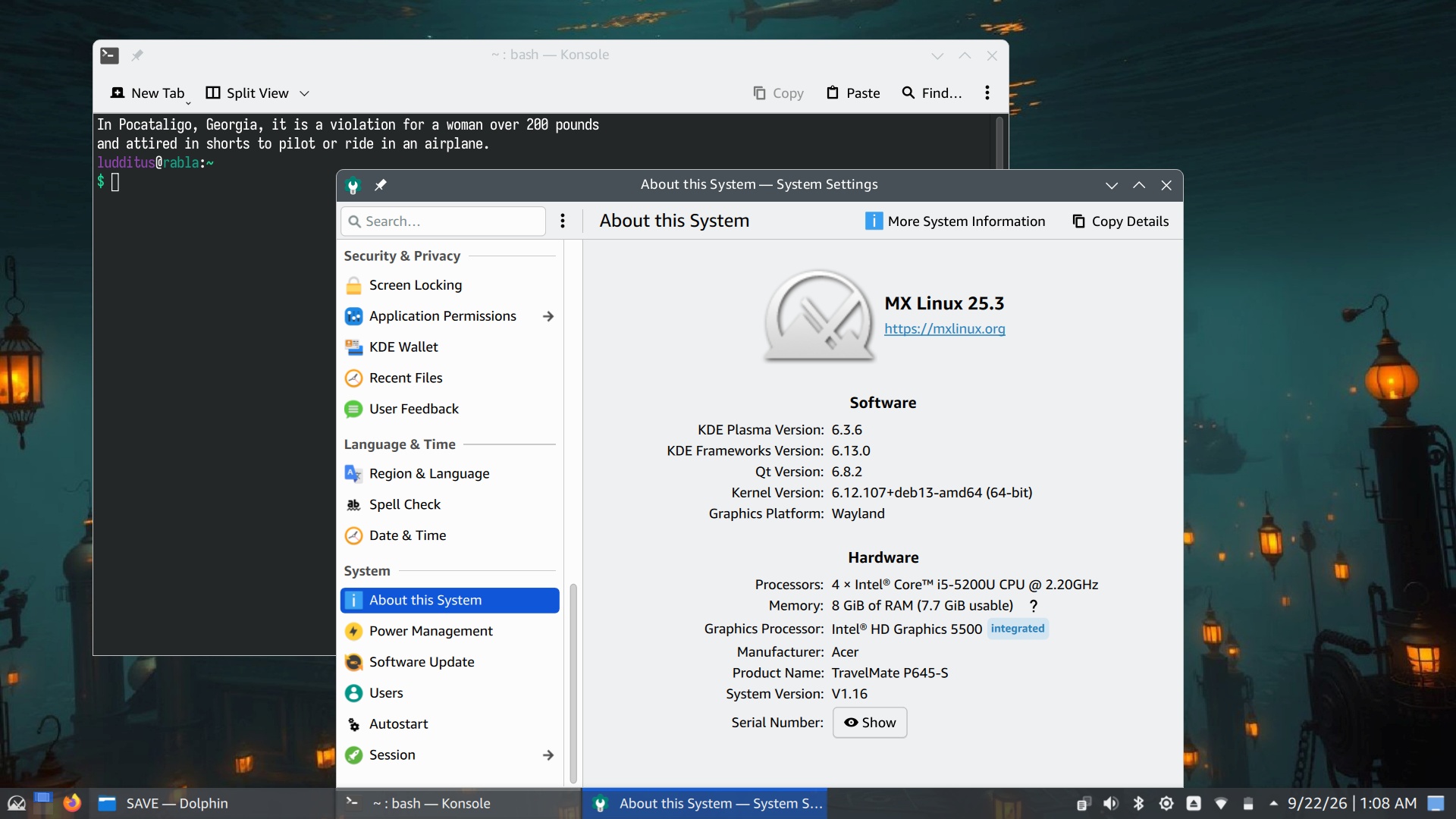
I have a huge issue with semi-translucent taskbars and menus. I thought the theme controlled them, but it looks like the panel configuration has a configurable “Opacity” setting that you can set to “Opaque” (duh).
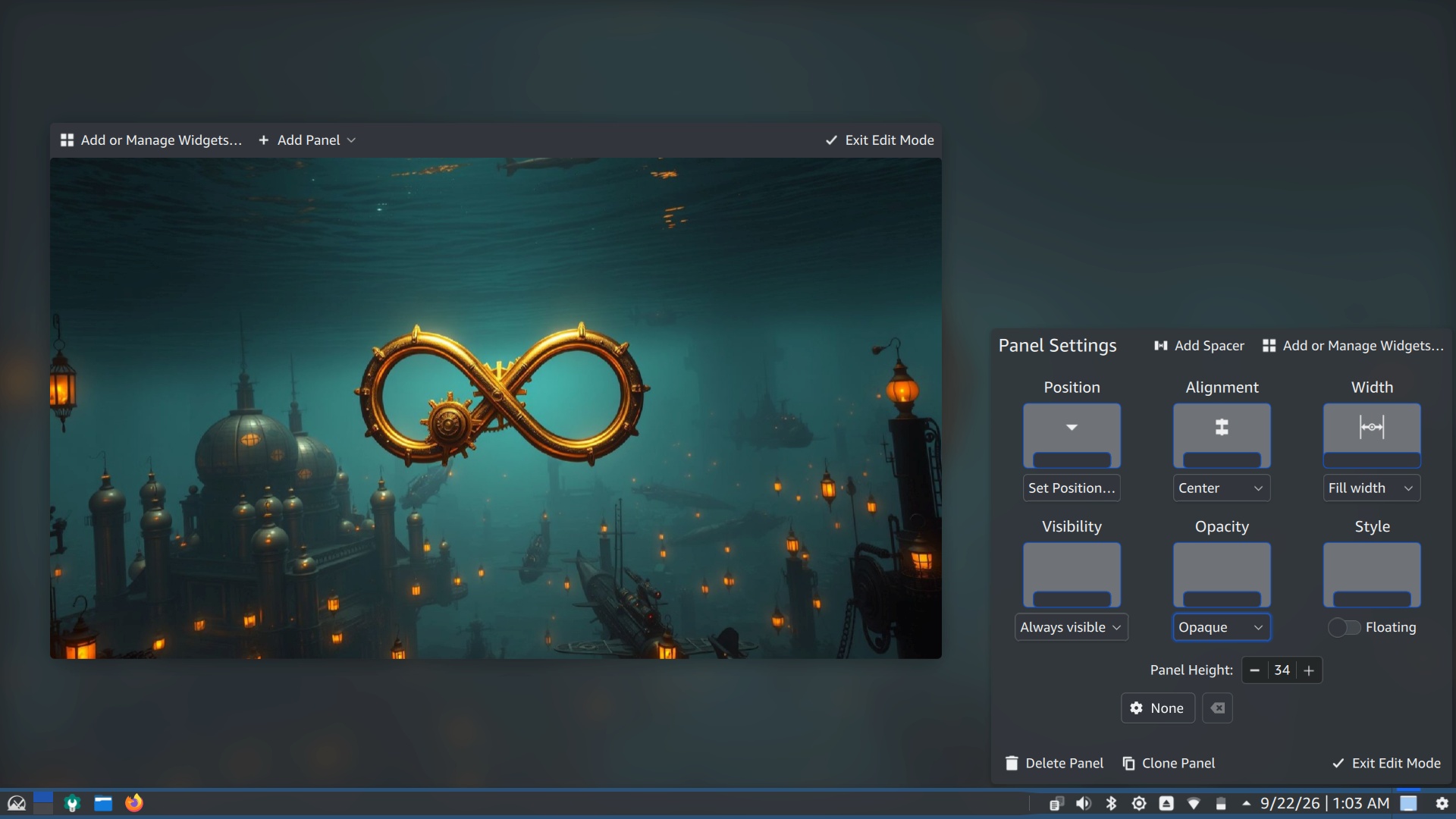
Except that you can’t. This shit refused to save the setting! It did nothing, and each time I returned to it, it read “Translucent”! Is this related to Wayland? Is it a KDE bug or an MX bug? Is it conflicting with an older dotfile from my eternally reused /home partition? I couldn’t be bothered to investigate. When software does nothing and shows no error, it’s broken.
UPDATE: No, the translucency configuration isn’t conflicting with any older dotfile, and I know that because opacity cannot be enabled in the live session either.
While we’re at KDE Plasma’s mental retardation: is there any logical explanation for such configuration windows to use radio buttons (because they’re round) that act like checkboxes (because clicking them repeatedly toggles them between enabled and disabled)? In the image below, there are 6 checkboxes and 4 radio buttons. They all act as checkboxes, so it makes no sense.
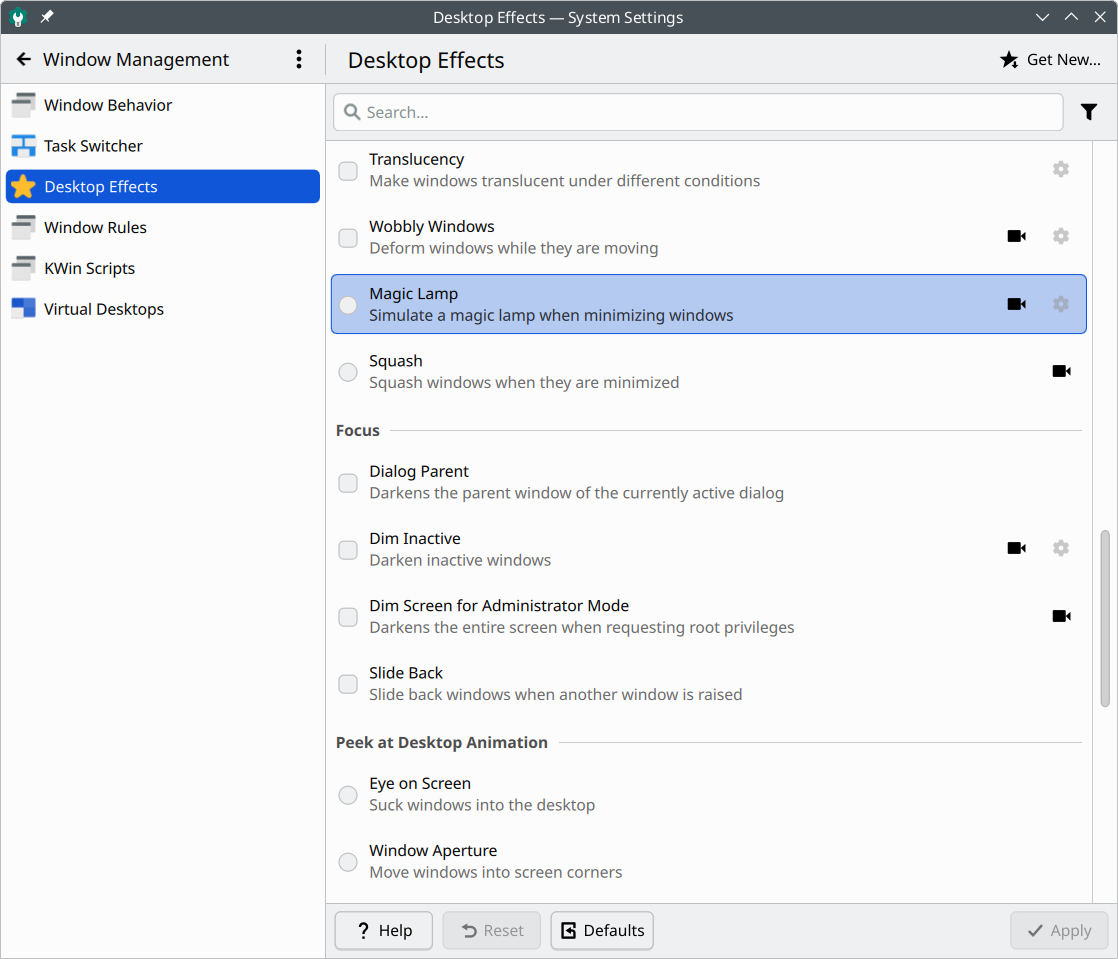
I keep trying to understand Plasma 6, and it keeps showing me it’s getting shittier with every passing day.
Hibernation: MX couldn’t care less about it.
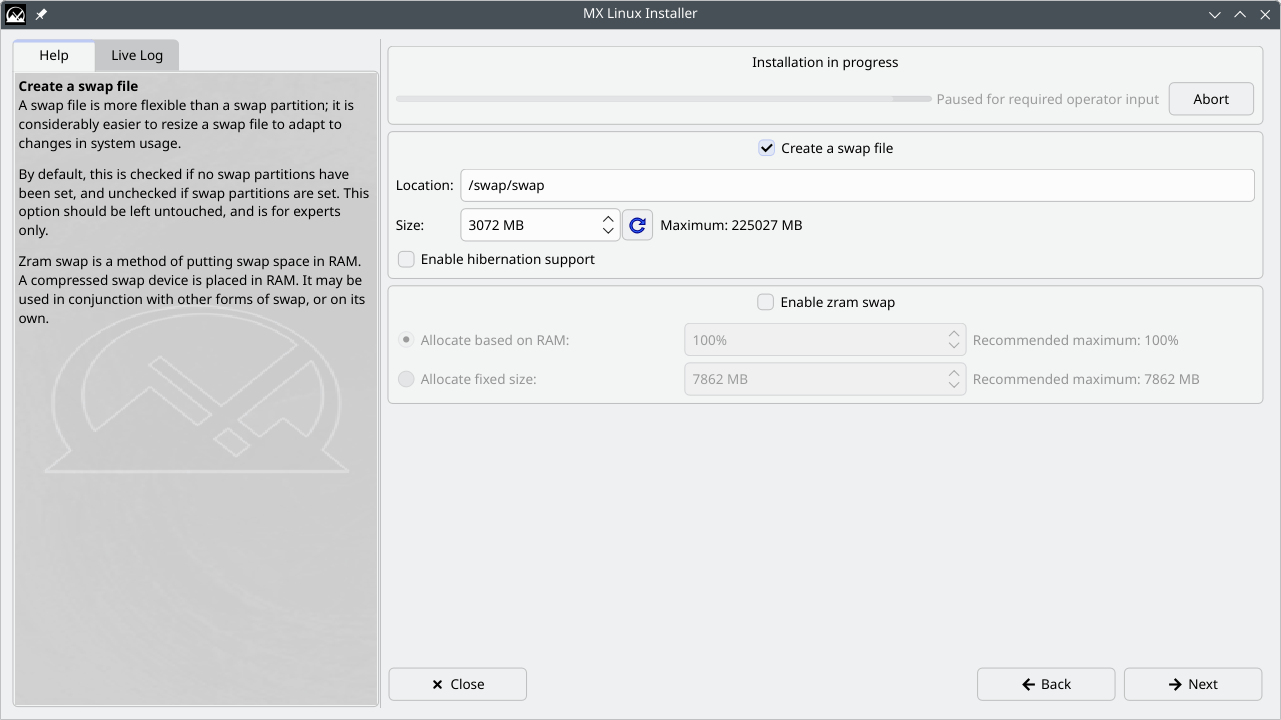
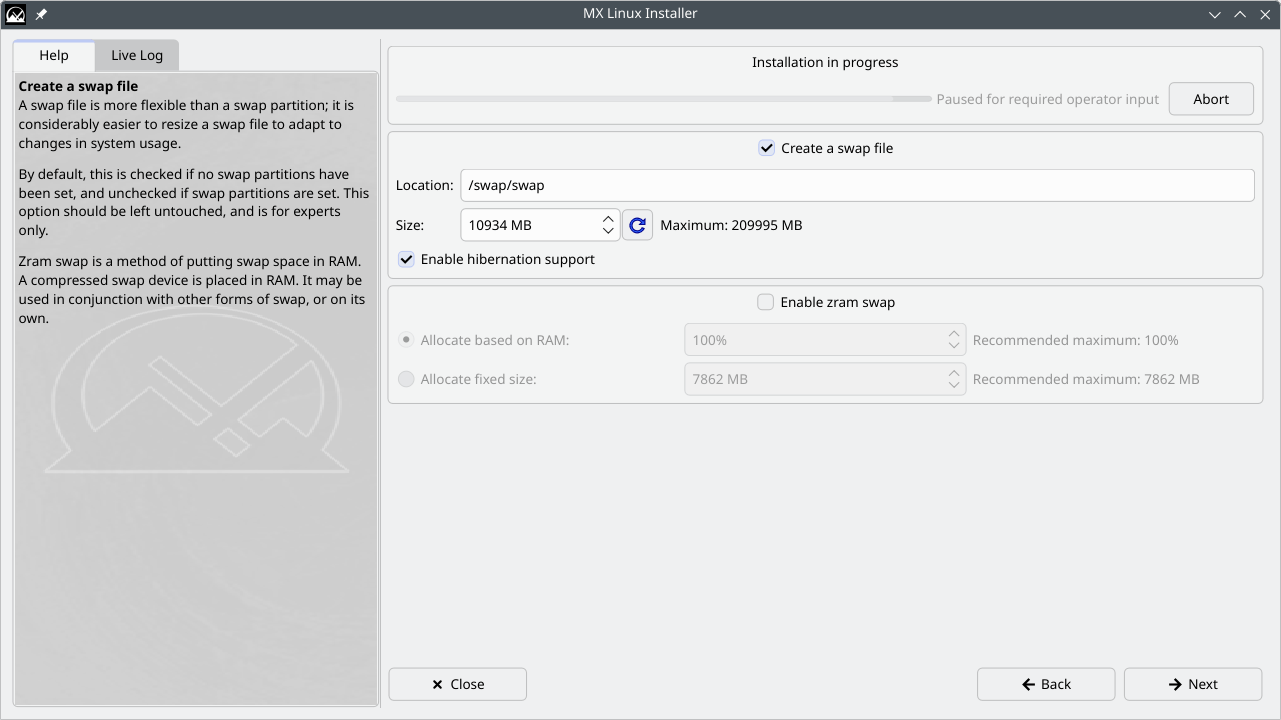
CORRECTION: The way I first installed MX 2.53 KDE will remain a mystery. I couldn’t have missed the screen inviting me to create a swap file and to enable hibernation—but only if I enabled a swap file, not a swap partition. Nonetheless, I somehow missed it, possibly by inadvertently clicking “Next” twice in a row.
It happened to me before during the installation of an XFCE edition of MX, so there might be an issue with that “Next” button; maybe it sometimes registers two clicks instead of one, so it skips a screen that can be skipped because the user isn’t required to change anything in it for the setup to go on?
On the other hand, if I check both “Create a swap file” and “Enable hibernation support,” the swap file size changes from the default 3072 MB to 10934 MB for 8 GB of RAM. (The logic of this exact value escapes me.)
I decided to replace the existing installation with a new one, preserving the home partition, hence the settings. I ended up with a working hibernation, but here’s how crazy the swap usage is:
- Swap file (
ls -l /swap/swap): 11,465,129,984 bytes.- Swap partition (
lsblk -b): 8,598,323,200 bytes.- Total available swap (
free -b): 20,063,444,992 bytes.Well, the sum should have been 20,063,453,184, but 8,192 bytes weren’t usable for some reason.
Anyway, the criticism remains:
- If you don’t configure hibernation during initial setup, you can’t enable it later because there is no tool to help you do it.
- MX can enable hibernation only via a swap file, though it can also use a swap partition if you have one. But the swap partition will be used strictly as swap.
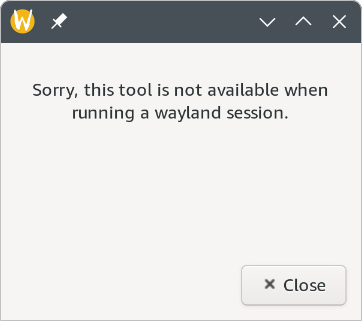
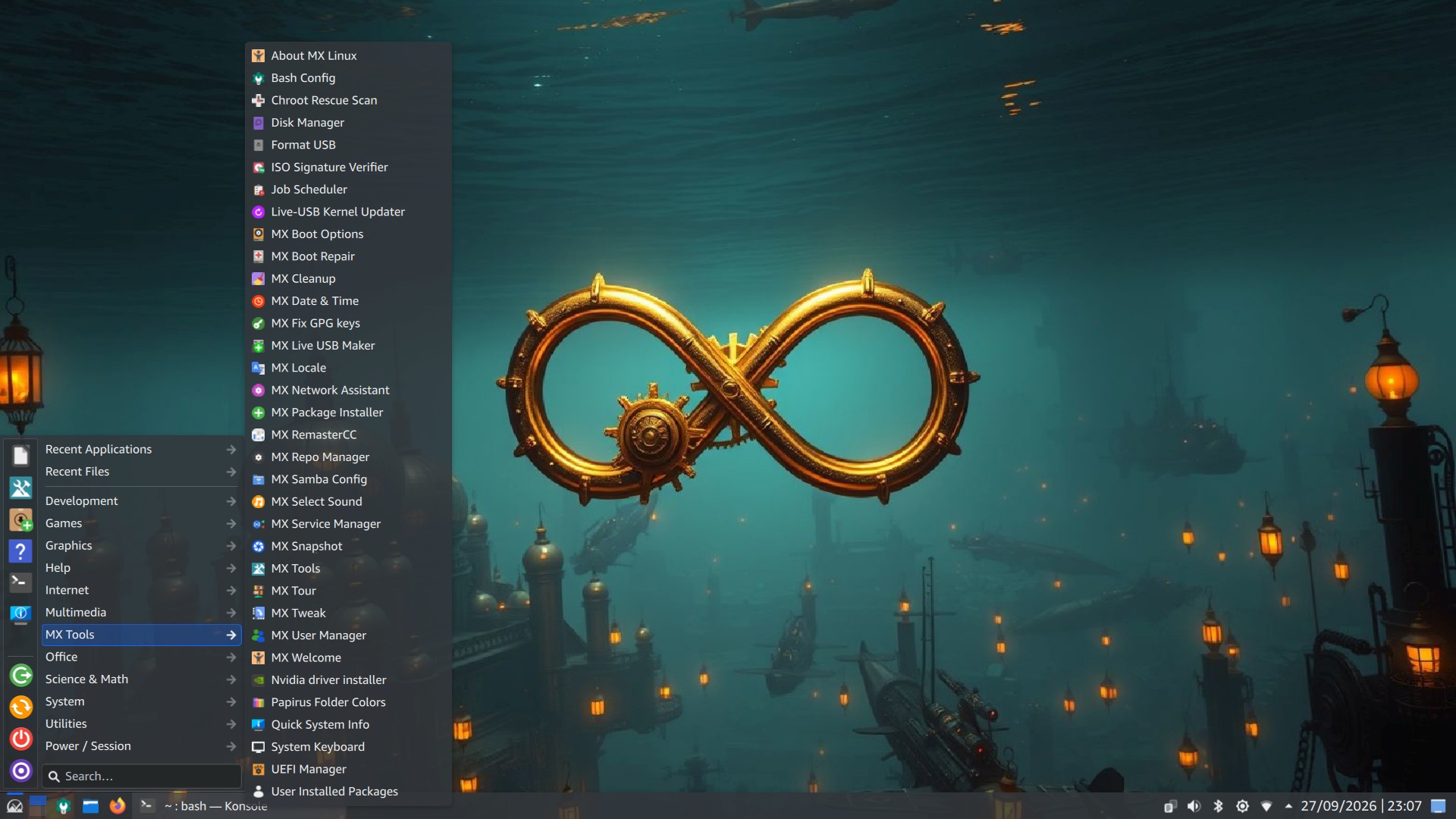
Speaking of MX’s “fabulous tools,” some of them fail under Wayland, even the innocuous “Papirus Folder Colors” (which is not prefixed by “MX”):
MX currently works (the translucency maddens me, but let’s pass on that), apart from two weird issues. First, the screen seems to flicker on rare occasions, something I never experienced before. Is kwin_wayland to blame on this hardware? Second, after resuming from hibernation, the power button doesn’t do anything anymore. I have to use a software button to hibernate, shut down, or resume. After a full reboot, the power button works again. Linux is a season from “The X-Files”…
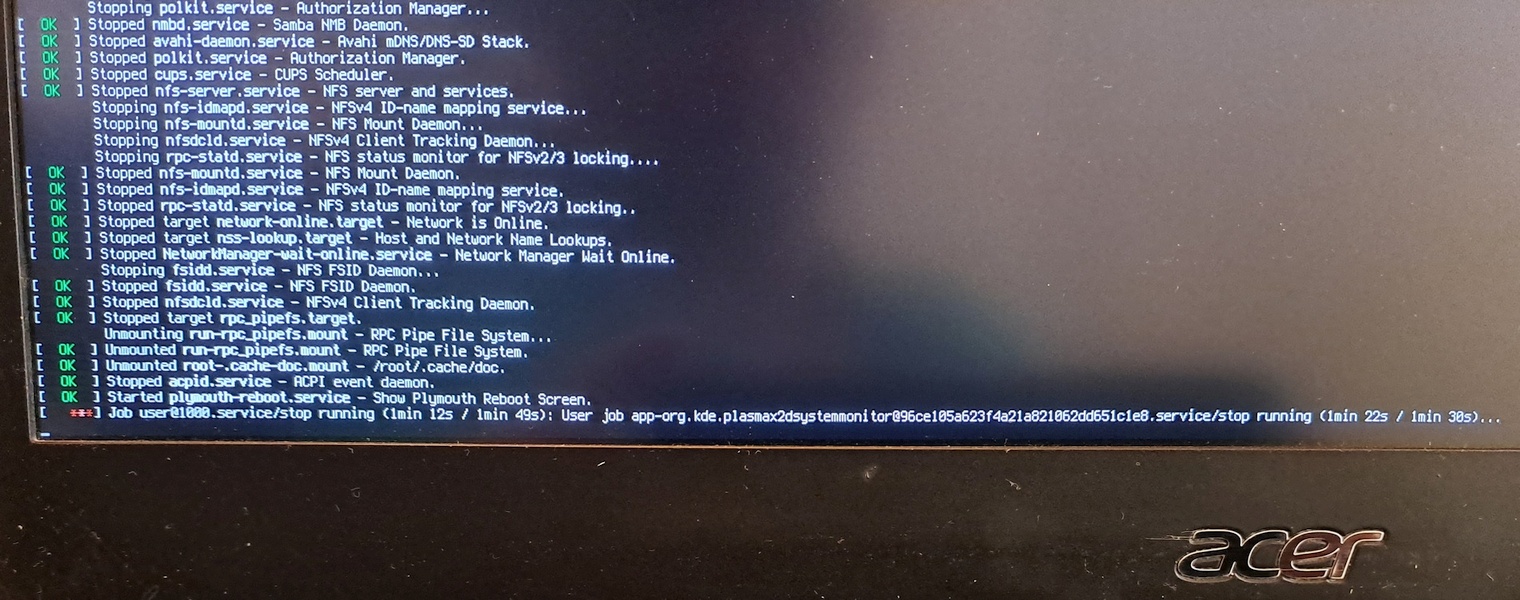
Look, Ma, I forgot to quit System Monitor, and systemd waited more than 1m30s for the org.kde.plasma-systemmonitor service scope to die (\x2d is the escaped hexadecimal notation for the hyphen)! Oh, the joys of life!
Mishap #4: DESERT on the external SSD
I first tried DESERT OS Linux last December. Both 4.5 and 5.0. The current version is 5.5.2, it has very much improved. Sort of.
This time, I installed DESERT 5.5.1 on the external SSD (based on Ubuntu 26.04 with XFCE 4.20), then upgraded to 5.5.2, which added some new bugs.
After my initial live test of DESERT 5.5.1, I added this comment:
I also tested
DESERT_5.5.1_26.04_LTS_amd64.isosome time ago, but I kept forgetting to mention it.It has improved. More polish, fewer bugs, and the window buttons can now be moved to the right side!
There are still some bugs, and I could never get used to the global menu, so I couldn’t really use DESERT. But it has improved.
On the buggy side, the weather widget spells the place name in Cyrillic (Леонберг). And there were a few more bugs I forgot about.
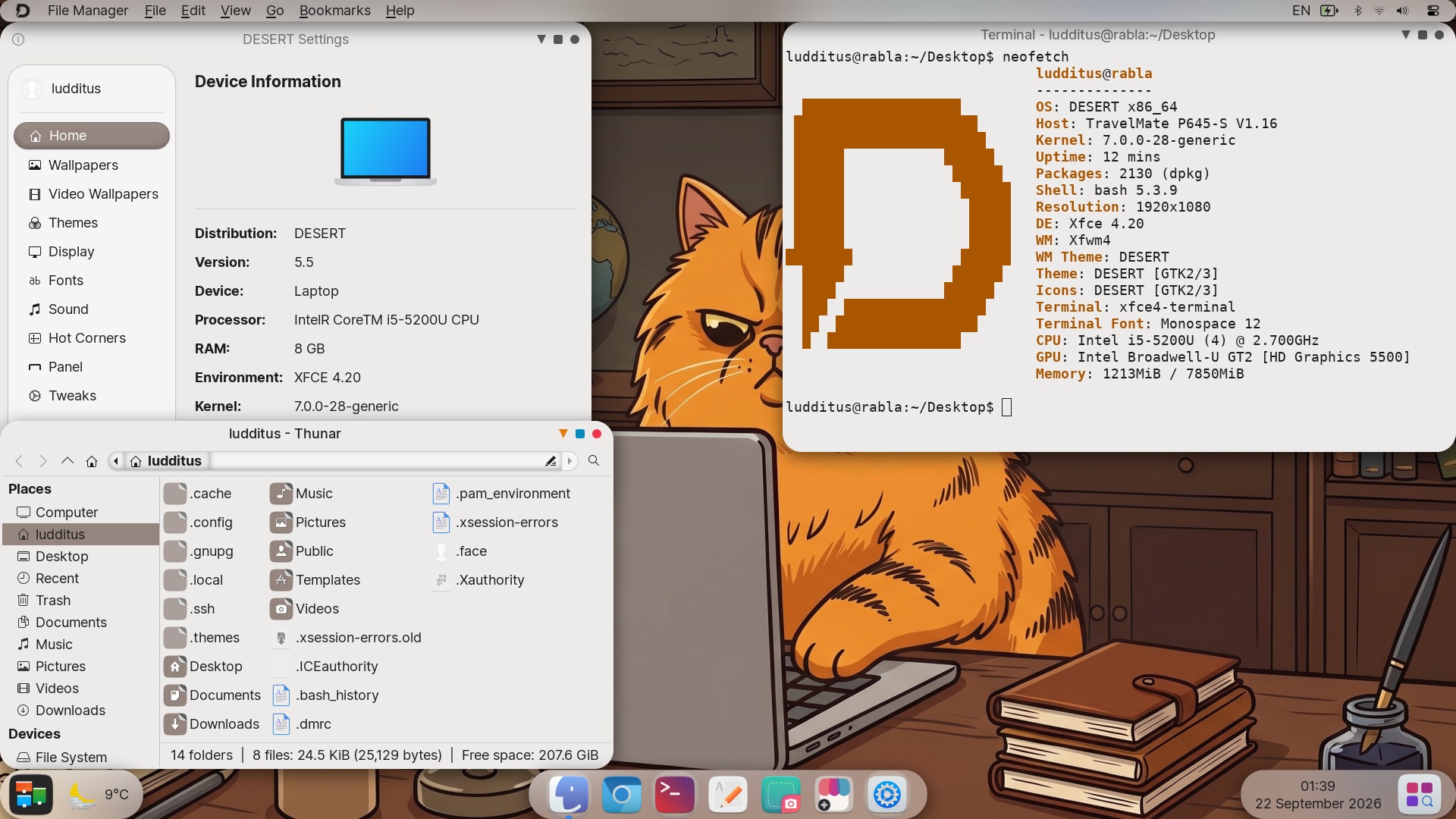
BTW, if you move a window’s buttons to the right, they will still show up on the left if the app is maximized. Well, as long as macOS is the mimicked OS… 🤦♂️
Meanwhile, it got installed. I moved the window buttons to the right, for fuck’s sake!
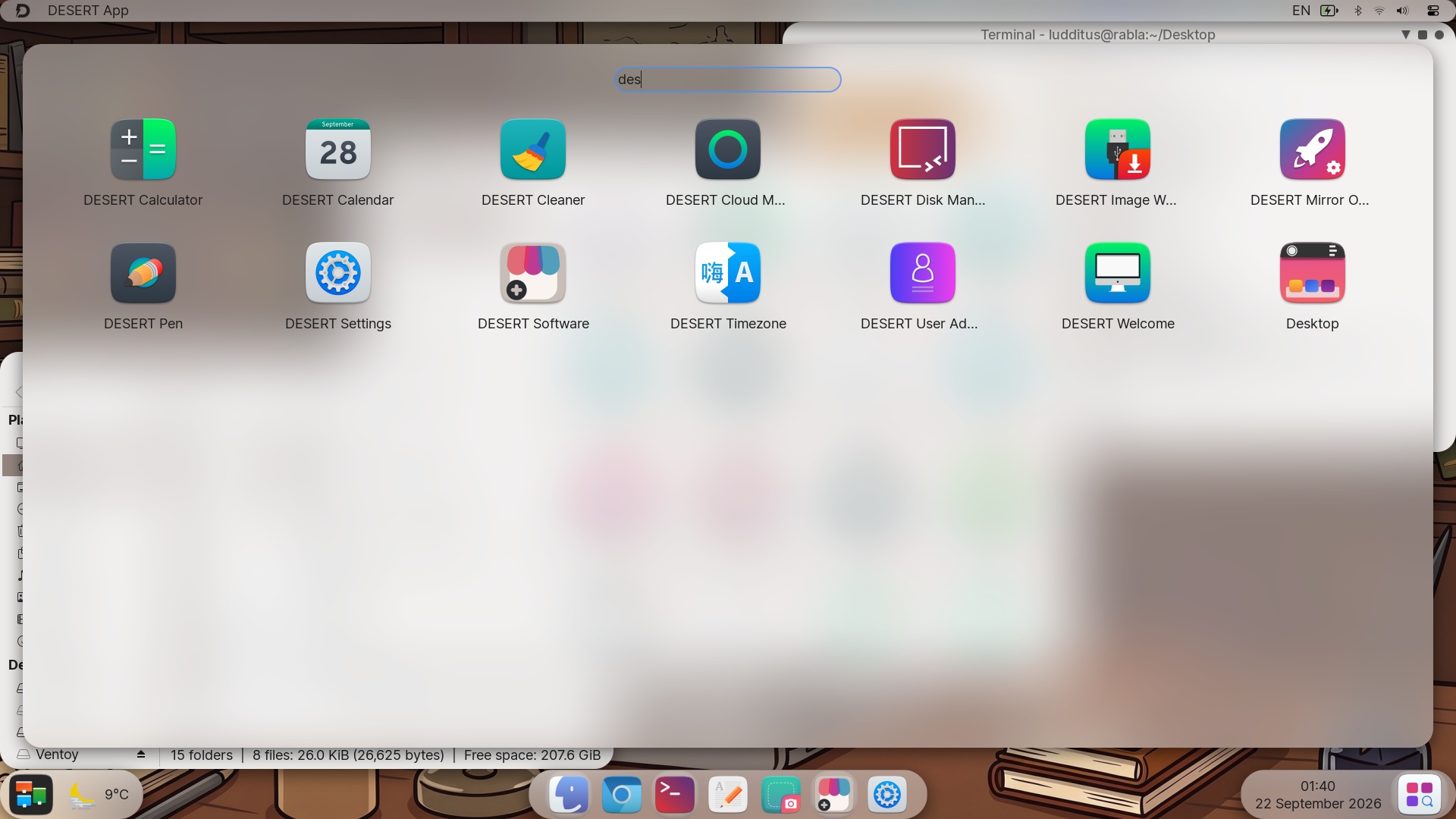
The 13 DESERT tools are less obnoxious (and potentially more useful) than MX’s bloatware:
But then I upgraded to 5.5.5:
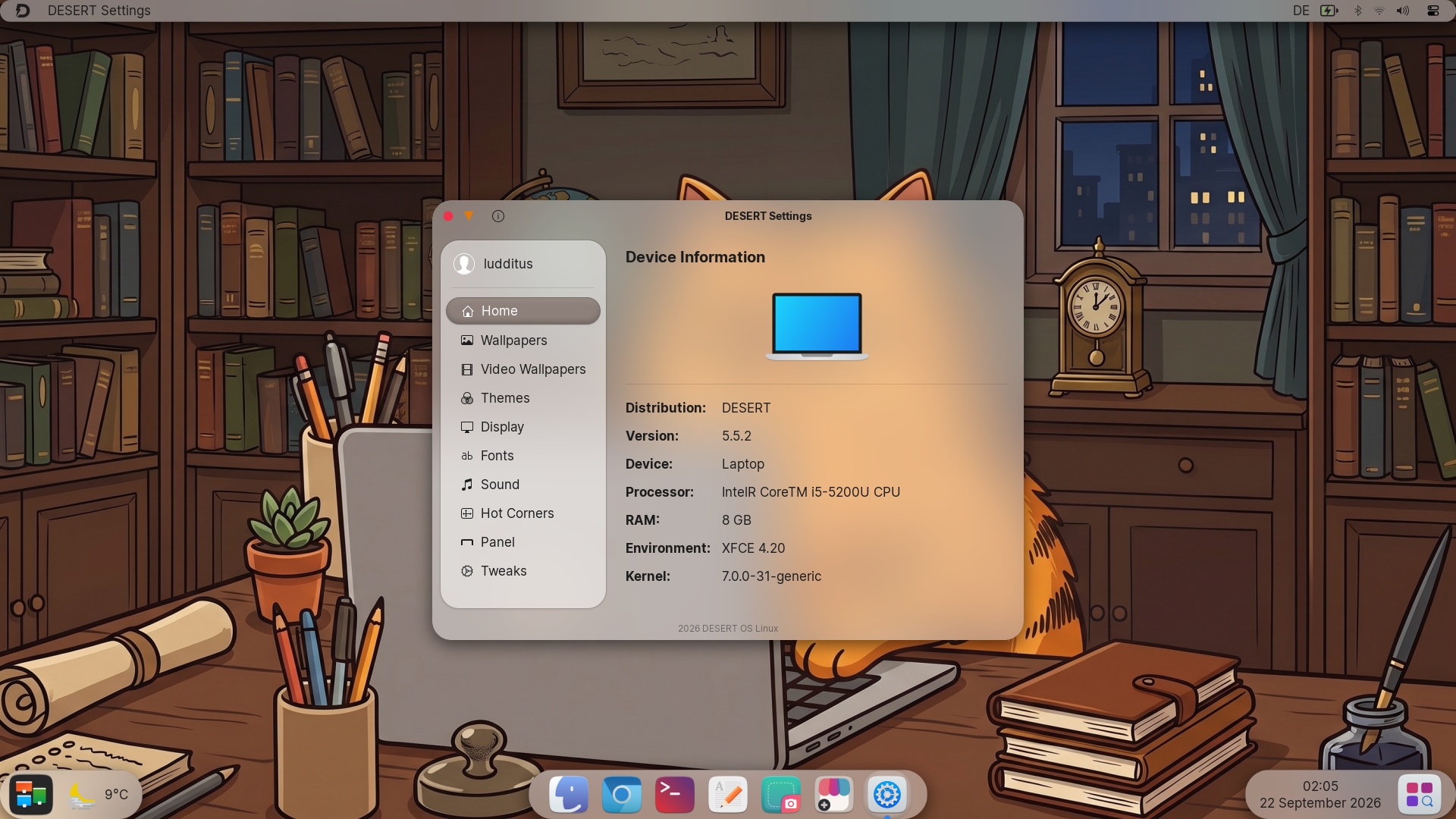
Aaaand… the system became “unupgradable”! It’s still stuck in a broken sudo apt upgrade:
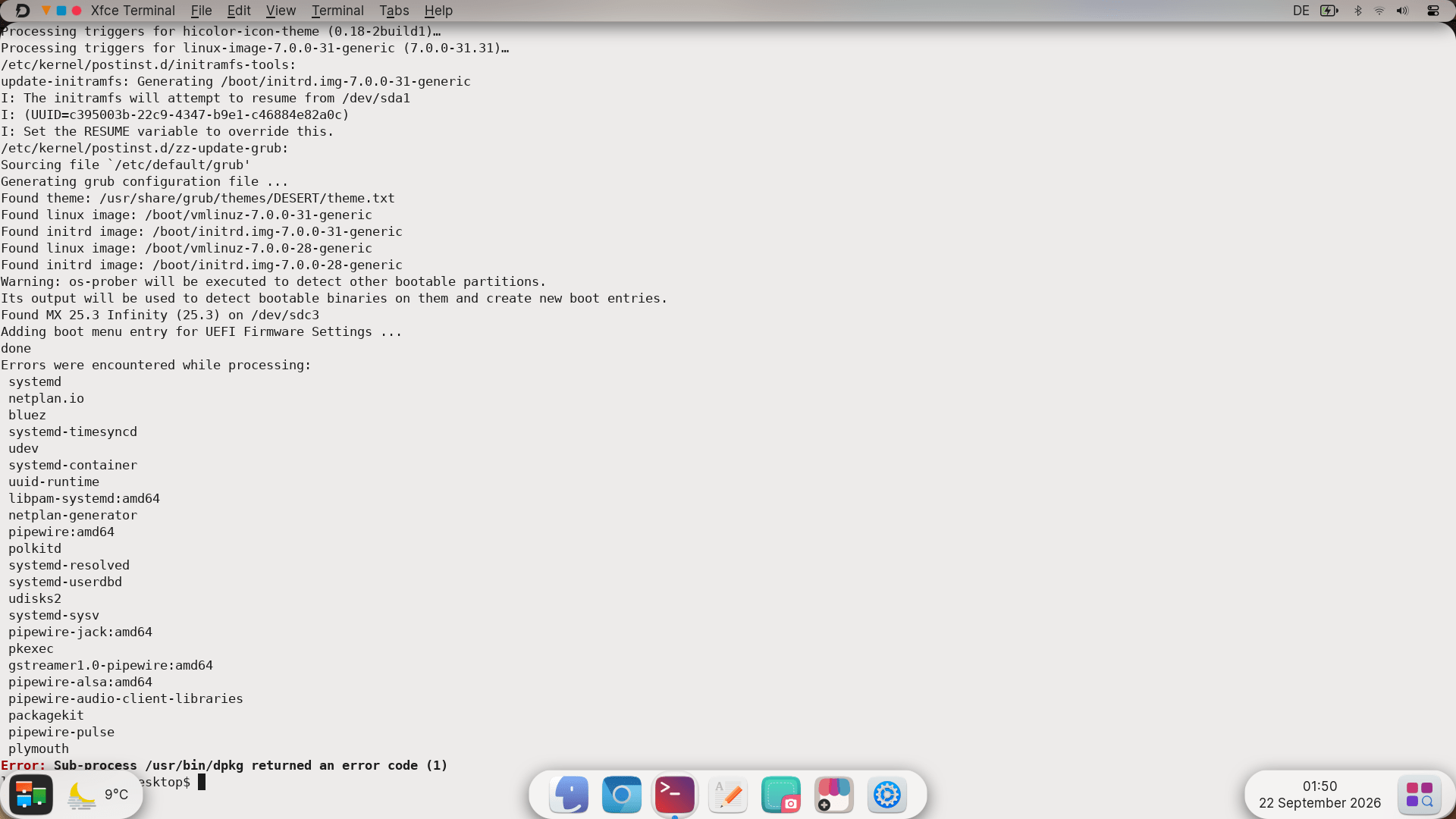
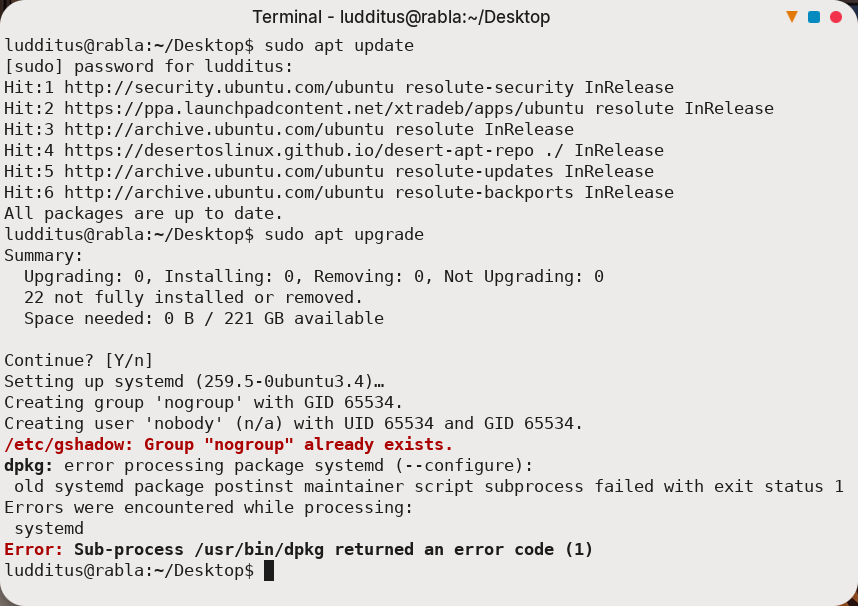
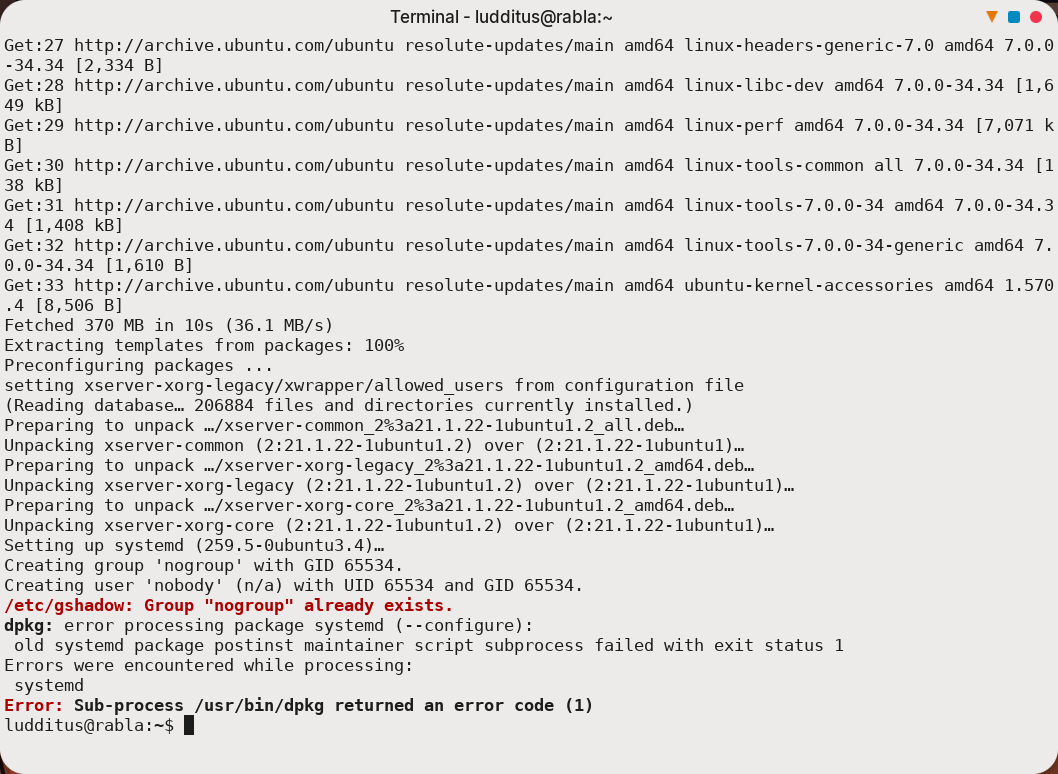
So the system is, for all intents and purposes, BROKEN.
Even if it wasn’t (weren’t, to be precise), there’s a weirdness in the mechanism for moving back to the right of the title bar buttons.
Primo, only the full set of 3 buttons can be moved to the right. Windows with only two buttons or a single button (Close) still display them on the left side.
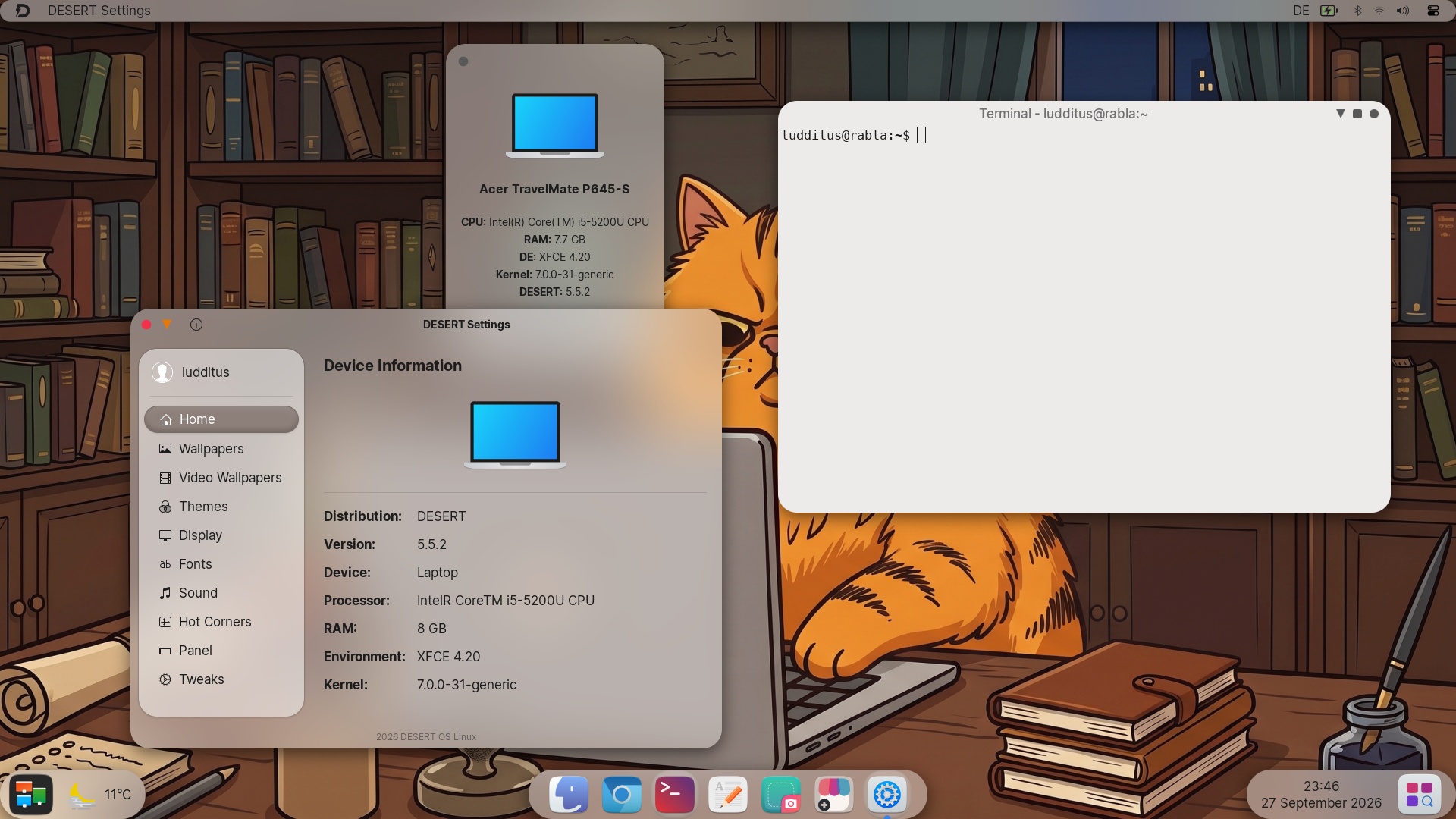
Secondly, maximized windows also display these buttons on the left side, but in the global menu. You already have a screenshot above that shows this.
The only advantages of using DESERT instead of purchasing a MacBook Neo are that you don’t need to buy new hardware (you just made a €800 economy in Europe or a $700+tax economy in the States) and that it has a true file manager, Thunar, that can display folders with lots of files in several compact, easy-to-navigate columns. Maybe most macOS users, as well as most GNOME users, don’t have that many files in a single folder, don’t need to see many of them at once, or don’t have that many synapses, either.
On the negative side, it’s still Ubuntu with XFCE and a lot of skinning work, with many tools that are nice but imperfect.
Oh, and it breaks too easily. My installed system is broken, so I need to replace it with something else if I want to make use of that external SSD that still works after 10 years.

Nothing seems to work these days
Using the same faithful Ventoy stick (recently reinstalled) that hosts Xebian, Debian, MX, Ubuntu, Kubuntu, DESERT, and other OS images, I thought I should take a quick look at some live sessions.
● Fedora-Budgie-Live-45_Beta-1.3.x86_64.iso: The checksum was correct, but it failed to start on this laptop. The boot process took ages, then dracut-initqueue started spitting shit after about 150 seconds. It eventually failed with “/dev/root does not exist” and “/dev/ventoy does not exist”. This ISO might not work with Ventoy, methinks.
● Fedora-Cinnamon-Live-45_Beta-1.3.x86_64.iso: Same shit.
● Fedora-KDE-Desktop-Live-45_Beta-1.3.x86_64.iso: Take a guess.
● Fedora-Xfce-Live-45_Beta-1.3.x86_64.iso: Why would it be any different?
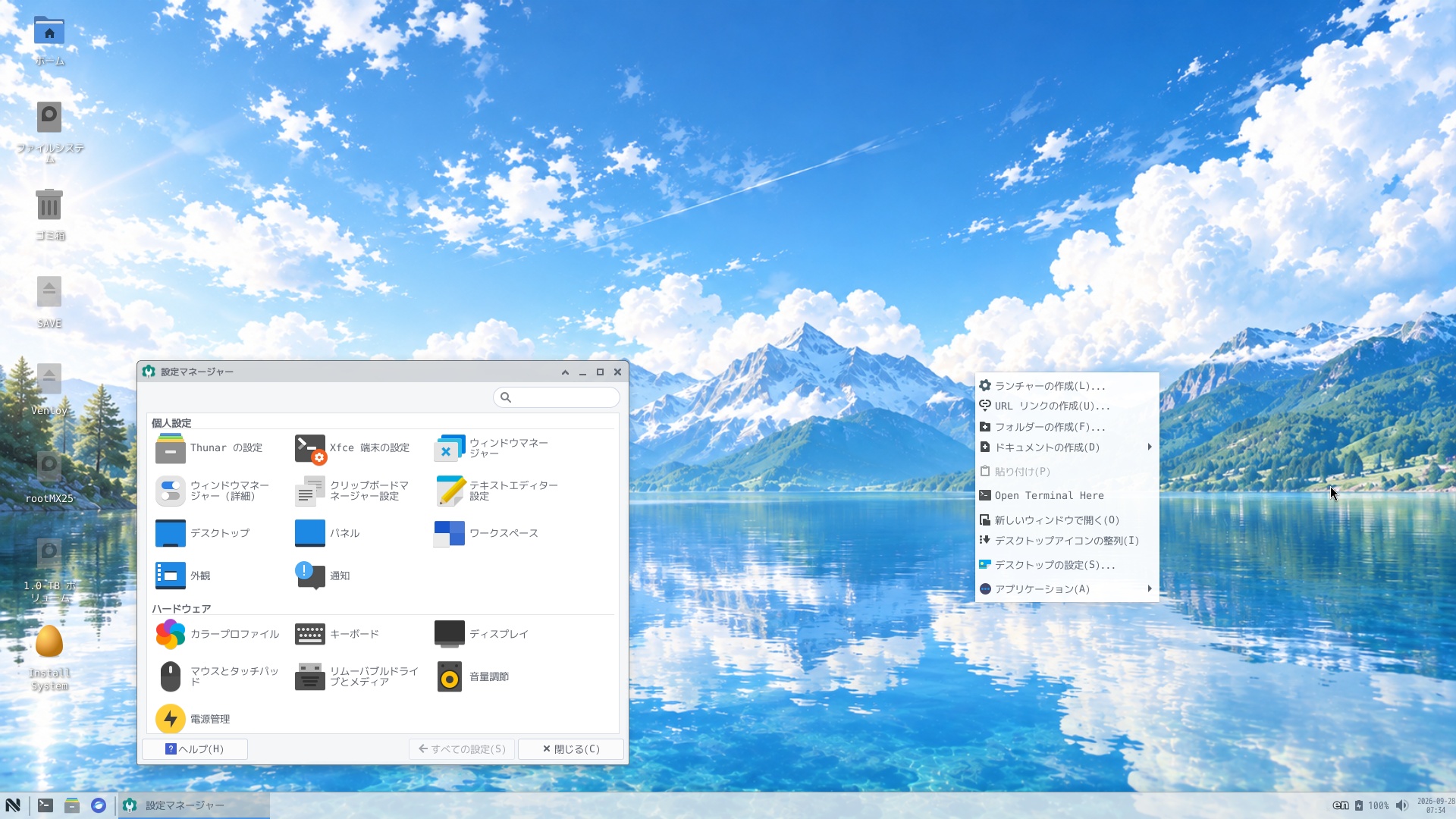
● NagisinnraLinux: “Small by nature. Beautiful by design.” Me no speak Japanese. My bad, I didn’t know it’s not multilingual! And the mouse constantly freezes; only the trackpad works reliably.
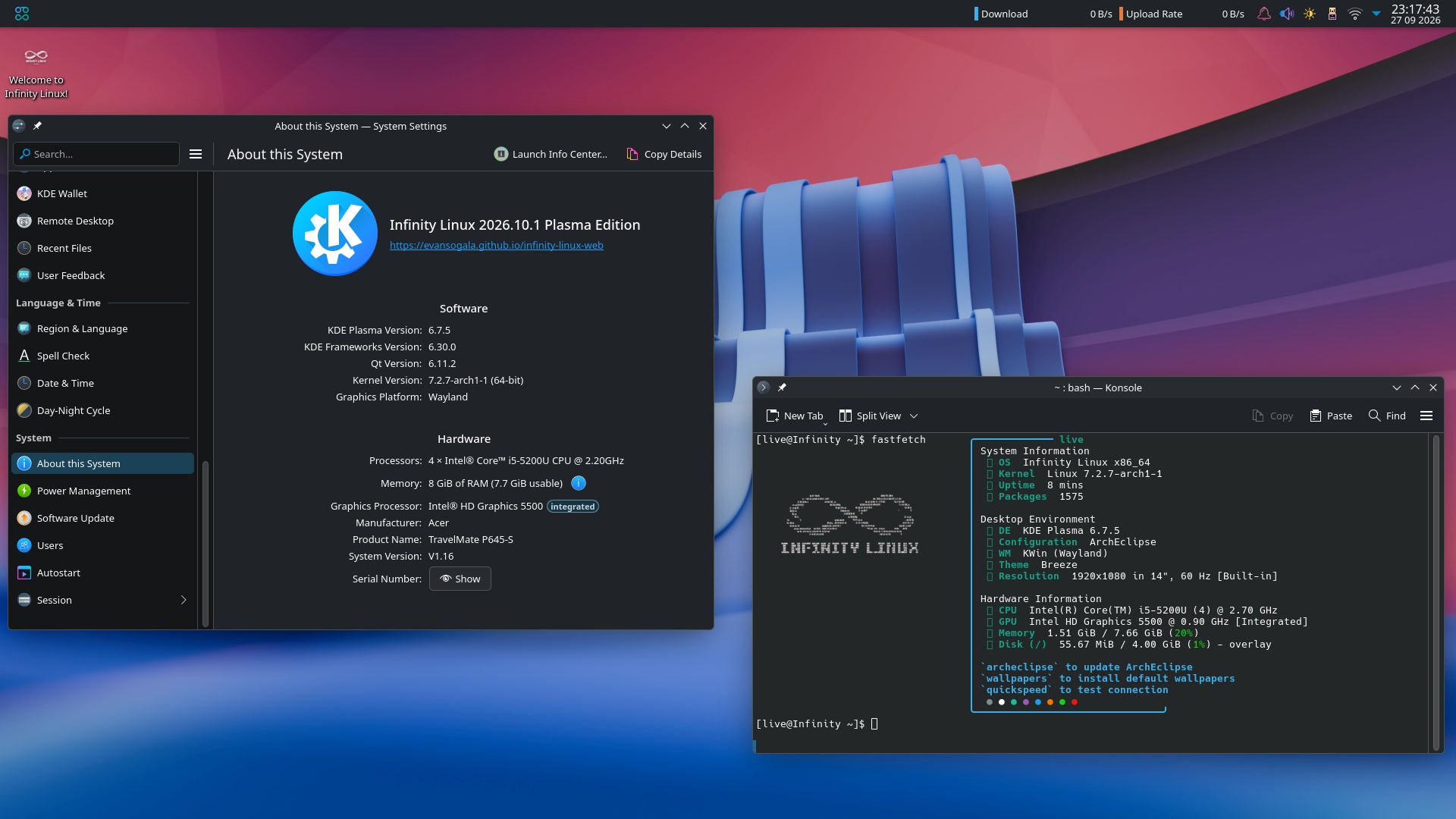
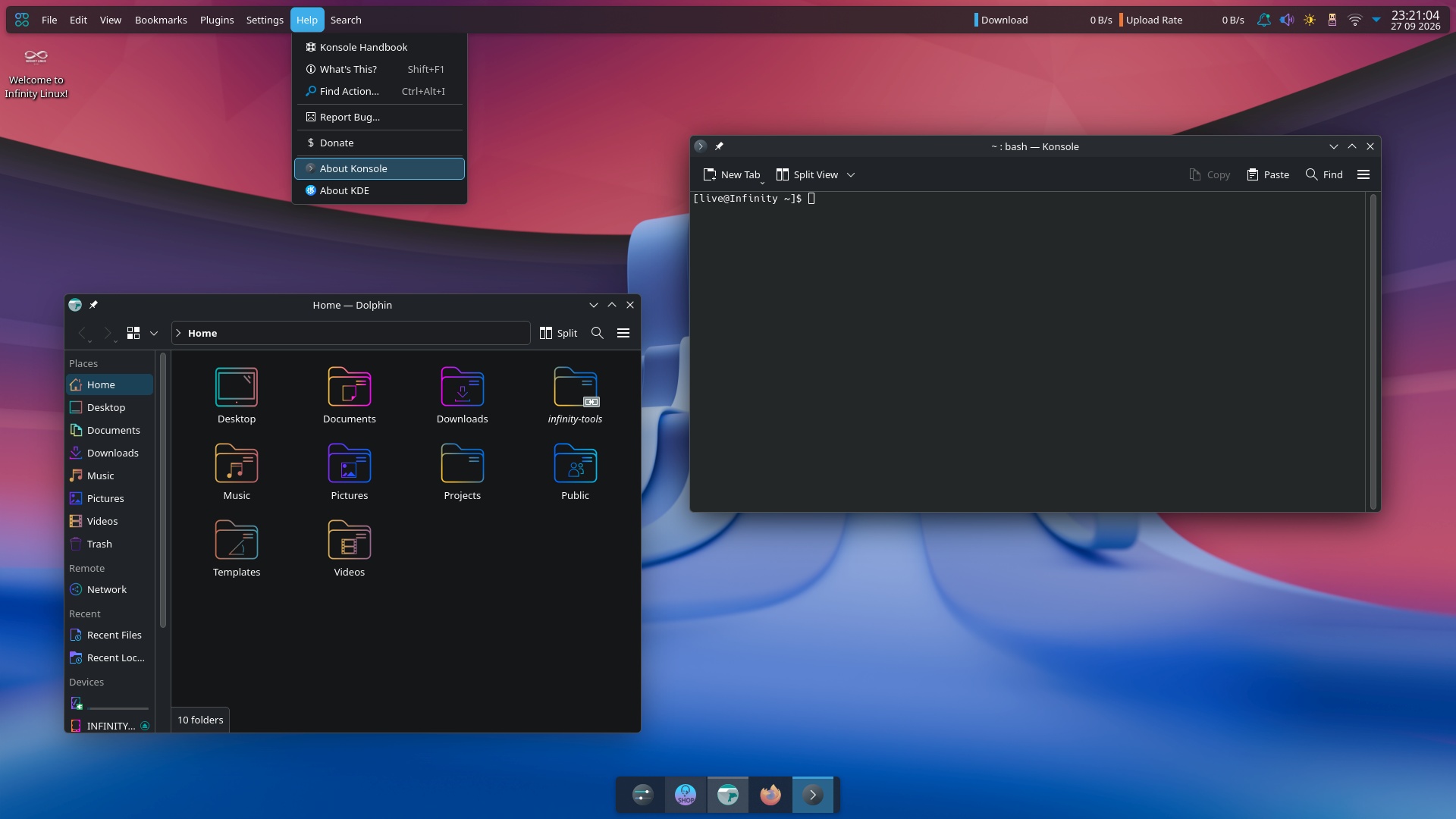
● Infinity Linux: “Infinity Linux is a clean, capable Arch-based system for people who want their desktop to feel as limitless as their ideas.” OK, it’s KDE. But, OMG, a top panel with a global menu, a bottom dock, and Garuda-like colors?!
I need a break.
● Auxo Linux 3.0: The live session is just fine (KDE), but when I tried to install it on my usual 2-SSD setup (reusing the /home that’s on a separate SSD), it just didn’t install GRUB anywhere. WTF is wrong with distro makers these days? Are they that dumb?
Now I really need a break.
A word about a piece of human garbage
Dave Plummer, that human garbage who, for some reason, has 1.15M subscribers on YouTube despite being a well-known scammer who happened to write some code while working for Microsoft (watch Dave Plummer: The Man Who Scammed Millions (in 2006)) and who now brags of his achievements as if he were some genius who made Windows NT possible, had the cheek to write a piece of garbage software for Linux, and Joey Sneddon fell into the trap: Ex-Microsoft dev builds a new task manager for Linux.
A relevant note:
TMOG includes a “Flight Recorder” feature that enables a user to rewind data to help identify issues when they happened, rather than after-the-fact.
But that feature, along with others, including a CPU benchmarking tool, is only accessible behind a $39.95 “paid Pro tier”.
An even more relevant comment from a reader:
Dave Plummer? THE Dave Plummer? The very same Dave Plummer who created Task Manager? The man who has reminded us approximately 47,000 times that he wrote a utility for Windows NT in the mid-90s? THAT Dave Plummer?
You mean the one who left Microsoft in 2003, immediately founded SoftwareOnline LLC, and proceeded to run a scam operation that scared users into buying fake “Registry Cleaner” and “InternetShield” software by falsely telling them their computers were under threat? The company that blasted users with pop-up ads, billed people for things they never explicitly agreed to buy, and shipped an uninstaller that deliberately didn’t actually uninstall anything?
The very same Dave W. Plummer who, as chief technology officer, personally admitted to multiple violations of the Washington State Consumer Protection Act when the Attorney General’s office came knocking? Who had to pay $400,000 in civil penalties, refund all the consumers who complained, and pay the state’s legal fees on top? Who also happened to own “http://certified-safe-downloads.com,” which was just a redirect to his own scam storefront?
The Dave Plummer who, when a YouTuber made a video in 2025 documenting all of the above using publicly available court records, responded by filing a fraudulent copyright strike to take it down? A strike YouTube reinstated the very next day? And then tried to strike it again?
Truly a giant of the industry. Now if you’ll excuse me, I need to open Task Manager to kill the process of caring about his opinion.
Yup, that one.
Updates and corrections:
– An update regarding Ubuntu: It was Ubuntu the one that ignored my swap partition and created a 4 GB swap file!
– A correction regarding MX: I can’t explain how I missed the swapfile-cum-hibernation screen during setup, other than accidentally clicking “Next” twice.
– A small update regarding MX: Opacity cannot be enabled in the live session either.