
✍️ Is there any LanguageTool alternative worth the money?
I started this post about ten days ago and posted an initial version on August 16. Meanwhile, I explored a few other solutions and tested the ones I initially considered more thoroughly. The analysis required better organization, so I restructured it and reposted the updated results with a new date.
Discussed products:
① Quillbot ② Grammarly ③ Harper ④ WProofreader ⑤ Self-hosted LanguageTool ⑥ DeepL Write ⑦ Antidote ⑧ ProWritingAid ⑨ Lexicon ⑩ Ginger ⑪ Hemingway Editor ⑫ Wordtune
Chapters:
1. A first look at the obvious choices
2. Gemini came up with some extra suggestions
3. “Grammarly’s bloated extension”?
4. Correctors and prepositions
5. Have You Ever Seen The Rain? (Creedence Clearwater Revival)
6. Quillbot, Grammarly, and testing French
7. The Ukraine test
8. Odds and ends: miscellaneous comparisons
9. Back to French!
10. Quick words on Romanian
11. How about something local?
12. Some more suggestions
13. A couple more Grammarly annoyances
14. My way is still the best way
15. To pay, or not to pay?
16. Pricing, pricing, pricing!
17. A late and final warning
18. Epilogue?
Introduction
I’ve been using LanguageTool for a very long time. Unfortunately, there is no longer a free tier for their Firefox add-on. From their announcement: “We have made the difficult decision to limit the use of LanguageTool’s browser extension to Premium users only.”
Some people claimed the extension becomes Premium-only starting January 16. Some others said it would be March 31. For me, the extension worked through August 15!
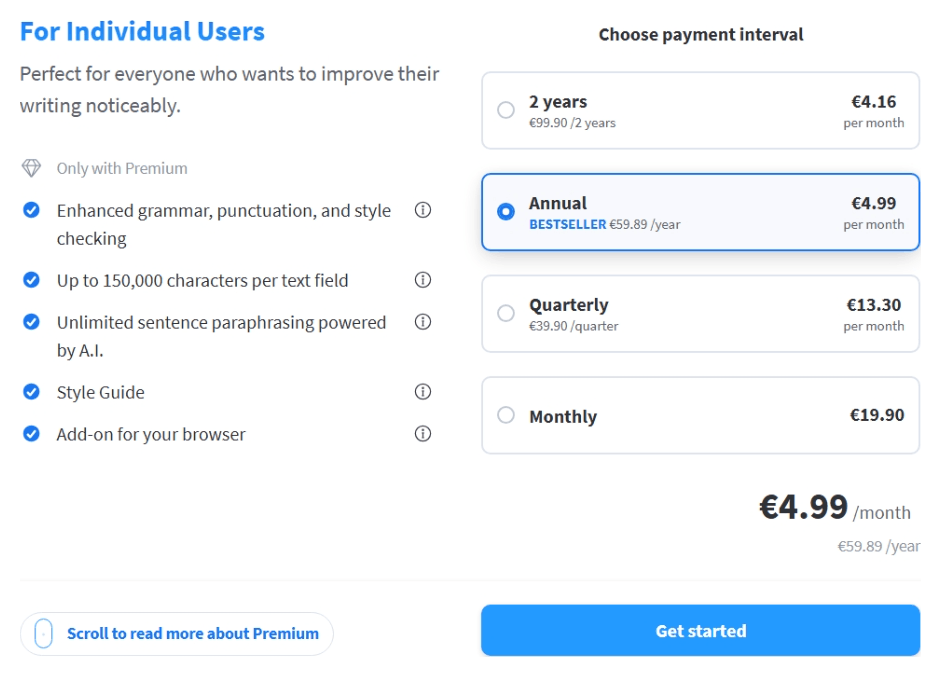
Now, LanguageTool still works in Basic mode (basic grammar) in their online editor, but this requires intensive copy-paste sessions. And LanguageTool, at least with a free (Basic) account, has become increasingly stupid lately, even in English. Premium costs €60/year when paid annually, or €100 for 2 years (prices vary by location).
What alternatives are worth exploring?
1. A first look at the obvious choices
❶ Quillbot doesn’t offer a Firefox add-on, although it supports Chrome, Edge, Safari, and probably anything Chromium-based (Brave, Opera, Vivaldi). It covers English (US, UK, AU, CA), Spanish, French, and German. It also supports Dutch and Portuguese, but not on Android. I don’t even have a free account with them, for I was disappointed by their disdain for Firefox. I can’t even tell how thorough their grammar checker is because free accounts only get a basic grammar checker, just as is the case with LanguageTool. At €100/year if paid annually, that’s quite expensive. Subjectively, I like the version of Futura used for their logo, but is their grammar checker worth the money? (OK, with Premium you also get AI tools, but I’m not that interested.)
❷ Everyone in the States is using Grammarly, which never impressed me much. It does have a free Firefox add-on. Pro is €12/month if paid annually (hence, €144). Quarterly, €60. Monthly, €30. I should try the spelling and grammar checker available in the free version, just to learn why so many American students are using Grammarly’s AI to create essays.
While originally it only supported English, Grammarly now boasts grammar writing guidance in 24 languages (see also the FAQ here): Czech, Danish, Dutch, English (American and British), Finnish, French, German, Hindi, Hungarian, Indonesian, Italian, Korean, Norwegian, Polish, Portuguese (Brazil and Portugal), Romanian, Slovak, Spanish (Argentina, Mexico, and Spain), Swedish, Tagalog, Turkish, Ukrainian, Vietnamese, Chinese.
I need to give it a try.
❸ Then, Harper is a completely free grammar checker that runs fully locally in your browser. It also has a Firefox add-on, among many other integrations. The only supported language is “21st Century English” 🤡
❹ Other options exist, such as WProofreader, which has an unspecified daily word limit for free accounts, and it costs €34/month or €340/year. It supports 20+ languages, with AI-driven engines for English, German, and Spanish. No way.
🤡
After a very quick test in English, I gathered such thoughts:
- LanguageTool’s editor didn’t catch all my grammar errors (but I was expecting that).
- Grammarly caught all grammar errors that I was aware of, and it also had legitimate clarity suggestions. Unfortunately, not only were the tiny rephrasings Pro-only, but even a grammar suggestion required Pro! Argh.
- There is a flaw in Grammarly that sometimes prevents it from identifying a mistake in a sentence that is buried in a lengthy paragraph.
- Quillbot was equally good with grammar, but it insisted on the Oxford comma (LanguageTool does it, too). (This can be toggled; see this update.) We’ll see later that it has some quirks, though.
- Harper was simply dumb, missing most grammar errors 🙁 Its spelling checker flagged almost all proper nouns, plus the “argh” interjection.
So it’s between Grammarly (24 languages) and Quillbot (6 languages). It looks like Grammarly has an edge, eh?
Nuances:
- Quillbot accepted “LanguageTool still works in the Basic mode (basic grammar) in their online editor” and only corrected “Basic” to “basic” (I used “Basic” as the name for the free plan), just like LanguageTool did. In the full paragraph, Grammarly suggested removing the “the” before “Basic” for clarity, but not if the sentence was used alone, when it corrected an agreement instead: “in its online editor.”
- Grammarly was the only one to replace “became increasingly stupid lately” with “has become increasingly stupid lately.”
- Quillbot missed correcting “as it’s the case” into “as is the case.”
- Correcting “Quillbot missed to correct” into “Quillbot missed correcting” is free in Quillbot, but Pro in Grammarly. But after Quillbot changed “to correct” into “correcting,” it underlined “missed correcting” as a candidate for a premium clarity suggestion! If it’s not optimal, why did it correct it in the first place?
- Grammarly corrected “there is no free tier anymore” into “there is no longer a free tier.” Everyone else missed it!
- Grammarly corrected “Quillbot” to “QuillBot,” although the official spelling is now “Quillbot.”
- In some cases, Quillbot insists on inserting a space after a period before the closing quotation marks, like this: “ending. ” Strange bug, and extremely annoying!
- When Quillbot doesn’t understand a long sentence, it might suggest splitting it in two, despite this changing the meaning!
I suppose Grammarly is a winner, especially if one pays for it. Too many suggestions, both regarding grammar and clarity, require a paid account. But it’s not exactly cheap.
2. Gemini came up with some extra suggestions
❺ The self-hosted LanguageTool open-source server. To this, I objected that the official statement that “LanguageTool’s core functionality is open source. Anyone can set up their own LanguageTool server.” does not mean that this core functionality includes the entire set of grammar-checking capabilities! And even the online correction is of questionable quality lately. It’s not even consistent, as I explained in The most retarded AI failure is LanguageTool, not the chatbots.
Gemini agreed: “If you spin up languagetool-server.jar locally, you are only getting the raw XML rule engine. You do not get the Premium neural models, you do not get the advanced context-aware checks, and you are still at the mercy of its rigid, baseline Java parser. It will be deterministic, yes, but it will be consistently basic. It won’t catch the nuances that Grammarly caught in your tests.”
❻ DeepL Write, which I never tried. Gemini claims that beyond the translator, DeepL also includes “an exceptionally capable AI-driven writing assistant,” and that the official DeepL Firefox add-on includes DeepL Write functionality. It listed English (US/UK), German, French, Spanish, Italian, and Portuguese as supported languages, and it concluded, “The free tier is remarkably generous for daily use.”
When I asked about using it in WordPress’s Gutenberg editor, Gemini tracked back: “Technically yes, it works, but practically, it might drive you crazy. Because you are dealing with WordPress’s Gutenberg editor, you are going to run into the classic React Virtual DOM conflict.” To cut a long story short, right after a correction by DeepL Write, Gutenberg’s React engine would throw the famous dreaded error: “This block contains unexpected or invalid content. Attempt block recovery.” (Using a “Classic” block inside Gutenberg, meaning the old TinyMCE editor, works, though.)
But the worst part is not the annoyance mentioned above. You cannot subscribe to DeepL Write Pro on its own via the standard web tier without having a base DeepL Pro translation subscription, unless you’re purchasing higher plans like Business or Enterprise.
DeepL Pro starts at €7.49/month, billed annually (the Individual plan). DeepL Write Pro functions as a paid add-on at €6.99 per user/month (billed annually), VAT included. So, to get DeepL Write Pro, you need to pay €14.48/month, billed annually (hence €173.76).
❼ Antidote, a product that I have known since 1997, when it only knew French, and when I started using it to replace Le Correcteur 101 (which I liked a lot; here’s what it looked like). Meanwhile, Antidote also corrects English, but since version 11, it has unfortunately discontinued its Linux edition.
Apparently, purchasing a per-device perpetual license of Antidote 12 is restricted to organizations (a minimum of five licenses is required just to get a quote), and individuals are forced into the subscription model: Antidote+ Personal English and French is €89/year, or €59/year for one language. Antidote+ includes Antidote 12, Antidote Web, and Antidote Mobile. They have completely walled off the buy-it-once model.
Otherwise, to avoid correcting the text in a separate window, Antidote 12 includes a Correction Express mode that performs inline correction in any web editor. The good news is that it has fixed the previously notorious incompatibility with WordPress’s Gutenberg block editor.
To correct the text in a browser, the Connectix agent can be configured to use the local Antidote 12 installation instead of Antidote Web, which sends the text to a remote server. Using the local engine will open an Antidote 12 window, but the corrections will be mirrored in the web editor, including Gutenberg. Obviously, Linux users are restricted to Antidote Web. On the other hand, users of the (cough, cough) cracked edition for Windows cannot use Antidote Web, so the browser add-on should interact with the local binary via Connectix to make the add-on work.
Antidote is highly customizable concerning what it tolerates in each of the two supported languages, but it tolerates a somewhat liberal use of English by default:
- It always accepts a comma before “but.”
- It doesn’t enforce the Oxford comma, but it defaults to accepting a comma before the coordinating conjunction in lists of three or more items.
- It also always accepts a comma before “and” when “and” separates sentences.
- A funny default in English is to allow the omitted comma in “Hello Paul!”
- For “other commas,” there is a slider with three positions, but it’s not obvious what it requires, rejects, or accepts. (I suppose it goes from accepting “In the morning I went to work” to enforcing “In the morning, I went to work.”)
- Also, while the option to “correct the position of the period or comma relative to the closing quotation mark” is correctly set for American English to place the period or comma before the closing quotation mark (I know, I know, it’s illogical, especially if you’re a software developer or a mathematician), I couldn’t find an option to correct the obviously wrong forcing of the placement of the period before the closing round bracket when this ends the sentence and should be placed after the closing parenthesis!
On the other hand, Antidote surprised me by not accepting “it tolerates a quite liberal use of English” and insisting on “it tolerates quite a liberal use of English.” Grammarly never corrects this, probably because it perceives a distinct semantic nuance: the first one means “a rather liberal” or “a fairly liberal.”
Antidote also never flags the situations where a zero article is to be preferred (“Linux users are restricted to Antidote Web” is better than “the Linux users are restricted to Antidote Web”). But Quillbot behaves just the same. Grammarly does the opposite: it requires “Antidote also never flags situations where…” This is maddening! IMO, “Linux users” is truly generic, whereas “the situations where a zero article is to be preferred” points to very specific situations, so I cannot agree with Grammarly.
All in all, Antidote is somewhat disappointing for English… but so is Grammarly!
❽ ProWritingAid, which happens to have a Firefox add-on. But it only supports English, and the free tier can only proofread up to 500 words at a time. The wording is poor, and the FAQ is equally unhelpful, so it’s just unclear what “2 runs per report per day” means. Is grammar checking part of such a report, or can one proofread an unlimited number of small texts for free?
I had a visceral rejection toward a product meant to improve communication whose sellers can’t even communicate clearly, so I decided not to test it.
Subscriptions run at $120 (Premium) or $144 (Premium Pro) per year, and there are one-time payments for a lifetime license: $399 and $699, respectively.
Some people say it’s not a bad choice for fiction writers (English-only), but it doesn’t have a mobile app, so you must use their Web Editor. Just like Grammarly, but even more so, it tries to do too much—not just proofreading (spelling and grammar checking): reports, rephrasing for clarity, writing styles, Word Explorer, Sparks, Chapter Critique, Manuscript Analysis.
It’s definitely a tool for novelists, but not so much a practical one for a mere spelling and grammar check!
And there are plenty of 20% OFF coupons (Premium at $8 per month, billed yearly $96; Premium Pro at 98 per month, billed yearly $115.20): VY3P2ZPCB8, YTN7PUYUKQ, KINDLEPRENEUR20, EEPSUTPNHV, VPAUT1FJTE, BLOGGERTIPS. Use them this way: prowritingaid.com/pricing?vc=YTN7PUYUKQ
NOTE: As of September 2026, there is a default 25% OFF discount, so don’t apply any coupon without checking the official offer first! Premium is $7.50/mo, billed yearly at $90. Still not exactly cheap.
🤡
I need to win the lottery.
3. “Grammarly’s bloated extension”?
At some point, Gemini advised against “Grammarly’s bloated extension,” so I asked it what is bloated about Grammarly.
Here’s its full answer:
When software developers and sysadmins call the Grammarly extension “bloated,” they aren’t just talking about the annoying pop-ups. They are referring to its underlying architecture. Grammarly is essentially a highly aggressive, constantly polling background application shoved into a browser tab.
Here is exactly what makes its extension technically bloated:
1. Hostile DOM Manipulation and Polling
To draw those signature red and blue underlines, Grammarly doesn’t just use a lightweight CSS overlay. It fundamentally alters the HTML of the page you are on.
- Wrapper Injection: It wraps your text fragments in its own custom HTML nodes to apply styling. This actively pollutes the text field’s DOM, which is exactly why it notoriously crashes state-driven web apps like WordPress Gutenberg or React-based editors.
- Aggressive Polling loops: Because it needs to know if the text moved (if you scrolled or resized the window), the extension runs constant background polling—checking the text field coordinates every second or so, bypassing native, lighter-weight methods like
IntersectionObserver.- Keypress Interception: It attaches event listeners to intercept every single keystroke before it appears on the screen, adding an estimated 17–22 milliseconds of input delay per character. On long documents, this creates a deeply frustrating typing lag.
2. Massive Resource Drain (CPU & Memory)
For a tool that is supposed to just check text, its background footprint is notoriously heavy.
- The Idle RAM Tax: Even when you aren’t actively typing, the Grammarly extension maintains a persistent Resident Set Size (RSS) footprint of around 90–120 MB in the browser. It essentially runs a massive JavaScript bundle inside the V8 engine at all times.
- Killing CPU Idle States: Because of the constant background polling and continuous synchronization with its cloud servers, Grammarly prevents modern CPUs from entering deep sleep states (like C10). On a Linux laptop, this constant background “chatter” measurably increases idle power draw and drains the battery, simply because the processor is never allowed to fully rest.
3. The Generative AI Feature Creep
Grammarly used to be a strict NLP grammar checker. Recently, they pivoted hard into Generative AI (“GrammarlyGO”).
Even if you only want it to check for a missing comma (and as you noted, you aren’t interested in its AI tools), the extension still forces your browser to load all the heavy UI modules, floating widgets, and background scripts required to power its generative essay-writing features, tone detectors, and phrasing sliders. You are paying the performance cost for an entire AI suite just to run a basic spellcheck.
The TL;DR: Grammarly doesn’t just quietly wait for you to make a mistake. It injects code into your webpage, intercepts every keystroke, constantly polls your screen coordinates, pings a remote server, and holds ~100MB of RAM hostage—all while trying to sell you an AI essay writer you don’t want.
For someone who specifically curates a lightweight desktop environment and disables background indexing services, running the Grammarly extension is essentially inviting the exact kind of bloated, over-engineered software you intentionally avoid right into your browser.
Gemini knows too much about me, that’s for sure! OTOH, there are also yellow underlines in Grammarly.
4. Correctors and prepositions
Should “a comment to the video” (on YouTube) be corrected to “a comment on the video”?
- LanguageTool, Quillbot, and Antidote 12 accept both prepositions.
- Grammarly forces “a comment on the video.”
Technically, “a comment on the video” is the standard idiom. However, the comment is directed to the video and in response to it, so following the patterns of “an objection to the video,” “a response to the video,” and “a reaction to the video,” “a comment to the video” should be possible. Or should it?
Gemini insists that “on” is the standard collocation. I suppose it’s right.
But this reminded me of another preposition war.
Most correctors object when people around the world write about how a specific software performs “in Windows” or “in Linux” (also “under Windows” or “under Linux”), insisting that it should be “on Windows” or “on Linux”; but nobody, literally nobody, uses “on” with an operating system! Am I wrong?
Once again, Gemini insisted that “on” is the standard collocation with operating systems, and that “in (an OS)” is heavily overrepresented by non-native English speakers, because in many languages (German, French, Romanian, Russian), the direct translation of “in” is the standard preposition for software environments.
I don’t remember ever having read, “This is how one lists the files in the current directory on MS-DOS.” Nobody sits atop MS-DOS! One runs a command under MS-DOS or, colloquially, in (the environment of) MS-DOS!
Surprisingly, Gemini agreed this time:
You absolutely nailed it. You just found the exact historical pivot point where the English language shifted how it talks about software.
You are 100% correct: if you read tech manuals from the 1980s and early 90s, saying “on MS-DOS” sounds completely wrong. The standard, accepted phrasing was indeed running a program “under DOS” or working “in DOS.”
Here is why your MS-DOS example perfectly explains the disconnect between you and modern grammar checkers:
The Era of “Under” and “In” (Command Line)
Before graphical interfaces took over, an operating system was viewed strictly as an invisible manager of hardware.
- “Under MS-DOS” was the standard technical phrasing because a program literally executed under the authority and memory management of DOS.
- “In MS-DOS” was the standard colloquial phrasing because it was a text environment you were immersed in. You were “in the command line.”
The Shift to “On” (The Graphical Platform)
The preposition changed specifically because of how Windows was born. Early versions of Windows (up through Windows 3.1) were not actually operating systems—they were graphical shells.
When you booted up your computer, you were in DOS. Then, you typed
winto launch Windows on top of DOS.Because Windows was a visible “desktop” where you placed your applications, the metaphor shifted from an environment you are inside to a surface you work upon. As Windows evolved into a full operating system, it kept the platform metaphor. Modern tech companies adopted “on” across the board (on macOS, on Android, on iOS) because they are all treated as application platforms.
Why the Grammar Checkers are Wrong About DOS
Grammar checkers operate on modern corpus data (mostly text from the last 20 years). They blindly apply 21st-century GUI platform logic backward to 20th-century command-line systems.
So, hold your ground. If you are talking about a command-line environment like MS-DOS or a server running Unix, “under” and “in” are historically accurate and logically sound. The grammar checker is just too young to remember how it used to be!
Technically, Linux is the kernel, and the basic OS is a CLI shell, not KDE, GNOME, XFCE, Cinnamon, etc. So it’s objectively justified for sysadmin talk to use “this is how you configure it in Linux,” regardless of what “it” represents.
5. Have You Ever Seen The Rain? (Creedence Clearwater Revival)
A final test: Should “I don’t remember having ever read this” always be corrected to “I don’t remember ever having read this”?
- Quillbot and Antidote 12 accept both forms.
- LanguageTool and Grammarly force the standard “ever having read” form.
Gemini:
The short answer is no. You do not always need to correct “having ever read” to “ever having read.”
Both forms are grammatically acceptable, but they belong to different schools of grammar and serve different stylistic purposes. The split between your grammar checkers is a classic example of the clash between prescriptive and descriptive language rules.
Here is why they disagree, and how to choose between the two.
1. “I don’t remember ever having read this” (The Traditional Standard)
- The Grammar: This form places the adverb (“ever”) strictly before the perfect gerund phrase (“having read”).
- Why tools force it: Strict grammar engines like Grammarly and LanguageTool are programmed with prescriptive, traditional rules. One such rule is to avoid “splitting” verb phrases whenever possible. By keeping “having” and “read” together, the sentence adheres to formal academic standards.
- Best for: Academic papers, formal business writing, and professional journalism.
2. “I don’t remember having ever read this” (The Natural Standard)
- The Grammar: This form places the adverb (“ever”) directly between the auxiliary verb (“having”) and the past participle (“read”).
- Why tools accept it: Descriptive tools like Antidote and Quillbot recognize that native English speakers intuitively place adverbs in the middle of verb chains all the time (e.g., “I have always wanted to go,” or “She is currently working“). Splitting “having read” with “ever” is a deeply ingrained, natural rhythm in spoken English.
- Best for: Dialogue, fiction, personal essays, emails, and conversational web copy.
The Verdict
Neither is wrong, but correcting it blindly ignores context.
If you are writing something formal, follow Grammarly’s advice and use “ever having read.” It is safer and immune to criticism from strict editors. But if you are writing creatively or casually, forcing the correction can make the sentence sound slightly stiff. In those cases, trust the rhythm of “having ever read.”
🤡
That makes it even more difficult to choose a language corrector!
6. Quillbot, Grammarly, and testing French
I wanted to explore a bit more about the two main contenders and also to test their knowledge of French grammar. Testing grotesque spelling errors was easier, but for a serious assessment, I eventually concocted some carefully crafted sentences.
① Quillbot, in more depth
Quillbot’s language capabilities, revisited:
- Grammar Checker allows for textual review in English, German, Spanish, and French. Quillbot can also correct grammar in Dutch and Portuguese, but not in the Android app!
- Flow, Summarizer, Citation Generator, and Plagiarism Checker are available in English only.
- Paraphraser supports 23 languages (another page claims “more than 25 languages”). It’s an AI-powered tool.
- Translator currently supports 34 languages.
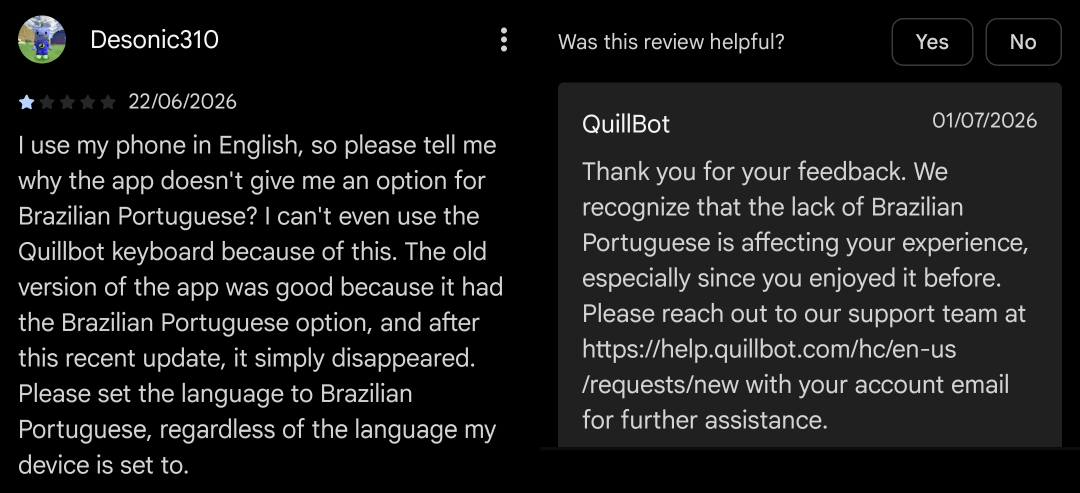
To my surprise, Quillbot only supports customizations for English:
- Dialect: American/Canadian/British/Australian
- Grammar preferences (all enabled by default):
- Remove extra spaces (No unnecessary spaces should exist before or after sentences or between words within sentences.)
- Add ending punctuation to sentences (Declarative sentences make a statement with no emotion or urgency. They should end in a period.)
- Join independent clauses with commas (Join independent clauses with commas)
- Use standard capitalization rules (The first word in a sentence, the pronoun “I,” and proper nouns are the most commonly capitalized words.)
- Add Oxford commas (In a list of three or more items, use a comma before the conjunction separating the final item.)
- Replace commas with semicolons (Use a semicolon to join closely related independent clauses when a comma alone would be incorrect.)
② Grammarly, with some quirks
In Grammarly, I entered in Language settings the following Primary languages: English (US), French (France), and Romanian. I also kept “Detect other supported languages automatically” enabled. And yet, while it offered corrections in English and Romanian, Grammarly totally ignored whatever I wrote in French!
This happened to me both in their online editor and in their Firefox add-on.
However, French was taken into account and corrected in their Android app. This is utterly ridiculous.
In my tests, Grammarly didn’t always enforce the rule of the espace insécable or espace fine insécable, which is a shame or… another bug. Quillbot did enforce the space consistently.
I logged out of my free account I have with them since 2015, and I connected using a Google account, the same one used on Android. Now it started to process French… but only in the online editor, not in the fields handled by the add-on! WTF?!
Logging out and reconnecting my old account eventually fixed Grammarly’s lack of reaction regarding French text. FFS, how many bugs can a piece of software have?
③ The simplest French test
- Input: Et-il beau, le lavabeau?
- The correct form: Est-il beau, le lavabo ?
- Corrections:
- LanguageTool → Est-il beau, le lavabo ?
- Quillbot → Et il est beau, le lavabo ?
- Grammarly → Est-il beau, le lavabeau? or Est-il beau, le lavabo? (see note below)
- Antidote 12 → Failure (see note below)
Grammarly ran into a strange bug. It underlined both Et-il et lavabeau, but if I let it correct the first one into Est-il, then it doesn’t fix the second one anymore, leading to Est-il beau, le lavabeau? I must correct lavabeau first to obtain Est-il beau, le lavabo? in the end.
Antidote 12 corrects lavabeau into lavabo, but then marks in red Et-il beau and declares itself incompetent: “Rupture – L’analyse échoue dans l’intervalle souligné. Relisez chaque mot, vérifiez chaque virgule.” While it normally enforces an espace fine insécable before a quotation mark, when it fails with a rupture, it forgets to care about that.
④ The test of the grotesque French spelling errors
- Input: Mai pisque je vœu le dise !
- The intended form: Mais puisque je vous le dis !
- Corrections:
- LanguageTool → Mais puisque je veux le dire ! (not a bad choice)
- Quillbot → Mais pis que je veux le dire !
- Grammarly → Mais puisque je le dis ! (it ate a word!)
- Antidote 12 → Mai puisque je veux le dit ! (and it leaves Mai marked in yellow)
⑤ A more thorough test of French
Test Sentence 1: Si tu viendras demain, nous irons à la plage.
Expected correction: Si tu viens demain…
Testing: Si + présent → futur.
Test Sentence 2: Si j’aurais de l’argent, j’achèterais cette voiture.
Expected correction: Si j’avais de l’argent…
Testing: Si + imparfait → conditionnel.
Test Sentence 3: Si tu m’aurais appelé, je serais venu plus tôt.
Expected correction: Si tu m’avais appelé…
Testing: Si + plus-que-parfait → conditionnel passé.
Test Sentence 4: Les lettres que j’ai écrit sont sur le bureau.
Expected correction: …que j’ai écrites…
Testing: L’accord du participe passé (COD).
Test Sentence 5: La femme à qui j’ai parlée hier est ma tante.
Expected correction: …à qui j’ai parlé…
Testing: The past participle conjugated with avoir never agrees with a COI.
Test Sentence 6: Elles se sont téléphonées pour organiser la réunion.
Expected correction: Elles se sont téléphoné…
Testing: Pronominal verb with a COI. Even with être, no agreement is required (à elles-mêmes = COI).
Test Sentence 7: Des cerises, j’en ai mangées beaucoup cet été.
Expected correction: …j’en ai mangé…
Testing: en = COD, preceding the past participle.
Test Sentence 8: Il est indispensable que nous allons au supermarché.
Expected correction: …que nous allions…
Testing: A necessity mandates the subjunctive.
Test Sentence 9: Je pense qu’il soit le meilleur candidat pour le poste.
Expected correction: Je pense qu’il est…
Testing: Affirmative statements of opinion require the indicative.
Test Sentence 10: J’espère que tu viennes à ma fête samedi.
Expected correction: J’espère que tu viendras… or J’espère que tu viens…
Testing: Espérer que is a notorious exception. Despite expressing a desire, it requires the indicative, not the subjunctive. See Grevisse § 1125 a.
Test Sentence 11: Nous partirons après qu’elle soit arrivée.
Expected correction: …après qu’elle sera arrivée. or …après qu’elle est arrivée.
Testing: avant que → subjunctive, but après que → indicative (the action is an accomplished fact). See Grevisse § 1137, 1° and 2°.
Test Sentence 12: Je ne me doute nullement qu’il est venu.
Expected correction: No change.
Testing: Grevisse § 1126 a — “Se douter que est suivi de l’indicatif, même s’il est accompagné d’une négation.” However, l’Académie française accepts both the indicative and the subjunctive: “Quand le verbe pronominal se douter est à la forme affirmative, il est suivi de l’indicatif. … Quand ce verbe est à la forme négative ou interrogative, on peut avoir l’indicatif ou le subjonctif.” Either way, the subjunctive must not be forced.
The results:
| # | Expected | LanguageTool | Quillbot | Grammarly | Antidote |
|---|---|---|---|---|---|
| 1 | Si tu viens | Si tu viens | Si tu *viendras | Si tu viens | Si tu viens |
| 2 | Si j’avais | Si j’avais | Si j’avais | Si j’avais | Si j’avais |
| 3 | Si tu m’avais | Si tu m’avais | Si tu m’avais | Si tu m’avais | Si tu m’avais |
| 4 | que j’ai écrites | que j’ai écrites | que j’ai écrites | que j’ai écrites | que j’ai écrites |
| 5 | à qui j’ai parlé | à qui j’ai parlé | à qui j’ai parlé | à qui j’ai parlé | à qui j’ai parlé |
| 6 | Elles se sont téléphoné | Elles se sont téléphoné | Elles se sont téléphoné | Elles se sont téléphoné | Elles se sont téléphoné |
| 7 | j’en ai mangé | j’en ai mangé | j’en ai mangé | j’en ai mangé | j’en ai mangé |
| 8 | que nous allions | que nous allions | que nous allions | que nous allions | que nous allions |
| 9 | Je pense qu’il est | Je pense qu’il est | Je pense qu’il est | Je pense qu’il est | Mode à vérifier – En complément au verbe penser, le verbe être se conjugue normalement à l’indicatif (sauf si le contexte est hypothétique, si on veut le nier ou le mettre en doute). |
| 10 | que tu viendras/viens | J’espère que tu viens | J’espère que tu viendras | J’espère que tu viendras | Mode à vérifier – En complément au verbe espérer, le verbe venir se conjugue normalement à l’indicatif. Le subjonctif est toutefois admis si espérer se charge ici d’une valeur affective le rapprochant de souhaiter. |
| 11 | après qu’elle sera/est arrivée | après qu’elle sera arrivée | après qu’elle *soit arrivée | après qu’elle sera arrivée | Mode à vérifier – L’emploi du subjonctif après la locution après que est d’usage courant dans toute la francophonie, mais il est encore parfois critiqué. |
| 12 | qu’il est venu | qu’il est venu | qu’il est venu | qu’il est venu | qu’il est venu |
| — | Score | 12/12 | 10/12 | 12/12 | 12/12 (liberally) |
Antidote is the most liberal of all, but it explains its reluctance to correct everything. Quillbot is the outsider here.
As for the traditional spelling (événement instead of évènement), Antidote asks the user which spelling to accept (it can accept only one or both); LanguageTool, Grammarly, and Quillbot accept both spellings (no way to change this!).
Note that Quillbot and LanguageTool have the same owner, Learneo: Learneo (at the time Course Hero, Inc.) acquired Quillbot (as QuillBot) in September 2021 and LanguageTool on April 5, 2023.
7. The Ukraine test
As I was writing I stopped believing in Ukraine, whatever that means, I entered this paragraph that wasn’t quite correct, and I used it for testing purposes:
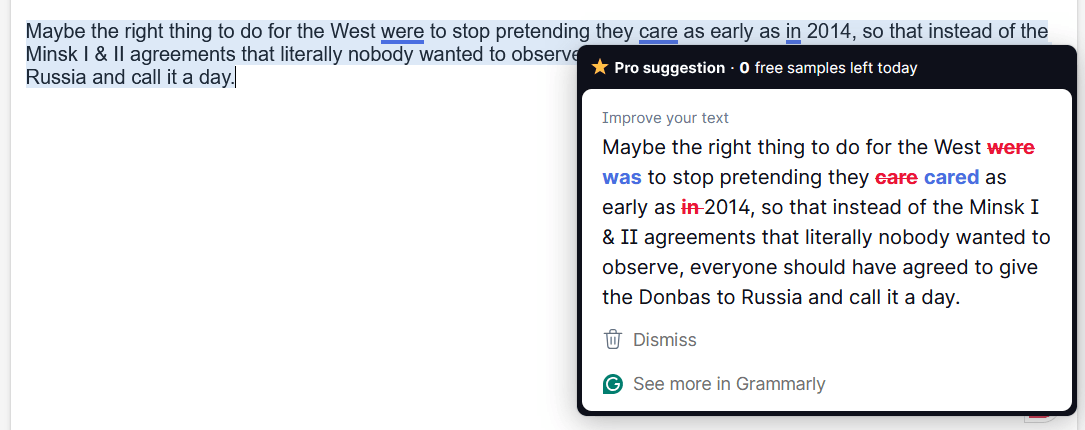
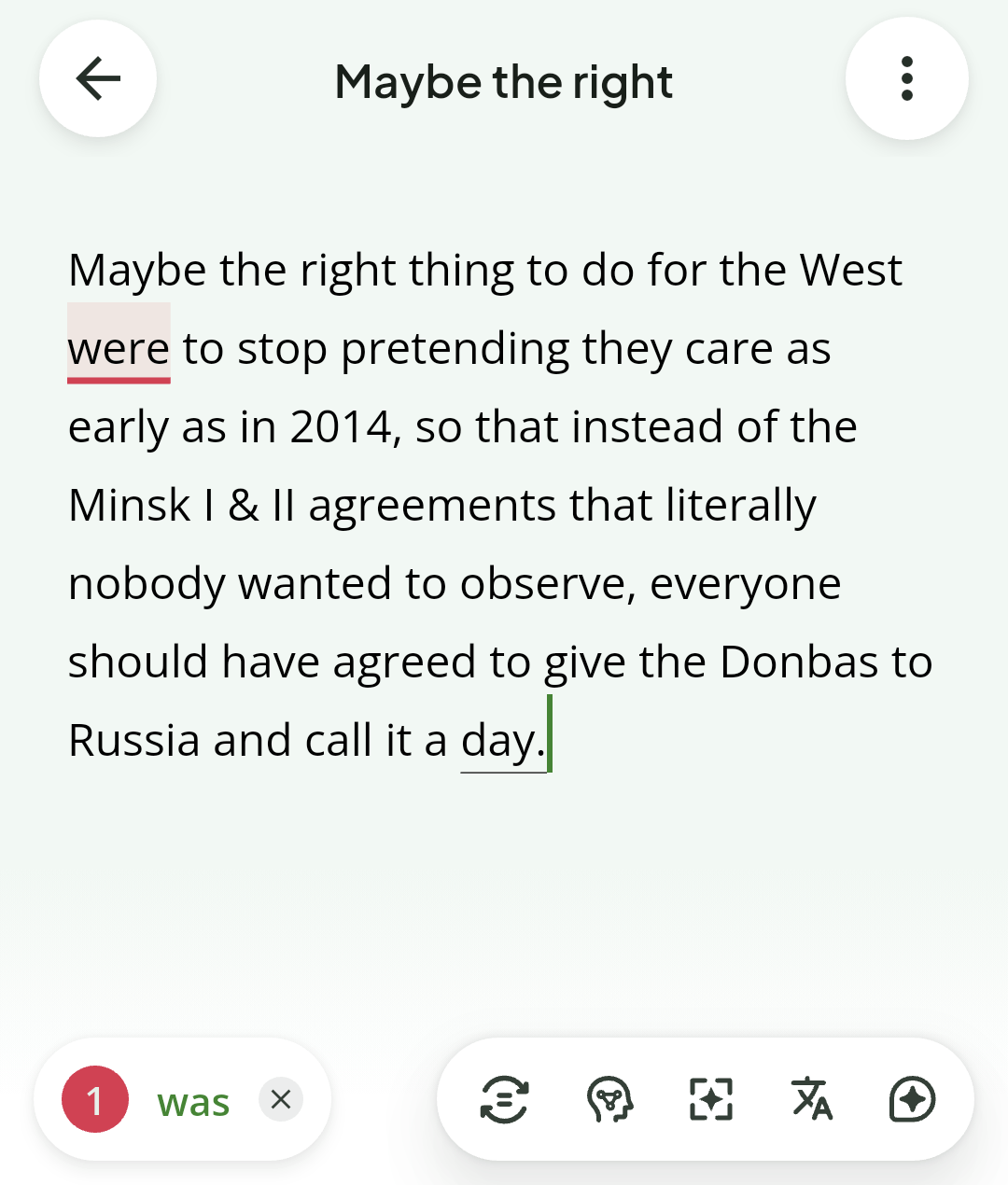
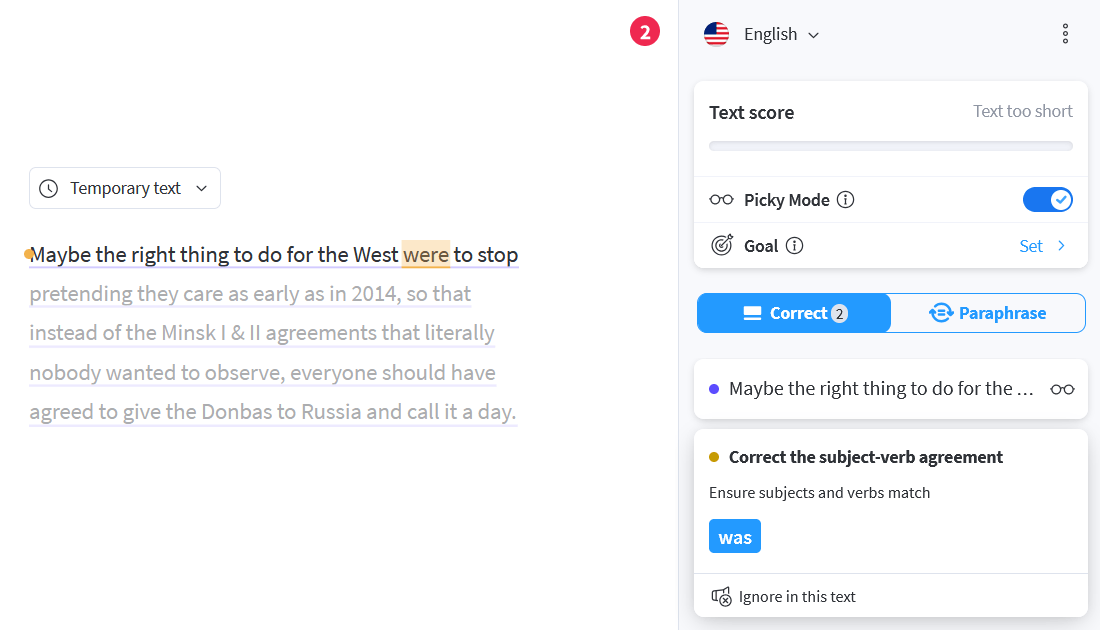
Maybe the right thing to do for the West were to stop pretending they care as early as in 2014, so that instead of the Minsk I & II agreements that literally nobody wanted to observe, everyone should have agreed to give the Donbas to Russia and call it a day.
● Grammarly missed the point (it’s counterfactual, as this is something that didn’t happen back in 2014):
Maybe the right thing to do for the West was to stop pretending they cared as early as 2014, so that instead of the Minsk I & II agreements that literally nobody wanted to observe, everyone should have agreed to give the Donbas to Russia and call it a day.
On Android, however, it missed correcting “care”! It looks like it was a Pro suggestion, and I was out of free Pro suggestions:
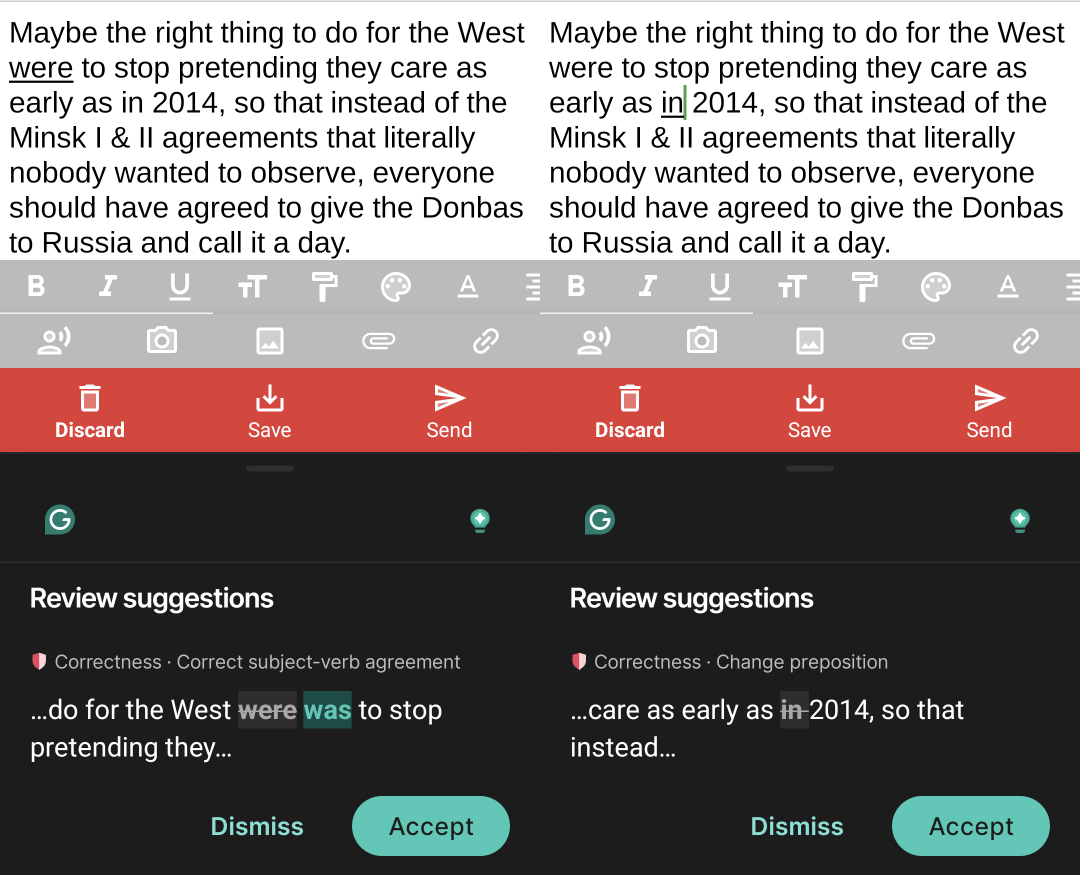
It nonetheless accepted the correct form, if entered manually:
Maybe the right thing to do for the West would have been to stop pretending they cared as early as 2014.
● Quillbot’s correction was also wrong, missing the counterfactual aspect; then, it accepted both “as early as in 2014” and “as early as 2014” because technically it’s not strictly wrong to say “as early as in October 2014” (for instance):
Maybe the right thing to do for the West was to stop pretending they care as early as in 2014, so that instead of the Minsk I & II agreements that literally nobody wanted to observe, everyone should have agreed to give the Donbas to Russia and call it a day.
This behavior was consistent across platforms:
Quillbot’s improvement (click on “Improve” at the bottom) was, however, brilliant:
The West might have been better off if it had stopped pretending to care back in 2014. Instead of pursuing the Minsk I and II agreements, which no one wanted to follow, everyone could have simply agreed to cede the Donbas to Russia and moved on.
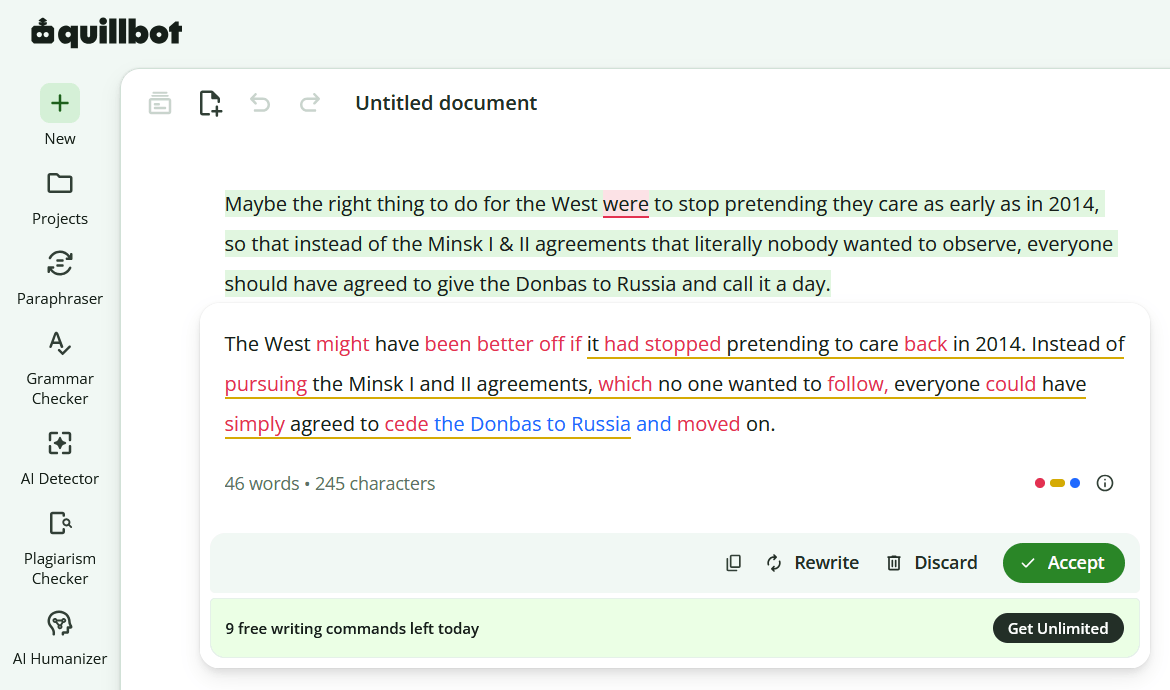
There are 10 free “writing commands” per day, and I wasted two more in its Android app, asking for a rewrite. Free users have two types of rewriting available.
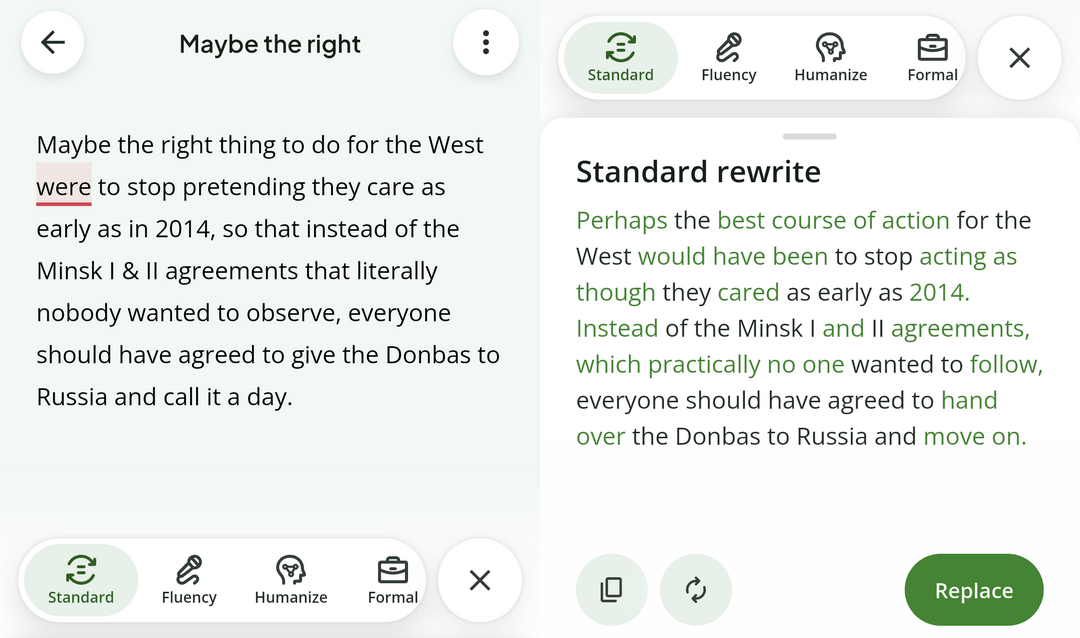
“Standard”:
Perhaps the best course of action for the West would have been to stop acting as though they cared as early as 2014. Instead of the Minsk I and II agreements, which practically no one wanted to follow, everyone should have agreed to hand over the Donbas to Russia and move on.
“Fluency” borked it because of the “was”:
Perhaps the right thing to do for the West was to stop pretending to care as early as 2014, so that instead of the Minsk I and II agreements, which literally no one wanted to follow, everyone should have agreed to hand over the Donbas to Russia and call it a day.
Note that Quillbot’s Andoid app doesn’t work in everything. For instance, it didn’t show up in FairEmail, so I tested these corrections either in Quillbot’s app or in a text editor.
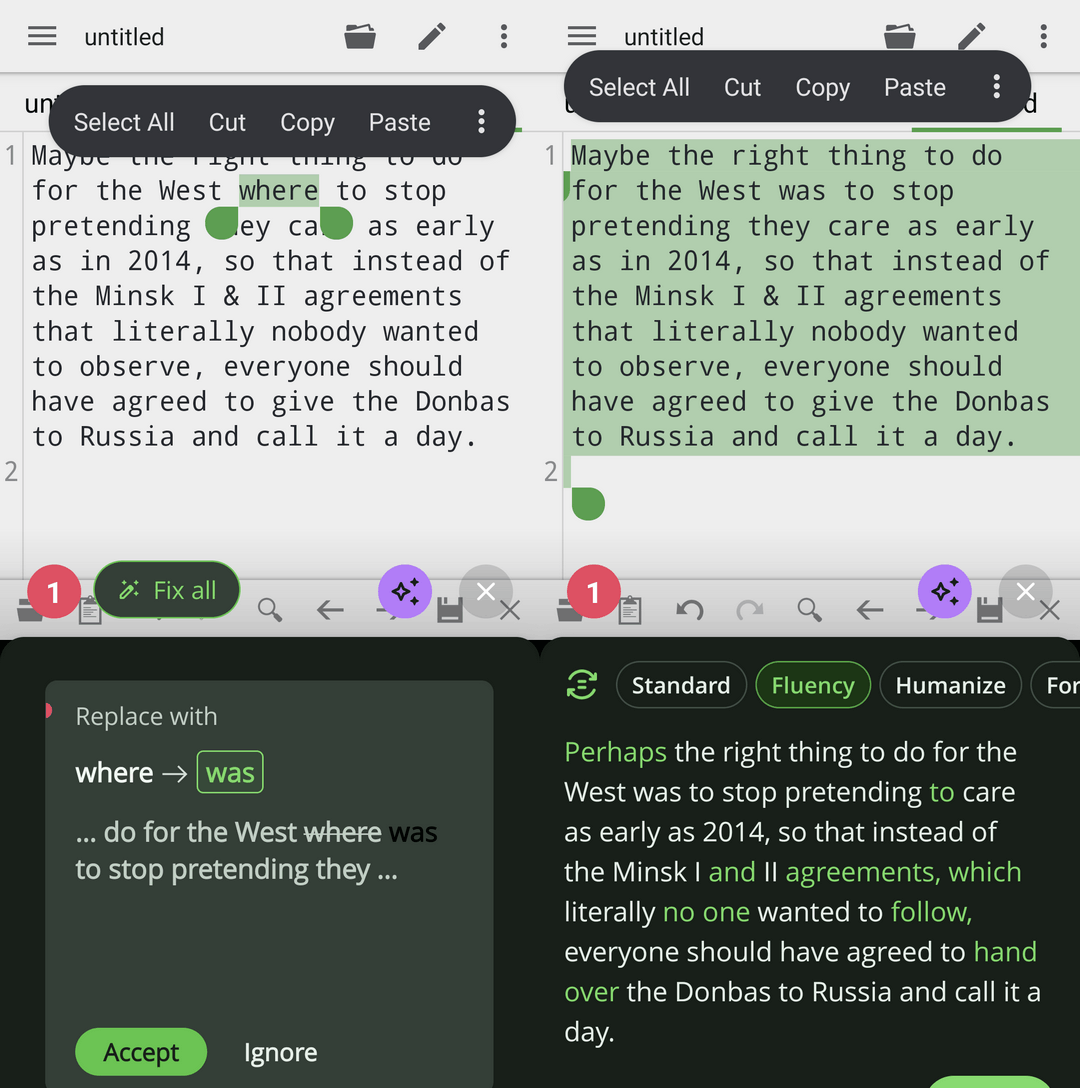
Note that I didn’t test their keyboard (I’m on SwiftKey), only their floating widget that mimics Grammarly’s.
● LanguageTool was dumb (beyond the wrong “was,” the other suggestion was to shorten the sentence):
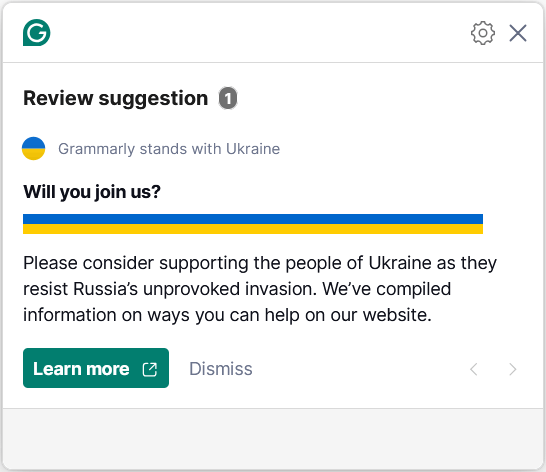
● Back to Grammarly, its militantism in supporting Ukraine deserves mentioning. As I mentioned in this post, Grammarly popped this to me:
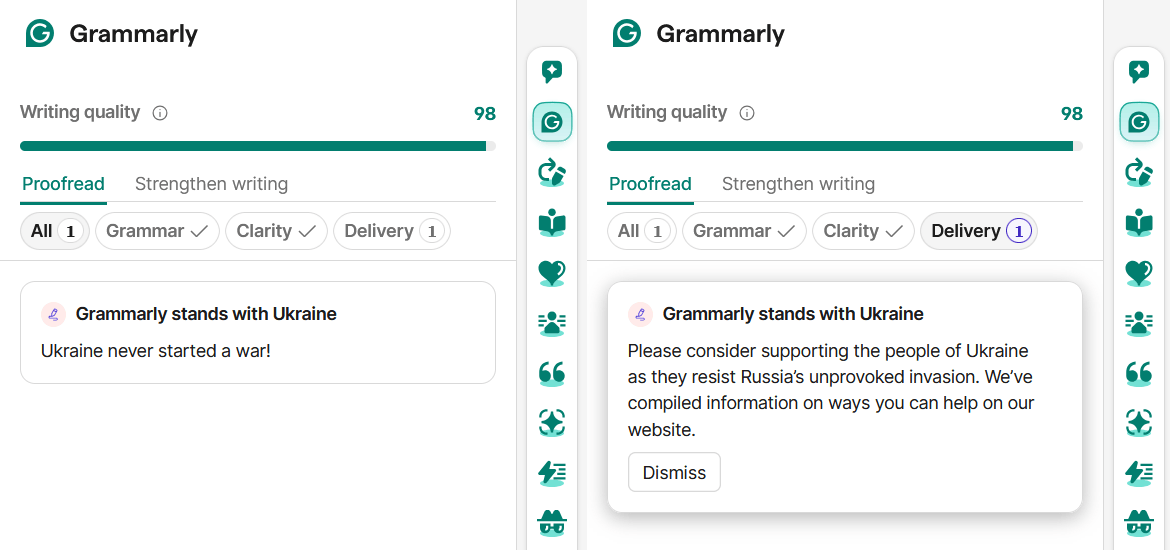
Later, while I was writing this comment, guess what happened when I pasted it into the online editor?
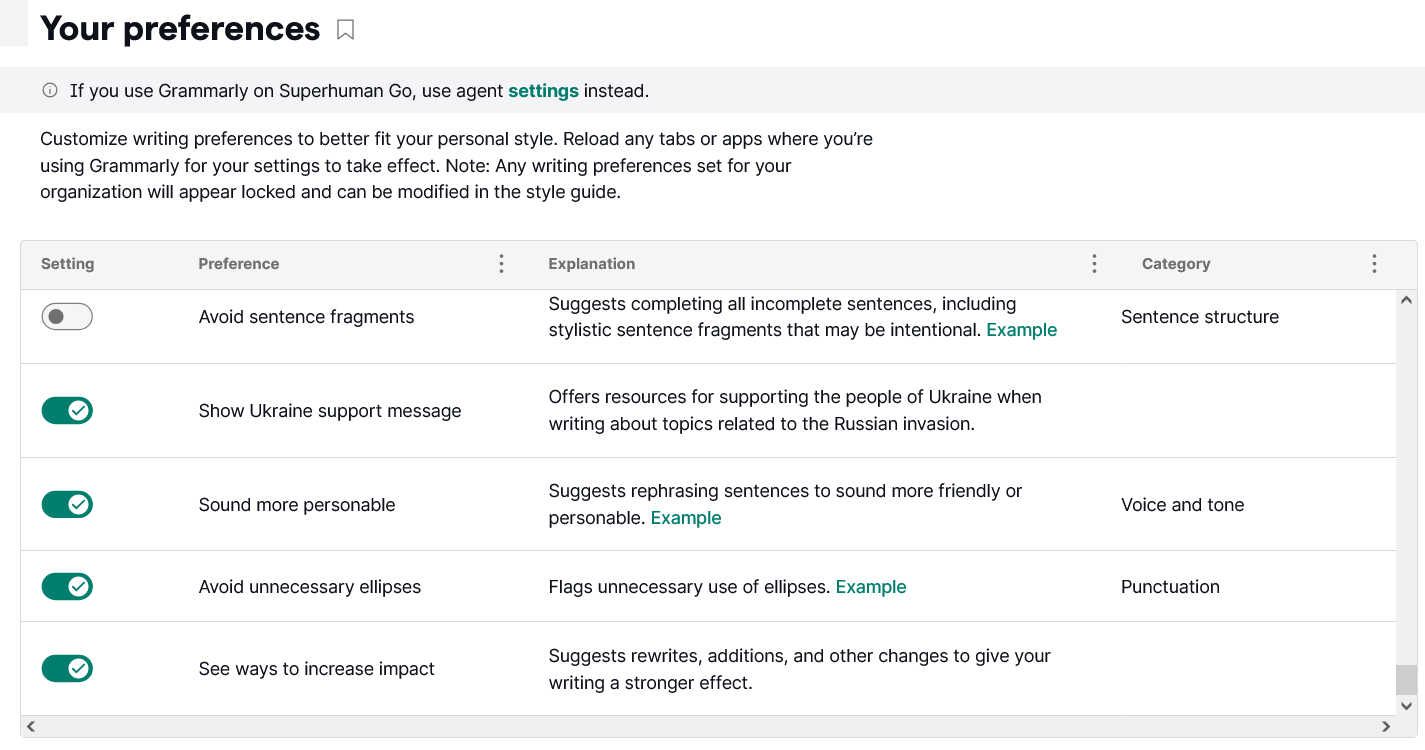
It even has a specific setting for it!
8. Odds and ends: miscellaneous comparisons
● LanguageTool enforces smart quotes, and Grammarly can suggest them, but Quillbot just doesn’t care. But once you tell Grammarly to suggest them, it will use curly quotes even in manually entered URLs (it may try to “improve” <a href=""></a>). LanguageTool wisely skips anything that resembles code. Always.
LanguageTool can smartify all quotes at once, while Grammarly requires you to confirm your choice for each individual quote.
Another Grammarly quirk: if smart quotes are enabled as a rule, it still generates clarity improvements with plain quotes, so each quote prompts a new suggestion and correction. Oh, well.
Finally, LanguageTool is the only one to replace -- with ——. WTF.
● Quillbot tends to add commas when they’re optional (but recommended for clarity) in English, but I’m fine with that.
● Grammarly usually fails to detect and correct two consecutive spaces between words. (Not the old “two spaces after a full stop” rule.)
● Surprisingly, Quillbot was the only one concerned about the inconsistent use of “it” and “they” in different clauses belonging to the same sentence when both can legitimately be used (some collective nouns can take either).
● “We can commit suicide by ourselves, thank you!” While Grammarly’s behavior with prepositional phrases or adverbs isn’t always consistent, in this case, once again related to the aforementioned post, Grammarly insisted on the removal of “by” (Quillbot and LanguageTool didn’t).
In doing so, it missed the difference between the two variants:
- “We can commit suicide ourselves.” = “We will do it, rather than having someone else do it to us.” (“We don’t need the enemy to execute us; we can do it ourselves.”)
- “We can commit suicide by ourselves.” = “We do not need anyone to help us do it.”
● Only Grammarly changed “an interview taken by X with Y” to “an interview conducted by X with Y”; LanguageTool and Quillbot didn’t.
● Grammarly seems to have very strong opinions about when an “in” should be “into,” and vice versa. It drives me mad!
● I found this in Ho-Ling Wong’s translation of Yukito Ayatsuji’s “The Mill House Murders”:
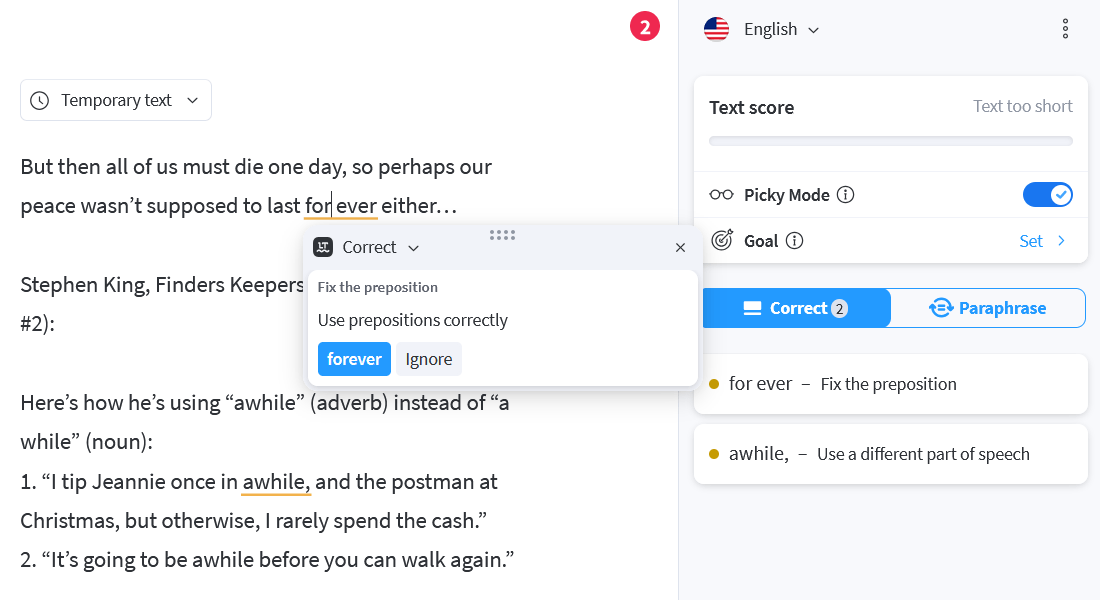
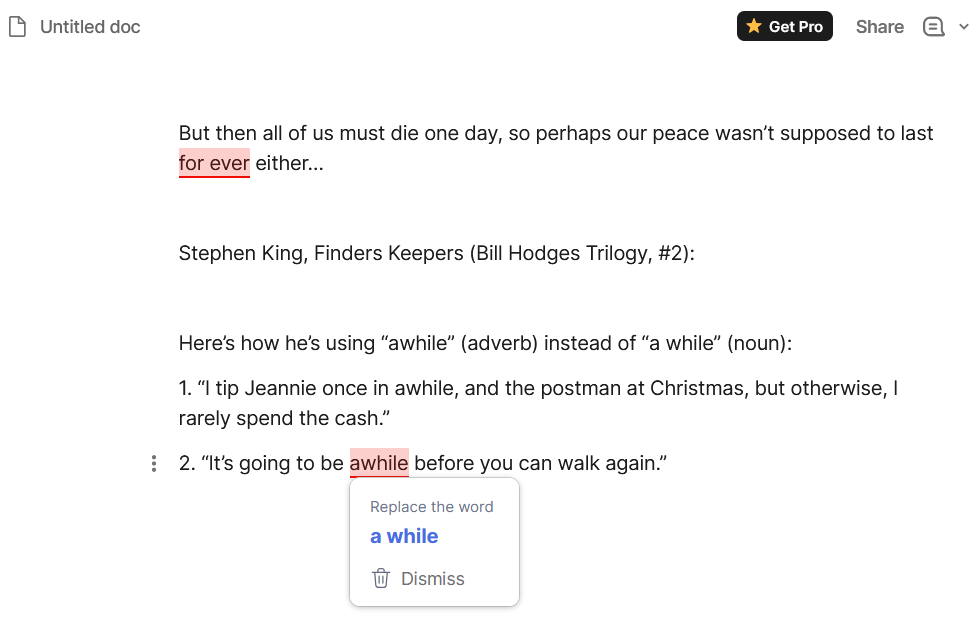
But then all of us must die one day, so perhaps our peace wasn’t supposed to last for ever either…
I added to it my favorite proofs of Stephen King’s illiteracy, taken from “Finders Keepers” (Bill Hodges Trilogy, #2) and mentioned in my Goodreads review (many more—exactly 14!—can be found in my review of “End of Watch” (Bill Hodges Trilogy, #3)):
Here’s how he’s using “awhile” (adverb) instead of “a while” (noun):
- “I tip Jeannie once in awhile, and the postman at Christmas, but otherwise, I rarely spend the cash.”
- “It’s going to be awhile before you can walk again.”
If you weren’t aware, “awhile” is an adverb that means “for a while,” so “for awhile” equates to “for for a while,” whereas “once in awhile” communicates “once in for a while” 🙂 The noun phrase “a while” is based on the preposition “while.” The now-defunct Random House Webster’s College Dictionary and Random House Webster’s Unabridged Dictionary noted that the phrase “We rested for awhile” has been increasingly used instead of the correct form, “We rested for a while.”
The results:
- LanguageTool corrected “for ever” and the first “awhile.”
- Grammarly corrected “for ever” and the second “awhile.”
- Quillbot only corrected the first “awhile”!
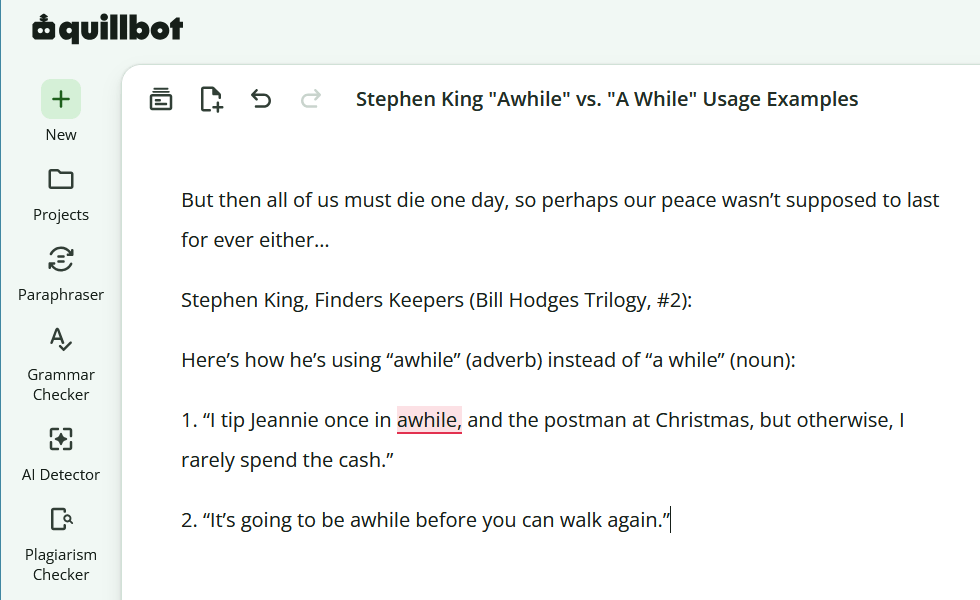
Ho-Ling Wong must have been using Quillbot…
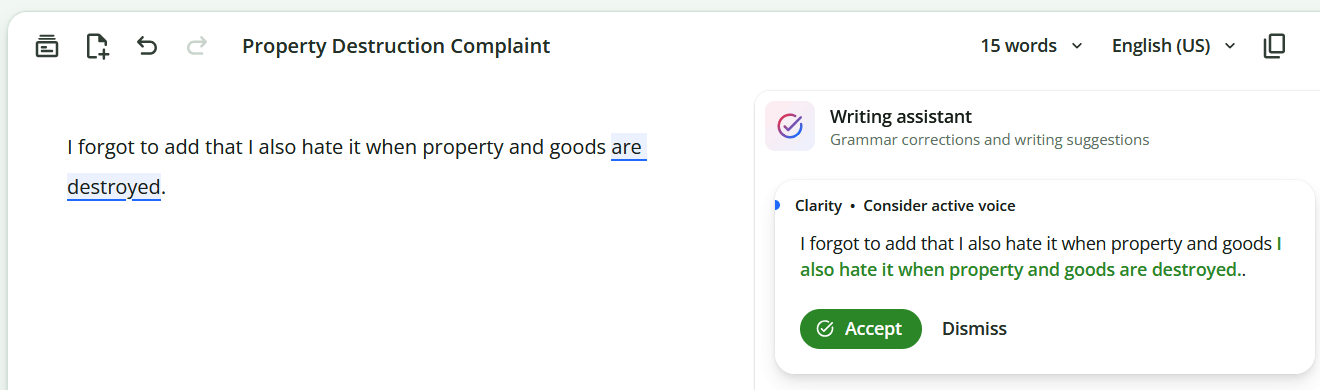
● Quillbot and the passive voice. Knowing that American English considers the passive voice to be as incomprehensible as differential calculus, it’s not wrong to want to “improve for clarity” this sentence:
I forgot to add that I also hate it when property and goods are destroyed.
Possible active voice versions:
- “I forgot to add that I also hate it when people destroy property and goods.”
- “I forgot to add that I also hate it when people destroy other people’s property and goods.”
Quillbot couldn’t figure out any of them, so here’s what it gets:
I forgot to add that I also hate it when property and goods I also hate it when property and goods are destroyed..
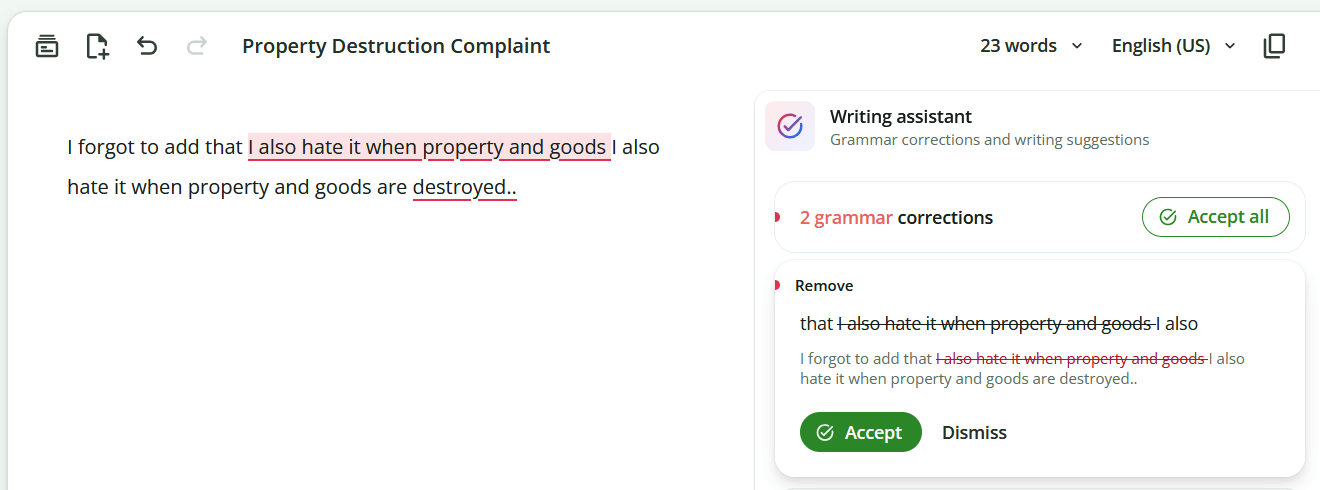
● On the other hand, only Grammarly flags as grammar errors (in red) the missing “it” before each of the following “when” clauses:
I despise when property and goods are destroyed.
I loathe when property and goods are destroyed.
I hate when property and goods are destroyed.
Fixed versions:
I despise it when property and goods are destroyed.
I loathe it when property and goods are destroyed.
I hate it when property and goods are destroyed.
This behavior isn’t consistent (it can forget to flag it). Say, this:
I despise when this happens.
I loathe when this happens.
I hate when this happens.
Becomes this:
I despise it when this happens.
I loathe it when this happens.
I hate when this happens.
But the suggestion to add an “it” is correct in all cases!
Explanation: The 3 verbs are transitive, so they take a direct object (“I hate broccoli” or “I hate mornings”). The word “it” in the sentence “I hate it when this happens” is an anticipatory object, a dummy pronoun acting as a grammatical placeholder for the real object of the hatred, the whole subordinate clause which follows (“when this happens”). Strict prescriptivist grammar says that an adverbial clause can’t be the direct object of a transitive verb because “when” clauses are traditionally adverbial (they describe time, not a thing). That “it” fills that slot, meeting the verb’s need for a direct noun object.
In modern casual American English, the dummy “it” is often omitted and the whole adverbial clause (“when this happens”) functions directly as the noun clause and direct object of “hate.” It has become fully idiomatic because the meaning is the same and completely unambiguous. But still, correctors should make a “stylistic recommendation”!
9. Back to French!
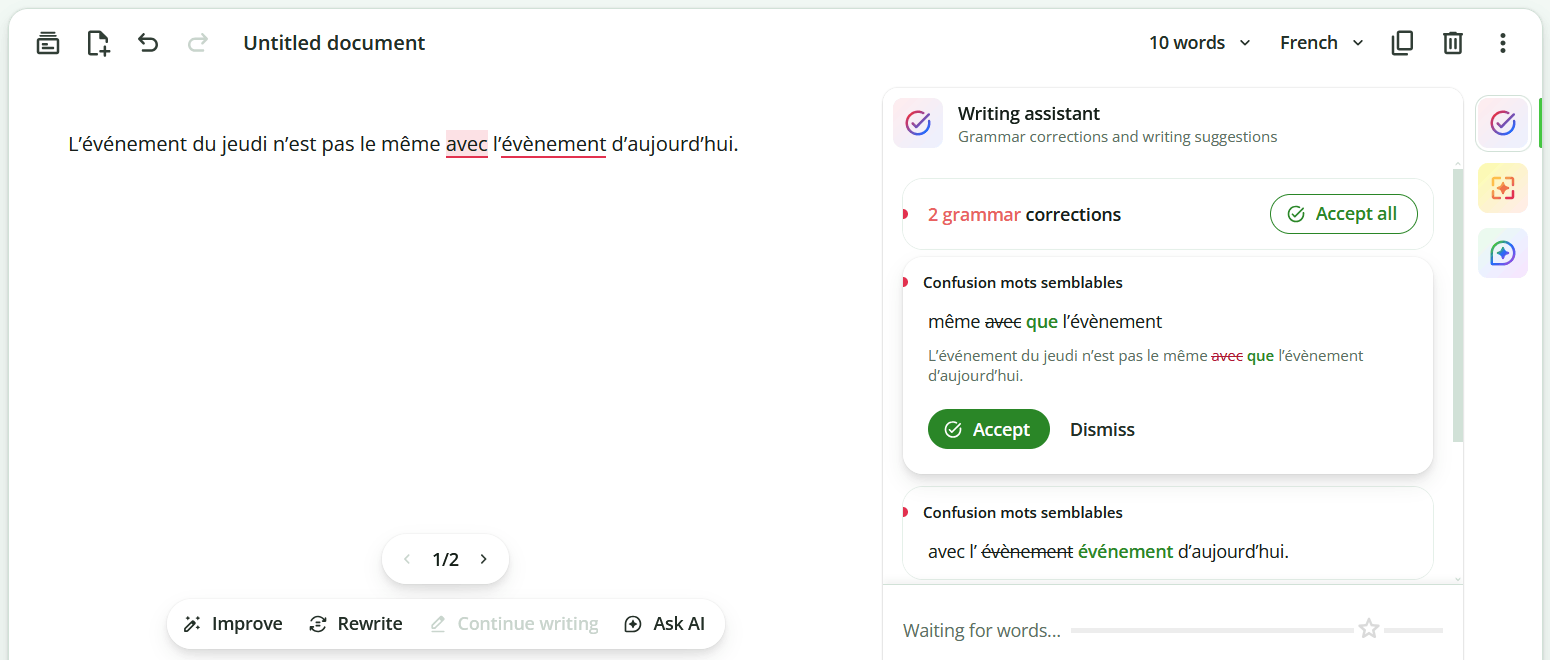
● A test for the reaction to the mixed French spelling in the same sentence, mixed with a wrong adverb (avec is normally a preposition): événement and évènement. The input:
L’événement du jeudi n’est pas le même avec l’évènement d’aujourd’hui.
Expected:
L’événement du jeudi n’est pas le même que l’événement d’aujourd’hui.
or:
L’évènement du jeudi n’est pas le même que l’évènement d’aujourd’hui.
Each of LanguageTool, Grammarly, Quillbot corrected to the traditional spelling (the first one they encountered):
L’événement du jeudi n’est pas le même que l’événement d’aujourd’hui.
But they also accepted the new spelling:
L’évènement du jeudi n’est pas le même que l’évènement d’aujourd’hui.
● Here’s a missing comma detected on the website of Le Robert (enter a year, click on Découvrir, then click on the red square with a question mark):
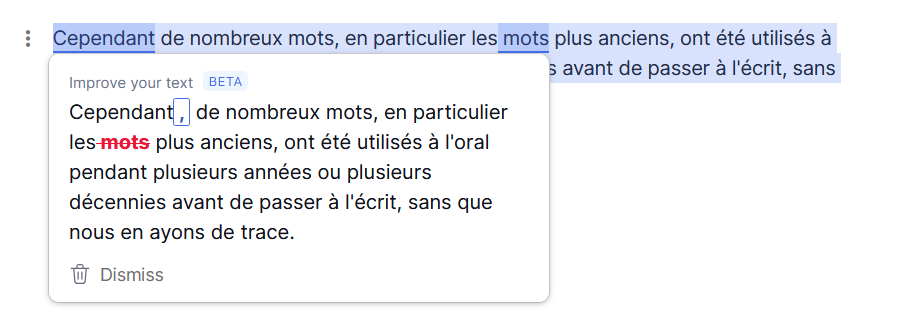
Cependant de nombreux mots, en particulier les mots plus anciens, ont été utilisés à l’oral pendant plusieurs années ou plusieurs décennies avant de passer à l’écrit, sans que nous en ayons de trace.
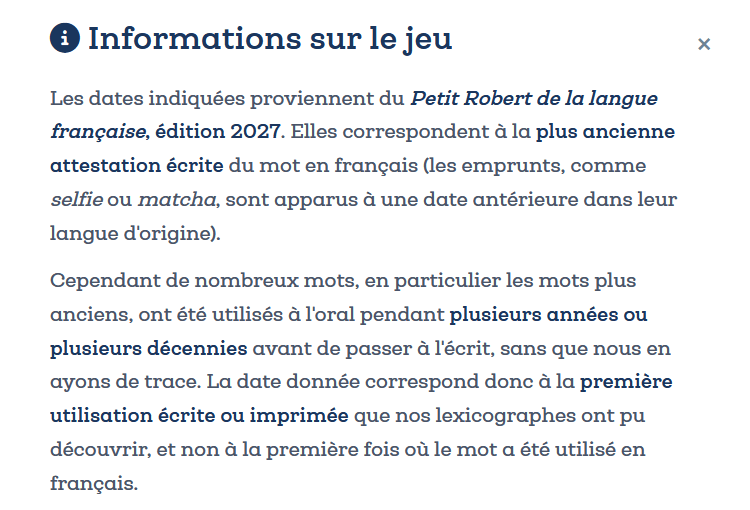
Grammarly was the only one to consider the lack of a comma after “Cependant” to be a grammar error—LanguageTool and Quillbot didn’t bother.
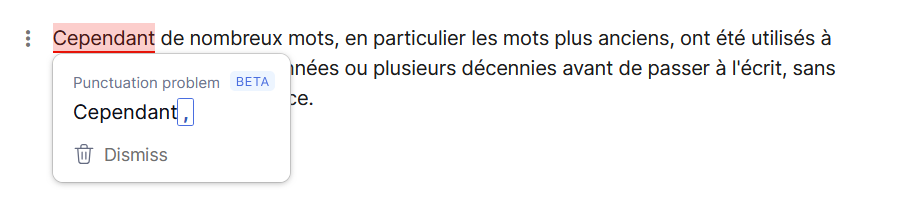
Grammarly also suggested a correct “clarity improvement”: the second “mots” is superfluous:
● Quillbot does not correct “Ma femme est enceinte malgré le fait que je suis stérile.” into “Ma femme est enceinte malgré le fait que je sois stérile.” Does it really know about the French subjunctive?! (Read more about why it should have corrected it.)
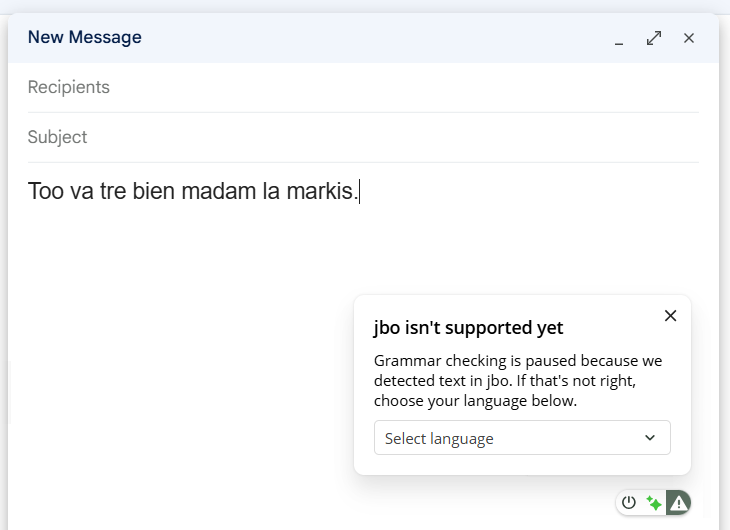
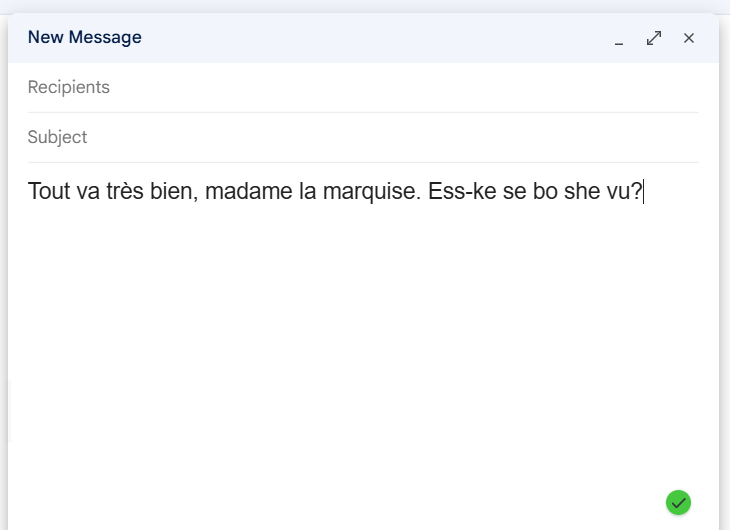
● Now, for a grotesque attempt at French vs. Quillbot for Chrome, suppose I was so drunk that I could write this abomination:
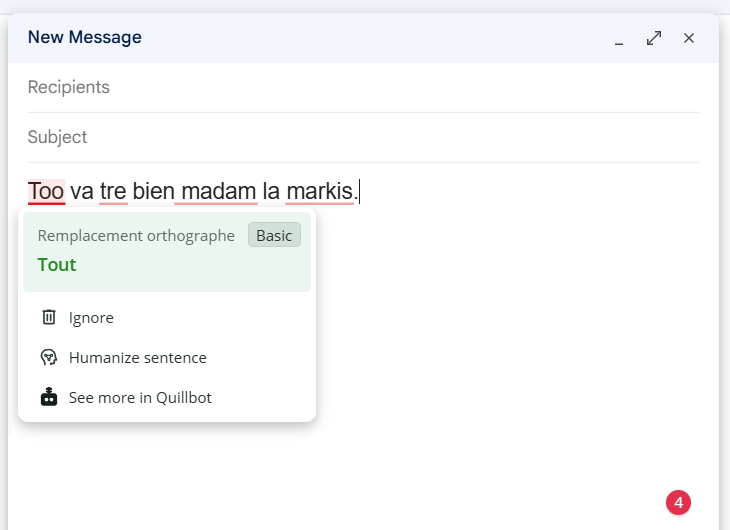
Too va tre bien madam la markis.
At first, Quillbot didn’t even detect the language, and it complained that it doesn’t support the fictitious language Lojban, referred to by its ISO code jbo:
After I told it that this was supposed to be French, it started correcting it…
…until it reached the intended sentence.
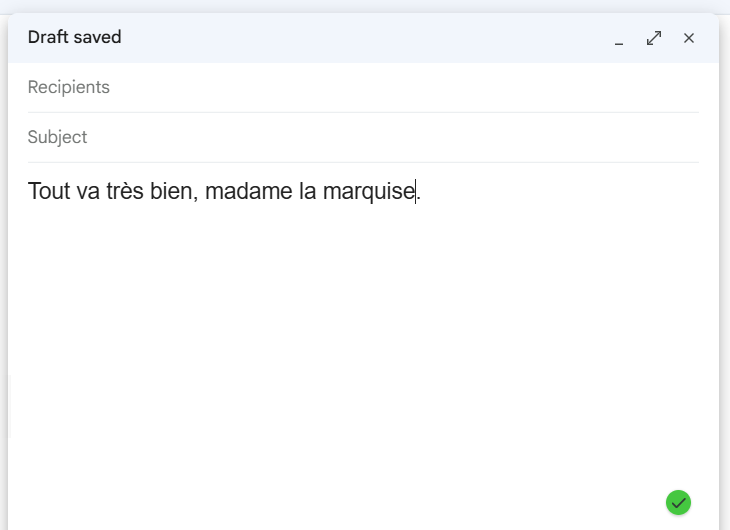
But then, no matter what garbage I added, it just didn’t budge anymore! 🤦♂️
10. Quick words on Romanian
LanguageTool has decent Romanian support, though I’m not entirely happy with it. Quillbot doesn’t support Romanian (it can translate to and from Romanian, but the translator is a separate service, and a mediocre one at that). So what about Grammarly?
I tested Grammarly for Romanian and found it ultra-nazi. It does not accept common phrases and expressions found in the works of famous cultural figures or in legal formulations, just because a preposition used is not the “ideal” one or for other absurd reasons (it detests some conjunctions).
Additionally, it sometimes clearly doesn’t understand the sentence’s logical structure. For example, it might end up correcting “X l-a împrumutat pe Y cu 100 de lei” to “X i-a împrumutat lui Y cu 100 de lei,” which is totally bogus! At least it could have said “X i-a împrumutat lui Y 100 de lei.”
In long contexts, Grammarly can make copious mistakes with Romanian texts.
It is still worth noting that the “clarity” markings are usually justified, even if the grammar ones are sometimes pedantic or just silly.
On the other hand, Grammarly has many other issues with Romanian that LanguageTool doesn’t have. For example, the agreement of the relative pronoun functioning as a genitive pronominal attribute fails in the case of cross-agreement. (The relative pronoun in the genitive case is much simpler in English: “whose.” And yet, some people write it “who’s.”)
A correct text:
Aprecieri ale Președintelui Camerei Deputaților, ale cărui poziții vor fi însușite și de Curte, de la § 44.
Grammarly wants it this way:
Aprecieri ale Președintelui Camerei Deputaților, ale căror poziții vor fi însușite și de Curte, de la § 44.
But it fails to understand even elementary collocations, such as “util” + Dative, which is absolutely common usage. It doesn’t accept this:
Acest răspuns ar putea fi util unora.
It prefers this clumsy form:
Acest răspuns ar putea fi util pentru unii.
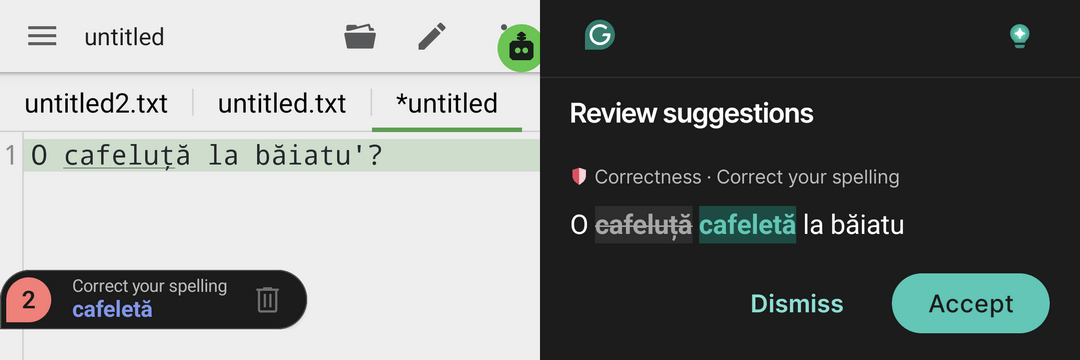
To end with a funny deficiency: it doesn’t know the word “cafeluță” (= small coffee) and wants to replace it with the non-existent “cafeletă”!
Strange thing: in Italian it supports plenty of diminutives, i.e., it’s happy with this:
Questo è un caffettino, caffettuccio, caffeuccio, caffeuzzo.
Quillbot doesn’t support Italian, but LanguageTool does… sort of. It flags all four Italian diminutives in red, meaning it chokes on Italian much more than it does on Romanian! 🤷♂️
11. How about something local?
❾ Lexicon is another option. “The calm, private writing app for clearer drafts.” Whatever. It’s open-source, and your words never leave your machine because it installs the official LanguageTool 6.8 standalone engine.
So this is an easy way to test the limitations of the rule-based, AI-free, local version of LanguageTool!
At the time of writing, the stable version was v0.10.3, which I started with (Lexicon_0.10.3_x64-setup.exe, Lexicon_0.10.3_aarch64.dmg, Lexicon_0.10.3_amd64.deb). I then replaced it with a pre-release (beta) version, v0.11.0-beta.3, because v0.11.0-beta.3.1 wasn’t available yet.
Now, starting with v0.11.0-beta.3, there are extensions for Chrome and Firefox, but they need to be manually installed. Unfortunately, Firefox refused to install the extension: “This add-on could not be installed because it has not been verified.”
Mozilla dixit:
Standard Firefox versions do not allow unsigned add-ons. However, there are special versions of Firefox that offer more flexibility:
- Firefox Extended Support Release (ESR): You can disable signing checks.
- Firefox Developer Edition and Nightly: You can disable signing checks here for testing.
- Unbranded Firefox builds: These versions allow disabling signature enforcement, but they are primarily intended for developers.
Dafuq. Moving on.
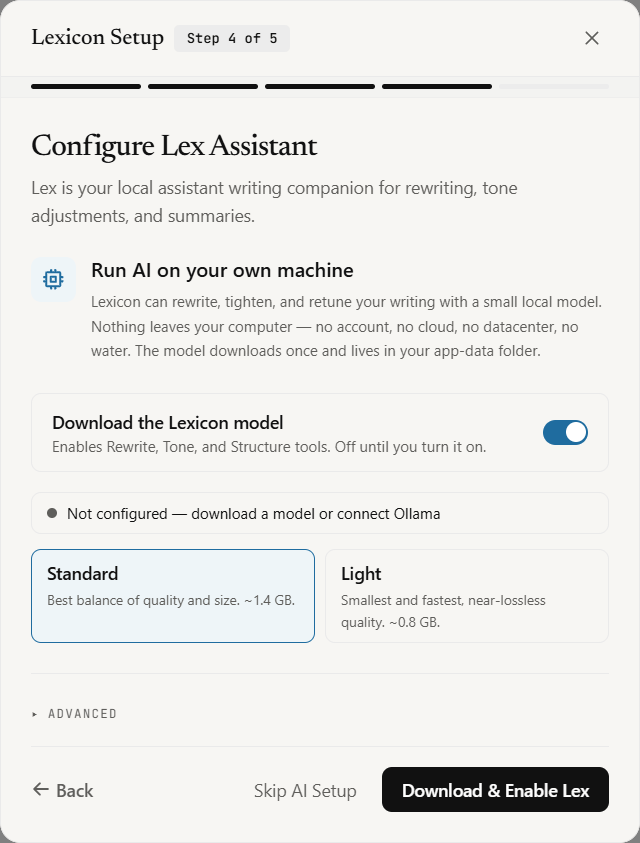
Oh, but you can use a local AI model to get suggestions for improvement or tone changes! Lex is your AI assistant, and it’s not that heavy:
The text that includes Stephen King’s ungrammatical use of “awhile” (see above) is corrected with a slight change in colors between the stable and the beta versions:
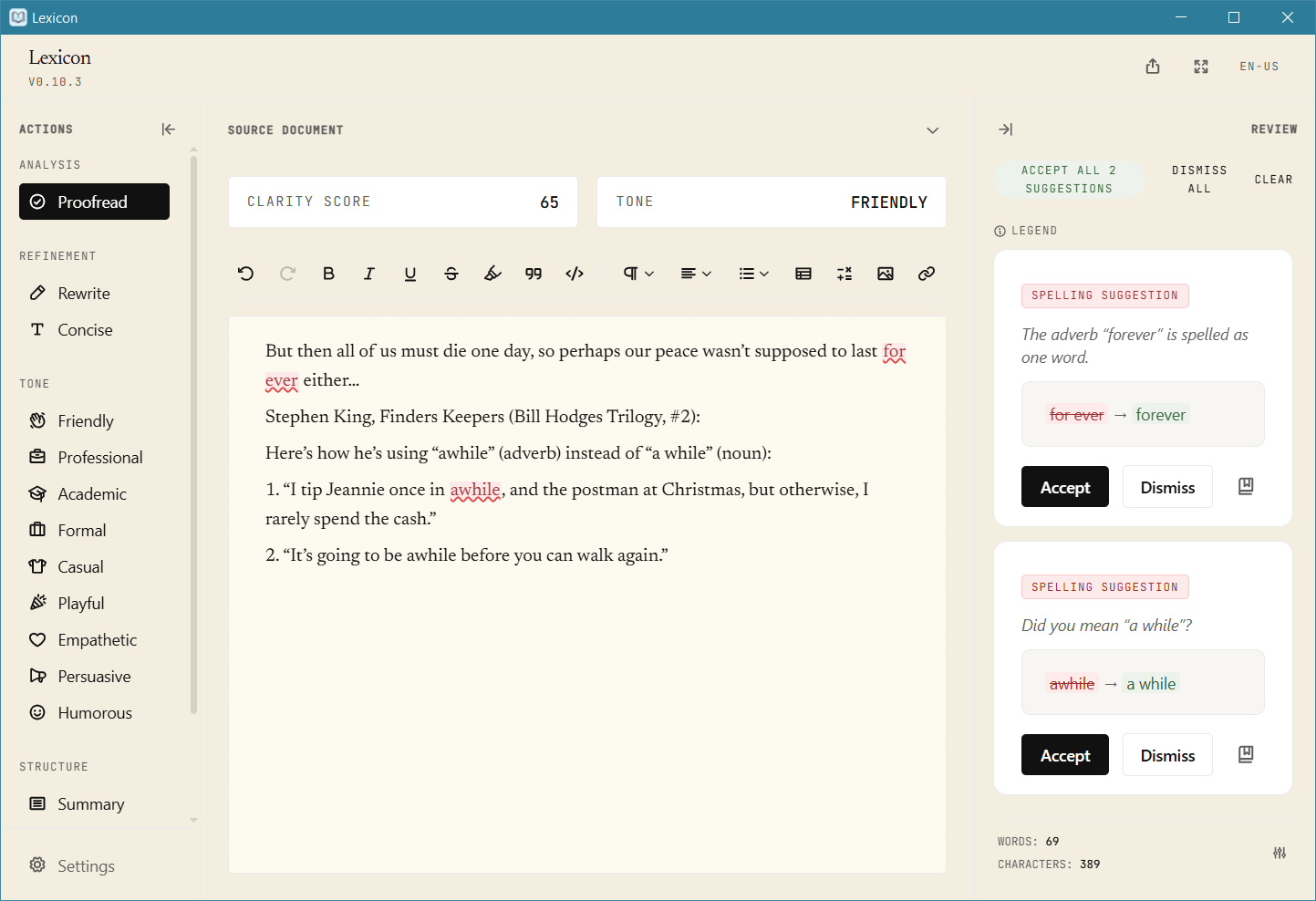
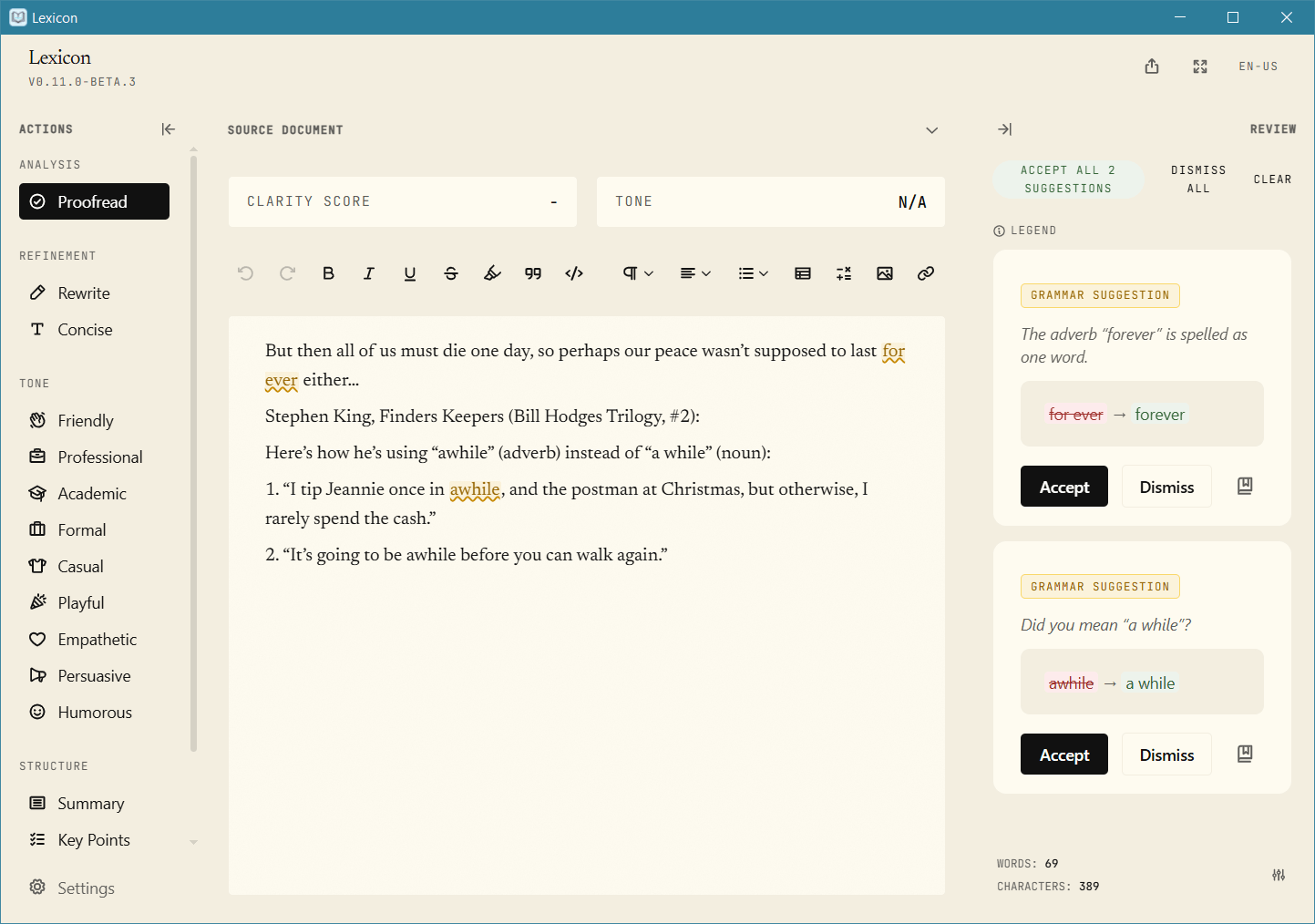
Lexicon corrected “for ever” and the first “awhile,” just as the online version of LanguageTool did.
The Ukraine test:
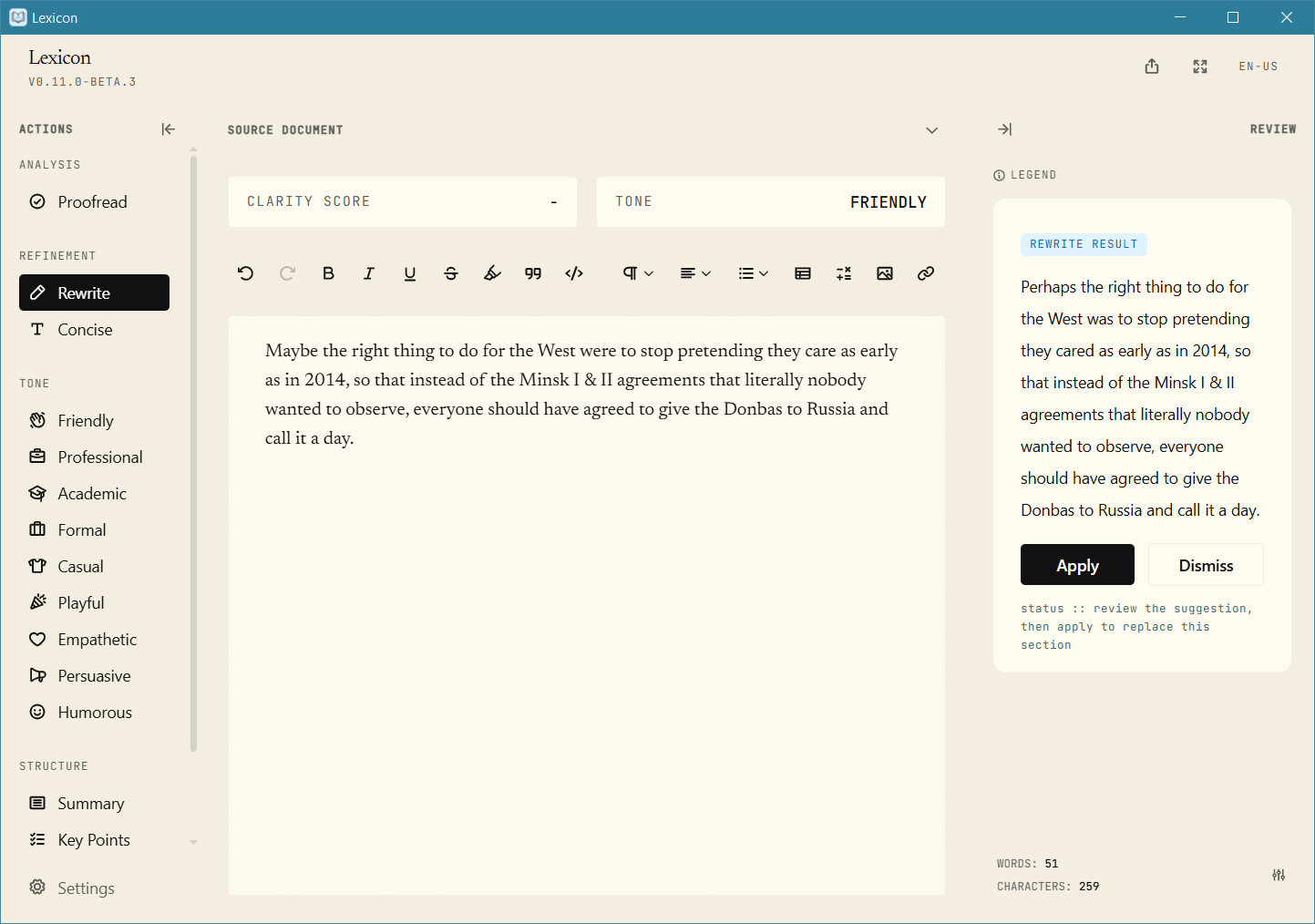
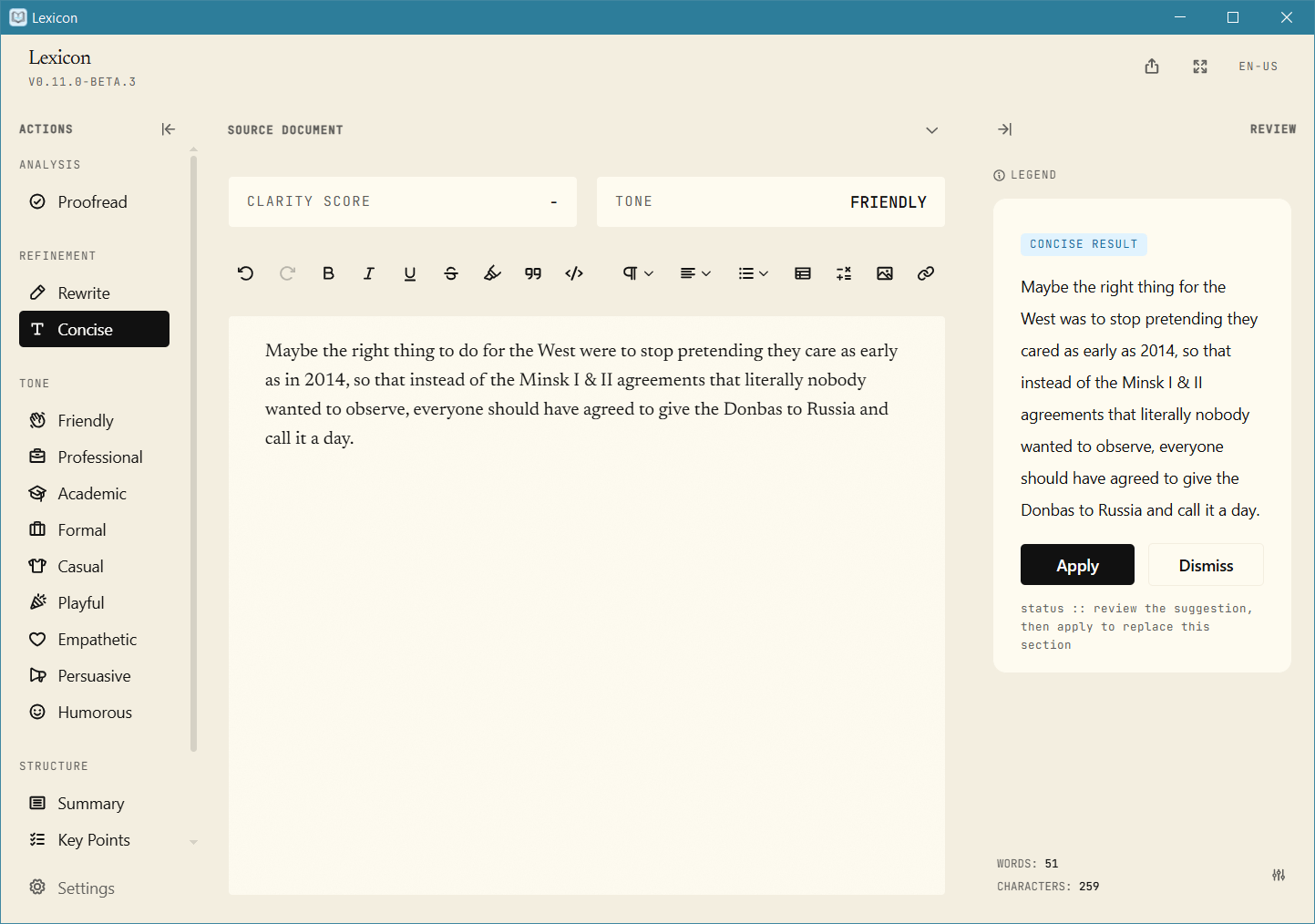
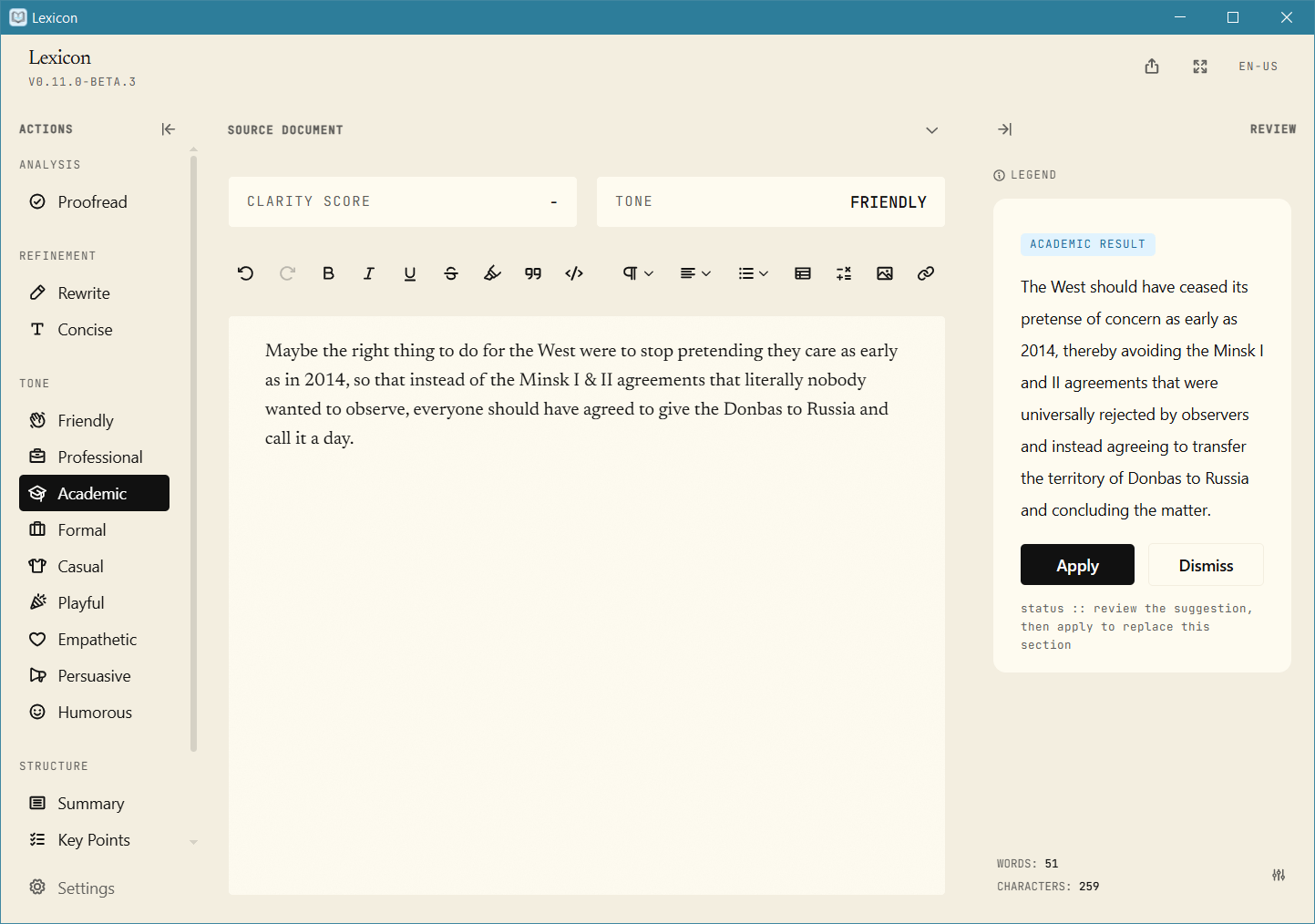
Maybe the right thing to do for the West were to stop pretending they care as early as in 2014, so that instead of the Minsk I & II agreements that literally nobody wanted to observe, everyone should have agreed to give the Donbas to Russia and call it a day.
It didn’t flag any errors (which is bad!), but it could improve the text using the local AI (which changed “care” to “cared”).
Rewrite:
Perhaps the right thing to do for the West was to stop pretending they cared as early as in 2014, so that instead of the Minsk I & II agreements that literally nobody wanted to observe, everyone should have agreed to give the Donbas to Russia and call it a day.
Concise:
Maybe the right thing for the West was to stop pretending they cared as early as 2014, so that instead of the Minsk I & II agreements that literally nobody wanted to observe, everyone should have agreed to give the Donbas to Russia and call it a day.
Academic:
The West should have ceased its pretense of concern as early as 2014, thereby avoiding the Minsk I and II agreements that were universally rejected by observers and instead agreeing to transfer the territory of Donbas to Russia and concluding the matter.
Empathetic:
Maybe the right thing to do for the West was to stop pretending they care so early in 2014, so that instead of the Minsk I & II agreements that literally nobody wanted to observe, everyone could have agreed to give the Donbas to Russia and call it a day.
Playful:
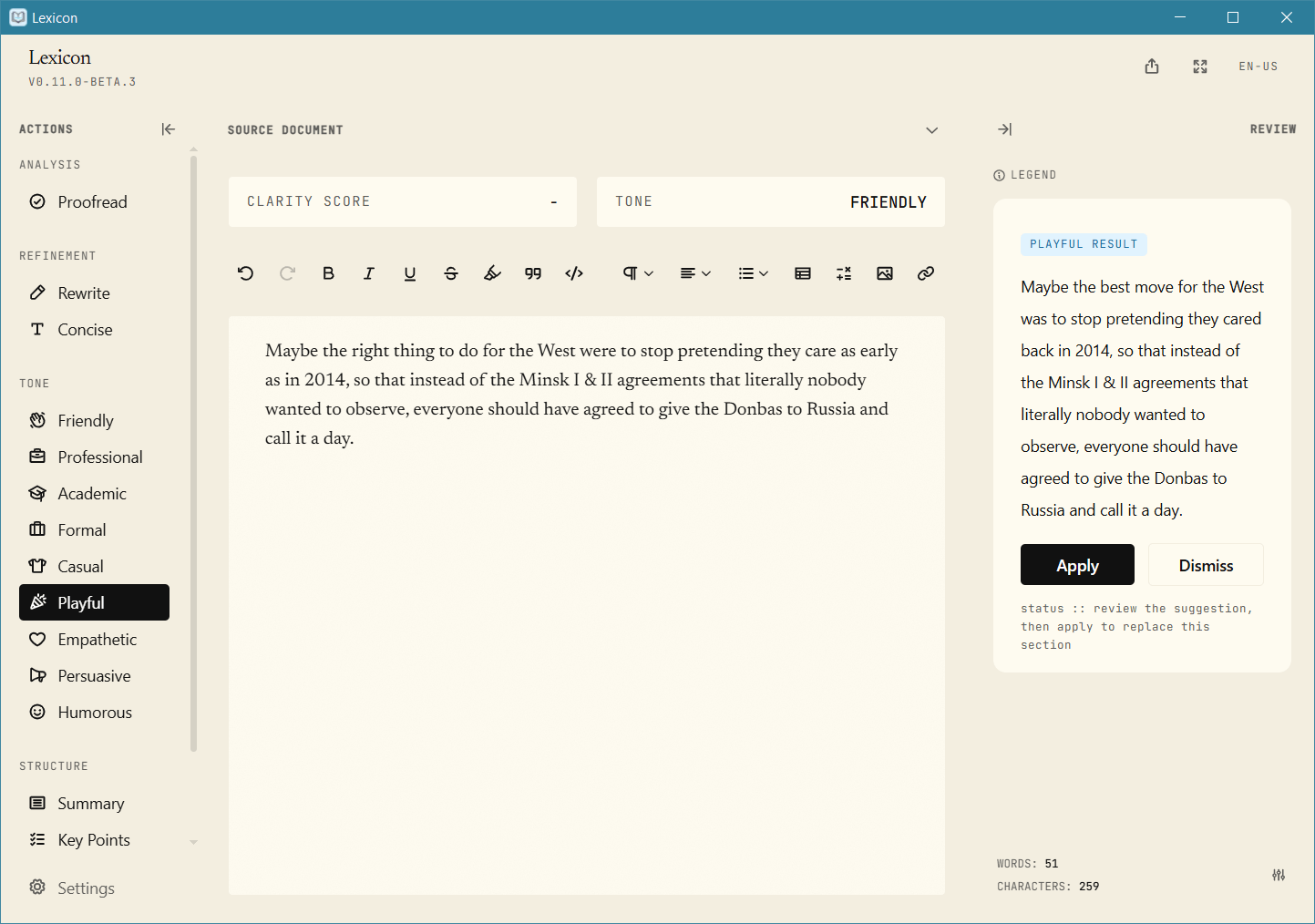
Maybe the best move for the West was to stop pretending they cared back in 2014, so that instead of the Minsk I & II agreements that literally nobody wanted to observe, everyone should have agreed to give the Donbas to Russia and call it a day.
In the screenshots below, look at the right-side panel because I didn’t apply the suggestions.
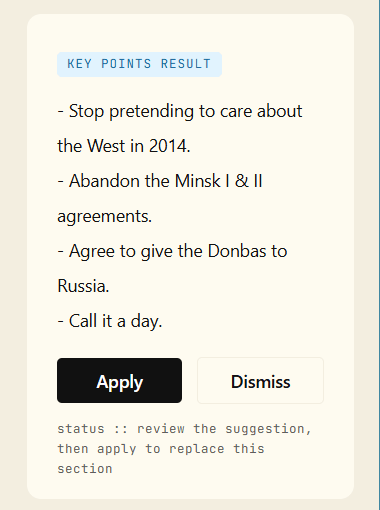
It can also extract the key points:
- Stop pretending to care about the West in 2014.
- Abandon the Minsk I & II agreements.
- Agree to give the Donbas to Russia.
- Call it a day.
Did you notice how it completely borked the first point? It was about Ukraine, not about the West, you Dumbo!
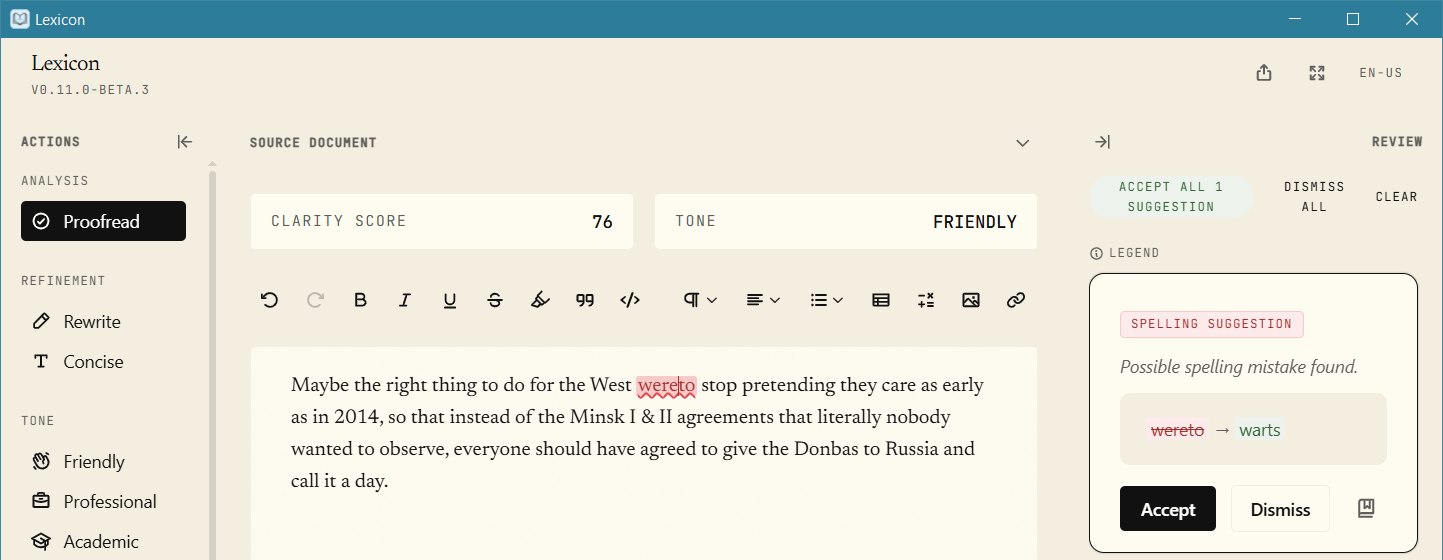
On the other hand, it can’t even correct typos that glue two words together!
This is what you get if you want privacy, so everything is processed locally!
The thorough French test that uses 12 sentences. It only corrected 4, 5, 7, 8, 10, and 11, so the score is 6/12. Previously, the worst score was obtained by Quillbot: 10/12. But 6/12 is utterly unacceptable!
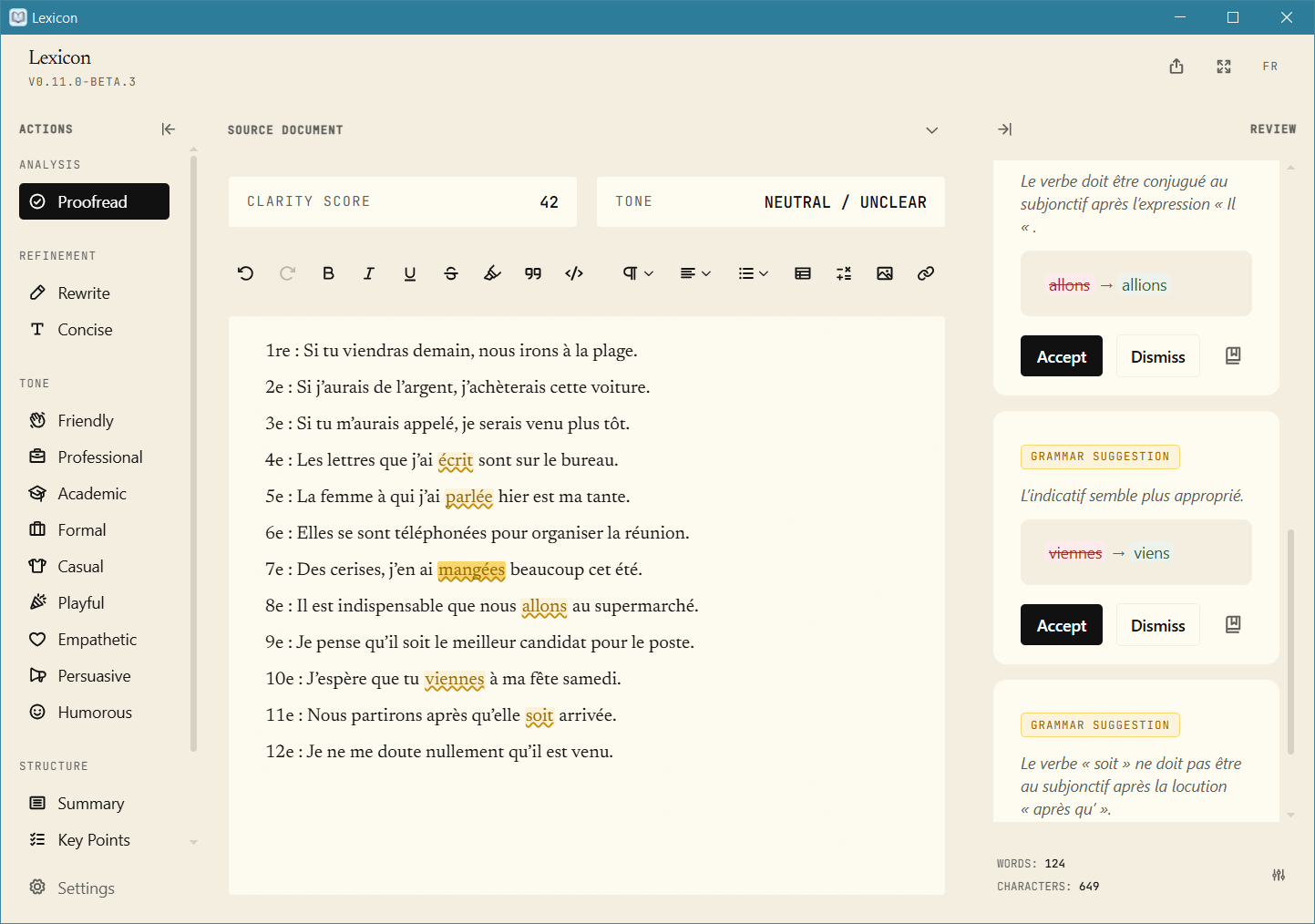
Once again, these are the limits of a local LanguageTool server.
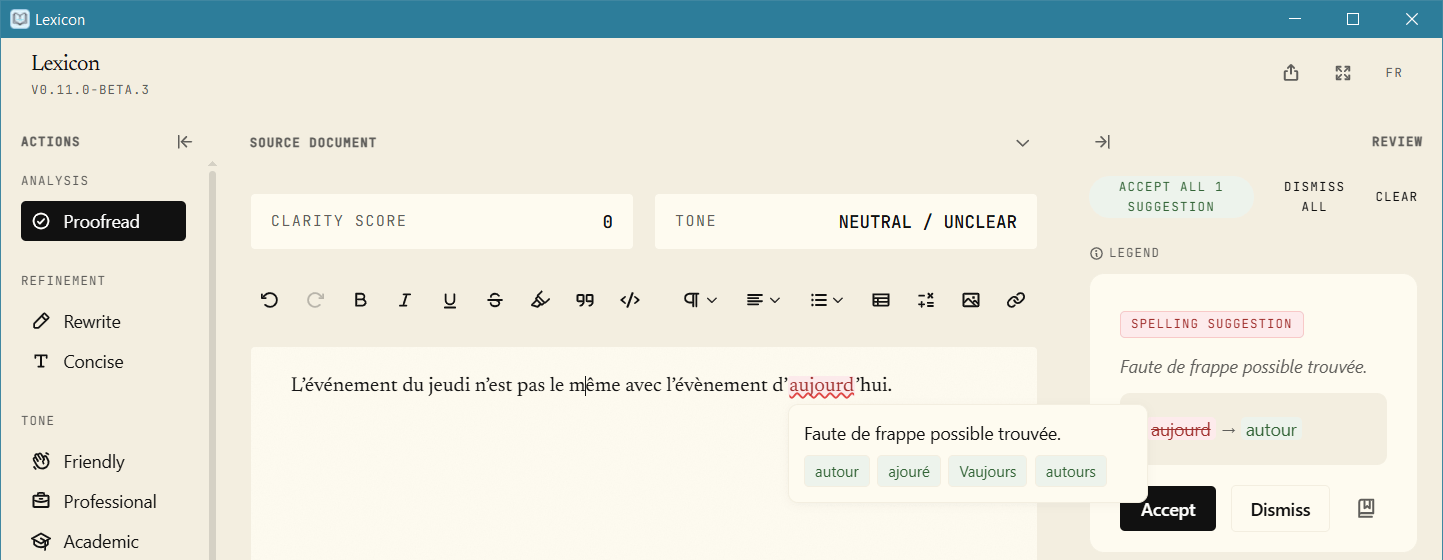
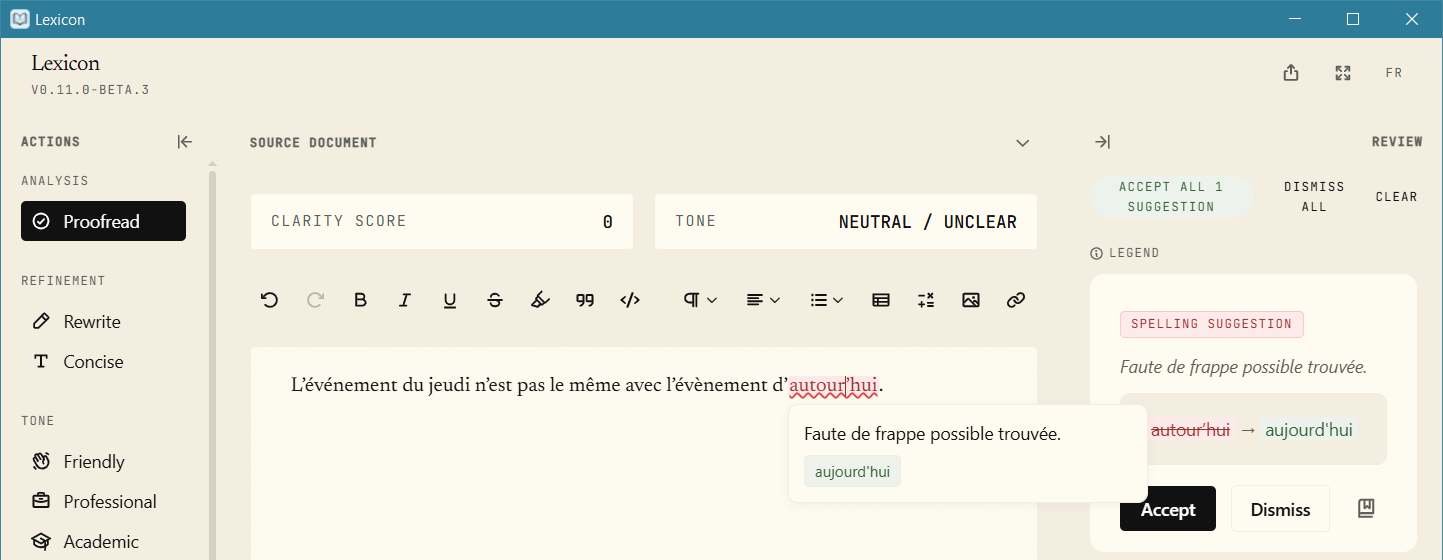
While testing the mixed French spellings (événement and évènement), Lexicon got confused by curly quotes!
Step 1, it didn’t like d’aujourd’hui and suggested d’autour’hui:
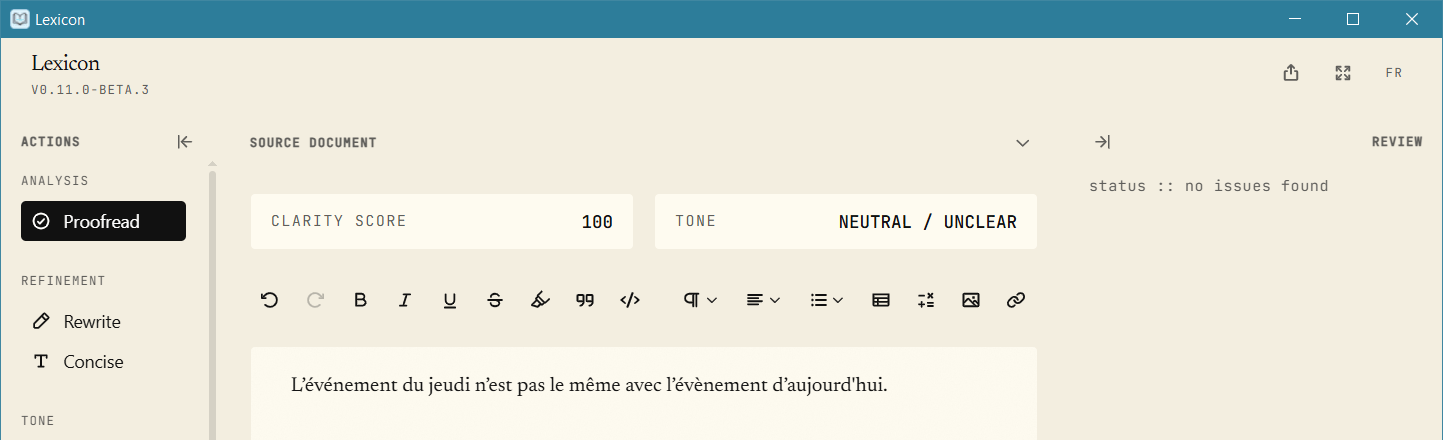
Step 2, it flagged the nonsense and replaced it with d’aujourd'hui (the second quote is straight):
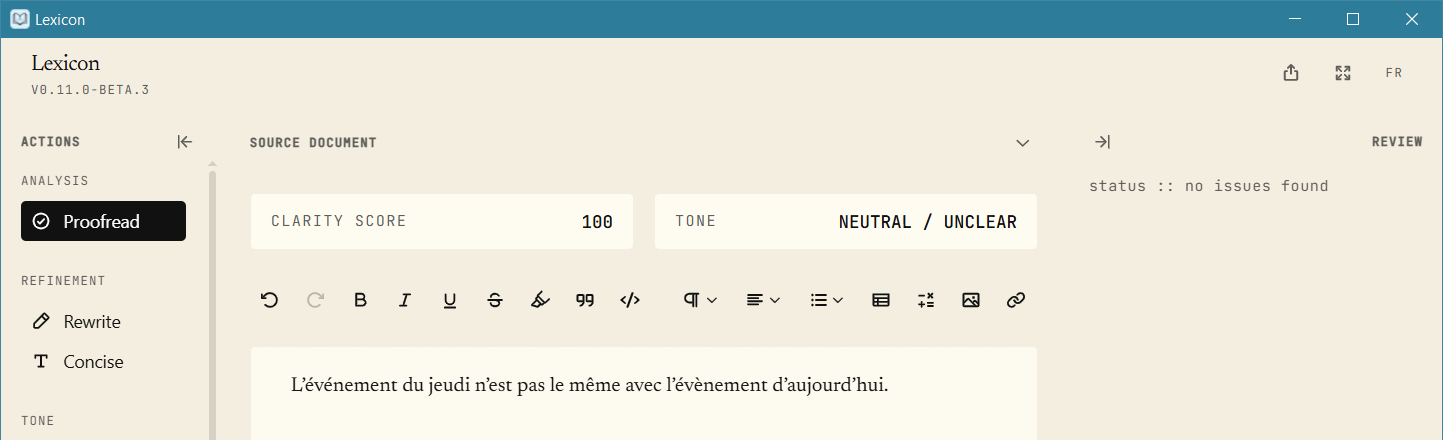
Of course, it can be told to ignore whatever it considers to be an error:
All things considered, Lexicon is not my cup of tea. The rule-based LanguageTool is, just as I thought, deplorable.
12. Some more suggestions
❿ The Internet offered me several other grammar checkers and rephrasers. First, here’s an eternally mediocre piece of software: Ginger.
Most people know it as an Android app, and this is how I met it an eternity ago. There isn’t that much happiness on the Google Play Store:
R dW, January 7, 2026
I had to pay twice for annual premium subscription. No refunds of course. I very much regret buying Ginger as it is the worst junk. I am back using Grammarly again as it is superior to Ginger.Radek Raczkowski, December 24, 2025
No easy way to use it – there is no floating button like in QuillBot and stopping what I write because I need to open Ginger manually is tedious. Personally I would prefer it to be in the “Share menu” like with Google Translate – so we can share to Ginger and a little floating window pops up with corrections. Add more languages.
The need to use its own Android editor makes it unattractive, so I only gave it an extremely cursory trial:
- Yes, it can correct basic typos.
- Surprisingly, it does correct Stephen King’s “for awhile”!
- And it can rephrase your text.
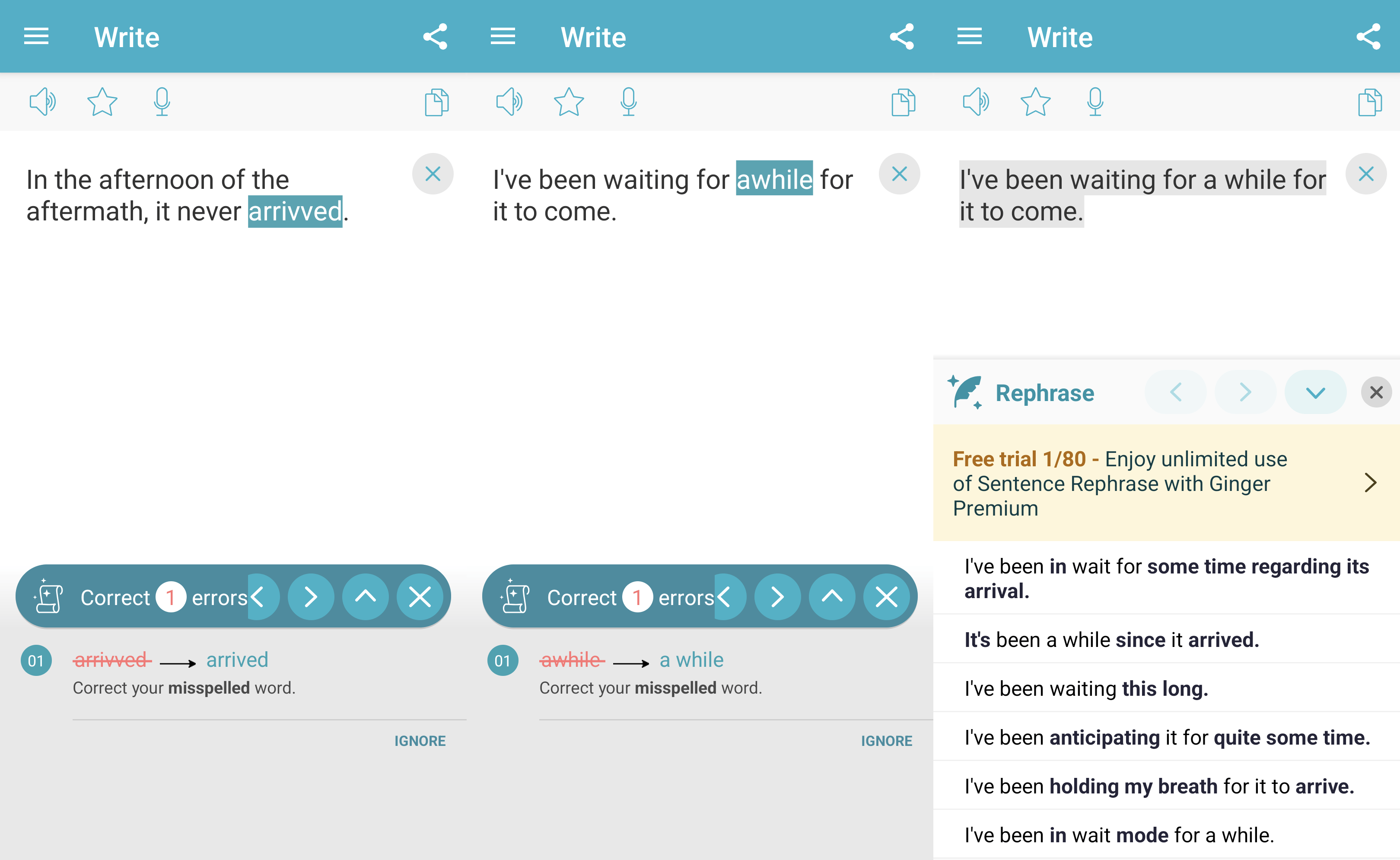
But it doesn’t integrate with anything unless you’re using a computer and its Chrome add-on, whose reviews are tepid.
⓫ Hemingway Editor only corrects grammar and spelling issues if you subscribe to Hemingway Editor Plus at $8.33/month ($100 billed annually).
Note that Concise: Hemingway Editor by App Factory Labs is not an official app for the original Hemingway Editor by Boondoggle Studio, LLC!
⓬ Wordtune is another product that I could have tried, but I didn’t. Its only integrations are a Chrome add-on (also for Edge) and an iOS app. This Firefox add-on, while not advertised on the main page, is official because Wordtune later suggested it to me! Unfortunately, it doesn’t integrate well with everything (it works in Gmail, though), and the sidebar that was supposed to help with all web pages simply didn’t work in my case.
The limitations of the free plan:
Limited daily use:
- 10 Rewrites & AI suggestions
- AI generations
Limited monthly use:
- 3 AI summarizations
Unlimited:
- Spelling corrections 👍
- Grammar checks 👍
Is Wortune able to check and correct other languages?
Currently, only English is supported. However, you can use Wordtune Rewrite to easily translate any text from another language into error-free and fluent English content.
Rewrite currently supports the following languages: Mandarin Chinese, Arabic, Hebrew, Korean, Hindi, Russian, Spanish, German, French and Portuguese.
Meh. This is not what people are looking for.
In a very quick mixed test, it fared as follows:
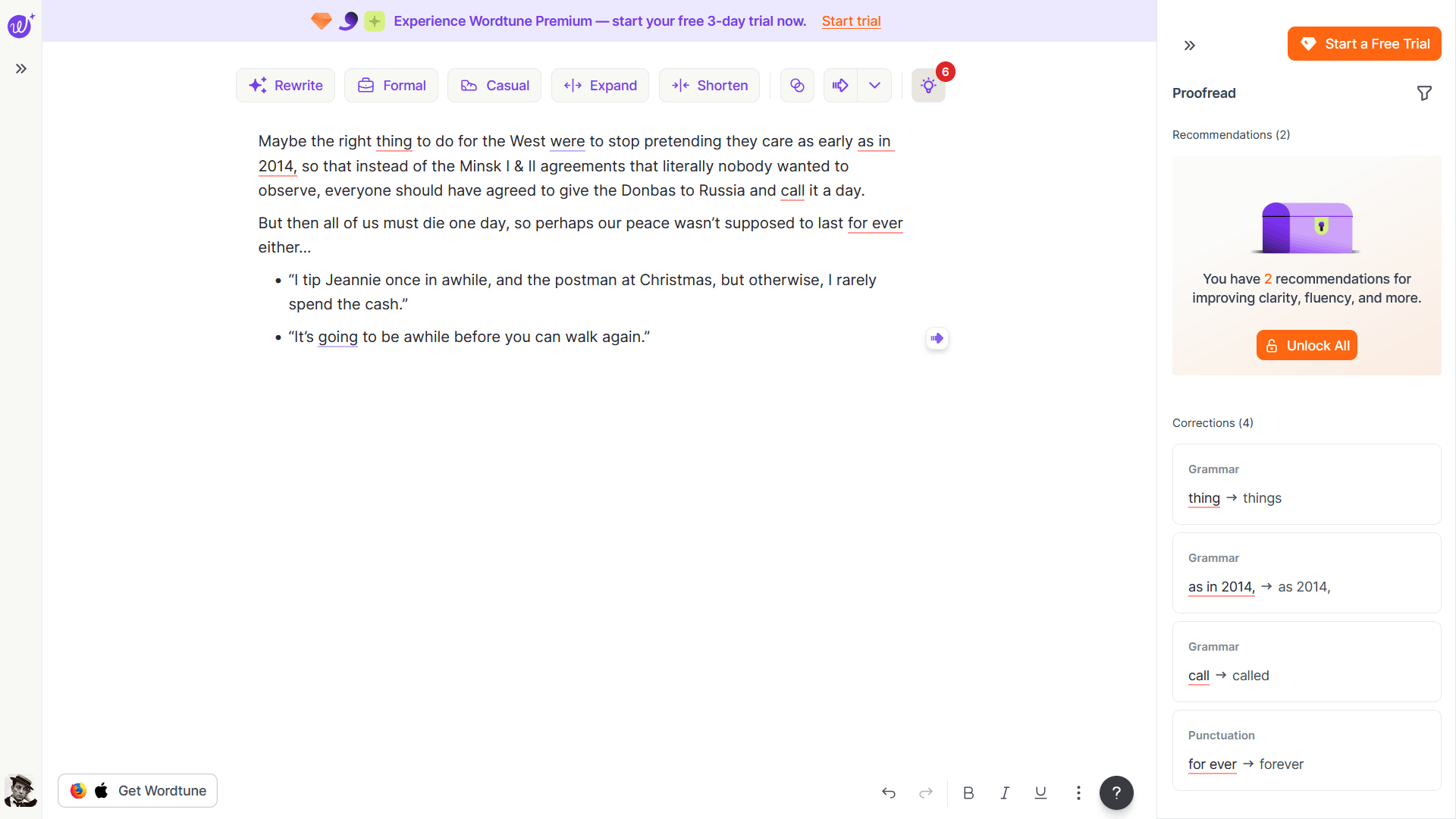
- In the “Ukraine test,” it corrected “thing” → “things” (nope!), “as early as in 2014” → “as early as 2014,” and “call” → “called.” It wanted to do something with “were,” but that suggestion was a paid one.
- It corrected “for ever” → “forever.”
- It didn’t care about “once in awhile” and “It’s going to be awhile,” but it wanted me to pay to rephrase “It’s going to.”
No way, McKay.
13. A couple more Grammarly annoyances
I’ve exposed many of Quillbot’s limitations, so in contrast, Grammarly shone as a superior product (which it is). But boy, it can be so annoying at times!
Take Gutenberg, the editor in WordPress. There is absolutely no visible text “Drop files to upload,” but this retard found a control or something (four instances!) and insisted it should be corrected.
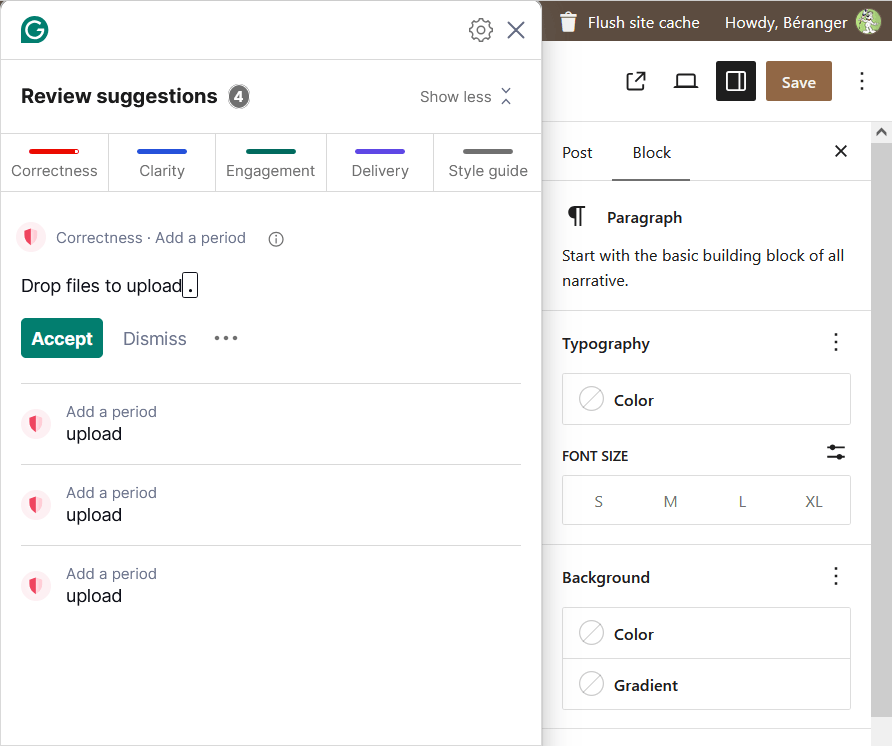
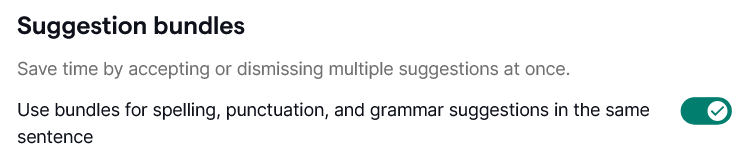
Then, even if you’re using a paid account, you still need to customize a lot. You won’t get grammar errors hidden behind a paywall, and improvements for “clarity” and “delivery” won’t be underlined in yellow; they’ll be underlined in blue. But too many suggestions will come as a bundle for the entire sentence, so you can’t accept or reject them individually!
I found a way to disable this on Android, but I couldn’t find anything to that effect in the web app. Maybe it was too well hidden.
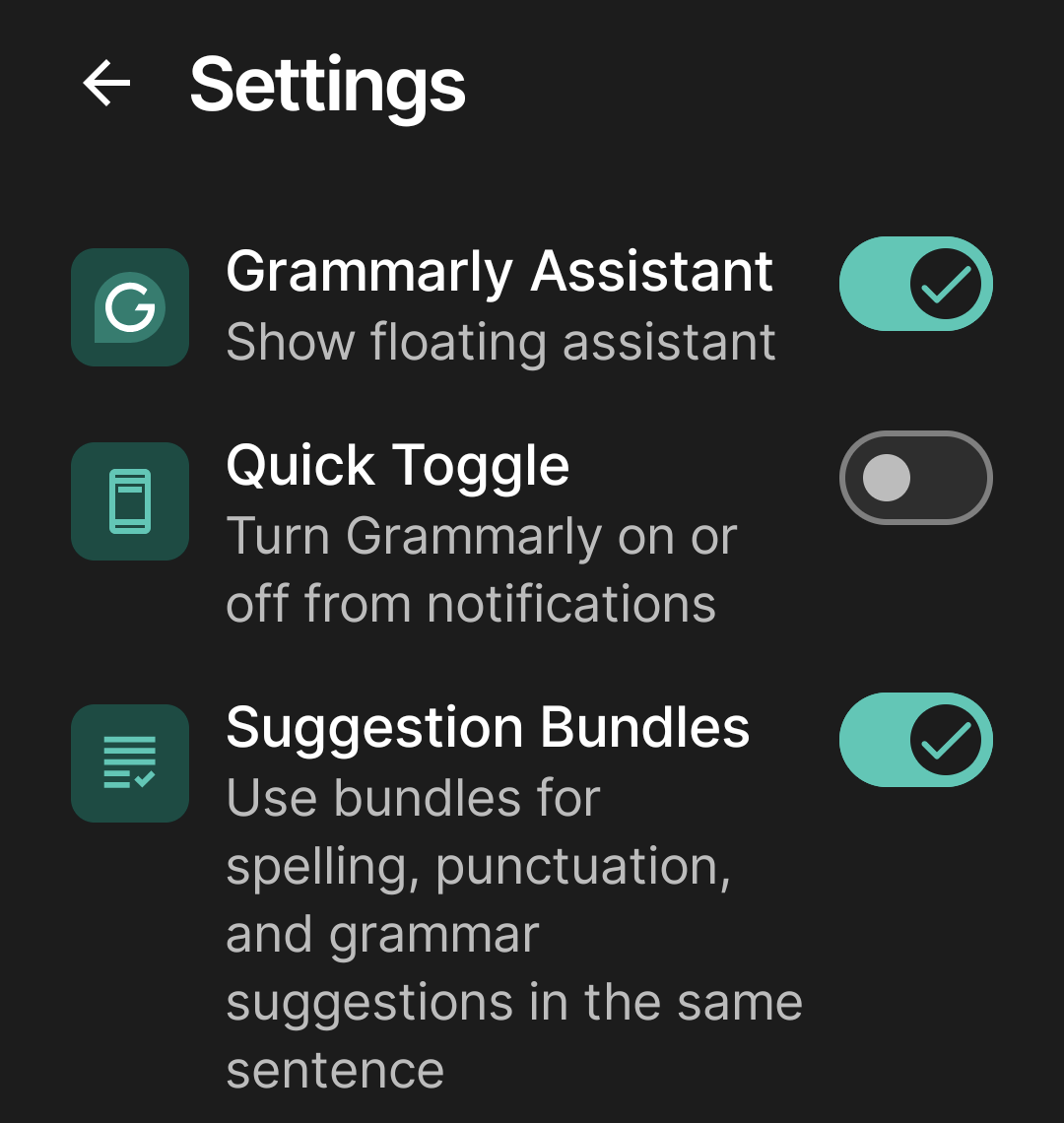
UPDATE: Indeed, it was well hidden under account.grammarly.com/customize/features:
Finally, among the list of “writing preferences” that includes “Show Ukraine support message,” you definitely want to disable “Sound more confident”:
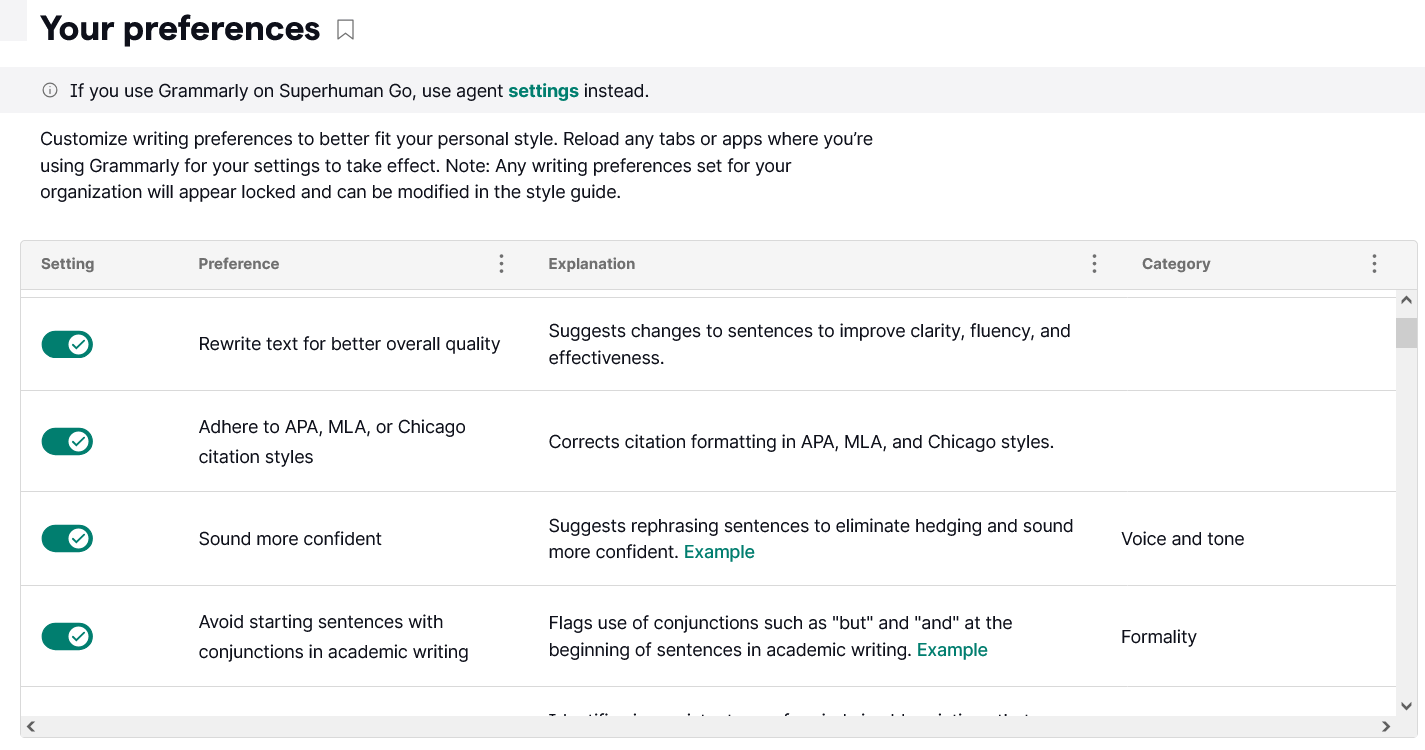
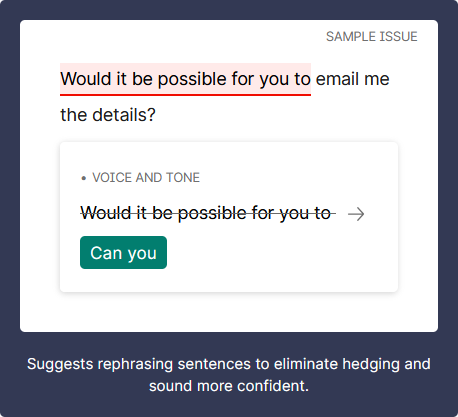
Not only will it remove “maybe” and “perhaps” at the beginning of a sentence, but the “be confident” attitude will transform “Would it be possible for you to email me the details?” into “Can you email me the details?” (I didn’t try switching to British English, though.)
14. My way is still the best way
On August 23, I wrote this tiny blog post: Firefox is the measure of how fucked-up software is today 😡
● LanguageTool corrected “Firefox is the measure of how fucked-up software is today” into “Firefox is a measure of how fucked-up software is today.”
● Grammarly wanted to improve for clarity of “Firefox is the measure of how fucked-up software is today” into “Firefox measures how fucked-up software is today.”
Then, for “Firefox is a measure of how fucked-up today’s software is,” Grammarly suggested another clarity improvement: “Firefox shows how fucked-up today’s software is.”
● Quillbot didn’t want to change anything, but when asked, it suggested alternate versions:
- Firefox exemplifies the extent to which software has become problematic today.
- Firefox exemplifies the current state of dysfunction in software.
- Firefox exemplifies the problems with software today.
- Firefox shows how problematic software is today.
- Firefox is an example of how bad software is today.
- Firefox is an example of software problems that exist today.
- Firefox serves as an illustration of the current state of software.
- The issues that are prevalent in software today are exemplified by Firefox. 🤦♂️
- Firefox illustrates software issues today.
- Firefox exemplifies the issues plaguing software today.
● Gemini to the rescue!
Ludditus: Question: Which of these titles is the best one for a furious blog post?
“Firefox shows how fucked-up today’s software is.”
“Firefox is a measure of how fucked-up software is today.”
“Firefox is the measure of how fucked-up software is today.”Gemini: For a furious blog post, “Firefox is the measure of how fucked-up software is today” is your best choice.
So my original idea was just fine.
15. To pay, or not to pay?
It won’t surprise anyone that my short list of alternatives to LanguageTool is very short, whether you’re willing to pay or not: Grammarly and Quillbot.
● Free riders could benefit from either of them, but keep this in mind:
- Grammarly is very restrictive in its free tier.
- Grammarly will pester you with fixes and suggestions only available to paid users.
- Grammarly tries to do too much, and that might seriously piss off some people.
- Grammarly is terribly buggy and inconsistent in behavior. Sometimes, the grammar corrections in the web editor are different from those offered by the add-on or by the Android app, to the point that some important errors might only be caught by the web editor. (LanguageTool suffers from the same form of software cancer.)
- Quillbot doesn’t support as many languages as Grammarly.
- Quillbot doesn’t have a Firefox add-on, and on Android it doesn’t support FairEmail (but it works with Gmail).
- Quillbot will miss many errors that Grammarly can catch, and it’s much less customizable. On the positive side, it’s much less intrusive.
- Quillbot offers 10 free rewrites a day, and many other tools, including an AI image generator, have free quotas. And the grammar checker is unlimited!
- Each of them has its own set of extra tools, most of which are to be avoided by people who want to use their own words and ideas, but they nonetheless deserve some exploration.
- Even in English, there will be blatant errors not caught by one of them but caught by the other one, especially with very long sentences. Neither is perfect!
● On the other hand, if you decide to become a paid user, Grammarly offers more than Quillbot… for more money. And there’s another catch. If you accept all of Grammarly’s suggestions (and you will be tempted to!), the resulting text will be less yours than an AI’s! 🤖 Quillbot might leave uncorrected errors, but the result would sound more like you—unless you decide to let it rewrite portions of your text. That said, Quillbot Flow integrates all AI tools in a single workspace, being useful for academic or professional content, so again, beware of how much you let the AI change your text!
For text generated by third-party LLMs (Gemini, ChatGPT, Claude) and slightly changed by you (20-30%), the bad news is that Quillbot’s AI Detector might say it’s 100% human, while Grammarly marks it as 100% AI-generated. But once you let Quillbot use its AI Humanizer, Grammarly’s AI Detector will say it’s 100% human-made! 🤣
● Something against Grammarly: Grammarly is a cheater. As the makers of eesel AI noted (they’re not trustworthy as a business, being “located” at “651 N Broad St, Middletown, Delaware 19709,” which is used as a forwarding mail address for lots of shell companies, similarly to what I described here) in Why writers are leaving Grammarly in 2026, there was an “Expert Review scandal” better described by WIRED back in March: Grammarly Is Offering ‘Expert’ AI Reviews From Your Favorite Authors—Dead or Alive:
As advertised on a support page, Grammarly users can solicit tips from virtual versions of living writers and scholars such as Stephen King and Neil deGrasse Tyson (neither of whom responded to a request for comment) as well as the deceased, like the editor William Zinsser and astronomer Carl Sagan. Presumably, these different AI agents are trained on the oeuvres of the people they are meant to imitate, though the legality of this content-harvesting remains murky at best, and the subject of many, many copyright lawsuits.
That shit was eventually removed.
And this, from eesel’s post:
Grammarly flags intentional sentence fragments, unconventional punctuation, and deliberate stylistic choices as errors. It mistakes style for mistakes.
This sets a trap that makes people go like lemmings and accept every suggestion from Grammarly because “it’s an error!”
● Something against Quillbot: Typography. Quillbot uses Open Sans in the web app, and it’s just fucking ugly and unprofessional. Grammarly uses Inter, and this makes it look like macOS.
16. Pricing, pricing, pricing!
Before subscribing, some people might want to try the paid editions, or they might be willing to look on the gray markets for cheap subscriptions, in most cases shared accounts (OMG!).
● For instance, shared accounts can cost as low as $4.50 or $4.99 on eBay for one month and one month alone (not renewable, just a one-off payment): Grammarly, Quillbot. That is, if the text corrected in real-time is known only to the creators of such products, everything you write in the web app, which is automatically saved as an online document, could be accessible to someone in Lahore and to other users who have also purchased the same shared account.
● Shared and apparently private premium accounts are also available on GamsGo (Grammarly; Quillbot), G2A (Grammarly; Quillbot), and other similar gray markets. One month for less than $2? Apparently, yes, at least for Quillbot.
Official subscriptions are what you’d want, right?
● Grammarly doesn’t do discounts. It’s $12 (+tax) or €12 (VAT included) per month, paid annually in advance. Hence, €144/yr.
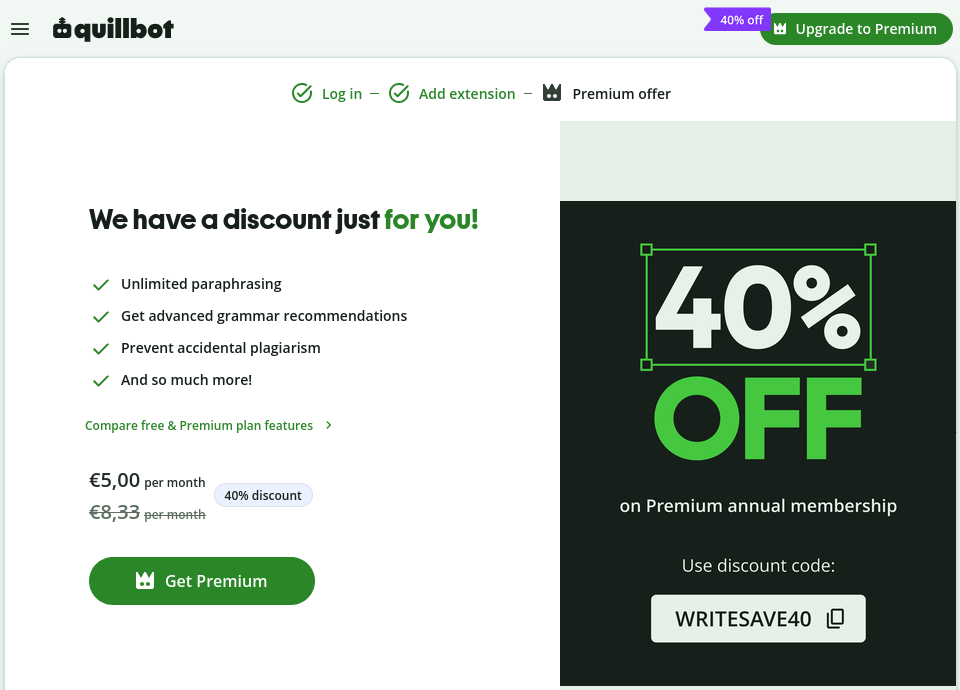
● Quillbot does offer discounts! For the first year, they have a perpetual 20% off coupon: GOPREMIUM. Then, there is a lesser-known 30% off coupon: SECRETQUILLBOT. But right now, from August 23 and through September 6, there is a 40% off coupon: WRITESAVE40.

Your subscription will automatically renew every 12 months. You will be charged €59.97 for the first 12 months and thereafter €99.95 on each renewal until you cancel your subscription.
You can’t say you didn’t know. 🌟
17. A late and final warning
Before you decide to buy anything (if at all), let me show you one more time that none of them fully deserves your money.
Incorrect sentences:
- As it was determined at the time, the aspect ratio of human vision is about 1.85.
- As it has been established, human vision is quite panoramic, at around 1.85.
- Other countries seem to recover, as it was the case with Mexico.
Grammarly only flags the second and third “it” in the paid version, and only the third in the free version. Pasting the text repeatedly occasionally causes even the paid tier to miss the second error entirely. Quillbot and LanguageTool do not flag any of them.
In English, “as” operates as a relative pronoun and subject in these parenthetical passive constructions; inserting “it” produces a redundant double subject.
In French, the opposite is true: the verb needs a neuter anchor after “comme” in equivalent constructions (the impersonal dummy pronoun “il” for impersonal passives or the demonstrative “ce”/“cela” for fixed copular phrases like “être le cas”), so the following examples are incorrect:
- Comme a été déterminé à l’époque, le rapport d’aspect de la vision humaine est d’environ 1,85.
- Comme a été établi, la vision humaine est assez panoramique, avec un rapport d’aspect d’environ 1,85.
- D’autres pays semblent se redresser, comme fut le cas pour le Mexique.
Corrected French versions:
- Comme il a été déterminé à l’époque, le rapport d’aspect de la vision humaine est d’environ 1,85.
- Comme il a été établi, la vision humaine est assez panoramique, avec un rapport d’aspect d’environ 1,85.
- D’autres pays semblent se redresser, comme ce fut le cas pour le Mexique.
For French, Grammarly catches only the first two errors (the missing “il”), but completely misses the required “ce” in the third. QuillBot and LanguageTool don’t object to any of them.
Note to the note
When I wrote, “none of them fully deserves your money,” Grammarly objected and corrected it to “none of them fully deserve” (plural). If you ask ChatGPT, it would say that historically, “none” did mean “not one,” but plural agreement with “none of” has a long-established place in standard English. However, I maintain that the plural should not be mandatory, as it is the opposite in French with “aucun d’entre eux” and in Romanian with “niciunul dintre ei,” where the singular is mandatory!
Michael Swan, “Practical English Usage” (§376.2 in the 3rd edition and §163.2 in the 4th edition):
When we use none of with a plural noun or pronoun, the verb can be singular (a little more formal) or plural (a little more informal).
None of my friends is interested. (more formal)
None of my friends are interested. (more informal)
We can use none alone if the meaning is clear.
‘How many of the books have you read?’ ‘None.’
Grammarly can be such an ass.
18. Epilogue?
I didn’t purchase anything, but I revisited LanguageTool’s pricing. Their free tier has such limited rules that you have to pay even to fix agreement errors! I can’t tell how much better their paid version is, but I know the many limitations of the free one.
Apparently, they don’t do coupons, much like Grammarly. Long-time users can be offered a 20% discount, though.
I used a different browser to connect to LanguageTool with a Google account set to Germany, and the annual offer was €4.99/mo (€59.89/yr), VAT included.
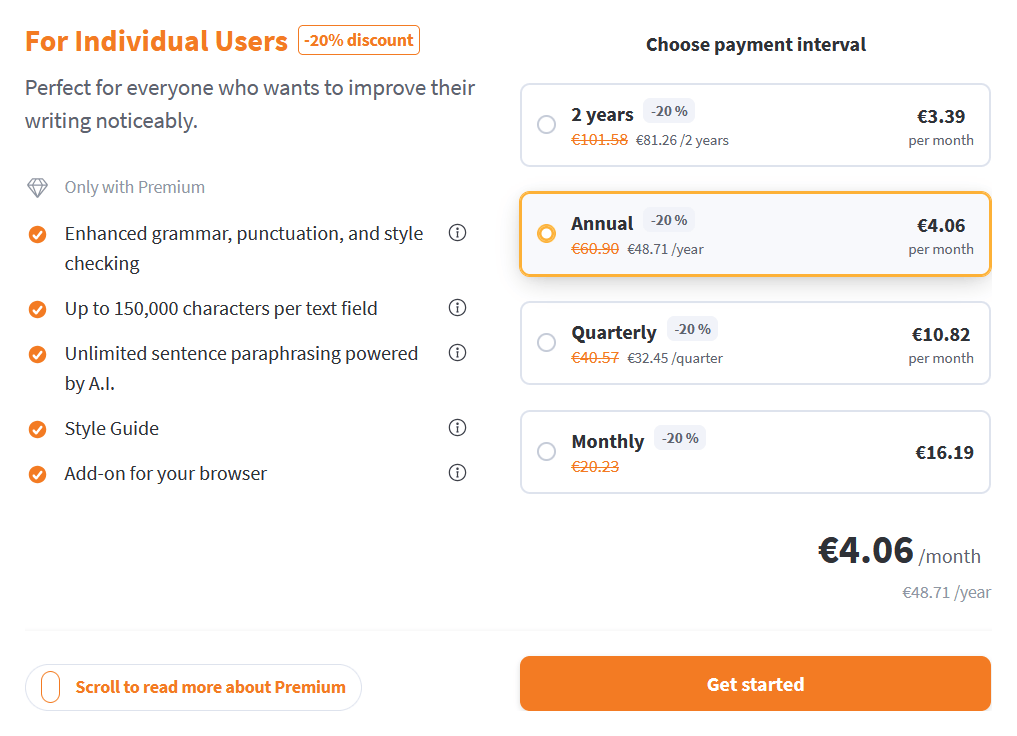
My old LanguageTool account, created many years ago while in Romania, did offer the 20% discount, but with a quirk: for some reason, their nice “.99” prices are based on a 19% VAT rate, and Romania has 21% VAT, so instead of €3.99/mo, the discount read €4.06/mo!
The price is still better than Quillbot’s, and LanguageTool supports many more languages than Quillbot, so unless you need the extensive set of AI tools offered by Quillbot and Grammarly, I suppose LanguageTool is still the corrector of first choice, so to speak.
🤖
Google’s AI Overview, in a nutshell:
- LanguageTool is best for: Multilingual users who need grammar checks in over 30 languages.
- Quillbot is best for: Students and content creators who need to rephrase or summarize large volumes of text.
- Grammarly is best for: Flawless English grammar, tone adjustments, and business writing.
That said, I maintain that literally no grammar correction tool deserves any money. Each is a huge mess.
🤖
I found this random comment on Reddit quite relevant:
Is having a paid Grammarly plan even worth it in 2025?
No, it’s not worth it. Many suggestions are terrible, and the new feature of underlining perfectly good sentences for improvement is even worse. Grammarly identifies many mistakes that are not really errors. I’m currently filling out a report to ask them what’s wrong with their product and why it keeps bothering me with false positives. For example, QuillBot scores my writing as excellent with 90 or 95 points, but Grammarly keeps finding so-called mistakes. When I accept them, the writing score plummets, and the text becomes illegible. Horrible product.
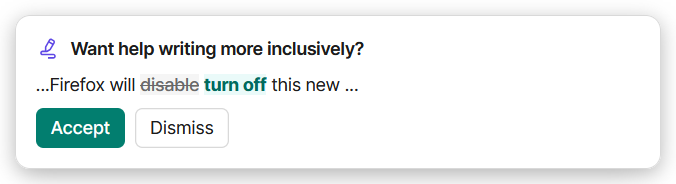
Also, Grammarly is mentally disabled:
🤖
Something against LanguageTool this time.
I browsed Trustpilot for reviews of my top 3 products. The average ratings aren’t truly relevant, but let’s mention them nonetheless:
- Quillbot: 4.8 (13,923 reviews)
- Grammarly: 3.2 (10,453 reviews)
- LanguageTool: 1.9 (55 reviews)
What I looked for, obviously, were the negative reviews.
I had to ignore entire categories:
- The quality of AI detection cannot be trusted, so anyone who purchases a subscription for such a tool is a retard.
- The quality of AI rewriting shouldn’t matter, because using AI to write one’s thesis or essay is fraud. What I look for in such products is the grammar corrector and nothing more! Enhancing a sentence by using a more suitable preposition or adverb, or changing the position of some word, is legitimate as long as it’s a grammar issue, not a “change of tone” or something an LLM would like doing.
- The topic of automatic subscription renewals only confirmed my thesis that 99.8% of humans are way too stupid. An intelligent person doesn’t cancel at the last moment. They don’t wait 11 months to cancel an automatic renewal! Cancel the renewal the day after you start a subscription! The rest of the year will just go on normally, as it was paid for. Moreover, if you paid with PayPal, the merchant would be listed as authorized for future subscriptions. Well, remove that authorization from your PayPal account!
- Finally, there were retards who paid one full year only to test a feature that “couldn’t be tested” in the free version. In most cases, you could test that feature for free, but retards be retards. Then, someone couldn’t be bothered to test for free whether Quillbot can correct Polish texts and subscribed for a year. It literally takes 2 minutes to discover that Polish is only supported as a translation source or target language, but not in the grammar checker! Too many retards on Earth…
Another factor that makes comparing average notes irrelevant is that 99.9% of people use LanguageTool without paying. The very limited number of reviews reflects this reality. Many negative reviews are angry that they made the browser add-on a paid-only feature.
A small concern: a review from Aug. 15, 2026, explained in detail how difficult it can be to cancel a Grammarly subscription because the web page would stop working. This seems to be a nasty bug that could impact your budget, especially as Grammarly is the most expensive of the three.
The ultimate proof that LanguageTool’s multi-language asset is mostly a fraud came on Aug. 1, 2026, from a paid customer:
LanguageTool was recommended for proofreading in Italian. I purchased a one-year subscription. First line I wrote “Un avventura bellissima” contains a significant error in Italian (it’s missing an apostrophe, which is required). The software did not flag it. This is Italian grammar 101. What a disappointment. Threw money down the drain. Skip it.
Indeed, it should have been “Un’avventura.” Grammarly corrects it. Quillbot doesn’t do Italian. LanguageTool is a fraud in Italian!
Added “17. A late and final warning” (all correctors suck).
Finally, an “18. Epilogue?”