
Of Mice and Men: Redragon, Mon Amour?
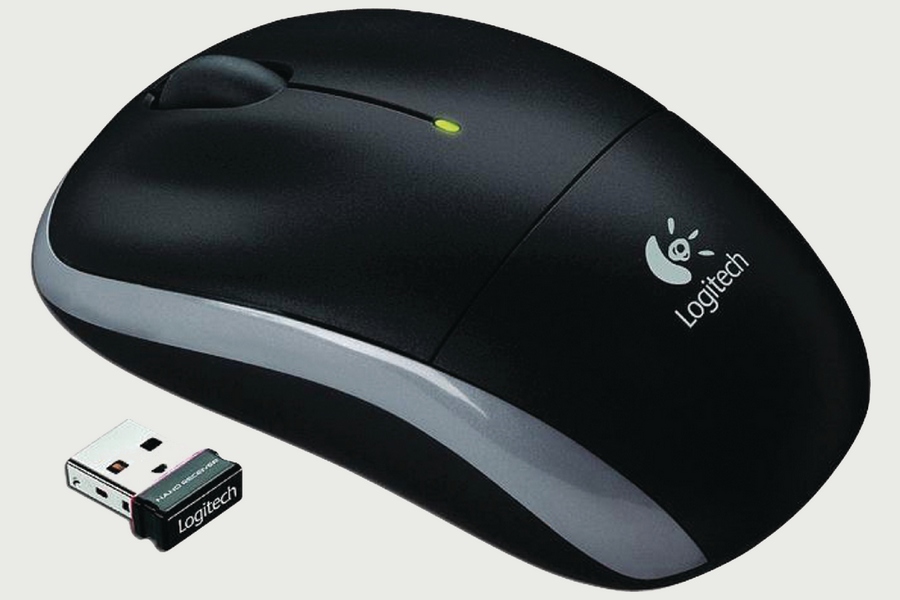
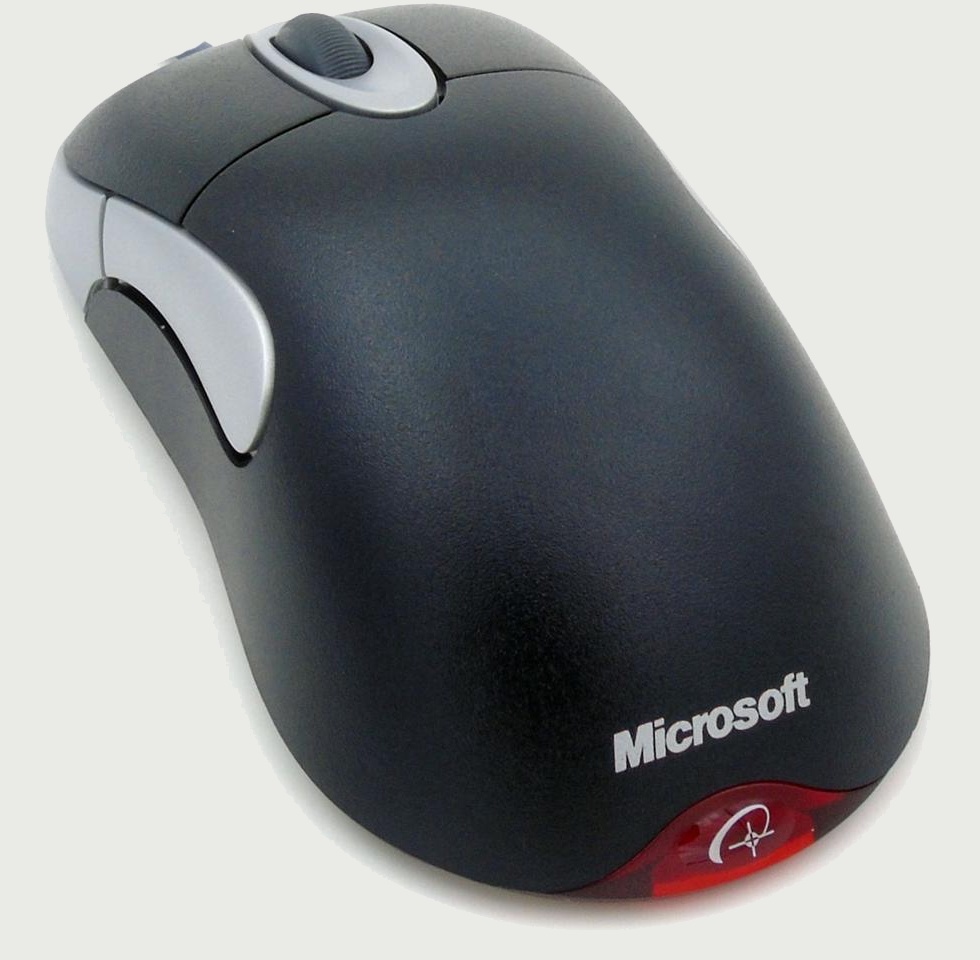
When I wrote in 2021 about mice and keyboards, I left the topic without a clear message. At the time, I praised the simple but reliable Logitech M180 (the successor, M185, is crappy, or so I’m told), and I evoked the Microsoft IntelliMouse. Almost five years later, this Elecom trackball awaits me, and I still haven’t found the time or motivation to adapt. 🖱️ Adapting to a vertical mouse is only half done, and it only worked with the 2nd mouse, which is literally fantastic, and its battery lasts an eternity on BT (it’s dual wireless/BT), but I cannot have very precise movements with it. While I never need “gaming mice,” today I want to share some considerations about specific mice that I like and therefore recommend—and the list includes a range of mice designed for gaming.
When simpler is better for most common usages
“Normal” people aren’t gamers, so they need normal mice. Office mice, in other words. The last time I used a wired mouse was in 2012, so I obviously recommend wireless (2.4 GHz) mice or, for laptops, Bluetooth mice. Why should a Bluetooth mouse only be used with a laptop? The answer is obvious: you can’t use such a mouse right away, so you need a replacement (a trackpad or touchpad) to configure the OS and get it working (or troubleshoot a failed connection).
❶ The simplest and cheapest mouse I found extremely robust and very satisfactory for everyday use is the Rapoo 1620. It’s a no-frills 1000 DPI mouse that lists at €8.99 (but I purchased it for €5.95 at the time in a Saturn store). No unnecessary buttons, an AA battery, a scroll wheel I cannot complain about, and it’s indestructible. I’m surprised it doesn’t sell by the millions. It uses an invisible infrared LED.
❷ For a more elegant mouse, the Lenovo 530 is a clear winner in my view. It comes in six colors, all of which are deceiving, because all the official images are computer-generated, not real pictures. I wholeheartedly recommend the “Abyss Blue” version, which is infinitely sexier than in the marketing renderings, and it’s almost black. It’s a 1200 DPI mouse with no unnecessary buttons, and it uses a single AA battery hidden under a magnetically held hood, just like the nano-receiver. It’s surprisingly retro with its old-school red LED, but that’s OK. Its size and shape should please most users, so I’m puzzled why it’s not more popular. The model name printed on it is L300, but it has nothing in common with Lenovo 300. Lenovo 530 is actually a much better product than Lenovo 300 and Lenovo 400. This mouse is currently hard to find in Europe at a reasonable price, ideally below the €17.99 list price. I can’t understand some negative reviews, as my mouse has proven very reliable.
General advice: avoid any mouse with a “silent click”; the lack of proper feedback makes it unusable. Such models still sell, so I suspect some people don’t click that much, or else how the fuck could they use such a mouse if they’re not mentally damaged?
Enter Redragon M916—a whole family of rodents!
I discovered the “least powerful” member of the Redragon K1NG M916 family, the M916-LIT-1K, by pure accident, on November 7, 2025, when Romania had one of its many “Black Friday” days. So I got the white version for about €14 (the last price was higher), shipping included.
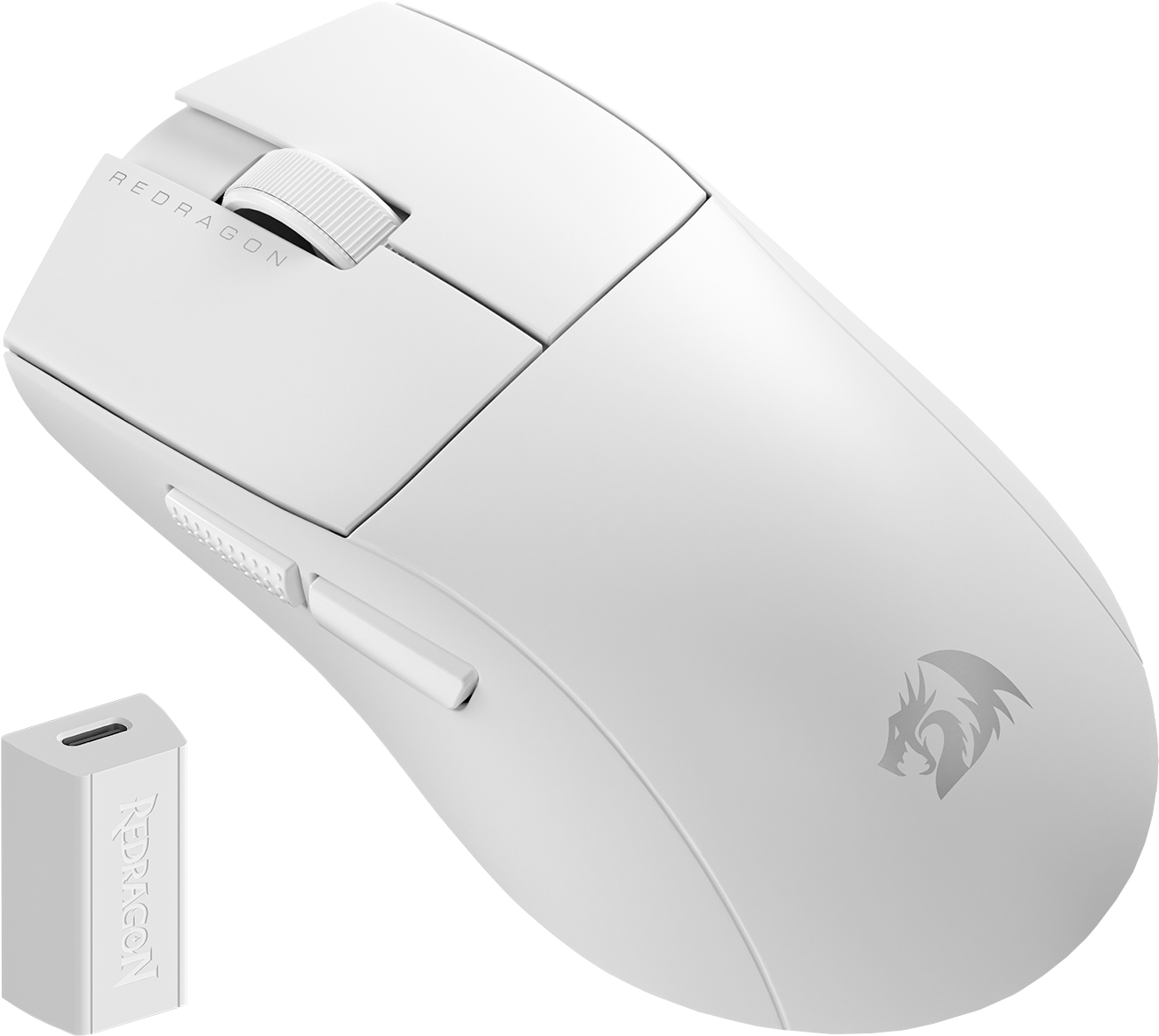
Because I was so happy with it, this year I purchased the next model in the line, M916-STD-1K, for less than €16 (again, not this price), shipping included. It’s useful to happen to be in Romania at the right moment!
The M916 family has several members, most of which can connect to a computer in 3 ways: wired, wireless, and Bluetooth. Gaming mice generally lack Bluetooth because it limits the polling rate to 125 Hz, as the protocol can transmit only once every 7.5 ms (133 Hz). And gamers need more: 1 kHz, 4 kHz, even 8 kHz, though I can’t understand why. I also cannot understand how gaming keyboards need less than 1 ms latency and the ability to register more than 6 keys pressed at the same time. If gamers have such exceptional physical abilities, they should all become military pilots.
But I needed Bluetooth because laptops never have enough USB ports, and Redragon offers such mice.
I also liked that such mice don’t have any lighting, let alone that stupid RGB crap that would drive me crazy!
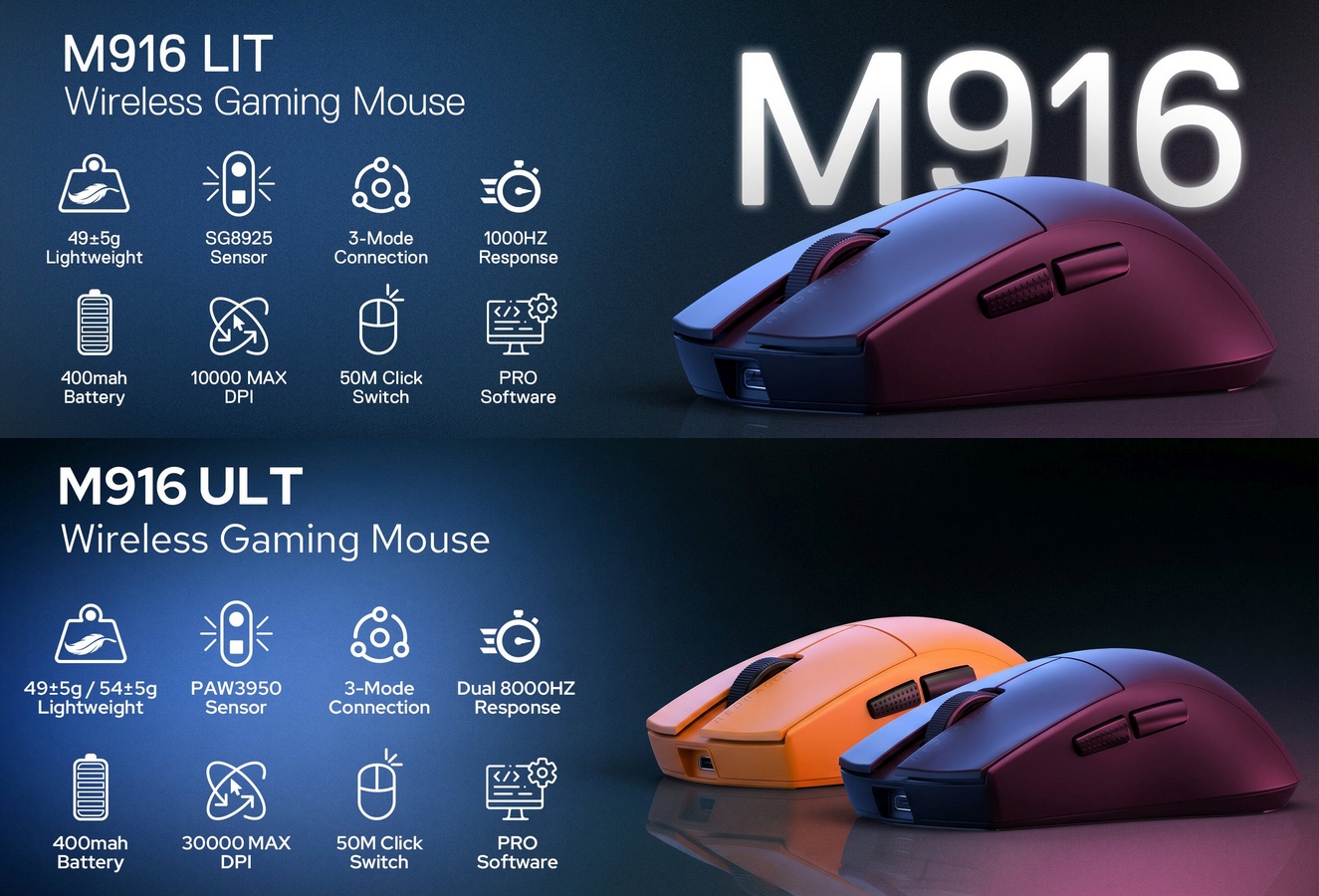
On Redragon’s website, each mouse page in the M916 series (the only Bluetooth-capable model) includes a table with all M916 (and some M924 or M724) models, except the “STD” one, which is somewhat particular. For practical reasons, I concocted the descriptive table below. I’ll skip the mouse color (my mouse was white, hence M916W-LIT-1K, but the default model is black, hence M916-LIT-1K). I’ll also ignore special editions (orange is one; the anime M916AK-PRO is another). A related model, M918-PRO (with anime: M918AKG-PRO, M918AKBG-PRO), is M916-PRO-1K under the hood.
| Model | Max. poll | DPI on box | Max. DPI | Sensor | Optical CPI | MSRP |
|---|---|---|---|---|---|---|
| M916-LIT-1K | 1 kHz | 8,000 | 10,000 | SG8925 | 5,000 | $19.99 |
| M916-STD-1K | 1 kHz | 12,000 | 24,000 | PAW3311 | 12,000 | $24.99 |
| M916-PLUS | 1 kHz | 45,000 | 45,000 | OM76 | N/A | $26.99 |
| M916-PRO-1K | 1 kHz | 26,000 | 26,000 | PAW3395 | 26,000 | $39.99 |
| M916-PRO-4K | 4 kHz | 26,000 | 26,000 | PAW3395 | 26,000 | $44.99 |
| M916-ULT-8K | 8 kHz | 30,000 | 30,000 | PAW3950 | 30,000 | $49.99 |
Important notes:
- In most cases, the box shows the maximum DPI that corresponds to the sensor’s optical CPI (counts per inch) resolution. Higher DPI values are obtained via software interpolation.
- The best sensors are PAW, by Pixel Art.
- The cheapest mouse (LIT = lite) has a sensor by SiGma Micro. Its low optical resolution made Redragon print a higher DPI on the box.
- The PLUS mouse is special in several ways. First, it’s the only one to have a carbon fiber texture finish. Secondly, I couldn’t identify the manufacturer of its OM76 sensor. Thirdly, its huge maximum of 45,000 DPI is unmatched and incredible for the price, but it’s obviously software-interpolated.
- All mice are extremely lightweight at 49 grams (54 g for the orange version of M916-ULT-8K) and include a 400 mAh LiPo battery.
The weirdness has yet to begin. Each variant has its own Windows software that lets you change the defaults for the 5 or 7 preset DPI values and other parameters you can’t adjust with the mouse buttons alone. But the default DPI values are inconsistent across the range!
You’re invited to find the hidden logic in the default DPI presets:
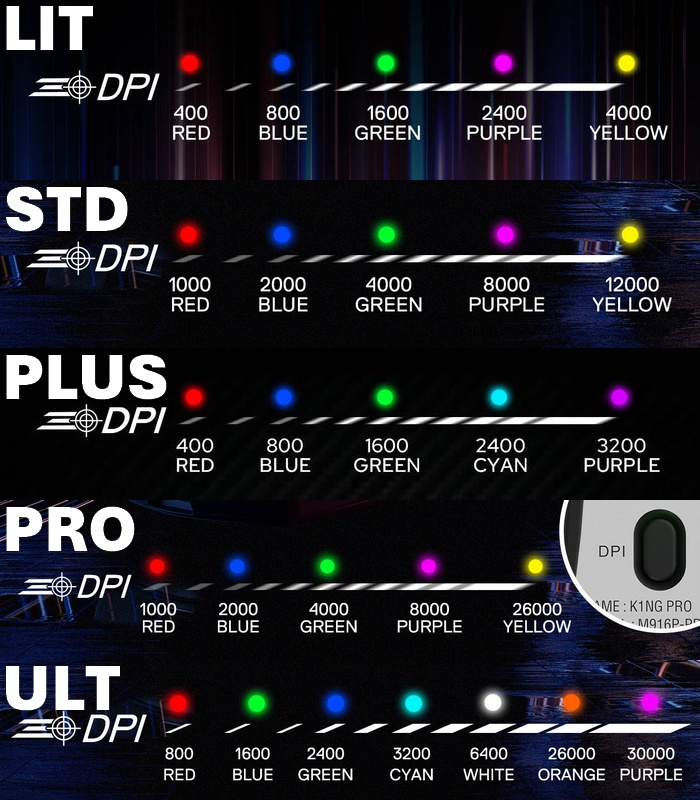
Only the LIT and PLUS presets are decent. STD, PRO and ULT are crazy because they want to let the user reach the maximum DPI even without using the software, when such absurd values are only used by gamers, and gamers will install that bloody software!
According to the PDF manual, PRO-4K should have different presets than PRO-1K: 500, 1000, 2000, 4000, 8000. I hope there’s an error, because it makes no sense whatsoever. 🤷♂️
On the other hand, who’s using DPI values under 1,000?! C’mon. Either way, my second mouse, an STD, definitely required adjustments, because the third preset was already unusable at 4,000 DPI. In my opinion, 3,200 DPI is the maximum usable value for “normal” people—those coming from 1,000 or 1,200 DPI mice.
The user manuals don’t use the same button numbering across the range, but once we consider the following convention, here’s what you can do:
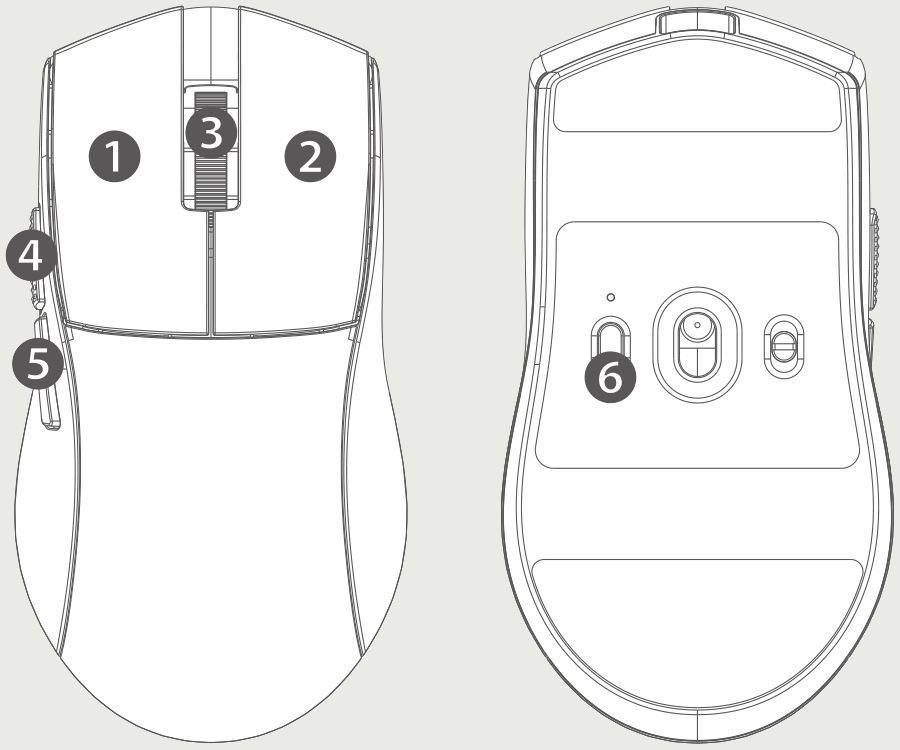
- Press ❶+❸+❷ simultaneously for 3 seconds to enter BT pairing mode (LIT, PLUS, ULT). The STD and PRO require pressing ❶+❺ instead! 🤦♂️
- Press ❻ to adjust the DPI cyclically (the LED above the button will change color). Note that this LED will light red while charging.
- Press ❸+❹ to adjust the polling (reporting) rate: 125 Hz/250 Hz/500 Hz/1 kHz on wired and wireless (LIT and PLUS). The LED will flash in white 1 to 4 times, accordingly. The STD, PRO, and ULT require software to set the report rates! 🤦♂️ (BT connections only support 125 Hz.)
- Charge the mouse only from the computer or from an old-school USB-A 5 V charger, because PD/PPS phone chargers may sometimes output 9/12/15/20 V even without voltage negotiation, and the mouse cannot support more than 7 V. I inadvertently used a smarter charger, and I was lucky that it only output 5 V.
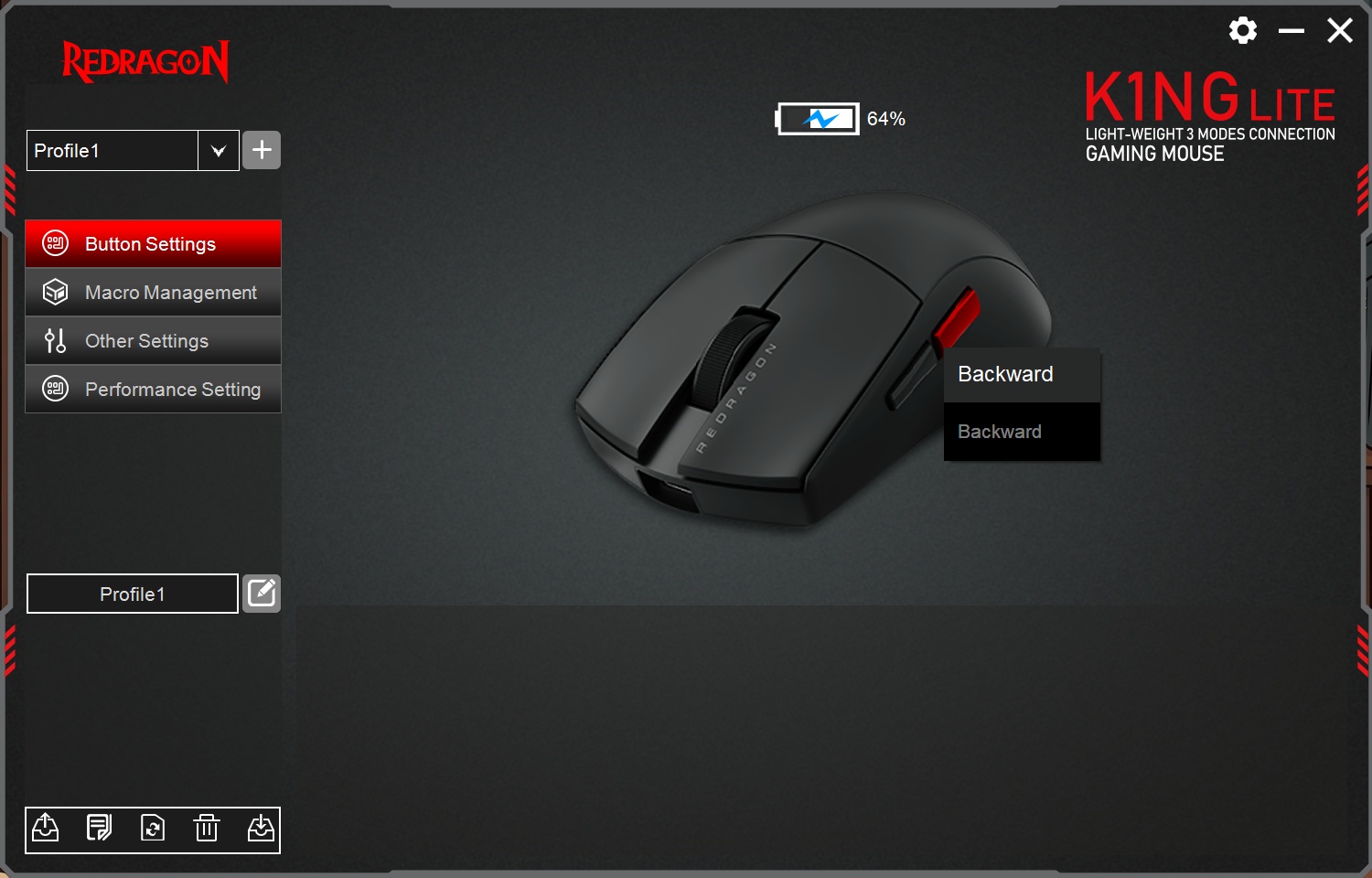
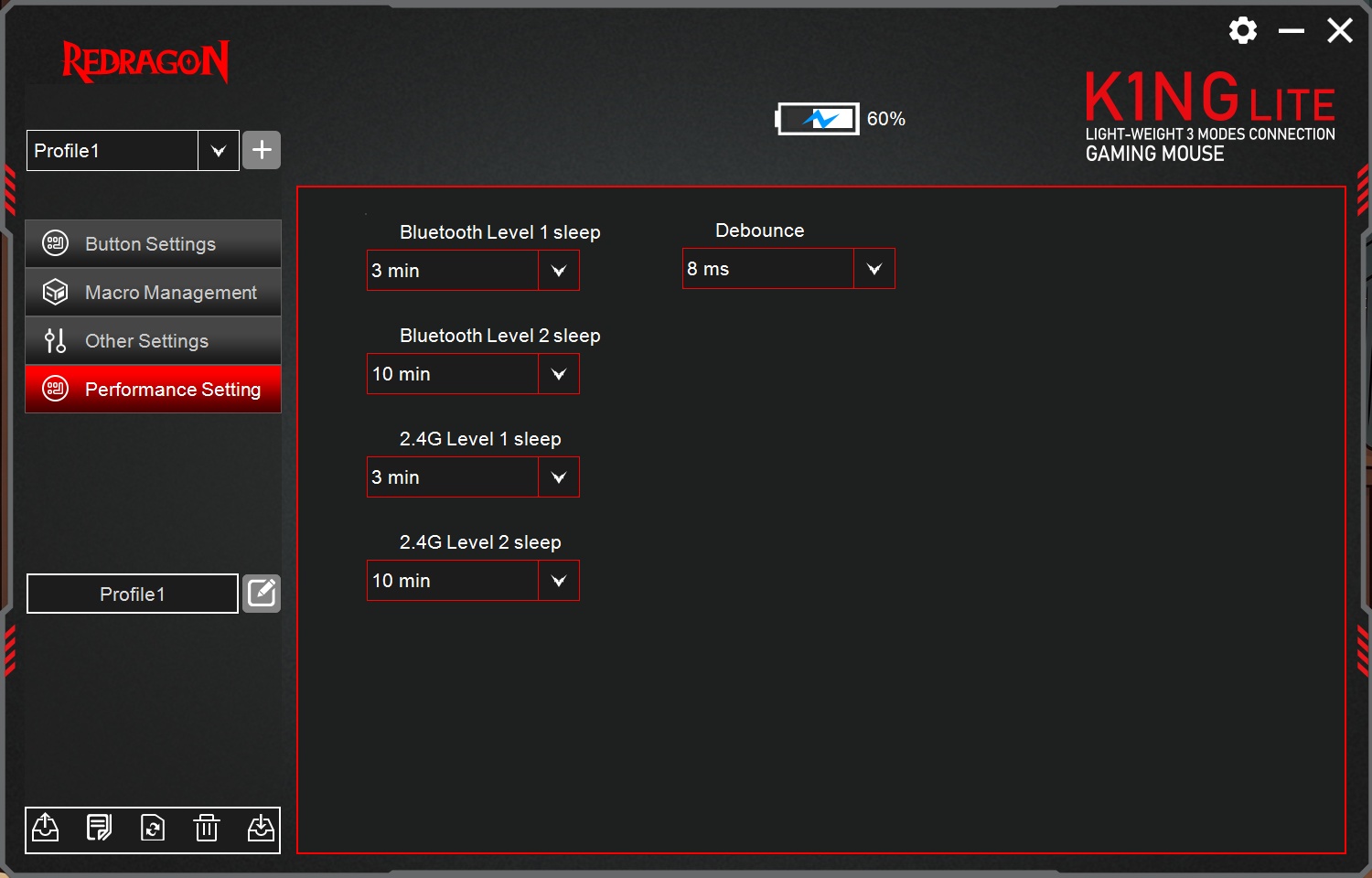
Using the software adapted to each mouse lets you change other technical parameters too, including LED colors, but the mouse must be connected via a wired connection to be detected. And each software looks differently!
Here’s the app for M916-LIT-1K:
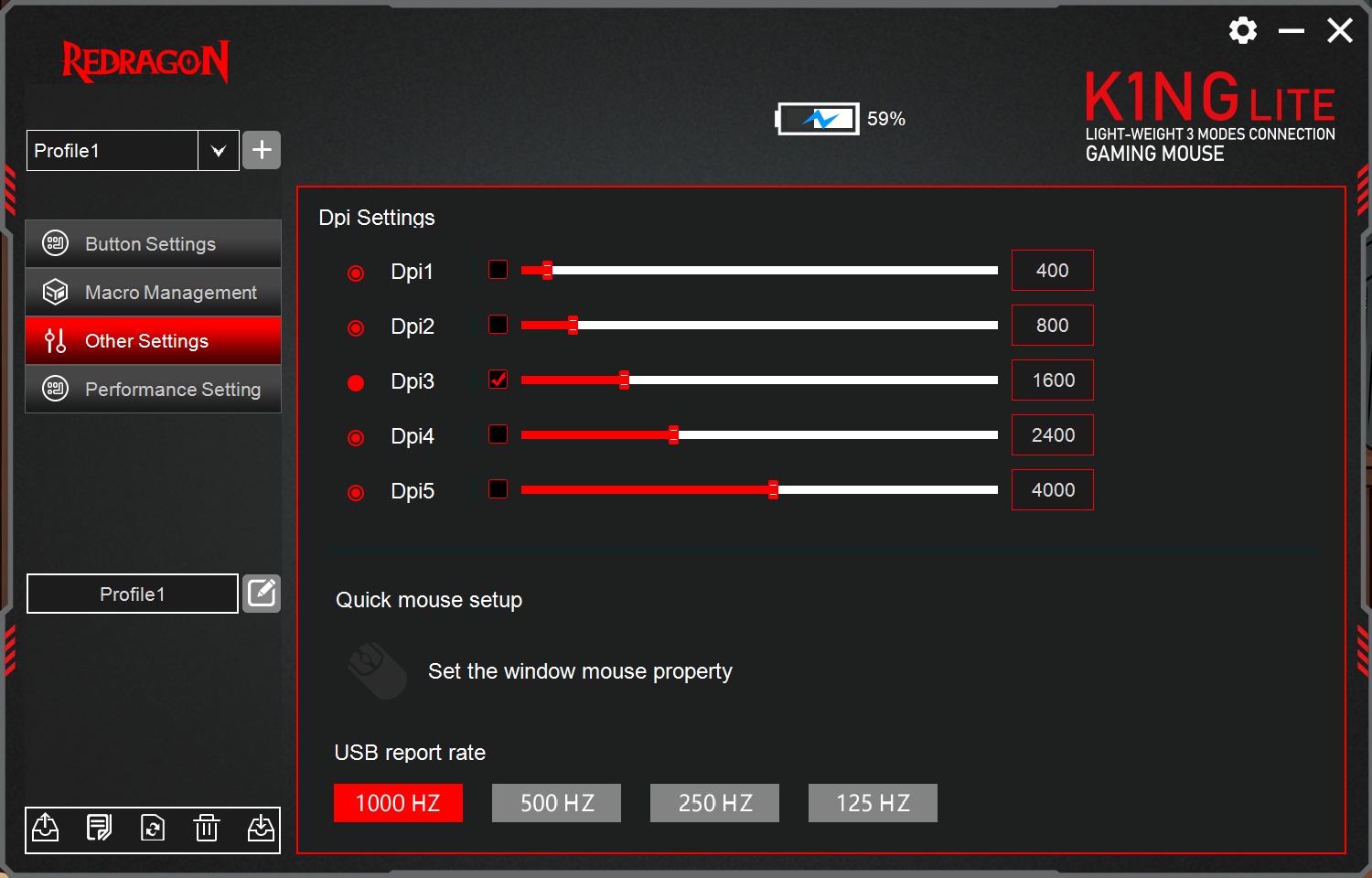
And here’s the one for M916-STD-1K:
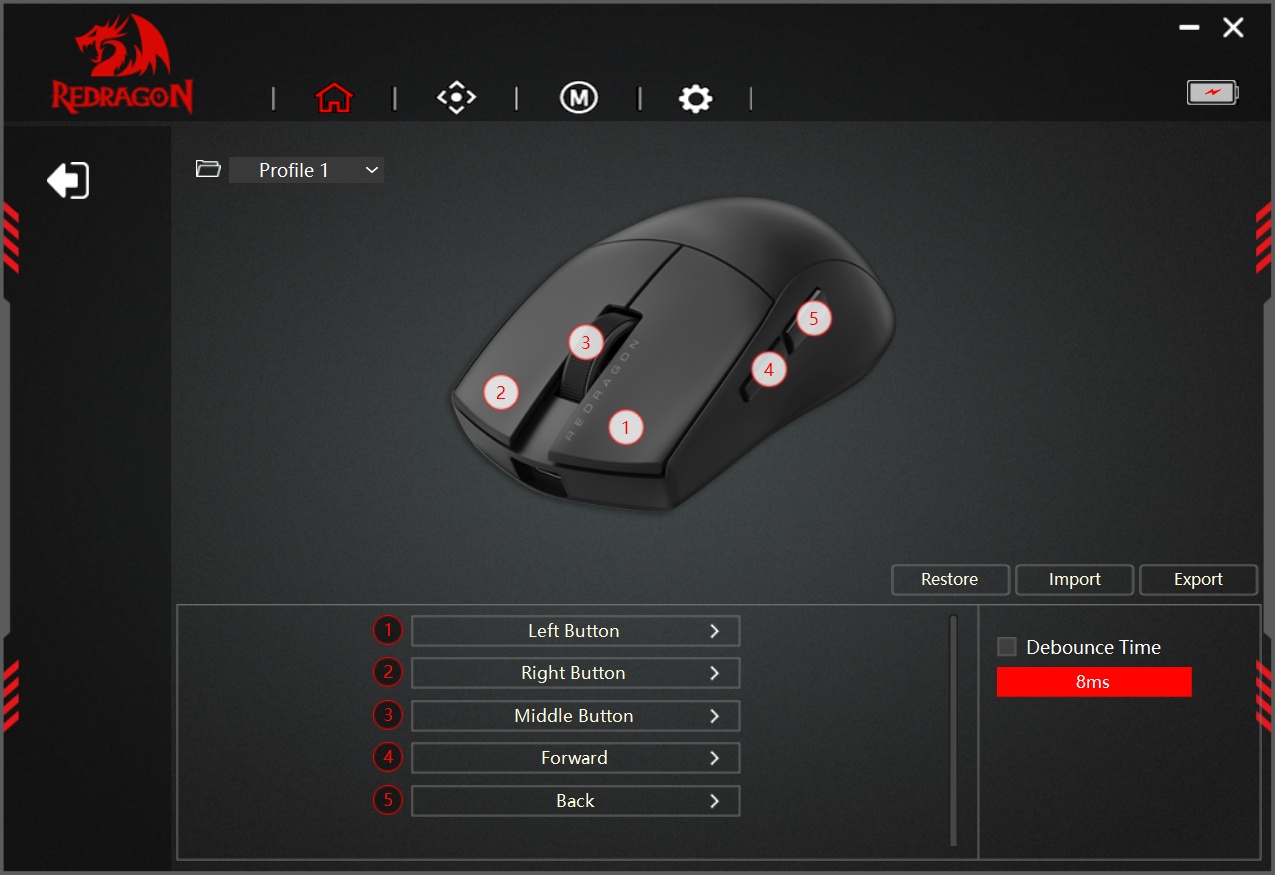
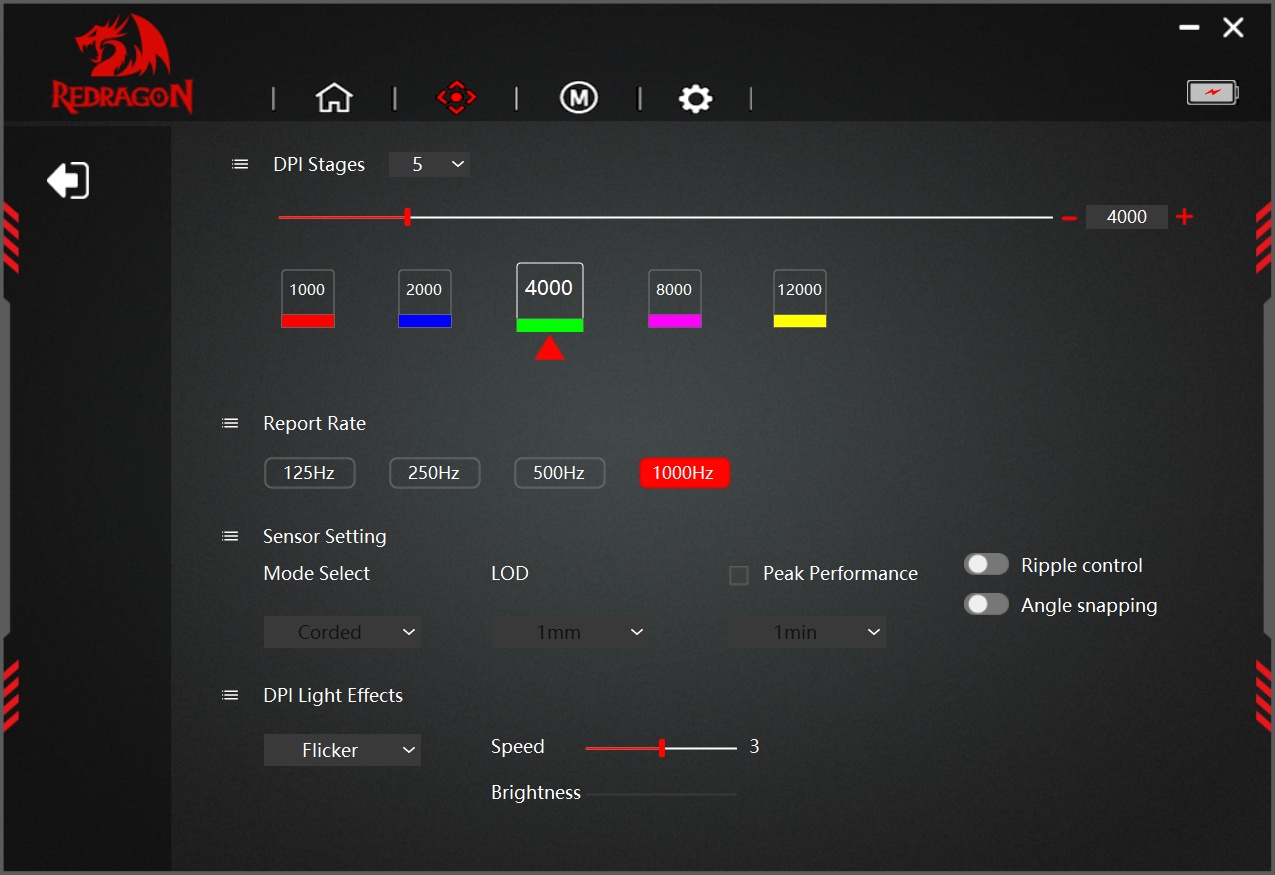
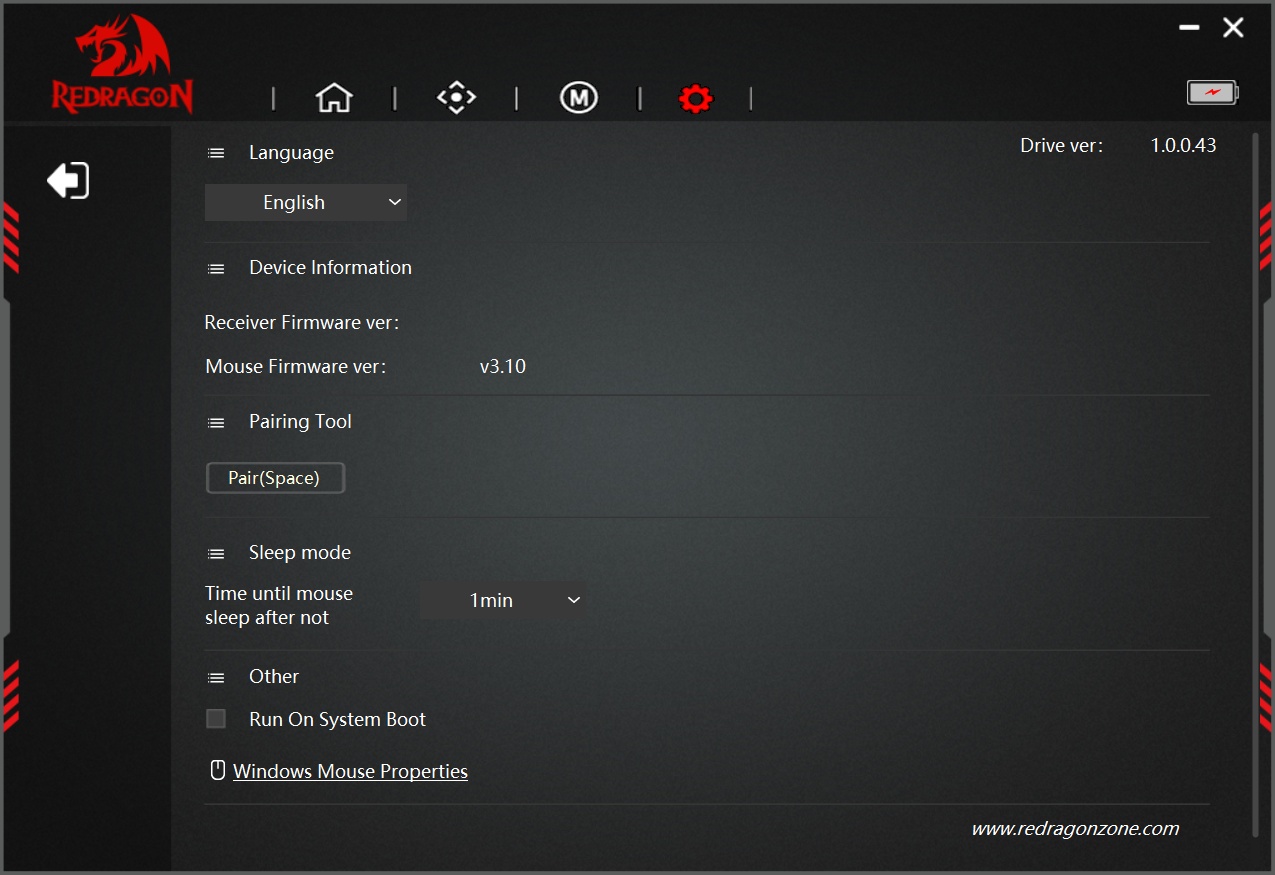
Different Chinese writing completely different code, eh?
Changing the sleep timings might be desirable. Otherwise, such lingo bears no meaning to me: debounce time, ripple control, angle snapping. The STD mouse seems to have a single sleep level (I suppose “level 2” means “deep sleep”). Also, the LIT app shows the exact charging value, whereas the STD app doesn’t. I use the Bluetooth connection to check the battery level on this 2nd mouse!
And here’s the real problem: I like the LIT mouse much more than the STD mouse!
Yes, its sensor is less potent. But I am not a gamer, and I don’t need anything over 2,400 DPI (this is how I keep my vertical mouse). Here’s what bothered and puzzled me in my experience with M916-LIT-1K and M916-STD-1K over Bluetooth.
M916-LIT-1K:
- Its battery lasts an eternity on BT.
- It charges to 100% without any issues.
- It doesn’t require a mousepad. I suppose it’s more reliable regardless of the material, precisely because its sensor is less… precise.
M916-STD-1K:
- It’s preferable to use it on a mousepad. Not mandatory, but preferable at higher DPI values.
- Its battery doesn’t last as long on BT.
- Charging is kinky, and it stops… sometimes at 80%, and some other times at 90%! When it stops at 80%, disconnecting it for a while, then reconnecting, sometimes resumes charging, but only up to 90%, never 100%. WTF?! 😡 Did I get a “lemon mouse” (Montagsprodukt in German)? 🍋 The LIT mouse charges smoothly up to 100%! That retarded STD software doesn’t even print the charging level! Why couldn’t they use the GUI from the LIT variant?
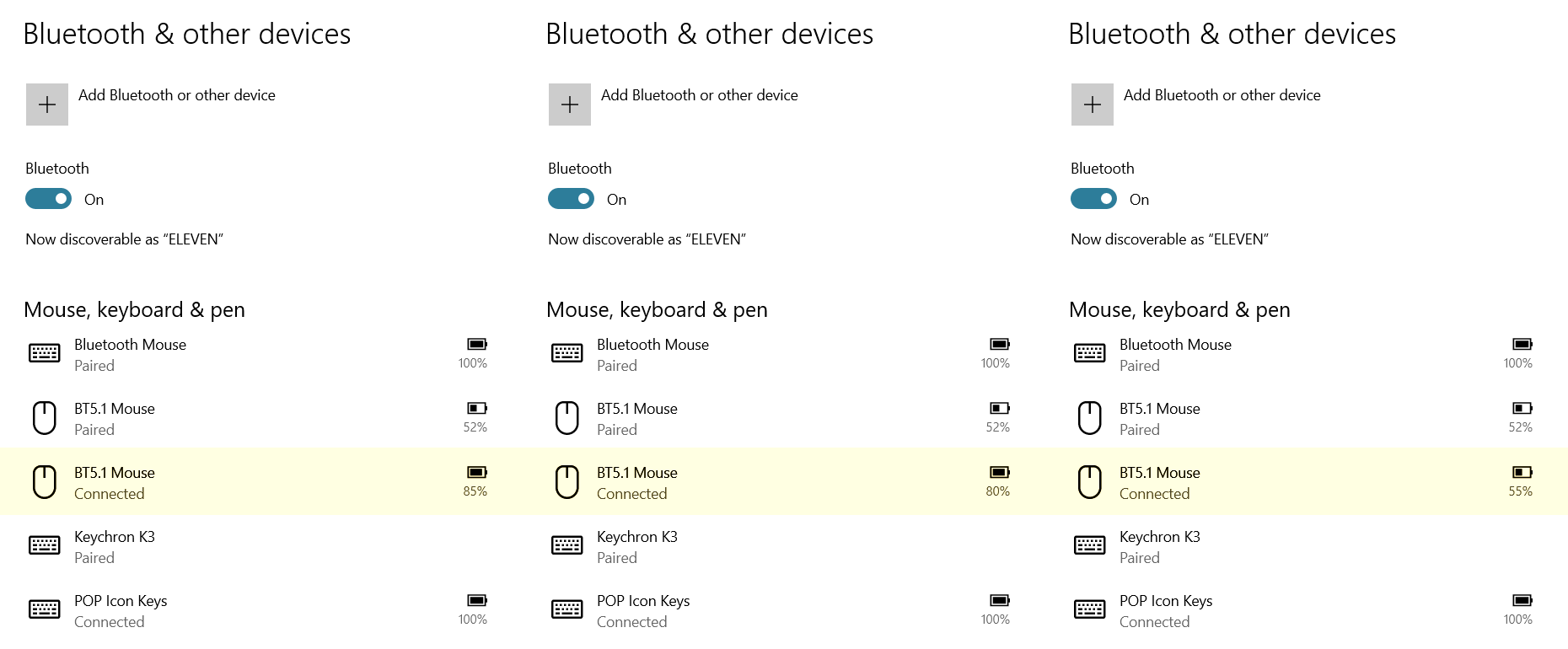
It might be the case that “dumber” mice are better for us commoners. After all, the aforementioned 1000 DPI and 1200 DPI mice are flawless. But a 50-gram mouse is much more comfortable to use than a 90-gram mouse!
Or maybe the newer mouse’s battery will eventually “calibrate.” Fuck knows. For what it’s worth, I paid ridiculously low prices for these mice.
Hardware or software, today’s products elicit love-hate feelings…
Ironically, the impeccable white M916-LIT-1K (M916W-LIT-1K) mouse is paired with the Lenovo laptop running Debian, while the temperamental black M916-STD-1K mouse is intended for the Acer laptop running Windows—which it shares with the vertical mouse—all of which are connected via Bluetooth.
The most comfortable mouse I’ve used is the oldish Corsair Harpoon, but lately the Keychron M6 gives it a run for its money, being lighter, silent and more feature packed, as it has BT, horizontal scroll wheel and a better sensor.
I’m a cheapskate. And I cannot use silent mice.
OTOH, I have a dozen keyboards, and I hate them all. Well, not exactly all of them, but each has its faults, even the Logitech K740.
Logitech Wave or MX Keys do the job for me; unless you want a mechanical kb.
I’ve had a bad streak of experiences with wireless mice, turns out it was wireless interference. Rather than spending an eternity to find the culprit, I switched to wired mice. The Logitech G102 serves me well.
BT is the worst protocol ever, but for mice it’s much more useful than the traditional wireless one. ON LAPTOPS.
An update on my second Redragon mouse: frankly, I’m not satisfied! The first mouse is much better!
M916-LIT-1K has a great battery life, and it works on any surface. Its SG8925 sensor (5,000 DPI) must be the reason.
M916-STD-1K has a much worse battery life, and it requires a mousepad for precise movements. Its “better” PAW3311 sensor (12,000 DPI) might be designed for gamers, but it looks like it’s a not-so-good choice for normal people (office work, writing, coding).
Its poorer battery life is surprising for an exclusively Bluetooth use, which implies Bluetooth Low Energy (BLE) and limits the reporting rate to 125 Hz! This mouse doesn’t have lighting, and I didn’t enable “Performance mode” (known to eat the battery). I even disabled the permanent indication of the DPI via the bottom LED (via the software that requires a wired connection to Windows and that crappy app).
The best mice are those using AA batteries, but they are heavier.
Since the first mouse (LIT) is so satisfactory, I guess I should recommend another mouse using the same SG8925 sensor: the Lenovo Legion M220 Wireless (actually, tri-mode).
It’s available in 5 colors, not all available on all markets: Glacier White, Eclipse Black, Aurora Purple, Nebula Purple, Surge Green.
Specs:
– Tri-Mode: 2.4 GHz, Bluetooth, Wired
– Easy to change RGB lighting, side key+scroll wheel
– More than 100 hours of use time if no RGB effect is enabled
– SG8925 optical sensor
– Default DPI levels: 400, 800, 1600 (default), 3200, 5000
– Symmetrical medium-large size
– 95g weight
Readers from Romania could find a great offer for the white model at Altex (about €16 at the time of writing).
Although, frankly, 100 hours of use time isn’t that much! (Nothing beats a mouse that has a good AA battery.)
I suppose that better optical sensors eat the battery. My CSL vertical mouse (Bluetooth + 2.4 GHz) has a fantastic, an incredible, a fabulous battery life when connected via Bluetooth, and it even has an OLED display! But it’s limited to 2,400 DPI, which means its sensor is “worse” (indeed, 3,200 DPI wouldn’t have hurt, but 2,400 DPI is just fine). Too bad I’m not entirely comfortable with it! I keep it on my desk, always connected to the laptop (but most of the time sleeping), and I’m using it occasionally to force my muscles to adapt to it. I’m making progress, but I can’t use it for very long: it’s tiresome for the brain!
UPDATE: In the case of this 2nd Redragon mouse, maybe it’s a calibration issue or buggy firmware. As I said, it first stops charging at 80% (as reported via Bluetooth, because the retarded software doesn’t show any value for the STD mouse, unlike the software for the LIT mouse). But even if later I manage to charge it to 90%, what I can see during its BT use is as follows:
– It drops very quickly from 90% to 80%.
– It then drops quickly from 80% to 60%.
– It stays quite some time at 60%!
– Then it drops to 55%, where it stays a lot, and I mean a lot!
– The level can suddenly go down to 5%, then it dies. The previous time, I didn’t notice when it dropped so low; I merely had in not moving anymore, and Windows reporting the last read at 5%. Right now, it’s still at 55%!
Nothing seems reliable with such a battery indication!
UPDATE 2: I asked several chatbots (Perplexity, Qwen, ChatGPT, Gemini, Grok, Kimi) to find me on the European market (specifically: Germany + Romania) a mouse with the following characteristics:
– Bluetooth, or dual BT with 2.4 GHz, or tri-mode with wired.
– SG8925 optical sensor (5,000 DPI), not a “better” PAW sensor, because more precise PAW sensors can have issues on some surfaces.
– An AA battery (or maybe 1-2 AAA batteries), not a rechargeable LiPo one!
Result: they all said no such thing exists!
– “SG8925-powered Bluetooth-capable mice fail the battery requirement.”
– “A mouse combining SG8925 + Bluetooth + AA/AAA battery does not appear to exist — at least not from any brand selling in Europe.”
– “A mouse with the exact combination you are looking for—the SG8925 sensor, Bluetooth connectivity, and AA/AAA dry batteries—does not currently exist on the market.”
– “Every AA/AAA + Bluetooth mouse on the market uses an office-grade sensor (Logitech/Razer proprietary, low DPI).”
Excerpts from two answers:
Qwen:
Gemini:
UPDATE 3 regarding the battery levels of my 2nd Redragon mouse (M916-STD-1K): while it still looks like a calibration issue, buggy firmware, or both, I have more details now.
To recap:
– It only charges to 80%. I have to disconnect it for a while, then reconnect it, and it will charge to 90%.
– These are values broadcast over Bluetooth, as the official app doesn’t show any battery value when the mouse is connected via USB (the app for M916-LIT-1K does, but it’s a completely different app).
– It drops very quickly from 90% to 80%, similar to how a smartphone drops from 100% to 99%.
– It then drops quickly from 80% to 60%, similar to how a smartphone drops from 99% to 98% or 97%.
– So far, completely bogus, right? But then things change.
– From 60% to 55%, it takes a lot of time (with the mouse in use, not sleeping).
– From 55% to 50%, it also takes a lot of time (compared to the 90% to 60% decrease, but you got it).
– From 50% to 45%, ditto.
– From 45% to 40%, it seems to decrease faster.
– From 40% to 35%, it also seems to decrease faster (compared to the rate of going from 60% to 45%).
If it keeps following this logic, even with a faster drop from, say, 25% to 5% (because then it dies), it might reach about 7 days of intensive use (no gaming, and BT only, meaning 125 Hz reporting rate and no “performance mode”), which could be acceptable for a 400 mAh battery, but is still underwhelming.
What I cannot understand is whether this is suggestive of a bad calibration because of poor firmware, or what? The M916-LIT-1K mouse charges to 100% and discharges normally! The M916-STD-1K needs to have different firmware because it uses a different sensor (PAW3311 vs. SG8925), but this is not an excuse for such behavior.
Qwen3.8-Max:
UPDATE 4 on the battery of my M916-STD-1K: in the end, it took it more than 8 days of intensive use before I recharged it. It still showed 10%, meaning that it had more than 5%.
This time, it charged straight away to 100%, but the calibration was still wrong: 2 minutes later, it showed 80%!
24 hours later, after normal use, it eventually reached 60%.
From now on, I expect the level to drop more slowly and to offer me 7 more guaranteed days.
Charging it once a week should become a habit, so I don’t need to monitor it all the time.
There are at least 2 Bluetooth mice that use an AA battery and have a decent DPI.
1. Genius GX Scorpion M8100: BT and 2.5GHz, max. 3200 DPI.
Unfortunately, the 3 DPI values are: 1200 / 2400 (default) / 3200. I’m pretty sure some people would have loved the option of 1600 DPI. Would it have been rocket science to offer 4 DPI presets?
Otherwise, the shape is very ergonomic, and the army green looks good. Romanians could click here.
68 grams with the nano-receiver parked inside, but without the battery. Adding 24 grams for an alkaline battery: 92 grams.
Genius (KYE Systems Corp.) was a big name in the 1990s and early 2000s. Now it’s just a surviving dinosaur.
2. HAVIT MS61wb: BT and 2.5GHz, max. 3200 DPI.
This one, too, has suboptimal presets: 1200 / 2000 / 3200. No way to get 1600 or 2400 DPI, values that were common on mice capped at 2400 DPI.
HAVIT is a cheap brand; I’m not sure about the quality of its products.
Romanians can find the black version dirt-cheap here or here.