
Tiny update regarding Ubuntu 26.10 flavors—Post-release update!
As I mentioned nearly two weeks ago, my Debian 13 XFCE remains rock-solid, while my old Acer serves as a testbed for various distros. What I did was to install some 26.10-to-be desktops using pre-beta daily builds. So I installed Ubuntu Cinnamon 26.10 + KDE (not Kubuntu) on the laptop’s internal SSDs and Xubuntu 26.10 on an external SSD.
But a couple of things bothered me:
- I couldn’t stand Cinnamon. It’s literally ugly and bad karma. Bad juju.
- KDE added to Ubuntu Cinnamon isn’t the same as Kubuntu, so my evaluation was not of the real thing.
- While the constant crash of the Bluetooth tray icon was fixed in Cinnamon (where it worked even when the crash dialog popped up), Xubuntu was still unable to display a Bluetooth icon. Bluetooth worked (mouse, speaker), but not the notification icon!
So blueman-tray died with this error in the log (if enabled):
Traceback: TypeError: BluemanTray.__init__.<locals>.do_quit() missing 1 required positional argument: '_'Meanwhile, Xubuntu’s latest daily build (I didn’t test the beta) did display the Bluetooth notification icon! So the bug was fixed, but for some reason, the updates couldn’t fix it on my system.
Once I noticed that Xubuntu adopted a new wallpaper (as usual, ugly and unbranded), I decided I needed to reinstall these 26.10 distros! Kubuntu (daily) and Xubuntu (daily), not Ubuntu Cinnamon.
🍆
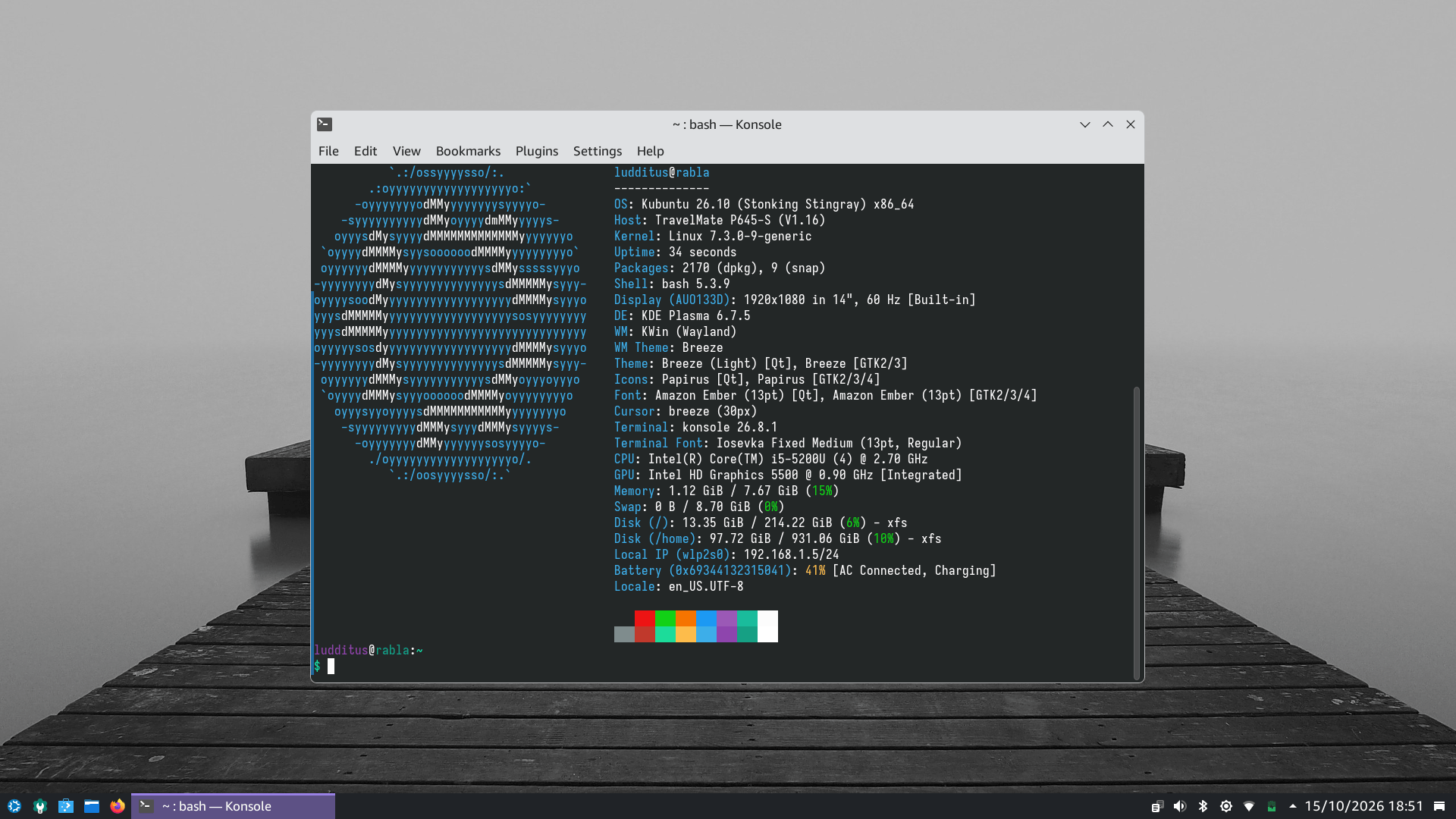
Since the second internal SSD reuses /home, the reinstalled Kubuntu preserved all my settings, so no animations and no shit:
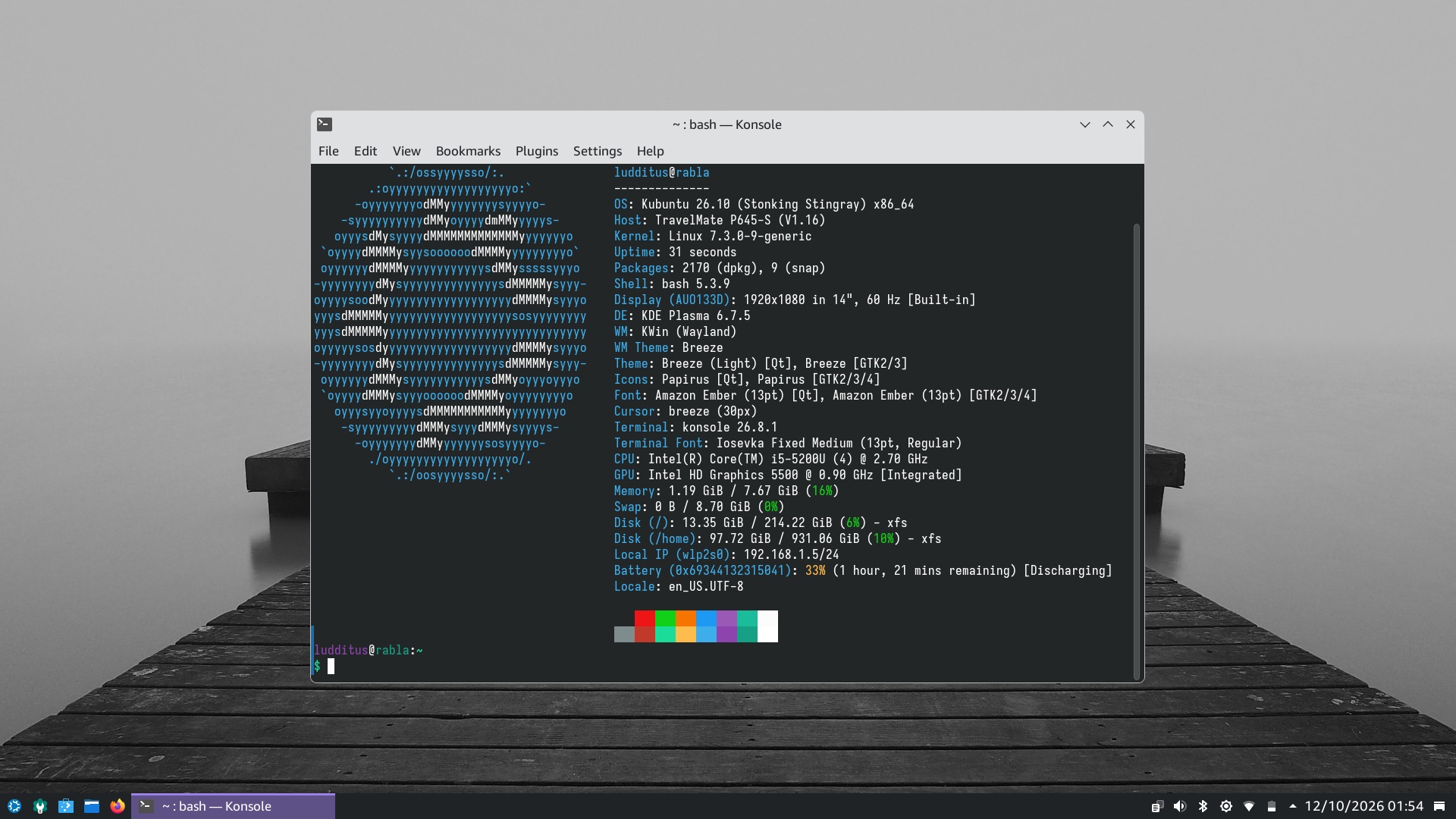
1.19 GiB of RAM in use! With Wayland and snaps, no less!
On the Xubuntu side, the new wallpaper that I already noticed after I updated my previous installation:
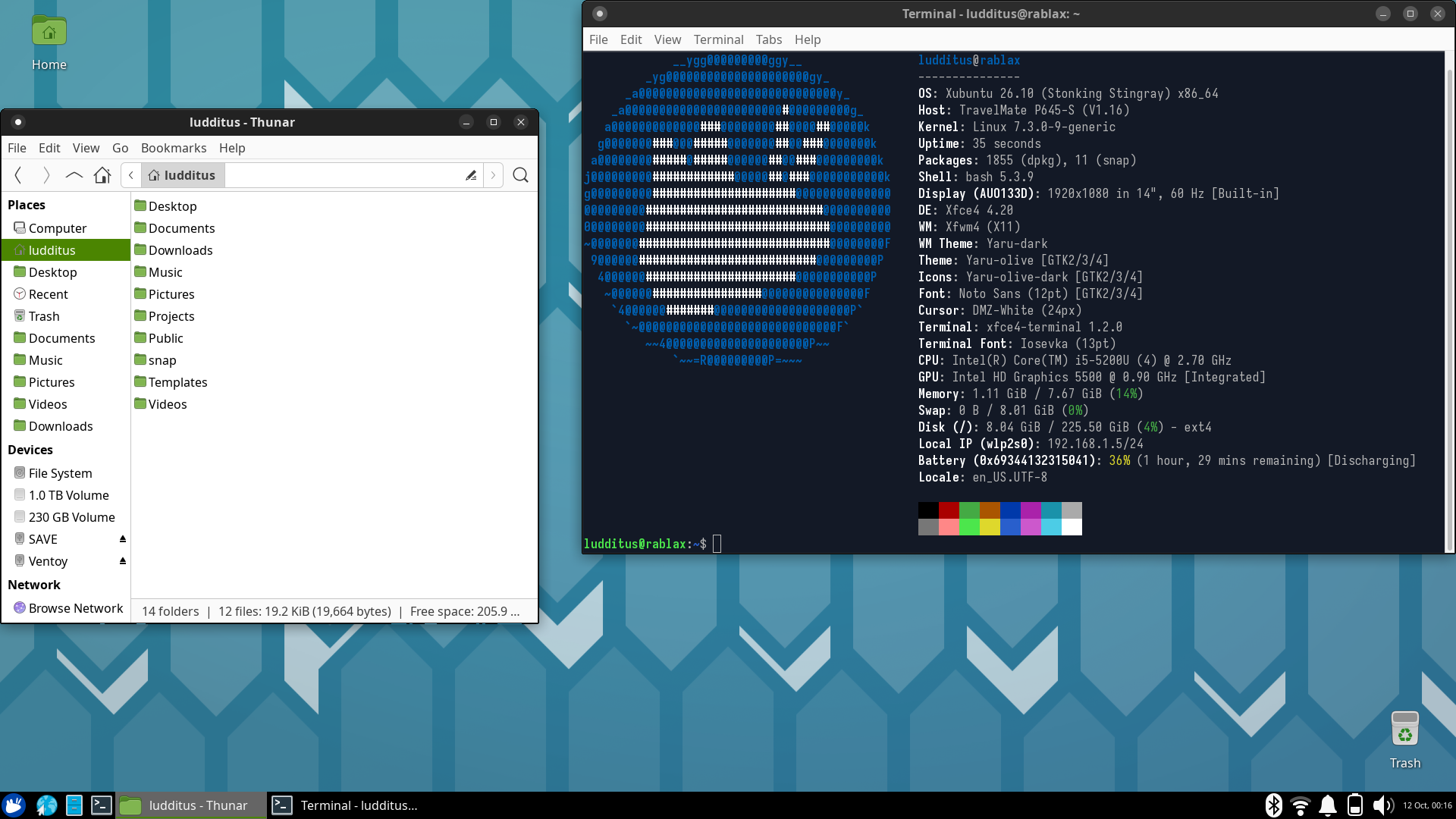
1.11 GiB of RAM. X11, but with snaps.
So what’s the big difference between XFCE (X11) and KDE (Wayland) these days, eh? Usability-wise, XFCE is more familiar to me, and there is less shit between me and the actual software that I need to use. But most people, let’s admit it, would prefer KDE. Oh, wait, we should count Liam Proven out, because KDE doesn’t have the keyboard shortcuts he’s used to.
🍆
I feel like quoting Liam Proven trashing KDE and Wayland and GNOME and Red Hat, so here’s a quick selection.
Take one:
TBH I never wanted that, but I did have a bottom panel that spanned 2 screens. They removed that.
I liked the wm2 or dwm style option to have window title bars on the side, not on the top. They removed that.
I used BeOS style tabbed window title bars. They removed that.
I want an option to globally disable CSD. Nope, can’t have that.
I want an option to globally disable hamburger menus. Nope, can’t do that.
But there are 38 different Start menus, so, you know, there’s that.
Take two:
The real reason is: Wayland, by design, does not let the compositor choose where a window appears. Wayland is meant to be a generic display server protocol that could run on phones or tablets or watches or VR headsets or AR glasses. Desktops are a shrinking niche. Chromebooks outsell Macs, and phones outsell PCs+Macs+ChromeBooks put together by something like 10x over. We old people with big external keyboards and mice on the end of a wire are an edge case. Even laptops are an edge case.
The idea is — as far as I can tell — that on a fondleslab or something, the device and the OS control where things appear on screen, not the app. So windows can’t pop up wherever they want, obscuring important stuff, presumably.
To the Wayland team this is a feature not a bug. They talk about security a lot, which is of course BS. A sign of that is that for the first 15Y or so of Wayland development, the section of the docs headed “Security” said “TBC later”. I am not kidding.
The fact that it doesn’t let one app capture another app’s output or input is in their heads a security bonus and the fact that it breaks all screen capture apps and accessibility tools is just Somebody Else’s Problem.
Brief and not very accurate summary:
Wayland stops [the thing that replaced what used to be called] the window manager from setting the position of windows. So, “old style” desktops with handy features like “reopen all your windows from the previous session” can’t recall the placements: the compositor stops them.
Context:
KDE is an attempt to implement a poor replica of the Windows 98 desktop on top of modern FOSS-ish underpinnings: Qt and C++. It supports Wayland but Wayland is fighting against the kind of desktop UI that KDE strives to implement.
Even more inaccurate biased summary:
Wayland is led by the GNOME folks who regard “UI people know how to use” as legacy, to be eliminated.
They don’t know how to drive a 20th century desktop with a keyboard, therefore to them all this is unimportant baggage.
Take three:
RH sells server software. It does not regard itself as a Linux vendor. Source: my own training when I started there. I am ex-RH.
RH makes lots of money selling server OSes, cloud provisioning & management tools, virtualisation, storage, etc.
The desktop is an accidental and unimportant byproduct.
RH makes $$$ and so RH employs lots of people. It hires young developers and pays thousands of them to write this stuff, and write the docs. (That was me.)
They are young. At least when I was there a decade ago it was a company of mainly 20somethings.
(I was in the 2nd half of my 40s. There was 1 other 40something in my entire department, and we became good friends and still are.)
These kids didn’t grow up with Windows. They grew up with Playstations and iPads.
They don’t know how to drive Windows and they don’t care.
In 2006-2007 Microsoft said it would sue the Linux world for copying the Windows 95 desktop. The Linux world absolutely DID copy the Win95 desktop. It dominated the industry.
SUSE employed a lot of the KDE people. KDE is a naked blatant Windows ripoff. SUSE caved instantly and signed a patent-sharing deal.
So did several other KDE-centric distro vendors, and the others packed up and shut down.
The other 2 big players used GNOME: Canonical and Red Hat. They said “FU, MS” and didn’t sign… but both promptly developed non-Windows like desktops.
Canonical turned its Netbook Launcher into Unity, a better OS X desktop than OS X.
RH went the other way and designed a desktop as un-Windows like as they could design.
The result is GNOME 3 and what was called GNOME 4 but instead, in the grand Sun tradition, they just dropped the leading version number: GNOME went 3.37, 3.38, 3.39… 40!
It’s designed by youngsters who don’t know how to use Windows and don’t care.
They all live in terminal windows anyway. RH is a nest of Vim fans.
All they want is easy rapid terminal windows and a bunch of phone-style apps.
🍆
Life can be a lot of fun sometimes.
It’ll be even more fun if the Ubuntu flavors that run so fine before 26.10 is released break some time after the release.
🍆
Oh, fuck! I literally forgot to mention what I hated about Kubuntu’s installation slideshow!
Take a close look at this one:
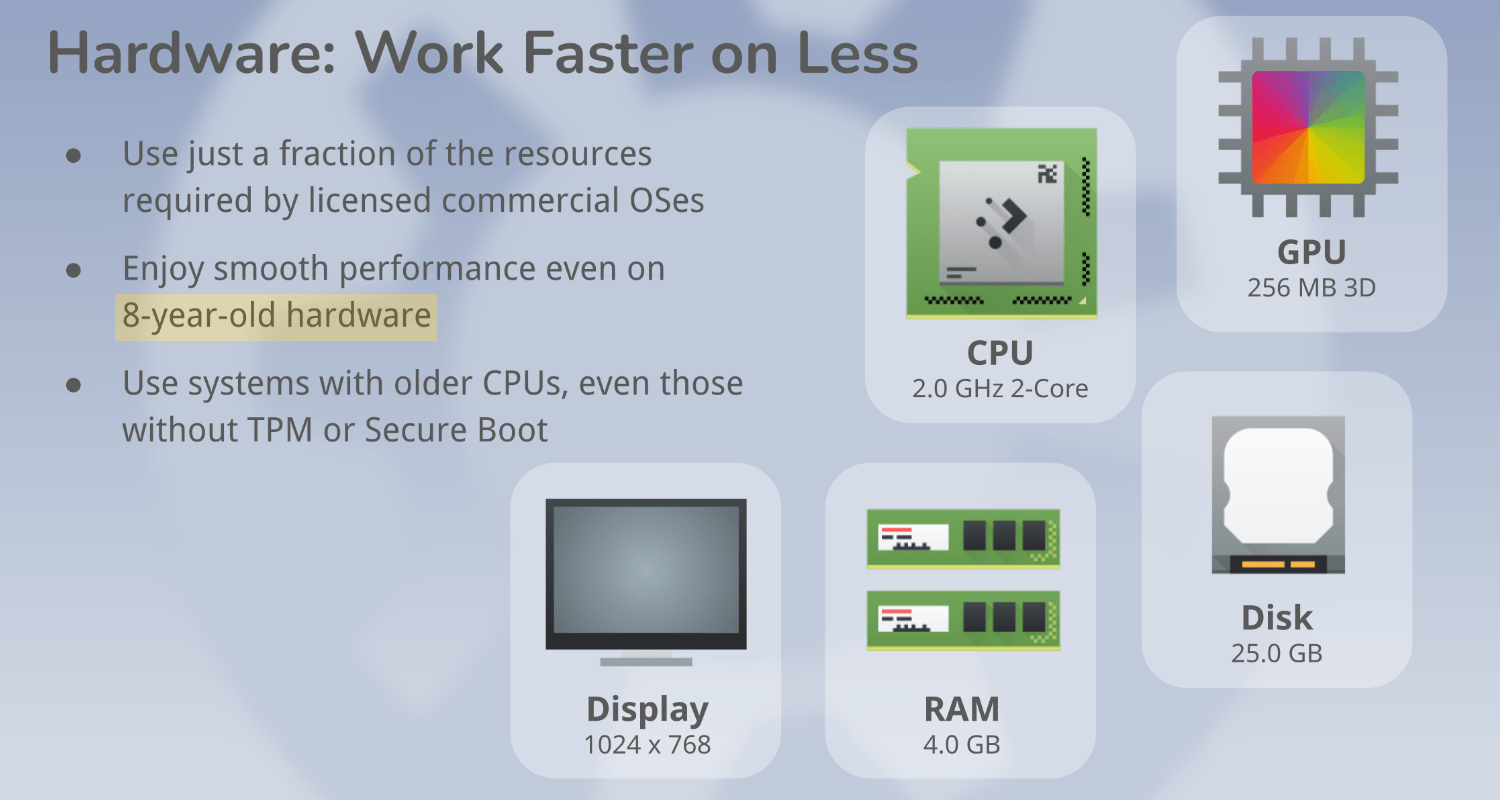
First, how can these retards say, “Enjoy smooth performance even on 8-year-old hardware”?! This is a fucking 2016 laptop, and it wasn’t a fast one even then!
Second, 8 years ago was the compatibility cutoff for Windows 11! 2017 for Intel and 2018 for AMD, because of that stupid TPM 2.0. So, what Kubuntu’s nincompoops say is, “If you aren’t sure that your computer is Win11-compatible, we’re not entirely sure that we can recommend Kubuntu for it either, despite not requiring any TPM!”
Then, this shit:
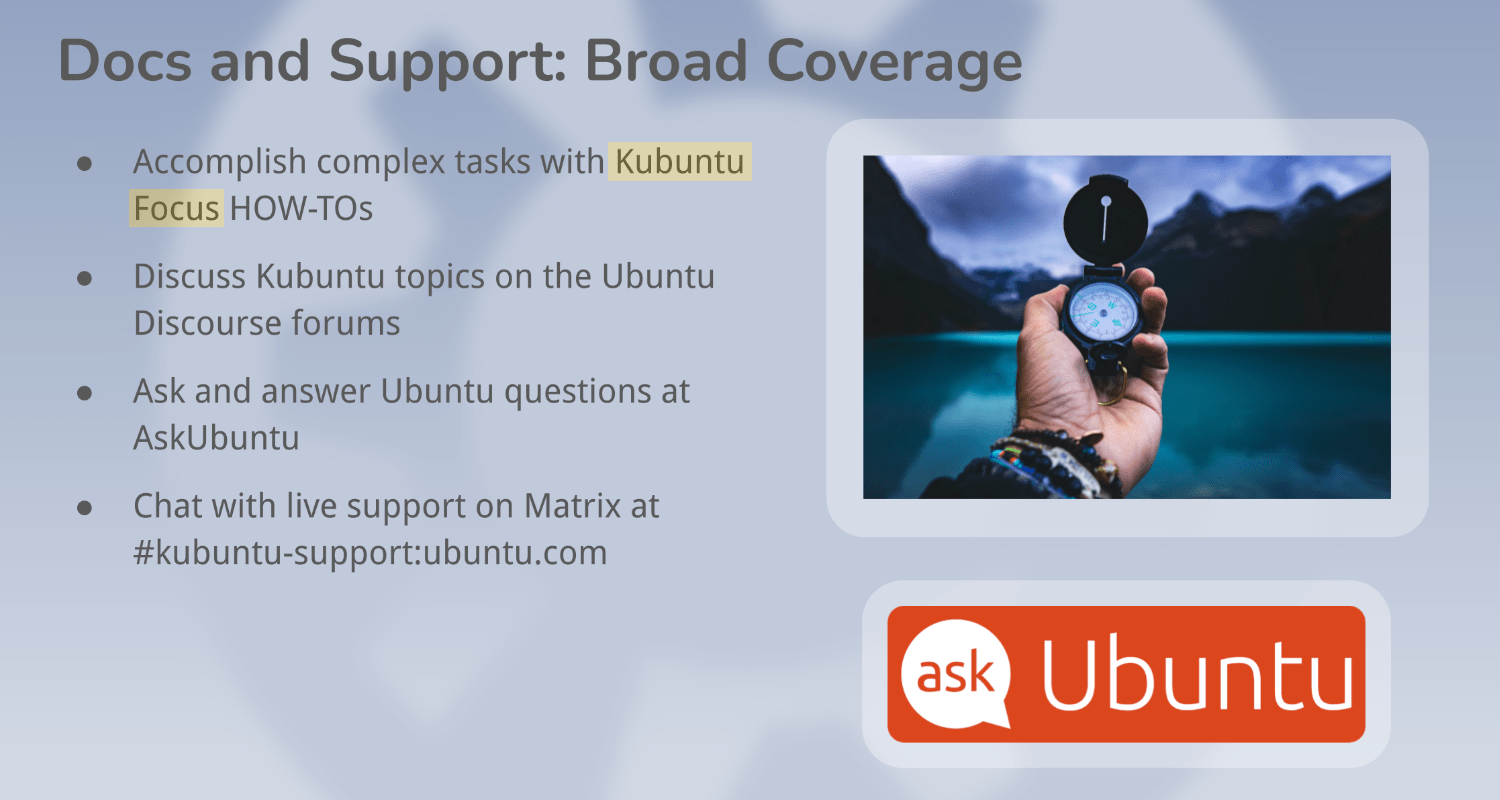
This is fucking not Kubuntu Focus! That one is a company that sells Kubuntu-powered computers preinstalled with a customized version of Kubuntu LTS!
Sometimes, I wish someone shot dead all morons. Imagine a planet with 99.8% fewer people!
Post-release update!
Ubuntu 26.10 was finally released. Joey Sneddon did a great job of summarizing what’s new in 26.10. It didn’t come as a surprise that almost everything is GNOME-centric. Canonical doesn’t care about other desktops, following in Red Hat’s footsteps. There are improvements in this planet’s dumbest file manager, Nautilus (aka Files), the only one that cannot display files in several columns (try ls /etc in a terminal if you’re a retard who doesn’t understand what “compact list” or “several columns” mean, and why this might be helpful). But I can’t be fooled into installing GNOME; I used it for almost five weeks before giving up.
NOTE: Joey added: What’s new in the Ubuntu 26.10 flavours?
But on the test machine that runs Kubuntu pre-26.10 (2 internal SSDs) and Xubuntu pre-26.10 (an external SSD), it was update time!
At first sight, nothing broke, and nothing changed in Kubuntu 26.10 after the full upgrade to the released 26.10:
Some time later, though… the first crash! 😍
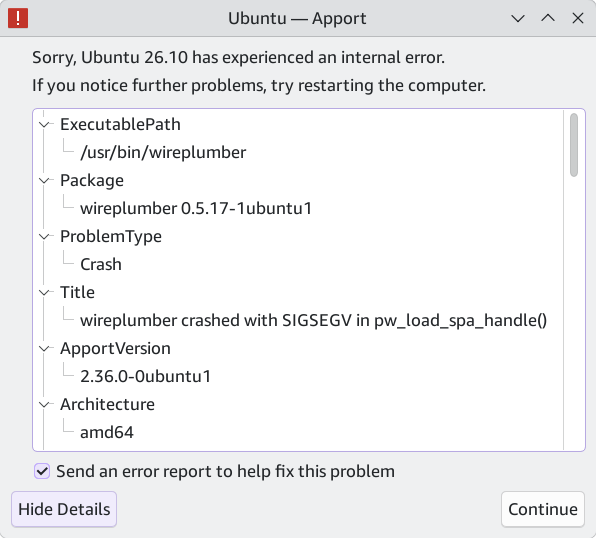
ℹ️ I forgot to mention: this happened after two reboots! Not right after the full upgrade.
Why WirePlumber?! And why must it be something that crashes on every single fucking desktop running under Ubuntu?! Here’s how the disk mounter applet kept crashing on Ubuntu MATE 24.04 while I was using it. I didn’t use Kubuntu for long, but I’ve had some bugs with it in the past, too. Now, it’s happening again!

It hasn’t happened again yet. ℹ️ UPDATE: It did happen again after several hours!
🍆
On the Xubuntu front, the update to the released 26.10 reintroduced the Bluetooth applet silent crash!
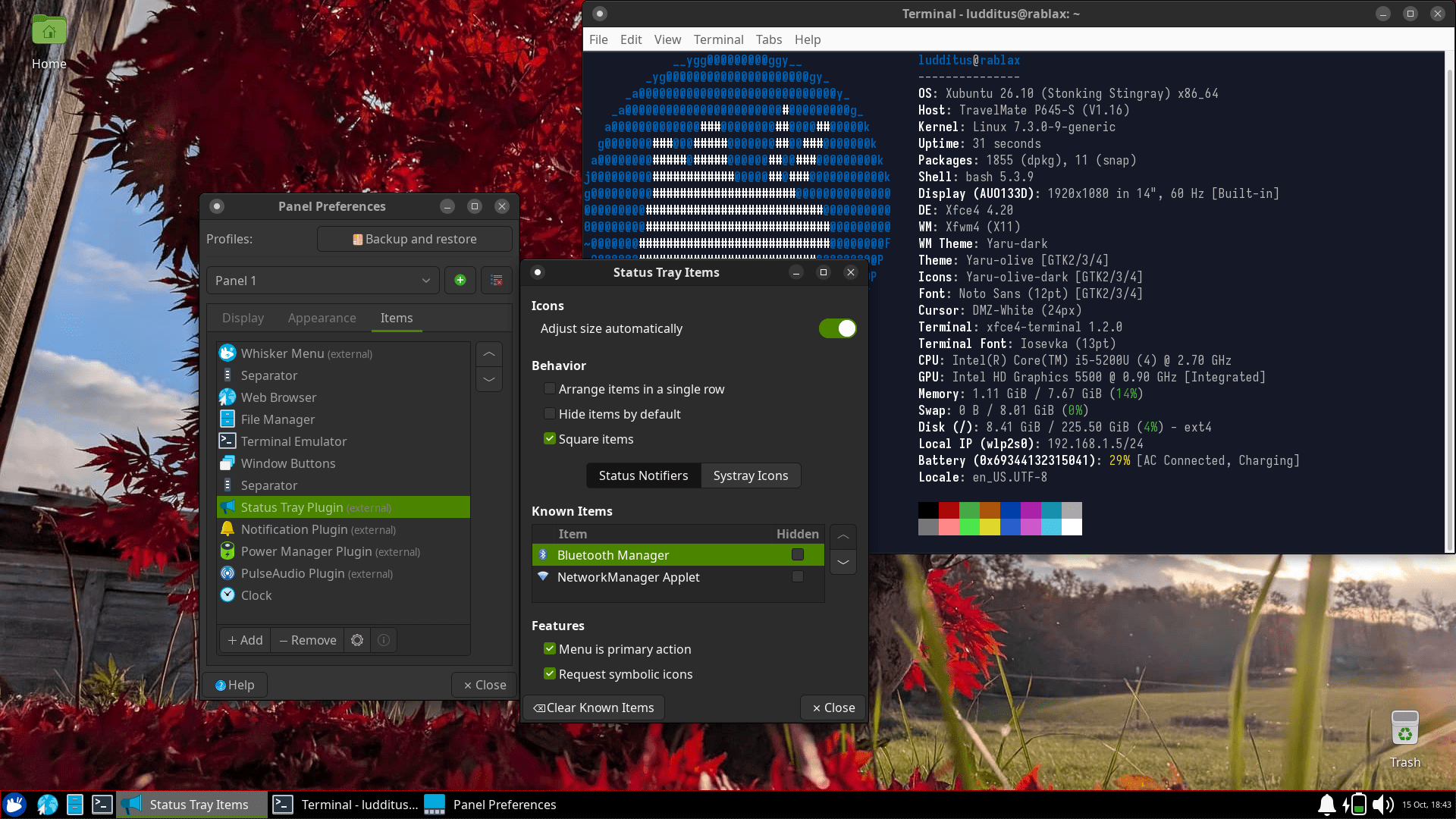
The Bluetooth Manager and the NetworkManager Applet don’t show up, even though they aren’t set to “hidden”! Reinstalling Xubuntu a couple of days ago made these applets work, but a mere update broke them one more time!
🍆
Since I mentioned Ubuntu MATE, it did release this time! Ubuntu MATE 26.10 Release Notes:
What changed in Ubuntu MATE 26.10?
The team! 😇😉
Joking apart, in terms of new features, we must admit we could not complete upgrade of all of MATE packages to their latest released version even with our best efforts. The urgency with which we gathered and worked, the high standard of Debian packaging, overall quality process involved in a release and not to forget the challenges of balancing personal life, all weighed in.
The lists of “Known Issues” and “Other Changes” are, how to put it, annoying. Here are my favorite bugs:
- During installation, if you choose manual installation, the installer creates the EFI partition automatically (and forcefully), even when you have created one manually. However, there is no issue when manually creating other partitions like
/boot,/,/homeetc. Workaround is to leave creation of EFI partition to the installer itself and only create other partitions. (1572)- Latest version of
gdebiis broken. It fails when we click on ‘Install’ and enter password. Instead of shipping it in non-functional state, we decided to drop it from the iso. We will work to fix the bug (LP 2151797).
Sorry, but GDebi itself is not broken: I just tested it under Kubuntu 26.10, and it worked perfectly! Ubuntu MATE is broken.
🍆
What can be worse than Ubuntu (all flavors), once Fedora (all flavors) is excluded?
Some more fun:
❶ There will be no Linux Mint 23, but 27.
AT LEAST?!
There are 10 weeks till Christmas, and there’s still no public alpha! Scheduled for Christmas, my ass! There are 90% chances to have the final release in January or February 2027. After all, it’s not called 26.12, right?
What a bad joke.
❷ KDE 6.8.0 was released, but Kubuntu 26.10 won’t have it.
❸ Linus Torvalds really loves AI. Phoronix: Linus Torvalds Working On A Hefty Linux Kernel Improvement With Claude Code; and Linus Torvalds “Did What I Preach”, Used AI To Make Code Decipherable & Uncovered More Bugs.
Here’s some comment:
A shorter one:
Danny3:
Someone going by the moniker of chocolate:
Senior member geearf:
❹ Phoronix: Rolling Release Distros Superior To LTS Distros In The Patch-Heavy GenAI Era?:
🤬🤬🤬
The first comment:
One more:
Zealots followed!
One:
Two:
Not a bad question:
I disagree with this:
Ornithophobic:
Amanda Santini replies:
Slartifartblast:
The Church of the CachyOS, or rather one of its members:
One of the 2-3 users of Opensuse Slowroll, grokker:
No, nobody cares about the desktop anymore. No major distro whatsoever.
26.10 post-release update!
I didn’t try the main (GNOME) Ubuntu, but 26.10 seemed such a successful release, and now it smells like shit!
FURTHER UPDATE: It happened again, and it wasn’t a daemon! Kubuntu/Ubuntu’s 26.10 release is unreliable with Intel 7265 and 5 GHz!
From
journalctl, here’s what happened before each disconnection:Oct 16 02:02:34 rabla wpa_supplicant[1002]: wlp2s0: CTRL-EVENT-BEACON-LOSSOct 16 02:02:36 rabla kernel: iwlwifi 0000:02:00.0: missed beacons exceeds threshold, but receiving data. Stay connected, Expect bugs....Oct 16 03:54:15 rabla wpa_supplicant[1002]: wlp2s0: CTRL-EVENT-BEACON-LOSSOct 16 03:54:15 rabla kernel: iwlwifi 0000:02:00.0: missed beacons exceeds threshold, but receiving data. Stay connected, Expect bugs....Oct 16 04:15:16 rabla wpa_supplicant[1002]: wlp2s0: CTRL-EVENT-BEACON-LOSS...Oct 16 04:15:42 rabla kernel: iwlwifi 0000:02:00.0: missed beacons exceeds threshold, but receiving data. Stay connected, Expect bugs....Ubuntu is a joke. This happened literally 1.5 meters (5 ft) from the router!
OOPS, THERE IS MORE! On 9to5Linux, someone complained that he upgraded Lubuntu 24.04 to 26.04, and he had trouble with Wi-Fi: “Whenever it connected, it would be lost again.” (So he reverted to 24.04.)
Marcus Nestor replied:
How much more broken than expected is this 26.10 release?
One more Ubuntu mess-up! Joey Sneddon: Trash talking Ubuntu’s confusing British bin labels:
Selected comments:
– I’m on Fedora, so I see “Wastebasket” throughout. But Ubuntu at least gets the dock icon correct. The Cambridge dictionary tells us that a wastebasket is “an open container…,” and Amazon’s product images concur. But the icon in Files is a galvanised bin, with a lid, of the kind we had before wheeliebins. It’s weird that we use an image of an obsolete product for saving things to disk, and another obsolete product for removing them.
– That’s definitely an Ubuntu mess-up. Vanilla Gnome on Arch has Wastebasket throughout consistently.