
Why must Debian be the only distro that works?
My latest post on Ubuntu 26.10 flavors needed several updates, and the overall conclusion was dire: contrary to my expectations, 26.10 isn’t a better release than previous ones—quite the opposite. This update and this comment explain my anger:
- WirePlumber started crashing in Kubuntu. Everything still seemed to work, but why should something crash in every flavor of Ubuntu, in each release?
- The Bluetooth notification icon (displayed by
blueman-tray) and the NetworkManager applet’s (nm-applet) icon stopped showing in Xubuntu! This was fixed before the release, but then the bug reappeared! - Wireless connections are unreliable with Intel® Dual Band Wireless-AC 7265 and 5 GHz! It happened to me under Kubuntu 26.10.
- Wireless connections are very unreliable with Intel® Wi-Fi 6E AX211! Other people have reported it, and it’s said to affect all Ubuntu 26.10 flavors, so it must be a regression in the kernel. (Because, what do you know, in Linux you don’t have drivers independent of the kernel as you have in Windows.)
I couldn’t be bothered to look for bug reports. Enough is enough. 26.10 is yet another fucked-up collection of Ubuntu bugs!
🥒
I shouldn’t care that much, because my “true” Linux laptop runs Debian 13 XFCE without any issues. But I wanted to keep one or two test distros on my oldest laptop to monitor how other distros evolve—just in case. What if Debian 13 breaks severely at some point? Or maybe Debian 14 proves to be a fuck-up? What would I do then? Really, really, really call it quits and install Windows 11 (or 12, or 30, or whatever it’s going to be called) on that IdeaPad Slim 5?
This Lenovo uses an RTL8852BE Wi-Fi/BT combo, so Ubuntu’s regressions in 26.10 are irrelevant to it, but I couldn’t possibly trust Ubuntu. Not anymore. I made more than reasonable efforts to give Ubuntu a second, third, a hundredth chance. Canonical’s kernels and distro might be reliable enough on servers, in containers, and in VMs, just not on bare metal, where real drivers (not generic shit) are used, and desktop environments really need to fucking work!
🥒
One more concern: to avoid the hassle of installing from a non-live ISO, and the bloat that comes with the official live ISOs, I installed Debian 13 XFCE from xebian-trixie-amd64.hybrid.iso, then added to it. But what if Xebian dies? If you look closely at the pending folder, you’ll see that the Trixie-based ISO is regularly updated (the last build is from Oct. 12), whereas the Sid-based ISO seems stuck on the July 12 build. Only the .b2sum, .md5sum, and .sha256 were pointlessly updated on Oct. 12, but the .iso, .files, .packages, and .contents haven’t changed since July 20, and this is supposed to track Sid! Any one-man project can go down at any moment. What if I could test some other “mild Debian derivative”?
🥒
On my 2-SSD setup, Synex installed a GRUB that wouldn’t boot.
Basalt Linux didn’t look that bad in version 1.1 (which I didn’t install), but version 1.2 came up with this retarded shit:
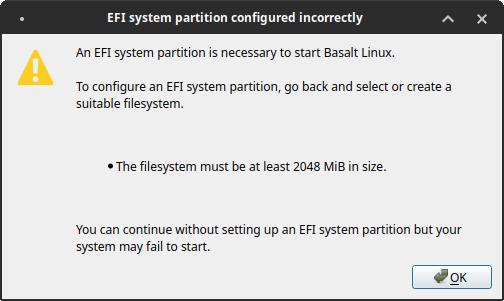
2 GiB for the EFI partition?! That’s a fucking record! Let’s leave retards to their devices.
MX Linux is a collection of bugs. SparkyLinux is beyond ugly. I dismissed Soplos Linux, CuerdOS, and Zenclora OS for various reasons in the past. And I couldn’t find anything else potentially worthwhile.
🥒
It was time I installed Debian from debian-live-13.7.0-amd64-xfce.iso and debian-live-13.7.0-amd64-kde.iso.
They both installed perfectly on 2-SSD and 1-SSD setups, and even hibernation “just worked” as long as I set up a swap during install! Who else can beat that?
With the packages on the install media (and kernel 6.12.107), the RAM usage was 995 MiB. After a full upgrade (including to kernel 6.12.114), the lowest RAM usage I could get was 1.01 GiB:
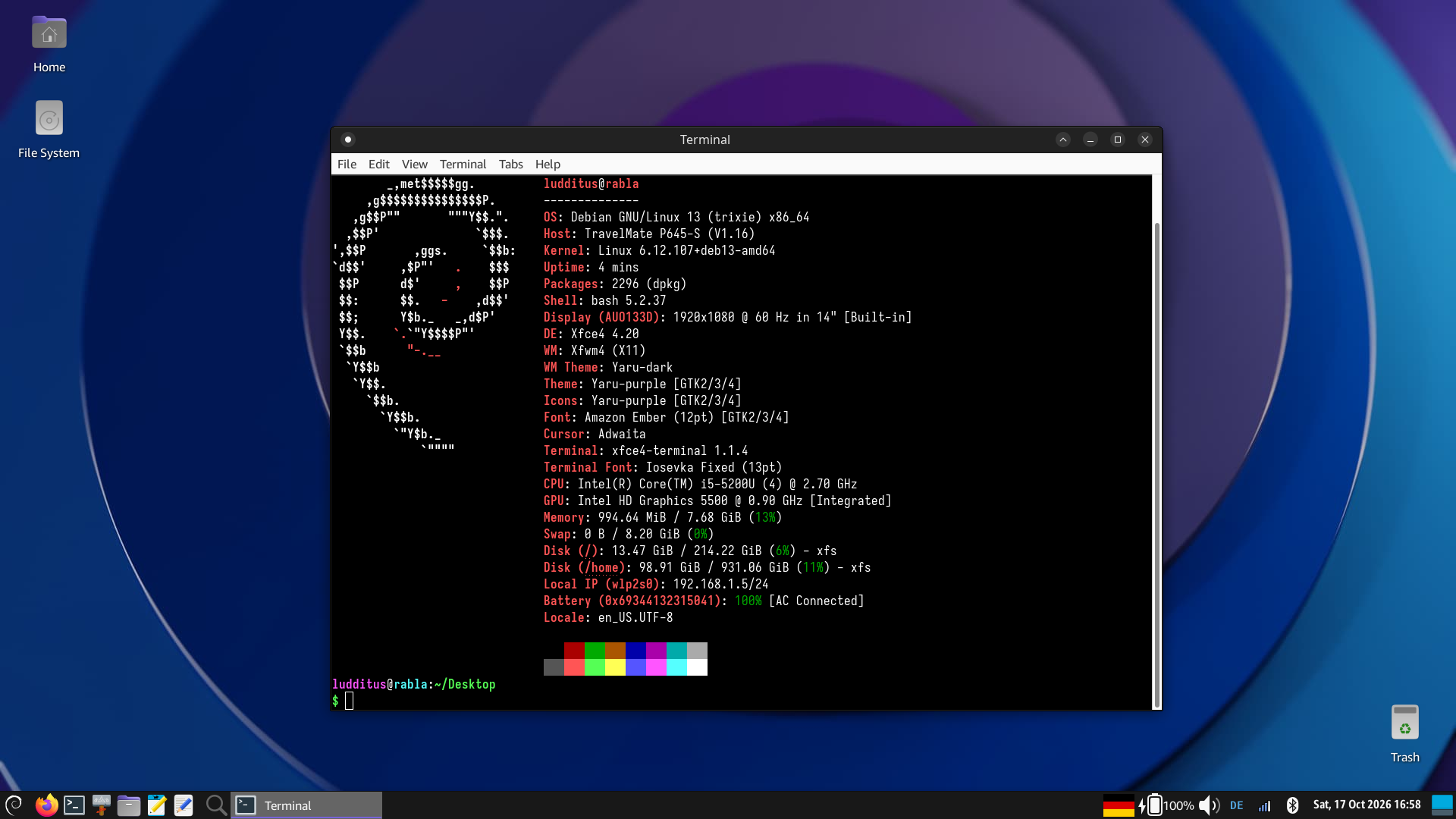
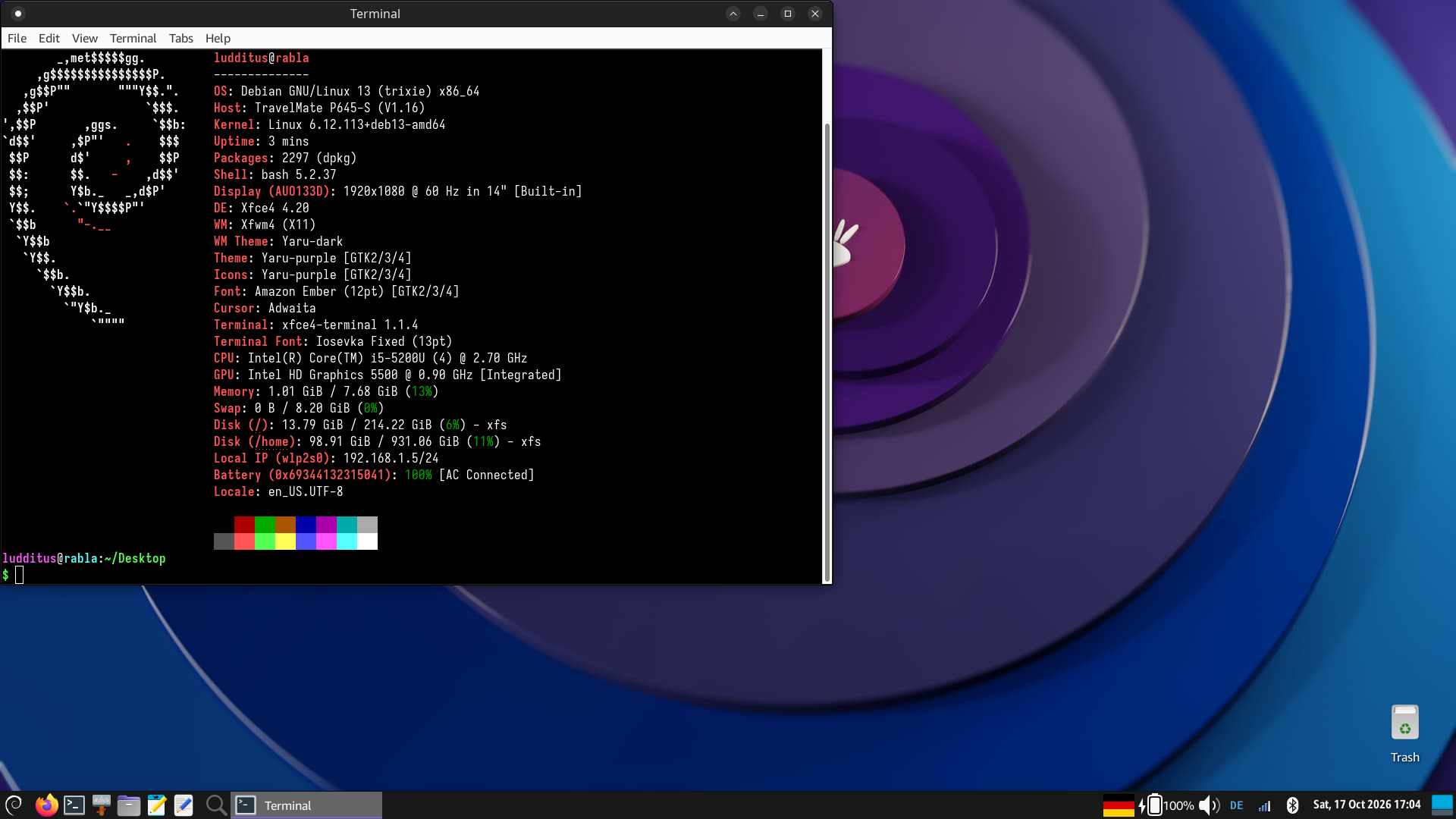
Most settings were preserved due to my separate home partition.
I’m afraid I lost the KDE screenshots, but it didn’t use much more RAM, and Wayland wasn’t that bad. For some reason (something inherited from a previous KDE installation and preserved in my settings?), it started at 105% fractional scaling, which was blurry. Other values, especially 120% and 100% (duh), looked much better, although somewhat worse than Kubuntu 26.10 on the same hardware. Debian’s versions were older.
I decided I wouldn’t keep Debian KDE installed, not even for tests. I might revisit KDE in Debian 14.
🥒
What do masochistic people do? They try to install LMDE7, even if they know this shit has failed twice on this 2-SSD laptop! OK, let’s install it on the 3rd SSD, the external one.
Notice how I instructed it to install GRUB on the 3rd SSD:
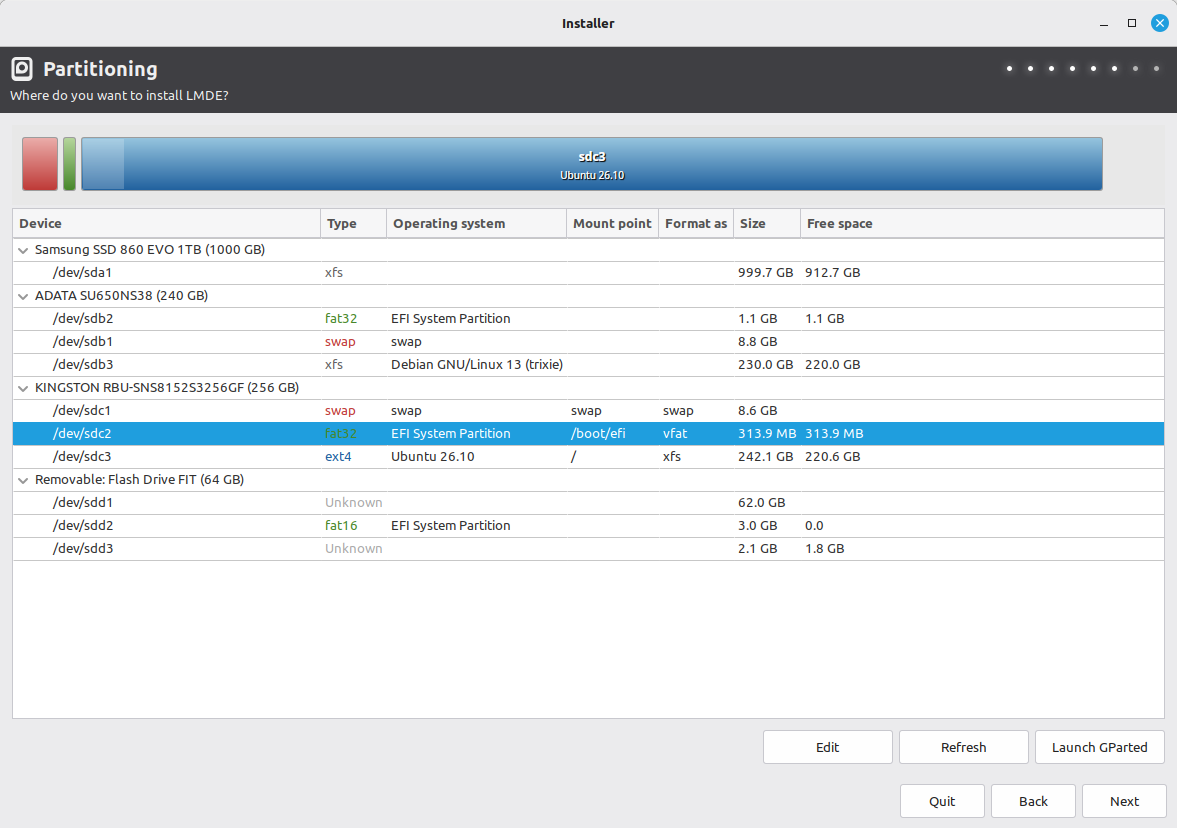

What else could it have done, other than not installing GRUB anywhere? Any-fucking-where!
I asked Qwen how to use the running Debian installation to generate and install GRUB on the external SSD with LMDE7, which had no way to boot. I applied its advice, and it worked!
Sure thing, the GRUB installed on sdc had a Debian theme, and it also had Debian’s entries, but LMDE7’s was the first one. No problem: once I applied all available updates, LMDE’s theming took over.
1.31 GiB of RAM for Cinnamon is not that bad.
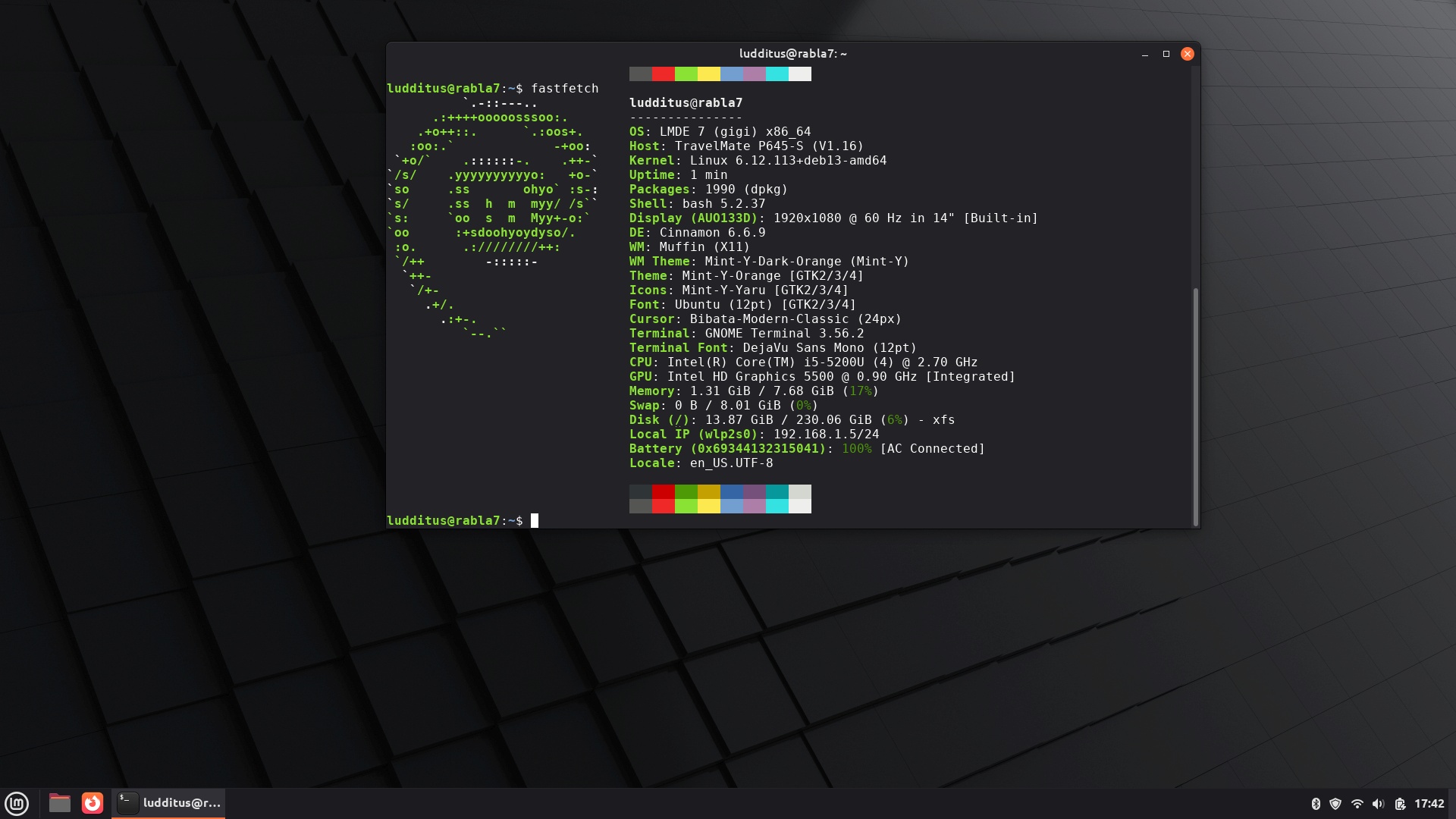
Of course, hibernation didn’t work because there was no “resume” kernel instruction, and maybe nothing else was prepared for hibernation. And yet, the “Hibernate” button duly saved the RAM to swap, only to ignore it on the next boot!
Either Mint or Cinnamon gives me cramps (and LMDE is both Mint and Cinnamon!), so I started exploring other options to install on the external SSD.
🥒
It was sado-maso time, so I thought I’d give openSUSE Slowroll a try. They said it was “a better Tumbleweed,” huh.
I used openSUSE-Slowroll-DVD-x86_64-Media.iso, which was a symlink to openSUSE-Slowroll-DVD-x86_64-Build70.1-Media.iso from Oct. 1.
XFCE, what else?
It installed, and it started like this:
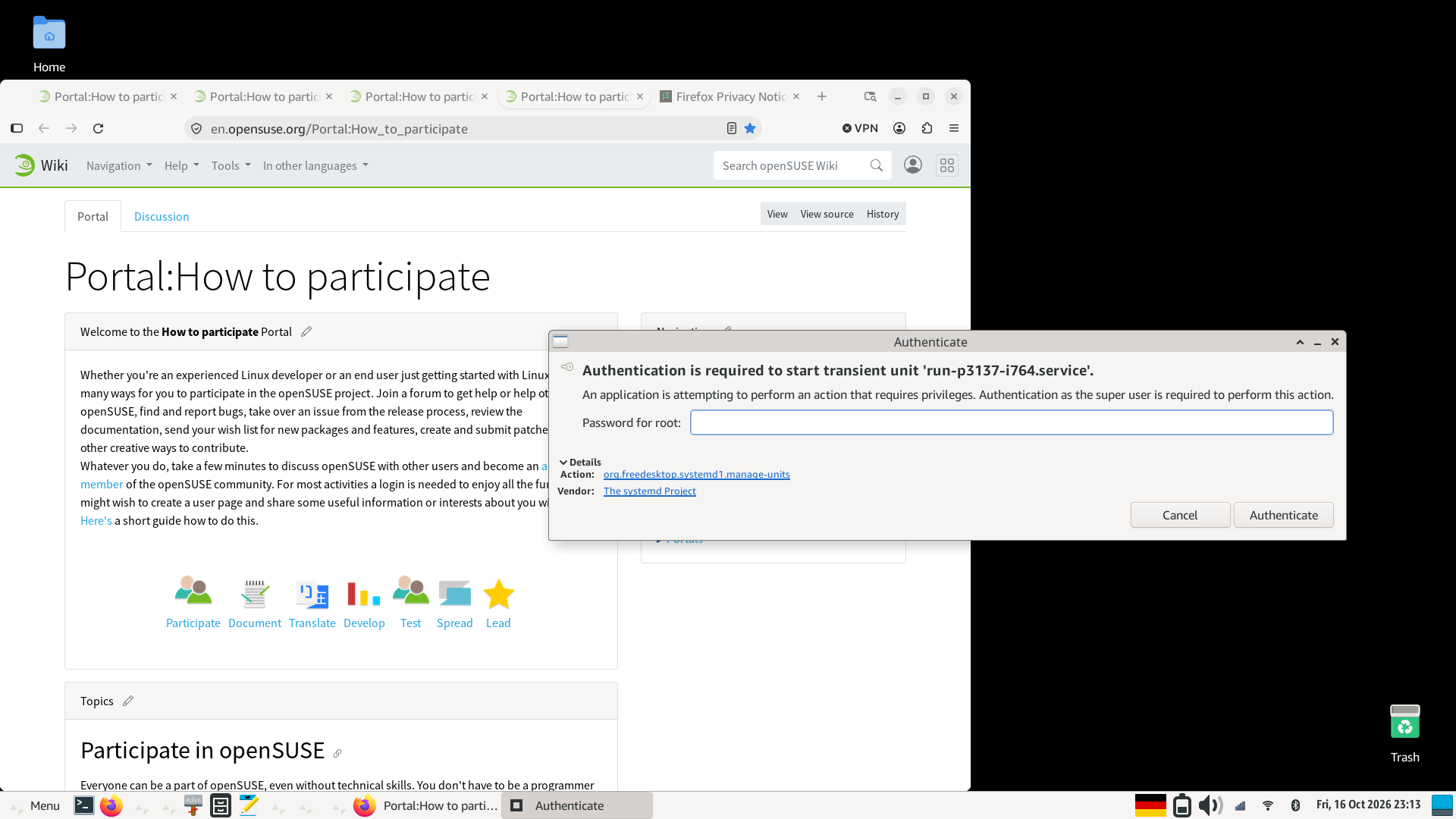
I literally don’t remember whether I checked “use the same password for root” during setup (I believe I did, but I can’t guarantee it 110%). If not, it should have refused to proceed to the next step, since openSUSE doesn’t add anyone to sudoers by default. Either way, it now asked for the root password, and I entered the only password I had configured.
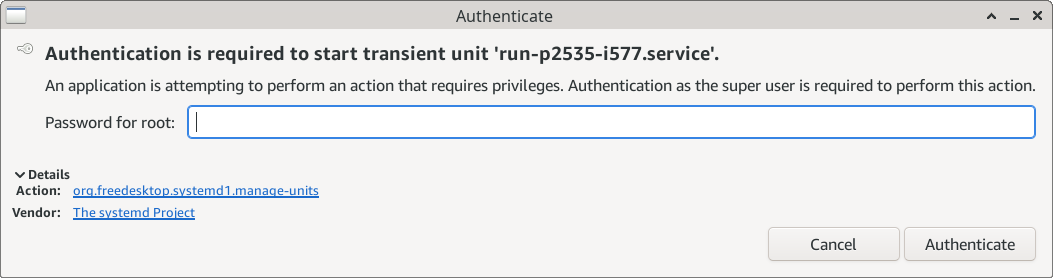
And again:
And again:
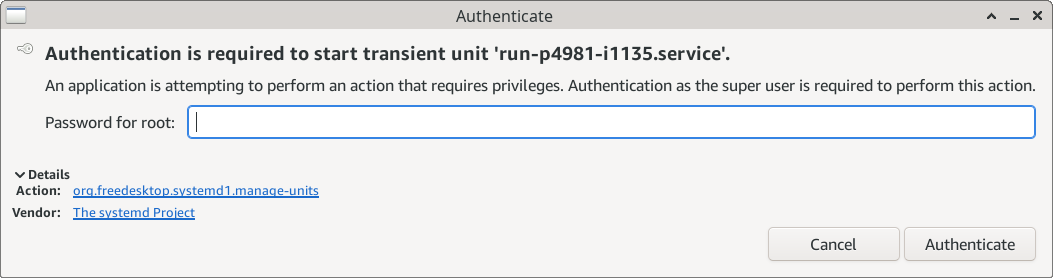
And so on:
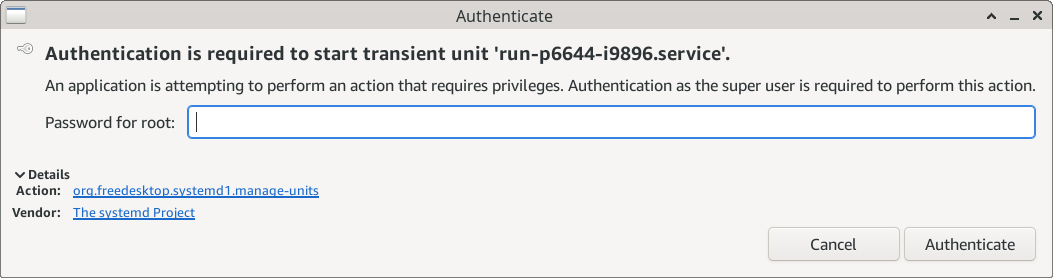
Until the end of time:
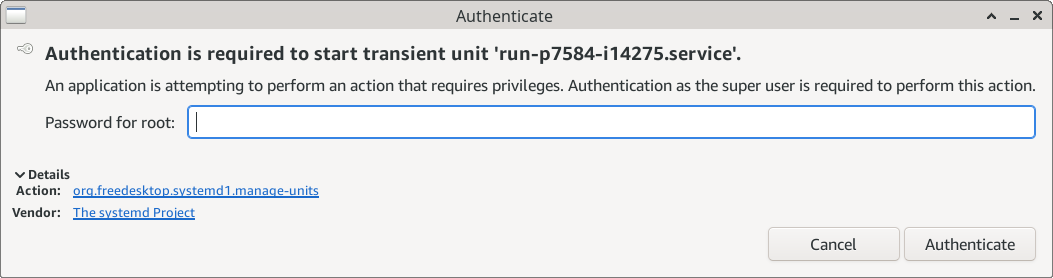
What the fuck was this retard trying to do? The numbers were different each time, but was each process trying to do something different, or was it creating a new one in an infinite loop because it didn’t like my password? It was impossible to know, and also impossible to get rid of this shit! What is this, ransomware?
Either way, WHAT WAS IT TRYING TO DO? Oh, org.freedesktop.systemd1.manage-units was trying to do something! Fuck you very much, it was soooo informative!
How could anyone use such a fucking retarded piece of shit?
🥒
What else? Well, reluctantly, because Fedora 45 was delayed by some stopper bugs (the most frightening being related to the transition from gnome-keyring to oo7), I decided to try the latest Fedora 45 KDE build. This happened to be Fedora-KDE-Desktop-Live-45-20261018.n.0.x86_64.iso.
BTW, does anyone know how some serious sites, including kojipkgs.fedoraproject.org, use such a retarded image on the interstitial meant to ensure I am not a robot? It’s not RHEL, but is it for retards, really?

🥒
For an ISO released the same day, a 1.8 GB update (199 packages) is absurd!
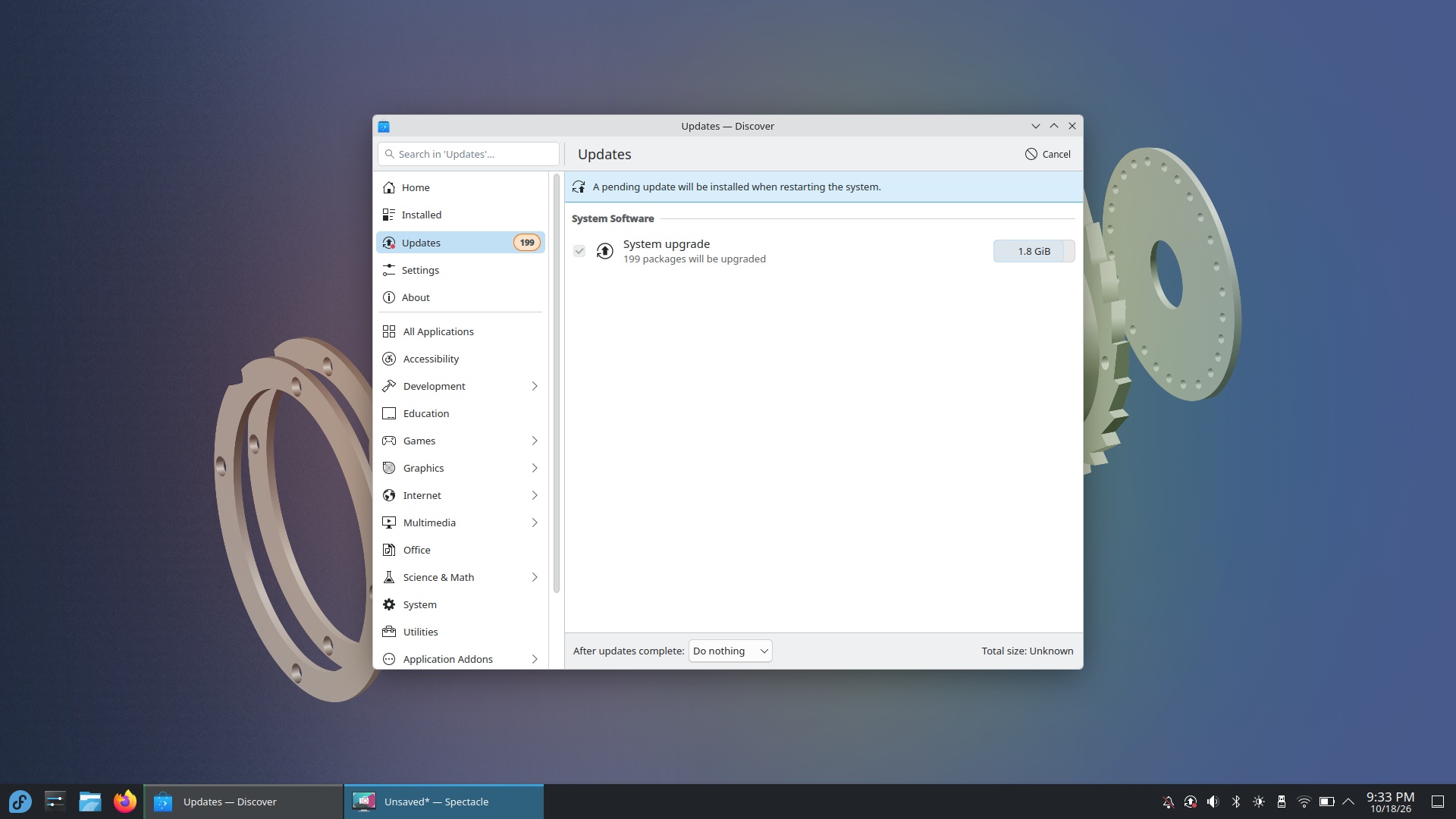
But it worked.
Now, disabling ZRAM, because I have a swap partition that I want to use for hibernation, involves these steps:
sudo dnf remove zram-generator-defaultssudo touch /etc/systemd/zram-generator.confsudo reboot- Use
sudo blkidto find the UUID of the swap partition. - Edit
/etc/default/gruband addresume=UUID=my-swap-uuid. sudo grub2-mkconfig -o /boot/grub2/grub.cfgsudo dracut -f
Yesss! Hibernation worked!
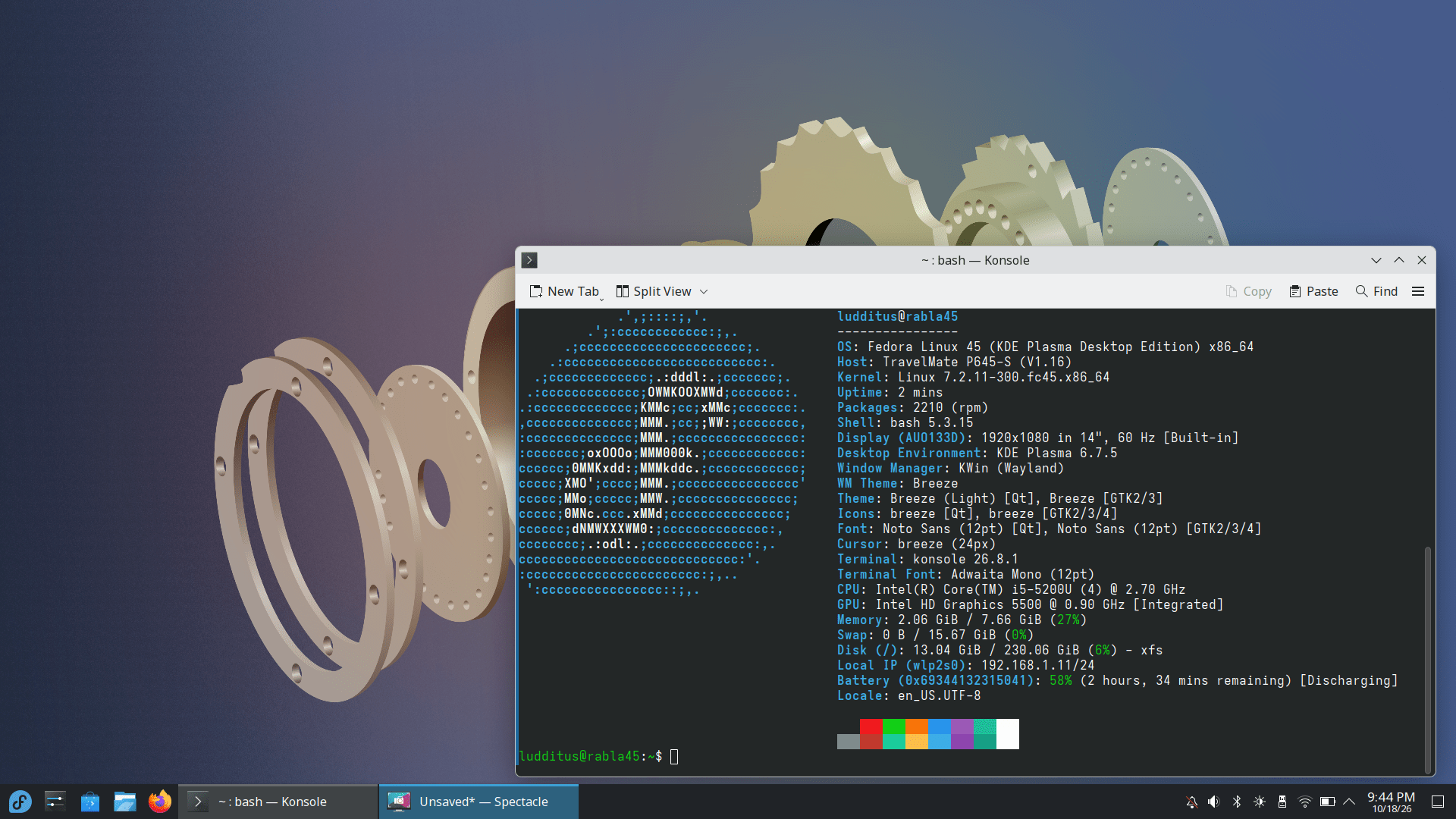
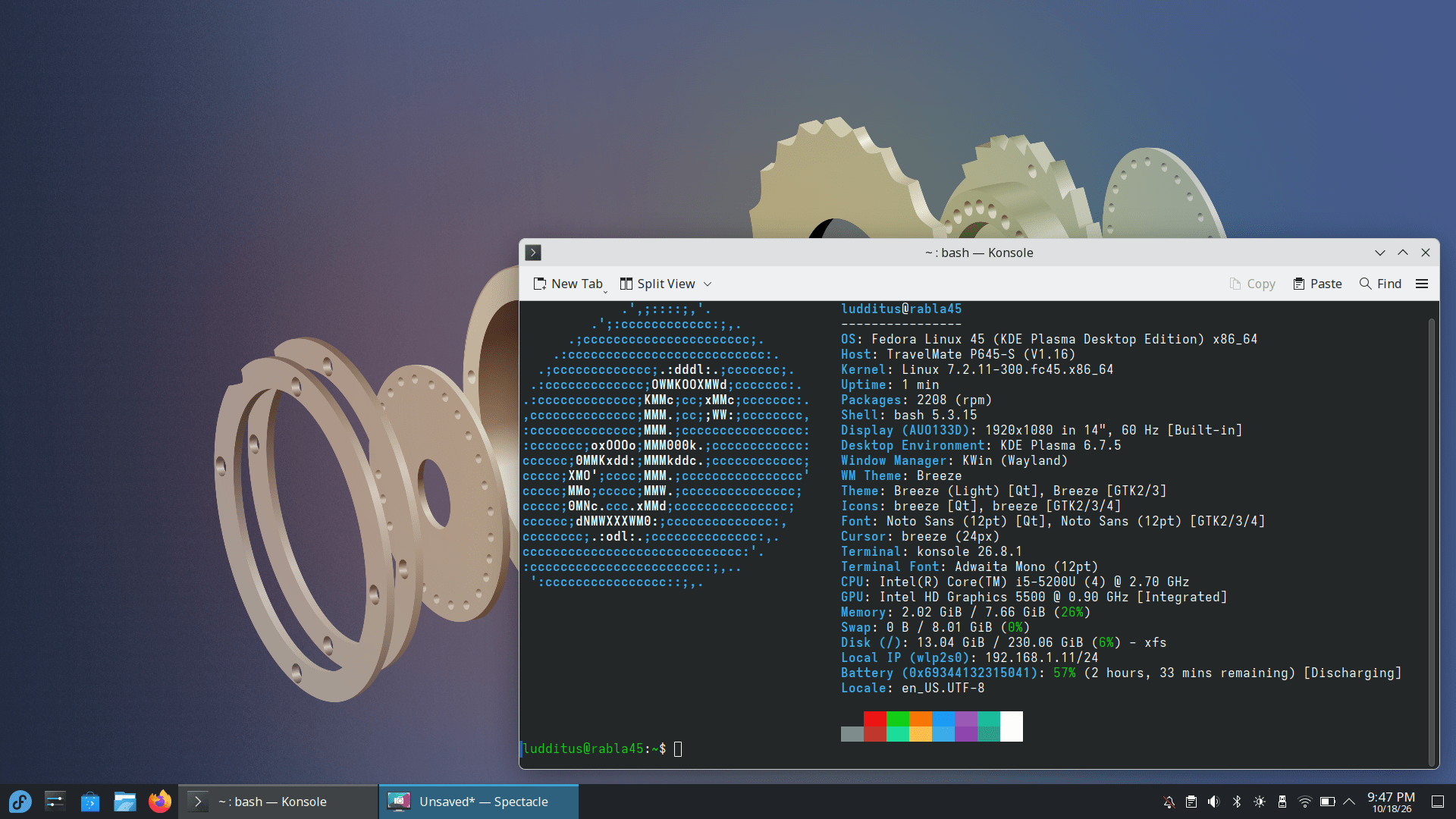
Notice how, with ZRAM enabled, the swap was 15.67 GiB, whereas with the partition alone, it’s 8.01 GiB. But there’s no way Fedora 45 KDE would use less than 2 GiB of RAM!
And Spectacle doesn’t make itself invisible by default during full-screen captures…
What doesn’t work, though? Well, no matter what, the session is not saved! Log out, then log back in, and nothing is restored. Nope. Nada. Nunca. Jamás. (Yes, it’s configured to save the session.) If Dedoimedo complained that Wayland prevents windows from opening in the previous positions, Fedora “fixed” this by not opening anything!
One more reason to enable hibernation and use it, you fucking retards! (No Secure Boot. No encrypted partitions. Go fuck yourselves in the ass.)
🥒
Basically, if I want something that works, it has to be Debian. And XFCE, preferably.
Let morons prefer CachyOS, Mint, and MX Linux.
Or Nitrux, NixOS, and whatever immutable shit exists out there.
The world will never have enough idiots.
Speaking of idiots, did they try installing any Mint edition on systems with more than one SSD (or HDD)? It doesn’t look like that’s the case.
I predict just like dedoimedo joined the darkside with a macbook, Ludditus would join the same with Windows 11 Pro 26H2.