
Claude Haiku 5.5: a diligent, dumb workhorse?
As people who follow my blog might know, I fell out of love with Claude at some point, despite it being one of my favorite chatbots for a long time. I even used it for vibecoding via Amazon’s Kiro, and I shortly tested Sonnet 4.6 via Antigravity IDE a couple of months ago. But I believe that Claude models suffer from the same enshittification and dumbification that affect all models: the more they’re becoming increasingly “better” in the official benchmarks, the dumber they are in real terms.
That said, now that I trust Gemini less than ever, I thought of going back to asking Claude simple questions that require simple answers, reserving more complex ones for ChatGPT (quite restricted) and Qwen (very generous), and some searches for Perplexity (using its free model). I need to reassess Grok (within the limits of its free “Fast” model), and I plan to avoid Gemini as much as possible.
Maybe Google’s partnership with Anthropic is an indirect acknowledgment that Gemini is crappy, somewhat similar to how Microsoft’s much tighter partnership with OpenAI is suggestive of Copilot’s dumbness and couldn’t prevent it from remaining subpar. In a partnership, one of the partners is the more stupid one, methinks. And Google and Microsoft are the best candidates for the status of “makers of crappy products.”
For the rest of my Google AI Pro plan offered through Jio, I can use the unspecified number of tokens available for Claude Sonnet 4.6 and Opus 4.6 via Google’s partnership with Anthropic. That is, I can use Claude from within Antigravity (IDE or CLI), but also with other tools that support Google’s OAuth, such as omp.sh.
Rationale and supporting context: I’m afraid of Gemini 3.8 Flash! ● Iar e pe ulei Gemini. ● Trust AI-generated code. Not. ● Gemini is increasingly bad, but ChatGPT surprised me. ● Now I am even more perplexed!
1 🤖 Enter Claude Haiku 5.5
Back to Claude: upon opening it this morning, it informed me that I got “upgraded” to Claude Haiku 5.5! I wasn’t using Haiku 4.5 anyway, but the version bump seems quite significant, so I went to get it straight from the horse’s mouth:
Introducing Claude Haiku 5.5: the cheapest, fastest, and most capable small model we’ve ever released.
Claude Haiku 5.5 is designed for high-volume, cost-sensitive tasks. It reliably handles quick and repetitive workloads (like summaries, compactions, database queries, and classification requests). It pairs well with Opus 5.5 and Sonnet 5.5 as a subagent on coding work. And, since it’s also our fastest model to date, it works especially well for speed-sensitive tasks like live customer support and browser use.¹
Haiku 5.5 is available at a much lower price than Haiku 4.5. On average, it now costs around 75% less to run.²
Along with this launch, we’re making improvements to the value of our model range. We’re halving the price of Claude Sonnet 5.5’s cache reads, which means Sonnet 5.5 now runs around 20% cheaper on most agentic work. And we’re introducing a new monthly API credit for our Claude Max and Team subscribers, designed to support our users in building new agents and applications that run on the Claude Platform.
¹Claude Haiku 5.5 is our fastest model to date at each model’s standard speed, although it runs less quickly than our Opus models in Fast Mode.
²Claude Haiku 5.5 is priced 90% lower than Claude Haiku 4.5 for requests up to 100,000 tokens, and 50% lower for requests over 100,000 tokens. On Haiku 4.5, 90% of requests fell into the former category. This calculation also accounts for changes between Haiku 4.5 and Haiku 5.5 in how many tokens are used to complete a given piece of work: Haiku 5.5 has an updated tokenizer (similar to Sonnet 5.5’s and Opus 5.5’s), which means it uses slightly more tokens per task.
Umm. Whatever. I skipped the benchmarks, as I never trust them. But handling “quick and repetitive workloads” is the job of a low-skilled busboy, right? A cheap one at that.
2 🤖 Let’s ask it something!
I decided to select Haiku 5.5 Max and ask it the following question:
The more recent Claude models have several “effort” degrees, up to “Max”; however, this maximum effort implies different cost multipliers across models:
- Sonnet 5: Low, Medium, High, Extra, Max, with Max reading “3.5× or more usage”
- Sonnet 5.5: Low, Medium, High, Extra, Max, with Max reading “5× or more usage”
- Haiku 5.5: Low, Medium, High, Extra, Max, with Max reading “8× or more usage”
Question: How come the newer a model is, the more important the difference is between its Max usage and the baseline usage, which is Medium?
It worked for about two and a half minutes:
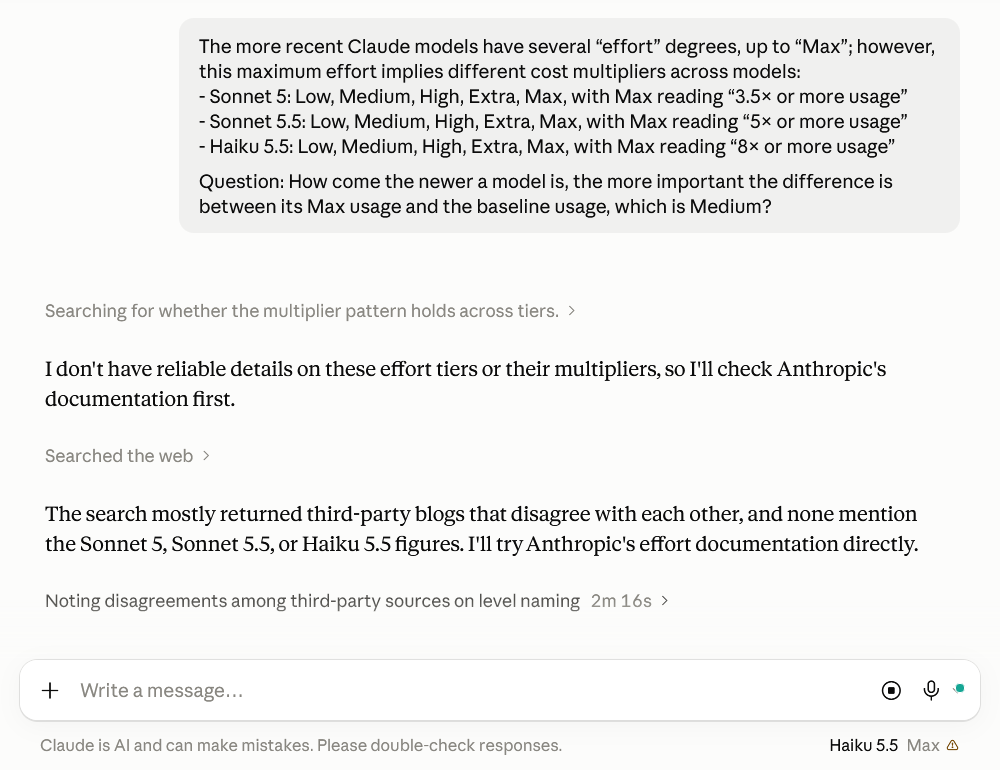
Its final answer was pathetic:
I can’t say for certain why, because I couldn’t verify these multipliers. Anthropic’s effort documentation describes what each level does but publishes no numeric usage multiplier for any level or model. The level you list as Extra corresponds to xhigh in the docs. The third-party write-ups I found disagreed with each other about the level names and numbers, so I didn’t rely on them.
The premise also doesn’t hold up cleanly. Sonnet 5.5 and Haiku 5.5 share a version number, yet Haiku’s figure is 8× while Sonnet’s is 5×, so newness doesn’t look like the main driver. Within the Sonnet line, the rise from 3.5× to 5× rests on two data points, and “or more” makes each figure a floor rather than an exact value. The reference point is also questionable for the Sonnet models, since Medium isn’t their default: Haiku 5.5 defaults to Medium, while Sonnet 5 and 5.5 default to High. Against High, the Sonnet multipliers would be smaller.
Still, a multiplier is a ratio, so it can widen in two ways: Max can produce more output, or Medium can produce less. If Haiku’s Medium is set lean, that alone would inflate its ratio. The docs describe effort as a behavioral signal rather than a strict token budget, and higher levels make Claude think more readily and at greater length. How much extra reasoning a model does at Max depends on how it handles each task, which can differ between models. The docs also confirm that Sonnet 5.5’s levels were recalibrated, so the same label can mean a different amount of thinking than it does on Sonnet 5. A shift in the ratio could come from either side, and the docs don’t say which.
Price per token doesn’t explain the gap, since a within-model ratio cancels it out. The difference has to come from how many more tokens Max produces than Medium. A last possibility is deliberate product design. Anthropic’s guidance for Opus 4.7 says that on most workloads, max adds significant cost for relatively small quality gains, so a large multiplier could be a way to make max a deliberate choice. That’s my inference, not something the docs state.
If you tell me where you saw these figures, such as a settings menu, a help article, or a release note, I can search for that source and check whether it states its reference level.
This is completely hogwash!
3 🤖 How about Perplexity?
Perplexity wasn’t that much more helpful either, but Anthropic’s documentation is at fault:
The most likely explanation is that these are not fixed “intelligence multipliers”. They are estimates of how much additional usage Claude may consume when the model is given permission to spend more adaptive-thinking tokens. Anthropic describes effort as a control over reasoning depth and token efficiency, with
mediumas a balanced baseline andmaxas having no constraint on thinking length.^1_1Why the multiplier can rise
Several factors can produce the pattern you observed:
1. The baseline is model-specific.
If Medium is the reference point, its cost is not necessarily the same across models. A newer model may solve routine tasks efficiently at Medium, while Max causes it to activate much longer reasoning traces, tool use, retries, or verification. The ratio therefore rises even if the absolute Medium usage stays similar.2. Max is an open-ended ceiling, not a proportional preset.
“Max” does not mean “use 2× the normal reasoning.” It means the model is allowed to continue thinking as much as it considers useful. Anthropic explicitly characterizes Max as the deepest level, with no constraint on token spending. A stronger model may be better at recognizing difficult subproblems and may pursue more extensive analysis when that option is available.^1_13. Newer models may have a wider adaptive range.
Model developers can tune the effort controller differently for each model. A newer model may have:
- shorter reasoning at Low or Medium for easy prompts;
- more elaborate planning at High or Max for difficult prompts;
- more tool calls, self-checks, code execution, or iterative correction.
That makes the distance between its ordinary operating point and its unconstrained operating point larger. This is an implementation choice, not a law that newer models must follow.
4. The figures are probably usage-limit estimates, not pure inference-token ratios.
Claude’s user-facing usage can account for more than visible answer length: internal thinking, tool calls, generated tool arguments, and possibly the resulting context passed through an agentic loop. Anthropic’s documentation says effort affects all response tokens, including text and tool calls. Consequently, “8×” should not be read as “Haiku’s internal reasoning is exactly eight times longer on every prompt.”^1_35. The newer model may be cheaper or more efficient at Medium.
Suppose, illustratively:
Model Medium usage Max usage Apparent ratio Older model 100 units 350 units 3.5× Newer model 60 units 300 units 5× Newer small model 35 units 280 units 8× The newer models can have lower baseline usage while retaining a large Max budget. The ratio increases even though Max consumes less in absolute terms than the older model’s Max setting.
Why Haiku can show the largest ratio
Haiku is designed for speed and lower cost, so its default or Medium behavior is likely deliberately conservative. The jump to Max may therefore represent a particularly large change in how much reasoning the system is willing to allocate.
That does not imply that Haiku Max is more capable than Sonnet Max, or that Haiku is “thinking eight times better.” It means the Max-to-Medium resource allowance may be wider. Anthropic’s documentation lists Haiku 5.5’s default as Medium and describes Max as the option for the deepest possible reasoning.^1_4
The key distinction
The multipliers answer something like:
“How much of your usage allowance might this setting consume relative to Medium?”
They do not necessarily answer:
“How much better will the model perform than at Medium?”
The performance gain is usually nonlinear and task-dependent. Anthropic itself warns that Max can have diminishing returns and can cause overthinking. For a simple factual question, Max may provide almost no benefit while still using substantially more allowance. For difficult debugging, long-context analysis, security review, or autonomous coding, the additional reasoning may be worthwhile.^1_5
So the apparent trend—Sonnet 5 at roughly 3.5×, Sonnet 5.5 at roughly 5×, and Haiku 5.5 at roughly 8×—most plausibly reflects different per-model effort calibration plus a conservative Medium baseline, not a fundamental rule that newer Claude models require proportionally more computation. Without Anthropic publishing the exact accounting formula and token distributions behind those labels, the displayed multipliers should be treated as approximate usage guidance rather than precise technical ratios.
Fucking AI makers. Should you pay, you don’t know what you pay for.
4 🤖 Let’s try a better question
OK, let’s consider the following simple question, and compare the busboy’s answer to some other chatbots’:
In the context of an LLM, what do “Cache reads” and “Cache writes” mean, as opposed to “Input tokens” and “Output tokens”? What is cached, and when? Can the user “optimize for caching” to save on costs?
It turned out it wasn’t such a simple question!
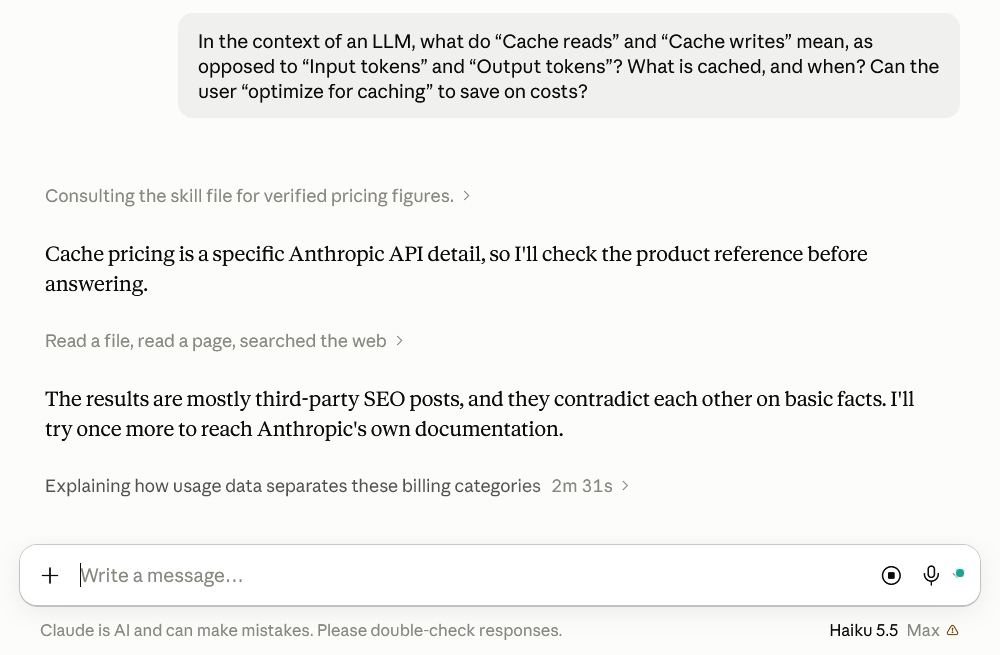
Haiku’s final answer came after almost 3 minutes:
Input and output tokens are the standard billing categories. Cache writes and cache reads are two more ways input gets billed, depending on whether part of the prompt was stored for reuse or served from that stored copy. On the API, caching is something a developer turns on per request, so these categories only appear when it’s in use.
Category What it counts Price relative to normal input Input tokens Prompt content not served from cache, such as a new user message 1× (base rate) Cache writes Prefix tokens stored so later requests can reuse them About 1.25× (5-minute cache); about 2× (1-hour cache) Cache reads Prefix tokens found in the cache and reused About 0.1× Output tokens Everything the model generates Several times the input rate; caching never discounts it What gets cached is a prefix: everything from the start of the request up to a marked breakpoint, such as tool definitions, the system prompt, a reference document, or earlier turns of a conversation. The stored item is the model’s internal working state for those tokens, not your text and not an answer. This works because the model reads left to right, so its processing of early tokens doesn’t depend on what comes after them. A later request that starts the same way can reuse that work. The match has to be exact, though, and even a small edit earlier in the prompt means no match.
Caching happens when a request includes a breakpoint. If the marked prefix is new, writing it costs about 1.25 times the input rate, and entries expire after five minutes unless extended to an hour. The write premium pays for storage and is wasted if nothing reuses the entry. If a later request begins with the identical prefix while the entry is still alive, the prefix is read instead, and reads are billed at about a tenth of the input price. Each read resets the five-minute clock. Prompts shorter than a minimum length can’t be cached at all, even when marked. Caching also doesn’t return a saved answer. Unlike response caching, the model still runs on every request, with only the cached part discounted.
In the API’s usage data, these appear as separate counts.
input_tokenscovers only the uncached tail of the prompt, whilecache_creation_input_tokensandcache_read_input_tokenshold the write and read counts. Those three input figures add up to the full prompt size, which trips up people who expect only two.So yes, caching saves money when the same long prefix comes back many times, and the break-even point is low. With the five-minute cache, one reuse already beats paying full price twice. The one-hour cache needs about three sends to come out ahead. Take a 10,000-token system prompt sent 20 times within five minutes. Without caching, that’s 200,000 full-price input tokens. With caching, the first send is written at 12,500 token-equivalents and the 19 reads come to 19,000, for 31,500 total, roughly 84% less on that prefix. New message content and output are still billed at full rate, so the whole bill drops by less than that.
To get these savings in practice, order the prompt from most stable to least stable: tool definitions, then the system prompt, then reference material and examples, then the conversation and newest message. Caching a stable system prompt, then a stable middle section, then the section that changes per session means a change near the end doesn’t force a rewrite of everything before it. Keep the stable part identical from call to call, and move anything that varies, like timestamps, request IDs, or per-user details, to the end. Keep related calls close together, since calls spaced beyond the cache lifetime pay the write premium every time. In chat or agent loops, the conversation so far becomes the prefix, so each turn mostly reads earlier history and writes only the newest exchange. Don’t bother with cache markers on one-off prompts. Reads should outnumber writes once a prefix starts repeating, so check the usage numbers. If writes keep piling up, caching is costing you more than it saves.
One caveat: I couldn’t open Anthropic’s own caching or pricing pages during this check. The 1.25× write and 0.1× read figures come from third-party documentation of Anthropic’s API, and the one-hour write rate is from my own knowledge. Confirm current numbers on Anthropic’s pricing page in the API docs at docs.claude.com before budgeting around them.
If this counts as a clear answer, then I am the Pope!
5 🤖 Perplexity, once more
Perplexity (free) also found the question difficult, so it decided to offer me a Pro answer!


Its answer:
“Input tokens” and “output tokens” describe what the model processes and generates. “Cache reads” and “cache writes” describe how some input tokens are billed and reused. Prompt caching generally affects only the input side; it does not make the model’s answer free or avoid generating the answer.
The four categories
Meter Meaning When it occurs Input tokens Tokens sent to the model: system instructions, conversation history, tools, documents, and your latest message Every request, for any portion not served from cache Cache write tokens Input tokens processed for the first time and stored as a reusable prompt-cache entry The first request that establishes a cacheable prefix, or when the cached content changes or expires Cache read tokens Previously processed input tokens reused from a matching cache entry Later requests with the same eligible prompt prefix Output tokens Tokens generated by the model: text, code, structured output, or tool calls Every model response A cache read is still normally counted as part of the request’s input, but it is reported separately because it receives a different price—usually much lower than ordinary input pricing. Cache writes may have their own rate, sometimes higher than ordinary input pricing. Exact thresholds, retention periods, and prices depend on the provider and model.
What is actually cached?
Usually, the provider caches an internal representation of a prompt prefix, especially the model’s attention-related key/value states. In simplified terms, the model does not need to recompute the same long beginning of the prompt from scratch.
That prefix may contain:
- System instructions.
- Developer instructions.
- Tool definitions.
- Repeated conversation history.
- Large documents or codebases.
- Repeated examples or reference material.
- A manually created context-cache object, where the provider supports that feature.
It generally does not mean that the model stores a completed answer and returns it unchanged. Prompt caching is different from semantic response caching:
- Prompt caching: the model still runs and generates a new response.
- Response or semantic caching: an application may reuse a previous answer and avoid a model call entirely.
A cache usually works by matching an identical or sufficiently matching prefix—not by understanding that two differently worded prompts mean the same thing. For example:
Stable instructions
Large reference document
User question A
and then:
Stable instructions
Large reference document
User question B
may allow the stable instructions and document to be cache reads, while the new question is ordinary input. If you put changing content near the beginning, you may invalidate the reusable prefix.
When does caching happen?
There are two common designs.
Automatic or implicit caching
The provider detects repeated prefixes. You usually do not create a cache manually, but the request must satisfy provider-specific conditions. For example, Azure OpenAI documentation describes a minimum prompt length of 1,024 tokens and requires the first 1,024 tokens to be identical; cache usage is reported through
cached_tokens.^1_1Explicit caching
Your application creates or marks a cacheable context and later refers to it. This is useful for a large document, code repository, or fixed instruction set that will be queried repeatedly. Anthropic, for example, supports cache breakpoints and documents 5-minute and 1-hour cache lifetimes; its cache covers content such as tools, system instructions, and messages up to the selected breakpoint.^1_2
Google’s Gemini API similarly supports explicit context caches with a configurable time-to-live; its documentation says the default TTL is one hour when none is specified, and billing can include both cached-token usage and storage duration.^1_3
The cache may expire after inactivity or after its TTL. It may also be invalidated when the model, relevant configuration, or prompt prefix changes. Therefore, “I sent the same text again” does not guarantee a cache hit.
Does caching save money?
Usually, yes—if the same large context is reused enough times. A simplified cost comparison is:
uncached cost = N × C × Pinput
where N is the number of requests, C is the repeated context size, and Pinput is the ordinary input-token price.
With caching:
cached cost ≈ C × Pwrite + (N-1) × C × Pread
plus the cost of each request’s changing input and output.
The first request can be more expensive if cache writing has a premium. The later cache reads are normally much cheaper. OpenAI’s current prompt-caching documentation describes cached input as discounted—up to 95% depending on the model—and explicitly notes that cache-write pricing is not an additional separate fee layered on top of input pricing; the tokens use the applicable uncached, cached, or write rate.^1_4
However, caching does not reduce:
- The cost of uncached changing content.
- The cost of generated output tokens.
- The number of output tokens.
- Possible storage or TTL charges for explicit context caches.
- Context-window usage or, in some systems, rate-limit accounting.
How to optimize for caching
If you control the API request, the main strategy is to make the repeatedly used material a stable prefix.
- Put stable content first: system instructions, tool schemas, policies, examples, and large reference documents.
- Put changing content last: the current user question, timestamps, random identifiers, retrieved snippets, and session-specific data.
- Keep formatting stable. Small changes in the early prefix—including whitespace or reordered tool definitions—may prevent a match.
- Reuse the same model and compatible request configuration when required by the provider.
- Keep repeated requests close enough together that the cache does not expire.
- Use explicit cache breakpoints or cache objects for large, repeatedly queried material when the provider supports them.
- Measure actual
cached_tokens, cache-hit rate, write count, TTL/storage cost, and total bill—not just the apparent discount.- Do not cache sensitive material casually. A prompt cache is provider-managed temporary data, so check retention, tenant isolation, deletion, and training-use policies.
A useful architecture is:
[stable system prompt]
[stable tools]
[stable product documentation]
[stable few-shot examples]
------------------------------
[current conversation and question]
This is generally better for caching than:
[current date]
[random request ID]
[current question]
[stable system prompt]
[large documentation]
because the changing material appears before the reusable material.
Important limitation
Caching is not always the cheapest optimization. If the repeated context is small, used only once or twice, or accompanied by a cache-write premium and storage fee, the savings may be negligible or negative. Also, shortening the prompt can save more than caching it: a smaller prompt has fewer input tokens even if its cache-hit rate is lower. OpenAI’s guidance explicitly recommends comparing total input cost before and after prompt compaction rather than optimizing only for the cache-hit percentage.^1_4
In short: input tokens are all incoming tokens; cache writes are the first processing/storage of reusable input; cache reads are later reuse of that input; output tokens are newly generated content. You can optimize for caching mainly by keeping a large, stable prefix identical across repeated API calls, but the real objective should be measured total cost and latency—not the highest possible cache-read count.
Much, much, much better!
6 🤖 Compare to ChatGPT
ChatGPT (free) with Thinking was also surprisingly helpful:
Yes. “Cache reads” and “cache writes” are still about input/context tokens, but they describe what happens to those tokens during repeated requests rather than whether they are input or output.
Category What it means Input tokens Tokens you supply to the model in the current request that have to be processed normally Output tokens Tokens the model generates in its response Cache writes Input tokens whose processed state is being stored in the prompt cache for possible reuse Cache reads / cached input tokens Input tokens for which the model can reuse a previously stored cached state instead of processing that prefix again The important point is that the cache is not simply a copy of the text. In current OpenAI terminology, the prompt cache stores the model’s intermediate key-value (KV) tensors/states for a reusable prefix. (OpenAI Platform)
What exactly gets cached?
Suppose your application repeatedly sends something like:
You are an assistant for a Linux documentation project.
[20,000 tokens of documentation and instructions]

Now answer this user’s question:
What does systemd do when …
On the first request, the model has to process those 20,000 tokens. An eligible prefix can be written to the cache.
On the next request:
You are an assistant for a Linux documentation project.
[the same 20,000 tokens]

Now answer this user’s question:
Why does systemd …
the unchanged beginning can be a cache read. Only the newly added portion needs to be processed normally. Prompt caching specifically works by reusing a matching prompt prefix, not arbitrary chunks scattered throughout the prompt. (OpenAI Platform)
So the rough picture is:
REQUEST 1

[STATIC PREFIX....................][NEW QUESTION]
          ↓
       cache write                  ↓
          └───────────────┐      normal processing
                          │
REQUEST 2                 │
                          ↓
[STATIC PREFIX....................][NEW QUESTION 2]
          ↓
       cache read                   ↓
       reused                       normal processing
The cache can include much more than the user’s immediately typed text. OpenAI says the rendered context can include system/developer instructions, tool definitions, conversation history, text, images, documents, etc. (OpenAI Platform)
Why are cache reads cheaper?
Because the expensive work of processing that prefix has already been done. You are still supplying those tokens and they still occupy context-window space, but the provider doesn’t need to recompute their KV state.
For example, current OpenAI documentation says prompt caching can reduce cached-input pricing by up to 95%, depending on the model. (OpenAI Platform)
For the currently documented GPT-5.6-and-later scheme, cache writes are charged at 1.25× the normal input rate, while subsequent cache reads are charged at 0.1× on most of those models. (OpenAI Platform)
That distinction is important: creating a cache isn’t necessarily cheaper than ordinary input. It is an investment that becomes worthwhile when the same prefix is reused.
For instance, suppose a hypothetical 100k-token prefix costs 1 unit as ordinary input:
Scenario Approximate cost Process 100k tokens once, no caching 1.00 Write cache, then read it once 1.25 + 0.10 = 1.35 Write once, read it 9 more times 1.25 + 9 × 0.10 = 2.15 Process it 10 times without caching 10.00 That is essentially the economics OpenAI illustrates in its documentation. (OpenAI Platform)
Can you optimize for caching?
Very much so, especially when you’re writing an API application.
The fundamental rule is:
Put the stuff that stays the same at the beginning; put the stuff that changes at the end.
For example:
GOOD:

[system instructions]
[tool definitions]
[reference documents]
[fixed examples]
[conversation history]
[user’s current question]
rather than:
BAD:

[today’s date]
[random request ID]
[user-specific changing information]
[system instructions]
[large reference documents]
[user’s question]
In the second case, a change near the beginning can destroy cache reuse for everything after that point.
OpenAI explicitly recommends keeping the prefix stable, putting stable instructions and shared reference material first, and moving dynamic information toward the end. It also recommends preserving conversation history rather than repeatedly rewriting it. (OpenAI Platform)
An important subtlety: it is a prefix cache
Suppose you have:
A B C D E F G H I Jand the provider has cached:
A B C D E FThen this can reuse the cache:
A B C D E F X Y ZBut this generally cannot reuse the cached portion after changing an earlier token:
A B C X D E F G H I Jbecause the prefix no longer matches from that point onward.
The current OpenAI documentation explicitly says that cache reuse requires the entire rendered prefix to match, and that a change before a breakpoint prevents the subsequent portion from matching. (OpenAI Platform)
What does “when” mean?
Caching happens during/after processing a request. The first eligible request can create the cached prefix; later requests look for the longest matching cached prefix.
For GPT-5.6 and later, OpenAI currently documents a minimum cacheable prefix of 1,024 visible input tokens, with additional cache breakpoints available at larger boundaries. (OpenAI Platform)
The cache is also temporary rather than permanent model memory. For current GPT-5.6-and-later caching, the documented retention control is 30 minutes; an entry remains eligible for reuse for at least 30 minutes after its latest write or reuse, although the provider can retain it longer. (OpenAI Platform)
So it is not:
“The model learned my prompt.”
It is more like:
“The inference server has already computed the internal state corresponding to this beginning of the prompt, and can reuse that computation.”
One particularly useful distinction
Caching does not mean the model remembers the answer it previously gave.
Suppose you send:
[10,000-token cached context]
Question: What is Linux?
and receive an answer.
Then:
[10,000-token cached context]
Question: What is BSD?
The second request still generates a completely new response. Only the processing of the common prefix is reused. Prompt caching does not cache the model’s output or force subsequent outputs to be identical. (OpenAI Platform)
So, in practical terms:
Input tokens = what you send.
Output tokens = what the model generates.
Cache writes = some of the input being prepared for reuse.
Cache reads = some of the input being reused from an earlier request.And yes: an API developer can deliberately structure prompts to maximize cache hits and substantially reduce input costs, particularly for applications repeatedly sending large system prompts, tool schemas, documentation, codebases, or conversation history. (OpenAI Platform)
Since I configured ChatGPT (Personalization) for Base style and tone: Efficient, Warmth: Less, Enthusiasm: Less, and Emoji: Less, it starts its answers with “Yes” instead of “What a genius you are to have asked such a question!” 🙂
7 🤖 Compare to Qwen
Qwen3.8-Max was, how to put it, more primitive:
Understanding the Basics: Input/Output vs. Cache
To understand caching, we first need to define the baseline costs of running a Large Language Model (LLM):
- Input Tokens: The text you send to the model (prompts, system instructions, context). You are charged for the compute required to process this text.
- Output Tokens: The text the model generates in response. You are charged for the compute required to create this new text.
Prompt Caching (also called Context Caching) is a feature that allows you to save money and reduce latency by avoiding the re-computation of the Input Tokens that appear at the start of your prompts.
What are “Cache Reads” and “Cache Writes”?
When an LLM processes a long prompt, it performs heavy mathematical computations (specifically in its “attention” layers) to understand how every word relates to every other word. This creates intermediate data called a KV (Key-Value) cache.
In the past, this KV cache was discarded after the response was generated. Today, providers like OpenAI, Anthropic, and Google allow this KV cache to be stored on their servers and reused for future API requests.
- Cache Write: This occurs when you send a prompt that is new or has a new beginning. The model must perform the heavy lifting to compute the KV cache and store it in memory. You are charged a “Cache Write” fee. Depending on the provider, this usually costs the same as standard input tokens (1) or carries a small premium, such as 25% more (17).
- Cache Read: On subsequent API requests, if the beginning of your prompt perfectly matches a previously stored sequence, the provider simply fetches the pre-calculated KV cache instead of recomputing it. This saves the provider massive amounts of compute, and they pass those savings to you. Cache Reads are heavily discounted—often 50% off (1) or up to 90% off (17) standard input pricing.
What is Cached, and When?
- What is cached: It is the KV Cache (the mathematical states of the transformer model’s attention mechanism). It is not caching the final output or the dynamic user query; it is caching the processing of the static text prefix.
- When is it cached: Caching is evaluated sequentially from the very beginning of the prompt. The system reads your prompt left-to-right; as soon as it hits a token that does not match a previously cached sequence, the “cache read” stops, and the rest of the prompt is processed as standard “Input tokens.”
How to Optimize for Caching to Save Costs
Yes, users can significantly optimize for caching to reduce their API bills. Because the cache is only valid if the prefix is identical, you must structure your prompts strategically:
- Front-Load Static Content:
Place large, unchanging blocks of text at the very top of your prompt. This is ideal for:
- Extensive System Prompts or persona instructions.
- Large RAG (Retrieval-Augmented Generation) context, such as a 100-page PDF or large database dumps.
- Long lists of “Few-Shot” examples that teach the model how to behave.
Always place the dynamic part (the user’s actual question) at the very end of the prompt.- Maintain the “Prefix”:
If your system prompt changes dynamically (e.g., inserting today’s date at the top), the entire cache is invalidated. Ensure the first 1,024+ tokens of your prompt remain exactly identical across requests, as most providers require a minimum threshold of 1,024 tokens to trigger caching (1).- Batch Requests (Mind the TTL):
Caches don’t live forever; providers assign a Time-To-Live (TTL) (often 5 minutes to an hour). To save costs, structure your application so that multiple user queries are sent in quick succession before the cache expires.- Calculate the Break-Even Point:
If your provider charges a premium for Cache Writes, you need to ensure you actually “read” the cache enough times to make up for the initial cost (16). If you write a massive context to the cache but only use it once before it expires, you may end up losing money compared to just using standard input tokens.
8 🤖 Grok, maybe?
Grok (Fast, the only free choice) answered usefully enough and more clearly than Qwen:
Cache reads and cache writes are billing categories that appear when an LLM provider supports prompt caching (also called prefix caching or context caching). They apply only to input tokens and are distinct from ordinary input tokens and output tokens.
Ordinary tokens vs. cache tokens
Category What it is Typical billing Notes Input tokens Tokens in the prompt that are processed from scratch (no cache hit) Full base input rate Everything that is not a cache read or (on some providers) a cache write Output tokens Tokens the model generates Full output rate Never discounted by prompt caching Cache writes (also called cache creation / cache write tokens) Tokens from a prompt prefix that are being stored in the provider’s cache for the first time (or after expiration) Usually a premium over the base input rate (commonly 1.25× for short TTL, sometimes 2× for longer TTL) Paid once per cache entry Cache reads (also called cache hits / cached input tokens) Tokens from a previously cached prefix that are reused on a later request Heavily discounted (commonly 0.1× / 10 % of base input, sometimes lower) The source of the savings On providers such as Anthropic, the usage object typically breaks input into three parts that sum to the total prompt length:
cache_read_input_tokens(or equivalent)cache_creation_input_tokens/ cache-write tokens- ordinary
input_tokens(the uncached tail)OpenAI historically reported mainly
cached_tokens(reads); newer models also surface cache-write tokens. Output is always billed separately and is unaffected.What is actually cached, and when?
What is cached is not the final response text and not a semantic summary. It is the provider’s internal prefill state—most importantly the key-value (KV) tensors that the transformer’s attention layers compute for every token in the prefix during the prefill phase.
Because attention is causal, the KV state for any position depends only on that token and everything before it. Therefore:
- An identical token sequence always produces identical KV tensors.
- A later request that begins with exactly the same prefix can load the saved state and skip re-computing it, starting prefill only at the first differing token.
When a write happens
- On the first request that contains a cacheable prefix (or after the previous entry has expired or been evicted).
- On providers that require explicit breakpoints (Anthropic’s
cache_control, newer OpenAI explicit breakpoints), a write occurs at the marked breakpoint(s).- Minimum length thresholds apply (commonly 1 024 tokens on OpenAI; model-dependent floors on Anthropic, often 1 024–4 096 tokens).
When a read happens
- On a subsequent request whose exact token prefix matches a still-valid cache entry.
- Matching is byte-/token-identical and positional: a single changed character anywhere in the cached region invalidates the match from that point onward (and usually forces a new write).
- TTL is short by default (often ~5 minutes of inactivity, refreshed on hits; some providers offer a longer paid TTL). Entries can also be evicted under load.
Prompt caching therefore only helps when the same stable prefix is reused while the cache is still warm. The variable part of the prompt (user question, latest tool results, etc.) must come after the cacheable region.
Can a user optimise for caching to save costs?
Yes—often dramatically—but only by deliberately structuring prompts so that large, stable content sits at the front and is reused many times within the TTL window. Caching is effectively a prepayment: you pay a write premium once and recover it (and then some) on subsequent cheap reads.
Practical design rules that raise hit rates
- Put the stable material first
System instructions, tool / function definitions, long reference documents, few-shot examples, knowledge-base excerpts, or conversation history that will be repeated. Put the changing part (current user message, new tool output, timestamps, request-specific IDs) at the very end.- Keep the prefix byte-identical
Avoid injecting dynamic values (current time, random IDs, user-specific metadata) early in the prompt. Even whitespace or ordering differences break the match.- Respect minimum lengths and breakpoints
Make sure the intended cache region meets the provider’s token floor. On Anthropic you can place up to a small number of explicitcache_controlbreakpoints; on newer OpenAI models you can also use explicit breakpoints or aprompt_cache_keyto improve routing.- Reuse the same prefix many times while the cache is warm
Break-even is typically very low: one write at 1.25× plus one read at 0.1× already yields a blended cost below the uncached rate. After a handful of reads the effective cost of the prefix approaches the read rate (≈ 5–10 % of ordinary input). High-hit-rate workloads (multi-turn agents, RAG over a fixed corpus, chat with a long system prompt, repeated tool-calling loops) routinely see 70–90 % reductions on the input side.- Monitor the actual metrics
Inspect the usage fields returned by the API (cache_read_input_tokens/cached_tokens,cache_creation_input_tokens/cache_write_tokens). A high write-to-read ratio signals that prefixes are changing too often or that the TTL is being exceeded.- Choose TTL deliberately
Short default TTL is cheaper to write but requires more frequent reuse. Longer TTL (where offered) costs more to write but can be worthwhile for bursty or less frequent traffic.Edge cases and limitations
- Output tokens remain full price; if generation dominates the bill, caching helps less.
- Very short prompts never cache.
- Cross-request reuse only; intra-request KV caching is already done by the inference engine and is not billed separately.
- Semantic / response caching (storing finished answers keyed by embedding similarity) is a different technique that can skip the model call entirely; it is not what “cache reads/writes” refer to in the provider billing sense.
- Rate-limit accounting sometimes treats cache hits more favourably (they may not count fully against input rate limits).
In short: input tokens are the ordinary cost of processing a prompt; output tokens are the cost of generation; cache writes are the one-time (or periodic) cost of storing a reusable prefix’s internal state; cache reads are the cheap reuse of that state. Users optimise by making the largest possible stable prefix identical across many requests that occur close together in time, thereby converting most of their input volume into heavily discounted cache reads.
9 🤖 Ending with… Gemini
Let’s end with Gemini 3.8 Flash Extended, which ended its answer with a question to which I answered by clicking “Yes”:
The Token Types Defined
In standard LLM inference, tokens are divided into two operational categories:
- Input tokens (Prompt tokens): The text provided to the model. During the prefill stage, the engine processes all prompt tokens in parallel, generating internal activation states.
- Output tokens (Completion tokens): The text generated by the model. During the decoding stage, tokens are generated autoregressively one by one. Output tokens require significantly more memory bandwidth and GPU time per token than input tokens, which is why providers charge 3× to 5× more for them.
Prompt caching splits input tokens into three billing subcategories based on whether their computations can be reused:
- Uncached Input tokens: Input tokens processed via full transformer prefill from scratch because no matching cache exists.
- Cache writes (Cache creation): The process of saving the precomputed internal activations of a prompt prefix into fast memory for subsequent calls. Depending on the provider, this is either billed at a slight premium over standard input (e.g., Anthropic charges ~1.25× regular input for creating an explicit cache) or at the regular input rate (e.g., OpenAI’s implicit caching).
- Cache reads (Cache hits): When an incoming prompt matches an existing cached prefix. The inference server bypasses the compute-heavy prefill phase for those tokens and reads the precomputed activations directly from memory. Providers typically discount cache reads by 50% to 90% compared to standard input tokens.
Token Metric Processing Stage Hardware Bottleneck Typical Relative Cost Output Tokens Autoregressive decoding Memory bandwidth (sequential memory reads) High (3× – 5× baseline) Input Tokens (Uncached) Transformer prefill Compute (matrix multiplications across prompt) Baseline (1×) Cache Write Prefill + memory persistence Compute + storage allocation 1.0× to 1.25× baseline Cache Read Memory fetch (skips prefill) Host/GPU memory throughput 0.1× to 0.5× baseline What Is Cached, and When?
What is cached?
The cache does not store the raw text, the final completion, or the model’s static weights.
It stores the KV Cache (Key-Value attention states) across all layers and attention heads for the exact sequence of tokens in the prompt.
In a transformer, calculating attention for a new token requires comparing its Query vector against the Key and Value vectors of all preceding tokens. By serializing and retaining these $K$ and $V$ tensors in GPU VRAM, host RAM, or near-inference NVMe storage, the engine skips the O(N²) prefill compute step for the cached prefix entirely.
When is it cached?
Caching occurs under two main architectural approaches:
- Implicit / Automatic Prefix Caching (e.g., OpenAI, DeepSeek):
- The inference engine hashes prompt prefixes in discrete blocks (e.g., 128-token chunks).
- If a prompt exceeds a minimum size threshold (typically 1,024 tokens) and matches an active prefix block from a recent request, the server automatically reads from the cache.
- Eviction uses an LRU (Least Recently Used) policy with short lifespans (typically 5 to 10 minutes from the last read).
- Explicit / Declared Context Caching (e.g., Anthropic, Google Gemini):
- Anthropic: The caller explicitly attaches a
cache_control: {"type": "ephemeral"}breakpoint to a specific block (e.g., after system instructions or a document). The cache has a 5-minute TTL that resets on every hit. Minimum threshold is typically 1,024 or 2,048 tokens depending on the model tier.- Google Gemini: Designed for long contexts (typically ≥ 32,768 tokens). The user creates an explicit cache resource via an API call, assigns an explicit TTL (e.g., hours or days), and pays a recurring storage fee per hour for the stored tokens in addition to invocation costs.
The Golden Rule: Exact Prefix Matching
KV states depend strictly on causal masking and positional encodings. For a token’s KV state to be valid, every single token before it must be identical.
If a single character, whitespace, or system timestamp changes at index 0, the entire cache is invalidated from index 0 onward. If a 10,000-token prompt changes at token 9,000, the first 8,999 tokens hit the cache, and only the remaining 1,001 tokens are processed as fresh input.
How to Optimize for Caching
To maximize cache hit rates and lower API costs, prompt architecture must be treated like compiler optimization or cache-line alignment:
1. Order Prompts Strictly from Static to Dynamic
Organize prompt structure so high-entropy and volatile data are pushed as far to the end of the prompt as possible:
System Instructions ⟶ Tool / Schema Definitions ⟶ Static Knowledge Base ⟶ Conversation History ⟶ Current Query
Never inject dynamic variables near the top. Moving a dynamic variable like
Current Date/Time: 2026-10-08 16:35:18orSession ID: 8f9b...into the system prompt destroys the cache prefix for every subsequent request. Move timestamps and session identifiers into the final user message or tool context.2. Ensure Deterministic Serialization
- JSON Keys & Dictionaries: Python dictionaries are insertion-ordered. If serializing schemas, tools, or few-shot examples dynamically, ensure dictionary keys are sorted (
json.dumps(obj, sort_keys=True)).- Whitespace & Newlines: Normalize line endings (
\nvs.\r\n) and avoid trailing whitespace differences between requests.- Token Boundaries: Small edits at the end of a prefix can change how the tokenizer merges characters. Keep prefix boundaries aligned with clean sentence or Markdown section boundaries.
3. Clear Minimum Token Thresholds
If an API requires a minimum prefix of 1,024 tokens to trigger caching (as with OpenAI or Claude Sonnet), a static prefix of 980 tokens will never cache, incurring 100% uncached input charges on every call. If system instructions and tools hover near 900 tokens, moving static reference examples or detailed output formatting schemas into that static block pushes it past the threshold to unlock the 80–90% discount.
4. Batch and Pipeline Requests Within the TTL Window
Ephemeral caches expire rapidly (usually 5 minutes idle).
- When processing background workloads (e.g., summarizing 50 documents using the same system instructions and reference rubrics), run them sequentially or concurrently in a tight batch rather than spreading them out.
- Each successful cache read refreshes the 5-minute timer, allowing large batches to run with only a single cache-write penalty on the first request and pure cache reads for the rest.
Want to see provider-specific prompt templates for Claude or OpenAI caching?
Yes.
Anthropic Claude: Explicit Breakpoints
Anthropic uses an explicit breakpoint model. You designate up to 4 cache breakpoints in your request by attaching
cache_control: {"type": "ephemeral"}to tool definitions, system message blocks, or specific message turns.
- Minimum threshold: 1,024 tokens (or 2,048 tokens on Haiku models).
- Cache lifetime (TTL): 5 minutes from creation or the most recent read.
- Billing mechanics:
cache_creation_input_tokens: Charged at 1.25× base input rate.cache_read_input_tokens: Charged at 0.10× base input rate (90% discount).input_tokens: Uncached tokens placed after your final breakpoint.Python Implementation
import os import anthropic client = anthropic.Anthropic(api_key=os.environ.get("ANTHROPIC_API_KEY")) # 1. Static knowledge or system instructions (must exceed 1,024 tokens) SYSTEM_PROMPT = "You are a specialized code auditor. Analyze code for memory leaks and race conditions." LARGE_CODEBASE_REFERENCE = """ // Imagine a large reference manual, standard library spec, or base schema here... // Must bring the cumulative prefix across tools/system/documents over 1,024 tokens. """ + ("\n// Static reference boilerplates..." * 200) response = client.messages.create( model="claude-3-7-sonnet-20250219", max_tokens=1000, # System prompts take a list of structured content blocks system=[ { "type": "text", "text": SYSTEM_PROMPT, }, { "type": "text", "text": LARGE_CODEBASE_REFERENCE, # Breakpoint 1: Caches everything up to the end of the system block "cache_control": {"type": "ephemeral"} } ], messages=[ { "role": "user", "content": [ { "type": "text", "text": "Review this function: int* get_ptr() { int x = 5; return &x; }" } ] } ] ) # Inspect cache performance usage = response.usage print(f"Regular Input Tokens: {usage.input_tokens}") print(f"Cache Creation Tokens: {usage.cache_creation_input_tokens}") print(f"Cache Read Tokens (Hits): {usage.cache_read_input_tokens}") print(f"Output Tokens: {usage.output_tokens}")Multi-Turn Conversation Pattern
To cache an ongoing chat, place the breakpoint on the penultimate message (the latest assistant response) or the last user query so earlier turns stay cached while the conversation grows:
messages = [ {"role": "user", "content": "Here is project context... [large text]"}, { "role": "assistant", "content": [ { "type": "text", "text": "Understood. I have indexed the project.", # Breakpoint shifts forward to cover the conversation up to this turn "cache_control": {"type": "ephemeral"} } ] }, {"role": "user", "content": "What is the entry point defined in main.c?"} ]OpenAI: Automatic Prefix Caching
OpenAI uses implicit prefix caching by default. There are no manual cache header flags or explicit breakpoints required in standard requests. The server hashes prompt prefixes in 128-token chunks once prompts exceed the minimum size.
- Minimum threshold: 1,024 tokens.
- Eviction policy: Dynamic LRU eviction, typically active for 5 to 10 minutes between requests.
- Billing mechanics:
- Cache writes are charged at the normal input rate (or 1.25× on newer models like GPT-5.6+).
- Cache reads (
cached_tokens) are discounted by 50% to 90% depending on the specific model.response.usage.prompt_tokensdisplays the total prompt tokens (both cached and uncached combined); cached tokens are reported separately insideprompt_tokens_details.Python Implementation
import os from openai import OpenAI client = OpenAI(api_key=os.environ.get("OPENAI_API_KEY")) # Prefix elements MUST remain strictly identical byte-for-byte across calls SYSTEM_INSTRUCTIONS = "You are an automated logistics parser." STATIC_SCHEMA_DOCS = "### ENTITY DEFINITIONS & RULES\n" + ("Rule: Verify SKU against inventory.\n" * 150) # Build prompt adhering to static -> dynamic ordering messages = [ { "role": "developer", # Or 'system' for older models "content": f"{SYSTEM_INSTRUCTIONS}\n\n{STATIC_SCHEMA_DOCS}" }, { "role": "user", "content": "Parse order ID: 94821 - 3x Widget A to Warehouse East." } ] response = client.chat.completions.create( model="gpt-4o", messages=messages ) # Inspect cache performance usage = response.usage cached_count = getattr(usage.prompt_tokens_details, "cached_tokens", 0) or 0 uncached_count = usage.prompt_tokens - cached_count print(f"Total Prompt Tokens: {usage.prompt_tokens}") print(f"Cached Input Tokens (Hits): {cached_count}") print(f"Uncached Input Tokens: {uncached_count}") print(f"Output Tokens: {usage.completion_tokens}")Comparative Architecture Reference
Dimension Anthropic Claude OpenAI Control Mechanism Explicit: cache_control: {"type": "ephemeral"}parameterImplicit: Automatic prefix matching (or explicit breakpoint mode on select models) Breakpoint Limit Up to 4 per API request Evaluated at 128-token boundaries automatically Minimum Tokens 1,024 (2,048 for Claude 3.5 Haiku) 1,024 tokens Cache Write Cost 1.25× regular input Baseline 1.0× (1.25× on GPT-5.6+) Cache Read Cost 0.10× regular input (90% off) 0.10× to 0.50× regular input (50–90% off) Cache Response Field usage.cache_read_input_tokensusage.prompt_tokens_details.cached_tokensClean Structural Prompt Template
To guarantee cache hits across both providers, construct API payloads using this layout:
[LAYER 1: STATIC TOOLS & FUNCTIONS]
    └── Tools array (Keep tool schemas static; sort keys deterministically)

[LAYER 2: STATIC SYSTEM / DEVELOPER PROMPT]
    └── Persona, operating rules, output format rules
    └── (Anthropic Breakpoint 1 here if tools + system >= 1024 tokens)

[LAYER 3: STATIC KNOWLEDGE CONTEXT]
    └── Document context, API specifications, few-shot examples
    └── (Anthropic Breakpoint 2 here if documents are appended)

[LAYER 4: SEMI-DYNAMIC CONVERSATION TURNS]
    └── Prior turn 1 (User)
    └── Prior turn 1 (Assistant)
    └── (Anthropic Breakpoint 3 on the latest Assistant turn)

[LAYER 5: VOLATILE QUERY CONTEXT]
    └── Current user message
    └── Volatile metadata: timestamps, user location, session tokens
Never place variables like
Current Time: 2026-10-08 16:48inside Layer 2. Moving dynamic data to Layer 5 protects Layers 1 through 3 from prefix invalidation, allowing subsequent calls to read from the cache directly.
10 🤖 Color me puzzled 🤔
Now I’m really, really puzzled. Did Gemini 3.8 Flash become more reliable?! The other day, it struggled with 20 Python files, 4 of which were irrelevant, and only 5 of which needed to be modified.
Having to define cache breakpoints manually is dumb. But haha, claude-3-7-sonnet-20250219: nice try, Gemini!
As for Haiku 5.5… I’ve rarely seen something more retarded! OK, I didn’t ask Copilot, DeepSeek, or Kimi Instant (no other Kimi is free), but still.
NOTE: Anchors to chapters work in recent blog posts even without an explicit TOC: 1, 2, 3, 4, 5, 6, 7, 8, 9, 10.
Leave a Reply