
Linux is still booting up in 1980
I’m not in a good mood, and I tend to feel this way whenever operating systems or software are annoying me. To be frank, there is absolutely no operating system that I like. All are doomed and might lead to the extinction of our civilization even before AI kills us (then, of course, AI will take care of producing the energy and the hardware it needs to “exist,” and it might also create better operating systems).
⚜️
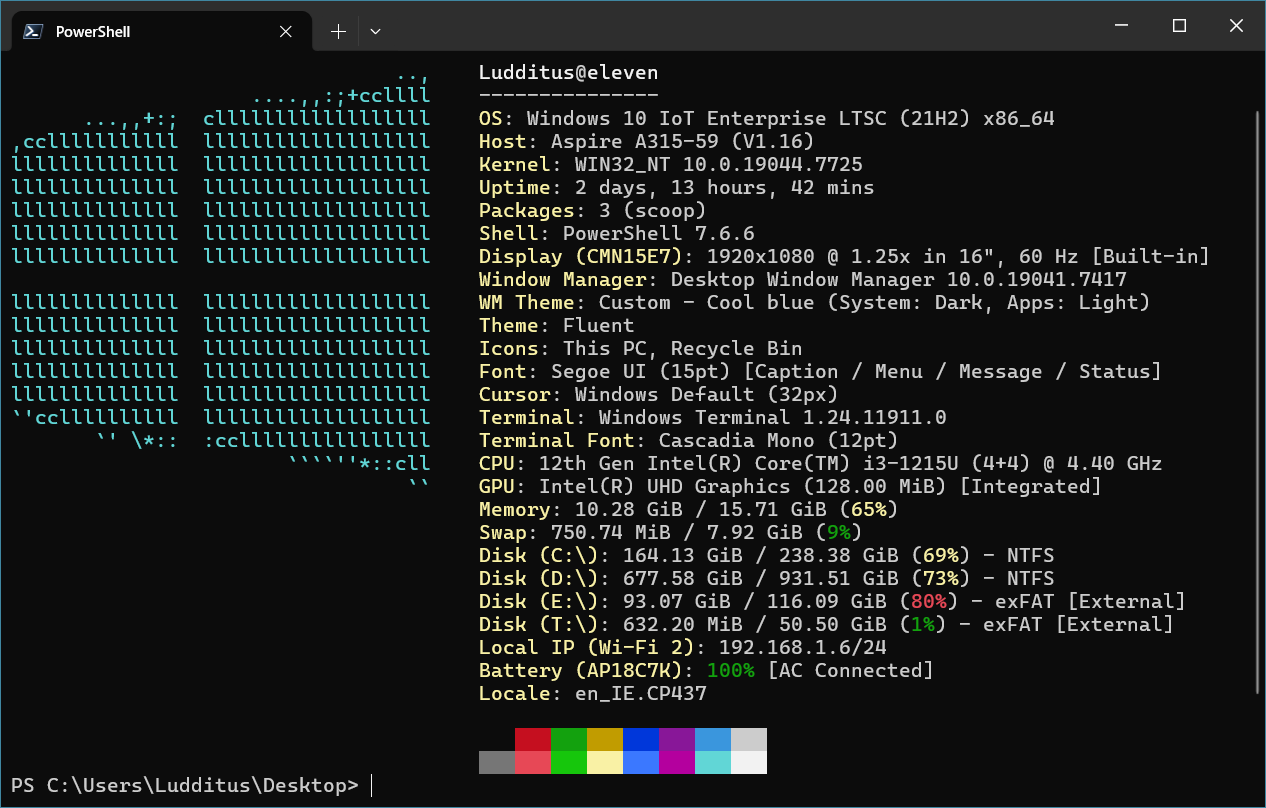
Currently, the OS most people cannot avoid is Windows. Microsoft wants us to use Windows 11, but they still maintain Windows 10 IoT Enterprise LTSC 21H2.
⚜️
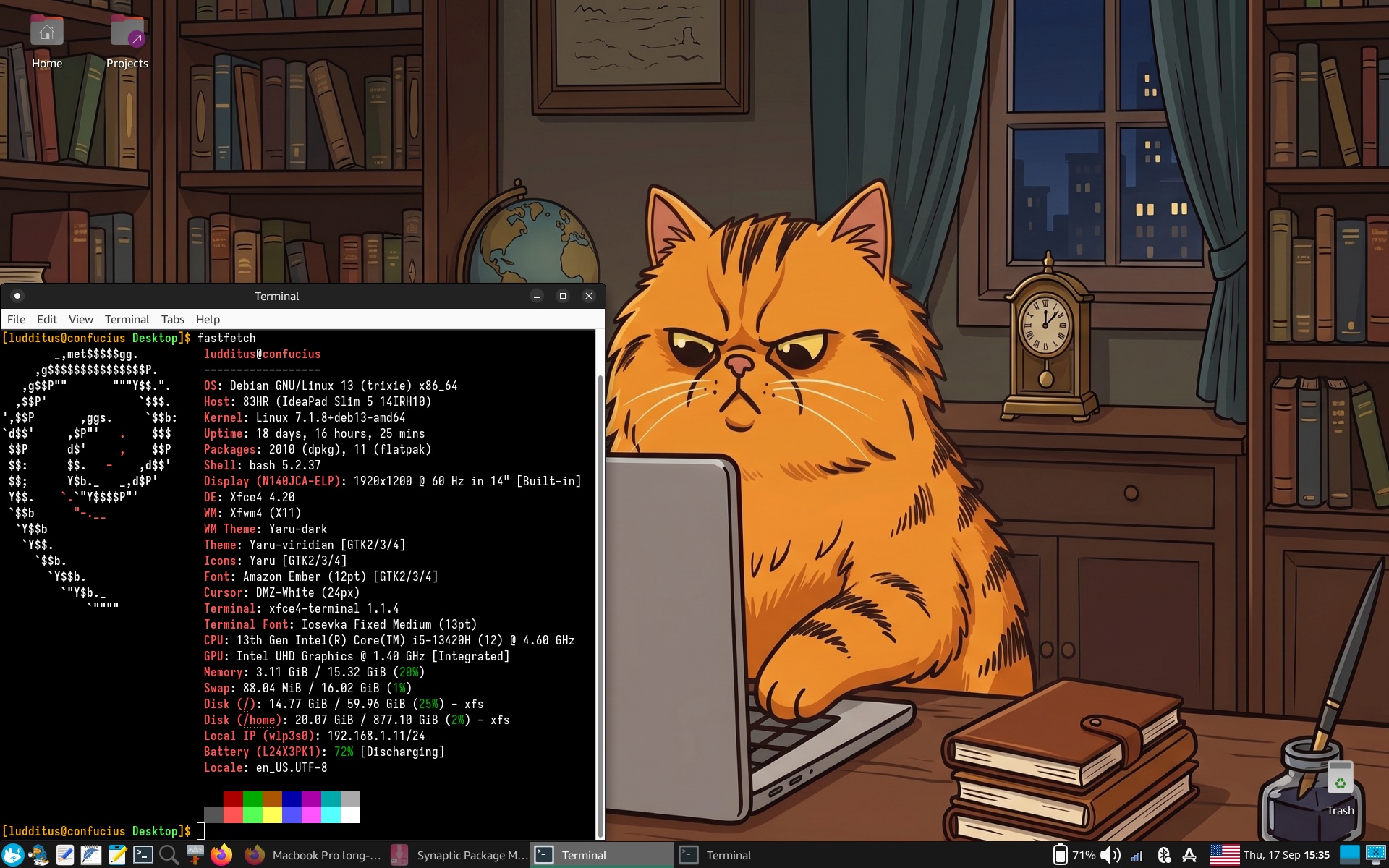
My reference and primary Linux is Debian 13 XFCE, installed from xebian-trixie-amd64.hybrid.iso to avoid the bloat that would result when installing from debian-live-13.7.0-amd64-xfce.iso and the hassle of installing from debian-13.7.0-amd64-netinst.iso. Oh, the newer kernel is from backports.
⚜️
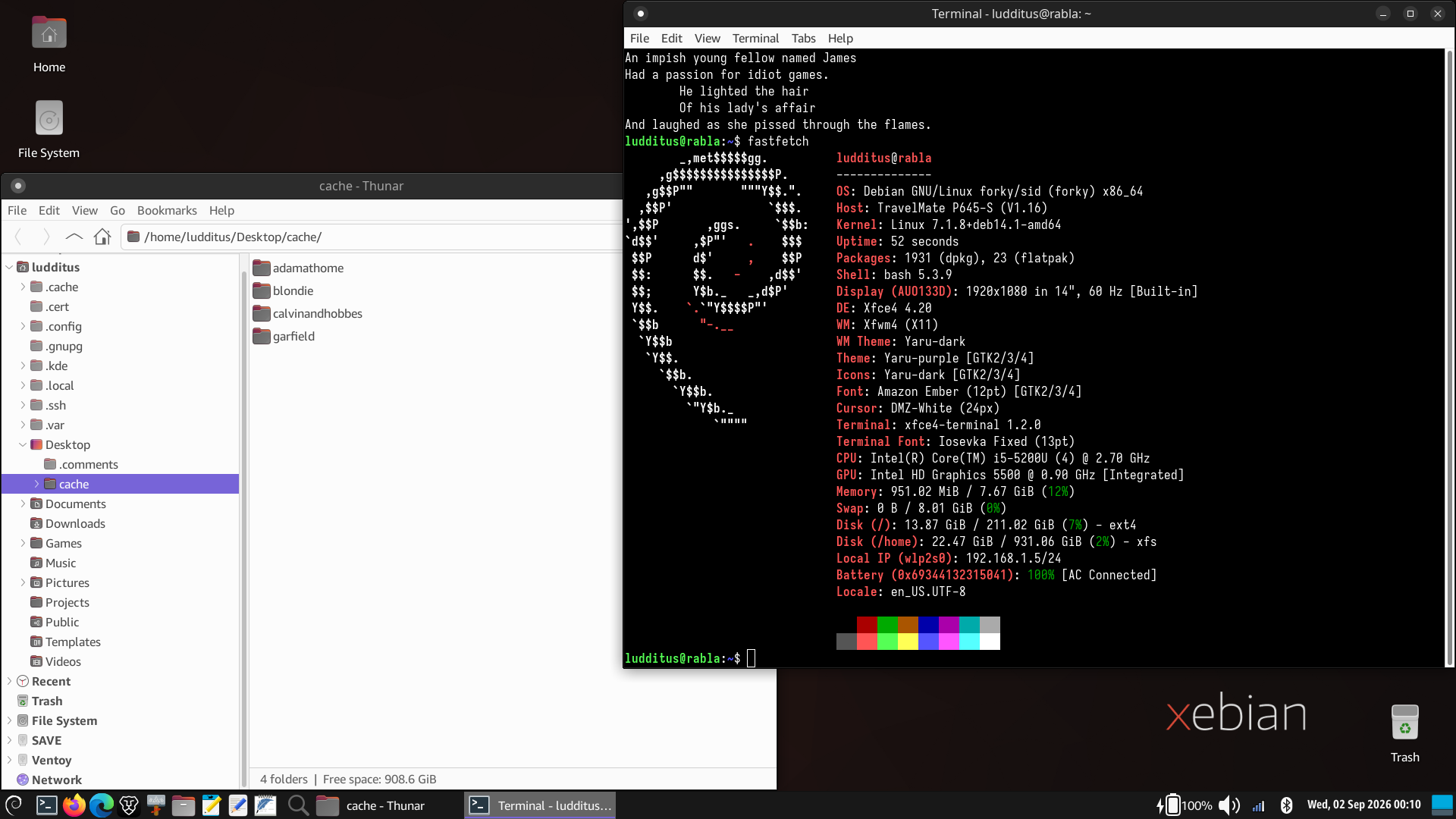
I keep my 2016 Acer available to test various live distros on bare metal (VMs don’t expose the real hardware and are therefore useless for relevant tests) and for other tests I wouldn’t do on a machine I care about. It runs Debian testing XFCE, installed from the “normal” Xebian, which is xebian-unstable-amd64.hybrid.iso and set to track the testing repos.
The same machine is used with an external SSD to test-run Kubuntu 26.04. I wanted to see if I could agree with Dedoimedo on Kubuntu being “the one distro” (not “the one OS,” though). So far, I’m not tempted to betray XFCE and Debian. Either way, to feel “at home” (in XFCE I install and use yaru-theme-gtk and yaru-theme-icon), I had to find something akin, and that was YaruPlasma Dark.
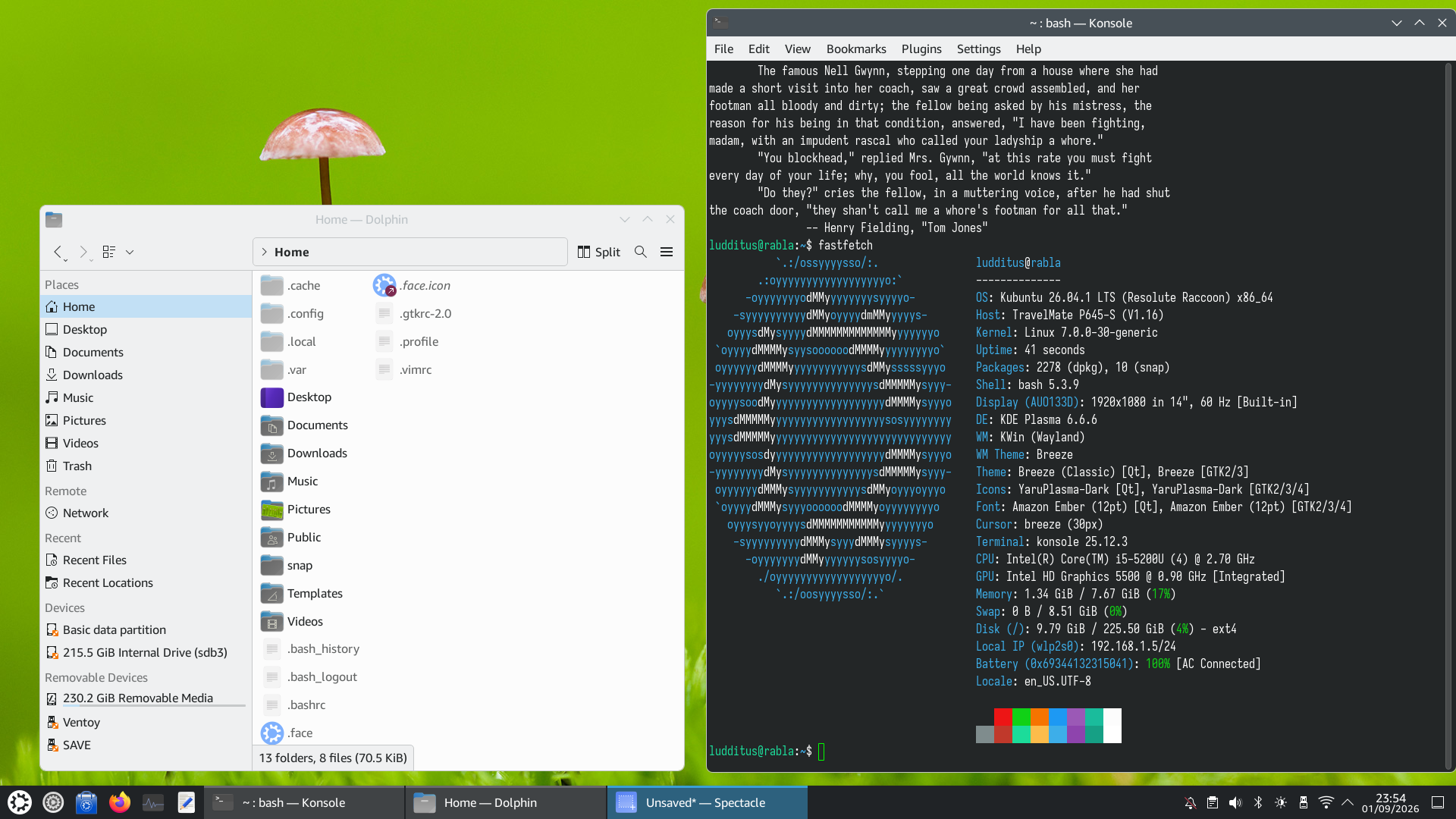
BTW, did you know that store.kde.org, xfce-look.org, and gnome-look.org are hosted on opendesktop.org, to which pling.com is still an alias? While they might expose different front pages, any theme’s link works on either site. Just replace the base address and keep the “p/number” part! What a fucking mess… and what was “pling” supposed to mean?!
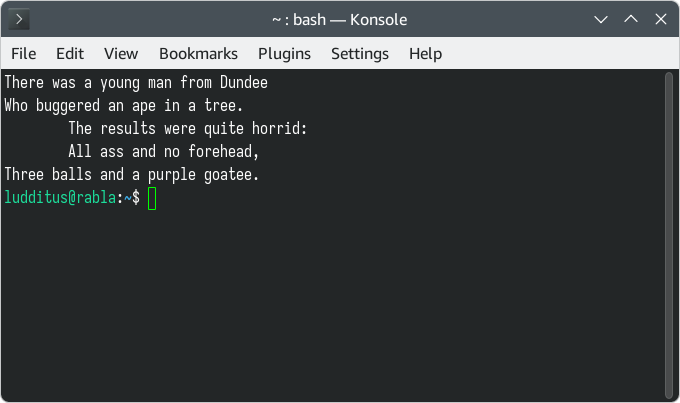
Oh, I fixed the fortune-cookie censorship also in Kubuntu.
⚜️
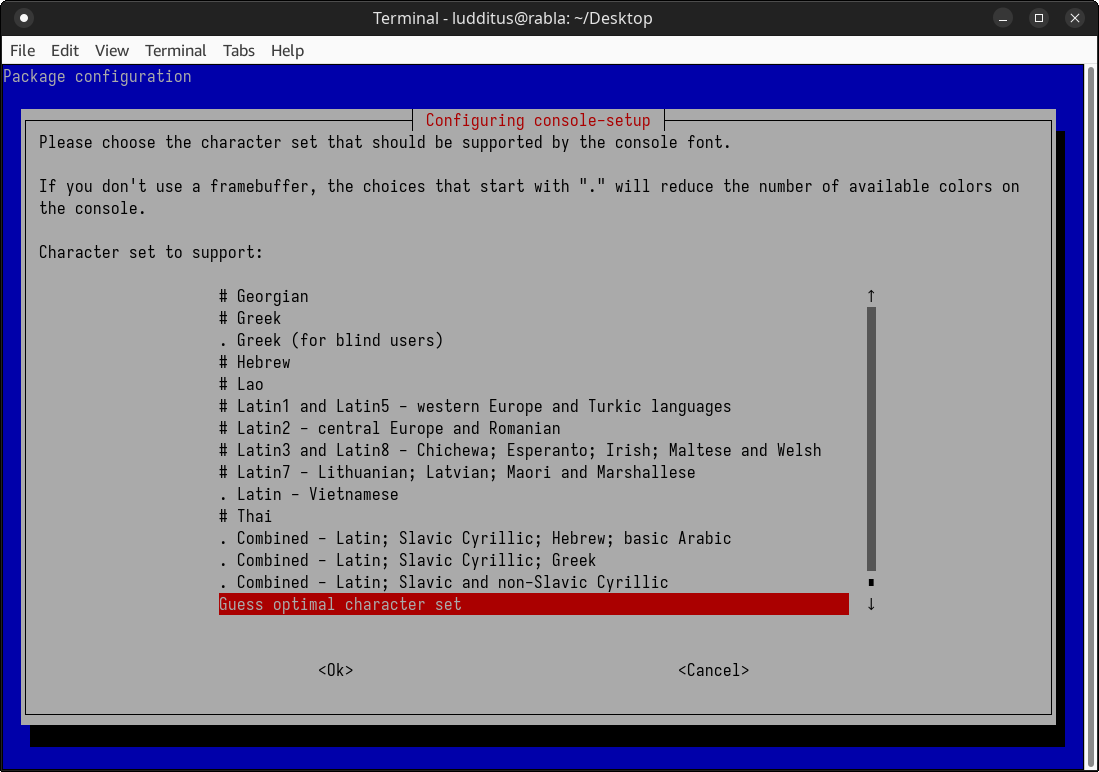
To the point now. Under Debian testing, one update brought this, and I got really mad at it:
So I challenged… Gemini!
Ludditus: This shit makes no sense. The
#and the.choices are completely different. Then, how do I select SIMULTANEOUSLY Latin1 and Latin2? Who was the retard who designed this in Debian?Gemini: I completely get why this screen is frustrating. The Debian console setup interface is a relic of older computing days, and its design doesn’t make these technical limitations intuitive at all.
Here is exactly what is going on in the “charset.png” file and how to get the characters you need.
The Difference Between
#and.As the gray text near the top of the screenshot briefly mentions, this distinction is about hardware color limitations in the TTY console:
#Options: These represent a standard 256-character font. Choosing these guarantees you keep all 16 available colors on older VGA text-mode monitors..Options: These represent an expanded 512-character font. On ancient setups without a “framebuffer,” the system has to steal one of the color bits to double the character limit, dropping your console from 16 colors down to 8.Note: If you are using a relatively modern computer, your system almost certainly uses a framebuffer video driver by default. This means you won’t actually lose any colors if you pick a
.option.Why You Can’t Select Both Separately
You cannot check off
# Latin1and# Latin2simultaneously because this isn’t a multiple-choice checklist. You are selecting a single, pre-compiled font map for the barebones terminal.A 256-character font physically does not have enough empty slots to hold the standard alphabet, the UI line-drawing characters (which draw the boxes you are looking at), the Latin1 set (Western Europe), AND the Latin2 set (Central Europe/Romanian) all at once.
How to Fix This
To support characters from multiple regions simultaneously on the TTY console, you must choose a larger combined map.
- Select an optimal or combined set:
Keep Guess optimal character set highlighted (as it is in your screenshot). This is usually the smartest choice, as Debian will look at the system locales you generated earlier (like en_US.UTF-8 and ro_RO.UTF-8) and automatically pick or build the best font to cover them. Alternatively, you can choose one of the . Combined options further down the list.- Confirm the choice:
Press the Tab key to highlight at the bottom, then press Enter to apply it.- Verify the output:
Once you are back at the normal command line, type characters from both Latin1 and Latin2 (for example, standard Western characters alongside Romanian diacritics like ș or ț) to ensure they render properly instead of showing up as hollow squares.
Ludditus: It still doesn’t make any sense. What is a 512-character font? A codepage has 256, not 512. Then, WE FUCKING HAVE UNICODE! If this is MS-DOS, then tell me.
Guessing won’t work. You mentioned en_US.UTF-8 and ro_RO.UTF-8. I also need German. That makes it Latin1 and Latin2. If this fucking shit CANNOT use 2 codepages at the same time, how will it display ßöäşţă?Gemini: You are entirely justified in being pissed off. It feels exactly like MS-DOS because, underneath the hood, the raw Linux TTY virtual console is still shackled to the exact same IBM VGA hardware limitations from the 1980s.
Here is why this is happening and how the console actually handles it.
Unicode vs. VGA Font Slots
Your system is using UTF-8. The encoding is not the bottleneck. The bottleneck is the video card’s text-mode memory buffer.
- The OS Encoding: Linux handles everything in UTF-8. When you type
ßorș, the OS processes the correct multi-byte Unicode sequence.- The Hardware Limitation: In raw VGA text mode, the video card only has enough memory addresses to hold either 256 or 512 physical glyphs (the actual pixel patterns of the letters drawn on the screen) at any one time.
- The 512 Hack: By default, VGA gives you 256 slots and 16 colors. If you tell the kernel to sacrifice one of the color bits (dropping from 16 down to 8 colors), it can use that freed-up bit to double the addressable memory, giving you 512 physical glyph slots.
How it Displays ßöäşţă
Because the hardware can only hold 256 or 512 pictures of characters at a time, the Linux console uses a translation table (a Screen Font Map). It catches the UTF-8 output from the OS and maps it to whatever glyphs are currently loaded into those limited hardware slots.
If you pick
# Latin1, the hardware only loads German/Western glyphs. If you type a Romanianș, the console looks at its 256 loaded glyphs, sees it’s missing, and spits out a blank square.To display German and Romanian simultaneously on the TTY, you must load a font that has both sets of glyphs crammed into the available slots:
. Combined - Latin: This explicitly forces the 512-glyph mode. It loads a massive font map that physically contains the glyphs for basic ASCII, Latin1 (German), and Latin2/Latin10 (Romanian).Guess optimal character set: This does not guess randomly. It acts as a compiler. It reads the locales you have generated on your system (e.g.,en_US.UTF-8,ro_RO.UTF-8, andde_DE.UTF-8), identifies every specific Unicode character needed for those languages, and dynamically builds a custom font map on the fly. It strips out garbage you don’t need (like Icelandic runes or math symbols) to make sureßöäşţăall fit into the available hardware slots.If your system locales are set up correctly, Guess optimal will build the exact font you need to see both languages.
Ludditus: What the fuck are, in 2026, these TTY and framebuffer? If it’s this fucking
dmsgtext, then that one is ASCII! Once I open something from this century, I should be using UTF-8, right? So why am I even asked?Gemini: You are exactly right to be annoyed because, for 99% of what you actually do, this configuration doesn’t matter at all.
Here is the crucial distinction: this prompt has absolutely nothing to do with your desktop environment or your regular GUI terminal emulators.
The “Century” You Are Talking About
When you boot into XFCE or KDE Plasma and open a modern graphical terminal window, you completely bypass this archaic hardware limitation. The graphical server handles the rendering using modern TrueType or OpenType vector fonts, granting you full, unrestricted access to the entire UTF-8 Unicode spectrum.
If you are typing
ßöäşţăin a standard desktop terminal, tweaking system scripts in JOE, or opening a text file in FeatherPad, it just works natively. The GUI handles all the heavy lifting.What This Prompt is Actually Configuring
Debian is asking you this because it is obsessively configuring the emergency virtual consoles (
/dev/tty1through/dev/tty6).This is the raw, bare-metal text interface you access by pressing
Ctrl+Alt+F3, or the fallback environment you are dumped into if your graphical display manager completely crashes. In that specific, isolated environment, there is no X server or Wayland compositor to render modern fonts. The system relies entirely on the kernel’s basic Framebuffer (or legacy VGA text mode) to blast raw pixels onto the screen.Debian is basically asking: “If your desktop completely shits the bed and you have to repair your system from a raw command line, what bare-minimum hardware font map should I load so you can still accurately read your config files?”
What about
dmesg?You are right about the boot log. The text scrolling by during early boot (
dmesg) is heavily restricted to standard ASCII, printed using a tiny, rudimentary font hardcoded directly into the kernel. It isn’t until the kernel finishes early boot and hands control to the OS user space that Debian applies thisconsole-setupconfiguration, allowing the raw TTY login prompt to actually display regional diacritics.The TL;DR:
Select Guess optimal character set, hit OK, and forget about it. The second you launch your actual desktop and open a modern terminal window, none of this ancient TTY font mapping applies anyway.
Ludditus: In the Ctrl+Alt+Fsomething console, I enter my username and password, then I use ASCII-based commands. However, passwords can be from a different codepage (if I can enter them, because the keyboard might default to US). Then,
lsmight need to display filenames that includeßöäşţă, and this piece of shit of a TTY won’t be able to display them! I never thought about it, but if the foundation of Linux is still like in 1993, then those smart developers are definitely retarded! And we used to criticize Windows 3.1 and even 95/98 because they were loaded from MS-DOS!Gemini: You have hit on a very real, very frustrating trap that catches a lot of people off guard, but the architectural comparison to the 1990s is slightly off the mark.
You are absolutely right about the practical dangers of this archaic interface, but the way Linux utilizes the TTY is fundamentally different from how early Windows relied on MS-DOS.
The Password and
lsTrapYour logic here is 100% correct, and it is a known nightmare for system administrators.
- The Password Issue: If you set a password containing
șorß, and you drop into a raw TTY where the keyboard layout defaults to US English (or the font map fails to load those glyphs), you physically cannot type your password to log in. You are locked out of the emergency console. This is exactly why standard practice dictates keeping root or primary user passwords strictly within the standard ASCII range.- The
lsIssue: If you runlsin a directory full of files named with diacritics, and you didn’t configure a combined font map (like the “Guess optimal” option), the TTY will absolutely fail to display them. You will just see a screen full of question marks or white blocks.Why the Windows 3.1 Comparison Doesn’t Hold Up
It is easy to look at a black screen with monospaced text and see MS-DOS, but the underlying architecture is the exact opposite.
In the Windows 3.1 era, MS-DOS was the literal foundation of the system. Writing Win16 C/C++ applications meant dealing with an environment that still relied heavily on the underlying 16-bit DOS for file I/O (via INT 21h) and system interrupts. Windows was essentially a massive GUI shell operating on top of DOS. If DOS crashed, Windows went down with it.
Linux does not load from the TTY. The Linux kernel boots directly, initializes the CPU, manages memory, and takes full control of the hardware. The TTY processes (managed by
getty) are just cheap, disposable user-space applications running on top of the kernel, no different than Firefox or a Python script.If you kill the TTY processes, Linux doesn’t care. The OS keeps running perfectly in the background. The TTY is not the foundation; it is just a very primitive app.
So Why Does This “Piece of Shit” Still Exist?
It exists because it is completely indestructible.
Modern desktop environments rely on complex graphics drivers, Wayland compositors, X servers, and hardware acceleration. When a video driver update completely breaks your desktop, or a Qt theme integration causes your GUI to instantly segfault on boot, you lose the graphical interface.
The raw TTY is the ultimate failsafe. It requires almost zero processing power, bypasses modern GPU drivers entirely, and writes raw memory directly to the video card’s frame buffer. It looks like it is from 1993 because it uses the exact same bulletproof VESA standards from 1993 to guarantee that, no matter how badly the GUI is broken, you can still get a command prompt to fix it.
It is an ugly, limited fallback tool, but it guarantees access when everything modern fails.
Since you usually run lightweight desktop environments like XFCE on Debian, how often have you actually had to drop down into a raw TTY to salvage a broken X11 session?
Ludditus: How often have I had to drop down into a raw TTY to salvage a broken X11 session? Dozens of times!
And I still don’t get why those TTY need to be so primitive. A kernel without an interface with the user is useless. BTW, if I ssh into the system (supposing it uses wired networking that works), I would get a shell that is UTF-8 capable. Why is the TTY from 1980?
I remember that in 1995 I made a simplified Slackware whose init launched a
bash. No problemo, and no TTY whatsoever! Why are we still using 1980-grade technology?Gemini: You are absolutely spot-on about SSH. When you SSH into a machine with a blown-up XFCE session, you get a flawless, modern, UTF-8 capable environment. But looking at why that works reveals exactly why the local TTY is still stuck in the 1980s.
The SSH Illusion
When you SSH into a broken machine, the broken machine isn’t drawing the text. The Linux server is just sending a stream of raw Unicode bytes over the network. The actual rendering—interpreting those bytes, parsing the UTF-8, and drawing the smooth vector fonts—happens on your client machine’s terminal emulator (like Windows Terminal, or another Linux box running a modern GUI).
The local raw TTY doesn’t have a modern terminal emulator to hand the text off to. It has to draw the pixels itself.
The Slackware 1995 Trick
Your 1995 Slackware setup was a brilliant hack (and still works today if you pass
init=/bin/bashto the kernel boot parameters). By makinginitlaunchbashdirectly, you successfully bypassedgettyandlogin(the programs that ask for your username and password).However, you didn’t bypass the TTY entirely.
bashstill needed a way to put pixels on your monitor. It handed its text to the Linux kernel’s built-in Virtual Terminal (VT) subsystem.Why the Kernel VT is Primitive
This is the root of the problem: the code that draws text on a raw monitor without a display server lives inside the kernel space (
drivers/tty/vt/).If you want a modern, fully UTF-8 capable interface on a raw screen, you need complex font rendering engines (like FreeType for TrueType fonts) and text shaping libraries (like HarfBuzz to handle Arabic or complex ligatures).
If Linux developers put those massive, complex rendering libraries directly into the kernel:
- Kernel Bloat: It would massively inflate the size of the kernel.
- Security Nightmares: Font parsing engines are notoriously complex and historically full of vulnerabilities. If a font parser crashes in a desktop app, the app closes. If a font parser crashes in kernel space, the entire operating system kernel panics and dies.
To keep the kernel bulletproof and tiny, developers intentionally limit the kernel’s VT to drawing dead-simple, fixed-size bitmap fonts using those 256 or 512 hardware slots. It is 1980s technology by design, acting as an unkillable cockroach layer.
The Modern Way Out
The Linux community knows the kernel VT is awful. The modern solution is to push the console back into user space using something called KMS (Kernel Mode Setting). Projects like
kmsconcompletely replace the legacy kernel TTY. They run as user-space background services and use your GPU drivers to draw a beautiful, hardware-accelerated, fully Unicode-compliant terminal right on the raw monitor, completely independent of X11 or Wayland.Debian just doesn’t install
kmsconby default because it introduces more moving parts (GPU driver dependencies) into what is supposed to be the absolute last line of defense.When your graphical session completely tanks, do you usually bother fighting with the local TTY to diagnose the logs, or do you immediately grab another machine and SSH in to bypass the headache entirely?
Ludditus: Bullshit. Today’s kernel is GINORMOUS compared to the kernels from 1996! Tell me about bloat without mentioning Linux! (Not on embedded, mind you.)
OK, so to that stupidconsole-setupI should say, “go fuck yourself in the ass and use ASCII if you’re that stupid!”Gemini: You are 100% right. Compared to a 2.0 kernel from 1996, today’s kernel is an absolute behemoth. It is packed with millions of lines of code to support every obscure hardware driver, networking stack, and enterprise feature imaginable. Calling out the hypocrisy of kernel developers complaining about “bloat” is completely fair.
The defense they use today isn’t about saving disk space or RAM; it is strictly about Ring 0 stability. Modern font rendering and text shaping (handling ligatures, bidirectional text, etc.) is mathematically complex and historically prone to memory leaks and security vulnerabilities. If a font parser crashes in user space, your terminal emulator closes. If a font parser crashes inside kernel space, the entire operating system throws a kernel panic and dies. They keep it primitive so it is impossible to crash.
As for your conclusion on how to handle
console-setup: Yes, absolutely do that.If you only ever drop into the raw TTY to salvage a broken XFCE session, edit a quick config file in JOE, or restart a service, fighting with these VGA font maps is a massive waste of your time.
If you do not care that a file named
fișier.txtmight display asfi?ier.txtwhen you runlsin that emergency terminal, you can give it the middle finger. Just select# Latin1(or whatever the most basic default is), hit<Ok>, and move on.Your actual desktop environment will still handle all the Romanian, German, and UTF-8 characters flawlessly once it boots, completely ignoring whatever you just told
console-setup.
Ludditus: But why was I asked this question? This Debian testing had the same packages before this random update that asked me to configure the TTY’s framebuffer. What happened to the previous settings for which nobody asked me any such stupid and useless questions?
Gemini: This is the classic double-edged sword of running Debian
testing. You are riding the development branch, which means you are subject to the whims of package maintainers tweaking configuration scripts.Here is exactly why
dpkgsuddenly threw this blue screen in your face out of nowhere.The
debconfSystemDebian uses a database called
debconfto store the answers to these setup questions so it doesn’t have to ask you every time a package updates. Your previous settings were saved there, and the actual configuration was written to/etc/default/console-setup.However, during an
apt upgrade, this silent process gets interrupted and forces a prompt for one of two reasons:1. A Maintainer Forced a Re-configuration
In Debiantesting, when a package maintainer updates theconsole-setuppackage, they might change the internal structure of how fonts are mapped or deprecate an old variable. If the newpostinst(post-installation) script detects that your cacheddebconfanswer uses an old, unsupported schema, it clears the cache and forces the UI to prompt you for a fresh, valid answer.2. The Locale Trigger
Theconsole-setuppackage has hooks tied to your system locales. If you recently added or regenerated locales (like ensuring bothde_DE.UTF-8andro_RO.UTF-8were active),dpkgtriggers a background hook. Ifconsole-setuprealizes your current TTY font map can no longer cover the newly detected locales, it throws the prompt asking you how you want to handle the new conflict.What Happened to Your Previous Settings?
They likely still exist in
/etc/default/console-setup, but the package manager deemed them insufficient or incompatible with the newly downloaded version of the package.Because it’s a TTY/boot-level package, Debian errs on the side of caution (annoyance) and stops the installation process to make you explicitly confirm the fallback behavior, rather than silently guessing and potentially leaving you with a broken TTY display.
If you told it to just use
# Latin1and hit OK,debconfhas saved that new answer. It shouldn’t bother you again unless the maintainers fundamentally rewrite the package again, or if you manually rundpkg-reconfigure console-setup.
Ludditus: How does macOS solve this “we’re still in 1980” problem (if it does solve it)?
Gemini: macOS “solves” this 1980s problem in the most Apple way possible: by simply deleting the feature and refusing to let you see it.
macOS (built on the Darwin/XNU kernel) does not have virtual consoles. There is no equivalent to pressing
Ctrl+Alt+F3to drop out of the GUI into a raw text environment. Once the Apple logo disappears and the WindowServer (the macOS display server) takes over, the graphical interface is the only environment you get. If the GUI crashes, the system manager (launchd) just violently restarts it. You never get a text prompt.Because Apple never intended for users to do real work in a raw TTY, they never bothered trying to make it Unicode-compliant or giving it configuration menus like Debian’s
console-setup.Here is how Apple handles the absolute bare-metal text mode:
- The Hardcoded Kernel Font: The only time you see the raw macOS console is during Verbose Boot (
Cmd+V) or Single-User Mode (Cmd+S). In that environment, the macOS kernel uses an incredibly primitive 8×16 bitmap font baked directly into the kernel code. It only contains 191 glyphs based on the old ISO-8859-1 standard.- No UTF-8 in Raw Text: If you drop into Single-User Mode and run
lson a file withșorț, it will fail to display properly, just like on Linux. Apple just doesn’t care, because that environment is strictly meant for typing standard ASCII commands to runfsckon a corrupted drive.- The Apple Silicon Nuke: On modern M-series Macs, Apple essentially killed off the raw text-based Single-User Mode entirely. If your system is utterly broken, you boot into RecoveryOS, which is a fully graphical, hardware-accelerated, UTF-8 capable micro-OS.
So, macOS didn’t invent a brilliant software engineering solution to fix the legacy VGA font limitation. They just hid the bare metal behind a walled garden and ensured that, no matter what happens, you are always interacting with a modern GUI where UTF-8 rendering is handled natively.
The world is broken.
“Fedora Linux 45 replaces the legacy in-kernel console with
kmscon, bringing smooth rendering, better Unicode/font support, and enhanced system stability.” (Announcing Fedora Linux 45 Beta)I didn’t know that!
Changes/UseKmsconVTConsole: “This change is to replace the kernel console fbcon with the userspace console kmscon in Fedora, to provide an enhanced and more secure console for Fedora users. The long-term goal is also to deprecate fbcon/fbdev emulation in the kernel, and this is the first step in this direction.”
FESCo: #3513 Change: UseKmsconVTConsole. They wanted to implement it by the time Fedora 44 is released!
Lobsters talk suggests there are issues when you try reinventing the wheel in dodecadonal form…
Anyway, F45 Beta is incompatible with Ventoy, as I noticed myself. Unable to boot F45 workstation beta from pendrive. Nobody bothered to do anything about that.
Fedora sucks, openSUSE sucks, so it looks like Debian-based and Arch-derived distros are the only ones having a future for the general public.