
This is not a review of Basalt Linux 1.1—it’s a critique
The other day, I said I should give Basalt Linux a quick spin. To quote myself:
Basalt Linux (SourceForge) is an XFCE distro based on Debian 13 that, apparently, is very much like Xebian (the Trixie-based variant, not the Sid-based one). Here’s a First Look at Basalt Linux 1.0.
Basalt-1.0-Obsidian was released on 2026-06-07, and Basalt-1.1-Obsidian came on 2026-06-15 to fix, among other small bugs, the regression in XFCE 4.20 that I explained here and which affects Debian and Xebian. Basalt 1.0 listed this known issue: “The custom Basalt wallpaper does not display after a fresh install.” I wonder how exactly did they manage to fix it in 1.1, but I might not find out as long as I don’t install it.
Just make sure you don’t mistake it for the AlmaLinux-based BasaltOS (GitHub), which didn’t release anything yet.
I tried it on an old Acer from 2016 (i5-5200U, 8 GB RAM, upgraded 256 GB + 1 TB SSD) as a live session (using Ventoy). I didn’t intend to install it, but even so, while I’d like to acknowledge its positive parts, I found some aspects I didn’t like, and I’ll highlight them in this blog post.
Initial impressions
I have to admit that I found the default wallpaper literally ugly:
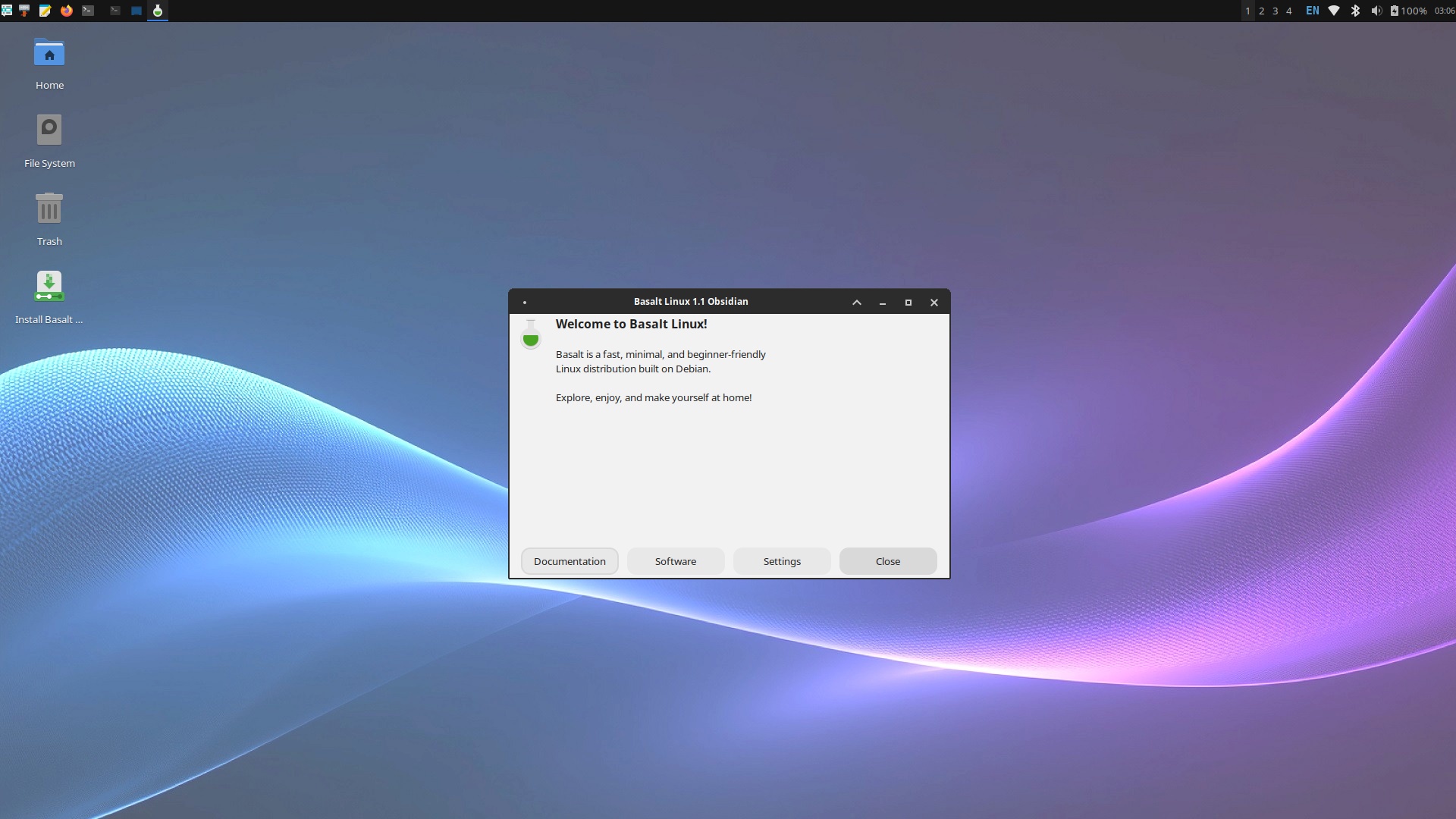
But this isn’t that important. It’s a matter of taste.
But the choice of apps is also a matter of taste. And I very much prefer Xebian’s over Basalt’s, despite Xebian coming without Bluetooth preinstalled.
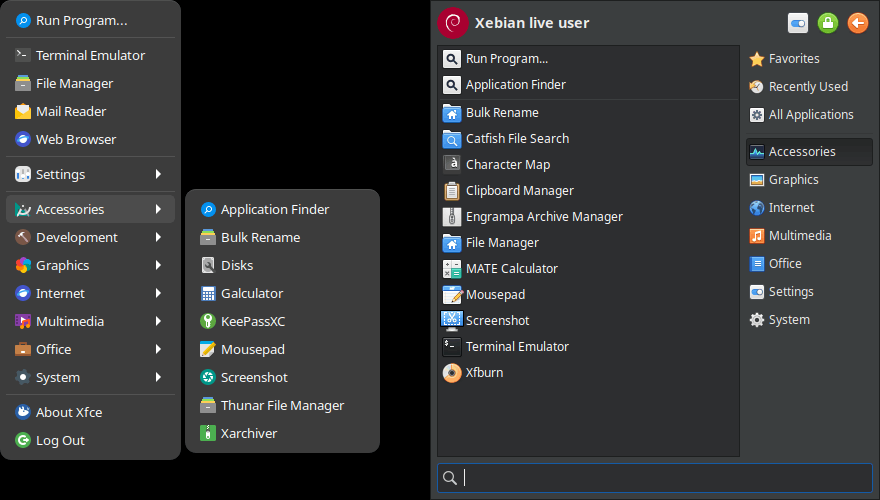
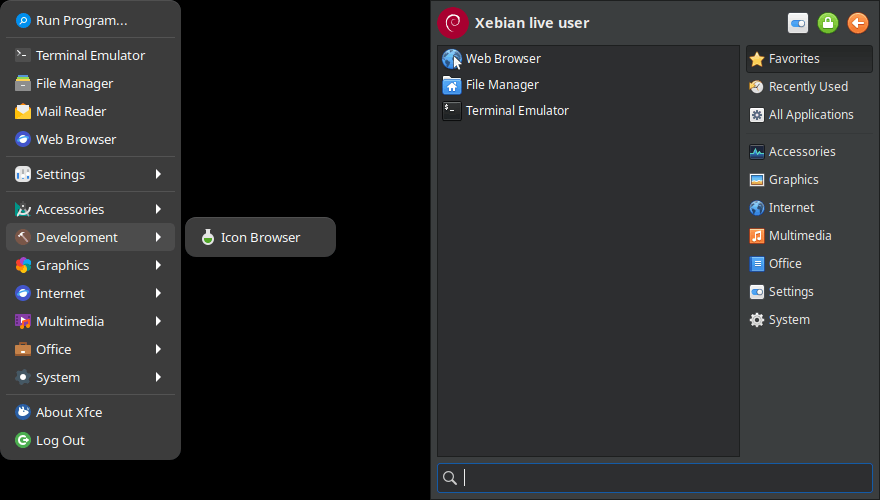
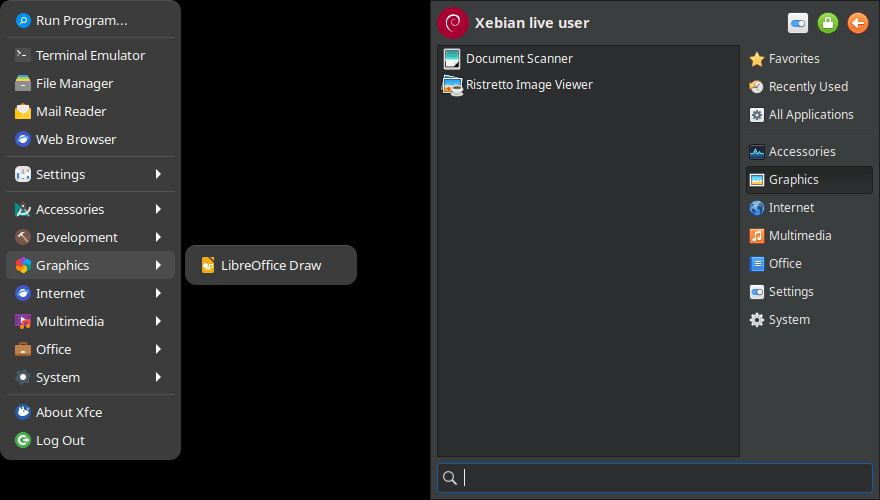
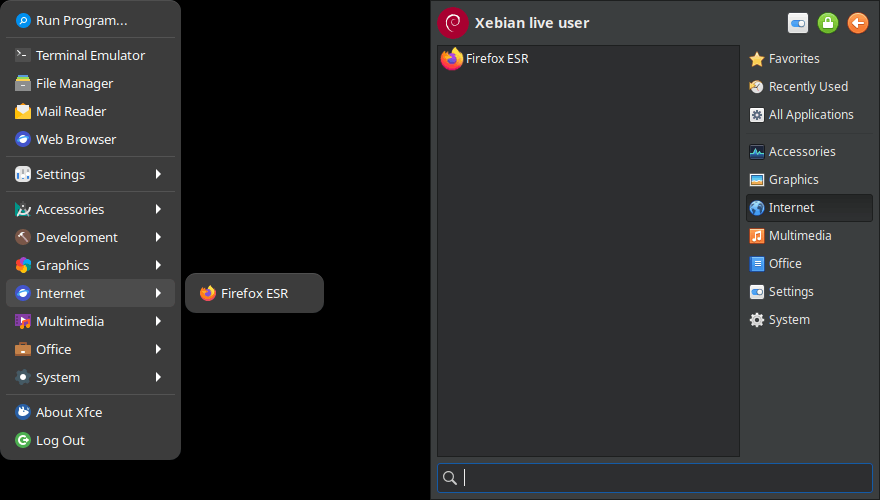
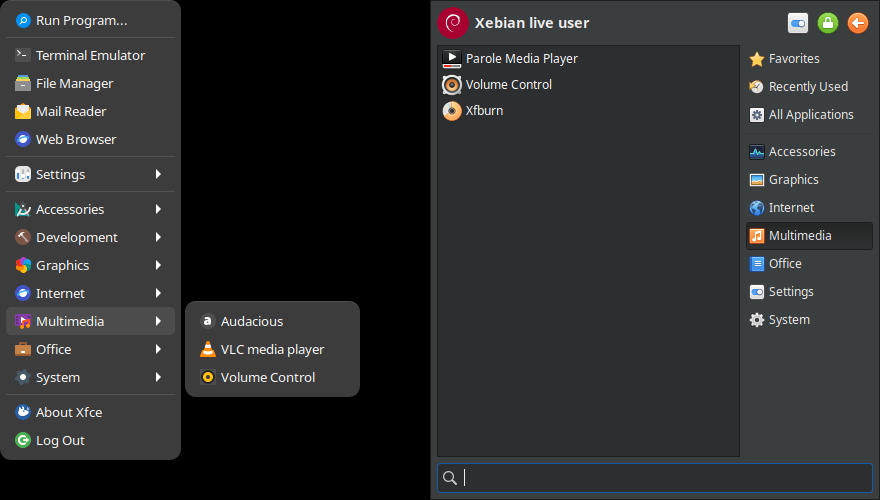
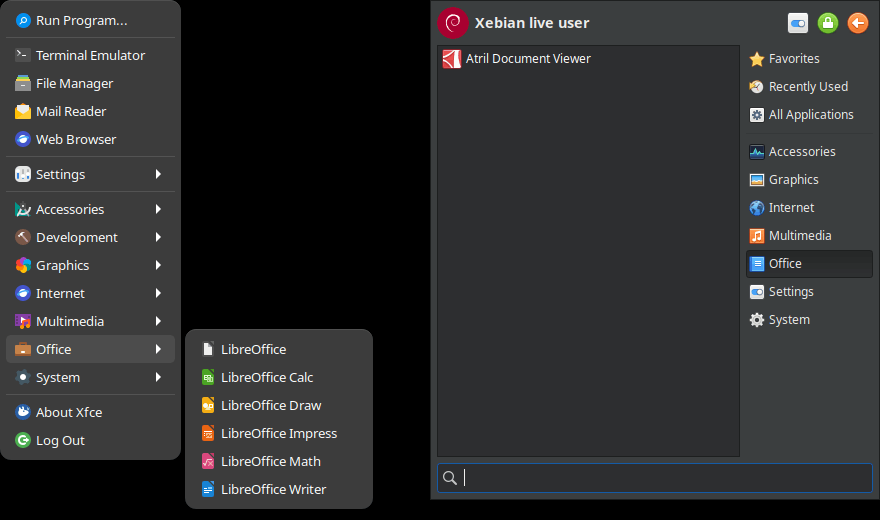
So I’m going to compare, side by side, Basalt’s menus (left) to Xebian’s menus (right).
① Basalt uses the standard, old-school XFCE menu (applicationsmenu), whereas Xebian uses the highly customizable and search-aware Whisker menu (xfce4-whiskermenu-plugin).
② Accessories:
- I don’t use KeePassXC (Basalt), nor Xfburn (Xebian).
- I very much prefer Xebian’s choices: Engrampa instead of Xarchiver, MATE Calculator instead of Galculator.
- In my tests, Basalt had PrnScr associated with
xfce4-screenshooter, but the package wasn’t installed. This is strange, as its building scriptbldbasaltthat you’ll find in basalt-linux-source.tar.xz includesxfce4-goodies, which has as dependenciesxfce4-screenshooterandxfce4-whiskermenu-plugin, among others. But, guess what,xfce4-goodieswas not installed! Maybe that’s the list that Calamares would install, but providing a live system that’s castrated is not great.
② Uncomparable entities: Basalt’s Development menu includes an icon browser. Xebian’s Whisker menu includes a Favorites submenu. Basalt’s standard menu includes some fixed, predefined favorites, of which Mail Reader doesn’t do anything.
③ Graphics: Basalt is absurd to include here LibreOffice Draw, when XFCE includes an excellent image viewer called Ristretto! There is literally no image viewer in Basalt!
④ Internet: the bare minimum.
⑤ Multimedia: Basalt will please those who love Audacious and VLC; Xebian only includes XFCE’s official video player.
⑥ Office: I literally hate when a distro comes with LibreOffice preinstalled, as I prefer to use the latest .deb from LibreOffice.org. I’d rather appreciate Xebian’s use of MATE’s Atril PDF viewer. What’s a distro without a PDF viewer?
⑦ System: Basalt is better equipped, but using Timeshift should be a personal choice. Also, GNOME’s Software is a questionable choice for a lightweight XFCE distro!
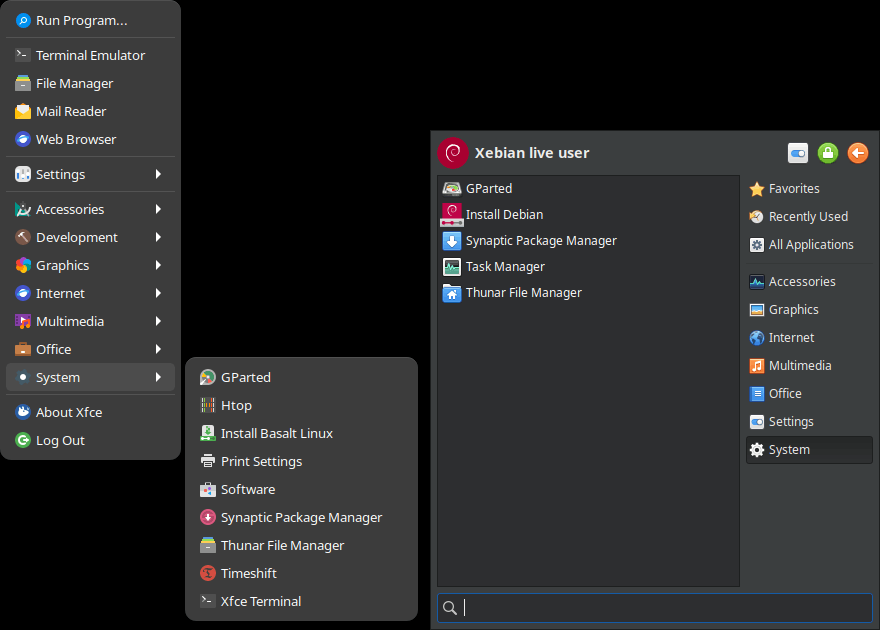
Note that Basalt comes with Flatpak support and Flathub preinstalled (flatpak and gnome-software-plugin-flatpak).
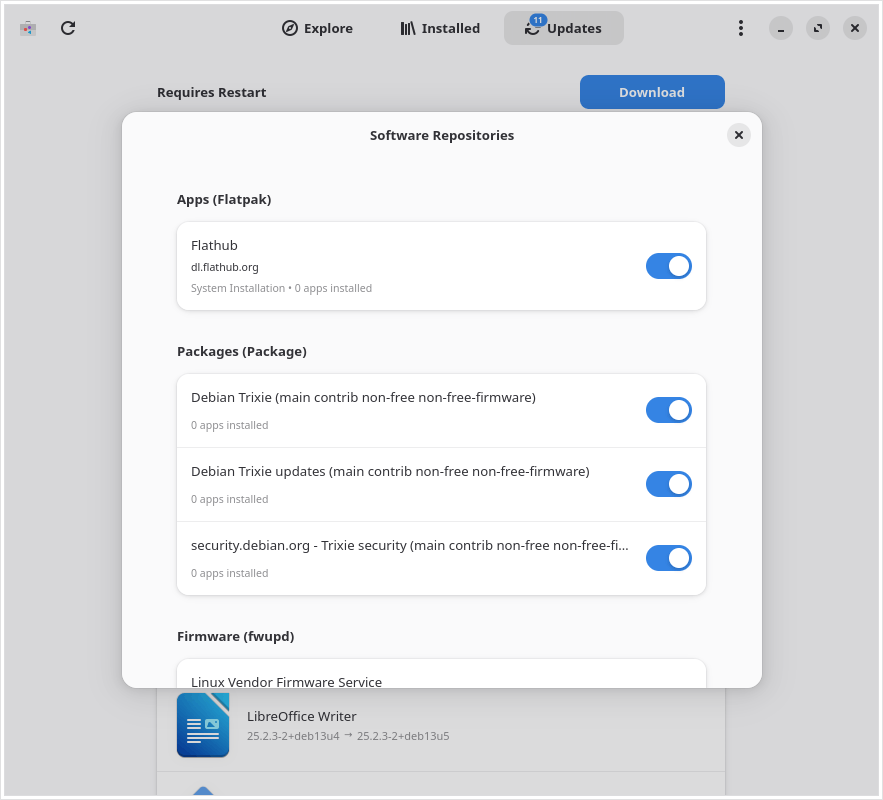
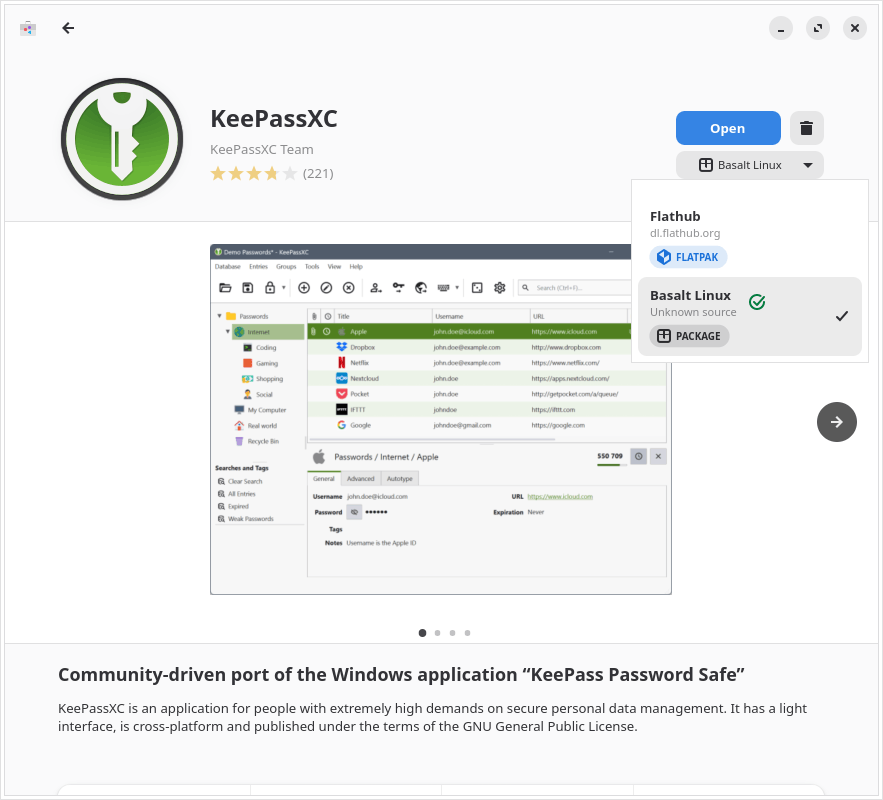
⑧ XFCE’s Settings Manager is differently populated, reflecting each distro’s choices: Basalt comes with Bluetooth preinstalled (blueman, bluez), but seems to be lacking some modules.
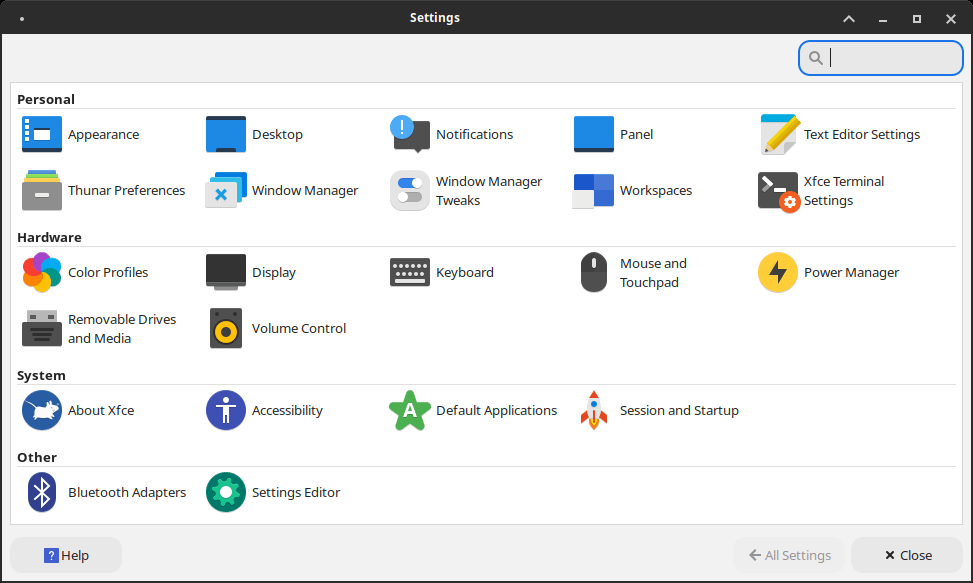
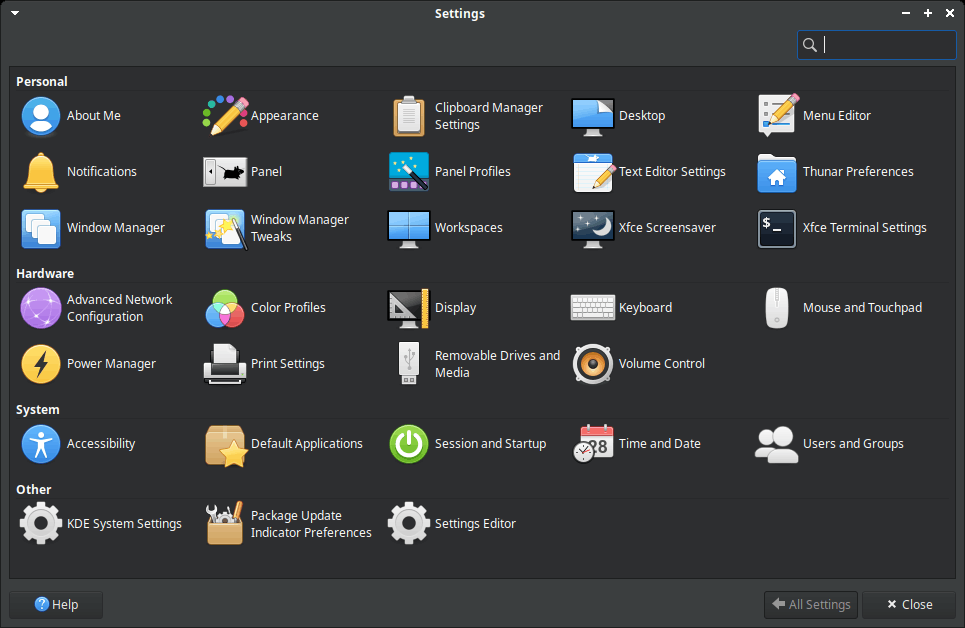
Basalt’s goodies
As I said, the building scripts for Basalt can be downloaded as an archive. In the aforementioned bldbasalt, I found the fix to xfdesktop regression in 4.20 that makes it ignore the custom wallpaper:
# Override Xfce 4.20 compiled-in default backdrop (xfdesktop ignores xfconf in 4.20, falls back to this path)
mkdir -p $WKDIR/$BLDDIR/config/includes.chroot/usr/share/backgrounds/xfce/
cp $WKDIR/$FLDIR/backgrounds/basalt-desktop-3-light.jpg $WKDIR/$BLDDIR/config/includes.chroot/usr/share/backgrounds/xfce/xfce-x.svgOn the other hand, a strange comment in the same script:
# VSCodium intentionally omitted — user can install manually if neededWell, who mentioned VSCodium, anyway? But if they thought of it, why not installing the repo and the GPG key?
The real goodies are some scripts put into /usr/local/bin, and which can be triggered by launching basalt-admin:
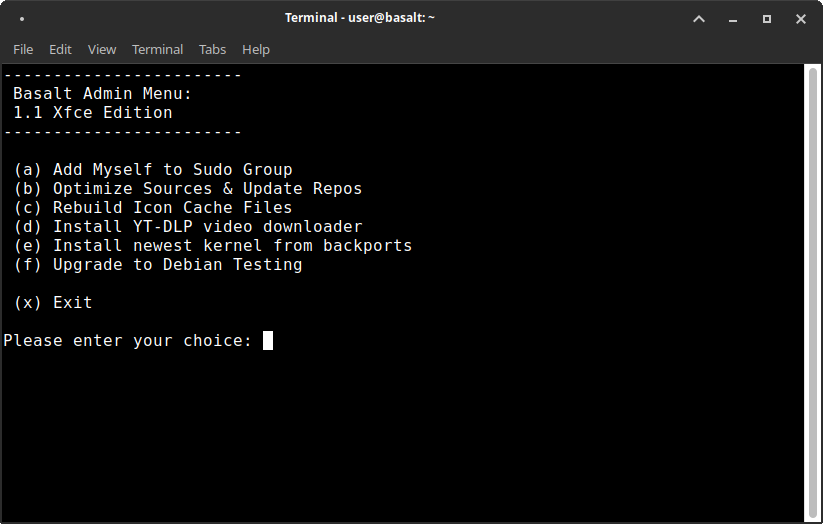
There’s actually a tiny problem here: duplication. The main script already includes the full code under these functions: setsudo, optimize, debtesting, iconcache, ytdlpinst, bpkernel.
But then, separate scripts exist to provide the same functionality: setsudo, optimize, gototesting, iconcache, ytdlpinstall, bpkernel.
FWIW, here’s the content of the main script:
#!/bin/bash

# basalt-admin -- Revision: 1.0 -- by Basalt Linux
# (MIT License)

setsudo () {
  clear
  echo " "
  read -p "Type your user name, be exact, and press Enter: " ANS
  usermod -aG sudo $ANS
  clear
  echo " "
  echo "User Added To Sudo Group (logout & login)"
  sleep 3
  clear
}

optimize () {
  clear
  echo " "
  cp /etc/apt/sources.list /etc/apt/sources.list.b4optimize
  cp /usr/share/basalt/sources/sources.basalt /etc/apt/sources.list
  apt-get -y update
  clear
  echo " "
  echo "Optimized sources.list & Updated Repos"
  sleep 3
  clear
}

debtesting () {
  clear
  echo " "
  cp /etc/apt/sources.list /etc/apt/sources.list.b4testing
  cp /usr/share/basalt/sources/sources.testing /etc/apt/sources.list
  apt-get -y update
  apt-get -y dist-upgrade
  clear
  echo " "
  echo "Upgrade to testing, reboot now"
  sleep 3
  clear
}

iconcache () {
  clear
  echo " "
  gtk-update-icon-cache -f /usr/share/icons/breeze/ 2>/dev/null
  gtk-update-icon-cache -f /usr/share/icons/breeze-dark/ 2>/dev/null
  gtk-update-icon-cache -f /usr/share/icons/ePapirus/ 2>/dev/null
  gtk-update-icon-cache -f /usr/share/icons/gnome/ 2>/dev/null
  gtk-update-icon-cache -f /usr/share/icons/Papirus/ 2>/dev/null
  gtk-update-icon-cache -f /usr/share/icons/Papirus/ 2>/dev/null
  gtk-update-icon-cache -f /usr/share/icons/Papirus-Light/ 2>/dev/null
  gtk-update-icon-cache -f /usr/share/icons/Tango/ 2>/dev/null
  clear
  echo " "
  echo "Icon Cache Files Rebuilt (logout & login)"
  sleep 3
  clear
}

ytdlpinst () {
  clear
  echo " "
  curl -L https://github.com/yt-dlp/yt-dlp/releases/latest/download/yt-dlp -o /usr/bin/yt-dlp
  chmod a+rx /usr/bin/yt-dlp
  clear
  echo " "
  echo "YT-DLP video downloader Installed"
  sleep 3
  clear
}

bpkernel () {
  clear
  echo " "
  apt-get -y install -t trixie-backports linux-image-amd64 linux-headers-amd64
  apt-get -y install -t trixie-backports firmware-linux firmware-linux-nonfree firmware-misc-nonfree
  clear
  echo " "
  echo "Newest Kernel From Backports Installed (Reboot Required)"
  sleep 3
  clear
}

mainmenu () { while true
do
  clear
  echo "------------------------"
  echo " Basalt Admin Menu:"
  echo " 1.1 Xfce Edition"
  echo "------------------------"
  echo ""
  echo " (a) Add Myself to Sudo Group"
  echo " (b) Optimize Sources & Update Repos"
  echo " (c) Rebuild Icon Cache Files"
  echo " (d) Install YT-DLP video downloader"
  echo " (e) Install newest kernel from backports"
  echo " (f) Upgrade to Debian Testing"
  echo ""
  echo " (x) Exit"
  echo
  read -p "Please enter your choice: " choice
  case $choice in
    a|A) setsudo;;
    b|B) optimize;;
    c|C) iconcache;;
    d|D) ytdlpinst;;
    e|E) bpkernel;;
    f|F) debtesting;;
    x|X) exit;;
    *) echo "invalid answer, please try again";;
  esac
done
}

mainmenu
Now, a few notes:
optimizedoesn’t optimize anything; it just restores the default repos in case you borked them.iconcachehas a duplicate line forPapirus; one of them should have readPapirus-Dark.ytdlpinstis a better choice than using Debian’s staleyt-dlppackage.bpkernelonly installs a kernel from backports once; this kernel won’t be automatically updated! To have it constantly updated, pin it as described here.- I hate using the default Debian servers, so I always use a mirror.
Bottom line
This is not a review, and I didn’t install the distro. I’m happy with Xebian (stable), customized.
I already mentioned that I disliked Basalt’s wallpaper(s) and the choice of preinstalled software, and I also prefer yaru-theme-gtk to orchis-gtk-theme.
That said, Basalt Linux might look to some as preferable to Xebian for a couple of reasons:
- Xebian only advertises its Sid-based edition; most people don’t know that the so-called staging area includes stable-based builds that are of excellent quality. In contrast, Basalt is clearly based on Debian stable, with an option to switch to Debian testing.
- Basalt comes with Bluetooth, LibreOffice, VLC, Audacious, KeePassXC, Timeshift, Flatpak support, and GNOME Software preinstalled, and some people would appreciate the convenience.
- While in neither case is the distro maintainer known, and there’s no direct way to contact them, Basalt has at least a Discord channel.
Not bad, but I don’t need Basalt Linux right now; should Xebian die and Basalt still be around, I would probably use it.
Particularly for Bluetooth and Flatpak. Maybe LibreOffice too, with all its separate packages that are more or less useful and that an average user will certainly find at the very least annoying and tedious to install themselves.
Personally, I don’t really like that kind of thing.
Once I’ve gotten a USB drive, I’ll have to try Basalt again, because as you know, the one I had died with my previous attempt which ended in failure and several errors/bugs in the distro.
Adding Flatpak support is literally a 2-liner:
sudo apt install flatpakflatpak remote-add --if-not-exists flathub https://dl.flathub.org/repo/flathub.flatpakrepoIf you’re using GNOME Software:
sudo apt install gnome-software-plugin-flatpakIf you’re using KDE Discover:
sudo apt install plasma-discover-backend-flatpakAs for LibreOffice, I prefer the upstream build to Debian’s, because Debian’s is 25.2.3, while the latest is 26.2.4.
One thing though, Basalt doesn’t seem to have a clipboard installed. It’s surprising and rare, usually there is always one.
You mean
xfce4-clipman-plugin? Xebian has it. But Basalt might install more packages than present in the live ISO. I can’t tell, as I didn’t investigate the issue.Usually all distros come with a clipboard, whatever it may be. Basalt doesn’t have one, at least in live mode.
Just like with the other thing, is Basalt Live castrated? Hmm.
Just a minor note. Debian actually provides an up to date yt-dlp through their backports. Up to date with the latest yt-dlp release that is, which the yt-dlp project themselves say not to use, in favour of nightly releases. Nevertheless it is still light years more up to date than the one in stable’s main repos. Of course Debian fails to include deno which is needed these days for yt-dlp to successfully work with youtube. The only packager of yt-dlp that includes deno is homebrew.
Your note is welcome, because I never heard of deno. There are several GUI apps who use yt-dlp and which worked when I last tried them. With or without deno, I couldn’t tell.