
From noatime to Wayland: more Linux mysteries
I just added to my Small polish touches to Debian 13 installed via Xebian the 21st suggestion, Taking inspiration from MX: noatime,lazytime, so I wanted to make the same changes on the test distros installed on the old Acer laptop.
And I was surprised by some findings.
Short recap
As I reported a couple of days ago, the test laptop from 2016 ended up in a peculiar state:
- Ubuntu Cinnamon 26.10-to-be installed from 26.04, then rebased (the daily builds are preferable).
- KDE installed on top of it (
kde-plasma-desktopand more, but notkde-standard) so I can use whichever of the two desktops I want (again, Kubuntu’s daily builds for 26.10 are to be preferred). - Xubuntu 26.10 daily build installed on an external SSD.
I updated both installations to the latest packages, then ran a couple of quick experiments.
Wayland works!
In the same post, I complained that GNOME with Wayland produced occasional text artifacts in Ptyxis on the Intel video of this old i5-5200U, and that MX 2.53 KDE with Wayland produced occasional flickering visible at the wallpaper level.
Further complaints need to be postponed. So far, I have had no issues with KDE on Wayland in the upcoming 26.10. Even more surprising, I tried the experimental Wayland support in Cinnamon 6.6.9, and it ran perfectly! 😮
The noatime,lazytime effect
What I did was to run fastfetch before and after making the changed to fstab (and after a reboot) for each desktop environment. It was a reflex, but it revealed something unexpected.
I know, fastfetch, neofetch, and everything *fetch are a stupid habit, but since everyone was using the output of such a CLI tool to show details about their Arch rice, I adopted it too. I use it especially to compare default RAM usage across the live distros I test via Ventoy.
Unlike the free command, fastfetch does not calculate memory the traditional way. It uses a modern formula based on /proc/meminfo, something like this:
Memory Used = MemTotal - MemFree - Buffers - Cached - SReclaimable + ShmemRunning fastfetch right after the complete loading of the desktop environment should take into account several aspects:
- It shouldn’t be run too early, as some services might need memory that they’ll release later.
- It shouldn’t be run too late, or else the system might want to update the package database or do some other task. (On Debian-based distros, if they’re installed, I run
sudo apt update && sudo apt upgrade, then reboot.) - One idea could be to run
fastfetchseveral times in a row in the same terminal in the first 1-2 minutes, and select the output that shows the minimum RAM usage.
From the screenshots below, you can see that the screenshots from my Lenovo were taken earlier than usual, at 19 and 49 seconds. That’s because this laptop is much faster than the 10-year-old Acer, and it runs Xebian, a debloated Debian, whereas on the Acer I installed Ubuntu’s bloat (which includes snaps).
Xubuntu vs. Xubuntu
I forgot to run fastfetch before modifying fstab, but I didn’t update the system, so I compared a previous RAM usage taken with defaults to the noatime,lazytime one.
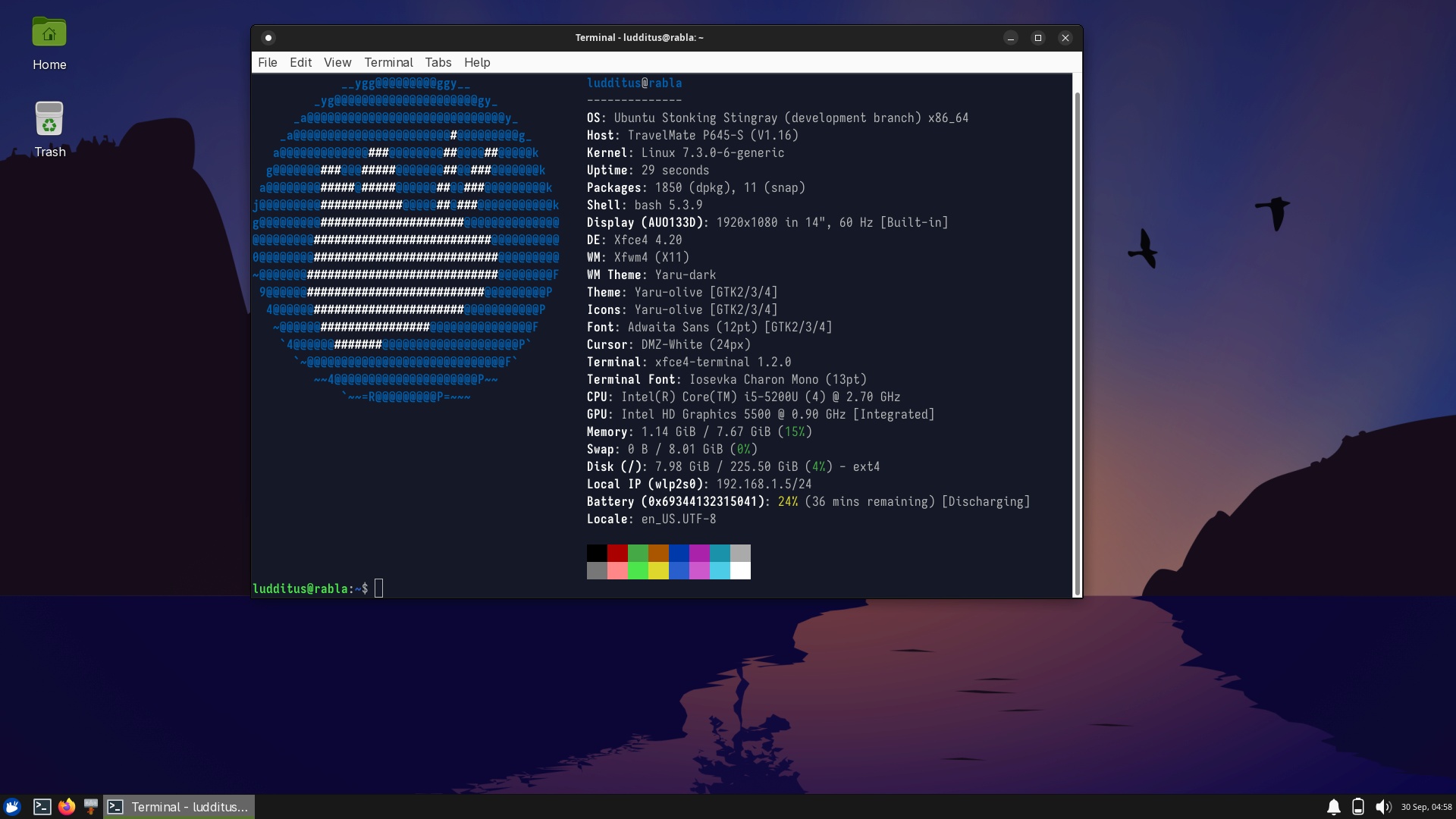
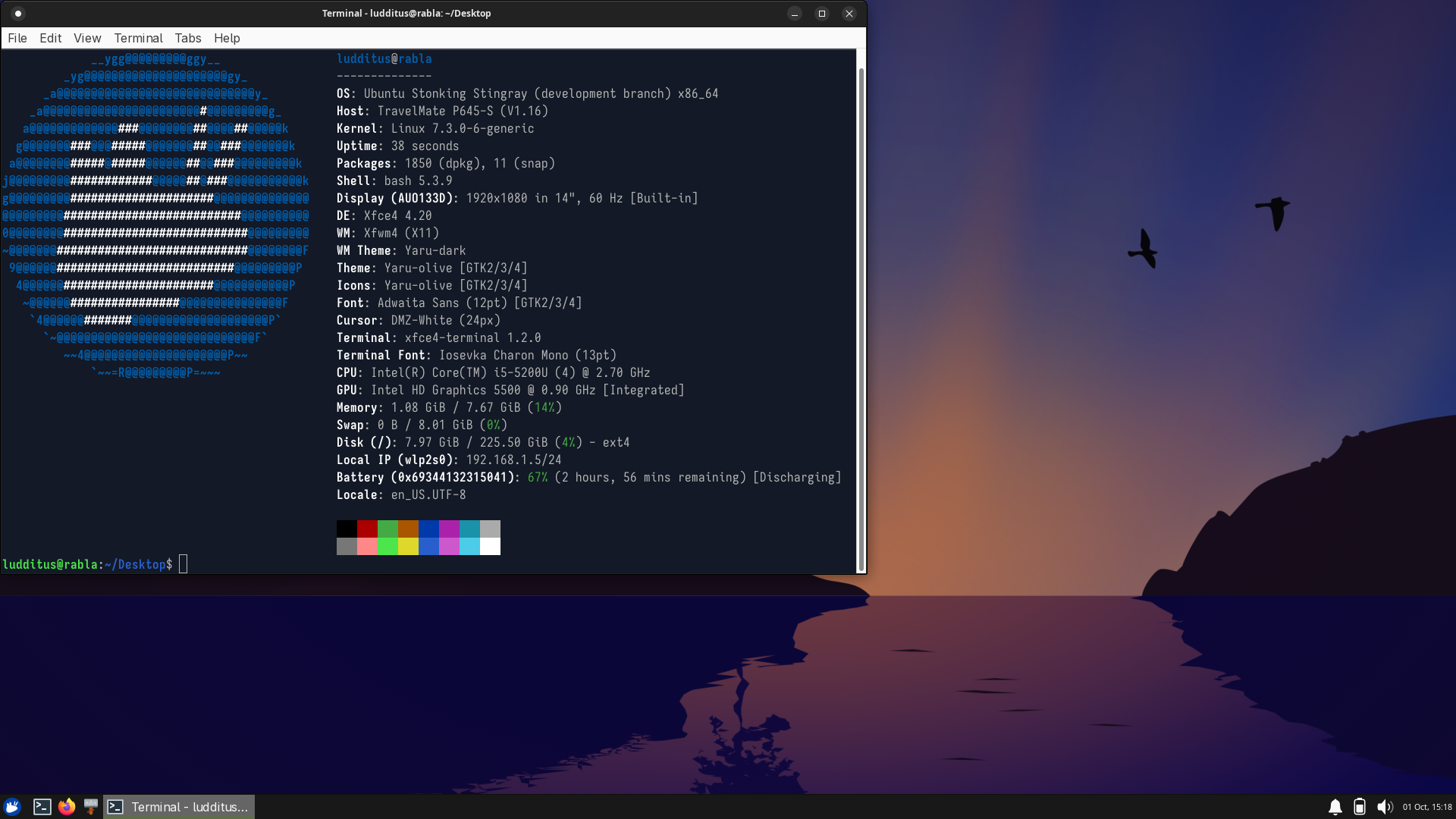
- Before: 1.14 GiB. After: 1.08 GiB.
Plasma vs. Plasma
As I said, this is not Kubuntu 26.10, but a less bloated KDE added to Cinnamon 26.10. A sui generis “bloat” is that it loads 2 Bluetooth managers. But again, I forgot to make a more recent measurement before I edited the fstab and rebooted.
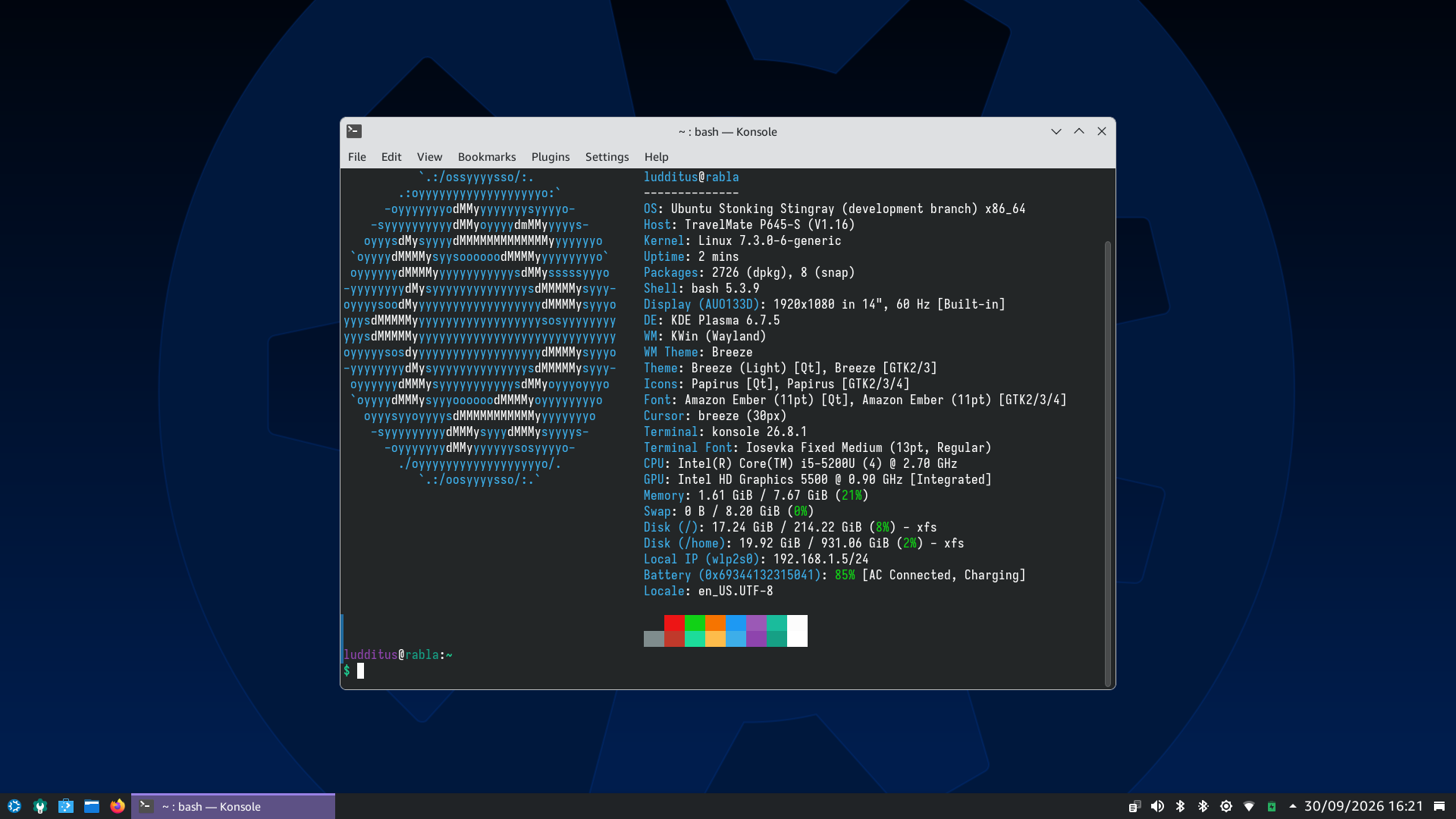
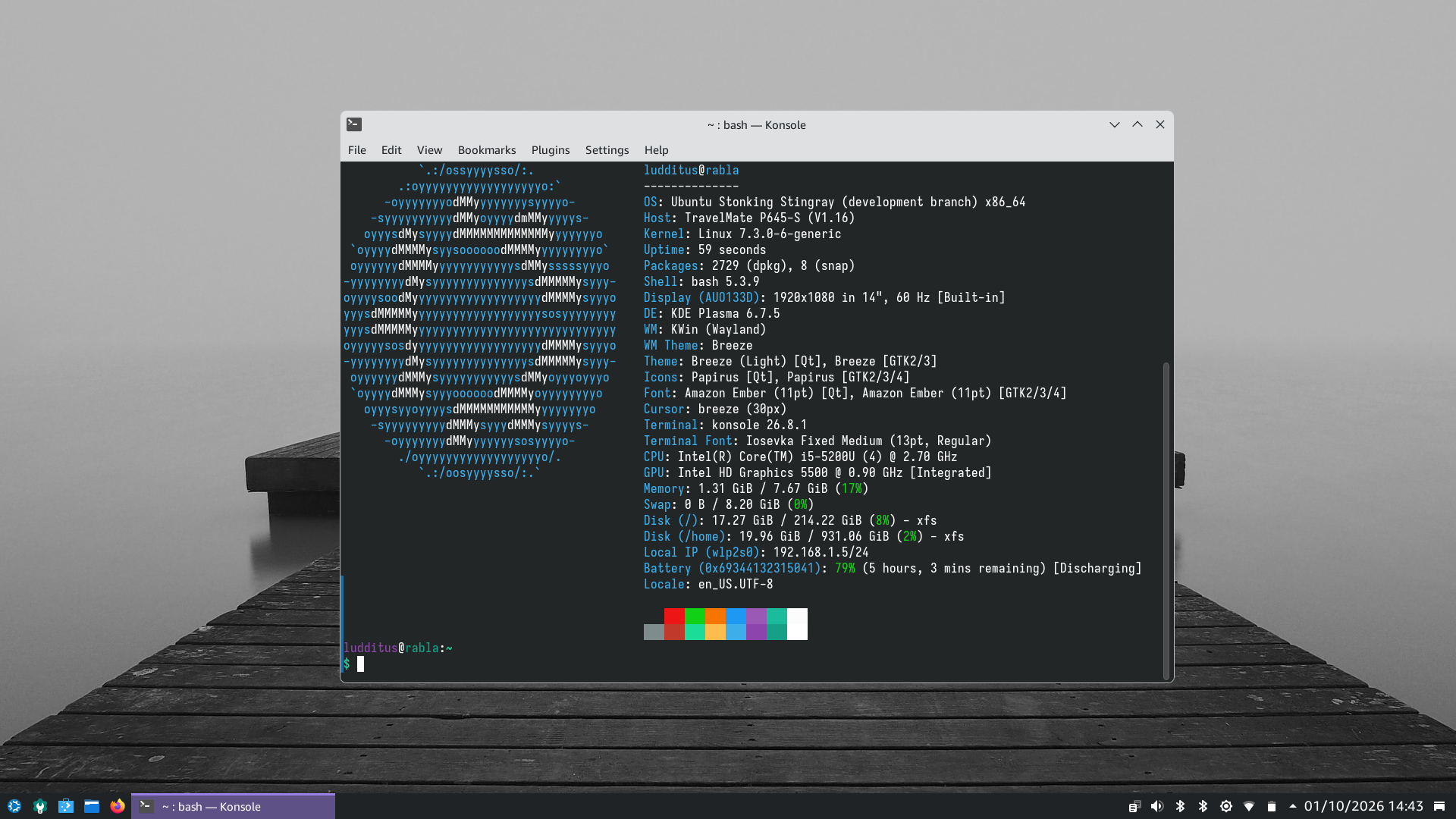
- Before: 1.61 GiB. After: 1.31 GiB.
Xebian vs. Xebian
On the Lenovo, the measurements are fresh:
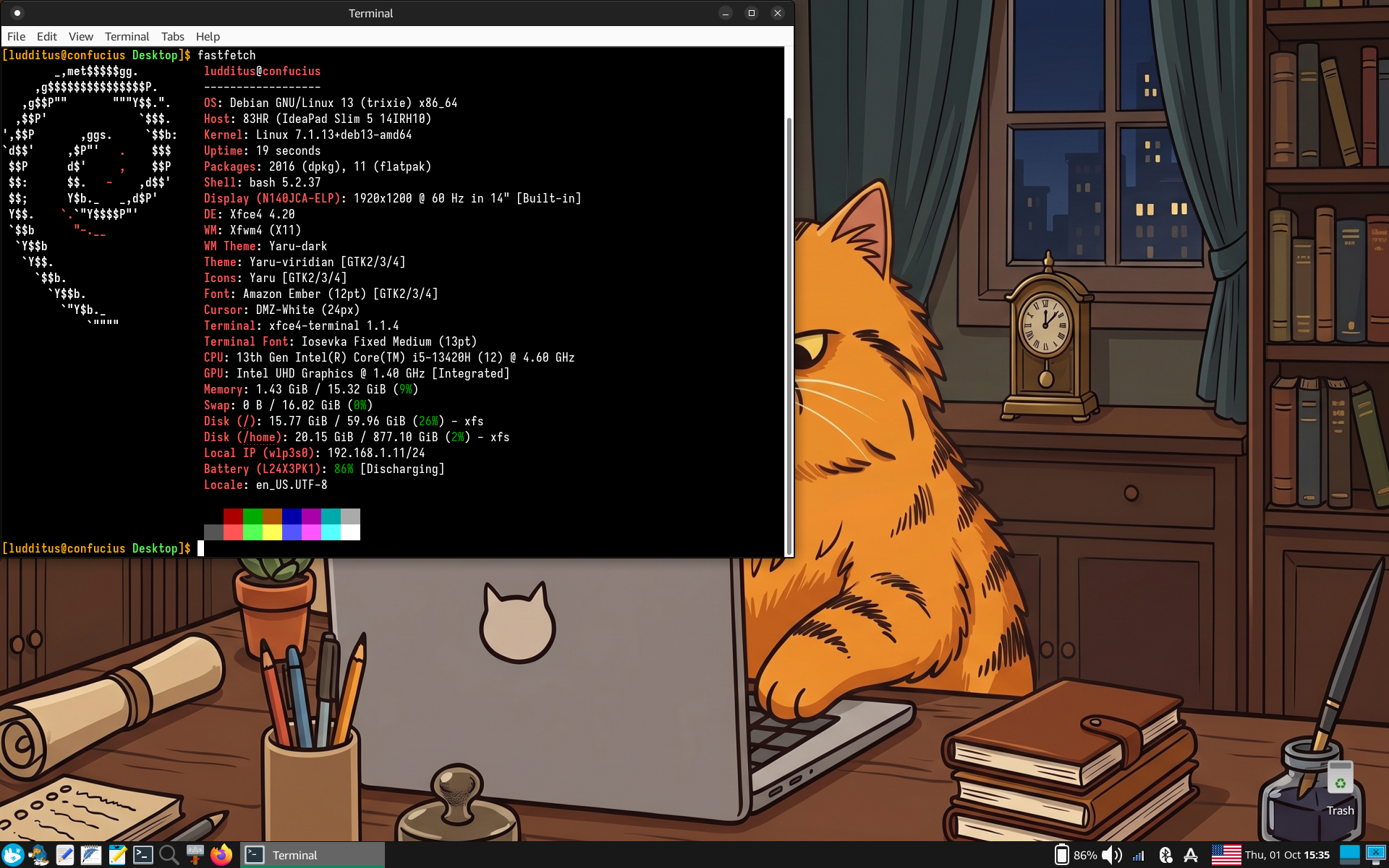
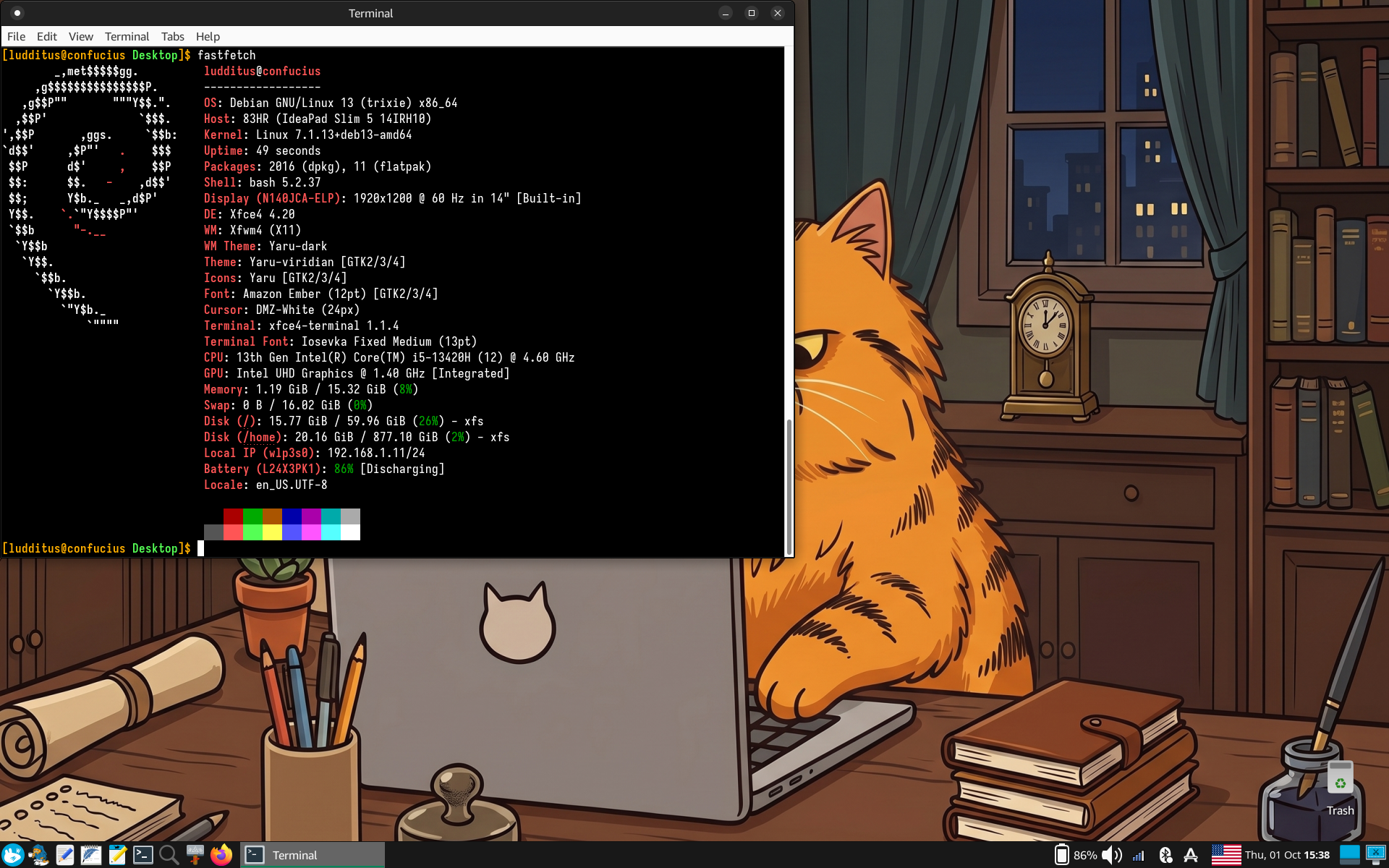
- Before: 1.43 GiB. After: 1.19 GiB.
What the… ?!
What’s going on here?! I expected lazytime to increase RAM usage, not to decrease it!
The opposite seems to be true. There might be factors that explain this counterintuitive result. Maybe not differences of up to 300 MB, but at least a tendency to use less RAM than without noatime and lazytime.
Gemini:
The reason
noatime,lazytimeyields a lower reported RAM footprint right after boot compared todefaultsis that standarddefaultstriggers a chain reaction across the kernel’s virtual filesystem (VFS) and desktop background services.
defaultssilently falls back torelatime. When hundreds of small files, shared libraries, icons, and configuration files are accessed during desktop startup:1.
noatimeKills the Startup Metadata SurgeUnder
defaults(relatime), if a file was modified since its last access or hasn’t had itsatimetouched in 24 hours, reading it marks the inode dirty withI_DIRTY_SYNC.
- The kernel cannot simply read the file and move on; it must schedule an on-disk metadata update.
- On filesystems like
ext4, this forces the kernel to allocate in-memory JBD2 journal transaction handles, pin buffer heads, and place the inode on the active dirty writeback list (wb->b_dirty).- Crucially, while an inode is queued or waiting on a pending journal commit, the kernel sets the
I_SYNClock bit. Inodes locked inI_SYNCcannot be freed or reclaimed by the memory shrinker (kswapd). They remain pinned in the kernel slab (SUnreclaim), keeping the early boot slab footprint elevated.- With
noatime, read access tracking is completely dead. The kernel maps dynamic libraries and config files as clean, read-only pages. Zero journal transactions are allocated, zero inodes are locked inI_SYNC, and transient slab allocations drop to baseline immediately.2.
lazytimeTames the Remainingmtime/ctimeChurnFor the files that are written or modified during login (session state, temporary configs, sockets, lock files):
- Under
defaults, any metadata modification immediately pushes the inode back into the aggressiveI_DIRTY_SYNC→ journal pipeline.- With
lazytime, the kernel instead tags the inode asI_DIRTY_TIMEand moves it to a dormant list (wb->b_dirty_time). It does not allocate journal descriptors or take transaction locks. The inode stays in quiet memory until real data flushes out or the inode is discarded cleanly.3. Background Desktop Daemons Stay Idle
Modern desktop environments (like KDE Plasma) launch background watchers at login: file indexers (
baloo_file), directory monitors (KDirWatch), and thumbnail/cache managers.
- Under
defaults, the flurry of access-timestamp changes across system directories signals to these daemons that filesystem state is churning. They wake up, spawn worker threads, and allocate memory buffers to check and re-index metadata.- Under
noatime,lazytime, the filesystem remains completely static from a metadata perspective. The watchers find zero timestamp changes, do practically nothing, and stay at minimal idle memory usage.4. Why Tools Like
fastfetchNotice the DropTools calculating active RAM (including
fastfetchvia/proc/meminfo) include shared memory (Shmemin/run/user/1000/) and unreclaimable slab (SUnreclaim), while subtracting reclaimable page cache (SReclaimableandCached).Because
noatime,lazytimeprevents the creation of pinned journal structures (SUnreclaim) and prevents background desktop workers from allocating IPC buffers and heap memory during startup, the calculated “Used” memory drops noticeably.
I asked again, specifically about lazytime:
While it feels logical that “keeping timestamps in memory should consume more RAM,” the reality of the VFS (Virtual Filesystem) data structures and writeback queues actually explains why memory pressure is often equal or slightly lower with
lazytime.Here is what is happening under the hood:
1. Inodes Are Cached in RAM Anyway (Zero Extra Memory)
The in-memory representation of an inode (
struct inode) in the Linux kernel already contains the fields fori_atime,i_mtime, andi_ctime.
- When a file is active or in cache, its VFS inode struct is already allocated in the slab cache (
inode_cacheorext4_inode_cache/xfs_inode).lazytimedoes not allocate extra structures to hold timestamp changes; it simply updates the integer values already inside the existing in-memory struct and sets an internal bitflag:I_DIRTY_TIMEinstead ofI_DIRTY_SYNC.- Because no extra memory structures or page allocations are created, the raw footprint of the file metadata in RAM is 0 bytes larger.
2. Fewer Journal / Writeback Buffer Allocations
The primary reason you often see lower memory usage (or less dirty slab/buffer pressure) with
lazytimeinvolves the journaling subsystem (JBD2 on ext4, or the XFS log):
- Without
lazytime:
Every metadata change flags the inode asI_DIRTY_SYNC. The filesystem has to track this dirty inode in its transaction lists, allocate transaction handles, and frequently create in-memory buffer heads / journal descriptors to commit the metadata to disk.- With
lazytime:
The kernel skips adding the inode to the immediate writeback transaction queues. It avoids creating temporary buffer heads and journal transaction tracking overhead in memory.By eliminating the constant churning of filesystem transaction objects, you save transient slab memory.
3. Faster Inode Reclaim (VFS Cache Cleanup)
When memory management cleans up the dentry and inode caches (via
kswapdor cache pruning):
- Inodes flagged
I_DIRTY_SYNCor locked in pending journal transactions cannot be immediately freed or evicted—they must wait for I/O flush and journal commit.- Inodes marked with
I_DIRTY_TIMEcan often be handled or expired cleanly without blocking on immediate journal writeback locks, reducing the buildup of pinned, un-evictable cache objects.The Bottom Line
lazytimechanges a state flag from “flush this metadata quickly via the journal” to “leave this existing struct alone until something else writes it”. It eliminates transactional bookkeeping overhead without allocating a single additional byte to track the time.
Hmm, whatever.
Cinnamon X11 vs. Wayland
But wait, there is worse! What if Cinnamon on Wayland were lighter than Cinnamon on Xorg, under the same conditions (noatime,lazytime)?
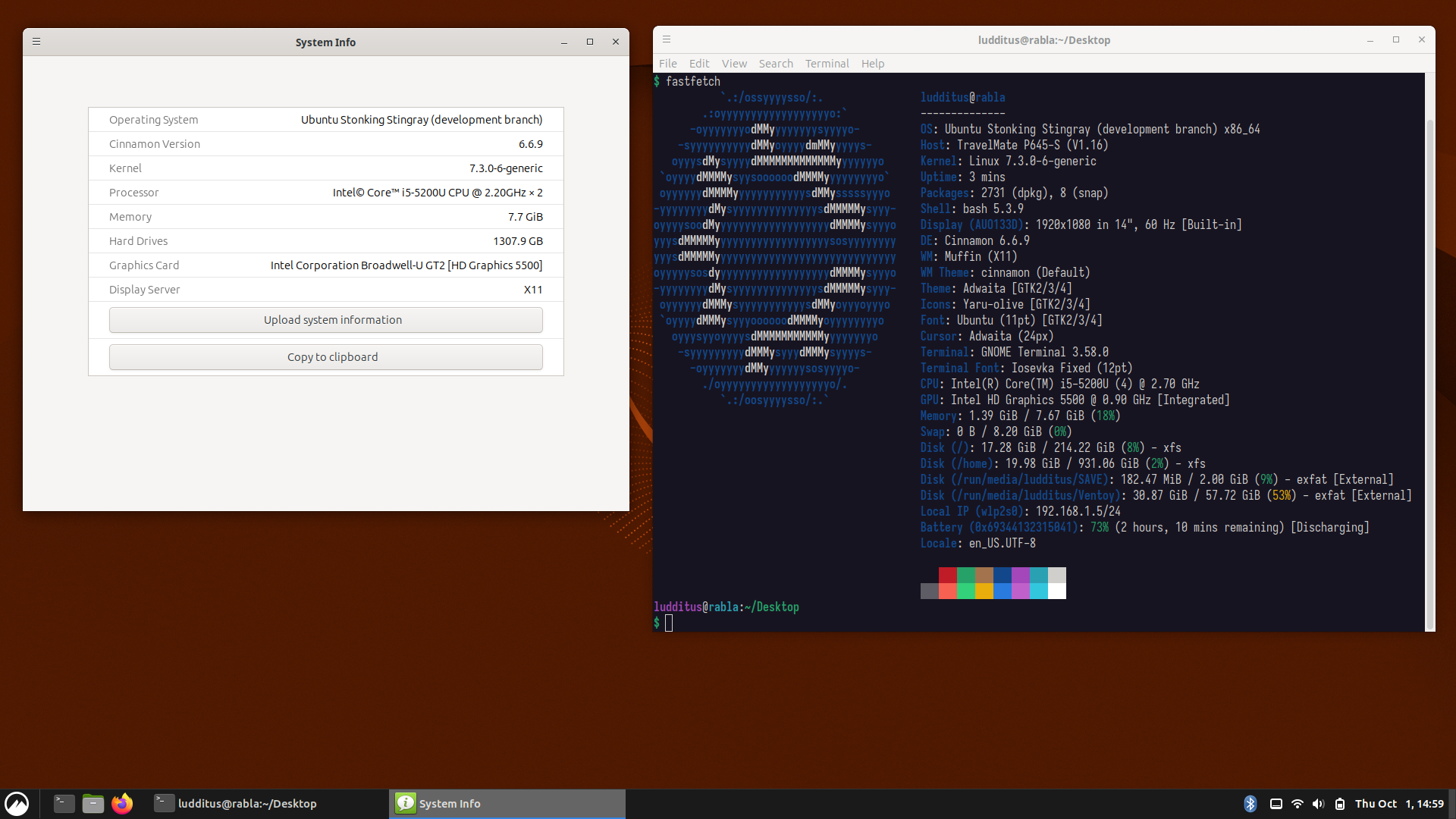
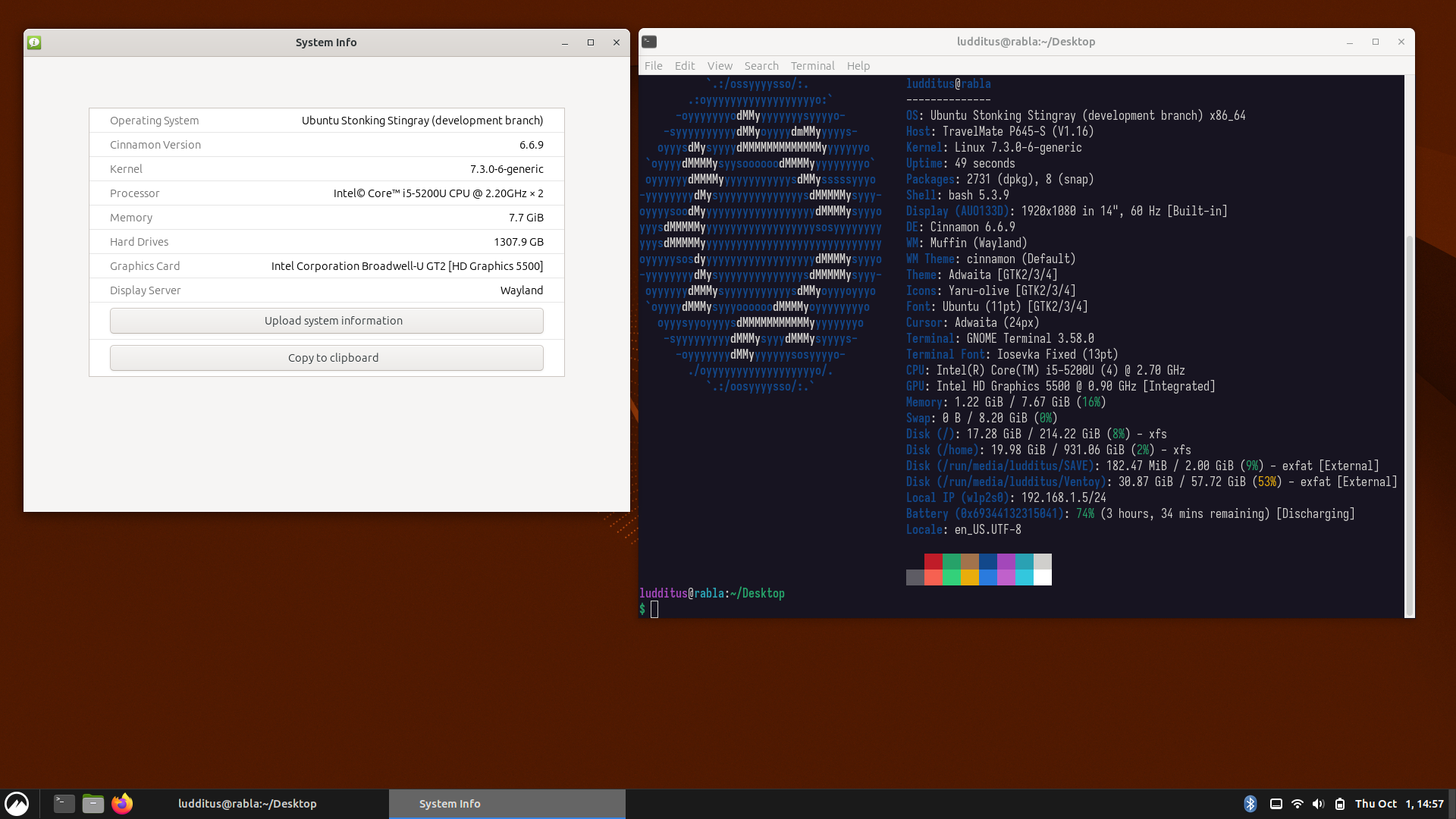
- X11: 1.39 GiB. Wayland: 1.22 GiB.
Yup, checked.
OK, kubuntu-settings-desktop hijacked Cinnamon’s branding. 🤷♂️ Here’s what it looked like before I installed Plasma, but after I tweaked Cinnamon a wee bit:
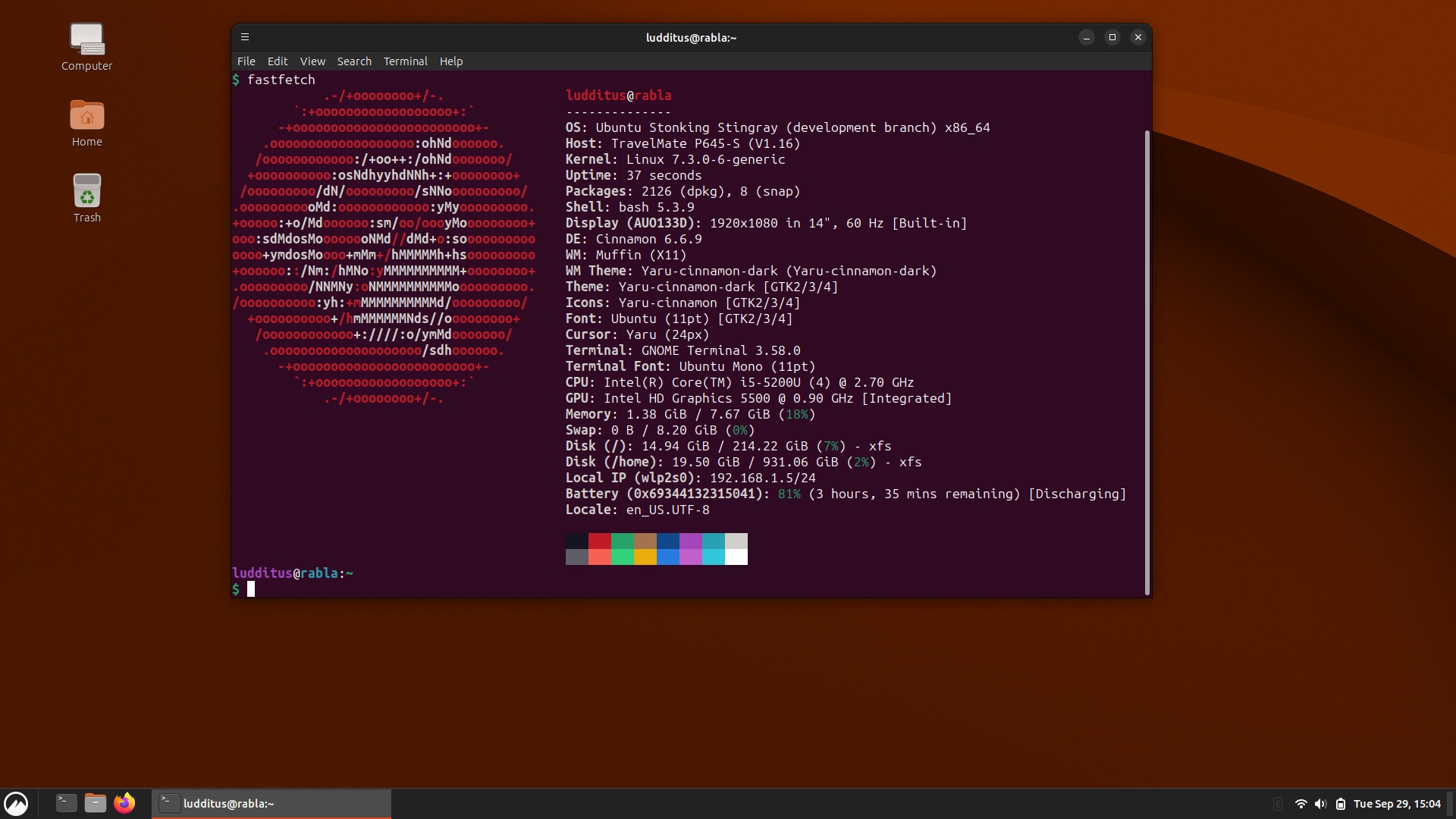
It even took only 1.38 GiB, with defaults, but without that “System Info” app.
Quick takeaways
- At least
noatimeif notnoatime,lazytimeshould be used on all desktop Linux systems. Why isn’t this the default? Even better, why isn’tdefaultsa shortcut to a set of flags that includesnoatime,lazytime? - Wayland compositors might soon prove decent enough to make us stop cursing Wayland, the way most of us stopped cursing
systemd. - 26.10 might be a decent release of Ubuntu, at least as far as KDE, Cinnamon, and XFCE are concerned. GNOME is a no-go.
- However, I didn’t install Kubuntu, but a less bloated set of Plasma components over Ubuntu Cinnamon.
- Without Mint’s branding, Cinnamon is more bearable, but without any of those Xapps, it has to borrow all accessories from other desktops: a text editor, an image viewer, a PDF viewer. Its transition to Wayland seems quite successful at first sight, but it’s still marked as experimental.
- Once I ignored that Xubuntu is a retarded live distro that doesn’t automatically mount any extra partition of any kind (goodbye, flash drives!), it’s not such a horrendous distro, after all.
Note that, inheriting MATE’s long-standing integration conflict in Debian, and following Wimpy’s self-dismissal, Ubuntu MATE 26.10 is a laughable mess: MATE is still 1.26 with elements of 1.27 and 1.28. Examples: mate-system-monitor 1.26.3, caja 1.26.4, mate-panel 1.27.1, mate-desktop-common 1.28.2, mate-terminal 1.28.3, atril 1.28.4. For a full MATE 1.28.x desktop, one should try Arch or Fedora. So Ubuntu MATE 26.10 should be disregarded. MATE 1.28 was released on February 27, 2024.
Oh my, on September 21, 2025, I declared I’d no longer use Linux! 🤦♂️ One year later, I’m still masochistic…
Leave a Reply