
Revisiting Markdown with LibreOffice and OnlyOffice
I don’t fully agree that OnlyOffice Desktop Editors 10 is “very close to a ten,” but I admit that OnlyOffice has better compatibility with Microsoft Office than LibreOffice and other suites. I stand by my assessment from ten months ago (“I never thought I’ll prefer ONLYOFFICE“), but I’m not that thrilled by version 10 of this product. If anything, it might go in the wrong direction. I mean, who needs such crap?
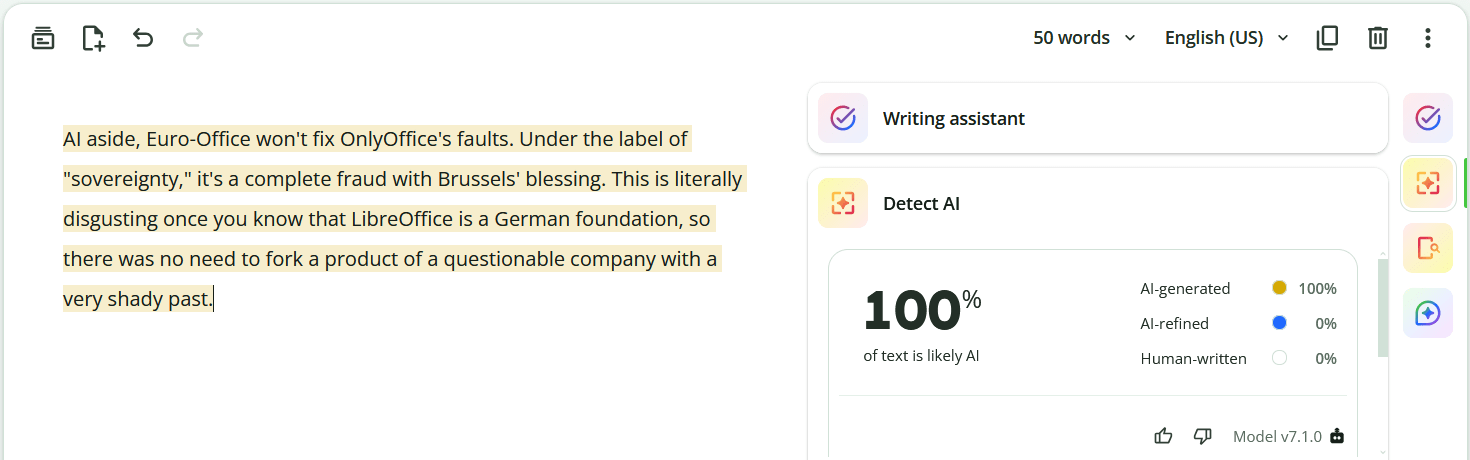
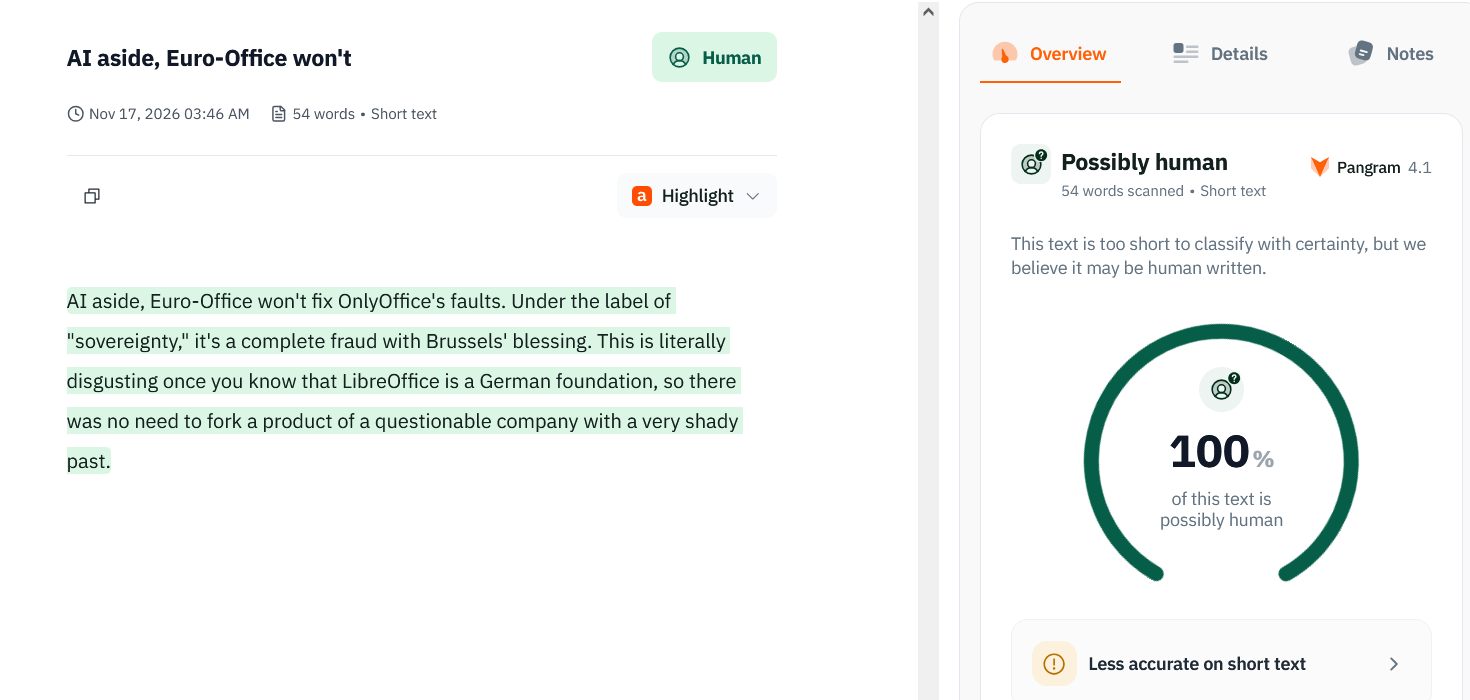
AI aside, Euro-Office won’t fix OnlyOffice’s faults. Under the label of “sovereignty,” it’s a complete fraud with Brussels’ blessing. This is literally disgusting once you know that LibreOffice is a German foundation, so there was no need to fork a product of a questionable company with a very shady past.
Interstitial
Speaking of AI, here’s what Quillbot believes about the above paragraph:
Pangram, nonetheless, accepts that I might be human:
Back to our sheep
What happened was this. Exasperated by the stupid workflow of all Word clones, I started writing a document in Markdown, using Markpad in split mode, so I could preview the result. The document was nicely structured (headings and all), and it included several tables. It took me much less time than if I’d have written it in Microsoft Word, LibreOffice Writer, OnlyOffice Desktop Editors, or SoftMaker TextMaker.
Eventually, I needed to make a DOCX from it so I could set typefaces and page margins, possibly adjust the tables, save it with embedded fonts, and, for even greater compatibility, make it a PDF.
To my huge surprise, LibreOffice 26.8.2.2 imported it perfectly! I tried again after having upgraded to 26.8.3.1, and it’s still doing great! 👍
Well, actually, not 110% perfectly, because I used non-standard Markdown that’s, however, accepted by most Markdown dialects. Namely, I used <br> within table cells to have the explanations in the last column of a table be neatly split on several lines in the same cell. LibreOffice simply removed those <br> tags, so no real harm was done.
LibreOffice also created a perfect PDF, so I was literally happy.
Trying the reverse operation, I exported the DOCX into a new MD. This time, too, the export was perfect—that is, except for the SHIFT+ENTER in the same table cells, which it did not convert to <br> because this would be non-standard Markdown. 🤷♂️
🟢 Updated assessment: LibreOffice is now perfectly competent in dealing with Markdown files! 🎉
Enter OnlyOffice—no AI, but no brains either
OnlyOffice Desktop Editors 10.0.0.169 imported Markdown partially better than LibreOffice, and by this I mean that it honored those <br> tags! The weird thing is that all headings were in a shade of blue (#0F4761), with H1, H2, and H3 headings bold, and H4 (####) headings bold-italic!
Euro-Office DesktopEditors 9.3.8 (the icon and the about box still read “Nextcloud Office” because retards) performed identically on import.
The real problems arise when you want to save to Markdown! You don’t necessarily need to save a file first as DOCX, then save it again as MD. Just save the Markdown file you just opened, and it will be completely screwed!
Both OnlyOffice 10 and Euro-Office 9.3.8 exhibit the old behavior I complained about: there are no empty lines where they should be, so the resulting Markdown is interpreted chaotically by various MD renderers because it’s completely non-standard!
More fun:
- OnlyOffice 10 added a dash-space (“
-”) before the hash symbols for all headings. WTF?! Everything was a huge list! It also made H2 and H3 headings bold and H4 bold-italic (***), just as they were displayed after opening the file. - Euro-Office 9.3.8 took a different approach and didn’t add any dash-space (“
-”) before the hashes, because there were no hashes! H2 and H3 became normal paragraphs but in bold, and H4 paragraphs in bold-italic! Dafuq?!
The way tables were ruined also differed between OnlyOffice 10.0.0.169 and Euro-Office 9.3.8. The common part is that those <br> or (CTRL+ENTER if exported from DOCX) were converted to pipes (“|”), so they created new table cells that are typically displayed on new rows.
But the tables are further screwed because of their strange headers that add a header above the header!
OnlyOffice 10:
|  |  |  |  |  |
| - | - | - | - | - |
| **One** |  **Two** |  **Three** |  **Four** |  **Five** |
| text |  text |  text |  text |  text |
Euro-Office 9.3.8:
| | | | | |
|-|-|-|-|-|
| **One** |  **Two** |  **Three** |  **Four** |  **Five** |
| text |  text |  text |  text |  text |
FYI, the header should be above, not below, the columns’ definitions, which for left-aligned columns is “ --- ” or “ :--- ”, not “ - ” or “-”!
I’m speechless. Did anyone really test saving or exporting to Markdown?! Most certainly not!
Oh, by the way, those <br> did not get saved or reexported! Everything is chaotic in OnlyOffice and its fork!
🔴 OnlyOffice and Euro-Office are the worst pieces of shit if you need to deal with Markdown! 🤬
To LibreOffice or not to LibreOffice
To be honest (this is how politicians start a lie, but I’m telling the truth!), I couldn’t get used to OnlyOffice’s ugly UI. I hated it, including those tabs. I might be a dinosaur, but in certain regards, LibreOffice feels much more homey. I used to hate it, too, but then I didn’t.
I don’t need 110% visual compatibility with Microsoft Office. When I need it, I look for a computer with a genuine Microsoft Office, is all.
So I’m now a banal user of LibreOffice, installed from upstream even on Debian. I uninstalled all other office suites. They were too pathetic.
But is LibreOffice, um, not perfect, but without retarded bugs? No, it isn’t!
I am not from Ireland, but I am using the following trick: en-US for the OS GUI, but en-IE for the locale as a shortcut to getting A4 paper, metric measurements, the euro as a currency, a week that starts on Monday, and DD/MM/YYYY instead of MM/DD/YYYY. But the following also happens to genuine Irish users, so what the fuck is wrong with the retards at The Document Foundation?!
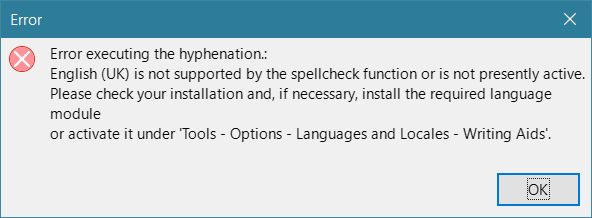
This:
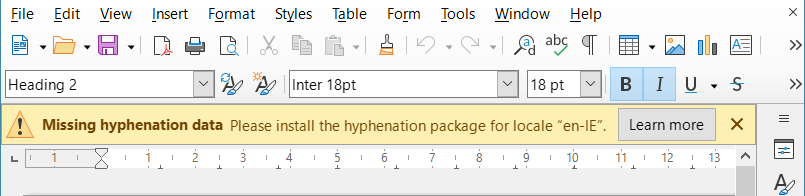
The retards don’t have hyphenation rules for Irish English! Unbelievable.
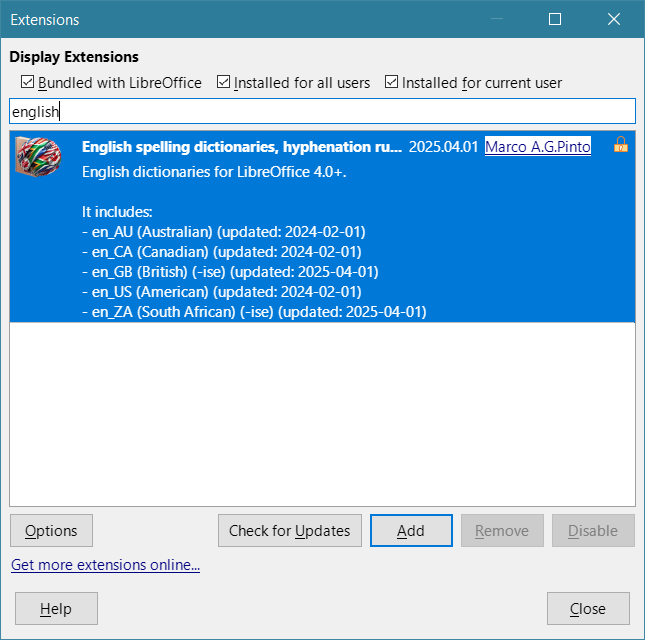
Australia, Canada, Britain, the US, and South Africa do exist. Ireland, New Zealand, and other English variants don’t!
Oh, the “Learn more” button opens this useless page that mostly instructs you to apt install hyphen-en-us, but if you filter that table, you’ll find out that Ireland does not exist. There is an extension for NZ, though. But why an extension instead of something official?! github.com/LibreOffice/dictionaries shows the abysmal situation of spelling dictionaries and hyphenation rules: nothing en_IE under en! Is this a fucking European product, or not?!
The true mental retardation is that they did not decide to use en_GB instead of en_IE for spelling and hyphenation, or at least for hyphenation!
We are living in Idiocracy.
OK, so what I needed to do was to change the default language for documents (not the locale!) from Irish English to British English:
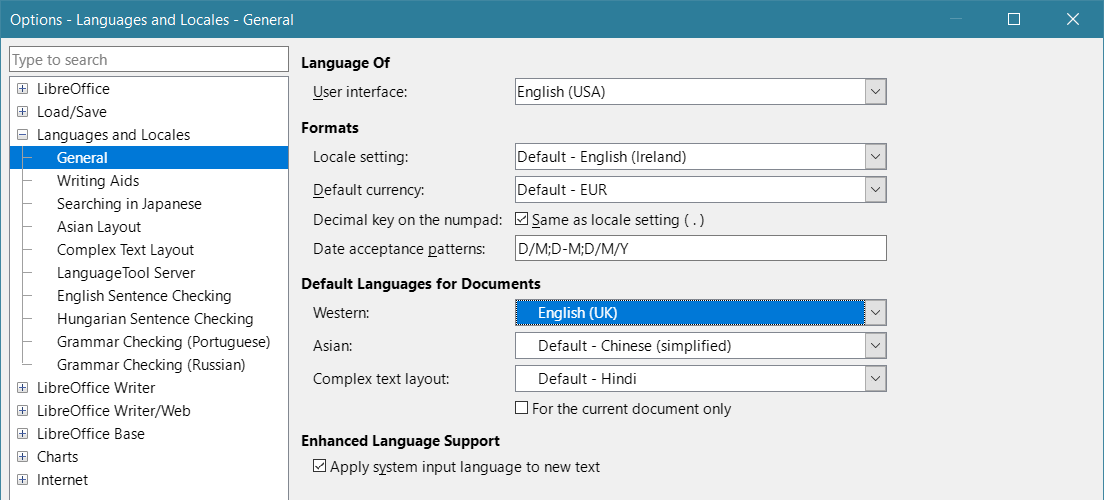
Then, I changes the language for all saved documents that had it set to Irish English.
And it still didn’t work!
Why on the fucking Earth did I have to manually enable both Hunspell SpellChecker and Libhyphen Hyphenator?! Why are they not used if they’re installed?
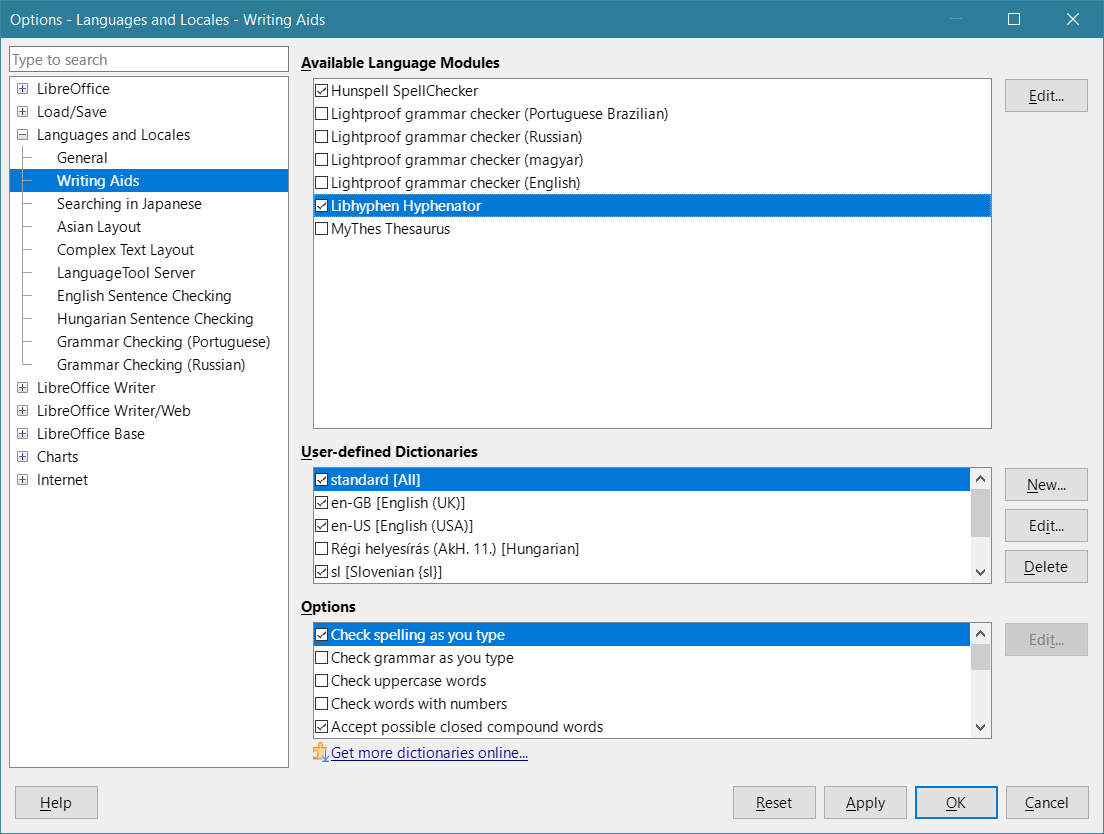
Now it works, but it’s still retarded. I expected en_GB to lack words such as Gardaí, Taoiseach, or Dáil but include terms such as eejit, which is also used in Scotland.
Nope.

For some reason, en_GB included Taoiseach and Dáil (only used in Ireland) but lacked eejit!
Everyone should be using Microsoft Office under Windows or macOS because everything else is utterly retarded! The year of Linux on the desktop? Open-source office suites? Not during my life!
Leave a Reply