
WINE, Bottles, WinBoat, WinApps, or Raven?
I’m not a gamer, so I couldn’t care less about Steam, Heroic, and Proton; whenever I wanted to run some Windows app under Linux, I usually used WINE, which is a catastrophic piece of shit on the configurability side (no useful GUI, and separate win32 and win64 prefixes because it was designed by retards). Managing a mix of 32-bit and 64-bit binaries (and prefixes!) under WINE is more painful than it needs to be: Winetricks is useless, Lutris is for games, and PlayOnLinux is dead (I believe I used it in the distant past for non-gaming apps), so the last time I decided that Bottles is the closest thing to something useful. But not that much.
Running away from WINE
WINE is an abomination even when it works. I’m surprised that people use it, given the lack of a proper GUI that would really help the user! Life is too short to fiddle with a stupid configuration that’s stupid because the respective software has a stupid design. 2026 isn’t 1996, dammit! (Someone should tell that to Arch and FreeBSD, too.) I’m surprised that WINE even works. I mean, you don’t use different “prefixes” under Windows, but WINE cannot distinguish between win32 and win64 binaries, which means you need to create two separate installations—one for each WINEARCH—despite there being only one unique WINEPREFIX environment variable. What if I need to use both 32-bit and 64-bit apps? Why do I need all this mess? Even if I wanted to pay for CrossOver, I learned from Dedoimedo that they’re discontinuing 32-bit support on macOS, so I suppose they’ll do the same on Linux.
The year of the Linux desktop, yeah. In another universe, maybe. Maybe they should vibe-code a new WINE, because the existing one is corked.
I decided I’ll never use WINE again in order to prevent a brain stroke, but what else? I hate VirtualBox, and VMware, which I used to like, isn’t necessarily better. I once used WinBoat, and it wasn’t that bad. But it’s still “the heavy way”: a full Windows installation in Docker! The good part is that it makes things easy for you, something WinApps doesn’t do.
Enter Raven
But what if there was an alternative to WINE? Well, Raven (GitHub) promises just that!
Raven runs Windows applications on Linux. You install them with their own installers, the same ones you would use on a PC, and they start: no virtual machine, no winetricks, no DLL overrides.
The program’s code runs directly on your CPU, inside a sandbox where it cannot reach Linux. Every call it makes to the system is answered by Raven, which plays the part of the Windows kernel and its services: processes and threads, files, the registry, windows and input. Graphics go to Wayland and Vulkan, with DXVK and vkd3d-proton for Direct3D.
Too good to be true, right? (Right.)
First, it doesn’t help that useraven.org says at the very bottom, “Raven code: MIT. Components retain their licenses.” Then, LICENSE says GPLv3. For Raven! LICENSES.md says this:
Raven’s Linux host runtime is GPL-3.0-or-later. Original Raven guest adapters listed in LICENSES.json remain MIT-licensed. Imported source keeps its copyright, license notices and any exceptions. Earlier MIT grants remain valid. The release is a collection of components with these terms, not a single MIT or GPLv3 license applied to every file.
OK, so everything is a mess! But they should consult a lawyer: every file has a license, not only “components”! This is the effect the GPL has on open-source software. If only Linux literally died, so we could get rid of this carcinogenic license! GPL is a religion, not a license.
I tried both easy ways to try Raven. First, I built it from source. The requirements on GitHub mention Fedora, so I used my spare Fedora 45 installation (the documentation isn’t much more useful). I also used a nightly build.
They say Raven targets Wayland, and X11 is experimental. Yeah, sure.
My first attempt
Running both versions (the one built by me and their nightly build) with --desktop=wayland (under Wayland!) claimed that there was no Wayland support:
ludditus@rabla45:~/raven$ build/native/raven --run-process --execution=native --timeout-ms=600000 --desktop=wayland /home/ludditus/Desktop/ComicStripBrowser.exe
raven: native Wayland presentation was not built

ludditus@rabla45:~$ /home/ludditus/Desktop/raven-nightly-linux-x86_64/runtime/raven --run-process --execution=native --timeout-ms=600000 --desktop=wayland /home/ludditus/Desktop/ComicStripBrowser.exe
raven: native Wayland presentation was not built
Running with --desktop=x11 showed that Raven implements too little from WinAPI:
ludditus@rabla45:~/raven$ build/native/raven --run-process --execution=native --timeout-ms=600000 --desktop=x11 /home/ludditus/Desktop/ComicStripBrowser.exe
raven: unimplemented native API GetFileInformationByName
raven: unimplemented native process API at 0x6fff0102d02c
Native process exited with status 1

ludditus@rabla45:~/raven$ /home/ludditus/Desktop/raven-nightly-linux-x86_64/runtime/raven --run-process --execution=native --timeout-ms=600000 --desktop=x11 /home/ludditus/Desktop/ComicStripBrowser.exe
raven: unimplemented native API GetFileInformationByName
raven: unimplemented native process API at 0x6fff0102d02c
Native process exited with status 1
So Raven is currently useless, right? 😭
My second attempt
I then tried an older software, which has the following peculiarity. It can install 2 different versions: one for Win3.x (16-bit) and one for Win95+ (32-bit). Obviously, under 64-bit Windows, it can only install the 32-bit version of the software, but it works! It even works under WINE!

Its InstallShield-based 60 KB Setup.exe uses separate _INST16.EX_ and _INST32I.EX_. The Setup.exe itself does not have a PE signature because it’s a pure 16-bit NE binary. However, when Microsoft removed NTVDM from 64-bit Windows, it broke thousands of late-1990s 32-bit programs whose actual app binaries were 32-bit PE files, but whose Setup.exe launcher was a 16-bit NE stub. So they came up with a patch.
Windows sees the 16-bit NE header and notes that NTVDM is unavailable. It then checks those metadata strings against a whitelist, and when it matches a known legacy stub, it discards Setup.exe completely and spawns a 32-bit replacement stub that decompresses and executes _INST32I.EX_ under WOW64. Case closed.
WINE, as retarded as it is when it cannot mix win32 and win64, somehow manages to preserve win16 compatibility even for WINEARCH=win64! Despite the separation by prefix, WINE’s win64 isn’t strictly 64-bit only—it operates in WOW64 mode, meaning it hosts both 64-bit and 32-bit Windows libraries. When WINE sees Setup.exe‘s NE 16-bit signature, it launches a 32-bit winevdm.exe, and 32-bit Compatibility Mode still supports 16-bit Protected Mode code. So WINE’s 16-bit system DLLs actually run Setup.exe (something Windows doesn’t!), translate 16-bit API calls into 32-bit Win32 calls, and voilà! Setup.exe detects a 32-bit Windows environment, unpacks _INST32I.EX_, and goes on installing the 32-bit version of the software.
But Raven cannot run such a Setup.exe!
ludditus@rabla45:~/raven$ build/native/raven --run-process --execution=native --timeout-ms=600000 --desktop=wayland /run/media/ludditus/RHWUD300/Setup.exe
raven: Setup.exe: missing PE signature

ludditus@rabla45:~/raven$ /home/ludditus/Desktop/raven-nightly-linux-x86_64/runtime/raven --run-process --execution=native --timeout-ms=600000 --desktop=wayland /home/ludditus/Desktop/RHWUD300/Setup.exe
raven: Setup.exe: missing PE signature
Exit Raven
Now what?
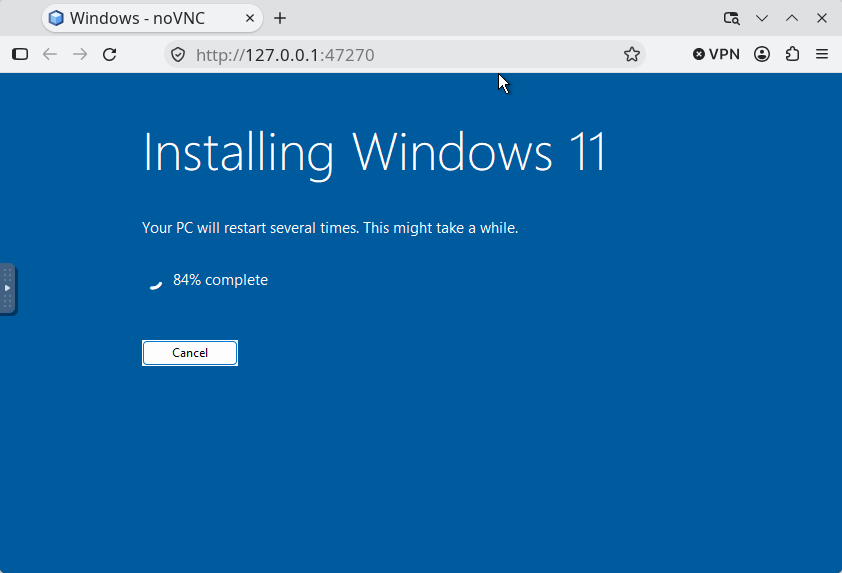
WinBoat, what else? It offers .deb and .rpm assets, among others. I only had to install Docker, then I had to choose between Windows 10 and Windows 11, and WinBoat installed the version I selected!
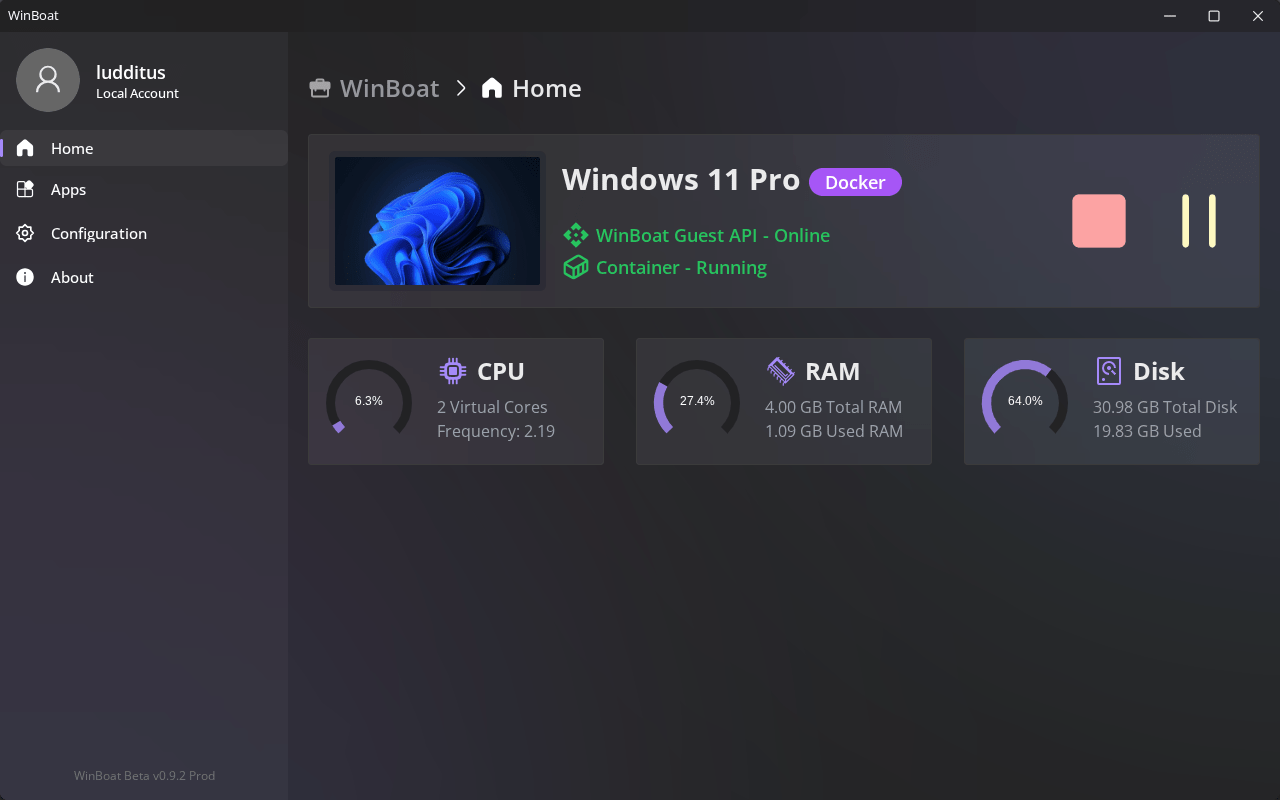
Container-based Windows doesn’t need to show the desktop unless the user chooses to run the “Desktop app,” so even Win11 Pro can run in little over 1 GB of RAM if headless!
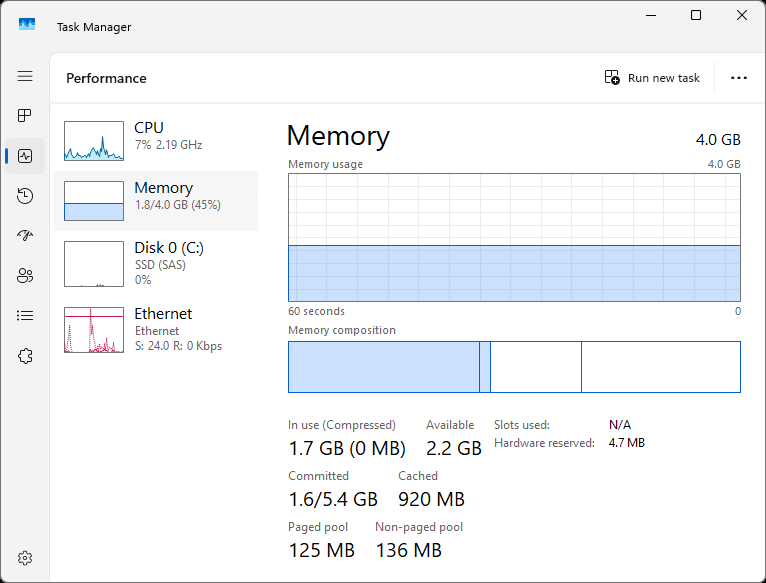
Should you start a GUI app, say Explorer or the Task Manager, the RAM usage grows to 1.7-1.8 GB:
When you launch an app in WinBoat’s Windows container, you won’t see any desktop, but only the window of the app you chose to run. From the user’s viewpoint, the experience is similar to the way WINE runs Windows applications or to a Windows RemoteApp rather than to a “normal” VM. But it’s still a full Windows installation, and it needs at least 4 GB of RAM for itself.
I did not install anything in this “boat”; I only revisited WinBoat so I could test how my Windows build of comic-strip-browser runs under Win11, because I’m running Win10 IoT myself. WinBoat can use a shared Linux directory without the absurd fuss required by VirtualBox—it just fucking works.
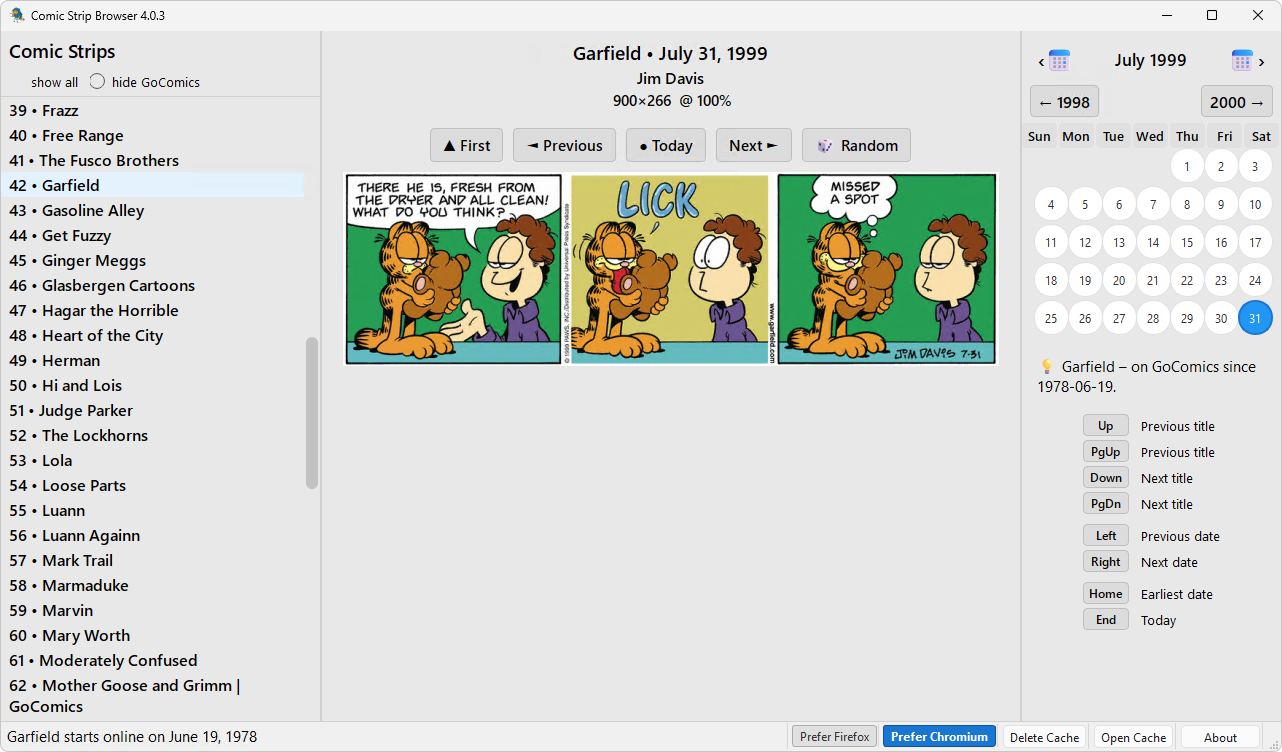
OK, maybe someday I’ll use Windows 11 myself. CPU-wise, it’s catastrophic (it consumes gazillions of cycles for nothing), but RAM-wise, it’s not that bad.
I wouldn’t hold my breath regarding Raven. I’m done with translations, emulations, and similar crap.
Leave a Reply